Page 119 of 363
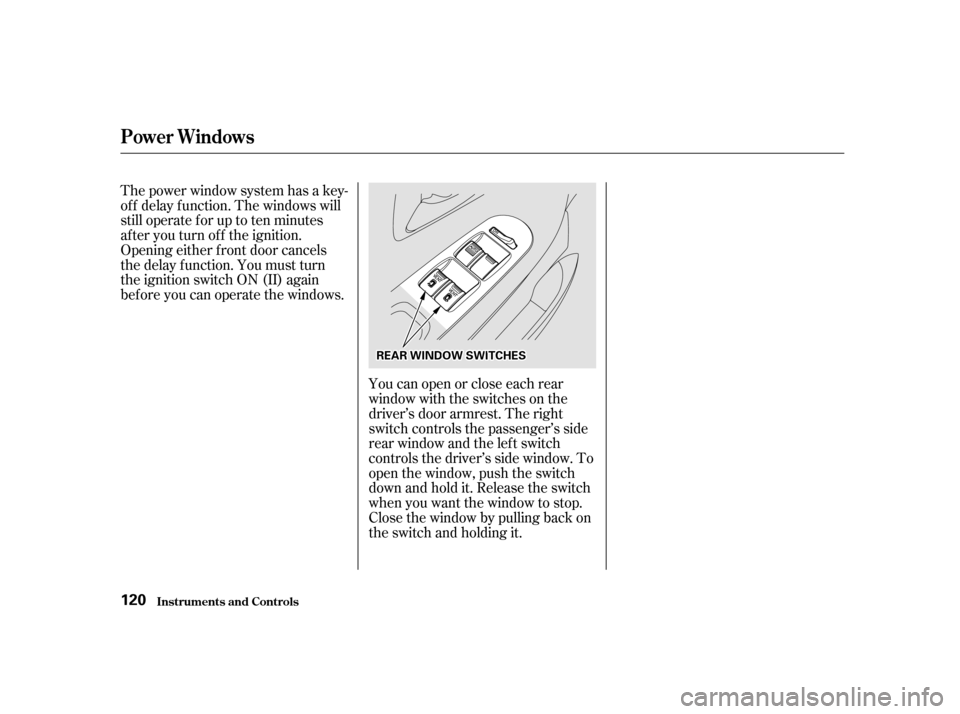
Youcanopenorcloseeachrear
window with the switches on the
driver’s door armrest. The right
switch controls the passenger’s side
rear window and the lef t switch
controls the driver’s side window. To
open the window, push the switch
downandholdit.Releasetheswitch
when you want the window to stop.
Close the window by pulling back on
the switch and holding it.
The power window system has a key-
of f delay f unction. The windows will
stilloperateforuptotenminutes
after you turn off the ignition.
Opening either f ront door cancels
the delay function. You must turn
the ignition switch ON (II) again
bef ore you can operate the windows.
Power Windows
Inst rument s and Cont rols
120
RREEAARRWWIINNDDOOWWSSWWIITTCCHHEESS
Page 120 of 363
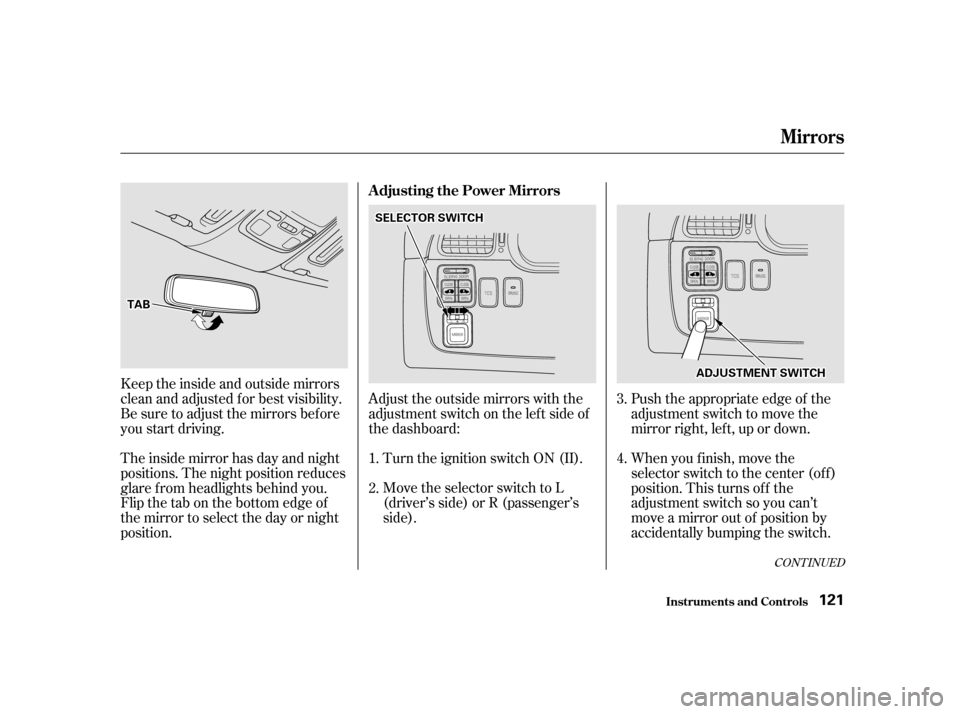
Turn the ignition switch ON (II).
Move the selector switch to L
(driver’s side) or R (passenger’s
side).Push the appropriate edge of the
adjustment switch to move the
mirror right, lef t, up or down.
When you f inish, move the
selector switch to the center (off)
position. This turns of f the
adjustment switch so you can’t
move a mirror out of position by
accidentally bumping the switch.
Keeptheinsideandoutsidemirrors
clean and adjusted f or best visibility.
Be sure to adjust the mirrors bef ore
you start driving.
The inside mirror has day and night
positions. The night position reduces
glare f rom headlights behind you.
Flip the tab on the bottom edge of
the mirror to select the day or night
position.
Adjust the outside mirrors with the
adjustment switch on the lef t side of
the dashboard: 1.2.
3. 4.
CONT INUED
Adjusting the Power Mirrors
Inst rument s and Cont rols
Mirrors
121
TTAABB
SSEELLEECCTTOORRSSWWIITTCCHH
AADDJJUUSSTTMMEENNTTSSWWIITTCCHH
Page 121 of 363
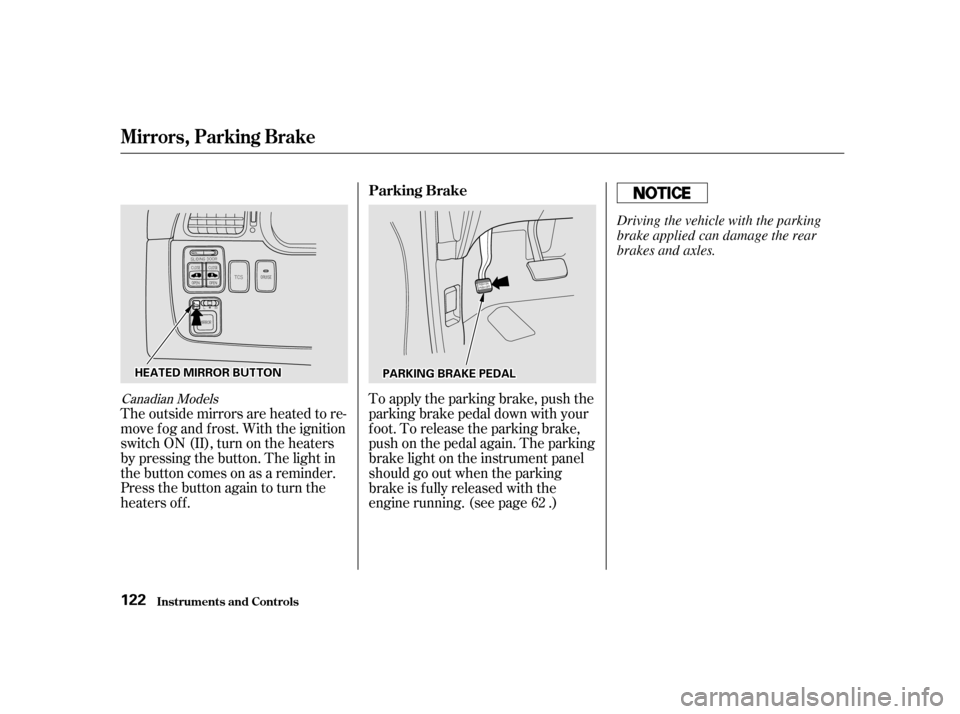
Canadian Models
The outside mirrors are heated to re-
move fog and frost. With the ignition
switchON(II),turnontheheaters
by pressing the button. The light in
the button comes on as a reminder.
Press the button again to turn the
heaters off.To apply the parking brake, push the
parking brake pedal down with your
f oot. To release the parking brake,
push on the pedal again. The parking
brake light on the instrument panel
should go out when the parking
brake is f ully released with the
engine running. (see page .)
62
Mirrors, Parking Brake
Inst rument s and Cont rols Parking Brake
122
HHEEAATTEEDDMMIIRRRROORRBBUUTTTTOONNPPAARRKKIINNGGBBRRAAKKEEPPEEDDAALL Driving the vehicle with the parking
brake applied can damage the rear
brakes and axles.
Page 122 of 363
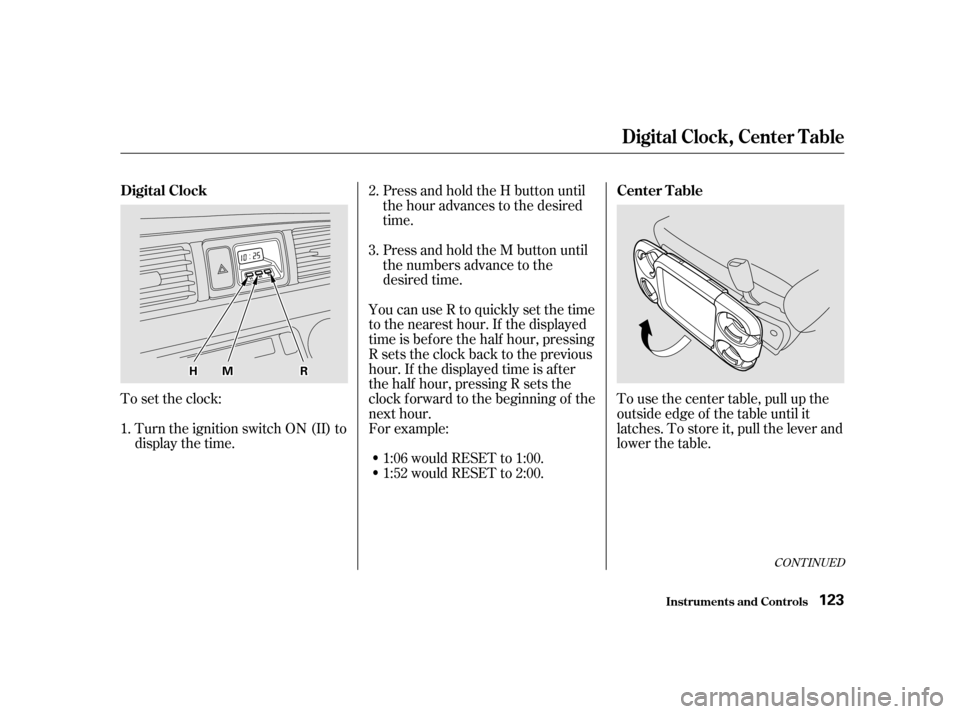
Press and hold the H button until
the hour advances to the desired
time.
You can use R to quickly set the time
to the nearest hour. If the displayed
time is before the half hour, pressing
Rsetstheclockbacktotheprevious
hour. If the displayed time is af ter
the half hour, pressing R sets the
clock f orward to the beginning of the
next hour.
For example: 1:06 would RESET to 1:00.
1:52 would RESET to 2:00. To use the center table, pull up the
outside edge of the table until it
latches. To store it, pull the lever and
lower the table.
Press and hold the M button until
the numbers advance to the
desired time.
To set the clock: Turn the ignition switch ON (II) to
display the time. 2. 3.
1.
CONT INUED
Digital Clock Center Table
Digital Clock, Center Table
Inst rument s and Cont rols123
HHMMRR
Page 129 of 363
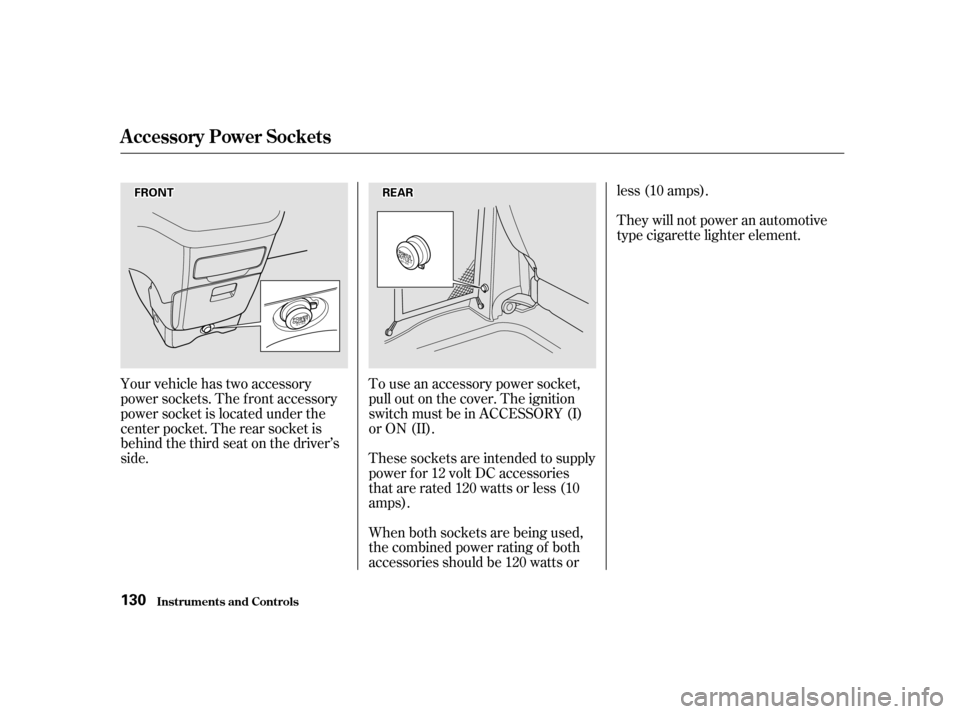
Your vehicle has two accessory
power sockets. The f ront accessory
power socket is located under the
center pocket. The rear socket is
behind the third seat on the driver’s
side.To use an accessory power socket,
pull out on the cover. The ignition
switch must be in ACCESSORY (I)
or ON (II).
These sockets are intended to supply
power f or 12 volt DC accessories
that are rated 120 watts or less (10
amps).
When both sockets are being used,
the combined power rating of both
accessories should be 120 watts orless (10 amps).
They will not power an automotive
type cigarette lighter element.
Inst rument s and Cont rols
A ccessory Power Socket s
130
FFRROONNTTRREEAARR
Page 132 of 363
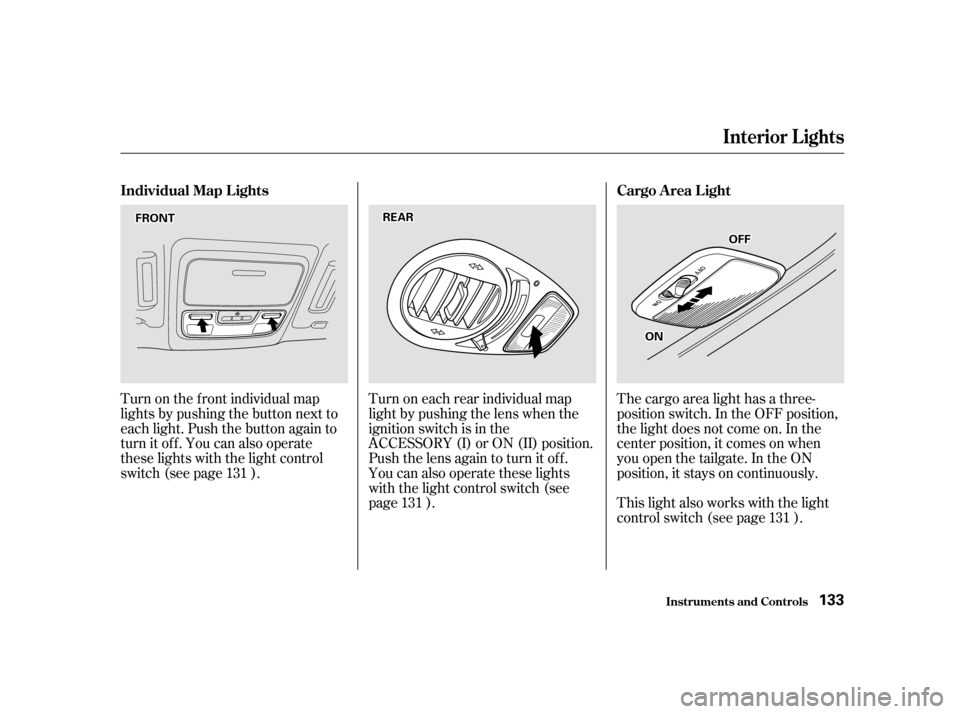
Turn on the f ront individual map
lights by pushing the button next to
each light. Push the button again to
turn it off. You can also operate
these lights with the light control
switch (see page ).Turn on each rear individual map
light by pushing the lens when the
ignition switch is in the
ACCESSORY (I) or ON (II) position.
Push the lens again to turn it off.
You can also operate these lights
with the light control switch (see
page ).The cargo area light has a three-
position switch. In the OFF position,
the light does not come on. In the
center position, it comes on when
you open the tailgate. In the ON
position, it stays on continuously.
This light also works with the light
control switch (see page ).
131
131 131
Inst rument s and Cont rols
Interior Lights
Individual Map L ights Cargo A rea L ight
133
FFRROONNTTRREEAARR
OONN
OOFFFF
Page 133 of 363
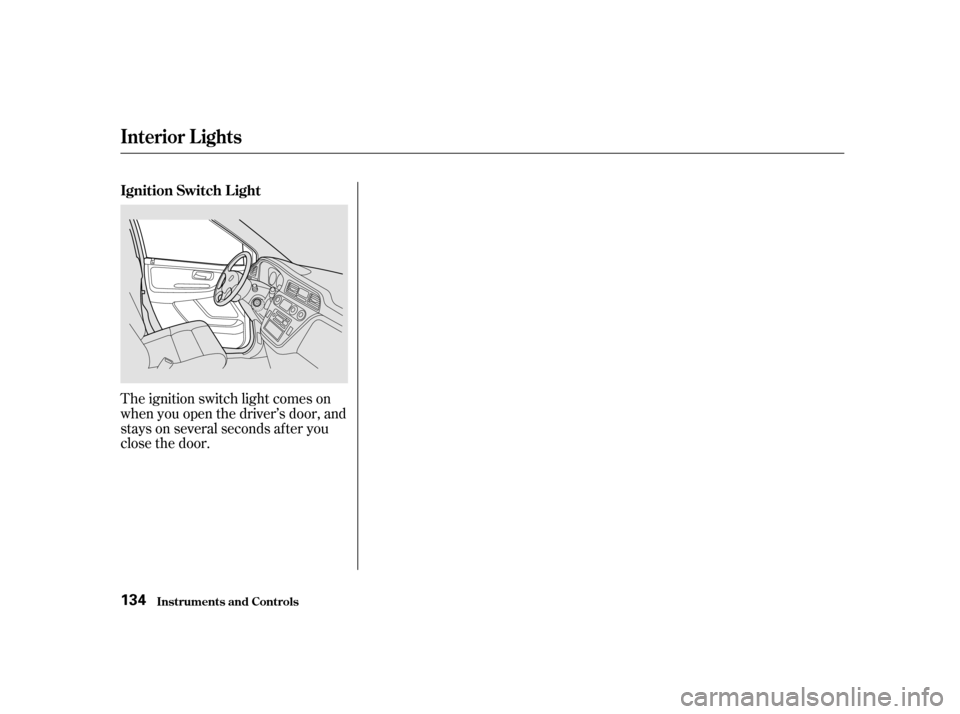
The ignition switch light comes on
when you open the driver’s door, and
stays on several seconds after you
close the door.
Interior Lights
Inst rument s and Cont rols
Ignition Switch L ight 134
Page 161 of 363

�µ�µ
�Ý �Û
The ignition switch must be in
ACCESSORY (I) or ON (II) to
operate the audio system. Turn the
system on by pushing the PWR/
VOL knob.
The band and f requency that the
radio was last tuned to is displayed.
To change bands, press the AM/FM
button. On the FM band, ST will be
displayed if the station is broadcast-
ing in stereo. Stereo reproduction on
AM is not available.
Adjust the volume by turning the
PWR/VOL knob.
You can use any of f our methods to
f ind radio stations on the selected
band: TUNE, SEEK, SCAN or the
Preset buttons.
Use the TUNE bar to tune
the radio to a desired f requency.
Press the upper part ( ) to tune
toahigherfrequency,orthelower
part ( ) to tune to a lower
f requency. The f requency numbers
will start to change rapidly. Release
the bar when the display reaches the
desired f requency. To change the
f requency in small increments, press
and release the TUNE bar quickly. The SEEK f unction
searches the band for a station with
a strong signal. To activate it, push
the SEEK switch up or down, then
release it. Depending on which way
you push the switch, the system
scans upward or downward f rom the
current f requency. It stops when it
finds a station with a strong signal.
Audio System
Comf ort and Convenience Feat ures
Operating the Radio
TUNESEEK
162