Page 82 of 217
82n
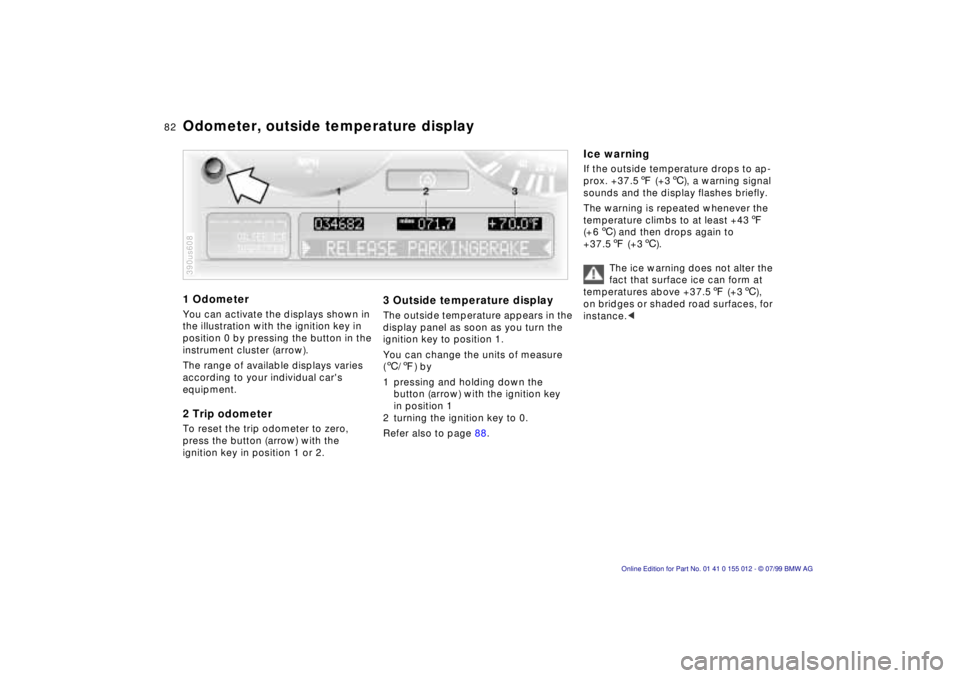
1 OdometerYou can activate the displays shown in
the illustration with the ignition key in
position 0 by pressing the button in the
instrument cluster (arrow).
The range of available displays varies
according to your individual car's
equipment.2 Trip odometerTo reset the trip odometer to zero,
press the button (arrow) with the
ignition key in position 1 or 2.390us608
3 Outside temperature displayThe outside temperature appears in the
display panel as soon as you turn the
ignition key to position 1.
You can change the units of measure
(6/7) by
1 pressing and holding down the
button (arrow) with the ignition key
in position 1
2 turning the ignition key to 0.
Refer also to page 88.
Ice warningIf the outside temperature drops to ap-
prox. +37.57 (+36), a warning signal
sounds and the display flashes briefly.
The warning is repeated whenever the
temperature climbs to at least +437
(+66) and then drops again to
+37.57 (+36).
The ice warning does not alter the
fact that surface ice can form at
temperatures above +37.57 (+36),
on bridges or shaded road surfaces, for
instance.<
Odometer, outside temperature display
Page 84 of 217
84n
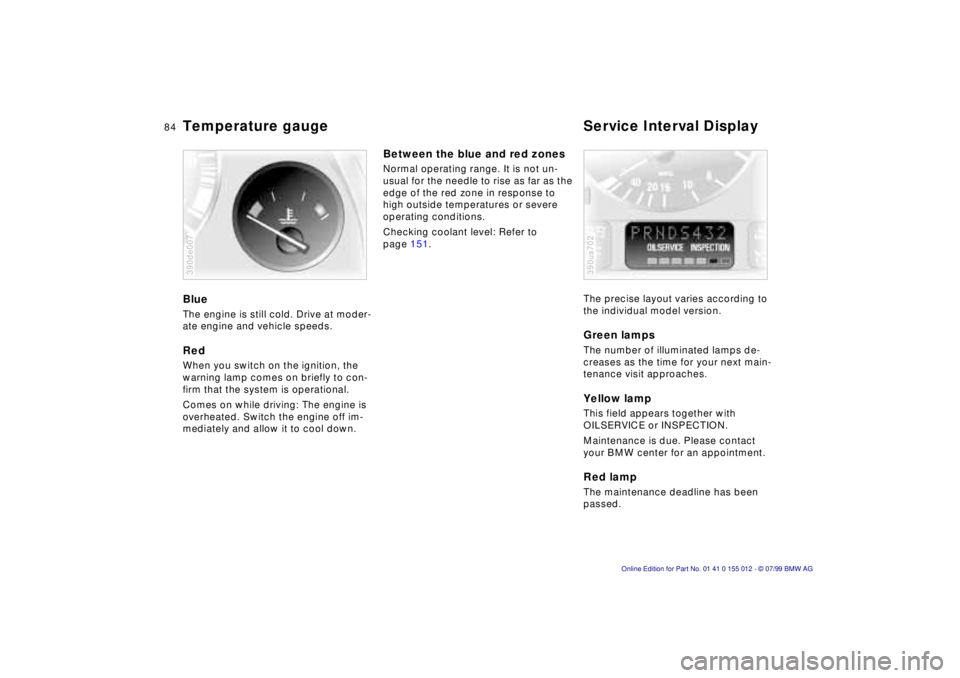
Temperature gauge Service Interval DisplayBlueThe engine is still cold. Drive at moder-
ate engine and vehicle speeds.RedWhen you switch on the ignition, the
warning lamp comes on briefly to con-
firm that the system is operational.
Comes on while driving: The engine is
overheated. Switch the engine off im-
mediately and allow it to cool down.390de007
Between the blue and red zonesNormal operating range. It is not un-
usual for the needle to rise as far as the
edge of the red zone in response to
high outside temperatures or severe
operating conditions.
Checking coolant level: Refer to
page 151.
The precise layout varies according to
the individual model version.
Green lampsThe number of illuminated lamps de-
creases as the time for your next main-
tenance visit approaches.Yellow lampThis field appears together with
OILSERVICE or INSPECTION.
Maintenance is due. Please contact
your BMW center for an appointment.Red lampThe maintenance deadline has been
passed.390us702
Page 85 of 217
85n
RepairsIndexOverview Controls Car care Technology Data
Check ControlGraphic display
*
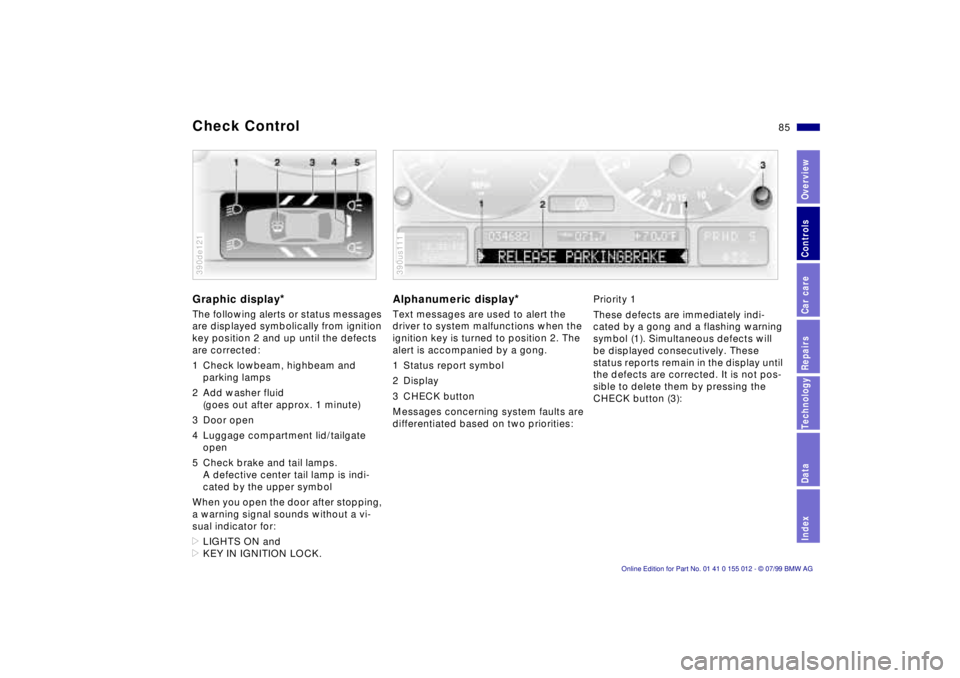
The following alerts or status messages
are displayed symbolically from ignition
key position 2 and up until the defects
are corrected:
1 Check lowbeam, highbeam and
parking lamps
2 Add washer fluid
(goes out after approx. 1 minute)
3 Door open
4 Luggage compartment lid/tailgate
open
5 Check brake and tail lamps.
A defective center tail lamp is indi-
cated by the upper symbol
When you open the door after stopping,
a warning signal sounds without a vi-
sual indicator for:
>LIGHTS ON and
>KEY IN IGNITION LOCK.390de121
Alphanumeric display
*
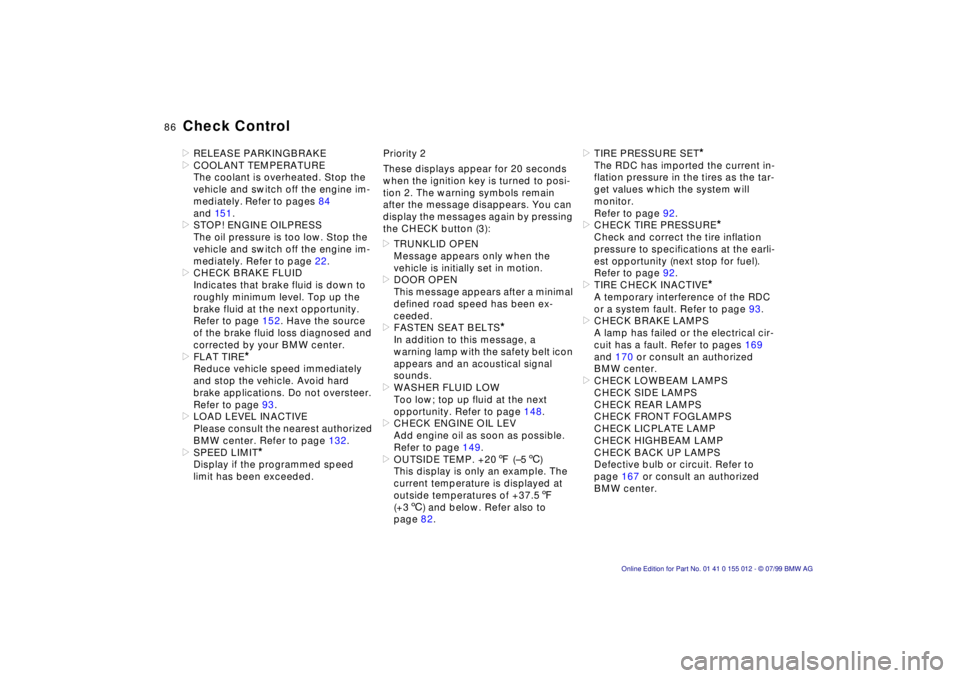
Text messages are used to alert the
driver to system malfunctions when the
ignition key is turned to position 2. The
alert is accompanied by a gong.
1 Status report symbol
2 Display
3 CHECK button
Messages concerning system faults are
differentiated based on two priorities:390us111
Priority 1
These defects are immediately indi-
cated by a gong and a flashing warning
symbol (1). Simultaneous defects will
be displayed consecutively. These
status reports remain in the display until
the defects are corrected. It is not pos-
sible to delete them by pressing the
CHECK button (3):
Page 86 of 217
86n
Check Control>RELEASE PARKINGBRAKE
>COOLANT TEMPERATURE
The coolant is overheated. Stop the
vehicle and switch off the engine im-
mediately. Refer to pages 84
and 15 1.
>STOP! ENGINE OILPRESS
The oil pressure is too low. Stop the
vehicle and switch off the engine im-
mediately. Refer to page 22.
>CHECK BRAKE FLUID
Indicates that brake fluid is down to
roughly minimum level. Top up the
brake fluid at the next opportunity.
Refer to page 152. Have the source
of the brake fluid loss diagnosed and
corrected by your BMW center.
>FLAT TIRE
*
Reduce vehicle speed immediately
and stop the vehicle. Avoid hard
brake applications. Do not oversteer.
Refer to page 93.
>LOAD LEVEL INACTIVE
Please consult the nearest authorized
BMW center. Refer to page 132.
>SPEED LIMIT
*
Display if the programmed speed
limit has been exceeded.Priority 2
These displays appear for 20 seconds
when the ignition key is turned to posi-
tion 2. The warning symbols remain
after the message disappears. You can
display the messages again by pressing
the CHECK button (3):
>TRUNKLID OPEN
Message appears only when the
vehicle is initially set in motion.
>DOOR OPEN
This message appears after a minimal
defined road speed has been ex-
ceeded.
>FASTEN SEAT BELTS
*
In addition to this message, a
warning lamp with the safety belt icon
appears and an acoustical signal
sounds.
>WASHER FLUID LOW
Too low; top up fluid at the next
opportunity. Refer to page 148.
>CHECK ENGINE OIL LEV
Add engine oil as soon as possible.
Refer to page 149.
>OUTSIDE TEMP. +207 (Ð56)
This display is only an example. The
current temperature is displayed at
outside temperatures of +37.57
(+36) and below. Refer also to
page 82.>TIRE PRESSURE SET
*
The RDC has imported the current in-
flation pressure in the tires as the tar-
get values which the system will
monitor.
Refer to page 92.
>CHECK TIRE PRESSURE
*
Check and correct the tire inflation
pressure to specifications at the earli-
est opportunity (next stop for fuel).
Refer to page 92.
>TIRE CHECK INACTIVE
*
A temporary interference of the RDC
or a system fault. Refer to page 93.
>CHECK BRAKE LAMPS
A lamp has failed or the electrical cir-
cuit has a fault. Refer to pages 169
and 170 or consult an authorized
BMW center.
>CHECK LOWBEAM LAMPS
CHECK SIDE LAMPS
CHECK REAR LAMPS
CHECK FRONT FOGLAMPS
CHECK LICPLATE LAMP
CHECK HIGHBEAM LAMP
CHECK BACK UP LAMPS
Defective bulb or circuit. Refer to
page 167 or consult an authorized
BMW center.
Page 87 of 217
87n
RepairsIndexOverview Controls Car care Technology Data
Check Control>TRANS. FAILSAFE PROG
Please consult the nearest authorized
BMW center. Refer to pages 73, 76.
>CHECK BRAKE LININGS
Have the brake pads inspected by
your BMW center. Refer to page 130.
>CHECK COOLANT LEVEL
Coolant too low, top up at the next
opportunity. Refer to page 151.
>ENGINE FAILSAFE PROG
Fault in the Electronic Engine Power
Control (EML). When braking, higher
brake application pressure may be
necessary and brake pedal travel may
be significantly longer.
Have the fault checked by your
authorized BMW center.
Displays after completion of tripAll of the malfunctions registered during
the trip appear consecutively when the
key is turned to Position 0.
One of the following displays may ap-
pear:
>LIGHTS ON
>KEY IN IGNITION LOCK
>CHECK ENGINE OIL LEV
Add engine oil at the next opportunity
(next stop for fuel). Refer to page 14 9.
Display appears when you open the
driver's door after parking the vehicle.
A supplementary gong is also heard.
Status reports remain available for a pe-
riod of approx. three minutes after the
display goes out and the key is re-
moved from the ignition. Press the
CHECK button. If there were multiple
reports, press the CHECK button re-
peatedly to view them all in sequence.
To check the Check ControlPress the CHECK button (3) with the
ignition key in position 2:
CHECK CONTROL OK appears in the
display.
No malfunctions are present in the
monitored systems.Onboard computerYou will find a description of the on-
board computer in the "Radio and Infor-
mation Systems" Owner's Manual.
You can have the Check Control
and onboard computer messages
displayed in a different language.<
Page 88 of 217
88n
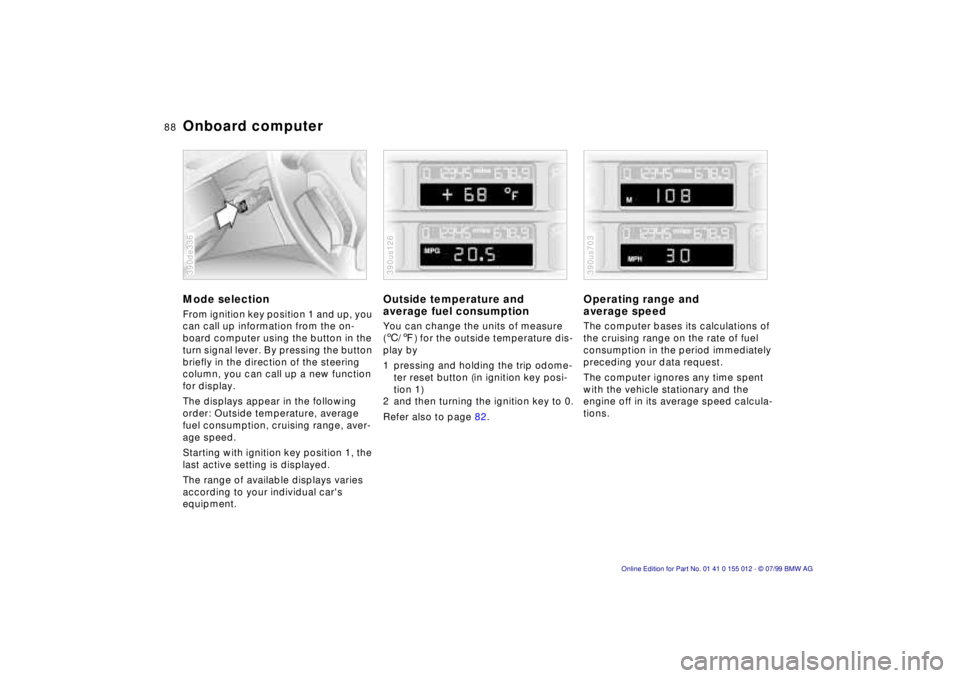
Onboard computerMode selectionFrom ignition key position 1 and up, you
can call up information from the on-
board computer using the button in the
turn signal lever. By pressing the button
briefly in the direction of the steering
column, you can call up a new function
for display.
The displays appear in the following
order: Outside temperature, average
fuel consumption, cruising range, aver-
age speed.
Starting with ignition key position 1, the
last active setting is displayed.
The range of available displays varies
according to your individual car's
equipment.390de336
Outside temperature and
average fuel consumptionYou can change the units of measure
(6/7) for the outside temperature dis-
play by
1 pressing and holding the trip odome-
ter reset button (in ignition key posi-
tion 1)
2 and then turning the ignition key to 0.
Refer also to page 82.390us126
Operating range and
average speed The computer bases its calculations of
the cruising range on the rate of fuel
consumption in the period immediately
preceding your data request.
The computer ignores any time spent
with the vehicle stationary and the
engine off in its average speed calcula-
tions.390us703
Page 89 of 217
89n
RepairsIndexOverview Controls Car care Technology Data
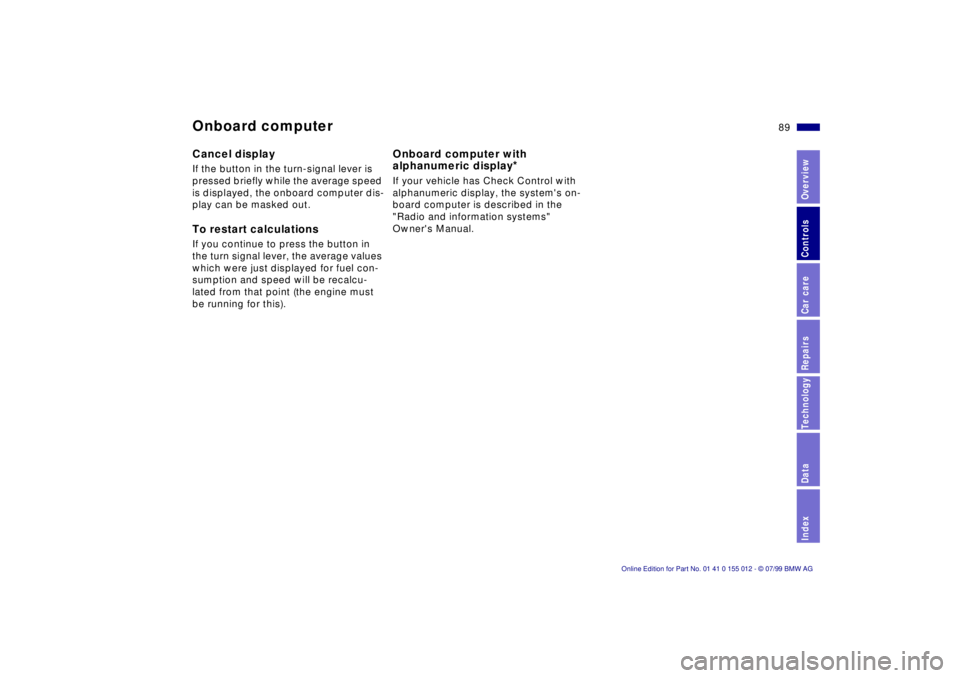
Onboard computerCancel displayIf the button in the turn-signal lever is
pressed briefly while the average speed
is displayed, the onboard computer dis-
play can be masked out.To restart calculationsIf you continue to press the button in
the turn signal lever, the average values
which were just displayed for fuel con-
sumption and speed will be recalcu-
lated from that point (the engine must
be running for this).
Onboard computer with
alphanumeric display
*
If your vehicle has Check Control with
alphanumeric display, the system's on-
board computer is described in the
"Radio and information systems"
Owner's Manual.
Page 99 of 217
99n
RepairsIndexOverview Controls Car care Technology Data
Automatic climate control1 Air flow directed toward the
windshield and side windows
2 Air flow for the upper body
The side rotary dials provide
infinitely-variable regulation of
the air supply, while the levers
change the airflow direction.
The center rotary dial controls the
temperature of the air as it
flows out102
3 Front footwell ventilation
4 Rear footwell ventilation
5 Air flow for the upper body in the
rear seat102
6 Automatic air distribution100
7 Individual air distribution100
8 Temperature control Ð
left-hand side100
9 Display for temperature and
air supply100, 10110 Temperature control Ð
right-hand side100
11 To defrost windshield and door
windows101
12 Air conditioner101
13 Automatic recirculated air control
AUC101
14 Rear window defroster79, 102
15 Air supply101
16 Residual heat mode102
17 Air grill for interior temperature
sensor Ð please keep clear and
unobstructed