2000 BMW 540I SEDAN display
[x] Cancel search: displayPage 10 of 217

Contents
Overview
Controls and features
Cockpit16
Instrument cluster18
Indicator and warning lamps22
Multifunction steering wheel
(MFL)25
Hazard warning flashers27
Warning triangle 27
First-aid kit 27
Refueling28
Fuel specifications29
Tire inflation pressure29
Locks and security systems:
Keys34
Electronic vehicle
immobilizer35
Central locking system36
Opening and closing Ð from the
outside36
With the key 36
Opening and closing Ð from the
inside40
Luggage compartment lid/
Tailgate41
Luggage compartment44
Alarm system45
Electric power windows47
Sliding/Tilt sunroof 48
Adjustments:
Seats 50
Steering wheel 54
Mirrors54
Seat, mirror and steering wheel
memory56
Car Memory, Key Memory58
Passenger safety systems:
Safety belts59
Airbags60
Child restraints 64
Child seat security66
Child-safety locks66
Driving:
Steering/Ignition lock67
Starting the engine68
Switching off the engine69
Parking brake69
Manual transmission70
Automatic transmission 71
Automatic transmission with
Steptronic 74
Indicator/Headlamp flasher77
Wiper/Washer system77
Rear window defroster79
Cruise control80
Everything under control:
Odometer, outside temperature
display82
Tachometer83
Energy control83
Fuel gauge83
Temperature gauge84
Service Interval Display84
Check Control85
Onboard computer88
Technology for safety and
convenience:
Park Distance Control (PDC) 90
Automatic Stability Control plus
Traction (ASC+T)/Dynamic
Stability Control (DSC) 91
Tire Pressure Control (RDC) 92
Page 19 of 217

19n
RepairsIndexOverview Controls Car care Technology Data
Instrument cluster
There are two versions, depending on
the equipment on your vehicle
1 Fuel gauge with indicator lamp for
fuel reserve 83
2 Indicator lamp for turn signals 24
3 Speedometer
4 Indicator lamp for high beams 24
5 Tachometer and
Energy Control 83
6 Engine coolant thermometer with
"Coolant temperature too high"
indicator 84
7 Indicator and warning lamps for:
>
Parking brake/Brake hydraulic
system, Dynamic Brake Control
(DBC)
*
22, 23
>
Antilock Brake System (ABS) 23
>
Brake pads 23
>
Tire Pressure Control (RDC)
*
23
>
Airbags 23
>
Automatic transmission
*
23
>
Please fasten safety belts 23
>
Cruise control 24
8 Selector lever and program display
for automatic transmission
*
71, 74
9 Service Interval Display 8410 Display for onboard computer
(operation via the turn signal lever,
refer to page 88):
>
Outside temperature
>
Average fuel consumption
>
Cruising range
>
Average speed
11 Indicator lamp for Automatic
Stability Control plus Traction
(ASC+T)/Dynamic Stability
Control (DSC)
*
24
12 Indicator lamp for level control
system
*
23
13 Odometer and trip odometer 82
14 Indicator for Check Control 85
15 Reset button for trip odometer 82
16 Indicator and warning lamps for:
>
Fog lamps 24
>
Battery charge current 22
>
Engine oil level/Engine oil
pressure 22, 23
>
Electronic Engine Power
Control (EML) 24
>
CHECK ENGINE lamp 24
Page 21 of 217

21n
RepairsIndexOverview Controls Car care Technology Data
Instrument cluster
*
There are two versions, depending on
the equipment on your vehicle
1 Fuel gauge with indicator lamp for
fuel reserve 83
2 Indicator lamp for turn signals 24
3 Speedometer
4 Indicator lamp for high beams 24
5 Tachometer and
Energy control 83
6 Engine coolant temperature
gauge 84
7 Indicator and warning lamps for:
>
Parking brake 23
>
Brake hydraulic system, Dynamic
Brake Control (DBC)
*
22, 23
>
Antilock Brake System (ABS) 23
>
Airbags 23
>
Please fasten safety belts 23
>
Cruise control 24
8 CHECK button 85
9 Selector lever and program display
for automatic transmission
*
71, 7410 Outside temperature display 82
11 Indicator lamp for Automatic
Stability Control plus Traction
(ASC+T)/Dynamic Stability
Control (DSC)
*
24
12 Trip odometer 82
13 Indicator for Check Control 85
14 Odometer 82
15 Service Interval Display 84
16 Reset button for trip odometer 82
17 Indicator and warning lamps for:
>
Fog lamps 24
>
Battery charge current 22
>
Engine oil pressure 22
>
CHECK ENGINE lamp 24
Page 32 of 217
32n
Locks and security systems:
Keys34
Electronic vehicle
immobilizer35
Central locking system36
Opening and closing
Ð from the outside36
With the key36
Opening and closing
Ð from the inside40
Luggage compartment lid/
Tailgate41
Luggage compartment44
Alarm system45
Electric power windows47
Sliding/Tilt sunroof48
Adjustments:
Seats50
Steering wheel54
Mirrors54
Seat, mirror and steering wheel
memory56
Car Memory, Key Memory58
Passenger safety systems:
Safety belts59
Airbags60
Child restraints64
Child seat security66
Child-safety locks66Driving:
Steering/Ignition lock67
Starting the engine68
Switching off the engine69
Parking brake69
Manual transmission70
Automatic transmission71
Automatic transmission with
Steptronic74
Indicator/Headlamp flasher77
Wiper/Washer system77
Rear window defroster79
Cruise control80
Everything under control:
Odometer, outside temperature
display82
Tachometer83
Energy control83
Fuel gauge83
Temperature gauge84
Service Interval Display84
Check Control85
Onboard computer88
Technology for safety and
convenience:
Park Distance Control (PDC)90
Automatic Stability Control plus
Traction (ASC+T)/Dynamic
Stability Control (DSC)91
Tire Pressure Control (RDC)92
Page 45 of 217
45n
RepairsIndexOverview Controls Car care Technology Data
Alarm systemThe conceptThe vehicle alarm system responds:
>When a door, the hood or the lug-
gage compartment lid/tailgate is
opened
>To movement inside the vehicle
(interior motion sensor)
>To variations in the vehicle tilt sensor
such as occur during attempts to
steal the wheels or tow the vehicle
>To interruption of battery voltage.
The system responds to unauthorized
vehicle entry and attempted theft by
simultaneously activating the following:
>Sounding an acoustical alarm for
30 seconds
>The hazard warning flashers are
activated for approx. five minutes
>The high beams flash on and off in
the same rhythm.
To activate and deactivate the
alarm systemWhen the vehicle is locked or unlocked
with the key or the remote control, the
alarm system is also simultaneously
armed or disarmed.
The interior motion sensor is activated
approx. 30 seconds after you have fin-
ished locking the car.
The system indicates that it has been
correctly armed by switching on the
hazard flashers for a single cycle and by
emitting an acoustical signal.
You can have different acknowl-
edgment messages set to confirm
arming and disarming (not released at
this time).<
When the system is active, you can still
gain access to the luggage compart-
ment by pressing button 3 on the
remote control transmitter (refer to
page 39). When you close the luggage
compartment lid/tailgate, it locks again.
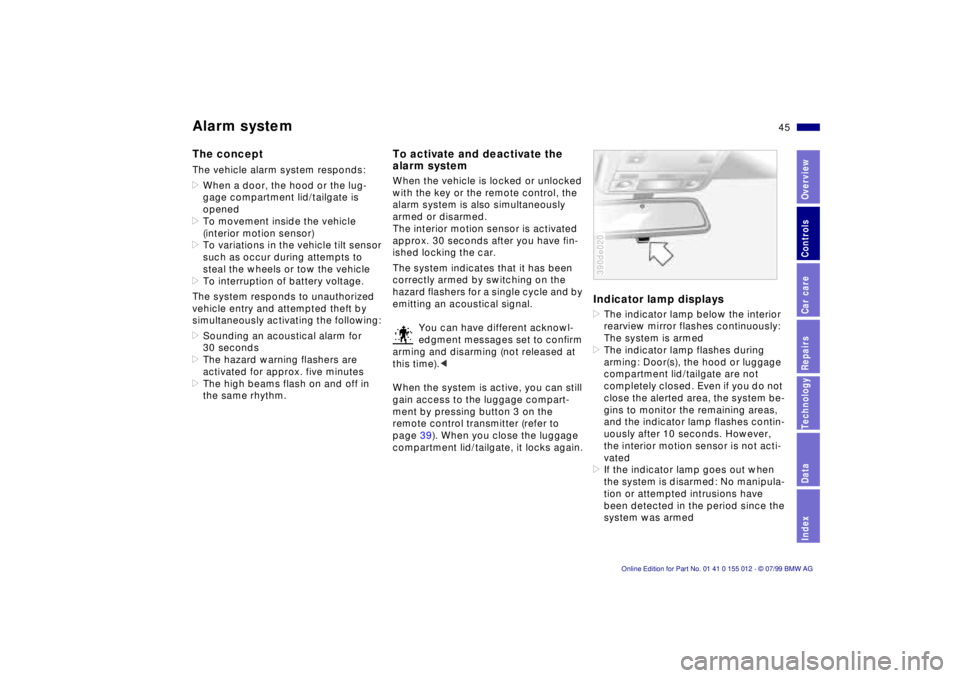
Indicator lamp displays>The indicator lamp below the interior
rearview mirror flashes continuously:
The system is armed
>The indicator lamp flashes during
arming: Door(s), the hood or luggage
compartment lid/tailgate are not
completely closed. Even if you do not
close the alerted area, the system be-
gins to monitor the remaining areas,
and the indicator lamp flashes contin-
uously after 10 seconds. However,
the interior motion sensor is not acti-
vated
>If the indicator lamp goes out when
the system is disarmed: No manipula-
tion or attempted intrusions have
been detected in the period since the
system was armed390de020
Page 61 of 217
61n
RepairsIndexOverview Controls Car care Technology Data
AirbagsIndicator lamp
The indicator lamp displays the
operational status of the airbag
system in ignition key posi-
tions 1 and 2.
System operational:
>The indicator lamp comes on briefly
then goes out.
System malfunction:
>The indicator lamp fails to come on
>The indicator lamp comes on briefly
before going out and then lighting up
again.
A system malfunction could prevent the
system from responding to an impact
occurring within its normal response
range.
Please have your authorized BMW cen-
ter inspect and repair the system as
soon as possible.
Sitting correctly with airbags
For your safety, comply with the
following instructions for the air-
bags. If you do not, the airbags may not
be able to provide their maximum pro-
tection. All passengers in the vehicle
should be aware of and comply with
this information:
The airbags are supplemental restraint
devices designed to provide extra pro-
tection; they are not a substitute for
safety belts. Wear your safety belt at all
times. The airbags will not be triggered
in the event of a minor accident, a vehi-
cle roll-over, or collisions from the rear.
In these instances, the safety belt pro-
vides optimal protection.
Airbags are located under cover panels
in the steering wheel, in the dashboard,
in the side trim panels in the front and
rear*, and in the windshield pillars and
the sides of the headliner.
Adjust your seat to a position that pro-
vides maximum distance between you
and the steering wheel, the instrument
panel and the door while still allowing
comfortable and safe access to all
vehicle controls.
To avoid sustaining hand and arm inju-
ries: Always grasp the steering wheel
on the rim with the hands at the 9 and
3 o'clock positions: Do not place your
hands on the center pad.
Never allow any objects to obstruct the
area between the airbag and an occu-
pant.
Do not use the cover panel above the
passenger-side airbag as a storage
area.
Do not apply adhesive materials to the
cover panels of the airbags, cover them
or modify them in any other way.
Do not install a rear-facing child re-
straint system in the front passenger
seat of this car.
Children under 13 years of age and
children less than 5 feet (150 cm) tall
should ride only in the rear seat.
Infants or small children should never
be held on the lap of a passenger.
If your car is equipped with side airbags
in the rear passenger area, be sure that
child restraints are mounted correctly
and provided with the greatest-possible
distance between the airbags in the
side trim panels. Do not allow children
to lean out of the child's seat in the di-
rection of the side trim panels. If they
do so, serious injuries can occur if the
airbag is triggered.<
Page 71 of 217
71n
RepairsIndexOverview Controls Car care Technology Data
Automatic transmission
*
The automatic transmission of your
BMW is equipped with Adaptive Trans-
mission Control (ATC), a system which
reacts with precision to your individual
driving style and the driving conditions.
To achieve this, different driving pro-
grams are automatically engaged.
For details concerning ATC, please
refer to the chapter describing
"Advanced technology" on page 188.390us625
Selector lever positions
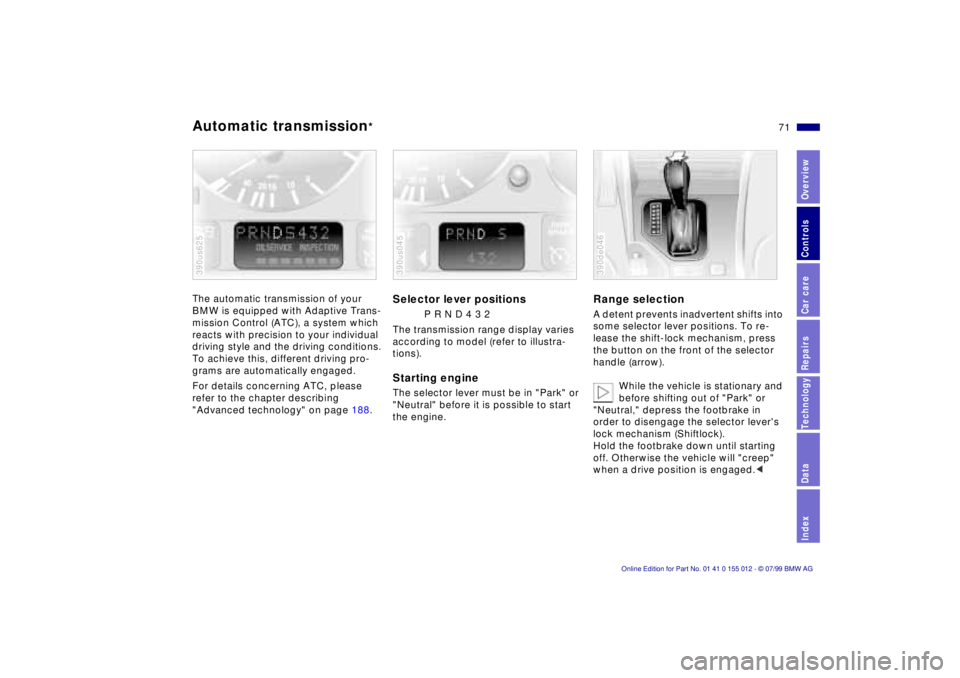
P R N D 4 3 2
The transmission range display varies
according to model (refer to illustra-
tions).
Starting engineThe selector lever must be in "Park" or
"Neutral" before it is possible to start
the engine.390us045
Range selectionA detent prevents inadvertent shifts into
some selector lever positions. To re-
lease the shift-lock mechanism, press
the button on the front of the selector
handle (arrow).
While the vehicle is stationary and
before shifting out of "Park" or
"Neutral," depress the footbrake in
order to disengage the selector lever's
lock mechanism (Shiftlock).
Hold the footbrake down until starting
off. Otherwise the vehicle will "creep"
when a drive position is engaged.< 390de046
Page 75 of 217
75n
RepairsIndexOverview Controls Car care Technology Data
Automatic transmission with Steptronic
*
Before leaving the vehicle when
the engine is running, shift the se-
lector lever to the "Park" or "Neutral"
position and apply the parking brake.
The vehicle could move if this is not
done. Do not leave the car unattended
with the engine running. An unattended
vehicle with a running engine repre-
sents a potential safety hazard.
If you should inadvertently select "Neu-
tral" while traveling at high speed, re-
move your foot from the accelerator
pedal immediately. Allow the engine
speed to drop to idle before selecting
the desired drive position. Damage
could otherwise occur due to excessive
engine speed.<
P ParkSelect "Park" only when the vehicle is
stationary. The transmission locks to
prevent the rear wheels from turning.R ReverseSelect "Reverse" only when the vehicle
is stationary.N NeutralSelect "Neutral" only if your journey is
interrupted for a long period.
D Drive
(automatic shift program)This position is designed for driving un-
der all normal operating conditions. All
forward gears are available."Kickdown" In the "Kickdown" mode, you achieve
maximum performance.
To activate this mode, depress the ac-
celerator pedal beyond the full-throttle
position, at which a resistance point
must be overcome.
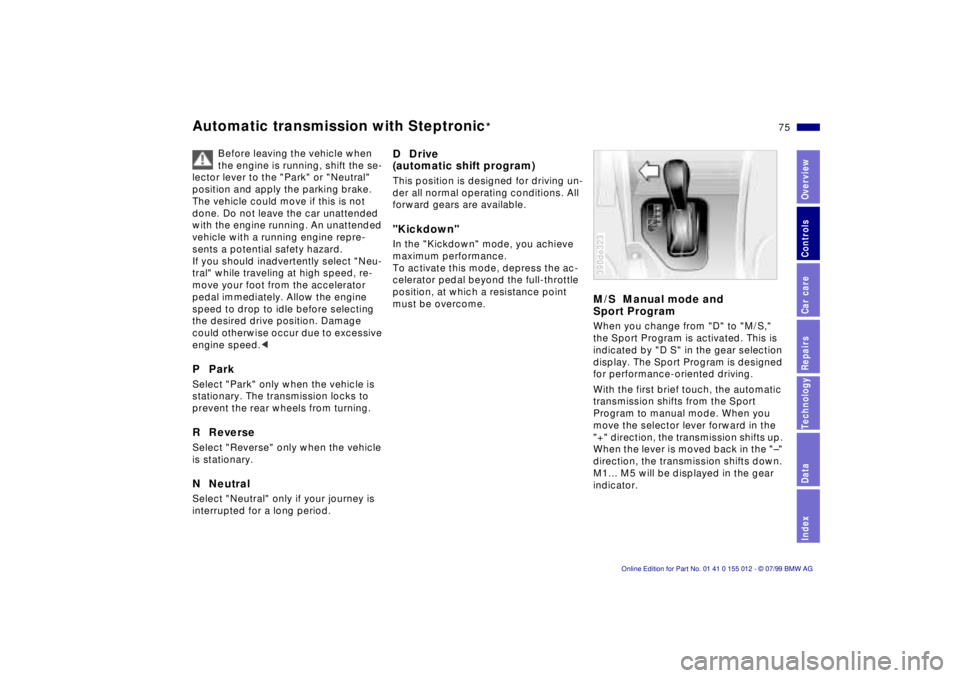
M/S Manual mode and
Sport ProgramWhen you change from "D" to "M/S,"
the Sport Program is activated. This is
indicated by "D S" in the gear selection
display. The Sport Program is designed
for performance-oriented driving.
With the first brief touch, the automatic
transmission shifts from the Sport
Program to manual mode. When you
move the selector lever forward in the
"+" direction, the transmission shifts up.
When the lever is moved back in the "Ð"
direction, the transmission shifts down.
M1... M5 will be displayed in the gear
indicator.390de323