2000 AUDI ALLROAD remote control
[x] Cancel search: remote controlPage 72 of 306
---------------------CONTROLS AND EQUIPMEN T
Convenience close I open
feature
For the convenience of the driver all win
dows can be closed I opened centrally with
the ignition key while locking I unlocking the
vehicle:
Closing windows
In sert key into the lock of driver's door,
turn and hold in the locking position until all
windows are closed. The automatic close
func tion will stop imme diately if the key is
released.
�W ARNING
• Be careful when closing the win
dows.
• Check to see that no one is in
the way, or serious injury could re
sult. Opening
windows
Inse rt key into the lock of driver's door,
turn the key and hold in the unlocking posi
tion until all windows are opened.
This feature enables the driver, to let the
heat escape from the interior of the car, af
ter having parked in direct sunlight.
The convenience close I open feature is not
available when locking the vehicle using the
remote control. Note
If you disconnect and then reconnect the
battery, the convenience open and close
feature will not work.
The follow ing steps describe how to reacti
vate the convenience open I close feature
after reconnecting the battery:
• Close the window completely by lifting
the power window switch and holding.
• Release the switch and then lift it again
for a second.
• The convenience feature is now acti
vated.
71
Page 75 of 306
CONTROLS AND EQUIPMENT---------------------
Folding down of the outside
mirror passenger•s side1l
When you move the selector lever I gear
shift lever into R (Reverse), the outside mir
ror on the passenger's side will tilt slightly
downwards, provided you have switched to
the right-hand outside mirror.
This makes it possible to see the edge of
the curb when parking your vehicle. The
mirror will return to its original position as
soon as you move the selector lever I gear
shift lever out of R (Reverse), or if you
switch the remote control back to the driv
er's outside mirror.
1 l Only on
vehicles with memory for driver's seat.
74 Memory*
The setting of the outside mirrors is auto
matically stored in the memory for the driv
er's seat adjustment together with the seat
position.
Memory function for driver's seat and out
side mirrors see page 81.
Adjust the mirrors os described and then
store this setting together with your seating
position memory.
Page 82 of 306
Memor
y for front seats*
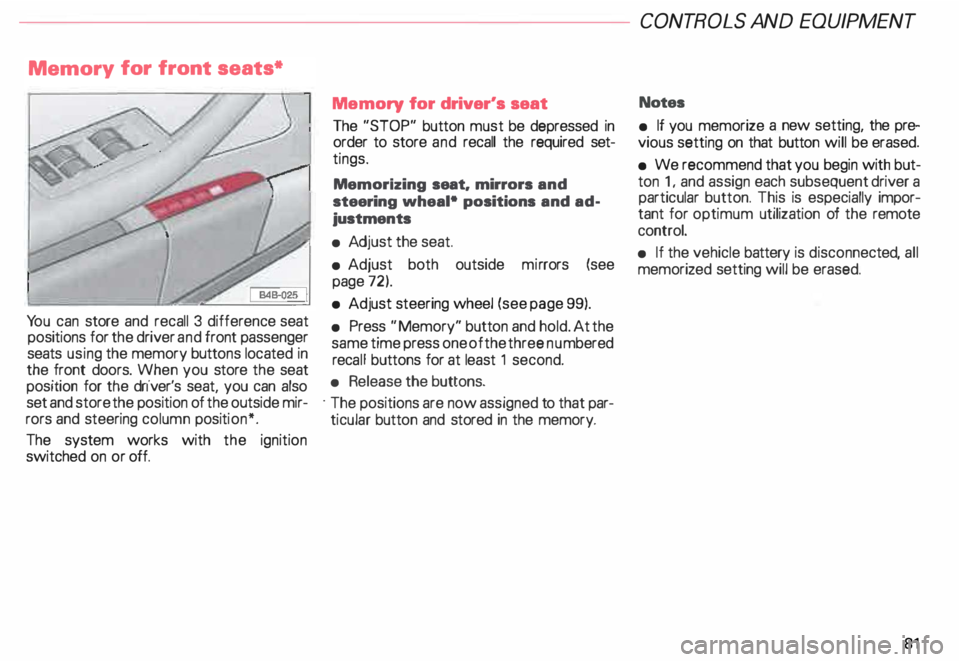
Yo u can store and recall 3 difference seat
positions for the driver and front passenger
seats using the memory buttons located in
the front doors. When you store the seat
position for the driver's seat, you can also
set and store the position of the outside mir
rors and steering column position*.
The system works with the ignition
switched on or off. Memory
for driver's seat
The "STOP" button must be depressed in
order to store and recall the required set
tings.
Memorizing seat. mirrors and
steering wheal• positions and ad
justments
• Adj ust the seat.
• Adjust both outside mirrors (see
page 72).
• Adjust steering wheel (see page 99).
• Press "Memory" button and hold. At the
same time press one of the three numbered
reca ll buttons for at least 1 second.
• Release the buttons.
· The positions are now assigned to that par
ticular button and stored in the memory. CONT
ROLS AND EQUIPMEN T
Notes
• If you memorize a new setting, the pre
vious setting on that button will be erased.
• We recommend that you begin with but
ton 1, and assign each subsequent driver a
particular button. This is especially impor
tant for optimum utilization of the remote
control.
• If the vehicle battery is disconne cted, all
memorized setting will be erased.
81
Page 83 of 306
CONTROLS AND
EQUIPMENT---------------------
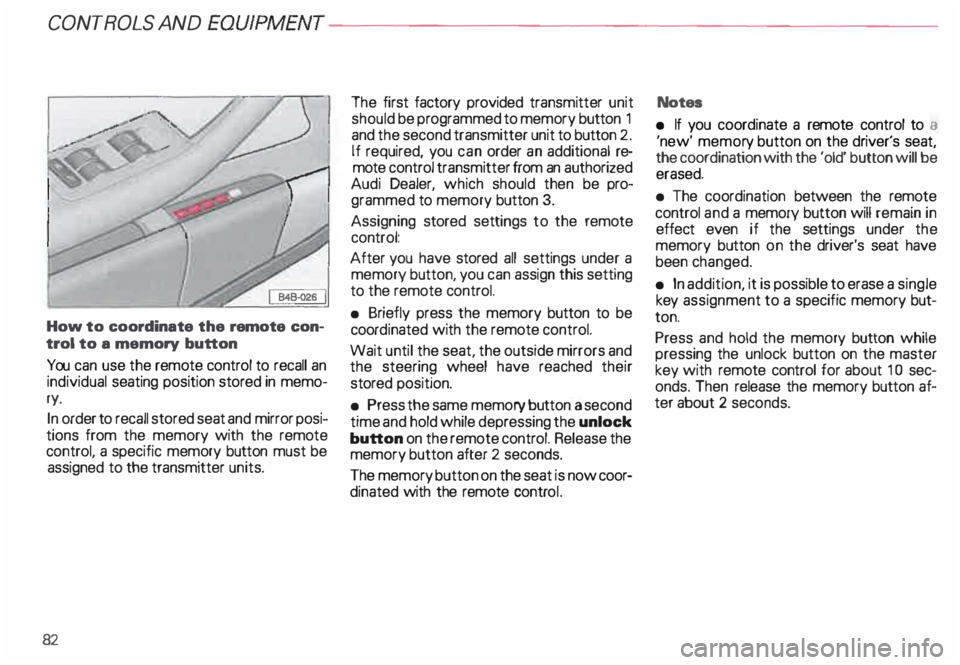
How to coordinate the remote con
trol to a memory button
You can use the remote control to recall an
individual seating position stored in memo
ry.
In order to recall stored seat and mirror posi
tions from the memory with the remote
control, a specific memory button must be
assigned to the transmitter units.
82 The
first factory provided transmitter unit
should be programmed to memory button 1
and the second transmitter unit to button 2.
If required, you can order an additional re
mote control transmitter from an authorized
Audi Dealer, which should then be pro
grammed to memory button 3.
Assigning stored settings to the remote
control:
After you have stored all settings under a
memory button, you can assign this setting
to the remote control.
• Briefly press the memory button to be
coord inated with the remote control.
Wait until the seat, the outside mirrors and
the steering wheel have reached their
stored position.
• Press the same memory button a second
time and hold while depressing the unlock
button on the remote control. Release the
memory button after 2 seconds.
The memory button on the seat is now coor
dinated with the remote control. Notes
• If you coordinate a remote control to a
'new' memor y button on the driver's seat,
the coordination with the 'old' button will be
erased.
• The coordination between the remote
control and a memory button will remain in
effect even if the settings under the
memory button on the driver's seat have
been changed.
• In addition, it is possible to erase a single
key assignment to a specific memory but
ton.
Press and hold the memory button while
pressing the unlock button on the master
key with remote control for about 1 0 sec
onds. Then release the memory button af
ter about 2 seconds.
Page 84 of 306
Retrievi
ng seat position and stored
adjustments from memory
The settings stored can be retrieved both
with the remote control and with the
memory buttons.
- Retri eving using the
remote control
When you unlock the vehicle with the re-.
mote control the outside mirrors automati
cally adjusts. Then, after you open the driv
er's door, the driver's seat also
automatically adjusts.
The seat will automatically adjust itself if
you open the driver's door within 1 0 min
utes after unlocking the vehicle.
If you wait longer than 10 minutes to open
the driver's door, after unlocking the car,
then you must use the memory button to re
call the seat position. -
Retrieving using the
memory buttons
�W ARNING
For your safety, use the recall fea
ture only when the vehicle is not
moving.
• With the driver's door open, depress
and release the desired memory button.
The seat and outside mirrors will automati
cally adjust to the stored position.
• If the door has been closed, or if the
door has been left opened for more than 1 0
minu tes. you must then depress and hold
the memory button until the seat and out
side mirrors reach their stored position. CONT
ROLS AND EQUIPMENT
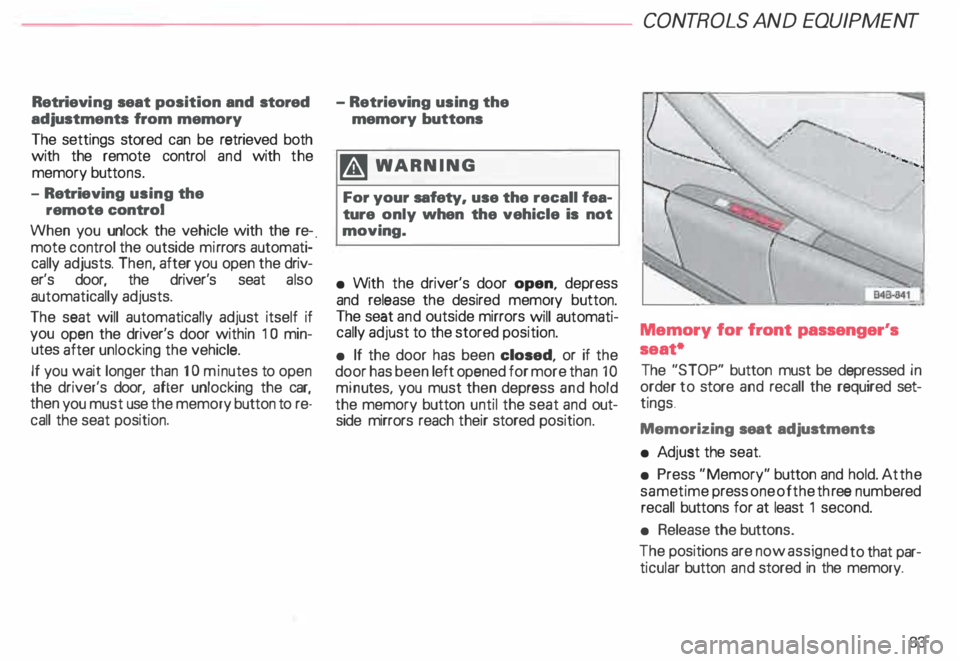
Memory for front passenger's
seat•
The "STOP" button must be depressed in
order to store and recall the required set
tings .
Memorizing seat adjustments
• Ad just the seat.
• Press "Memory" button and hold. At the
same time press one of the three numb ered
recall buttons for at least 1 second.
• Release the buttons.
The positions are now assigned to that par
ticular button and stored in the memory.
83
Page 85 of 306
CONTROLS AND EQ
UIPMEN T---------------------
Retrieving using the
memory buttons
• With the passenger's door open, de
press and release the desired memory but
ton. The seat will automatically adjust to the
stored position.
• If the door has been closed, you must
then depress and hold the memory button
until the seat has reached its stored posi
tion.
Note
You can not reca ll the stored seat adjust
ment for the front passenger's seat using
the remote control in the master key.
84 Emergency
Off
In an emergency, you can interrupt
any retrieval procedure by
• pressing the '"STOP'" button (see il
lustration on page 81 and 83). or
• tapping one of the memory buttons.
Pushing the"ON/OFF"button to the OFF
position only switches off the Memory. The
stored settings will not be erased.
It's a good idea to turn the Memory off if the
vehicle is going to be used temporarily by a
driver whose driving position will not be
memorized.
The advantage is that the personal settings
that have already been memorized will re
main intact and will not change each time
the vehicle is unlocked using the remote
control. Note
The memory function is switched off when
the STOP button is pressed. The word
''OFF" lights up if the headlights are
switched on. However, the programmed
seat, outside mirrors and steering wheel
positions remain stored in the memory.
Page 302 of 306

----------------------------------------------ALPHABETICAL INDEX
On Board Diagnostic System
(OBD )........... ... . . . .
128
Opening the vehicle . . .
. 61
Outside air temperature . . . _ . . 137
Outside mirrors . . . . . . . . . . . • • . 72
Owner's literature storage . . . . . . 183
p
Park assist .
112
Parking brake lever . . . . . . . • . . 1 03
Partition net . . . . . . . . . • . . . • • • . . . 91
Parts replacement . . . . . . • • . 262
Payload . . . . .... , • • . . • • • 289
Pedals .. .. .... ...... . .... . _ . . 1 02
Phone . . . . .
•.. •• ••• .. .•• .. 190
Pollen filter .
. . . . . • . • . . • • . . 167
Power -L ocks .. . ......... •.. ... ... 59
-M irrors
- Roof ...
-S teering
-W indows .
.•. .•.••. ....... 72
. . • • .. 168
. . . . • • . . 241
69 Q
quattro ...
- Snow chains
- Winter tires
R 207
261
207
Radiator fan . . . . • • . . . . • • • •
241
Radio . . . . . . . . . . . . . . • . 277
Radio frequency display . . . . • . .
138
Reading lights .......... .. -. . . 171
Rear axle load . . . . . . . . . . . . . 289
Rear facing child seat bench ..... 92
Rear fog light ..... : . . . . . . . . 149
Rear lid ............ ... . ..•.. . 63
Rear lid-child safety lock . . . . . . . 65
Rear lid light . . . . . . . . . . . . . . . . 172
Rear seats . . . . . . . . . . . . . . . . . • . . . 86
Rear view mirror ......... ••• .. 72
Rear window defogger .... • • 151
Remote control . . . . . . . . . .
59
- coordination to a mem ory
button . . . . . . . . . . . . . . . . . 82 Remo
te rear lid release .
65
Remo te Tra nsm itter . . . . . . . . . .
173
Removing the roof rack . . • • • • .
192
Replacing a fuse . . . . . . . . . • • . . 274
Replacing batteries
- Master key . . . . . . . . . • • . • . . . . 57
-V ehicle battery . . . . . . . • • . . . 248
Replacing bulbs . . .
277
Replacing the radio 277
Replacing wiper blades
... .•.. 251
Reporting safety defects . . . . . . . 292
Ride height adjustment . 15
3
Roof rack . . . . . . . 19
1
Roof weight . . • . .. • . . . . 289,
290
Rough roads . . . • . . . . •
199
Rugged terrain . . • . . . . . • . • . . . • 199
s
Safe driving hints . . • • . .. .. .. . 194
Safety belt
-Fastening . . . . . • . . . . . . . . • . 20
- Unfaste ning .
24
Safety belt warning light . . . 17,
127
301