Page 2205 of 2490
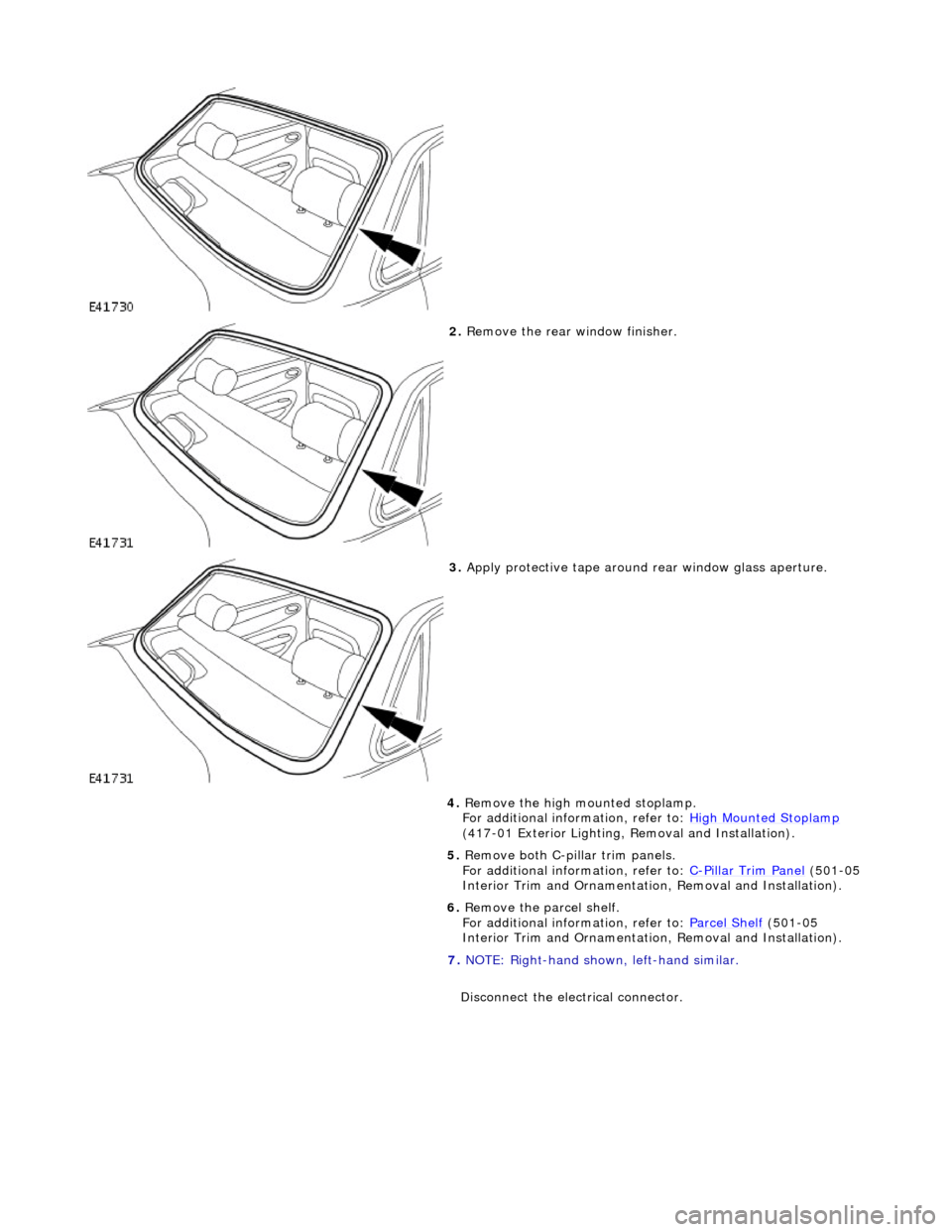
2. Remove the rear window finisher.
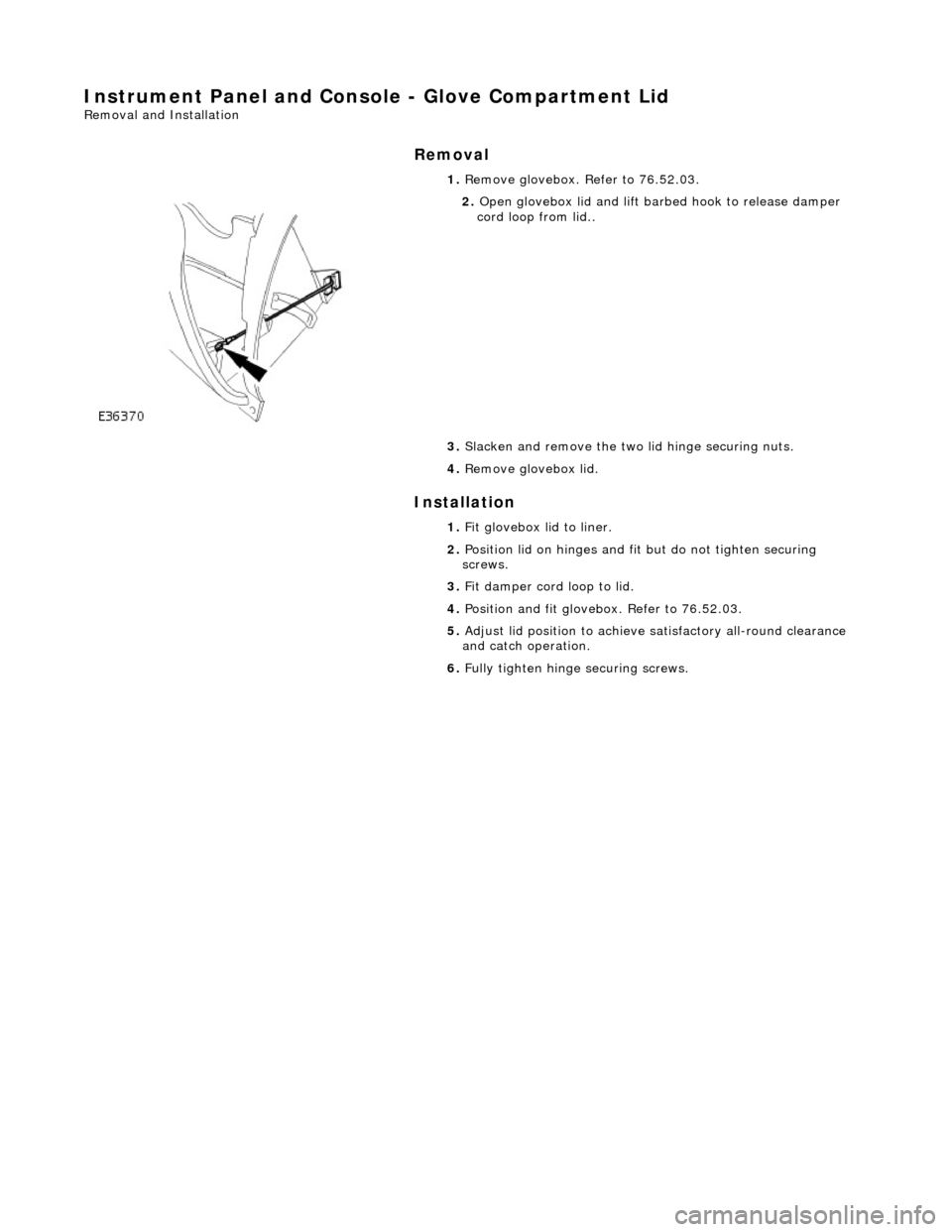
3. Apply protective tape around rear window glass aperture.
4. Remove the high mounted stoplamp.
For additional information, refer to: High Mounted Stoplamp
(417-01 Exterior Lighting, Removal and Installation).
5. Remove both C-pill ar trim panels.
For additional information, refer to: C
-Pillar Trim Panel (501-05
Interior Trim and Ornamentatio n, Removal and Installation).
6. Remove the parcel shelf.
For additional information, refer to: Parcel Shelf
(501-05
Interior Trim and Ornamentatio n, Removal and Installation).
7. NOTE: Right-hand shown, left-hand similar.
Disconnect the electrical connector.
Page 2211 of 2490
For additional information, refer to: C
-Pillar Trim Panel (501-05
Interior Trim and Ornamentatio n, Removal and Installation).
15. Install the high mounted stoplamp.
For additional information, refer to: High Mounted Stoplamp
(417-01 Exterior Lighting, Removal and Installation).
Page 2236 of 2490
Instrument Panel and Console - Glove Compartment Lid
Removal and Installation
Removal
Installation
1.
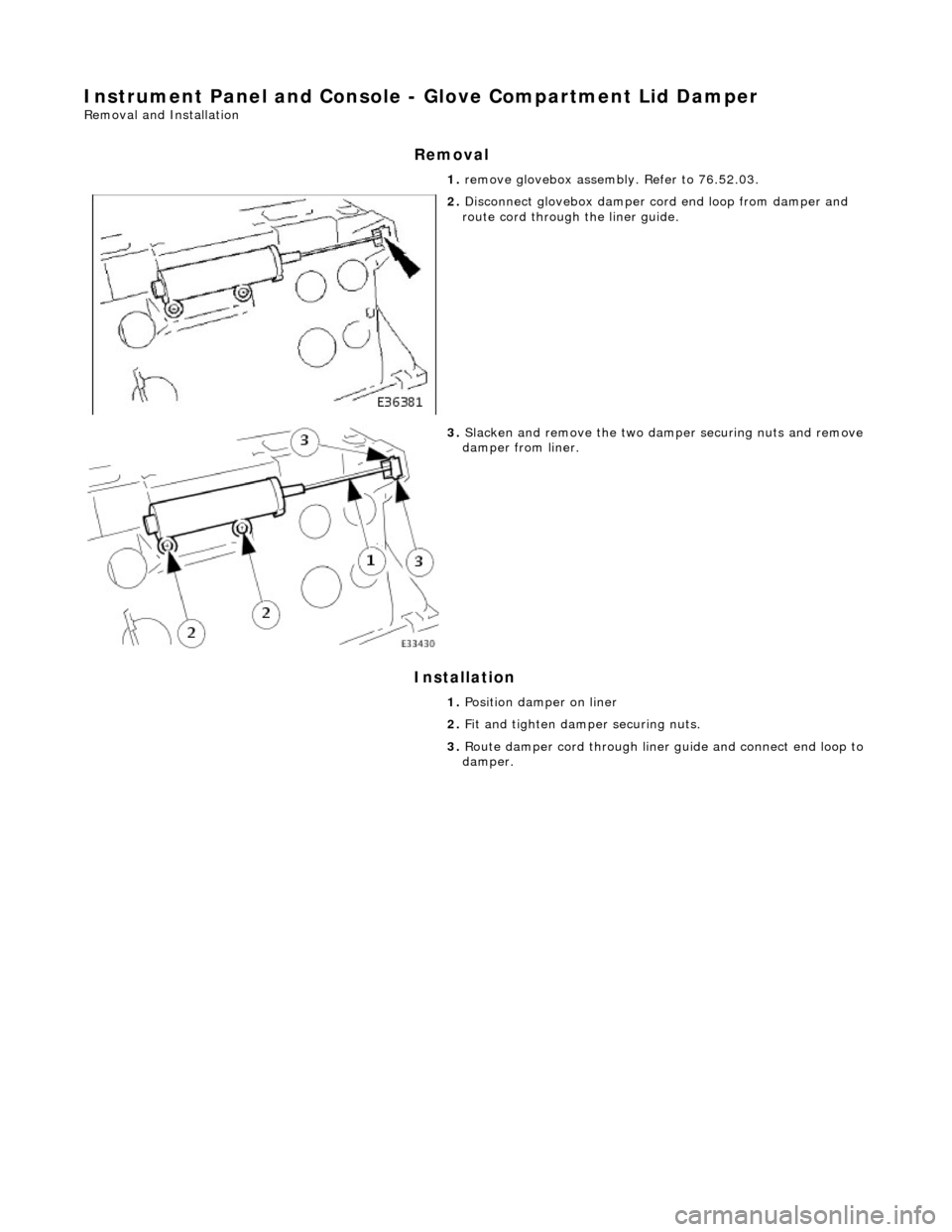
Remove glovebox. Refer to 76.52.03.
2. Open glovebox lid and lift barbed hook to release damper
cord loop from lid..
3. Slacken and remove the two lid hinge securing nuts.
4. Remove glovebox lid.
1. Fit glovebox lid to liner.
2. Position lid on hinges and fi t but do not tighten securing
screws.
3. Fit damper cord loop to lid.
4. Position and fit glovebox. Refer to 76.52.03.
5. Adjust lid position to achieve satisfactory all-round clearance
and catch operation.
6. Fully tighten hinge securing screws.
Page 2237 of 2490
Instrument Panel and Console - Glove Compartment Lid Damper
Removal and Installation
Removal
Installation
1.
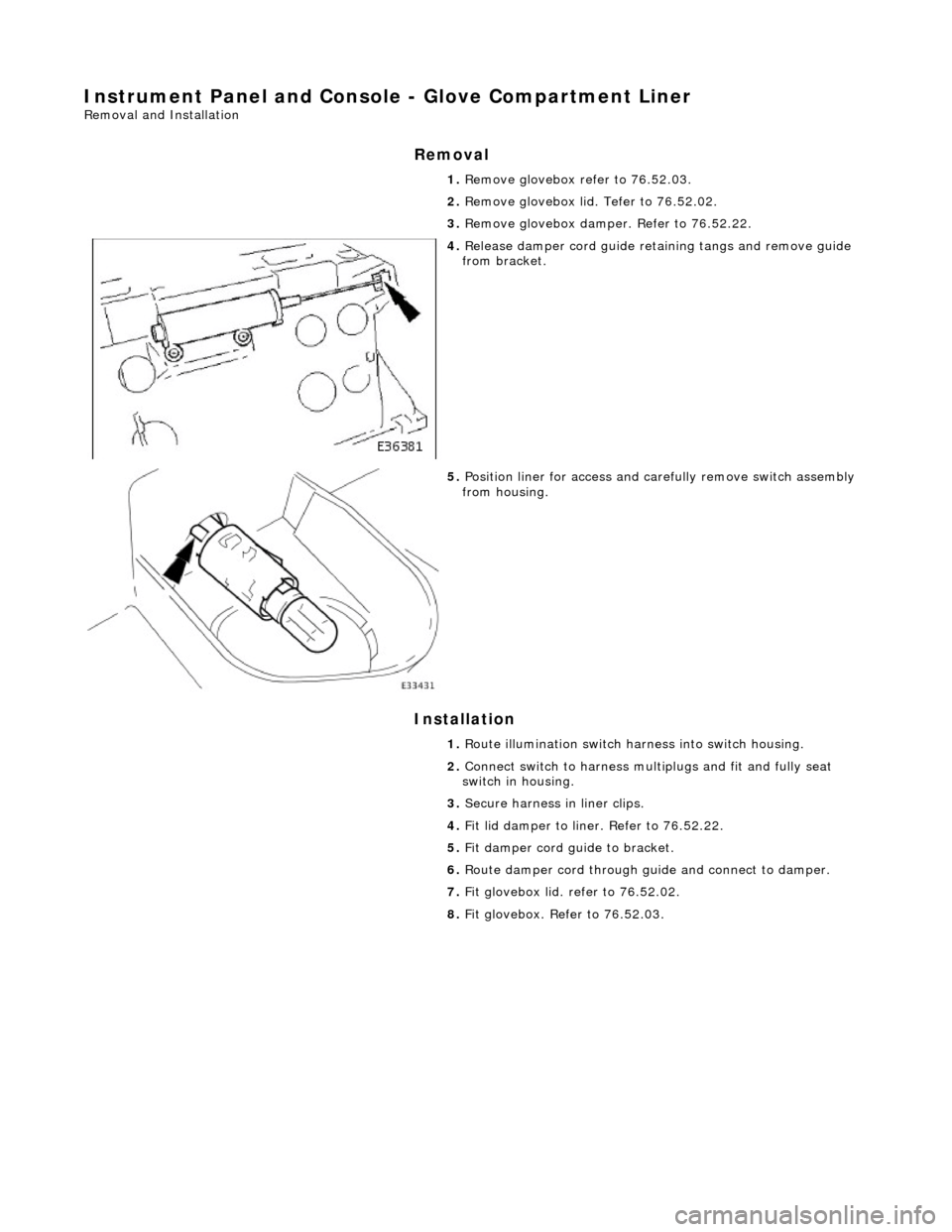
remove glovebox assembly. Refer to 76.52.03.
2. Disconnect glovebox damper cord end loop from damper and
route cord through the liner guide.
3. Slacken and remove the two damp er securing nuts and remove damper from liner.
1. Position damper on liner
2. Fit and tighten damper securing nuts.
3. Route damper cord through liner guide and connect end loop to
damper.
Page 2238 of 2490
Instrument Panel and Console - Glove Compartment Liner
Removal and Installation
Removal
Installation
1.
Remove glovebox refer to 76.52.03.
2. Remove glovebox lid. Tefer to 76.52.02.
3. Remove glovebox damper. Refer to 76.52.22.
4. Release damper cord guide retaining tangs and remove guide
from bracket.
5. Position liner for access and ca refully remove switch assembly
from housing.
1. Route illumination switch harness into switch housing.
2. Connect switch to harness mult iplugs and fit and fully seat
switch in housing.
3. Secure harness in liner clips.
4. Fit lid damper to liner. Refer to 76.52.22.
5. Fit damper cord guide to bracket.
6. Route damper cord through guide and connect to damper.
7. Fit glovebox lid. refer to 76.52.02.
8. Fit glovebox. Refer to 76.52.03.
Page 2240 of 2490
Instrument Panel and Console - Instrument Cluster Finish Panel Bezel
Removal and Installation
Removal
1. Adjust steering column to full y extended and lowered position.
2. Remove battery cover and disc onnect ground cable from
battery terminal. Refer to 86.15.19.
3. Remove veneer from instrument panel. Refer to 76.47.24.
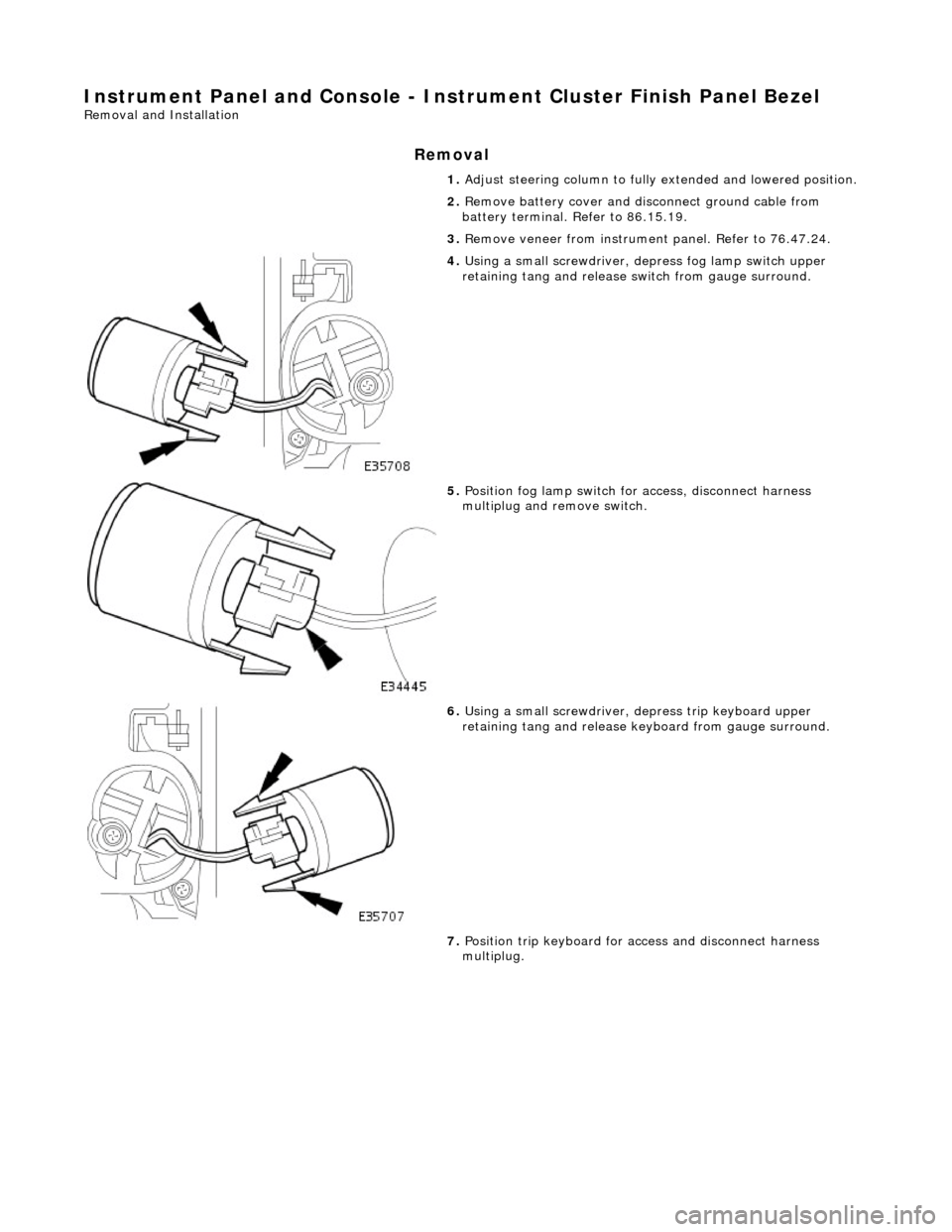
4. Using a small screwdriver, de press fog lamp switch upper
retaining tang and release sw itch from gauge surround.
5. Position fog lamp switch fo r access, disconnect harness
multiplug and remove switch.
6. Using a small screwdriver, depress trip keyboard upper
retaining tang and release ke yboard from gauge surround.
7. Position trip keyboard for ac cess and disconnect harness
multiplug.
Page 2241 of 2490
Installation
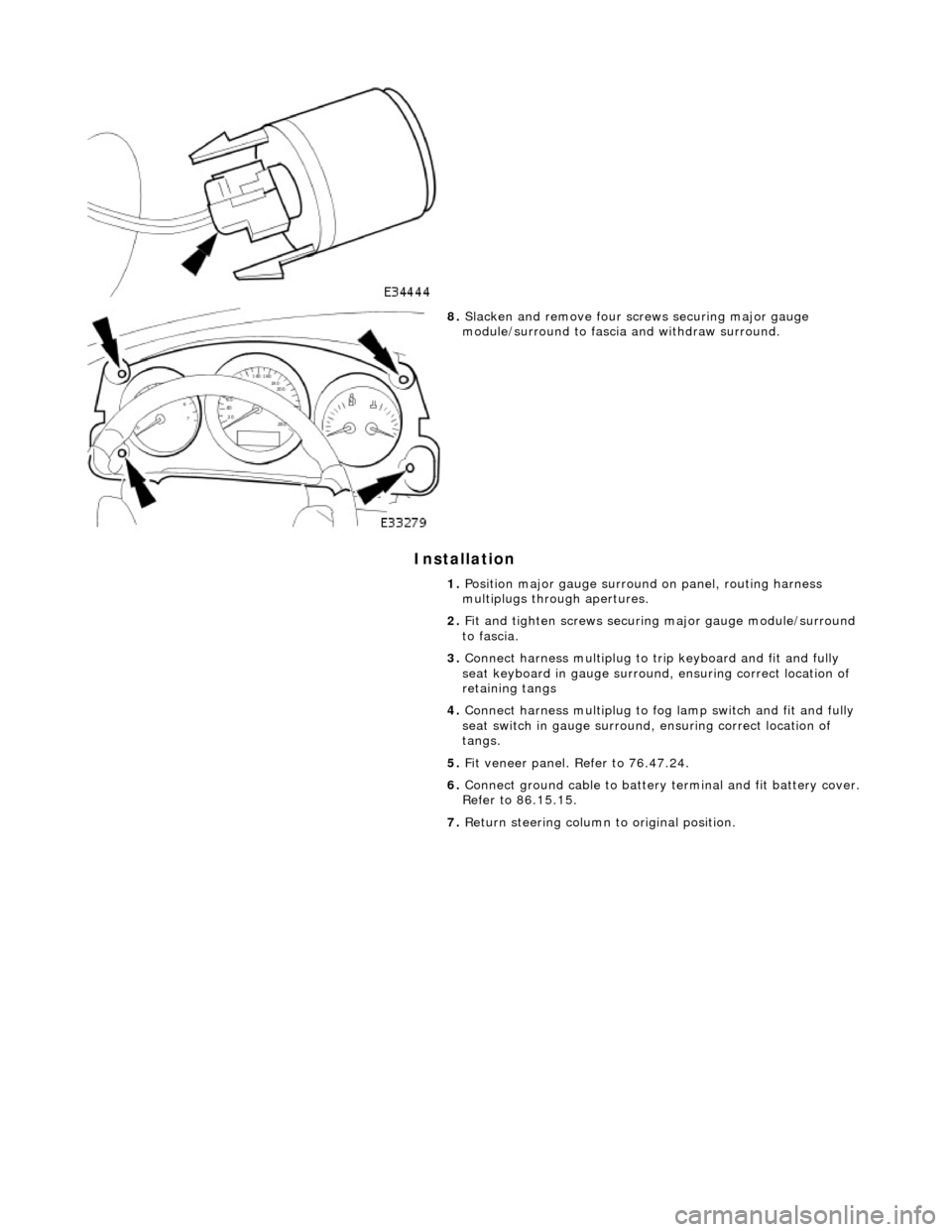
8. Slacken and remove four screws securing major gauge
module/surround to fascia and withdraw surround.
1. Position major gauge surround on panel, routing harness
multiplugs through apertures.
2. Fit and tighten screws securing major gauge module/surround
to fascia.
3. Connect harness multiplug to tr ip keyboard and fit and fully
seat keyboard in gauge surround, ensuring correct location of
retaining tangs
4. Connect harness multiplug to fog lamp switch and fit and fully
seat switch in gaug e surround, ensuring correct location of
tangs.
5. Fit veneer panel. Refer to 76.47.24.
6. Connect ground cable to battery terminal and fit battery cover.
Refer to 86.15.15.
7. Return steering column to original position.
Page 2274 of 2490
Remote Central Locking Transmitter Unit
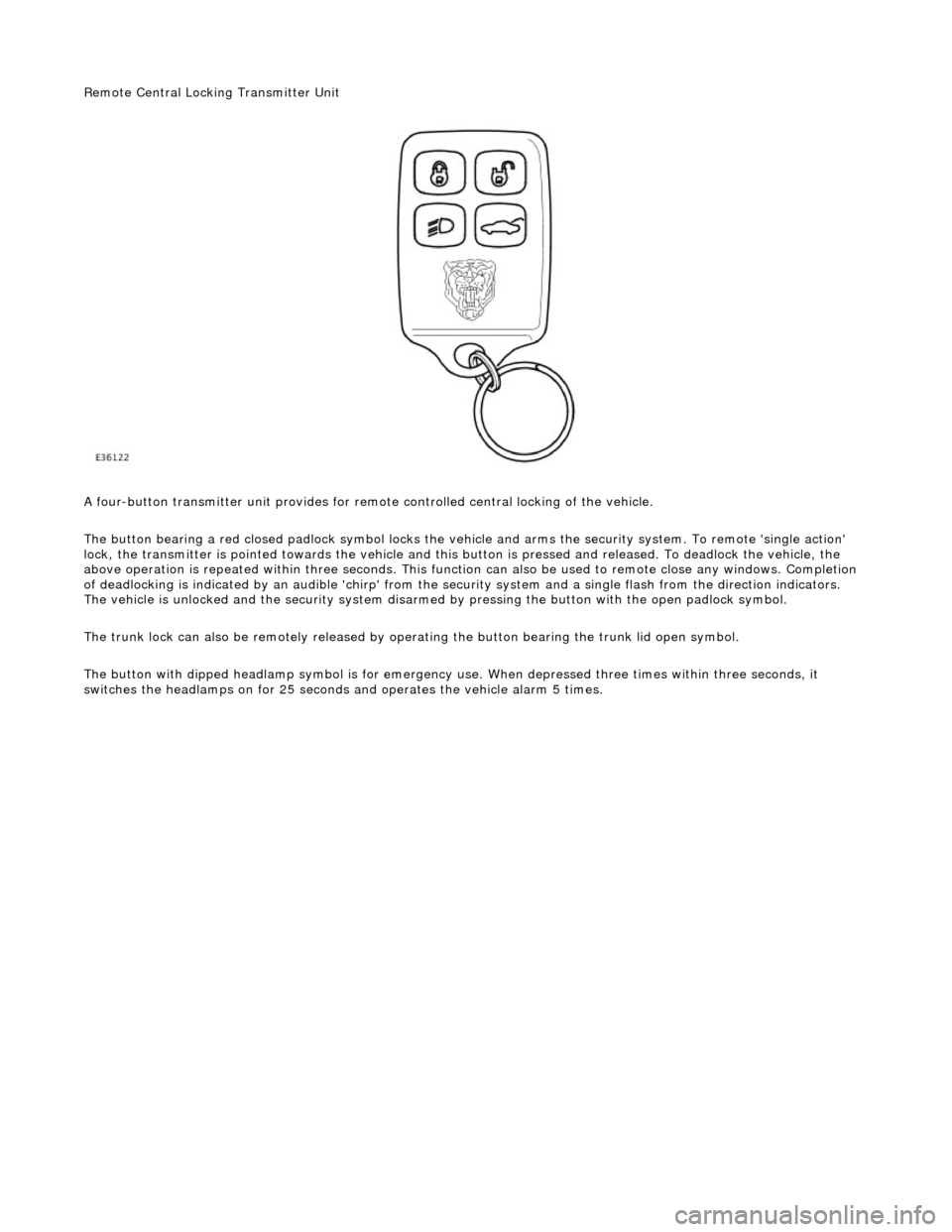
A four-button transmitter unit provides for remote controlled central locking of the vehicle.
The button bearing a red closed padlock sy mbol locks the vehicle and arms the security system. To remote 'single action'
lock, the transmitter is pointed towards the vehicle and this bu tton is pressed and released. To deadlock the vehicle, the
above operation is repeated with in three seconds. This function can also be used to remote close any windows. Completion
of deadlocking is indicated by an audible 'chirp' from the security system and a single flash from the direction indicators.
The vehicle is unlocked and the security system disarmed by pressing the button with the open padlock symbol.
The trunk lock can also be remotely released by op erating the button bearing the trunk lid open symbol.
The button with dipped headlamp symbol is for emergency us e. When depressed three times within three seconds, it
switches the headlamps on for 25 seconds and operates the vehicle alarm 5 times.