Page 105 of 378
Downloaded from www.Manualslib.com manuals search engine Interior Lamps
Instrument Panel Brightness Control
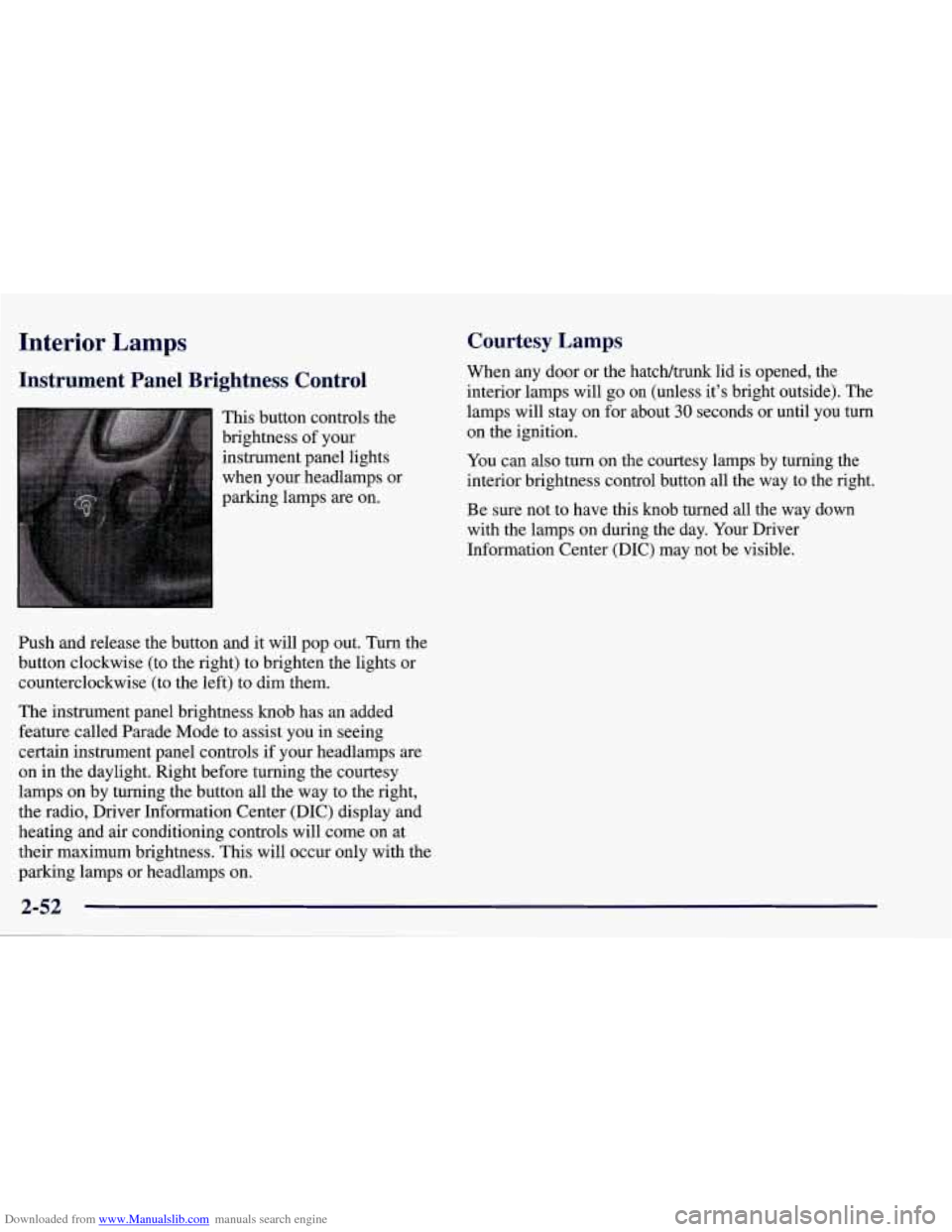
This button controls the
brightness of your
instrument panel lights
when your headlamps or
parking lamps
are on.
Ish and release the button and it will pop out. Turn the
button clockwise (to the right) to brighten the lights or
counterclockwise (to the left) to dim them.
The instrument panel brightness knob has an added
feature called Parade Mode to assist you in seeing
certain instrument panel controls if your headlamps
are
on in the daylight. Right before turning the courtesy
lamps on by turning the button all the way to the right,
the radio, Driver Information Center (DIC) display and
heating and air conditioning controls will come on at
their maximum brightness. This will occur only with the
parking lamps or headlamps on.
Courtesy Lamps
When any door or the hatch/trunk lid is opened, the
interior lamps will go
on (unless it’s bright outside). The
lamps will stay on for about
30 seconds or until you turn
on the ignition.
You can
also turn on the courtesy lamps by turning the
interior brightness control button all the way to the right.
Be sure not to have this knob turned all the way down
with the lamps on during the day. Your Driver
Information Center
(DIC) may not be visible.
2-52
Page 108 of 378
Downloaded from www.Manualslib.com manuals search engine Center Console
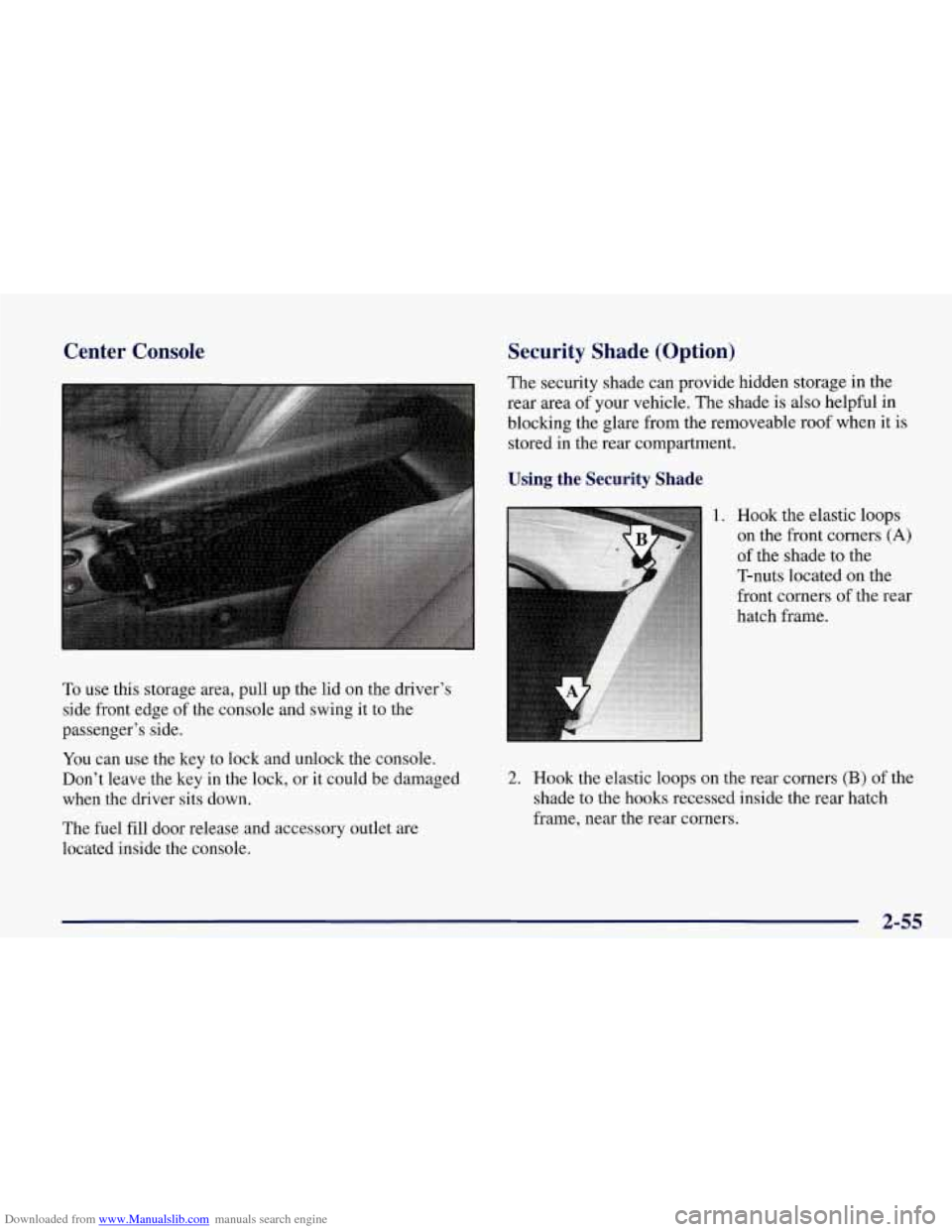
To use this storage area, pull up the lid on the driver's
side front edge of the console and swing it to the
passenger's side.
You can use the key to lock and unlock the console.
Don't leave the key in the lock, or it could be damaged
when the driver sits down.
The fuel fill door release and accessory outlet are
located inside the console.
Security Shade (Option)
The security shade can provide hidden storage in the
rear area of your vehicle. The shade is also helpful in
blocking the glare from the removeable roof when it is
stored in the rear compartment.
Using the Security Shade
1. Hook the elastic loops
on the front corners
(A)
of the shade to the
T-nuts located on the
front corners of the rear
hatch frame.
2. Hook the elastic loops on the rear corners (B) of the
shade to the hooks recessed inside the rear hatch
frame, near the rear corners.
2-55
Page 111 of 378
Downloaded from www.Manualslib.com manuals search engine Ashtray and Cigarette Lighter
The ashtray is located on the instrument panel, next to
the lighter.
To use the ashtray, lift up on the bottom of
the door.
To use the lighter, push it in all the way and let go.
When it’s ready, it will pop back by itself.
I NOTICE:
NOTICE:
I
Don’t hold a cigarette lighter in with your hand
while
it is heating. If you do, it won’t be able to I
Don’t put papers and other things that burn into
your ashtray.
If you do, cigarettes or other
smoking materials could set them on fire,
causing damage.
I NOTICE:
Loose objects (such as paper clips) can lodge
behind and beneath the ashtray lid and prevent
movement of the lid. Avoid putting small loose
objects near the ashtray. back away
from the heating element when it’s
ready. That can make it overheat, damaging the
lighter and the heating element.
Sun Visors
To block out glare, you can swing down the visors. You
can also swing them to the side.
Visor Vanity Mirror
hll down the sun visor and lift the cover to expose the
vanity
mirror. When the cover is lifted, the lamps will
come on automatically, even if the ignition is off.
Page 112 of 378
Downloaded from www.Manualslib.com manuals search engine Accessory Outlet
This outlet is located inside the center console, on the
forward left side. Remove the tethered cap to use the
outlet. The outlet can be used to connect electrical
equipment such as
a cellular phone or CB radio. Be sure
to follow the installation instructions included with the
equipment. Replace the cap when the outlet is not in use.
NOTICE:
When using the accessory outlet:
The maximum load of any electrical
equipment should not exceed
15 amps.
Be sure to turn off any electrical equipment
when not in use. Leaving electrical
equipment on for extended periods can
drain your battery.
We recommend that you see a qualified technician or your
dealer for the proper installation of your equipment.
Floor Mats (Option)
Your vehicle’s floor mats are specially designed to
remain in position under your feet and out of reach of
the accelerator pedal. The driver’s side floor mat is held
in place by two locator hooks and the passenger’s side is
held in place by one.
Be sure that the driver’s side floor mat is properly
placed on the floor
so that it does not block the
movement of the accelerator pedal.
2-59
Page 115 of 378
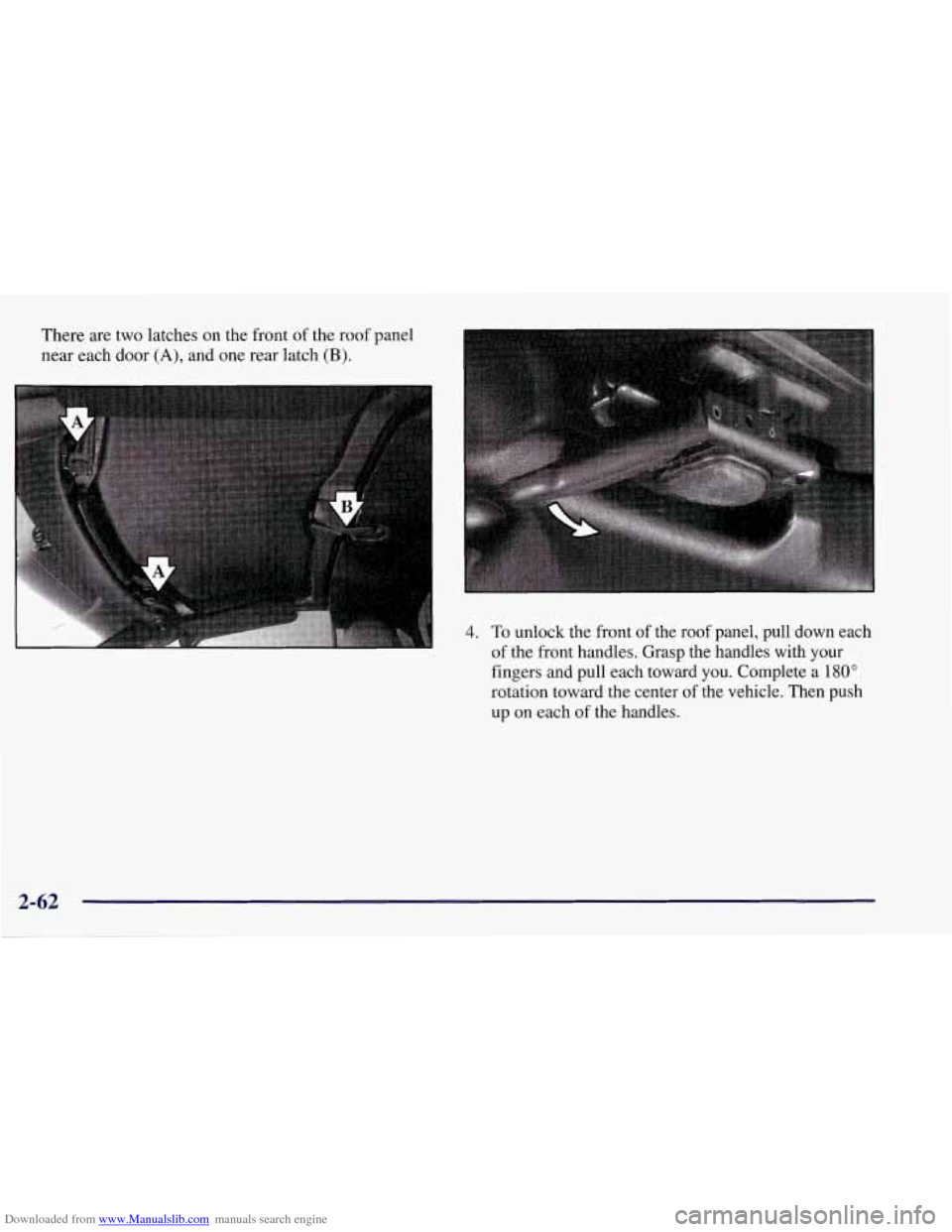
Downloaded from www.Manualslib.com manuals search engine There are two latches on the front of the roof panel
near each door
(A), and one rear latch (B).
4. To unlock the front of the roof panel, pull down each
of the front handles. Grasp the handles with your
fingers and pull each toward
you. Complete a 180"
rotation toward the center of the vehicle. Then push
up
on each of the handles.
2-62
Page 116 of 378
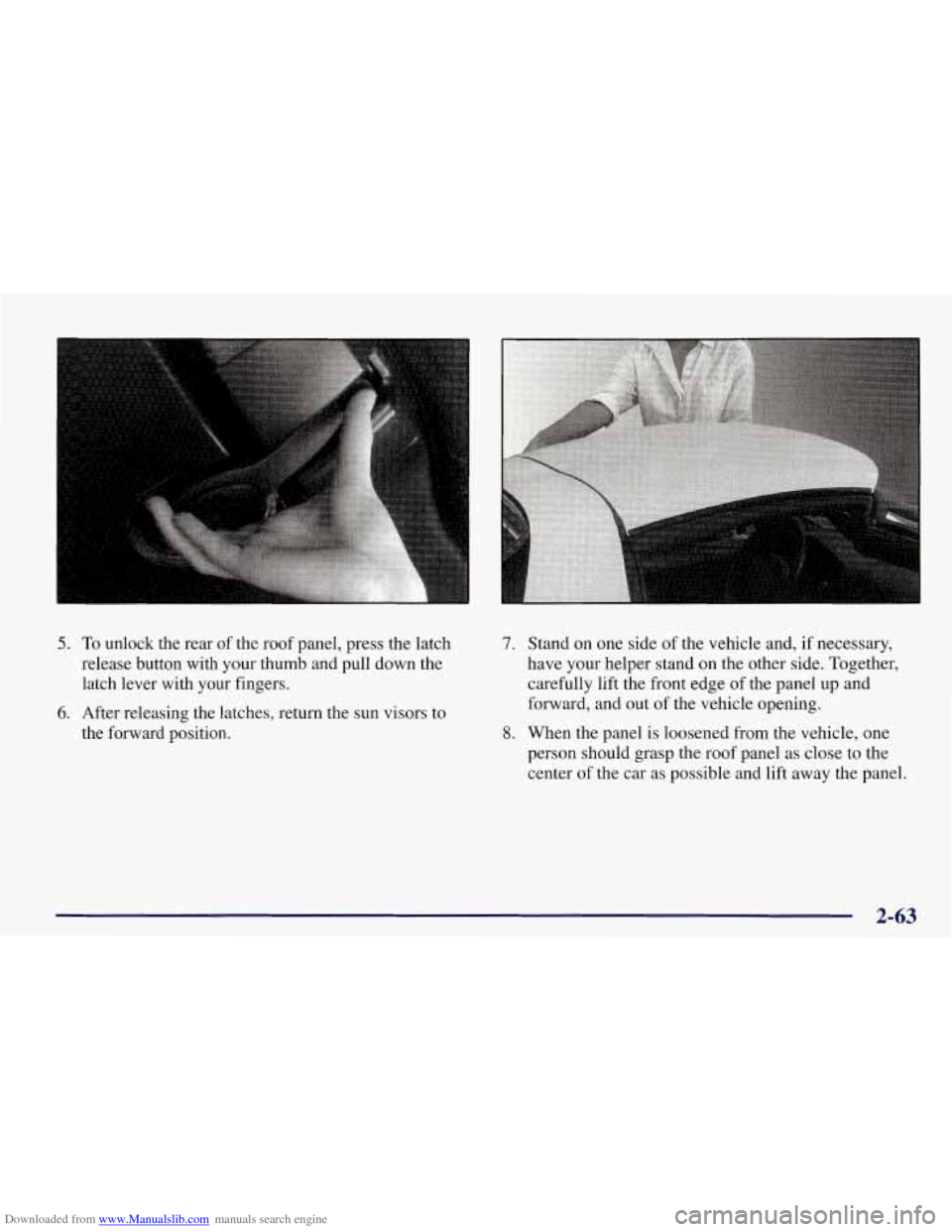
Downloaded from www.Manualslib.com manuals search engine 5. To unlock the rear of the roof panel, press the latch
release button with your thumb and pull down the
latch lever with your fingers.
6. After releasing the latches, return the sun visors to
the forward position.
I
7. Stand on one side of the vehicle and, if necessary,
have your helper stand on the other side. Together,
carefully lift the front edge
of the panel up and
forward, and out
of the vehicle opening.
8. When the panel is loosened from the vehicle, one
person should grasp the roof panel as close to the
center of the
car as possible and lift away the panel.
2-63
Page 118 of 378
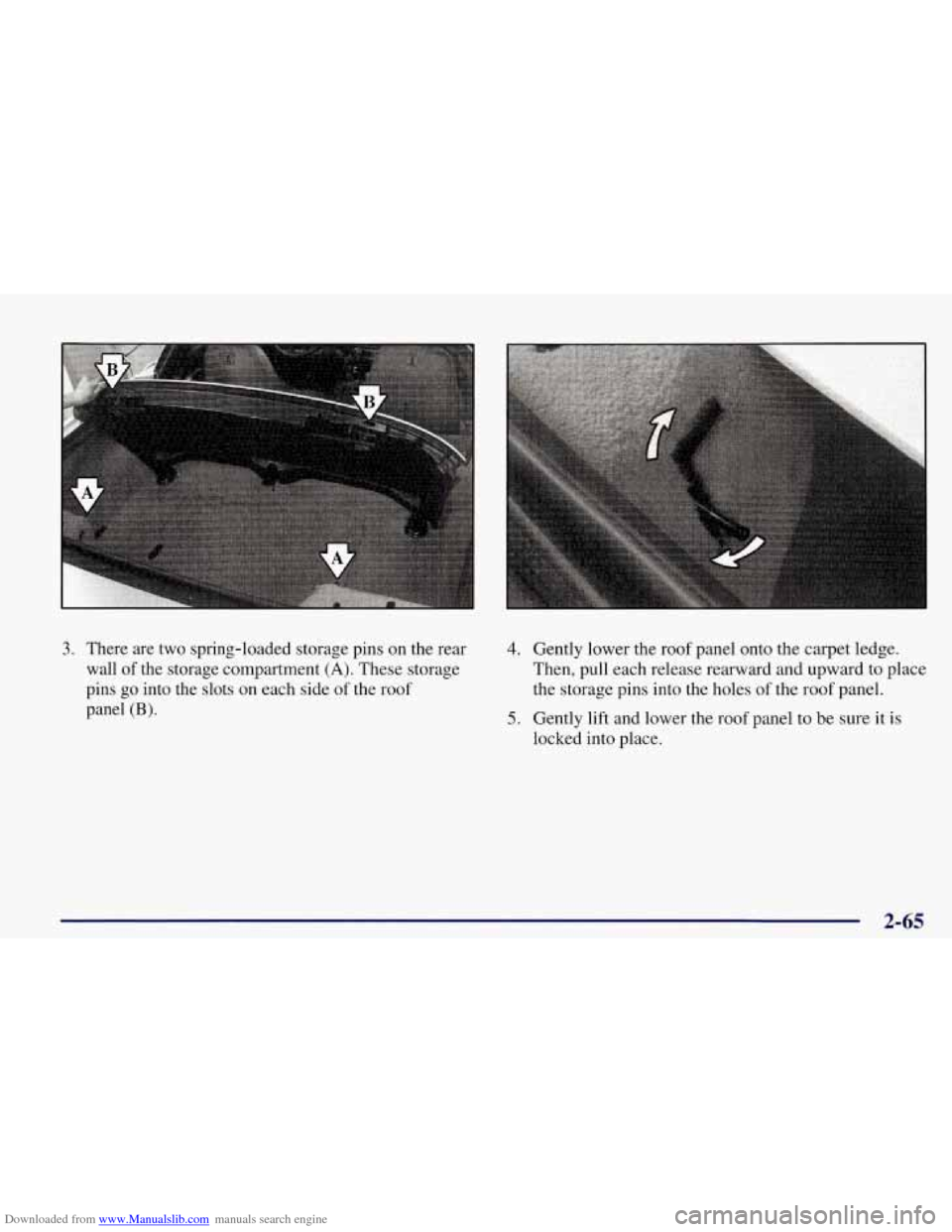
Downloaded from www.Manualslib.com manuals search engine 3. There are two spring-loaded storage pins on the rear
wall of the storage compartment
(A). These storage
pins
go into the slots on each side of the roof
panel
(B).
4. Gently lower the roof panel onto the carpet ledge.
Then, pull each release rearward and upward to place
the storage pins into the holes of the roof panel.
5. Gently lift and lower the roof panel to be sure it is
locked into place.
2-65
Page 120 of 378
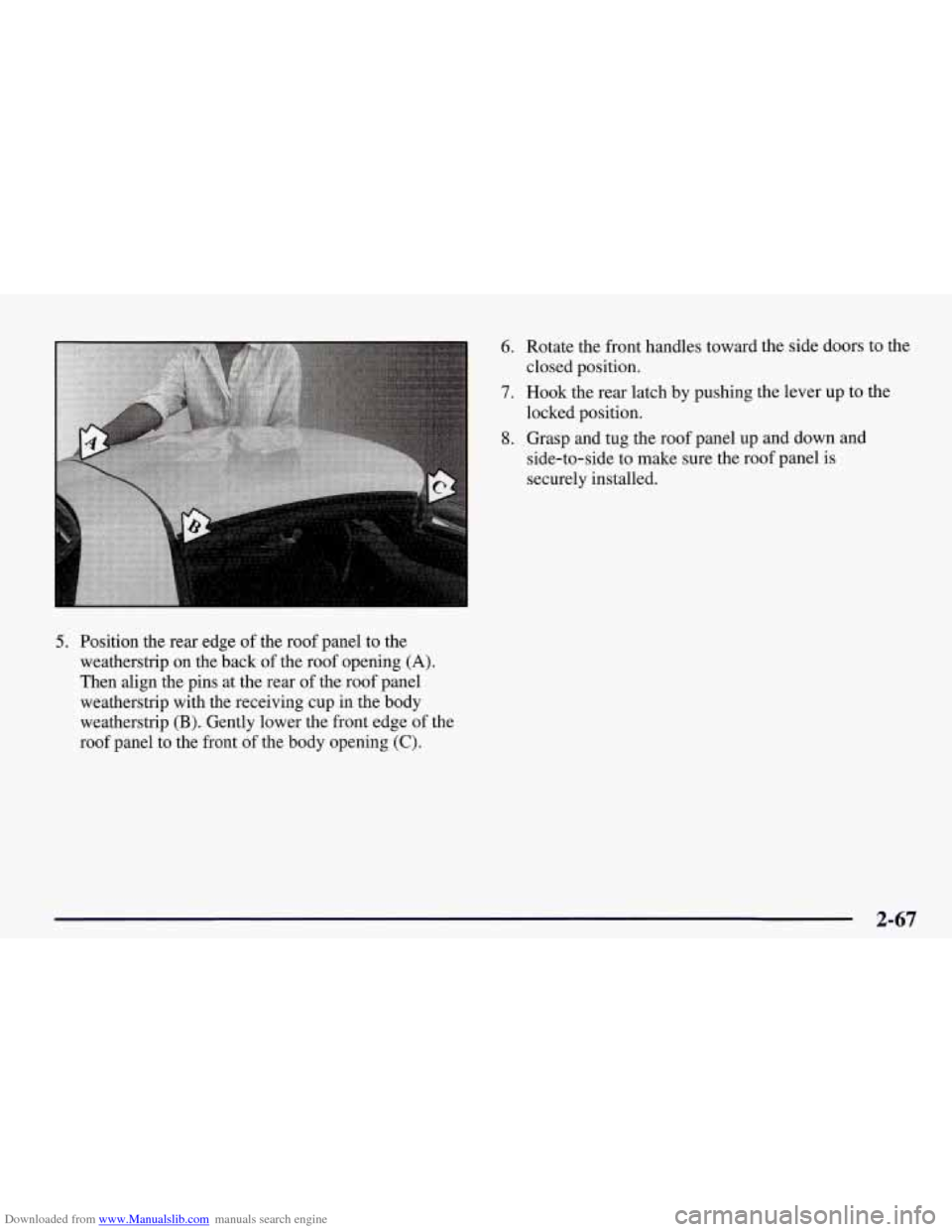
Downloaded from www.Manualslib.com manuals search engine 5. Position the rear edge of the roof panel to the
weatherstrip on the back
of the roof opening (A).
Then align the pins at the rear of the roof panel
weatherstrip with the receiving cup in the body
weatherstrip
(B). Gently lower the front edge of the
roof panel to the front of the body opening
(C).
6. Rotate the front handles toward the side doors to the
closed position.
7. Hook the rear latch by pushing the lever up to the
locked position.
8. Grasp and tug the roof panel up and down and
side-to-side to make sure the roof panel is
securely installed.
2-67