1998 CADILLAC SEVILLE display
[x] Cancel search: displayPage 206 of 378
Downloaded from www.Manualslib.com manuals search engine The TRACTION ENGAGED message will display on
the Driver Information Center when the traction control
system is limiting wheel spin. See “Driver Information
Center Messages” in the Index. You may feel or hear the
system working, but this is normal.
If your vehicle is in cruise control when the traction control
system
begins to limit wheel spin, the cruise control will
automatically disengage. When road conditions allow you
to safely use it again, you my reengage the cruise control.
(See “Cruise Control” in
the Index.)
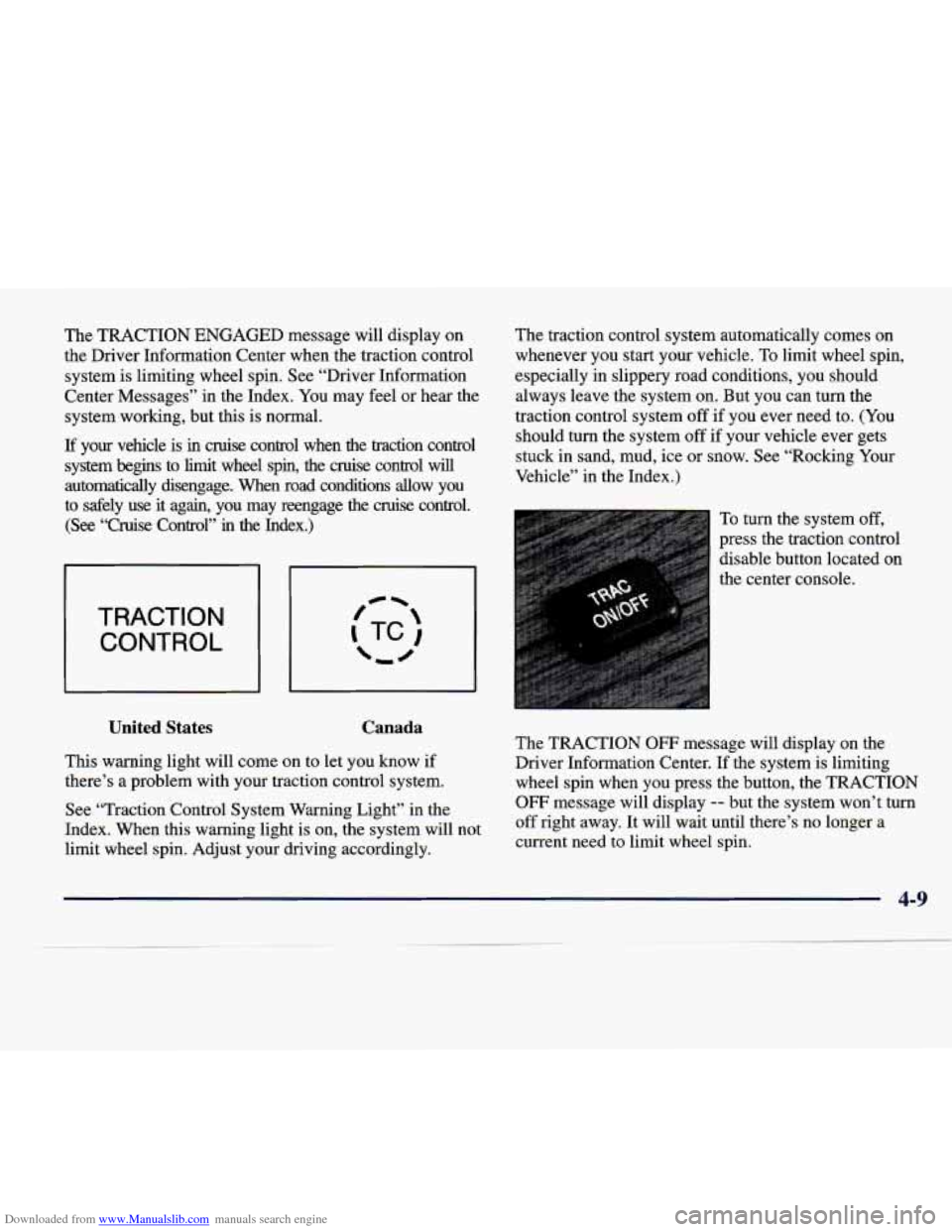
TRACTION CONTROL
United States Canada
This warning light will come on to let you know if
there’s a problem with your traction control system.
See “Traction Control System Warning Light” in the
Index. When this warning light is on, the system will not
limit wheel spin. Adjust your driving accordingly. The
traction control system automatically comes on
whenever you start your vehicle. To limit wheel spin,
especially in slippery road conditions, you should
always leave the system on. But you can turn the
traction control system off
if you ever need to. (You
should turn the system off if your vehicle ever gets
stuck in sand, mud, ice or snow. See “Rocking Your
Vehicle” in the Index.)
To turn the system off,
press the traction control
disable button located on
the center console.
The TRACTION
OW message will display on the
Driver Information Center. If the system is limiting
wheel spin when you press the button, the TRACTION
OFF message will display -- but the system won’t turn
off right away. It will wait until there’s no longer a
current need to limit wheel spin.
Page 207 of 378
Downloaded from www.Manualslib.com manuals search engine You can turn the system back on at any time by pressing
the button again. The TRACTION READY message
should display briefly on the Driver Information Center.
Braking in Emergencies
With anti-lock, you can steer and brake at the same
time. In many emergencies, steering can help you
more than even the very best braking.
Steering
Power Steering
If you lose power steering assist because the engine
stops or the system is not functioning, you can steer
but it will take much more effort.
MAGNASTEEP
Your vehicle may be equipped with GM
MAGNASTEER, a system that continuously adjusts the
effort you feel when steering at all vehicle speeds. It
provides ease when parking yet a firm, solid feel at highway speeds.
Steering Tips
Driving on Curves
It’s important to take curves at a reasonable speed.
A lot of the “driver lost control” accidents mentioned
on the news happen on curves. Here’s why:
Experienced driver or beginner, each
of us is subject to
the same laws of physics when driving
on curves. The
traction of the tires against the road surface makes it
possible for the vehicle to change its path when you turn
the front wheels.
If there’s no traction, inertia will keep
the vehicle going in the same direction. If you’ve ever
tried to steer a vehicle on wet ice, you’ll understand this.
The traction you can get in a curve depends
on the
condition of your tires and the road surface, the angle
at which the curve is banked, and your speed.
While you’re in a curve, speed is the one factor you
can control.
4-10
Page 252 of 378
Downloaded from www.Manualslib.com manuals search engine Engine Overheating
You will find an ENGINE COOLANT HOT IDLE
ENGINE message or an ENGINE OVERHEATED
STOP ENGINE message on the Driver Information
Center (DIC). There is also an engine temperature
warning light and/or gage on the instrument panel. See
“Engine Coolant Temperature Warning Light” or
“Engine Coolant Temperature Gage” in the Index.
Overheated Engine Protection
Operating Mode
NOTICE:
After driving in the overheated engine protection
operating mode, to avoid engine damage, allow
the engine to cool before attempting any repair.
The engine oil will be severely degraded. Repair
the cause
of coolant loss, change the oil and reset
the Oil Life Indicator. See “Engine Oil, When to
Change” in the Index.
Should an overheated engine condition exist and the
message ENGINE
OVERHEATED STOP ENGINE is
displayed, an overheat protection mode which alternates
firing groups
of four cylinders helps prevent engine
damage. In this mode, you will notice
a loss in power
and engine performance. This operating mode allows
your vehicle to be driven to
a safe place in an
emergency; you may drive up
to 50 miles (SO km).
Towing a trailer in
the overheat protection mode should
be avoided.
5-15
Page 286 of 378
Downloaded from www.Manualslib.com manuals search engine Before closing the hood, be sure all filler caps are on
properly. Then pull the hood down and close it firmly.
Underhood Lamp
Turn the parking lamps on to operate the underhood
lamp. The underhood lamp will come on when the hood
is opened.
Engine Oil
It's a good idea to check your engine oil every time you
get fuel. In order to get an accurate reading, the oil must
be warm and the vehicle must be on level ground.
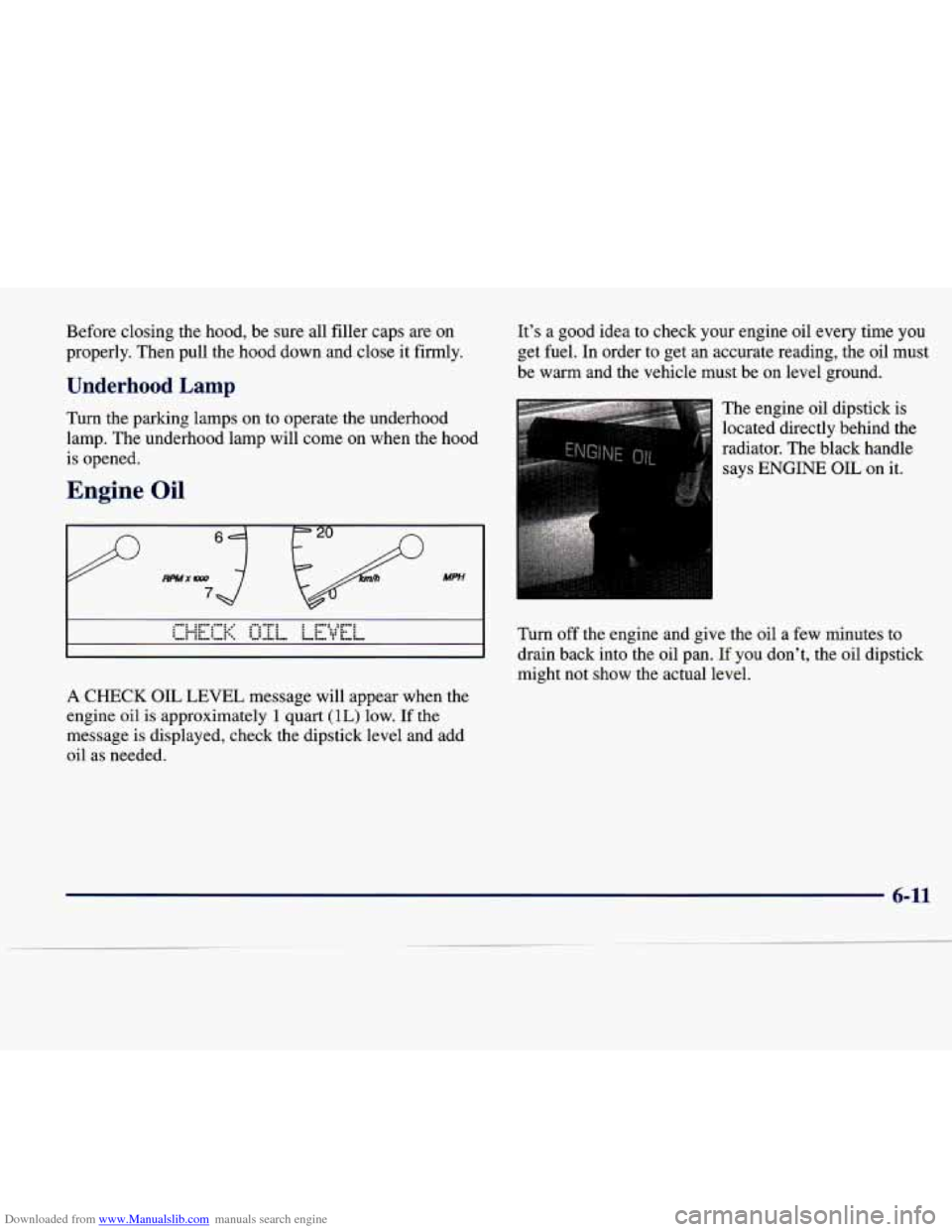
The engine oil dipstick is
located directly behind the
radiator. The black handle
says
ENGINE OIL on it.
Turn off the engine and give the oil a few minutes to
drain back into the oil pan.
If you don't, the oil dipstick
might not show the actual level.
A CHECK OIL LEVEL message will appear when the
engine
oil is approximately 1 quart (IL) low. If the
message is displayed, check the dipstick level and add
oil as needed.
6-11
Page 290 of 378
Downloaded from www.Manualslib.com manuals search engine How to Reset the Oil Life Indicator
After the oil has been changed, display the ENGINE
OIL LIFE message by pressing the INFO button. Then
press and hold the INFO RESET button until the display
shows
“100.” This resets the oil life index. The message
will remain off until the next oil change is needed.
The percentage of oil life remaining may be checked at
any time by pressing the INFO button several times until
the ENGINE
OIL LIFE message appears. For more
information on the Oil Life feature, see “Oil Life
Indicator” in the Index.
What to Do with Used Oil
Did you know that used engine oil contains certain
elements that may be unhealthy for your skin and could
even cause cancer? Don’t let used oil stay on your skin
for
very long. Clean your skin and nails with soap and
water, or a good hand cleaner. Wash or properly throw
away clothing or rags containing used engine oil. (See
the manufacturer’s warnings about the use and disposal
of oil products.)
Used oil can be
a real threat to the environment. If you
change your own oil, be sure to drain all free-flowing oil
from the filter before disposal. Don’t ever dispose of oil
by putting it in the trash, pouring it on the ground, into
sewers, or into streams or bodies of water. Instead,
recycle it by taking it to a place that collects used oil. If
you have a problem properly disposing of your used oil,
ask your dealer, a service station or a local recycling
center for
help.
6-15
Page 297 of 378
Downloaded from www.Manualslib.com manuals search engine How to Reset tk I ’I’ - ~- -- 3 Change
Indicator
After the transaxle fluid has been changed, display the
TRANS FLUID LIFE message by pressing the
INFO
button. Then press and hold the INFO RESET button
until the display shows
“loo.” This resets the transaxle
fluid life index. The message will remain off until the next transaxle fluid change is needed. The percentage
of
transaxle fluid life remaining may be checked at any
time by pressing the
INFO button several times until the
TRANS FLUID LIFE message appears.
Engine Coolant
The cooling s stem in your vehicle is filled with
DEX-COOL engine coolant. This coolant is designed
to remain in your vehicle for 5 years or 150,000 miles
(240 000 km) whichever occurs first, if you add only
DEX-COOL’ extended life coolant.
B
The following explains your cooling system and how to
add coolant when it is low.
If you have a problem with
engine overheating, see “Engine Overheating” in
the Index.
A 50/50 mixture of water and DEX-COOL@
coolant will:
0 Give freezing protection down to -34°F (-37°C).
0 Give boiling protection up to 265°F (129°C).
Protect against rust and corrosion.
Help keep the proper engine temperature.
0 Let the warning lights and gages work as
they should.
NOTICE:
When adding coolant, it is important that you use
only
DEX-COOL@ (silicate-free) coolant.
If coolant other than DEX-COOL is added to the
system, premature engine, heater core or
radiator corrosion may result. In addition, the
engine coolant will require change sooner
-- at
30,000 miles (50 000 km) or 24 months,
whichever occurs first. Damage caused
by the use
of coolant other than DEX-COOL@ is not
covered
by your new vehicle warranty.
6-22
Page 305 of 378
Downloaded from www.Manualslib.com manuals search engine Brake Wear
Your vehicle has four-wheel disc brakes.
Disc brake pads have built-in wear indicators that make
a high-pitched warning sound when the brake pads are
worn and new pads are needed. The sound may come
and
go or be heard all the time your vehicle is moving
(except when you are pushing on the brake
pedal firmly).
r
A CAUTION:
The brake wear warning sound means that soon
your brakes won’t work well. That could lead to
an accident. When you hear the brake wear
warning sound, have your vehicle serviced.
Your vehicle also has electronic wear sensors that let you
know when the brake pads are significantly worn and new
pads are needed. The
CHANGE BRAKE PADS message
will be displayed on the Driver
Information Center when
the brake pads are worn and need
to be replaced. (See
“Change Brake Pads Message” in the Index.)
-
I A CAUTION:
\-I
The CHANGE BRAKE PADS message or the
high-pitched warning sound means that soon
your brakes won’t work well. That could lead to
an accident. When the
CHANGE BRAKE PADS
message comes on and stays on, have your
vehicle serviced.
6-30
Page 365 of 378
Downloaded from www.Manualslib.com manuals search engine Driver Information Center Messages ................ 2-82
Driver
No . X Message ........................... 2-84
Driver Position
................................. 1-12
Driver’s Outside Auto-Dimming Rearview Mirror
..... 2-50
Driving City
........................................ 4-20
Defensive
.................................... 4-2
Drunken
..................................... 4-3
Freeway
.................................... 4-2 1
InaBlizzard ................................. 4-27
In Foreign Countries
........................... 6-5
In the Rain
.................................. 4-17
Night
...................................... 4-15
OnCurves
.................................. 4-1 0
On Grades While Towing a Trailer ............... 4-37
On
Hill and Mountain Roads .................... 4-23
On Snow or Ice
.............................. 4-26
Through Water
............................... 4- 19
WetRoads .................................. 4-17
Winter
...................................... 4-25
With a Trailer
................................ 4-35
DRL
......................................... 2-41
DrunkenDriving
................................ 4-3
Electrical Equipment. Adding
............... 2-20. 3-43
Electrical System
............................... 6-59
Electrochromic Daymight Rearview Mirror
.......... 2-46
Electronic Level Control ......................... 4-3 1
Electronic Solar Sensor
........................... 3-4
Engine
....................................... 6- 10
Compartment Bussed Electrical Center
............ 6-60
Coolant
..................................... 6-22
Coolant Heater
............................... 2-20 Coolant Hot-Idle Engine Message
................ 2-84
Coolant Temperature Gage
..................... 2-69
Coolant Temperature Warning Light
.............. 2-69
Exhaust
........................... 2-29’4-28’4-35
Hot
- A/C Off Message ........................ 2-84
Identification
................................ 6-58
Misfire .. Ease Off Gas Pedal Message ........... 2-85
Overheated Stop Engine Message
................ 2-85
Overheating
................................. 5-15
Power Reduced Message
....................... 2-85
Running While Parked
......................... 2-30
Specifications
................................ 6-66
StartingYour
................................ 2-19
Engine Oil
.................................... 6-11
Adding
..................................... 6-12
Additives
................................... 6-14
Checking
................................... 6-12
Used
....................................... 6-15
What Kind
of Oil to Use ....................... 6-13
Whentochange
.............................. 6-14
Engine Speed Limiter
............................ 2-64
EnglisWMetric Display
.......................... 2-63
Ethanol
........................................ 6-4
Exhaust. Engine
...................... 2-29,4-28, 4-35
Express-Down Window
........................... 2-31
Exterior Lamps
................................. 2-40
Exterior Lighting Battery Saver
.................... 2-44
OnReminder
................................ 2-41
Fabric Cleaning
............................... 6-51
Filling a Portable Fuel Container
.................... 6-8
Filter. Air
..................................... 6-16
FillingYourTank
................................ 6-5
8-4