1998 CADILLAC ELDORADO check engine
[x] Cancel search: check enginePage 138 of 380
Downloaded from www.Manualslib.com manuals search engine If you experience one or more of these conditions,
change the fuel brand
you use. It will require at least
one full tank
of the proper fuel to turn the light off.
If none of the above steps have made the light turn off,
have your dealer or qualified service center check the
vehicle. Your dealer has the proper test equipment and
diagnostic tools to fix any mechanical
or electrical
problems that may have developed.
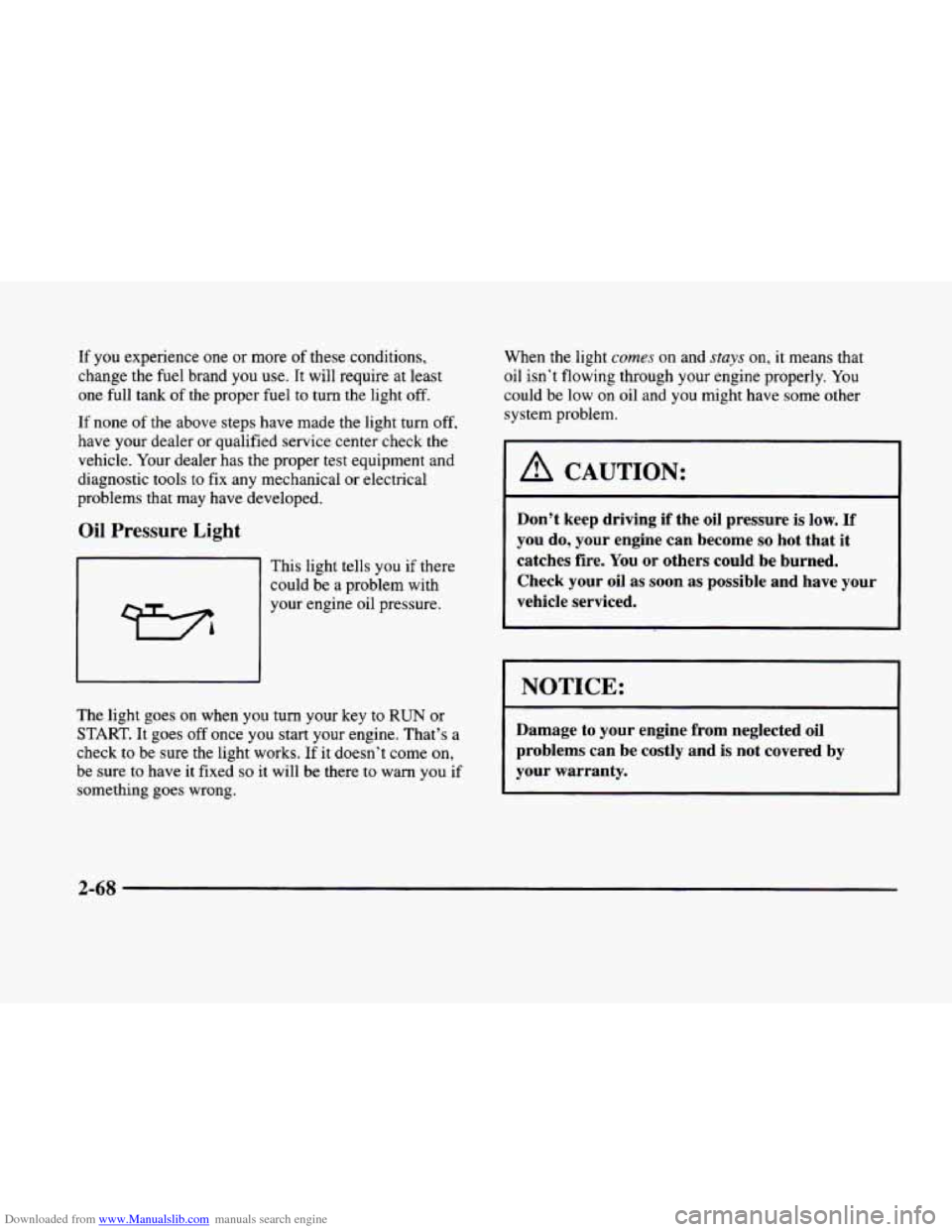
Oil Pressure Light
This light tells you if there
could be a problem with
your engine oil pressure.
The light goes
on when you turn your key to RUN or
START. It goes off once you start your engine. That’s a
check
to be sure the light works. If it doesn’t come on,
be sure to have it fixed so it will be there to warn you if
something goes wrong. When the light
cumes on
and stays on, it means that
oil isn’t flowing through your engine properly. You
could
be low on oil and you might have some other
system problem.
1 A CAUTION:
Don’t keep driving if the oil pressure is low. If
you do, your engine can become so hot that it
catches fire. You
or others could be burned.
Check your oil as soon as possible and have your
vehicle serviced.
I NOTICE: 1
Damage to your engine from neglected oil
problems can be costly and is not covered by
your warranty.
2-68
Page 142 of 380

Downloaded from www.Manualslib.com manuals search engine BATTERY NOT CHARGING - 7: This message will
appear
if the battery is not being charged. Have the
electrical system checked by your dealership at your
earliest convenience.
BATTERY VOLTAGE HIGH - 8: This message
shows that the electrical charging system is
overcharging (more than 16 volts). To avoid being
stranded, have the electrical system checked by your
dealership. You
can reduce the charging overload by
using the accessories. Turn on the lamps and radio, set
the climate control on AUTO and the fan speed on
HI,
and turn the rear window defogger on. You can monitor
battery voltage on the Driver Information Center
(DIC)
by pressing the INFO button. The normal range is
11.5 to 15.5 volts when the engine
is running.
BATTERY VOLTAGE LOW - 6: This message will
appear when the electrical system is charging less than
10 volts or if the battery has been drained. If this
message appears immediately after starting,
it is possible
that the generator can still recharge the battery. The
battery should recharge and may take a few hours to do
so. Consider using an auxiliary charger to boost the
battery after returning home or to a final destination.
(Be sure to follow the manufacturer’s instructions
when using a battery charger.)
If this message appears and stays on while driving or
after starting your vehicle, have it checked immediately
to determine the cause of this problem. To help the
generator recharge the battery quickly, you can reduce
the load
on the electrical system by turning off the
accessories. You can monitor battery voltage
on the
Driver Information Center (DIC) by pressing the
INFO
button. The normal range is 11.5 to 15.5 volts.
BRAKE VACUUM PROBLEM -108: The circuit in
the brake booster vacuum has shorted or is loose when
this message appears. Your vehicle may lose power
brakes but you will still have the use
of manual brakes.
The power brakes will not be affected if the problem is
caused by a failed sensor. Have your vehicle serviced
immediately at your dealership.
CHANGE ENGINE OIL - 82: This means that the
life of the engine oil has expired and it should be
changed within
200 miles (322 km). See “Engine Oil”
and “Filter Recommendations” in the Maintenance
Schedule booklet. After an oil change, the Oil Life
Indicator must be reset. See “Oil Life Indicator”
in the
Index
on how to reset it.
CHANGE TRANS FLUID - 47: This message will
appear when it is time to replace the transaxle fluid. See
the Maintenance Schedule booklet for
the proper fluid
and change intervals.
2-72
Page 143 of 380

Downloaded from www.Manualslib.com manuals search engine CHECK BRAKE FLUID LEVEL - 37: This message
will display if the ignition is in
RUN to inform the
driver that the brake fluid level is low. Check the brake
reservoir level and add fluid as needed. Have the brake
system serviced by a technician as soon as possible. If
the brake warning light is on, follow the directions in
that part.
CHECK COOLANT LEVEL - 2: This message will
appear when there is a low level
of engine coolant.
Have
the cooling system serviced by a technician as
soon as possible.
CHECK FUEL GAUGE - 39: This message will
appear when the fuel supply is less than
4 gallons
( 15.2 L) and the display is turned off (digital clusters
only).
A single chime will also sound when this
message is displayed.
CHECK GAS CAP - 61: This message will appear if
the gas cap has not been fully tightened. You should
recheck your gas cap to ensure that it’s fully tightened.
CHECK OIL LEVEL - 36: For correct operation of
the low oil sensing system, your vehicle should be on a
level surface. A false CHECK OIL LEVEL message
may appear if the vehicle is parked on grades. The oil
level sensing system does not check for actual oil level
if
the engine has been off for a short period of time, and
the oil level is never sensed while the engine is running. If
the CHECK
OIL LEVEL message appears and your
vehicle has been parked on level ground with the engine
off for at least 30 minutes, the oil level should be
checked by observing
the oil dipstick. Prior to checking
the oil level,
be sure the engine has been off for five
minutes and your vehicle is on
a level surface. Then
check the dipstick and add oil
if necessary. See “Engine
Oil” in the Index.
CHECK WASHER FLUID - 25: This message will
appear for several seconds indicating that you need
washer solvent.
CRUISE ENGAGED - 43: This message will
appear for a few seconds when
you select a speed at
which to cruise.
DOOR A JAR - 141: A door other than the driver’s
is open or ajar when this message appears. The
vehicle’s engine must be running and the transaxle not
in PARK (P) for this message to display. A chime will
also sound when the vehicle’s speed is greater than
5 mph (8 km/h).
DRIVER DOOR AJAR - 140: This message will
display when the vehicle
is being shifted out of
PARK (P) with the engine running to signal that the
driver’s
door is open or ajar. A chime will also sound
when the vehicle’s speed is greater
than 5 mph (8 km/h).
Page 145 of 380
Downloaded from www.Manualslib.com manuals search engine ICE POSSIBLE - 13: This message appears when
the outside air temperature is cold enough
to create icy
road conditions.
LOW REFRIG A/C OFF - 12: This message means
that the air conditioning system detects a refrigerant
level that is low enough
to cause damage to the air
conditioning compressor.
To avoid damage, the air
conditioning compressor automatically turns
off and the
electronic climate control system will automatically
switch from AUTO to
ECON and remain there.
Have the air conditioning system serviced if this
message appears.
MONITORED SYSTEMS OK - 1: This message only
appears in the “recall” mode by pressing the RESET
button. It lets you know that no other messages are
stored or currently active.
OIL PRESSURE LOW STOP ENGINE - 35: If this
message appears while the engine is running, stop the
engine and do not operate it until the cause of low oil
pressure
is corrected. Severe damage to the engine can
result.
A multiple chime will also sound when this
message is displayed.
OPTIONS NOT SET - 99: This message will display
if a fault has occurred in your vehicle’s memory. Have
your vehicle serviced
by your dealership.
PROGRAM PASS KEY - 31: This warning message
displays when the PASS-Key I1 pellet information has
not been programmed into your vehicle. See your
dealership for service.
PHONE NOT PRESENT - 126: This message will
appear when the steering wheel controls for the optional
phone system are activated but the phone is not plugged
into
the vehicle. Make sure your phone is plugged in. If
your phone appears
to be connected, see your dealership
for service.
REMOVE KEY - 70: This message will appear
when the Personalized Automotive Security System
(PASS-Key
11) is unable to read the pellet on the
ignition key
or an improper key pellet has been
inserted. This message usually appears following the
display of STARTING DISABLED
REMOVE KEY.
The instrument panel cluster will then run a timer and
change the messages
to WAIT 3 MINUTES, WAIT 2
MINUTES, WAIT 1 MINUTE and then START CAR.
When the REMOVE
KEY message is displayed, remove
the ignition key. Check the ignition key for damage. If it
is damaged, it may need to be replaced. If
you see no
damage, clean the pellet contacts with a soft cloth or
napkin before inserting the key back into the ignition.
Have your vehicle serviced
if the message still appears.
2-75
Page 146 of 380

Downloaded from www.Manualslib.com manuals search engine SERVICE A/C SYSTEM - 14: This message appears
when the electronic sensors that control the air
conditioning and heating systems are no longer working.
Have the climate control system serviced if you notice
a drop in heating and air conditioning efficiency.
SERVICE AIR BAG - 83: There is a problem with the
Supplemental Inflatable Restraint (air bag) system when
this message appears. Let only a qualified technician
work
on your vehicle. See your dealership for service
at once.
SERVICE BRAKE FLUID SWITCH - 37: A defect
in the brake fluid detection circuit causes
this message
to display if the ignition
is in RUN. Have the brake
system serviced by
a technician as soon as possible.
If the brake warning light is on, refer to the directions
listed in that part.
SERVICE CHARGING SYSTEM - 102: This
message will display when a problem with the charging
system has
been detected. Have your vehicle serviced at
your dealership.
SERVICE ELECTRIC SYS - 106: This message will
display if an electrical problem has occurred within the
Powertrain Control Module
(PCM). Have your vehicle
serviced by your dealership.
SERVICE FUEL SYSTEM - 101: The PCM has
detected a problem within the fuel system when this
message appears. See your dealership
for service.
SERVICE IDLE CONTROL - 107: A problem
with the idle control has occurred when this
message displays. Drive your vehicle to the dealership
for service.
SERVICE RIDE SYS - 84: This message is displayed
to indicate that the suspension system is not operating
properly.
To correct this problem, have your vehicle
serviced at your dealership.
SERVICE STEERING SYS - 127: This message is
displayed when a problem has been detected
in the
Magnasteer
TM variable effort steering system. Service
is required.
A single chime will also sound when this
message
is displayed.
SERVICE TRANSMISSION - 100: If a problem is
detected with the transaxle,
this message will appear.
Have your vehicle checked by your dealership.
SERVICE VEHICLE SOON - 3: If a problem is
detected with the transaxle, this message will appear.
Have your vehicle checked by your dealership.
2-76
Page 147 of 380
Downloaded from www.Manualslib.com manuals search engine STABILITY SYS ENGAGED - 55: You may see
the STABILITY
SYS ENGAGED message on the
Driver Information Center. It means that an advanced,
computer-controlled system has come
on to help your
vehicle continue
to go in the direction in which you’re
steering. This stability enhancement system activates
when the computer senses that your vehicle is just
starting to spin, as it might if
you hit a patch of ice or
other slippery spot on the road. When the system is on,
you may hear a noise or feel a vibration in the brake
pedal. This is normal.
When the STABILITY
SYS ENGAGED message is on,
you should continue to steer in the direction you want to
go. The system is designed to help you in bad weather or
other difficult driving situations by making the most of
whatever road conditions will permit. If the STABILITY
SYS ENGAGED message comes on, you’ll know that
something has caused your vehicle to start to spin,
so
you should consider slowing down.
SERVICE STABILITY SYS - 54: If you ever see the
SERVICE STABILITY SYS message, it means there
may
be a problem with your stability enhancement
system. If you see this message, try
to reset the system
(stop; turn off the engine; then start the engine again).
If
the SERVICE STABILITY SYS message still comes on, it
means there
is a problem. You should see your dealer
for service. Reduce your speed and drive accordingly.
A single chime will also sound when this message
is displayed.
STARTING DISABLED REMOVE KEY - 33: This
message will appear when the Personalized Automotive
Security System (PASS-Key
11) senses that an improper
ignition key
is being used to try to start the vehicle.
Check the ignition key for damage.
If it is damaged, it
may need to be replaced. If
you see no damage, clean
the pellet contacts with a soft cloth
or napkin. Remove
the ignition key and wait for the Driver Information
Center (DIC) to display WAIT
3 MINUTES. The
instrument panel cluster will then run a timer and
change the messages to WAIT
2 MINUTES, WAIT
1 MINUTE and then START CAR. When the START
CAR message
is displayed, try again to start the engine.
THEFT SYSTEM PROBLEWCAR MAY NOT
RESTART
- 34: This message means there is a problem
in the Personalized Automotive Security System
(PASS-Key
11). A fault has been detected in the system
which means that the PASS-Key
I1 system is disabled
and is not protecting the vehicle. The vehicle usually
restarts, however, you may want to take your vehicle to
a proper service center before turning
off the engine.
2-77
Page 155 of 380
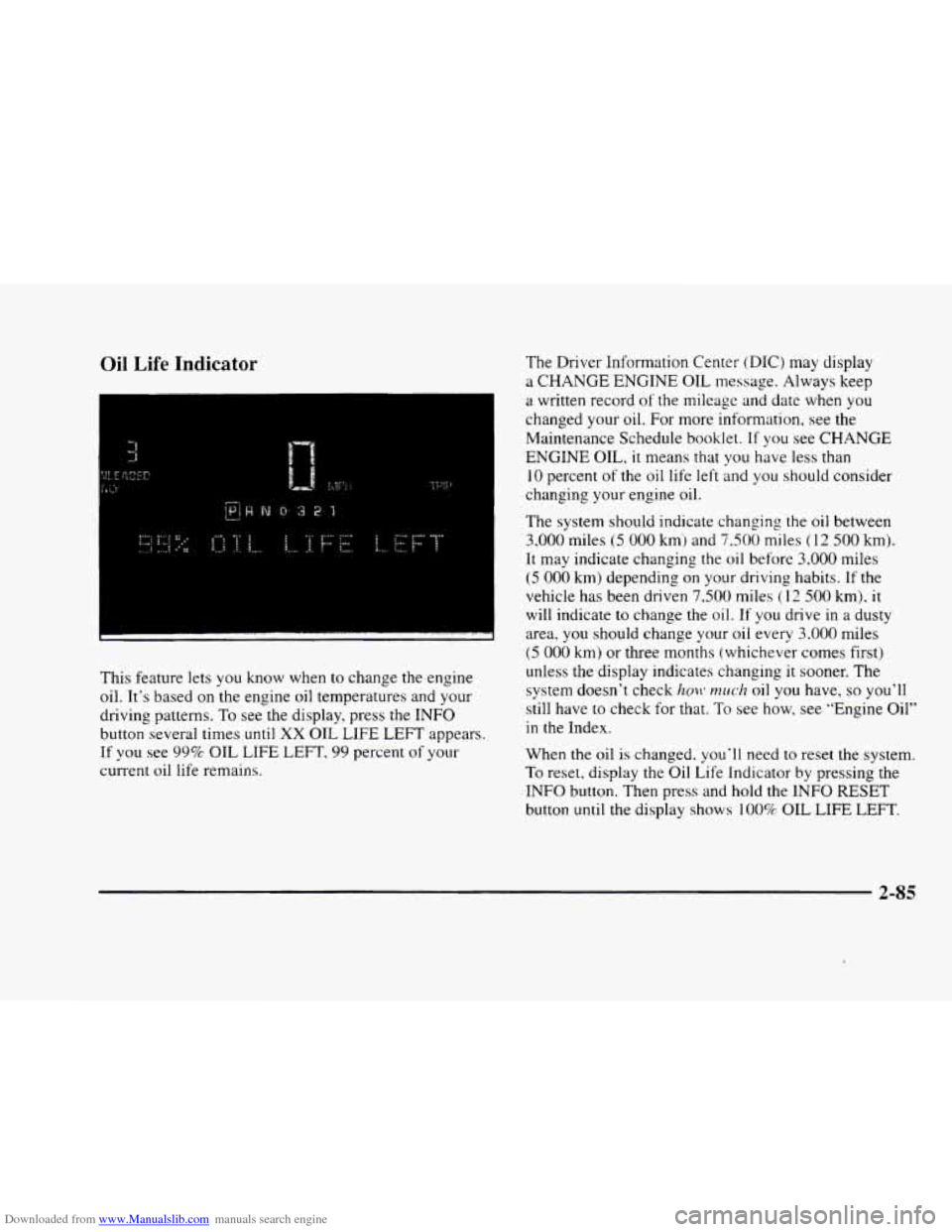
Downloaded from www.Manualslib.com manuals search engine Oil Life Indicator
This feature lets you know when to change the engine
oil. It’s based on the engine oil temperatures and your
driving patterns.
To see the display, press the INFO
button several times until XX OIL LIFE LEFT appears.
If you see 99% OIL LIFE LEFT, 99 percent of your
current oil life remains.
The Driver Information Center (DIC) may display
a
CHANGE ENGINE OIL message. Always keep
a written record
of the mileage and date when you
changed your
oil. For more information, see the
Maintenance Schedule booklet.
If you see CHANGE
ENGINE OIL, it means that you have less than
10 percent of the oil life left and you should consider
changing your engine oil.
The system should indicate changing the
oil between
3,000 miles (5 000 kmj and 7,500 miles (1 2 500 km).
It may indicate changing the oil before 3.000 miles
(5 000 km) depending on your driving habits. If the
vehicle has been driven
7.500 miles (1 2 500 km). it
will indicate to change the oil.
If you drive in a dusty
area, you should change your oil every
3.000 miles
(5 000 km) or three months (whichever comes first)
unless the display indicates changing it sooner. The
system doesn’t check
hmt* much oil you have, so you’ll
still have to check for that.
To see how, see “Engine Oil’’
in the Index.
When the oil
is changed. you‘ll need to reset the system.
To reset, display the Oil Life Indicator by pressing the
INFO button. Then press and hold the INFO RESET
button until the display shows
100% OIL LIFE LEFT.
2-85
Page 161 of 380
Downloaded from www.Manualslib.com manuals search engine % FAN SPEEDS: Press the button with the fan
symbol
on it until AUTO is displayed on the screen.
At this setting, the fan speed is automatically controlled.
If it is cold outside, the blower may not run in the
maximum high fan speed right away. The system checks
the temperature
of the engine coolant to assure it is
warm enough to provide heat. When the engine coolant
is warm, the controller allows the fan
to gradually
increase to
a higher speed. This prevents cold air from
blowing into the passenger compartment. If
you want
the blower fan at a high speed, press the up arrow button
until
you see HI on the display. If you want the fan
speed to be automatic, but you like the fan speed to be
higher than the AUTO setting, press the fan symbol
button until HI AUTO is shown
on the display. If you
want the blower fan at
a low speed, press the down
arrow button until
LO is shown on the display. If you
want the fan speed to
run lower than the AUTO
setting, press the button until LO AUTO is shown
on the display.
OFF: Press this button to turn the system off. Fresh air
will continue to
flow through the vehicle, and the
system will try to maintain the previously
set
temperature. The outside temperature will show on the
display when the system
is OFF.
AC: Press this button to turn the air conditioning on and
off. The system will cool and dehumidify the air inside
the vehicle. In the
AUTO mode, the display will show
that
AC is active, but the air conditioning compressor
only operates when the system determines it
is needed.
RECIRCULATION: Press this button to limit the
amount
of fresh air entering your vehicle. This is helpful
when you are trying to cool the air quickly or limit odors
entering your vehicle.
In the AUTO mode, the system
will use recirculation as necessary
to cool the air.
Pressing the recirculation button will change the
operation to a manual mode and the air will recirculate
non-stop. Press this button again to turn
off the
recirculation feature.
If
you notice the windows fogging, press the
recirculation button to exit the recirculation mode.
3-5