1998 CADILLAC ELDORADO check engine
[x] Cancel search: check enginePage 168 of 380
Downloaded from www.Manualslib.com manuals search engine Playing a Cassette Tape
With the radio on, insert a cassette tape. The tape will
begin playing as soon as it is inserted. When one side of
your cassette tape is done playing, auto reverse plays the
other side of your cassette tape. If you want to insert a
cassette tape when the ignition is off, first press EJECT.
While the tape is playing,
use the VOL, FADE, BAL,
BASS and TREB controls just as you do for the radio.
Other controls may have different functions when a tape is
inserted. The display will show TAPE with
an arrow to
indicate which side
of the tape is playing. PLAY will
appear
on the display temporarily when a tape is playing.
The display will then revert back to showing the time.
If an error occurs while trying to play a cassette tape,
it
could be that:
The cassette tape is tight and the cassette player
cannot turn the hubs of
the tape. Hold the cassette
tape with the open end down and try turning the right
hub
to the left with a pencil. Flip the tape over and
repeat. If the hubs
do not turn easily, your cassette
tape may be damaged and should
not be used in the
player. Try a new tape to be sure your player is
working properly.
The cassette tape is broken. (Check to see if your
tape is broken. Try a new tape.)
REV Press the left arrow to rewind the tape rapidly.
The radio will play while the tape reverses and
REV
will appear on the display. You may use your station
pushbuttons to tune to another radio station while in
REV mode. Press the left arrow again to return to
playing speed.
FF: Press the right arrow to fast forward to another part
of the tape.
The radio will play while the tape advances
and
FF will appear on the display. You may use your
station pushbuttons to tune to another radio station while
in
FF mode. Press the right arrow again to return to
playing speed.
SEEK-TUNE: Press the right arrow to seek to the next
selection
on the tape. Press the left arrow to search for
the previous selection'on the tape
(REP will appear on
the display). Your tape must have at least three seconds
of silence between each selection for SEEK-TUNE to
work. The sound will mute while seeking.
SCAN: Press this button. SCAN FF will appear on the
display
until the next selection is found and then SCAN
PLAY will appear on the display. Use SCAN to listen to
selections for a few seconds. The tape will
go to a
selection, stop for a few seconds, then go on to the next
selection. Press this button again to stop scanning.
SIDE: Press this button to change the side of the tape
that is playing. (PLAY shows on the display.)
3-12
Page 171 of 380
Downloaded from www.Manualslib.com manuals search engine Setting the Tone
TONE: Press and release this button until the desired
tone control (BASS or TREBLE) is found.
LEVEL: After selecting the desired tone control. press
the plus
(+) or minus (-) symbol on this button to select
the desired level.
Adjusting the Speakers
4 SPEAKER: Press and release this button until the
desired BALANCE or FADE control is found.
LEVEL: After selecting the desired BALANCE or
FADE control, press the plus
(+) or minus (-1 symbol on
this button to select the desired level.
Playing a Cassette Tape
With the radio on, insert a cassette tape. The tape will
begin playing
as soon as it is inserted. When one side of
your cassette tape is done playing, auto reverse plays the
other side of your cassette tape. Cassette tapes may be
loaded with the radio
off but they will not start playing
until the radio is on. If you want to insert a cassette tape
when the ignition is
off, first press EJECT. While the tape
is playing,
use the VOL, TONE. LEVEL.
and SPEAKER controls just
as you do for the radio.
Other controls may have-different functions when a tape
is inserted. The display
will show an underlined tape
symbol. TAPE PLAY will appear on the display when
a
tape is playing, with an arrow to indicate which side of
the tape is playing.
If an error occurs while trying to play a cassette tape, it
could be that:
0 The cassette tape is tight and the cassette player
cannot
turn the hubs of the tape. Hold the cassette
tape with the open end down and try turning the right
hub to the left with
a pencil. Flip the tape over and
repeat.
If the hubs do not turn easily. your cassette
tape may be damaged and should not be used in the
player. Try
a new tape to be sure your player is
working properly.
The cassette tape is broken. (Check to see if your
tape
is broken. Try a new tape.)
RW: Press the left arrow to rewind the tape rapidly. The
radio will play while the tape rewinds. You may use
your station pushbuttons to tune to another radio station
while
in RW mode. Press the left arrow again to return
to playing speed.
3-15
Page 180 of 380
Downloaded from www.Manualslib.com manuals search engine Playing a Cassette Tape
With the radio on, insert a cassette tape. The tape will
begin playing as soon
as it is inserted. When one side of
your cassette tape is done playing, auto reverse plays the
other side
of your cassette tape. Cassette tapes may be
loaded with the radio off but they will not start playing
until the radio is on. If you want to insert a cassette tape
when the ignition is
off, first press EJECT.
While the tape is playing, use the VOL,
TONE, LEVEL
and DSP controls just as you do for the radio. Other
controls may have different functions when a tape is
inserted. The display will show an underlined tape
symbol.
TAPE PLAY will appear on the display when a
tape is playing, with an arrow
to indicate which side of
the tape
is playing.
If an error occurs while trying to play a cassette tape, it
could be that:
The cassette tape is tight and the cassette player
cannot
turn the hubs of the tape. Hold the cassette
tape with the open end down and try turning the right
hub to the left with
a pencil. Flip the tape over and
repeat. If the hubs do
not turn easily, your cassette
tape may be damaged and should not be used in the
player. Try a new tape to be sure your player is
working properly.
The cassette tape is broken. (Check to see if your
RW: Press the left arrow to rewind the tape rapidly. The
radio will play while the tape rewinds. You may
use
your station pushbuttons to tune to another radio station
while in RW
mode. Press the left arrow again to return
to playing speed.
tape is broken.
Try a
new tape.)
3-24
Page 185 of 380
Downloaded from www.Manualslib.com manuals search engine , "i *Ad
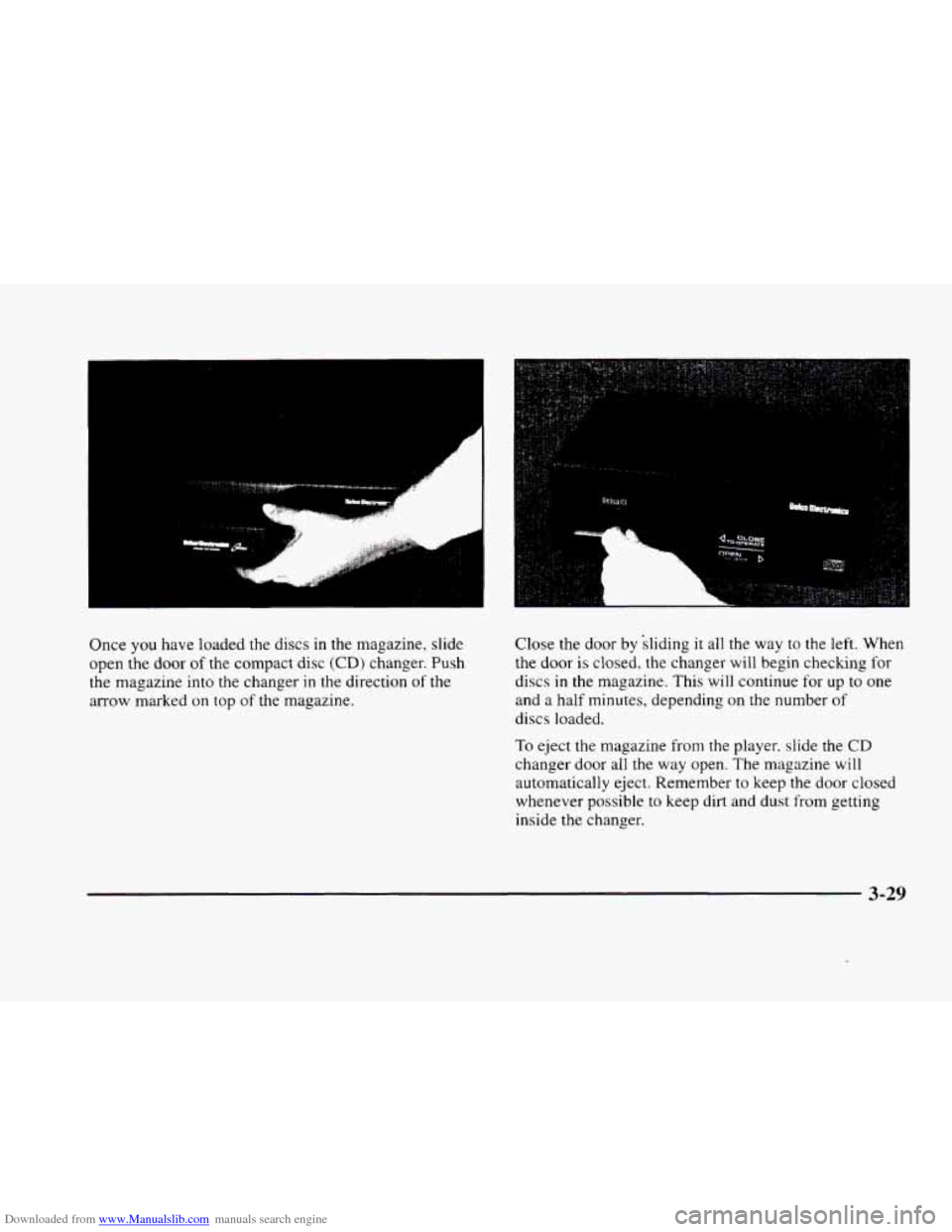
Once you have loaded the discs in the magazine, slide
open the door
of the compact disc (CD) changer. Push
the magazine into the changer
in the direction of the
arrow marked on top
of the magazine. Close
the door by sliding
it all the way to the left. When
the door is closed, the changer will begin checking
for
discs in the magazine. This will continue for up to one
and a half minutes, depending on the number
of
discs loaded.
To eject the magazine from the player. slide the CD
changer door all the way open. The magazine will
automatically eject. Remember to keep the door closed
whenever possible to keep dirt and dust from getting
inside the changer.
3-29
Page 186 of 380
Downloaded from www.Manualslib.com manuals search engine Whenever a CD magazine with discs is loaded in the
changer, the CD changer symbol will appear on the
radio display. If the
CD changer is checking the
magazine for
CDs, the CD symbol will flash on the
display until the changer is ready to play. When
a CD
begins playing, a disc and track number will be
displayed. The disc numbers are listed
on the front of
the magazine.
All
of the CD functions are controlled by the radio
buttons, except for ejecting the CD magazine.
PUSHBUTTONS: Press buttons one through six to
select compact discs one through six. Press and hold one
of the six pushbuttons until a beep sounds to select
compact discs
7 through 12. These pushbuttons
represent the order
of the discs loaded in the changer.
DSPL: Press and hold this button to see the track
elapsed time (available on the AM-FM Stereo with
Cassette Tape Player
only).
REV/RW Press and hold this button to reverse quickly
through a track selection.
FF: Press and hold this button to advance quickly
through a track selection.
If your vehicle is equipped with the AM-FM Stereo with
Cassette Tape Player, use SEEK-TUNE. For all other
audio systems, use TUNE-SEEK.
SEEK-TUNE: Press the right arrow to seek to the next
selection. Press the left arrow to search for the previous
track selection. The sound will mute while seeking.
TUNE-SEEK: When this button is pressed, it has two
positions. This button works the same, whether it is
pressed to
the first or second position. Press this
button to seek to the next or previous selection on
the
compact disc.
SCAN: Press this button. You will hear the first few
seconds for the first track on each disc. Press this button
again
to stop scanning. (This button is available on the
AM-FM Stereo with Cassette Player only.)
TRACK SCAN: Press SCAN for less than two seconds.
You will hear the first-few seconds
of each track on a
disc. Press SCAN again
to stop TRACK SCAN. The CD
will mute while scanning and SCAN will appear on the
display. (This function
is not available on the AM-FM
Stereo with Cassette Tape Player.)
DISC SCAN: When you press SCAN for more than two
seconds,
you will hear the first few seconds of the first
track
on each disc. Press SCAN again to stop DISC
SCAN. The
CD will mute while scanning and SCAN
will appear on the display. (This function is not available
on the
AM-FM Stereo with Cassette Tape Player.)
Page 191 of 380
Downloaded from www.Manualslib.com manuals search engine r
r
I
r
r L
r
f
To help avoid hearing loss or damage:
0 Adjust the volume control to the lowest setting.
0 Increase volume slowly until you hear comfortably
and clearly.
NOTICE:
Before you add any sound equipment to your
vehicle
-- like a tape player, CB radio, mobile
telephone or two-way radio
-- be sure you can
add what you want.
If you can, it’s very
important to do it properly. Added sound
equipment may interfere with the operation of
your vehicle’s engine, radio or other systems, and
even damage them. Your vehicle’s systems may
interfere with the operation of sound equipment
that has been added improperly.
So, before adding sound equipment, check with
your dealer and be sure to check Federal rules
covering mobile radio and telephone units.
Care of Your Cassette Tape Player
A tape player that is not cleaned regularly can cause
reduced sound quality, ruined cassettes or a damaged
mechanism. Cassette tapes should be stored in their
cases away from contaminants, direct sunlight and
extreme heat. If they aren’t, they may not operate
properly or may cause failure of the tape player.
Your tape player should be cleaned regularly after
every
50 hours of use. Your radio may display CLN or
CLEAN
TAPE to indicate that you have used your tape
player for
50 hours without resetting the tape clean
timer.
If this message appears on the display, your
cassette tape player needs to be cleaned.
It will still play
tapes, but you should clean it as soon as possible to
prevent damage to your tapes and player.
If you notice a
reduction in sound quality,
try a known good cassette to
see
if it is the tape or the tape player at fault. If this other
cassette has no improvement in sound quality, clean the
tape player.
The recommended cleaning method for your cassette
tape player is the use of a scrubbing action,
non-abrasive cleaning cassette with pads which scrub
the tape head as the hubs of the cleaner cassette turn.
The recommended cleaning cassette is available through
your dealership
(GM Part No. 12344789).
3-35
Page 205 of 380
Downloaded from www.Manualslib.com manuals search engine Avoid needless heavy braking. Some people drive in Anti-Lock Brakes (ABS)
spurts -- heavy acceleration followed by heavy
braking
-- rather than keeping pace with traffic. This is a
mistake. Your brakes may not have time
to cool between
hard stops. Your brakes will wear
out much faster if you
Your vehicle has anti-lock brakes (ABS). ABS is an
advanced electronic braking
system that will help
prevent a braking skid.
do a lot of heavy braking. If you keep pace with the
traffic and allow realistic following distances,
you will
eliminate a lot
of unnecessary braking. That means
better braking and longer brake life.
If your engine ever stops while you’re driving, brake
normally but don’t pump your brakes.
If you do, the
pedal may get harder
to push down. If your engine
stops,
you will still have some power brake assist. But
you will use it when you brake, Once the power assist is
used up, it may take longer to stop and the brake pedal
will
be harder to push. When you
start your engine and begin to drive away,
your anti-lock brake system
will check itself. You may
hear a momentary motor or clicking
noise while this test
is going on, and you may even notice that your brake
pedal moves a little. This is normal.
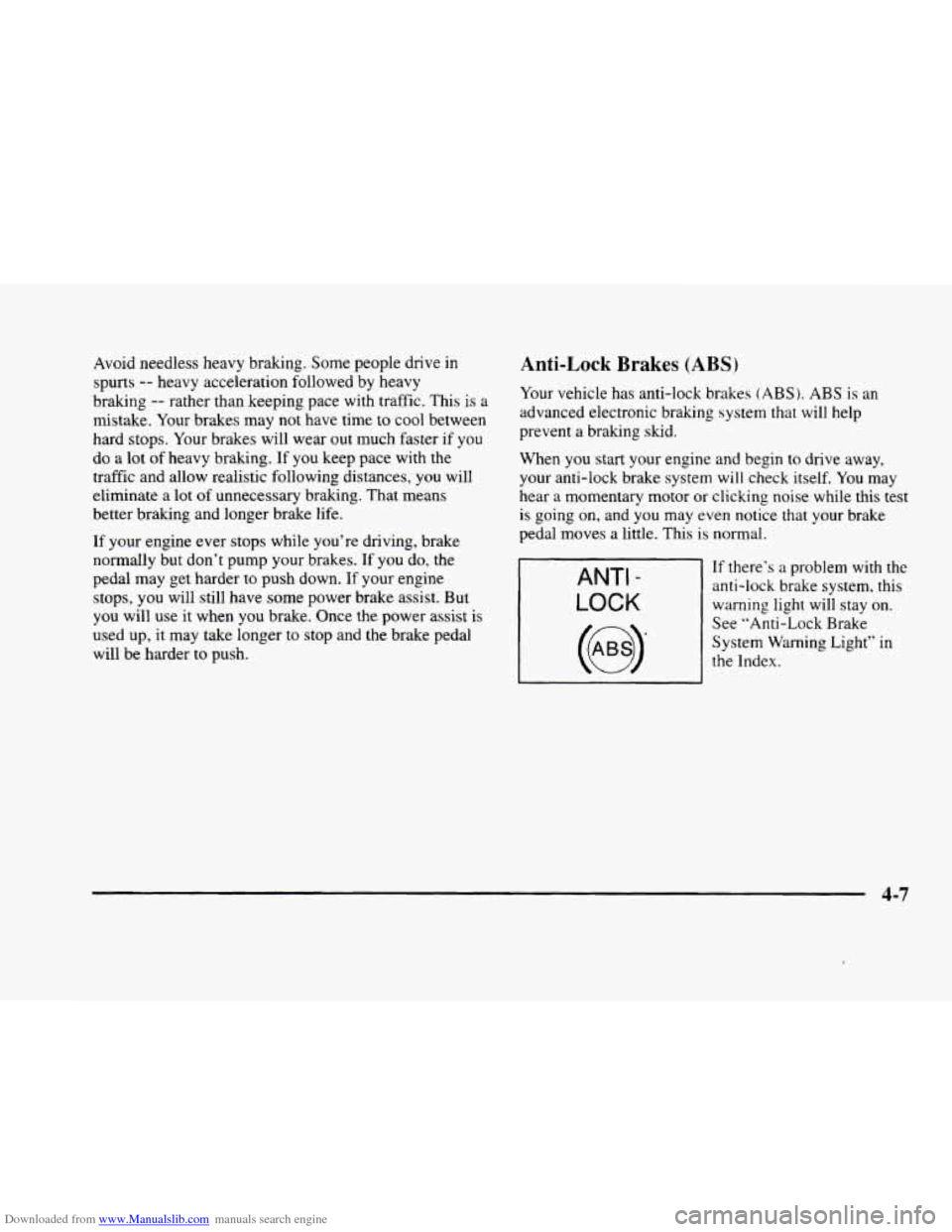
If there’s a problem with the
anti-lock brake system, this
warning light will stay on.
See “Anti-Lock Brake
System Warning Light” in
the Index.
4-7
Page 212 of 380
Downloaded from www.Manualslib.com manuals search engine Do not get too close to the vehicle you want to
pass while you’re awaiting an opportunity. For one
thing, following too closely reduces your area of
vision, especially if you’re following a larger
vehicle.
Also, you won’t have adequate space if the
vehicle ahead suddenly slows or stops. Keep back a
reasonable distance.
When it looks like a chance to pass is coming up,
start to accelerate but stay
in the right lane and don’t
get too close. Time your move
so you will be
increasing speed as the time comes to move into the
other lane. If the way is clear
to pass, you will have a
“running start” that more than makes up for the
distance you would lose by dropping back. And if
something happens to cause you to cancel your pass,
you need only slow down and drop back again and
wait for another opportunity.
If other cars are lined up to pass a slow vehicle, wait
your turn. But take care that someone isn’t trying to
pass
you as you pull out to pass the slow vehicle.
Remember to glance over your shoulder and check
the blind spot.
Check your mirrors, glance over your shoulder, and
start your left lane change signal before moving out
of the right lane to pass. When you are far enough
ahead of the passed vehicle to see its front in your
inside mirror, activate your right lane change signal
and move back into the right lane. (Remember that
your right outside mirror is convex. The vehicle
you
just passed may seem to be farther away from you
than it really
is.)
Try not to pass more than one vehicle at a time
on two-lane roads. Reconsider before passing the
next vehicle.
Don’t overtake a slowly moving vehicle too rapidly.
Even though the brake lamps
are not flashing, it may
be slowing down or starting to turn.
If you’re being passed, make it easy for the
following driver
to get ahead of you. Perhaps you
can ease a little to the right.
4-14