1998 BUICK PARK AVENUE display
[x] Cancel search: displayPage 162 of 426
%fetnory Position: Choose ON when the SEAT
RECALL choice appears, and then choose
MEMORY when the RECALL POSITION
choice appears.
0 Exit Position: Choose ON when the SEAT RECALL
choice appears, and then choose EXIT when the
RECALL POSITION choice aslpears and your seat
will move all the way down anh back for easy exit.
’he seat will also move when
you enter the vehicle
after unlocking it with a remote keyless entry
transmitter. This
will allow for easy entry as well.
fbr more information on this feature, see “Memory
Scats” in the Index. The
number
of passenger windows locked out by the
WINDOW LQCK switch can be programmed through
the
DIC.
If you choose ALL PASS, all three passenger window
switches will be inactive when the WINDOW LOCK
switch is enabled.
If you choose MAR, only the two rear passenger
window switches will
be locked out when the
WINDOW LOCK switch is enabled.
To change modes:
1. Move the ~QW OR the display betweer, ALL PASS
and REAR by pressing the ENGMET button.
2. Once you have made your selection, press the
RESET button. Your choice will be retained
in memory.
For more information on this feature, see “Window
Lock” in the Index.
ProCarManuals.com
Page 166 of 426
'Ms section tells you how to operate your comfort
ctrrtt.ro8s. Your comfort control system uses
trxone-friendIy
hi- B 348 refrigerant.
With these systems, you can control the heating, cooling
and ventilation in your vehicle. Your vehicle also has a
flow-through ventilation system described
Eater in
this section.
This feature allows two different drivers to store and
recall their own climate control settings for temperature,
air delivery node, fan and passenger climate COXI~FO~
fdom status. The Personal Choice settings recalled are
determined by the transmitter used to enter the vehicle.
After the UNLOCK button of a remote keyless entry
transmitter
is pressed, and the igrrition is in RUN, the
climate
control will adjust to the last settings of the
identified driver.
The settings can also be changed by
briefly pressing one
of the MEMORY seat switches
located on the
driver's door panel. When adjustments
are made, the new settings are automatically saved for
the
driver.
Your vehicle has the dual automatic cornfortemp climate
control system. The fdowing
infomation tells you how
1: works.
Yorr will hear a beep each time a button is pushed and a
small light orr the button will indicate which buttons lire
active.
The lights are QIP ali buttons except EMP, FAN
and AIR FLOW. The display will show fm speed,
comfort level setting
and airf'~ direction for a few
seconds whenever any button,
except for the rear defog,
is pushed, and then it will display the outside
temperature. The outside temperature reading
is most
accurate when the vehicle
is movi~g.
During stops, when drivkg slow, QF when the engine is
first sta-ted after a short trip, the outside temperature
reading can be affected by road or engine heat. In order
to enswe proper automatic climate control operation, the
outside temperature
display may not update BS quickly
as expected.
ProCarManuals.com
Page 168 of 426
in cold weather, the system will delay turning t5 re f anon
high, to avoid blowing cold air. The Iength of the delay
depends on the engine coolant temperature and the
outside temperature.
Pushing the FAN, AIR FLOW or
FRONT buttons will override this delay, turn off the
AUTO setting and change the fan speed.
You may also manually adjust the air delivery or
fan speed.
AIR FLOW This button is used to change the direction
of the airflow. The airflow choices available are
WINDSHIELD-FIBOR. If the systen is set for AUTO,
pressing the AIR FLOW button will display the current
airflow direction, the comfort setting and the fan
speed.
Press the AIR FLOW up or down button again to
change the direction of the airflow.
FLOOR, FLOOR-MID, MID and
OFF: If the passenger comfort CQII~~O~ is tuned on, It
can be turned off by pressing the OW button once.
Pressing the
OFF button a second time wiil turn off the
main system. Turning off the main system causes the fan
to turn off and the airflow to be directed to the FLOOR.
The system will still try to keep the interior of the
vehicle at
the previous chosen comfsrt settifig. The
outside temperature
will show on the display when the
system is off.
The ventilation system always allows fresh air t~ flow
through your vehicle when the vehicle is moving even
with
the system in the OFF mode.
VENT: The VENT button aEIows outside air to flow
through your vehicle without the air conditioning
compressor
working. Selecting VENT and the AUTO
button at the same time allows the system to contsoi
automatically without
the use of the ais: conditioning
compressor or the use of the MCIRC mode. To turn off
the VENT selection, push the VENT button again.
ProCarManuals.com
Page 176 of 426

BASS: Press this knob lightly so it extends. Tun the
knob to increase
or decrease bass.
TREB: Press this knob lightly so it extends. Turn the
knob to increase or decrease treble. If a station is weak
or noisy, you may want to decrease the treble.
Push these hobs back into their stored positions when
you're
not using them.
BAL: Turn the control behind the upper knob to move
the
somi to the left or right speakers. The middle
position balances the sound between
the speakers.
FADE: Turn the control behind the lower knob to move
the
sound to thc front or rear speakers. The middle
position
balmces the sound between the speakers.
7-. . L.. (..,I &F$i 7:.
The longer side with the tape visible should face to the
right.
If the ignition and the radio are on, the tape can be
inserted
and will begin playing. If you hear nothing or
hear
a garbled sound, the tape may not be in squarely.
Press
EJECT to remove the tape and start over.
&Lag 2 *." ::,4~y&~~$~ - ''-.:.:%.A V' L+&
Mile the tape is playing, use the VOLUME, FADE,
BAL, BASS and TBZEB controls just as you do for the
radio. Other controk may have different functions when
a tape
is inserted. The display will show an mow to
show which side of the tape is playing.
If you want to insert a tape when the ignition or radio is
off, first press EJECT or RECALL. Note that the
cassette tape adapter
kits for portable compact disc
players will work in your cassette tape player.
Your tape bias is set automatical2y.
If E and a number appear on the radio display, the tape
won't play because
of an error.
e EdO: The tape is tight and the player can't turn the
tape
hubs. Remove the tape. Hold the tape with the
open end down
and try to turn the right hub to the
left with a pencil. Turn the tape over and repeat. If
the hubs do not turn easily, your tape may be
damaged
and shoutct not be used in the player.
Try a new tape to make sure your player is
working properly.
Ell: The tape is broken. Try a new tape.
ProCarManuals.com
Page 178 of 426
__ . . . ... .,. . .
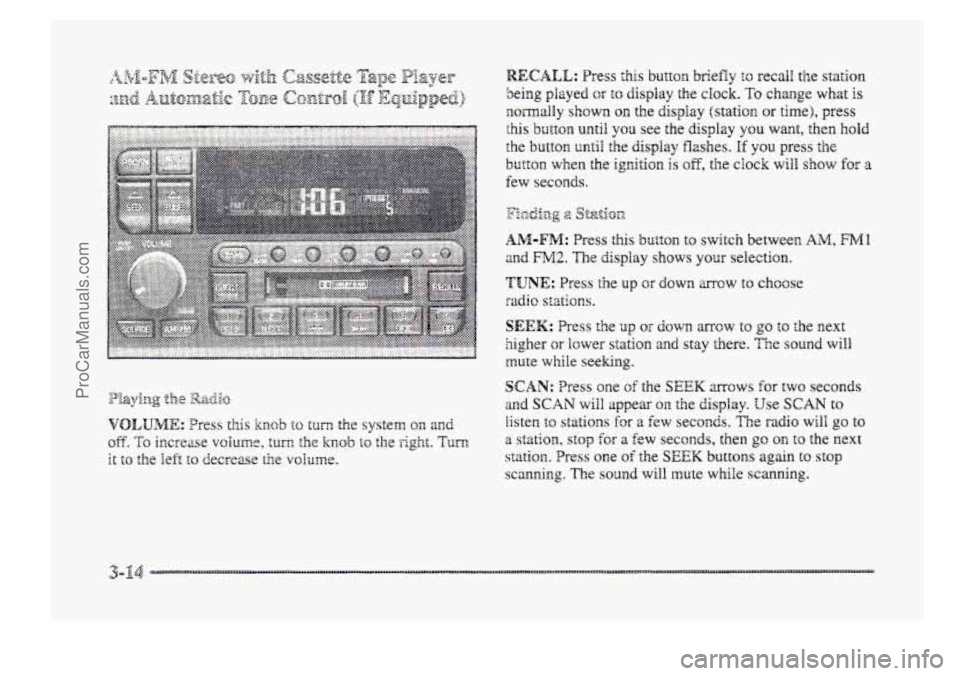
RECALL: Press this button briefly to recall the station
being played or to display the clock. To change whzt is
normally shown on the display (station OH time), press
this button until you see the display you want, then hold
the
button until the display flashes. If you press the
button when the ignition is oE, the clock will show for a
few seconds.
y:..., -2 p&Ij%p -0 2 Sf-&.on
AM-FM: Press this bl~tt~n to switch between AlM, FMl
and FM2. The display shows your selection.
'TUNE: Press the up or down mow to choose
radio stations.
SEEK: Press Lie up or down mcw to go to the next
5igher ar lower station and stay there. The sound will
mute while seeking.
s
SCAN: Tress one of the SEEK arrows for two seconds
and SCAN will appear 011. the display. Use SCAN to
listen to stations for a few seconds. The radio will go to
a station, stop €or a few seconds, then go on to the next
station, Press one of the SEEK buttons again to st~p
scanning, The sound will mute while scanning.
ProCarManuals.com
Page 180 of 426
.E yeu want to insert a tape wher?, the igrrition or radio is
of?, first press EJECT or RECALL. Note that the
cassette tape adapter kits for pomhle compact disc
players will \work in your cassette tape player.
Your tape bias is set mtornatica18y.
If‘ E and a number appear ~s, the radio display, the tape
won’t play because sf an ~ITQ~.
e?
If any error occurs repeatedly or if an enor can’t be
corrected, please csntsct your dealer. If your rzdio
displays an error number, write it down and provide it to
your dealer when reporting the problem.
ProCarManuals.com
Page 181 of 426
PREV (I): Press this button to search for the previous
selection
on the tape. Your tape must have at least three
seconds
of silence between each selection for PREV to
work. The SQU~C!. wili mute while seeking.
NEXT (2): Press this button to search for the next
selection on the tape. Your tape must have at least three
seconds of silence between each selection for NEXT to
work. The sound will mute while seeking.
The SEEK up and down mows will also find the
previous and
next selections on the tape.
44 (3): Press this button to reverse the tape rapidly.
Press it again KI return to playing speed. The rzdbo will
play while the tape reverses.
bb (4): Press this 5~itcn to advance quickly tc
another part off the tape. Press the button again to return
to playing speed. The radio will play while the
tape advances.
SIDE (5): Press this button to change the side of the
tape that
is playing.
The double-D symbol wiEI appear on the display.
(6): Press this button to reduce background noise.
ProCarManuals.com
Page 185 of 426
playing. Press it again within five seconds to see how
long it has been playing. TQ change what is normally
shown
on the display (track or elapsed time), press the
button until YOU see the display YOU want, then hold the
button until the display Washes.
AM-FM: Press this button to play the radio when a disc
is in the player.
SOURCE: Press this button to change to the disc
fbnction when he radio is on. When a disc is inserted,
the disc will play until YOU press AA4-m. Then the disc
will stop playing and the radio will play. Press SOURCE
again to play a disc again. CD PLAY will show on
EJECE Press this button to ~~XIIQV~ the disc. The EXI~O
will. play.
the display.
I% you turn off the ignition or radio with a disc in the
player, it will stay in the player. men YOU turn on the
ignition OF system, the disc will start playing where it
stopped, if it was the last-selected audio source.
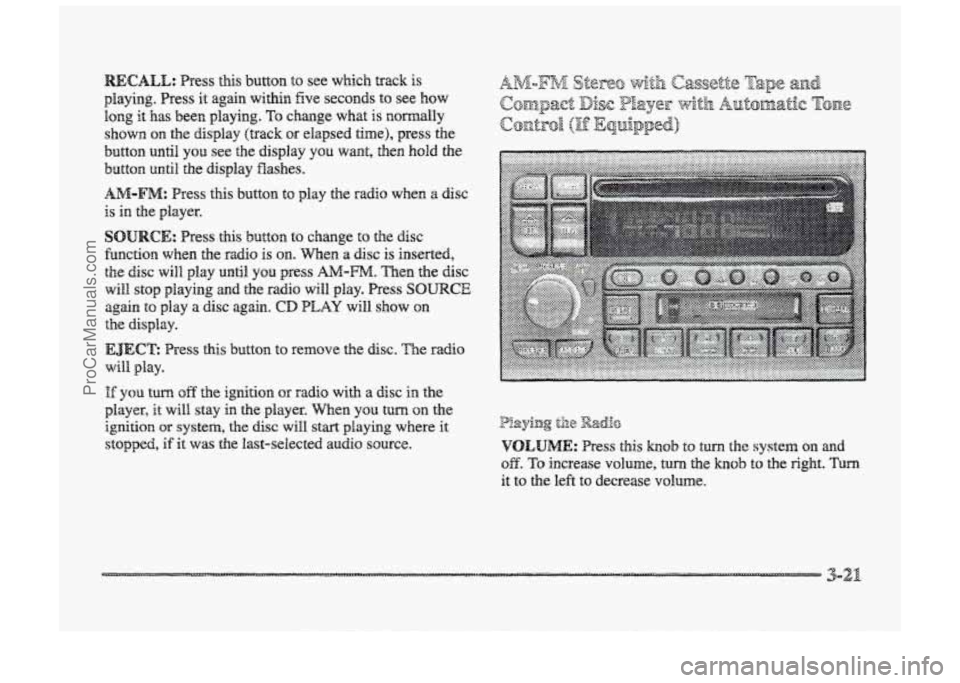
P!aying til8 Radio
VOLUME: Press this hob to turn the system on md
OB. To increase volume, turn the knob to the right. Turn
it to the left to decrease VO~UIIE.
3-21
ProCarManuals.com