Page 65 of 179
64
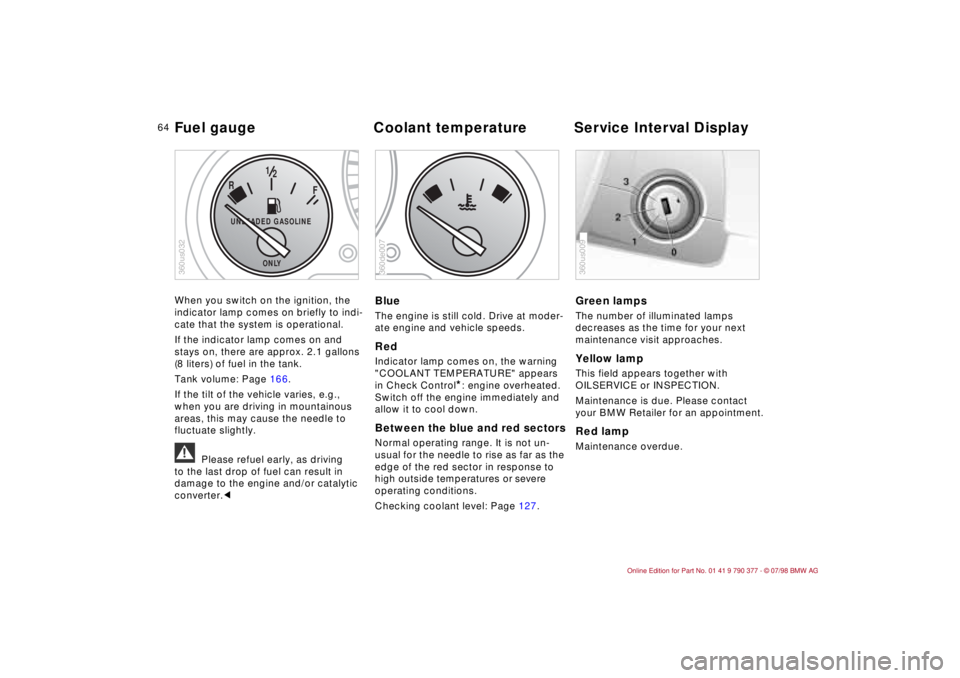
When you switch on the ignition, the
indicator lamp comes on briefly to indi-
cate that the system is operational.
If the indicator lamp comes on and
stays on, there are approx. 2.1 gallons
(8 liters) of fuel in the tank.
Tank volume: Page 166.
If the tilt of the vehicle varies, e.g.,
when you are driving in mountainous
areas, this may cause the needle to
fluctuate slightly.
a
Please refuel early, as driving
to the last drop of fuel can result in
damage to the engine and/or catalytic
converter.c
BlueThe engine is still cold. Drive at moder-
ate engine and vehicle speeds.RedIndicator lamp comes on, the warning
"COOLANT TEMPERATURE" appears
in Check Control
*: engine overheated.
Switch off the engine immediately and
allow it to cool down.
Between the blue and red sectorsNormal operating range. It is not un-
usual for the needle to rise as far as the
edge of the red sector in response to
high outside temperatures or severe
operating conditions.
Checking coolant level: Page 127.
Green lampsThe number of illuminated lamps
decreases as the time for your next
maintenance visit approaches.Yellow lamp This field appears together with
OILSERVICE or INSPECTION.
Maintenance is due. Please contact
your BMW Retailer for an appointment.Red lampMaintenance overdue.
F
R
12
UNLEADED GASOLINE
ONLY
360us032
360de007
360us009
Fuel gauge Coolant temperature Service Interval Display
Page 78 of 179
77
At a glanceControls Car careRepairsTechnicalDataIndex
Allows you to select display data for
safe and economical driving.
If your car is equipped with the Check
Control option, texts with information
and warnings are used to alert the
driver to system malfunctions. In addi-
tion, an indicator lamp is provided in the
instrument cluster. For details and
operating instructions, refer to
pages 71 and 72.
With the digital clock you can
ddisplay the time and date,
dpre-program a reminder signal
(memo), e.g., to remind you of news
broadcasts.
Refer to page 74 for information and
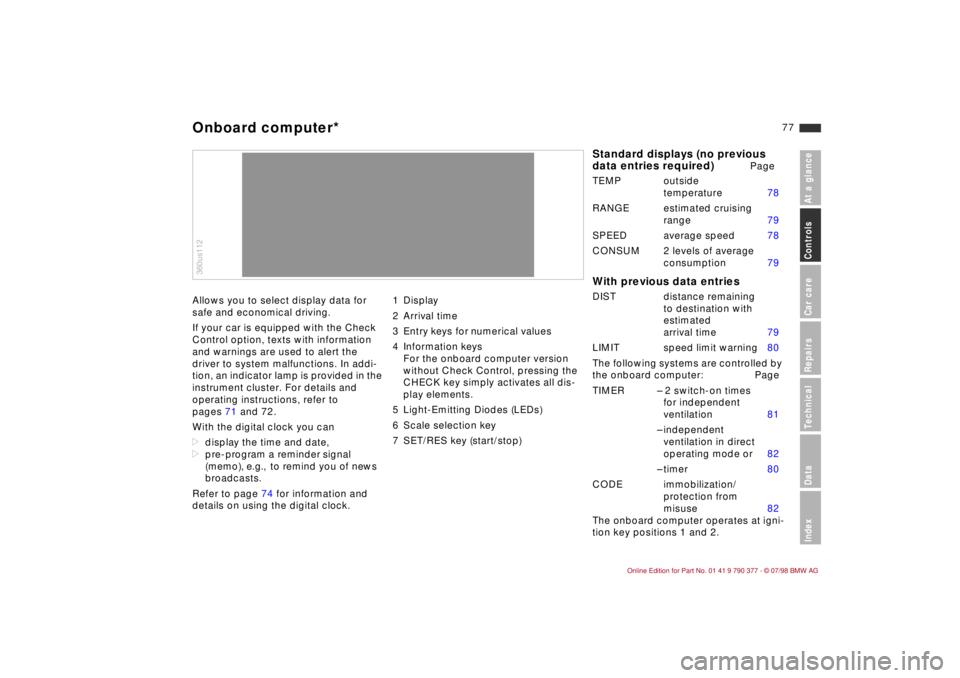
details on using the digital clock.1 Display
2 Arrival time
3 Entry keys for numerical values
4 Information keys
For the onboard computer version
without Check Control, pressing the
CHECK key simply activates all dis-
play elements.
5 Light-Emitting Diodes (LEDs)
6 Scale selection key
7 SET/RES key (start/stop)360us112Onboard computer*
Standard displays (no previous
data entries required)
Page
TEMP outside
temperature 78
RANGE estimated cruising
range 79
SPEED average speed 78
CONSUM 2 levels of average
consumption 79
With previous data entriesDIST distance remaining
to destination with
estimated
arrival time 79
LIMIT speed limit warning 80
The following systems are controlled by
the onboard computer: Page
TIMER Ð 2 switch-on times
for independent
ventilation 81
Ð independent
ventilation in direct
operating mode or 82
Ð timer 80
CODE immobilization/
protection from
misuse 82
The onboard computer operates at igni-
tion key positions 1 and 2.
Page 81 of 179
80
Speed limit warning (Limit)You are alerted when you exceed the
maximum speed that you entered ear-
lier (e.g., posted speed limit). An acous-
tic signal sounds, the corresponding
LED flashes and the stored limit briefly
appears in the display.
Vehicle speed must drop back to at
least 3 mph (5 km/h) below the pro-
grammed speed to reset the system for
repeat warnings.
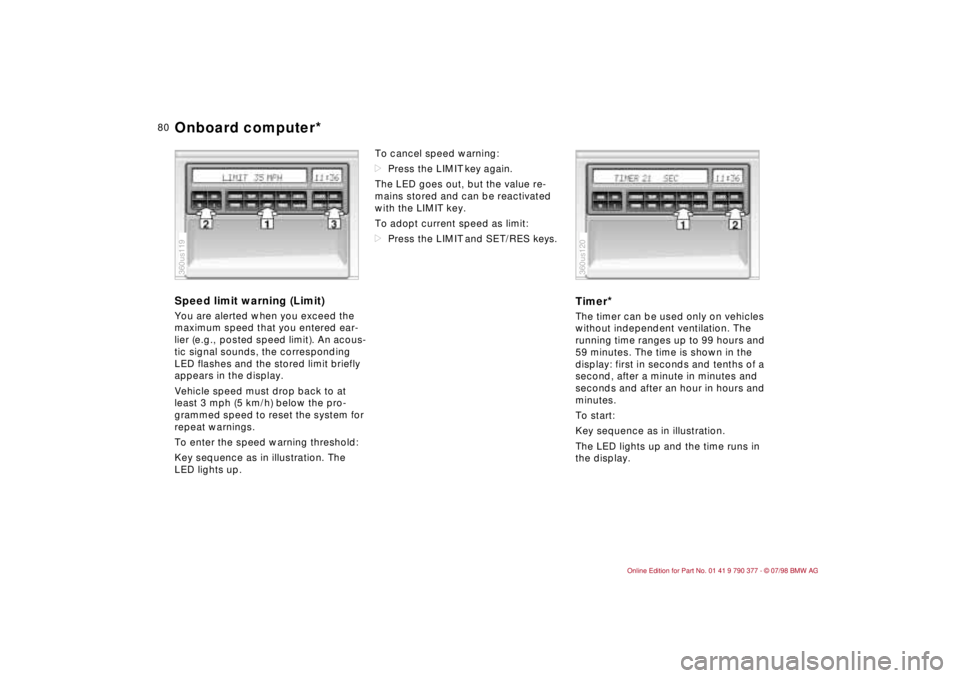
To enter the speed warning threshold:
Key sequence as in illustration. The
LED lights up.To cancel speed warning:
dPress the LIMIT key again.
The LED goes out, but the value re-
mains stored and can be reactivated
with the LIMIT key.
To adopt current speed as limit:
dPress the LIMIT and SET/RES keys.
Timer
*
The timer can be used only on vehicles
without independent ventilation. The
running time ranges up to 99 hours and
59 minutes. The time is shown in the
display: first in seconds and tenths of a
second, after a minute in minutes and
seconds and after an hour in hours and
minutes.
To start:
Key sequence as in illustration.
The LED lights up and the time runs in
the display.
360us119
360us120
Onboard computer*
Page 82 of 179
81
At a glanceControls Car careRepairsTechnicalDataIndex
To stop:
When the time is displayed:
dPress the SET/RES key.
If other information is displayed:
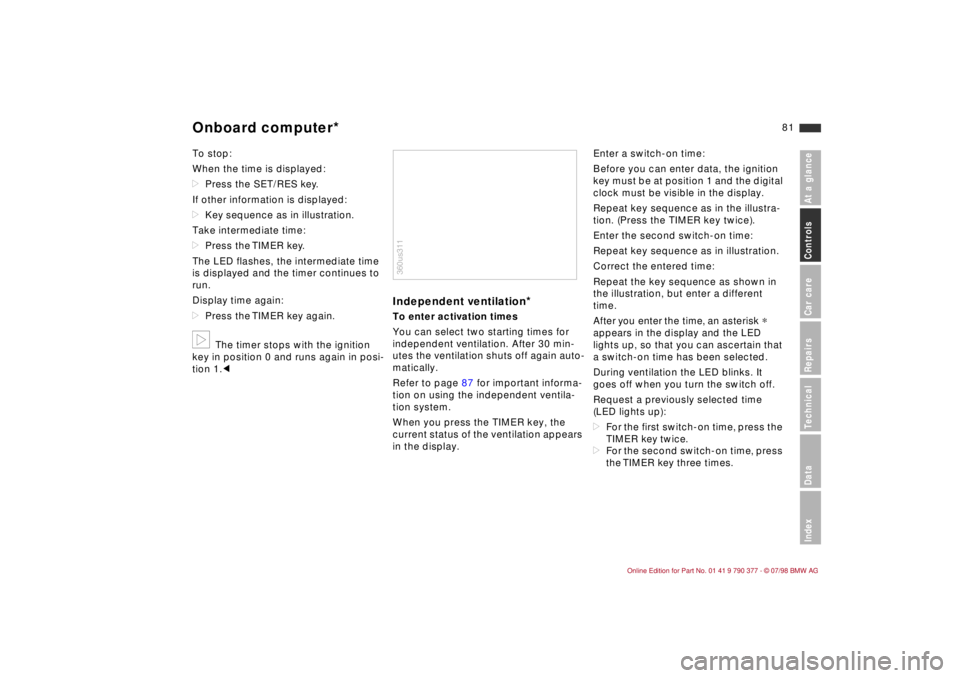
dKey sequence as in illustration.
Take intermediate time:
dPress the TIMER key.
The LED flashes, the intermediate time
is displayed and the timer continues to
run.
Display time again:
dPress the TIMER key again.b
The timer stops with the ignition
key in position 0 and runs again in posi-
tion 1.c
Independent ventilation
*
To enter activation times
You can select two starting times for
independent ventilation. After 30 min-
utes the ventilation shuts off again auto-
matically.
Refer to page 87 for important informa-
tion on using the independent ventila-
tion system.
When you press the TIMER key, the
current status of the ventilation appears
in the display.Enter a switch-on time:
Before you can enter data, the ignition
key must be at position 1 and the digital
clock must be visible in the display.
Repeat key sequence as in the illustra-
tion. (Press the TIMER key twice).
Enter the second switch-on time:
Repeat key sequence as in illustration.
Correct the entered time:
Repeat the key sequence as shown in
the illustration, but enter a different
time.
After you enter the time, an asterisk
*
appears in the display and the LED
lights up, so that you can ascertain that
a switch-on time has been selected.
During ventilation the LED blinks. It
goes off when you turn the switch off.
Request a previously selected time
(LED lights up):
dFor the first switch-on time, press the
TIMER key twice.
dFor the second switch-on time, press
the TIMER key three times.
360us311
Onboard computer*
Page 83 of 179
82
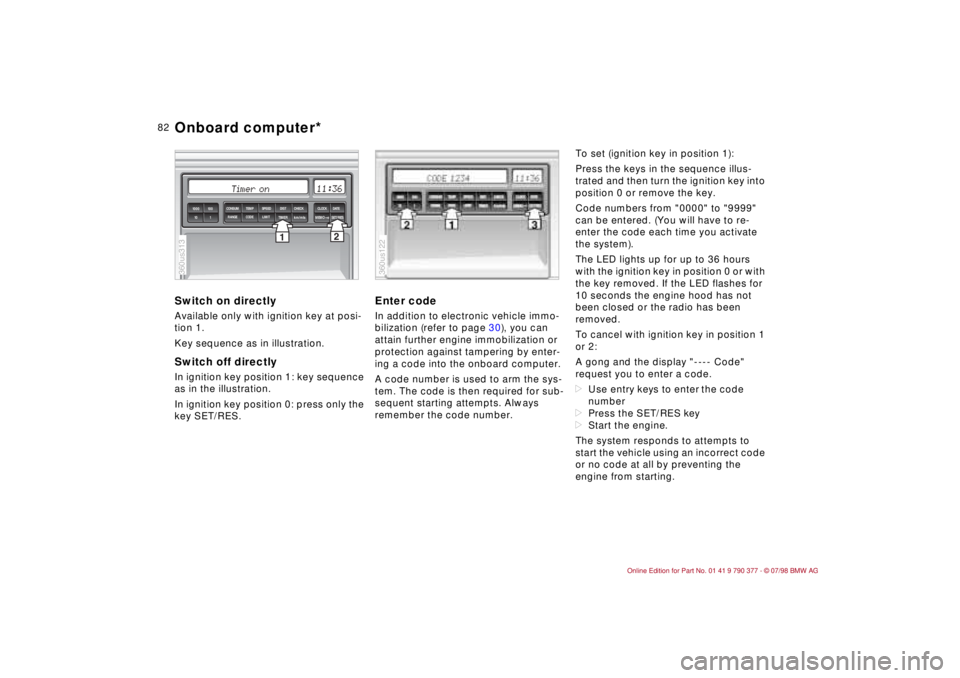
Switch on directlyAvailable only with ignition key at posi-
tion 1.
Key sequence as in illustration.Switch off directlyIn ignition key position 1: key sequence
as in the illustration.
In ignition key position 0: press only the
key SET/RES.
Enter codeIn addition to electronic vehicle immo-
bilization (refer to page 30), you can
attain further engine immobilization or
protection against tampering by enter-
ing a code into the onboard computer.
A code number is used to arm the sys-
tem. The code is then required for sub-
sequent starting attempts. Always
remember the code number.To set (ignition key in position 1):
Press the keys in the sequence illus-
trated and then turn the ignition key into
position 0 or remove the key.
Code numbers from "0000" to "9999"
can be entered. (You will have to re-
enter the code each time you activate
the system).
The LED lights up for up to 36 hours
with the ignition key in position 0 or with
the key removed. If the LED flashes for
10 seconds the engine hood has not
been closed or the radio has been
removed.
To cancel with ignition key in position 1
or 2:
A gong and the display "---- Code"
request you to enter a code.
dUse entry keys to enter the code
number
dPress the SET/RES key
dStart the engine.
The system responds to attempts to
start the vehicle using an incorrect code
or no code at all by preventing the
engine from starting.
2
1TIMER
km/mls
MEMOSET/RES 1000 100
10 1
SPEED CONSUM TEMP DIST CHECK CLOCK
DATE
LIMIT RANGE CODE
360us313
360us122
Onboard computer*
Page 86 of 179

85
At a glanceControls Car careRepairsTechnicalDataIndex
Parking lampsDLow beamsLIGHTS ON warning
When you turn the ignition key to 0, a
buzzer sounds for a few seconds after
the driver's door has been opened, if
the lamps have not been turned off.
On vehicles with alpha-numeric Check
Control
*:
This warning comes through the Check
Control, refer to page 71.
Daytime-running lamps switch
*
If desired, the lighting switch can be left
in the second position: when the igni-
tion is switched off, the external lighting
is also switched off.
On vehicles with daytime running fea-
ture, the lamps come on whenever the
ignition key is turned to position 2 with
the headlamp switch remaining at 0.Adjust the illumination intensity by turn-
ing the rotary dial.
E
When you switch off the ignition
without turning off the head-
lamps, only the parking lamps
stay on.
When you return the ignition key to
position 0, a buzzer sounds for a few
seconds to remind you that the lamps
have been left on.
0
360us312
360us323
Parking lamps/low beams Instrument lighting
Page 87 of 179
86
Foglamps
*
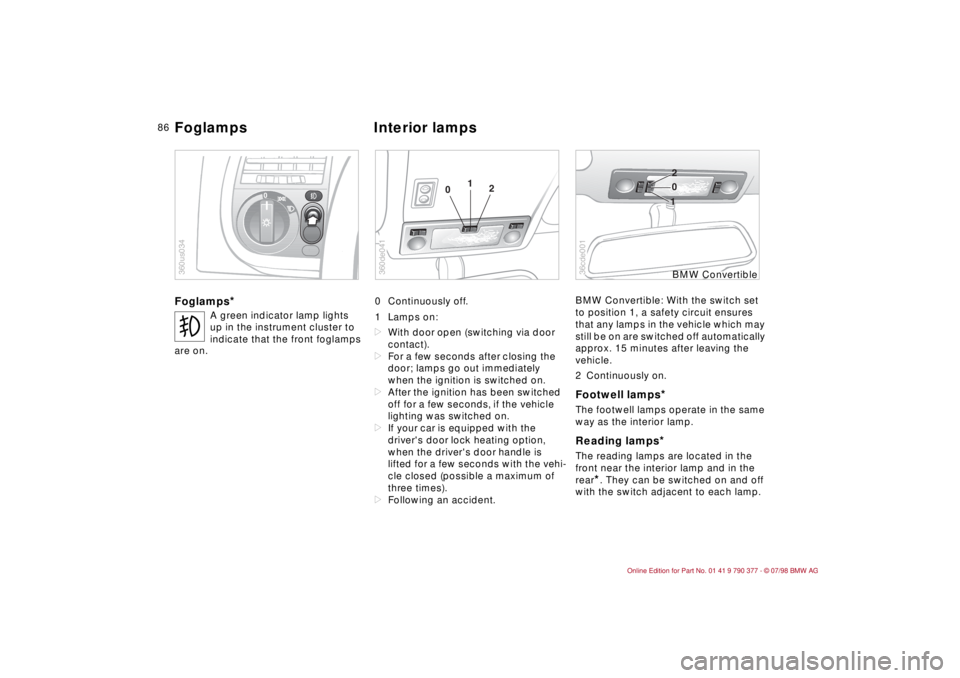
0 Continuously off.
1 Lamps on:
dWith door open (switching via door
contact).
dFor a few seconds after closing the
door; lamps go out immediately
when the ignition is switched on.
dAfter the ignition has been switched
off for a few seconds, if the vehicle
lighting was switched on.
dIf your car is equipped with the
driver's door lock heating option,
when the driver's door handle is
lifted for a few seconds with the vehi-
cle closed (possible a maximum of
three times).
dFollowing an accident.BMW Convertible: With the switch set
to position 1, a safety circuit ensures
that any lamps in the vehicle which may
still be on are switched off automatically
approx. 15 minutes after leaving the
vehicle.
2 Continuously on.
Footwell lamps
*
The footwell lamps operate in the same
way as the interior lamp.Reading lamps
*
The reading lamps are located in the
front near the interior lamp and in the
rear
*. They can be switched on and off
with the switch adjacent to each lamp.
t
A green indicator lamp lights
up in the instrument cluster to
indicate that the front foglamps
are on.
0
360us034
01
2
360de041
10 2
36cde001
BMW Convertible
Foglamps Interior lamps
Page 88 of 179
87
At a glanceControls Car careRepairsTechnicalDataIndex
BMW ConvertibleThe switches for the map reading lamps
next to the interior lamp are operated in
the same manner as the interior lamp
switch.
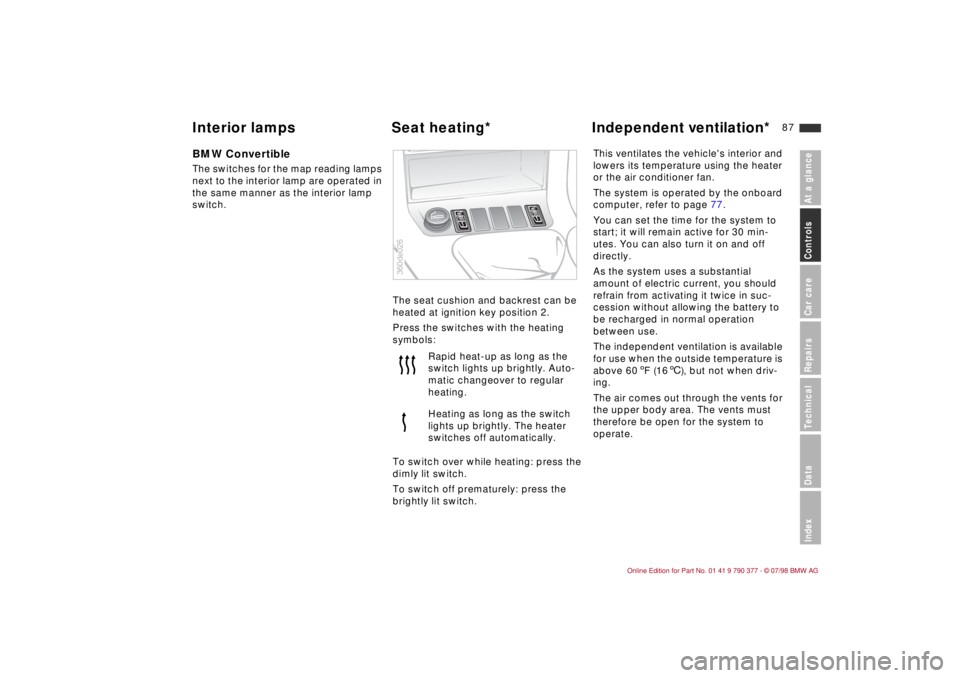
The seat cushion and backrest can be
heated at ignition key position 2.
Press the switches with the heating
symbols:
To switch over while heating: press the
dimly lit switch.
To switch off prematurely: press the
brightly lit switch.This ventilates the vehicle's interior and
lowers its temperature using the heater
or the air conditioner fan.
The system is operated by the onboard
computer, refer to page 77.
You can set the time for the system to
start; it will remain active for 30 min-
utes. You can also turn it on and off
directly.
As the system uses a substantial
amount of electric current, you should
refrain from activating it twice in suc-
cession without allowing the battery to
be recharged in normal operation
between use.
The independent ventilation is available
for use when the outside temperature is
above 60 5F (166), but not when driv-
ing.
The air comes out through the vents for
the upper body area. The vents must
therefore be open for the system to
operate. Rapid heat-up as long as the
switch lights up brightly. Auto-
matic changeover to regular
heating.
Heating as long as the switch
lights up brightly. The heater
switches off automatically.
360de026
Interior lamps Seat heating*Independent ventilation*