Page 11 of 305
5
Breaking Your Vehicle InYour new vehicle goes through an adjustment or
break-in period during the first 1,000 miles
(1,600 km) that you drive it. During the break-in
period, you need to pay careful attention to how
you drive your vehicle.q
Avoid sudden stops.Because your vehicle has
new brake linings, you should take these steps:
Ð Watch traffic carefully so that you can
anticipate when to stop.
Ð Begin braking well in advance.
Ð Apply the brakes gradually.
The break-in period for new brake linings
lasts for 100 miles (160 km) of city driving
or 1,000 miles (1,600 km) of highway
driving.
q
Use only the type of engine oil that Ford
recommends.SeeEngine oil recommendations
in the Index. Do not use special ªbreak-inº oils.
File:02fniit.ex
Update:Mon Jun 17 13:45:23 1996
Page 15 of 305
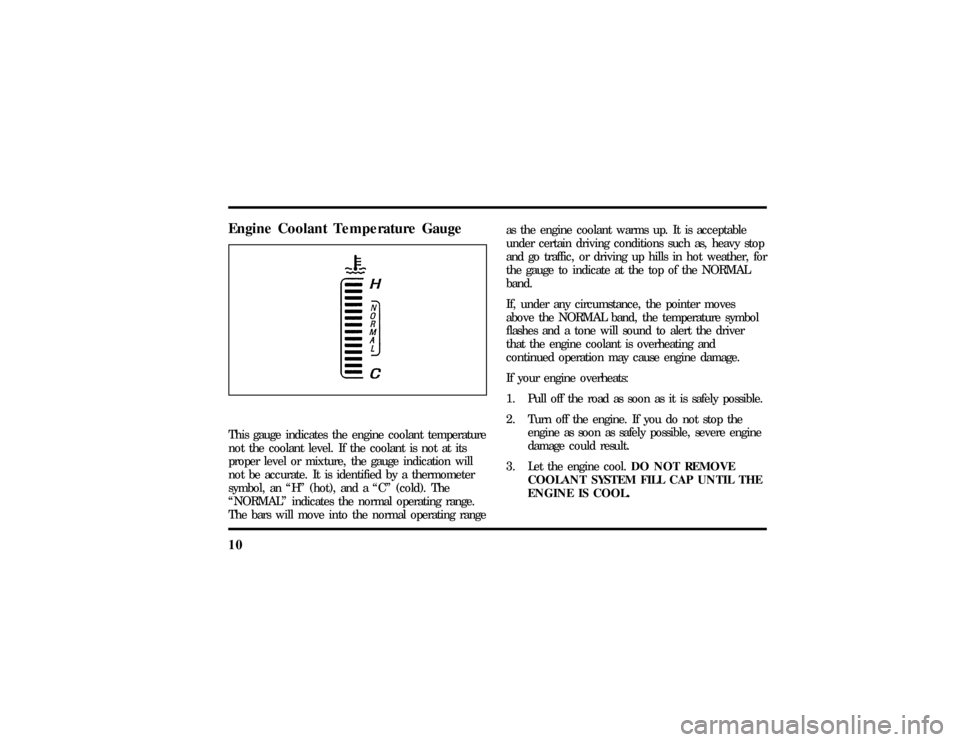
10Engine Coolant Temperature GaugeThis gauge indicates the engine coolant temperature
not the coolant level. If the coolant is not at its
proper level or mixture, the gauge indication will
not be accurate. It is identified by a thermometer
symbol, an ªHº (hot), and a ªCº (cold). The
ªNORMALº indicates the normal operating range.
The bars will move into the normal operating rangeas the engine coolant warms up. It is acceptable
under certain driving conditions such as, heavy stop
and go traffic, or driving up hills in hot weather, for
the gauge to indicate at the top of the NORMAL
band.
If, under any circumstance, the pointer moves
above the NORMAL band, the temperature symbol
flashes and a tone will sound to alert the driver
that the engine coolant is overheating and
continued operation may cause engine damage.
If your engine overheats:
1. Pull off the road as soon as it is safely possible.
2. Turn off the engine. If you do not stop the
engine as soon as safely possible, severe engine
damage could result.
3. Let the engine cool.DO NOT REMOVE
COOLANT SYSTEM FILL CAP UNTIL THE
ENGINE IS COOL.
File:03fnist.ex
Update:Mon Jun 17 13:46:47 1996
Page 16 of 305

11
4. Check the coolant level following the
instructions on checking and adding coolant to
your engine, seeEngine Coolantin the Index.
If you do not follow these instructions, you or
others could be injured.
If the coolant continues to overheat, have the
coolant system serviced.
If only the top two and bottom two bars appear on
the gauge, then the system is indicating that it
requires servicing. Contact your dealer for service as
soon as possible.Anti-Lock Brake System LightThis warning light will go on each time you start
your vehicle. If it remains on for longer than 5
seconds, you should shut off your engine and
restart. If the anti-lock brake light stays on, this
indicates that the anti-lock feature is disabled and
should receive immediate attention by a qualifiedservice technician. Normal braking is not affected
unless the brake warning light is also lit.
The Anti-Lock Brake System has self-check
capabilities. As previously described, the system
turns on the anti-lock light each time you start your
engine. After the engine is started and the anti-lock
light is out, the system performs another test the
first time the vehicle reaches 14 mph (22 km/h).
The system turns on the Anti-Lock Brake System
(ABS) pump motor for approximately 1/2 second.
At this time a mechanical noise may be heard. This
is a normal part of the self-check feature. If a
malfunction is found during this check the anti-lock
light will come on.
File:03fnist.ex
Update:Mon Jun 17 13:46:47 1996
Page 19 of 305
14Check Engine Warning LightThis light illuminates when the engine's Emission
Control System requires service. It will also
illuminate when the ignition key is in the ON
position and the engine is off.
Air Bag Readiness LightThe air bag system uses a readiness light and a tone
to indicate the condition of the system. The
readiness light is in the instrument panel. When
you turn the ignition key to the ON position, this
light will light up for six (6) seconds and then turn
off. This indicates that the system is operating
normally.NOTE:Regularly scheduled maintenance
of the air bag system is not required.
If the light fails to illuminate, continues to flash,
remains on, or you hear a beeping sound, have the
system serviced at your Ford or Lincoln-Mercury
dealer immediately.
File:03fnist.ex
Update:Mon Jun 17 13:46:47 1996
Page 20 of 305
15
Charging System Warning LightThis light comes on when you turn your ignition
key from OFF to ON (engine off). The light should
go out when the engine starts and the alternator
begins to charge.
If this light stays on or comes on while your engine
is running, this tells you that your battery is not
being charged and that you need to have the
electrical system checked as soon as possible.
Engine Oil Pressure LightThis light indicates the lack of engine oil pressure,
not the oil level. However, if your engine's oil level
is low, it could affect the oil pressure. The light
should come on every time your ignition key is
turned to ON or START, and should go out when
the engine starts. If the light stays on or turns on
while the engine is running, you have lost oil
pressure and continued operation will cause severe
engine damage.
File:03fnist.ex
Update:Mon Jun 17 13:46:47 1996
Page 21 of 305
16If you lose engine oil pressure:
1. Pull off the road as soon as safely possible.
2. Shut off the engine immediately. If you do not
stop the engine as soon as safely possible,
severe engine damage could result.
3. Check the engine's oil level, following the
instructions on checking and adding engine oil,
seeEngine Oilin the Index. If you do not
follow these instructions, you or others could
be injured. To assure an accurate reading, your
car should be on level ground.
4. If the level is low, add only as much oil as
necessary before you start the engine again. Do
not overfill. Do not operate the engine if the
light is on, regardless of the oil level. Contact
your nearest dealer for further service actions.
For more information about adding oil, seeAdding
engine oilin theMaintenance and Carechapter of
this guide.
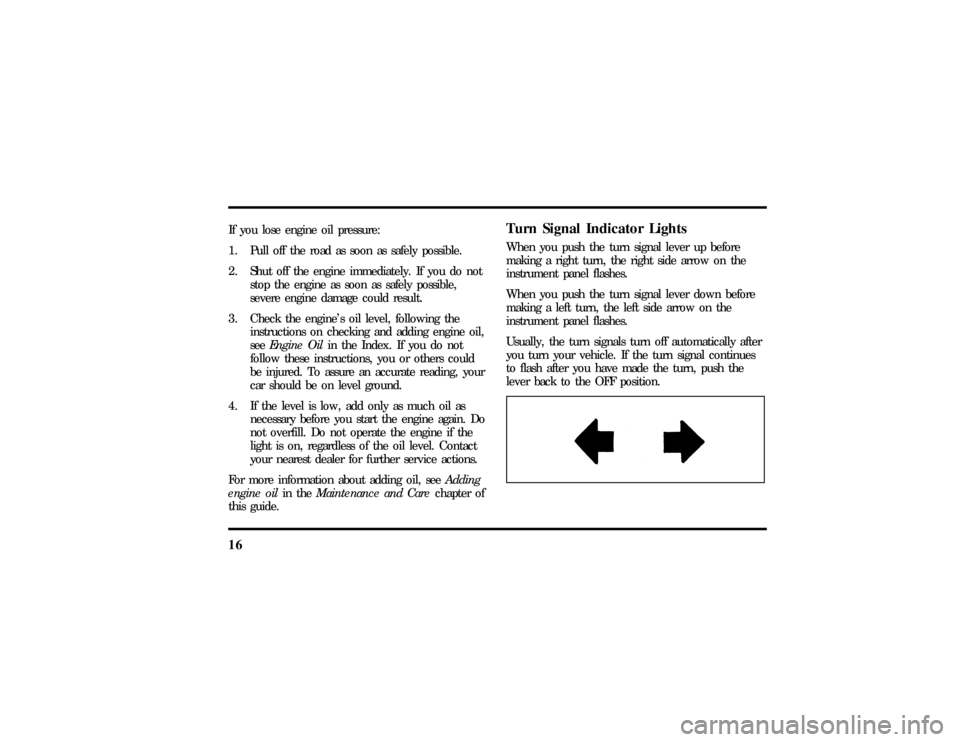
Turn Signal Indicator LightsWhen you push the turn signal lever up before
making a right turn, the right side arrow on the
instrument panel flashes.
When you push the turn signal lever down before
making a left turn, the left side arrow on the
instrument panel flashes.
Usually, the turn signals turn off automatically after
you turn your vehicle. If the turn signal continues
to flash after you have made the turn, push the
lever back to the OFF position.
File:03fnist.ex
Update:Mon Jun 17 13:46:47 1996
Page 62 of 305

58When in AUTOMATIC and weather conditions
require heat, air will be sent to the floor. But, a
feature is included in your EATC to prevent
blowing cold air to the floor if the engine coolant is
not warm enough to allow heating. For a short
time the fan will be at low speed and air directed
to the windshield. In 3-1/2 minutes or less, the fan
speed will start to increase and the airflow will
change to the floor area.
If unusual conditions exist (i.e., window fogging,
etc.), the six manual override buttons allow you to
select special air discharge locations. A thumbwheel
allows you to adjust the fan speed to suit your
needs.
Temperature selectionThe RED and BLUE buttons at the upper left of the
Control are for temperature selection. The RED
button will increase the set temperature and the
BLUE button will lower the set temperature.
Pressing a button and releasing it will change the
set temperature one degree. Holding either button
in will rapidly change the temperature setting in
one degree increments to either65ÊF(18ÊC)
(BLUE) or85ÊF(29ÊC)(RED).Then, the set
temperature will jump 5 Ê and stop at either60ÊF
(16ÊC)which is maximum cooling or90ÊF(32ÊC)
which is maximum heating.
The average temperature range used is between
68ÊF(20ÊC) and78ÊF(26ÊC).Changing the
temperature setting by several degrees outside this
range or overriding to60ÊF(16ÊC) or90ÊF(32ÊC)
will not speed up the heating or cooling process.
File:05fncft.ex
Update:Mon Jun 17 13:49:49 1996
Page 69 of 305

65
NOTE:The outside temperature reading is most
accurate when the vehicle is moving. Higher
readings may be obtained when the vehicle is not
moving. The readings that you get may not agree
with temperatures given on the radio due to
differences in vehicle and station locations.Operating tipsThe following tips will help you to get the most
satisfaction from your Electronic Automatic
Temperature Control system.q
In humid weather, select DEFVbefore
starting your engine. This will help to prevent
windshield fogging. After a few minutes of
operation, switch to AUTOMATIC or an
override selection of your choice.
q
To prevent humidity buildup inside your
vehicle, always drive with the EATC System
turned on.
q
Do not put objects under the front seats that
interfere with the flow of air to the back seat
area.
q
Remove any snow, ice, or leaves from the air
intake area of your EATC System which could
block the air intake. The intake area is located
at the bottom of the windshield, under the
hood at the passenger side rear corner.
ServiceIf your EATC is not operating as described here,
take it to your dealer to have it checked. System
diagnostics are built in which will allow your dealer
to readily identify problems that might occur.
File:05fncft.ex
Update:Mon Jun 17 13:49:49 1996