1997 LINCOLN MARK VIII ignition
[x] Cancel search: ignitionPage 36 of 315

31
System WarningsSystem warnings alert you to possible problems or
malfunctions in your vehicle's operating systems.
There are 23 warning messages which can be
displayed by the Message Center to show the status
of the monitored systems. When a warning occurs,
the warning message is displayed and a tone
sounds. The warning message will appear at a
brighter level if the instrument panel is dimmed.
In the event of a multiple warning situation, the
M/C will cycle the display to show all warnings by
displaying each warning message for 4 seconds.Using the message center while a warning
is activeIf you want to display the operator selectable
features of the M/C while a warning is displayed,
the warning message may be removed from the
M/C display by pressing the RESET control. The
M/C will display the last selected feature if thereare not more warning messages. This allows you to
use the full functionality of the M/C after you
acknowledge the warning by pressing the RESET
control and clearing the warning message. The
DOOR AJAR warning cannot be reset.
Warning messages which have been reset are
divided into two categories. They will reappear on
the display in 10 minutes from the reset or they
will not reappear until an ignition key OFF-ON
cycle. This reappearing of warning messages is a
reminder that these warning conditions still exist
within the vehicle. Warnings may be repeatedly
reset. All warning messages will reappear after an
entire SYSTEM CHECK sequence has been
completed.
File:03fnis8.ex
Update:Thu Jun 27 10:00:37 1996
Page 38 of 315

33
DRIVER'S DOOR AJARÐ This warning message
is displayed when the driver's door is not
completely closed and the ignition switch is either
ON or in ACC mode.
RIGHT DOOR AJARÐ This warning message is
displayed when the right (passenger side) door is
not completely closed and the ignition switch is
either ON or in ACC mode.
CHECK ENGINE TEMPÐ This warning message
is displayed when the engine coolant is overheating.
Stop the vehicle as soon as safely possible, turn off
the engine and let it cool. Check the coolant and
level, and add coolant as required following the
instructions in theMaintenance and Carechapter.
If you do not follow these instructions, you or
others could be injured. If this warning stays on or
continues to come on, contact your dealer for
service as soon as safely possible.LOW OIL LEVELÐ This warning message is
displayed when your engine oil level is low. If this
warning message is displayed, check the level of the
engine oil.
To check your oil:
1. Park your vehicle on level ground, turn off the
engine and wait at least 5 minutes for the oil
to drain back into the oil pan.
2. Use the dipstick to check the oil. If the level is
low, add oil, but do not overfill.
If you are parked on a steep incline, the LOW OIL
LEVEL warning may come on when you start your
vehicle, even though the oil is at the correct level.
The oil level is monitored while the engine is off,
so that the oil can drain into the oil pan to be
measured. Some after-market devices such as
remote starters, if improperly installed, can cause
File:03fnis8.ex
Update:Thu Jun 27 10:00:37 1996
Page 41 of 315

36CHECK FRT TURN LAMPSÐ This warning
message is displayed when you turn on the front
turn lamps and at least one of them is burned out.
Check the lamps as soon as safely possible, and
have the burned out lamp replaced following the
instructions in theMaintenance and Carechapter.
LOW WASHER FLUIDÐ This warning message
is displayed when there is less than one quarter of
the container of washer fluid remaining. Check the
washer fluid level, and refill the reservoir following
the instructions in theMaintenance and Care
chapter.
TRUNK AJARÐ This warning message is
displayed when the trunk is not completely closed
and the ignition switch is either ON or ACC.CHECK TRACTION CONTROLÐ This warning
message is displayed when the Traction Control
system is not operating properly. If this warning
stays on or comes on, contact your dealer for
service as soon as safely possible. For further
information refer to theTraction Controlsection in
theDrivingchapter.
TRACTION CONTROL DISABLEDÐ This
warning message is displayed when the Traction
Control system is temporarily disabled due to an
overheating condition. This may occur in normal
operation due to a prolonged series of high speed
traction control or braking events. This warning is
removed when the traction control system has
cooled down sufficiently to resume normal
operation. If this warning stays on, contact your
dealer for service as soon as safely possible. For
further information refer to theTraction Control
section in theDrivingchapter.
File:03fnis8.ex
Update:Thu Jun 27 10:00:37 1996
Page 42 of 315

37
AIR RIDE SWITCH OFFÐ This warning message
is displayed when the AIR SUSPENSION SERVICE
SWITCH is in the OFF position. The air suspension
service switch is located in the vehicle trunk in the
jack stowage area on the left side. For more
information refer to theAir Suspensionsection in
theDrivingchapter.
CHECK AIR RIDE SYSTEMÐ This warning
message is displayed when the Air Suspension
System is not operating properly. If this warning
message is displayed while driving, pull off the road
as soon as safely possible. If the vehicle is loaded
beyond the recommended maximum payload, the
ªCHECK AIR RIDE SYSTEMº message may be
displayed. This is a normal condition if the vehicle
is overloaded. To correct this condition, remove or
redistribute the payload per the recommended
maximum requirements. Turn the ignition switch
from ON to OFF to ON again. If the warning
message reappears, turn the Air Suspension Service
Switch (located in the vehicle trunk in the jackstowage area on the left side) OFF and contact your
dealer for service as soon as safely possible. For
further information refer to theAir Suspension
section in theDrivingchapter.
CHANGE OIL SOON/OIL CHANGE
REQUIREDÐ This warning message is displayed
when the engine oil life remaining is 5% or less.
When Oil Life Left is between 5% and 0%, the
ªCHANGE OIL SOONº message will be displayed.
When Oil Life Left reaches 0%, the ªOIL CHANGE
REQUIREDº message will be displayed.
An oil change is required whenever indicated by
the Message Center. USE ONLY RECOMMENDED
ENGINE OILS (seeEngine Oilin the Index).
The Message Center will tell you the percent of oil
left during System Check. This percentage is based
on your driving history and the time since your last
oil change. In order to ensure accurate oil life left
indications, you should only perform the following
OIL CHANGE RESET Procedure after you have the
oil changed.
File:03fnis8.ex
Update:Thu Jun 27 10:00:37 1996
Page 49 of 315
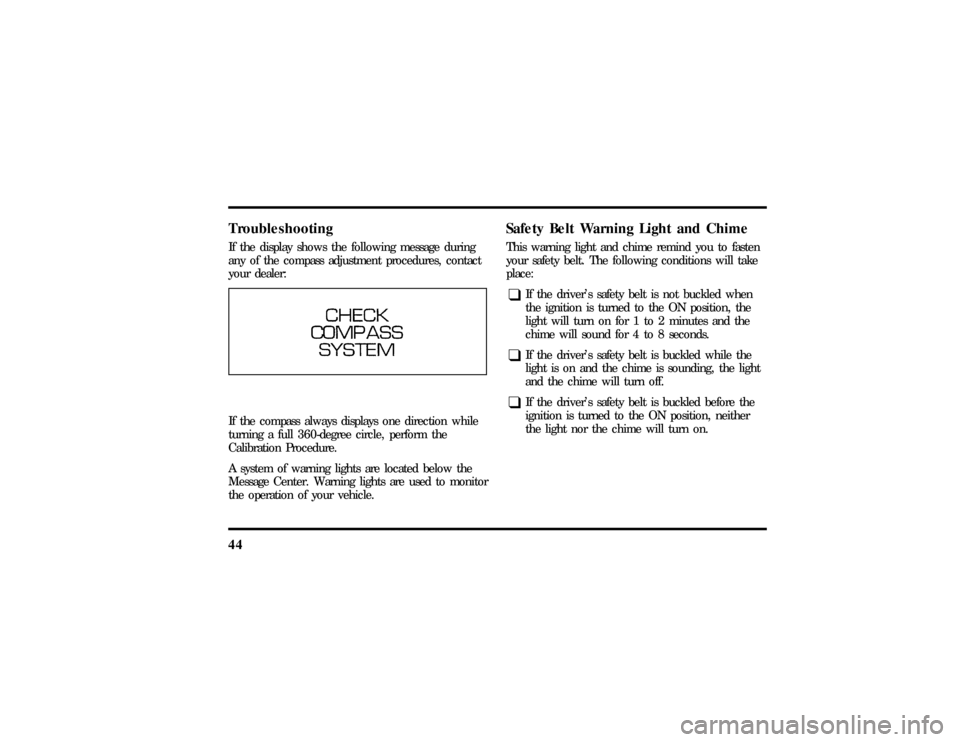
44TroubleshootingIf the display shows the following message during
any of the compass adjustment procedures, contact
your dealer:If the compass always displays one direction while
turning a full 360-degree circle, perform the
Calibration Procedure.
A system of warning lights are located below the
Message Center. Warning lights are used to monitor
the operation of your vehicle.
Safety Belt Warning Light and ChimeThis warning light and chime remind you to fasten
your safety belt. The following conditions will take
place:q
If the driver's safety belt is not buckled when
the ignition is turned to the ON position, the
light will turn on for 1 to 2 minutes and the
chime will sound for 4 to 8 seconds.
q
If the driver's safety belt is buckled while the
light is on and the chime is sounding, the light
and the chime will turn off.
q
If the driver's safety belt is buckled before the
ignition is turned to the ON position, neither
the light nor the chime will turn on.
File:03fnis8.ex
Update:Thu Jun 27 10:00:37 1996
Page 50 of 315
45
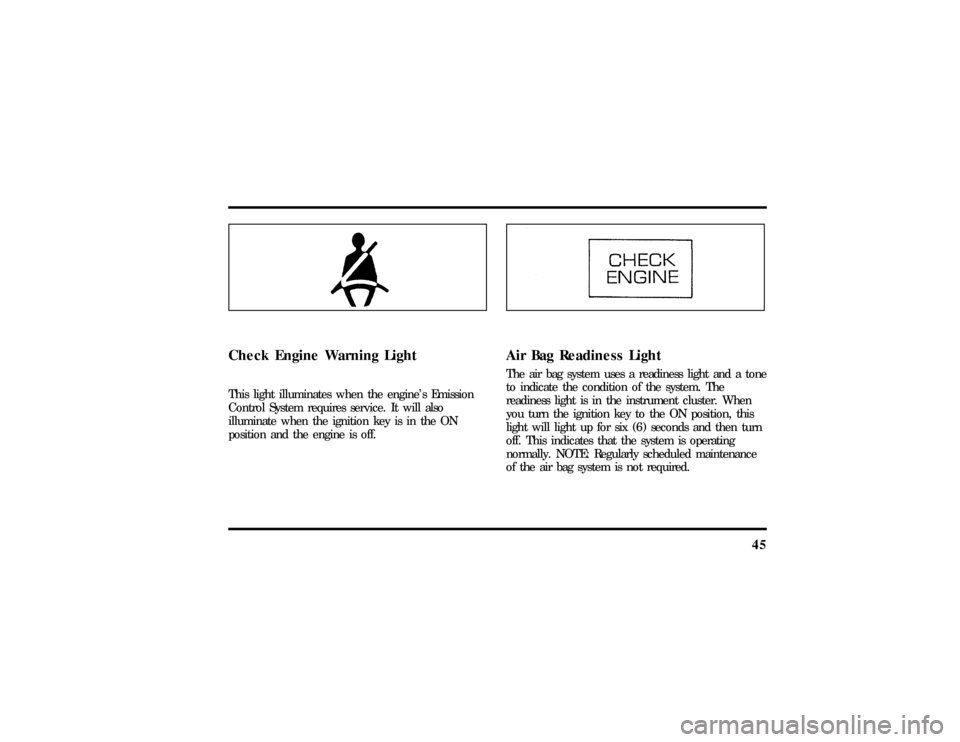
Check Engine Warning LightThis light illuminates when the engine's Emission
Control System requires service. It will also
illuminate when the ignition key is in the ON
position and the engine is off.
Air Bag Readiness LightThe air bag system uses a readiness light and a tone
to indicate the condition of the system. The
readiness light is in the instrument cluster. When
you turn the ignition key to the ON position, this
light will light up for six (6) seconds and then turn
off. This indicates that the system is operating
normally. NOTE: Regularly scheduled maintenance
of the air bag system is not required.
File:03fnis8.ex
Update:Thu Jun 27 10:00:37 1996
Page 56 of 315

51
Premium Stereo Cassette, Stereo
Cassette with CD DJ and
Premium Compact Disc RadioYour vehicle is equipped with either a premium
stereo cassette radio or a premium compact disc
radio. Both systems are available with a JBLH
upgrade system, which includes a Ford 10-CD
changer.
Individual functions of these systems follow:Using the Controls on Your New RadioHow to turn the radio on and offPress the ªVOL/PUSHº knob to turn the radio on.
Press again to turn it off.How to adjust the volumeTurn the ªVOL/PUSHº knob to the right to
increase the volume and to the left to decrease the
volume. Bars illuminate in the display to show
relative volume level.NOTE:If the volume level is set above a certain
listening level when the ignition switch is turned
off, when the ignition switch is turned back on, the
volume will come back to a ªnominalº listening
level. However, if the radio power is turned off, the
volume will remain in the position it was set at
when radio power was switched off.
Selecting the AM or FM frequency bandPush the ªAM/FMº button to select the desired
frequency band or to stop/store cassette tape (when
in cassette mode) or compact disc (when in CD
mode). Pushing the button more than once will
alternate between AM, FM1 and FM2. These
functions are used with the station memory buttons
described underHow to tune radio stations.How to tune radio stationsThere are four ways for you to tune in a particular
station. You can manually locate the station using
the ªTUNEº, ªSEEKº, ªSCANº or selecting the
station by using the memory buttons, which you
File:04fnas8.ex
Update:Wed Jun 19 10:43:44 1996
Page 60 of 315

55
NOTE:A cassette tape can be loaded with the
ignition on whether or not the radio power is on.
However, with radio power off, the cassette tape is
loaded and stored.
NOTE:Noise reduction system manufactured under
license from Dolby Labs Licensing Corporation.
ªDolbyº and double-D symbol are trademarks of
Dolby Laboratories Licensing Corporation.How to locate a desired track on the tapeThere are four ways to quickly locate a desired
selection on the tape. You can use the fast forward,
rewind, ªSEEKº or ªSCANº function. Following are
brief descriptions of each.q
Fast forwarding the tape
To fast forward the tape, press the ªFFº button.
The radio will begin playing until fast forward is
manually stopped (by pushing the ªTAPEº button)
or the end of the tape is reached.At the end of the tape, the direction automatically
reverses and plays the other side of the tape.
q
Rewinding the tape
To rewind the tape, press the ªREWº button. The
radio will begin playing until rewind is manually
stopped (by pushing the ªTAPEº button) or the
beginning of the tape is reached.
q
Using the ªSEEKº function with your cassette
tape player
While in the tape mode, push the right
aside of
the ªSEEKº button to seek forward to the next
selection on the tape. Push the left
bside to seek
the previous tape selection.
q
Using the ªSCANº function with your cassette
tape player
Press the ªSCANº button to begin the forward scan
mode on the tape currently playing, stopping on
each tape selection for approximately an
eight-second sampling (display indicates ªSCº).
File:04fnas8.ex
Update:Wed Jun 19 10:43:44 1996