Page 16 of 315

11
Anti-Lock Brake System Warning LightThis light comes on for a few seconds when you
turn the ignition key to the START position. It
should go off shortly after the engine starts. If it
stays on longer than five (5) seconds, it indicates
that your anti-lock brake system may not be
working properly. Normal braking is not affected
unless the BRAKE system warning light also remains
on for longer than six (6) seconds. You should have
your vehicle serviced immediately by your dealer or
qualified service technician to restore the benefits of
the anti-lock feature. SeeAnti-lock brakesin the
Index for more information.
Engine Oil Pressure Warning LightThis light indicates the engine's oil pressure, not the
oil level. However, if your engine's oil level is low,
it could affect the oil pressure. The light will come
on briefly when you turn your key to the START
and ON position. The light should stay off when
the engine is running with normal oil pressure. If
the light comes on while the engine is running, you
have lost oil pressure and continued operation will
cause severe engine damage.
If you lose engine oil pressure:
1. Pull off the road as soon as safely possible.
2. Shut off the engine immediately or severe
engine damage could result.
3. Check the engine's oil level, following the
instructions on checking and adding engine oil,
seeEngine Oilin the Index. If you do not
follow these instructions, you or others could
be injured. To assure an accurate reading, your
car should be on level ground.
File:03fnis8.ex
Update:Thu Jun 27 10:00:37 1996
Page 18 of 315
13
Cruise Control Indicator LightThis light comes on when the speed control system
is actively maintaining the set speed. It will go off
when the brakes are used or if the speed control is
turned off.
Charging System LightThis light indicates that your battery is not being
charged and that you need to have the electrical
system checked.This light illuminates every time you turn the
ignition to the ON or START position (engine off).
The light should go off when the engine starts and
the alternator begins to charge.
If the light stays on or illuminates when the engine
is running, have the electrical system checked as
soon as possible.
File:03fnis8.ex
Update:Thu Jun 27 10:00:37 1996
Page 20 of 315
15
Chime for Headlamps OnThis chime sounds if the driver or any passenger
door is open when the parking lamps or headlamps
are on. The chime sounds until you close the door,
turn off the lamps or turn the ignition to the ON
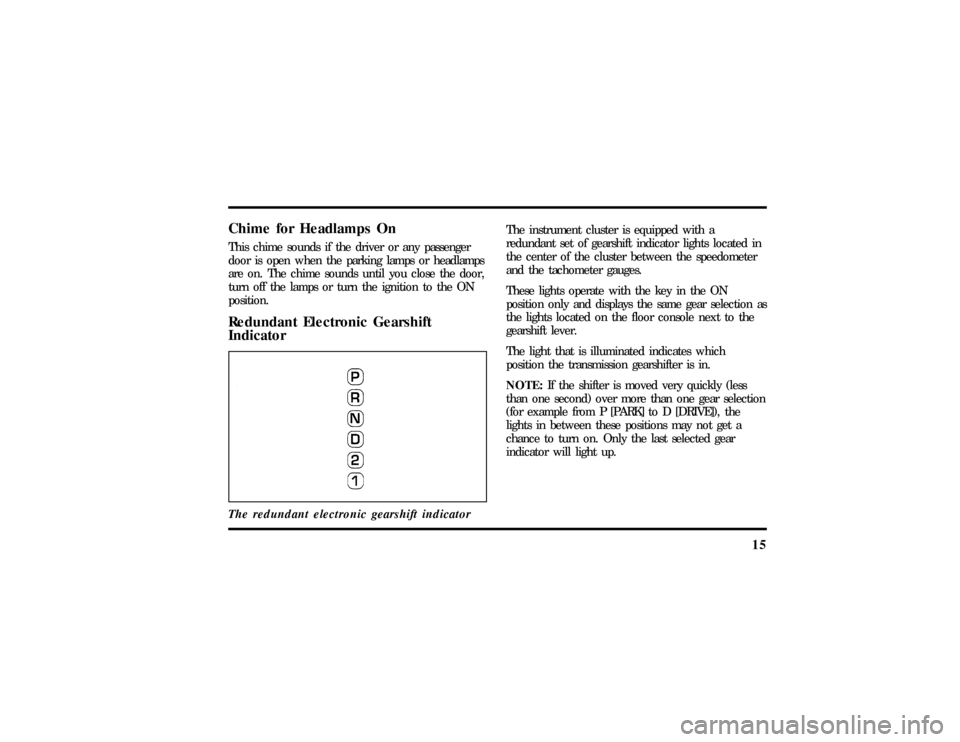
position.Redundant Electronic Gearshift
IndicatorThe redundant electronic gearshift indicator
The instrument cluster is equipped with a
redundant set of gearshift indicator lights located in
the center of the cluster between the speedometer
and the tachometer gauges.
These lights operate with the key in the ON
position only and displays the same gear selection as
the lights located on the floor console next to the
gearshift lever.
The light that is illuminated indicates which
position the transmission gearshifter is in.
NOTE:If the shifter is moved very quickly (less
than one second) over more than one gear selection
(for example from P [PARK] to D [DRIVE]), the
lights in between these positions may not get a
chance to turn on. Only the last selected gear
indicator will light up.
File:03fnis8.ex
Update:Thu Jun 27 10:00:37 1996
Page 24 of 315
19
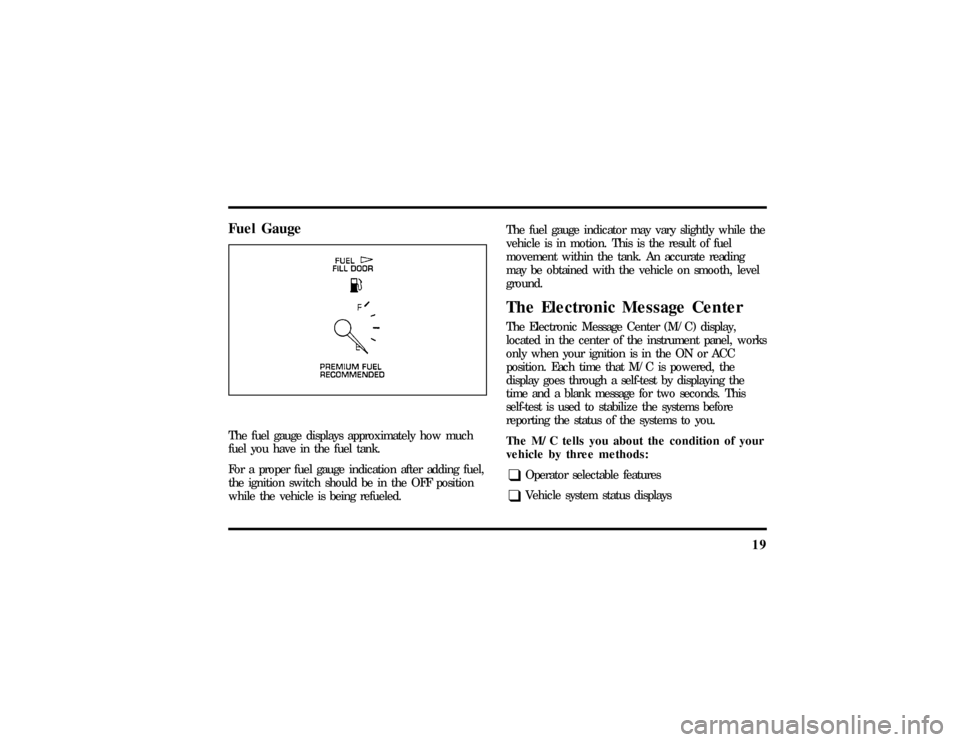
Fuel GaugeThe fuel gauge displays approximately how much
fuel you have in the fuel tank.
For a proper fuel gauge indication after adding fuel,
the ignition switch should be in the OFF position
while the vehicle is being refueled.The fuel gauge indicator may vary slightly while the
vehicle is in motion. This is the result of fuel
movement within the tank. An accurate reading
may be obtained with the vehicle on smooth, level
ground.
The Electronic Message CenterThe Electronic Message Center (M/C) display,
located in the center of the instrument panel, works
only when your ignition is in the ON or ACC
position. Each time that M/C is powered, the
display goes through a self-test by displaying the
time and a blank message for two seconds. This
self-test is used to stabilize the systems before
reporting the status of the systems to you.
The M/C tells you about the condition of your
vehicle by three methods:q
Operator selectable features
q
Vehicle system status displays
File:03fnis8.ex
Update:Thu Jun 27 10:00:37 1996
Page 28 of 315

23
4. Press the VEHICLE SETTINGS control to
complete the procedure. A press of any control
besides RESET or VEHICLE SETTINGS will
abort the procedure and will not establish a
new Personalized Oil Reset Percentage.
When your Personalized Oil Reset Percentage has
been established, it will be used beginning with the
completion of your next OIL CHANGE RESET
procedure.Driver Settings MenuThe DRIVER MENU control allows you to cycle
through seven (if equipped with phone) features
which you can turn on or off by using the RESET
control. These options are saved for each driver
personality profile.q
EXPRESS WINDOWSÐ a short tap of the
control will cause the driver's window to go
fully down automatically.
q
AUTO LOCKSÐ automatically locks all doors
when all doors are closed and the vehicle speed
is at least 3 mph.
q
HORN CHIRPÐ sounds an audible ªchirpº
when the LOCK button on the Remote Entry
Key Fob is pressed.
q
EASY ENTRYÐ moves the driver's seat back
two inches and the steering column to the up
and forward most position when the key is
removed from the ignition. Moves the driver's
seat and steering column to the set position
when the driver returns.
q
REVERSE MIRRORSÐ when the vehicle is
shifted to R (Reverse), the outside mirrors are
tilted down for an improved view close to the
vehicle for backing up.
q
AUTO GLIDEÐ automatically moves the seat
forward when the seatback is tilted forward.
File:03fnis8.ex
Update:Thu Jun 27 10:00:37 1996
Page 29 of 315

24q
PHONE SCREENÐ (if equipped with a
factory phone) when a call is placed,
information about the call is displayed in the
message center.
Fuel RangeA press of the RANGE switch allows you to display
approximately how many miles (kilometers) you can
drive before you run out of fuel.
To ensure accuracy, turn the ignition OFF when
you fill the fuel tank.
NOTE:RANGE is calculated using a ªRunning
Average Fuel Economyº initialized by the factory.
This value is not the same as the Average Fuel
Economy Display. The Running Average Fuel
Economy is based on more than 500 miles
(800 km) of driving history. Also, the factory
default for Running Average Fuel Economy is
reinitialized if the battery is disconnected.If the ªFUEL SENSOR SHORT or OPENº message is
displayed, this means that there is a problem with
the fuel indication system or if any ªDATA ERRORº
message is displayed you should contact your dealer
for service as soon as possible.
A second press of the FUEL RANGE control allows
you to display the Fuel Remaining. It will display
the approximate amount of fuel in the tank in
whole numbers (gallons or liters).
If your fuel tank is full or nearly full, the M/C will
display ªFULL FUEL TANKº message. If your fuel
tank is empty or nearly empty, the M/C will
display the ªEMPTY FUEL TANKº message.
File:03fnis8.ex
Update:Thu Jun 27 10:00:37 1996
Page 32 of 315

27
OPress DATE/TIME repeatedly to select the
correct month of the year.
OThen press RESET to proceed to the date
adjustment display.
OPress DATE/TIME repeatedly to select the
correct day of the month.
OThen press RESET to complete the
set/adjustment procedure.
q
Time Only DisplayÐ A second press of the
DATE/TIME control displays the Time Only
Display. From this display Time of Day can be
set/adjusted if desired. The display will give
instruction to help aid with the process. If the
set/adjustment procedure is started and nothing
is pressed for a minute, the Message Center will
exit the procedure automatically with the
currently selected Time.
OTo set/adjust the hour, press the RESET
control.OPress DATE/TIME repeatedly to select the
correct hour. (Note: A = AM/P = PM)
OThen press RESET to proceed to the minute
adjustment display.
OPress DATE/TIME repeatedly to select the
correct minute.
OThen press RESET to complete the
set/adjustment procedure.
q
Elapsed Time DisplayÐ A third press of the
DATE/TIME control displays the Elapsed Time
Display. This feature allows the operator to
monitor elapsed time if desired. The Elapsed
Time continues to run regardless if the vehicle
ignition is ON or OFF.
OTo STOP the Elapsed Time count while it is
running without resetting the counter, briefly
press the reset control for less than 2
seconds.
File:03fnis8.ex
Update:Thu Jun 27 10:00:37 1996
Page 35 of 315

30Vehicle System Status DisplaysThese messages are displayed on the Message
Center when the operator uses one of the vehicle
systems below, or the operation of a vehicle system
occurs.q
PHONE SCREENÐ This display will show
the status of the cellular phone usage (if the
vehicle is equipped with the factory installed
cellular phone). This display will automatically
appear on the message center during usage of
the cellular phone, unless a warning is being
displayed or the phone screen feature is turned
off in the DRIVER SETTINGS MENU. To return
to an Operator Selectable Feature display during
a phone call, press the corresponding button
(i.e., FUEL STATUS, FUEL ECONOMY, etc.).
This will disable the PHONE SCREEN
temporarily till the next phone event occurs.
q
AUTO LAMP DELAY STATUS SCREENÐ
This display will automatically appear on the
message center during adjustment of the
autolamp delay time when the headlamp switch
is adjusted, unless a warning is being displayed.
This display indicates the amount of time the
lights will stay on after the ignition is turned off
if the autolamps are turned on.
q
PERSONALITY EVENT SCREENÐ These
displays will automatically appear on the
message center when a vehicle system is
adjusted, and saved to the driver's personality
profile (i.e., seat position is adjusted, etc.) or
when a new driver personality profile is
selected, or the personality feature is turned off.
These messages will not appear if a warning is
displayed on the Message Center.
File:03fnis8.ex
Update:Thu Jun 27 10:00:37 1996
