Page 27 of 236
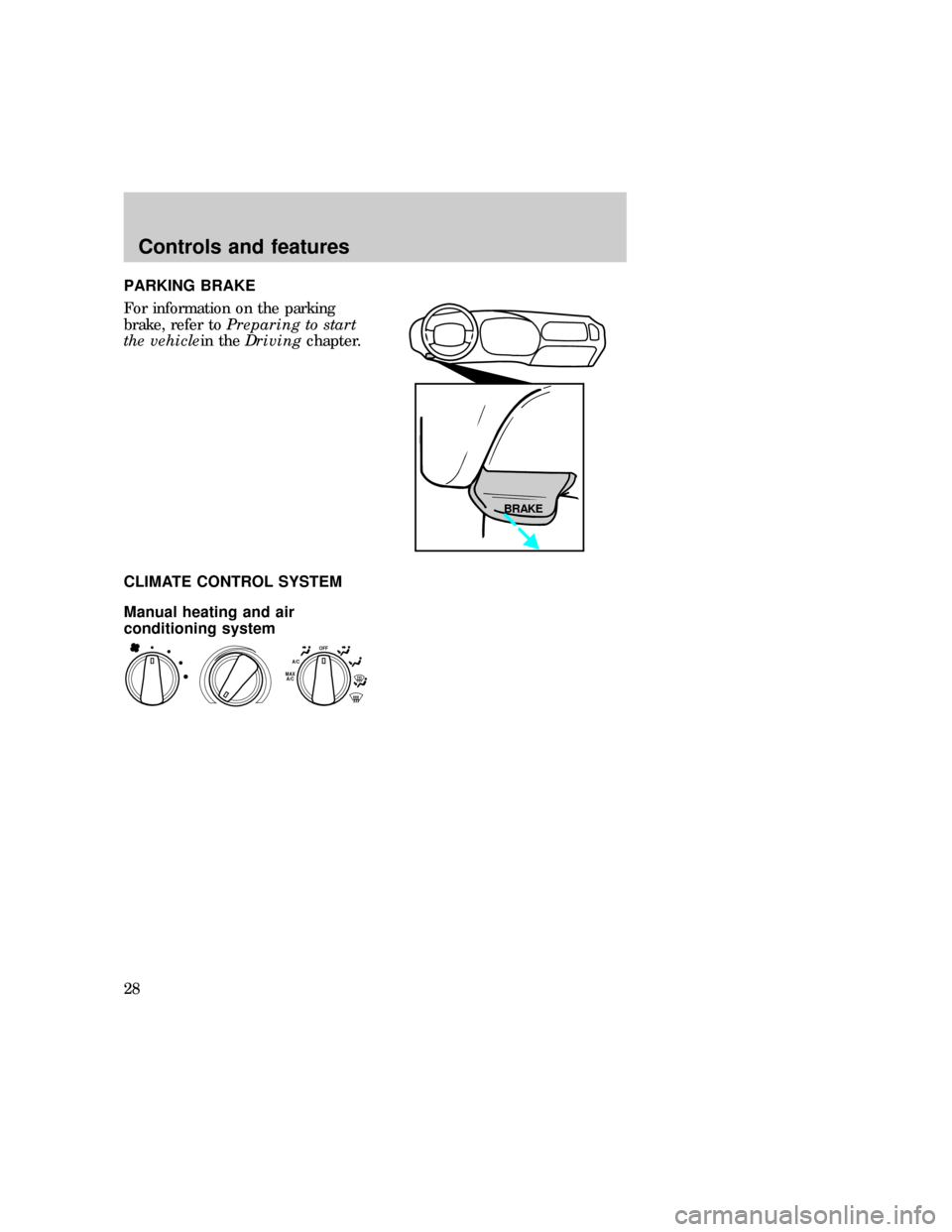
PARKING BRAKE
For information on the parking
brake, refer toPreparing to start
the vehiclein theDrivingchapter.
CLIMATE CONTROL SYSTEM
Manual heating and air
conditioning system
BRAKE
OFFA/CMAX
A/C
uno_climate-control
uno_man-ac
uno_fan_speed
Controls and features
28
Page 41 of 236
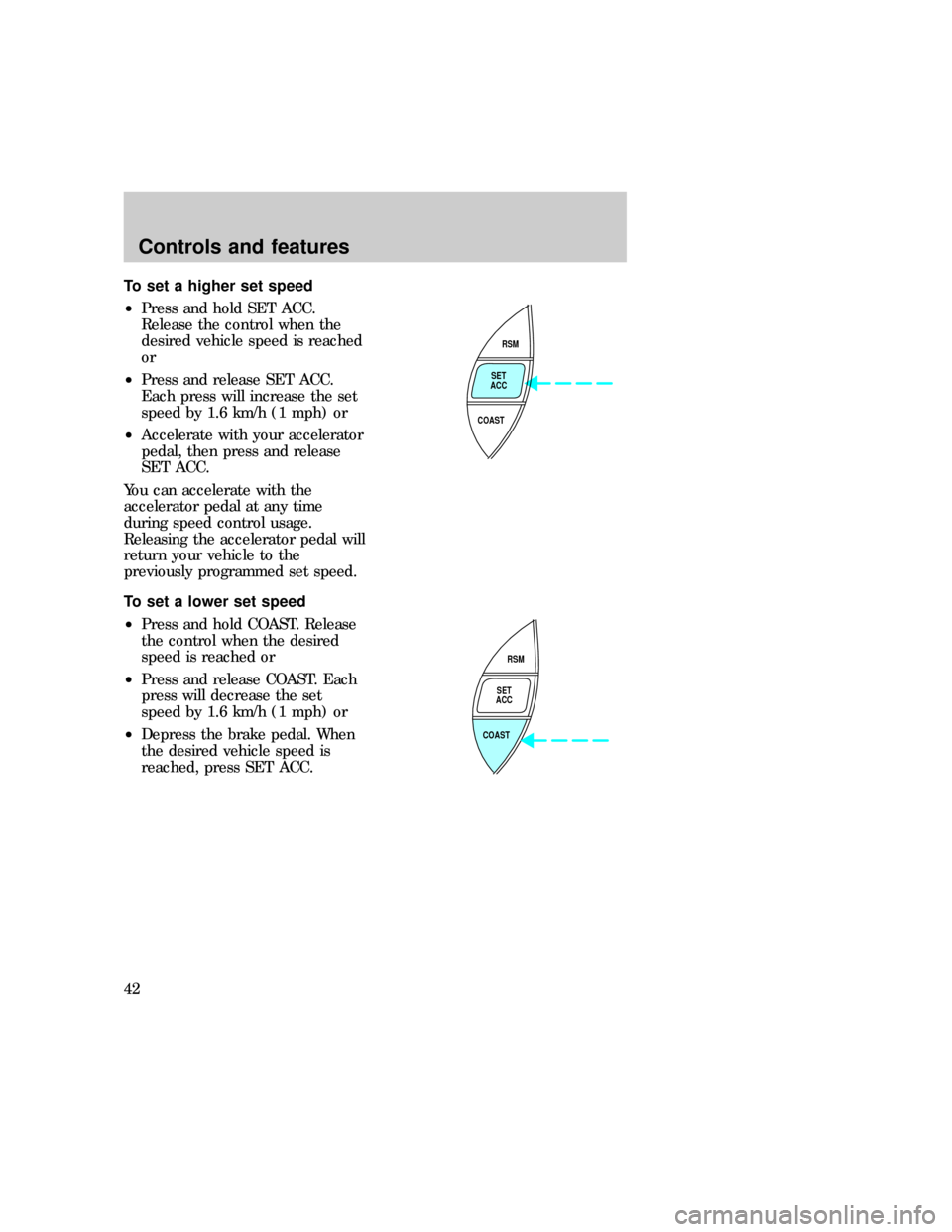
To set a higher set speed
²Press and hold SET ACC.
Release the control when the
desired vehicle speed is reached
or
²Press and release SET ACC.
Each press will increase the set
speed by 1.6 km/h (1 mph) or
²Accelerate with your accelerator
pedal, then press and release
SET ACC.
You can accelerate with the
accelerator pedal at any time
during speed control usage.
Releasing the accelerator pedal will
return your vehicle to the
previously programmed set speed.
To set a lower set speed
²Press and hold COAST. Release
the control when the desired
speed is reached or
²Press and release COAST. Each
press will decrease the set
speed by 1.6 km/h (1 mph) or
²Depress the brake pedal. When
the desired vehicle speed is
reached, press SET ACC.
RSM
SET
ACC
COAST
RSM
SET
ACC
COAST
uno_tap-down-feature
uno_resume-feature
Controls and features
42
Page 42 of 236
To return to a set speed
²Press RSM. For RSM to operate,
the vehicle speed must be faster
than 48 km/h (30 mph).
To disengage speed control
²Depress the brake pedal or
²Depress the clutch pedal (if
equipped)
Disengaging the speed control will
not erase the previously
programmed set speed.
Pressing OFF will erase the
previously programmed set speed.
Indicator light
Lights when the speed control is
turned on and remains lit until
either the speed control or the
ignition is turned off.
RSM
SET
ACC
COAST
SPEED
CONT
uno_disengaging
uno_light
uno_tilt_steer
Controls and features
43
Page 75 of 236
1. Enter the original permanent
code.
2. Press 1/2 within five seconds of
step one.
3. Wait six seconds.
For maximum security, do not set
a code that presents the numbers
in sequential order or uses the
same button five times.
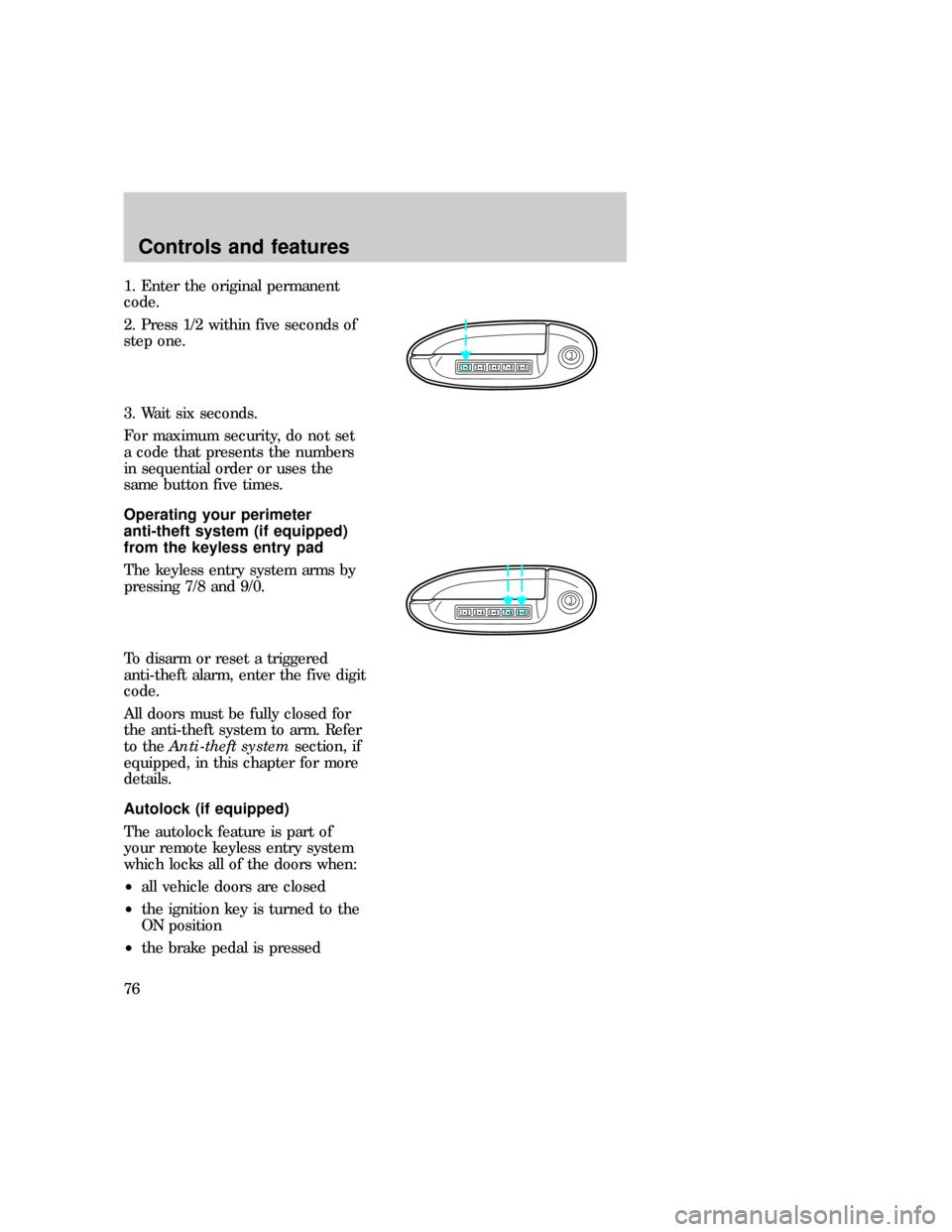
Operating your perimeter
anti-theft system (if equipped)
from the keyless entry pad
The keyless entry system arms by
pressing 7/8 and 9/0.
To disarm or reset a triggered
anti-theft alarm, enter the five digit
code.
All doors must be fully closed for
the anti-theft system to arm. Refer
to theAnti-theft systemsection, if
equipped, in this chapter for more
details.
Autolock (if equipped)
The autolock feature is part of
your remote keyless entry system
which locks all of the doors when:
²all vehicle doors are closed
²the ignition key is turned to the
ON position
²the brake pedal is pressed
123
45678
90
123
45678
90
com_keyless_perimeter.01
uno_keyless_autolock
Controls and features
76
Page 76 of 236
²you shift through R (reverse)
²one second has elapsed after the
brake pedal is released.
The autolock feature repeats when:
²a door is opened and then all
doors are closed
²the brake pedal is released.
The autolock feature can be
disabled (or reenabled) by using
the keyless entry system:
1. Enter your permanent five-digit
entry code (not the user code you
may have set).
2. Within five seconds, press and
hold 7/8.
3. Within five more seconds, press
and release 3/4.
4. Release 7/8.
To reactivate the system, repeat
the system deactivating
instructions.
123
45678
90
Controls and features
77
Page 83 of 236
Using safety restraints properly
Combination lap and shoulder
belts
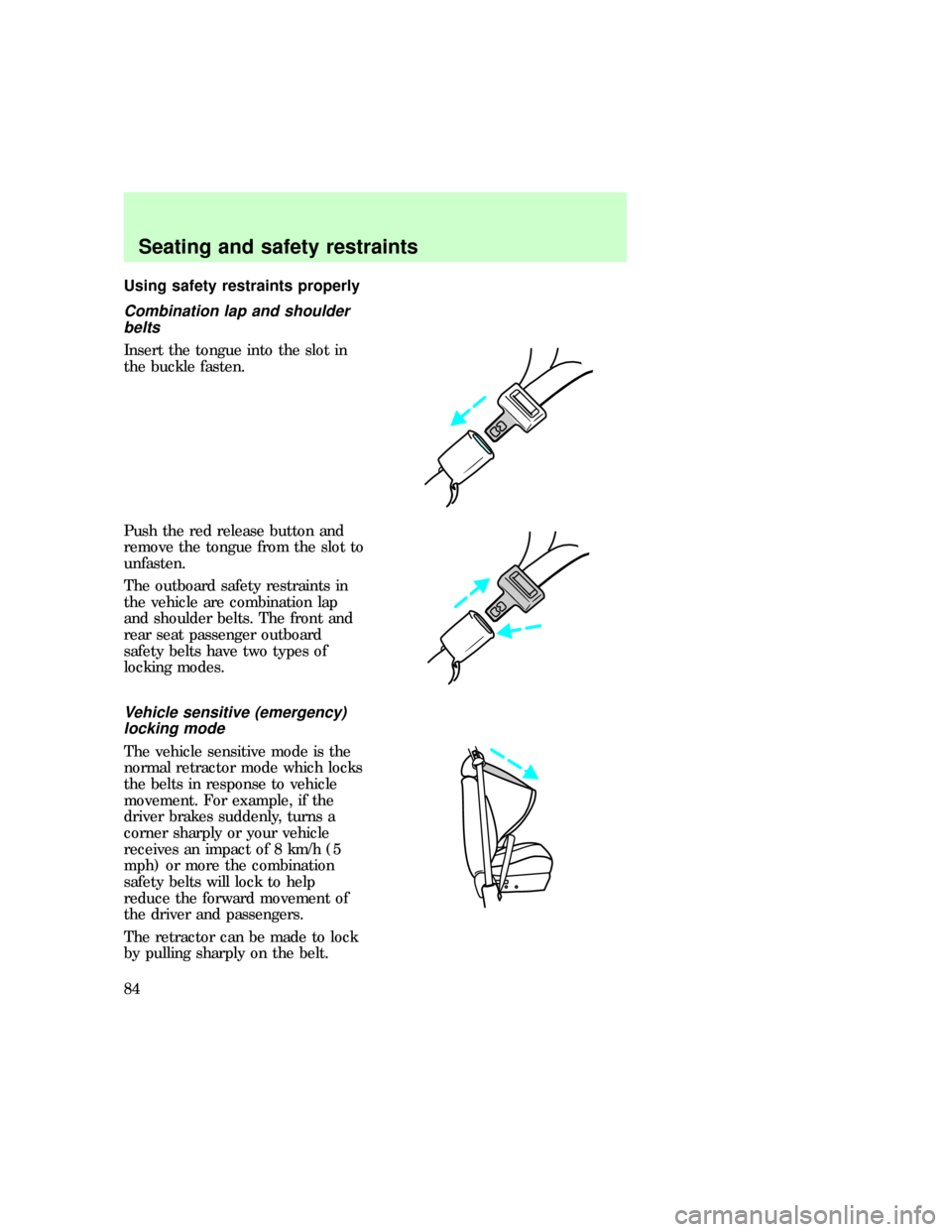
Insert the tongue into the slot in
the buckle fasten.
Push the red release button and
remove the tongue from the slot to
unfasten.
The outboard safety restraints in
the vehicle are combination lap
and shoulder belts. The front and
rear seat passenger outboard
safety belts have two types of
locking modes.
Vehicle sensitive (emergency)
locking mode
The vehicle sensitive mode is the
normal retractor mode which locks
the belts in response to vehicle
movement. For example, if the
driver brakes suddenly, turns a
corner sharply or your vehicle
receives an impact of 8 km/h (5
mph) or more the combination
safety belts will lock to help
reduce the forward movement of
the driver and passengers.
The retractor can be made to lock
by pulling sharply on the belt.
uno_comb_lap_sh_belts
uno_man_lock_lap_sh_belt
uno_automatic_locking_mode
Seating and safety restraints
84
Page 113 of 236
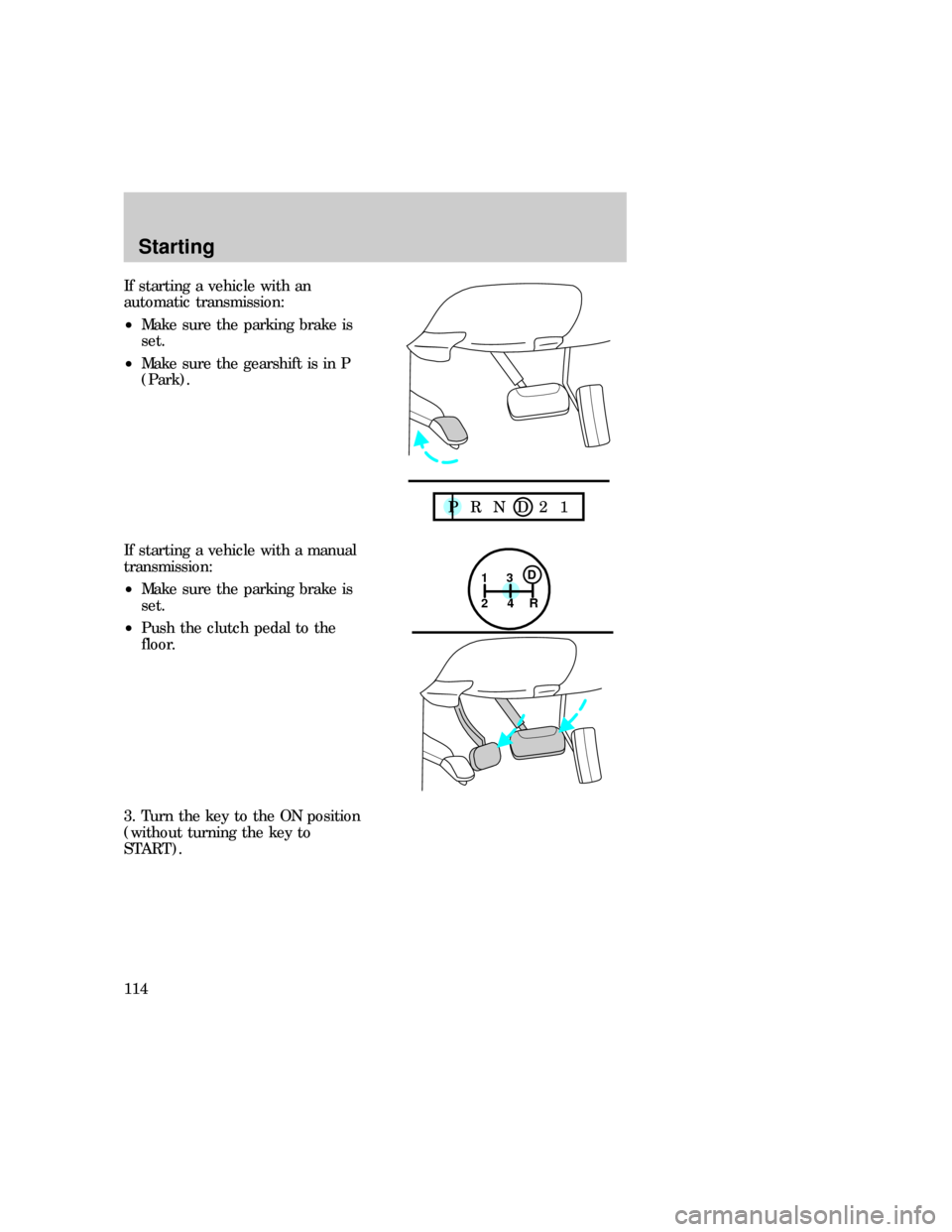
If starting a vehicle with an
automatic transmission:
²Make sure the parking brake is
set.
²Make sure the gearshift is in P
(Park).
If starting a vehicle with a manual
transmission:
²Make sure the parking brake is
set.
²Push the clutch pedal to the
floor.
3. Turn the key to the ON position
(without turning the key to
START).
P R N D 2 1
1
24R3D
Starting
114
Page 114 of 236
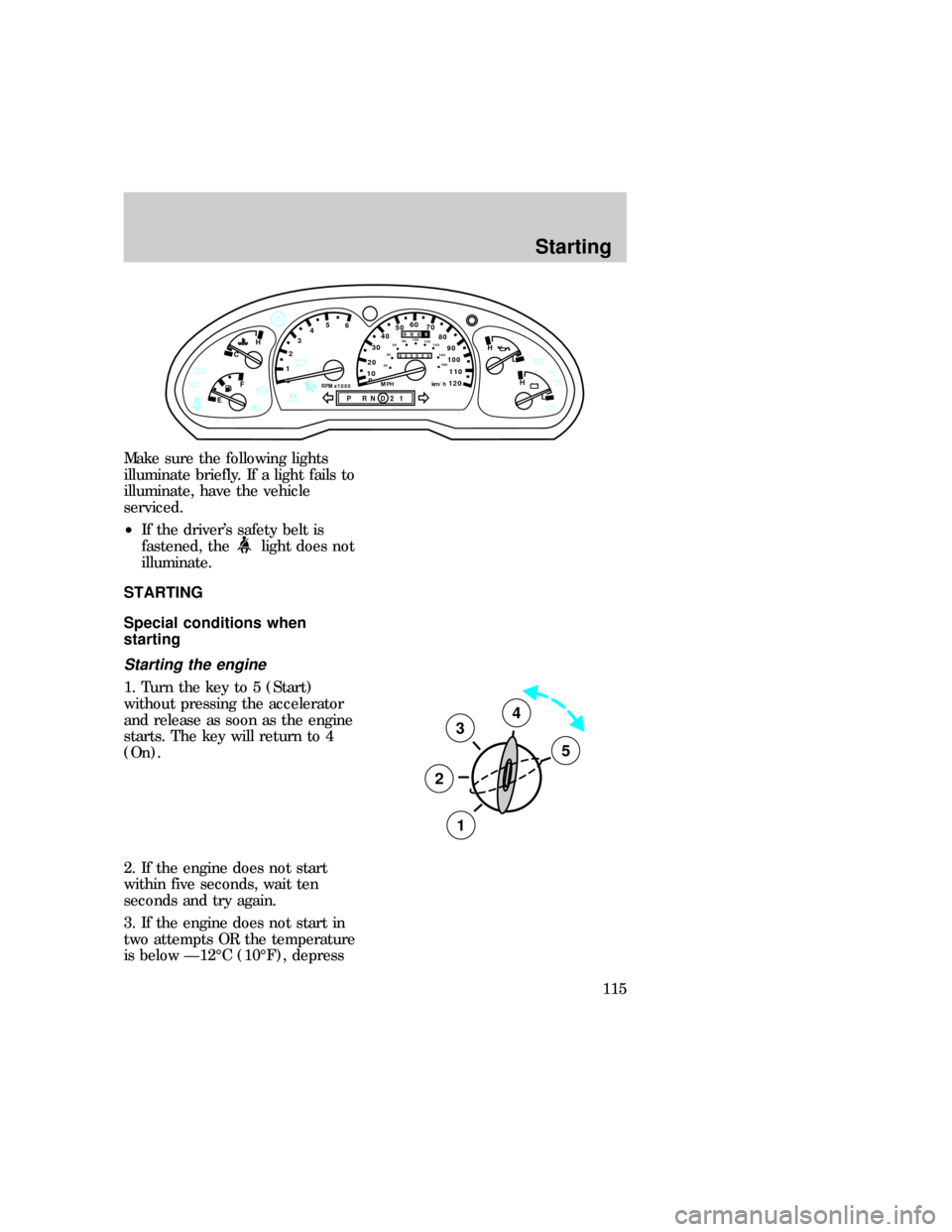
Make sure the following lights
illuminate briefly. If a light fails to
illuminate, have the vehicle
serviced.
²If the driver's safety belt is
fastened, the
light does not
illuminate.
STARTING
Special conditions when
starting
Starting the engine
1. Turn the key to 5 (Start)
without pressing the accelerator
and release as soon as the engine
starts. The key will return to 4
(On).
2. If the engine does not start
within five seconds, wait ten
seconds and try again.
3. If the engine does not start in
two attempts OR the temperature
is below Ð12ÉC (10ÉF), depress
0ABS
- +
P RND21RPM x 1000
12345
6- +
H
H
L LH
C
F
E
!BRAKE
CHECK
GAGE
0
20
1030405060
70
80
90
110
120000000
oooo
10020406080100
120
140
160
180
MPH km/hDOOR
AJARCHECK
GAUGE
O/D
OFF4WD
LOW 4WD SPEED
CONT
3
2
1
5
4
uno_special_conditions_title
uno_starting_vehicle
Starting
115