Page 52 of 420
1.
2.
3.
4.
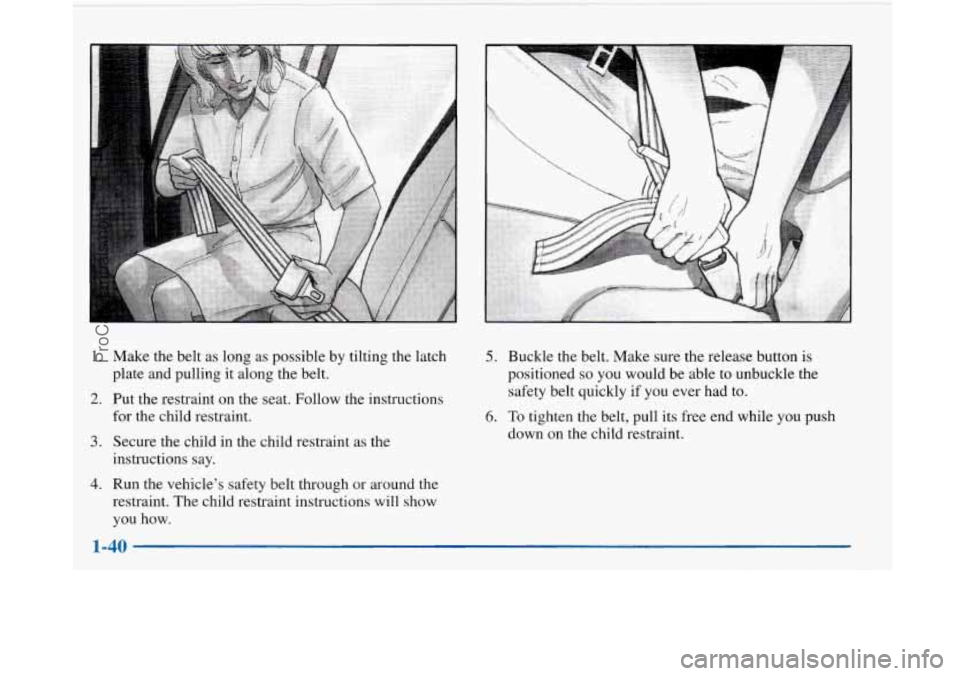
Make the belt as long as possible by tilting the latch
plate and pulling it along the belt.
Put the restraint on the seat. Follow the instructions
for the child restraint.
Secure the child in the child restraint as the
instructions say.
Run the vehicle's safety belt through
or around the
restraint. The child restraint instructions will show
you how.
5. Buckle the belt. Make sure the release button is
positioned so you would be able to unbuckle the
safety belt quickly
if you ever had to.
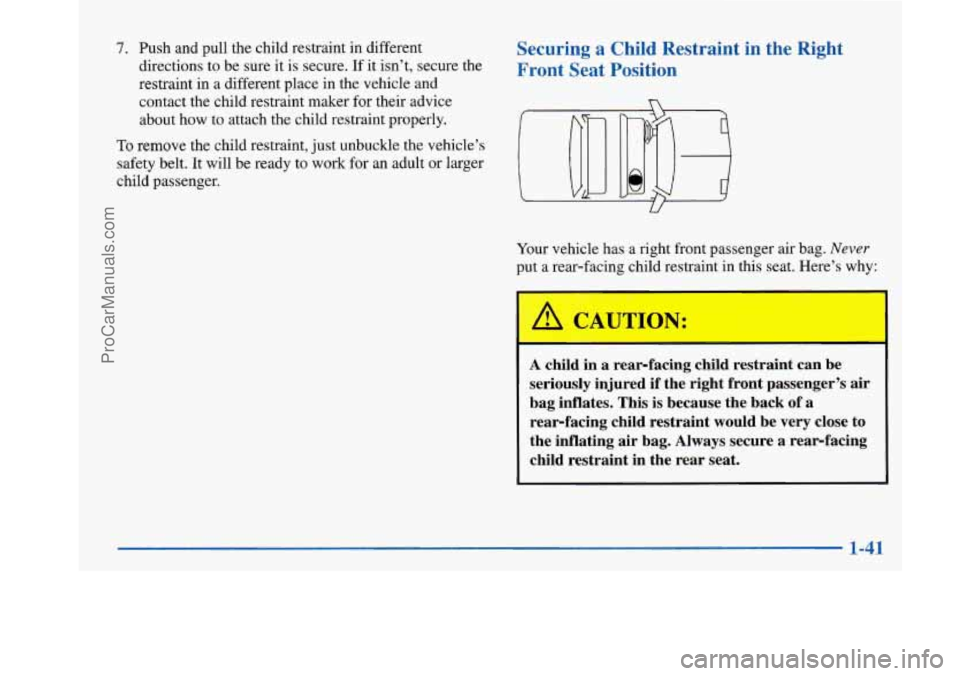
6. To tighten the belt, pull its free end while you push
down on the child restraint.
ProCarManuals.com
Page 53 of 420
7. Push and pull the child restraint in different
directions to be sure
it is secure. If it isn’t, secure the
restraint in a different place in the vehicle
and
contact the child restraint maker for their advice
about how to attach the child restraint properly.
To remove the child restraint, just unbuckle the vehicle’s
safety belt. It will be ready to work for an adult or larger
child passenger.
Securing a Child Restraint in the Right
Front Seat Position
Your vehicle has a right front passenger air bag. Never
put a rear-facing child restraint in this seat. Here’s why:
A CAUTION:
A child in a rear-facing child restraint can be
seriously injured if the right front passenger’s air
bag inflates. This is because the back of a rear-facing child restraint would be very close
to
the inflating air bag. Always secure a rearfacing
child restraint in the rear seat.
1-41
~
ProCarManuals.com
Page 54 of 420
You’ll be using the lap-shoulder belt. See the earlier part
about the
top strap if the child restraint has one.
1.
2.
3.
4.
Because your vehicle has a right front passenger air
bag, always move the seat as far back as it will go
before securing a forward-facing child restraint. (See
“Seats” in the Index.)
Put the restraint on the seat. Follow the instructions
for the child restraint.
Secure the child in the child restraint as the
instructions say.
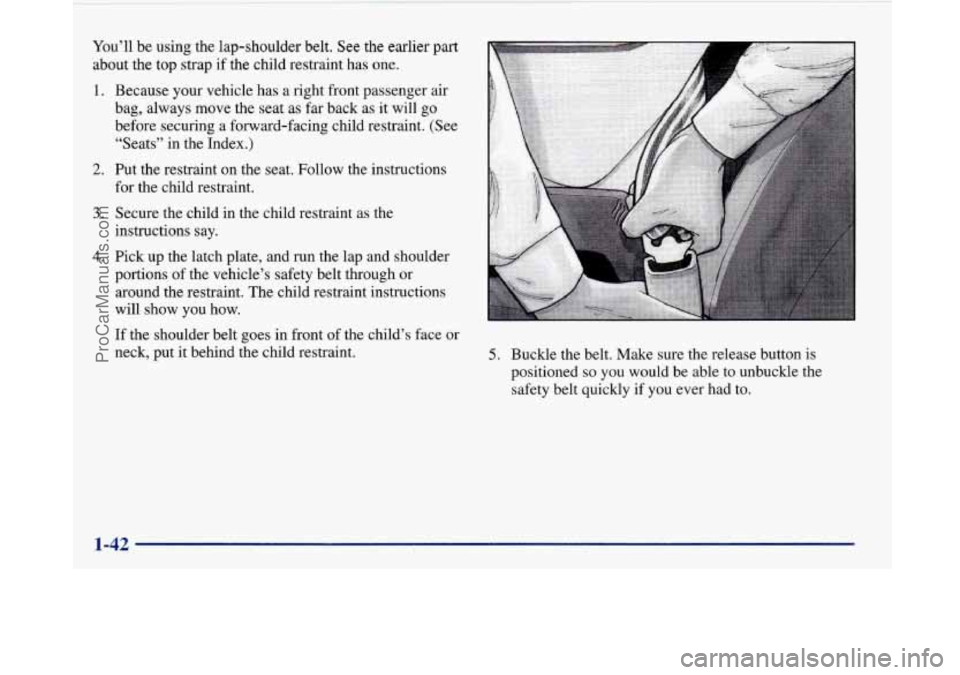
Pick up the latch plate, and
run the lap and shoulder
portions of the vehicle’s safety belt through or
around the restraint. The child restraint instructions
will show you how.
If the shoulder belt goes in front of the child’s face or
neck, put it behind the child restraint.
5. Buckle the belt. Make sure the release button is
positioned
so you would be able to unbuckle the
safety belt quickly if you ever had to.
ProCarManuals.com
Page 55 of 420
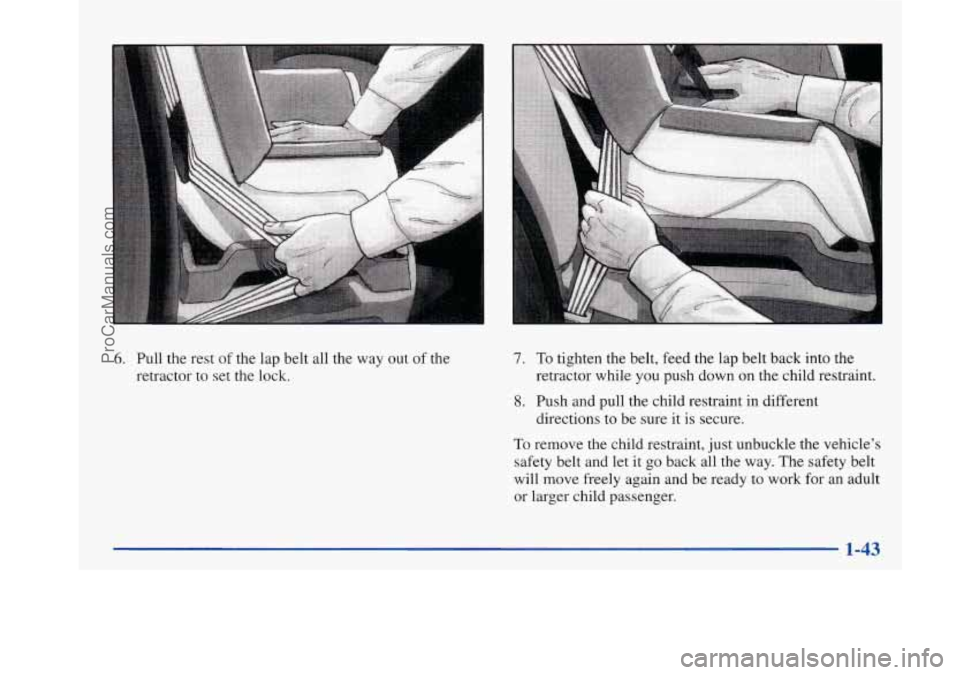
6. Pull the rest of the lap belt all the way out of the
retractor to set the lock. 7. To tighten the belt, feed the lap belt back into the
retractor while you push down on the child restraint.
8. Push and pull the child restraint in different
directions to be sure
it is secure.
To remove the child restraint, just unbuckle the vehicle’s
safety belt and let it go back all the way. The safety belt
will move freely again and be ready to work for an adult
or larger child passenger.
ProCarManuals.com
Page 67 of 420
You can also program the memory door locks feature
using the Driver Information Center.
See “Driver
Information Center Personal Choice Programming”
in the Index.
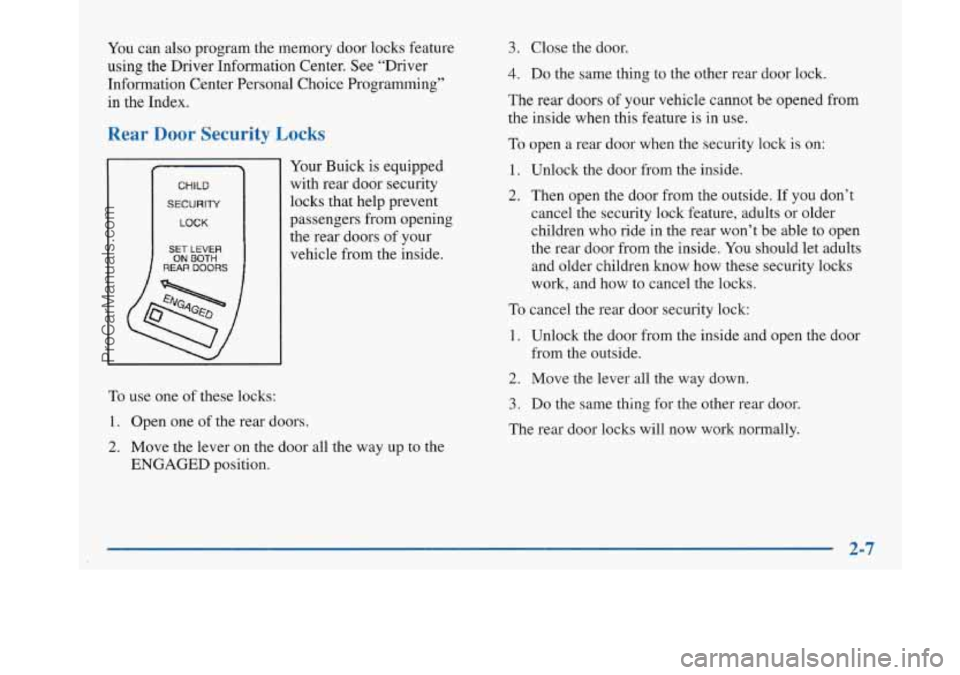
Rear Door Security Locks
CHILD
SECURITY
LOCK
SET LEVER
REAR DOORS ON BOTH
Your Buick is equipped
with rear door security
locks that help prevent
passengers from opening
the rear doors of your
vehicle from the inside.
3. Close the door.
4. Do the same thing to the other rear door lock.
The rear doors
of your vehicle cannot be opened from
the inside when this feature is in use.
To open a rear door when the security lock is on:
1. Unlock the door from the inside.
2. Then open the door from the outside. If you don’t
cancel the security lock feature, adults or older
children who ride in the rear won’t be able to open
the rear door from the inside.
You should let adults
and older children
know how these security locks
work, and how to cancel the locks.
To cancel the rear door security lock:
1. Unlock the door from the inside and open the door
from the outside.
To use one of these locks:
1. Open one of the rear doors.
2. Move the lever on the door all the way up to the
ENGAGED position.
2. Move the lever all the way down.
3. Do the same thing for the other rear door.
The rear door locks will now work normally.
2-7
ProCarManuals.com
Page 70 of 420

Synchronization
If only the instant alarm button works, the transmitter
needs to be resynchronized to the receiver. Do this by
pressing and holding both the LOCK and
UNLOCK
buttons on the transmitter for about eight seconds; you
must be within range of the vehicle.
Once the transmitter has been resynchronized, the horn
will chirp and the exterior lamps will flash once. The
system should now operate properly.
Theft-Deterrent System
The remote keyless entry transmitter will arm the
theft-deterrent system whenever the doors are
closed and you push the
LOCK button when the
ignition is
OFF. It will disarm the system when you
push UNLOCK.
Personal Choice Features (If Equipped)
-Each remote keyless entry transmitter can be
programmed to the driver’s preference for memory door locks, security feedback, delayed locking and perimeter
lighting. See each feature in the Index. You can also
personalize your comfort control temperature, mode and
fan settings. See “Comfort Controls Personal Choice” in
the Index.
If your vehicle is equipped with the Driver Information
Center (DIC), you can also program these features
through the DIC. See “Driver Information Center” in
the Index.
2-10
ProCarManuals.com
Page 71 of 420
Security Feedback
This provides feedback to the driver when the vehicle
receives a command from the remote keyless entry
transmitter. The following modes may be selected:
Mode
0
1
2
3
4
5
Security Feedback
No feedback when locking or
unlocking vehicle.
No feedback when locking; exterior
lamps flash when unlocking vehicle.
Exterior lamps flash when locking; no
feedback when unlocking vehicle.
Exterior lamps flash when locking and
when unlocking vehicle.
Exterior lamps flash and horn chirps
when locking; no feedback when
unlocking vehicle.
Exterior lamps flash and horn chirps
when locking; exterior lamps flash when
unlocking vehicle. Vehicles
are delivered programmed in Mode
5; however,
each remote keyless entry transmitter can be
programmed to
a different mode according to the user’s
preference.
To change to another mode:
1.
2.
3.
4.
Press and hold the power door lock switch on the
door throughout the procedure.
Press the trunk button on the transmitter.
The horn
will chirp and the transmitter will remain in its
current mode.
Press the trunk button again. Each time the trunk
button is pressed, the horn will chirp and the
transmitter will advance to the next mode.
Release the power door lock switch.
If your vehicle is equipped with the Driver Information
Center (DIC), you can also program these features
through the DIC. See “Driver Information Center” in
the Index.
Delayed Locking
Note: This feature has been activated for your vehicle;
however, each transmitter must be turned on using the
following procedure.
2-11
ProCarManuals.com
Page 74 of 420
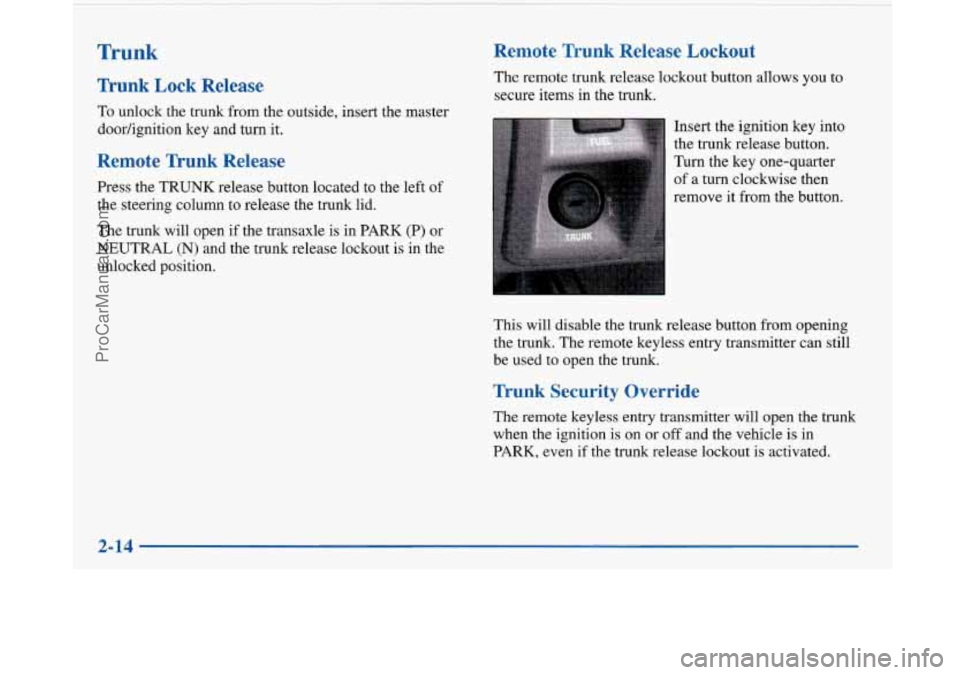
Trunk
Trunk Lock Release
To unlock the trunk from the outside, insert the master
doorhgnition key and turn it.
Remote Trunk Release
Press the TRUNK release button located to the left of
the steering column to release the trunk lid.
The trunk will open if the transaxle
is in PARK (P) or
NEUTRAL (N) and the trunk release lockout
is in the
unlocked position.
Remote Trunk Release Lockout
The remote trunk release lockout button allows you to
secure items in the trunk.
Insert the ignition key into
the trunk release button.
Turn the key one-quarter
of
a turn clockwise then
remove it from the button.
This will disable the trunk release button from opening
the trunk. The remote keyless entry transmitter can still
be used to open the trunk.
Trunk Security Override
The remote keyless entry transmitter will open the trunk
when the ignition is on or off and the vehicle
is in
PARK, even if the trunk release lockout is activated.
I
2-14
ProCarManuals.com