Page 79 of 240
Heating and Cooling
How to Use the System
This section covers the best way to use the system for ventilation,cooling, dehumidifying, defrosting
and heating. In most cases, the mode
and air source selections are only
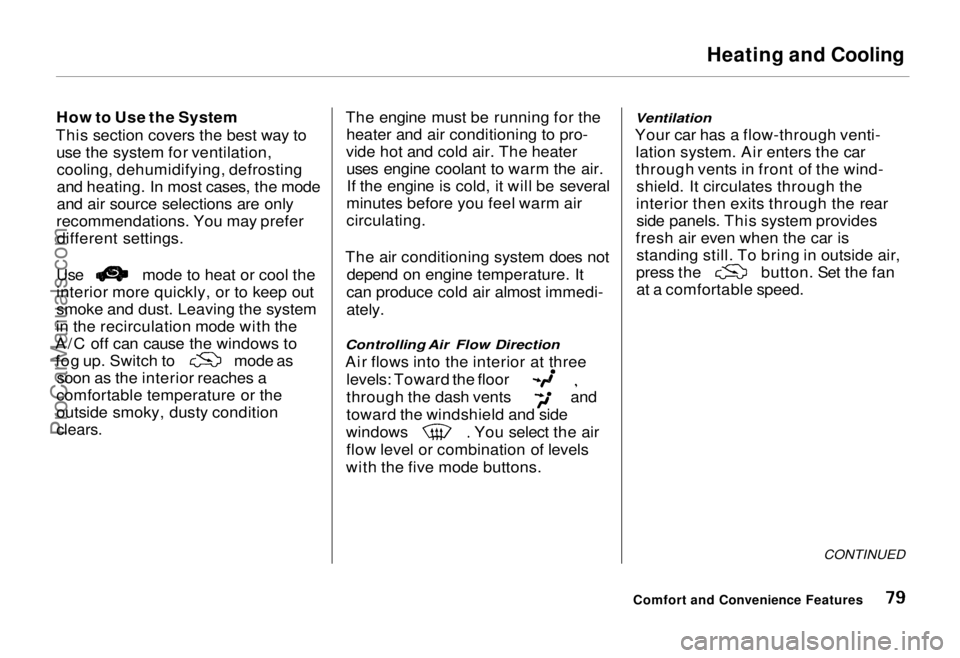
recommendations. You may prefer different settings. Use mode to heat or cool the
interior more quickly, or to keep out
smoke and dust. Leaving the system
in the recirculation mode with the
A/C off can cause the windows to fog up. Switch to
mode as
soon as the interior reaches a
comfortable temperature or the
outside smoky, dusty condition
clears.
The engine must be running for the
heater and air conditioning to pro-
vide hot and cold air. The heater uses engine coolant to warm the air.If the engine is cold, it will be several
minutes before you feel warm air
circulating.
The air conditioning system does not depend on engine temperature. It
can produce cold air almost immedi-
ately.
Controlling Air Flow Direction
Air flows into the interior at three
levels: Toward the floor
through the dash vents and
toward the windshield and side
windows You select the air
flow level or combination of levels
with the five mode buttons.
Ventilation
Your car has a flow-through venti- lation system. Air enters the car
through vents in front of the wind-shield. It circulates through the
interior then exits through the rear side panels. This system provides
fresh air even when the car is standing still. To bring in outside air, press the button. Set the fan
at a comfortable speed.
CONTINUED
Comfort and Convenience FeaturesProCarManuals.comMain Menu Table of Contents s t
Page 82 of 240
Heating and Cooling
To Defog and Defrost
To remove fog from the inside of the windows:
1. Switch the fan on.
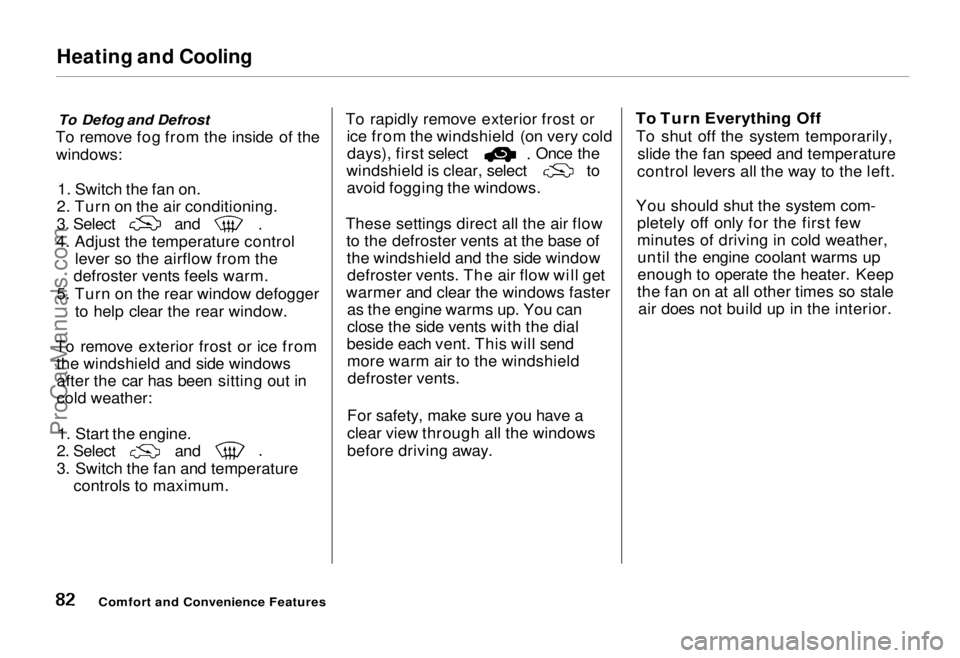
2. Turn on the air conditioning. 3. Select and
4. Adjust the temperature control lever so the airflow from the
defroster vents feels warm.
5. Turn on the rear window defogger to help clear the rear window.
To remove exterior frost or ice from the windshield and side windowsafter the car has been sitting out in
cold weather:
1. Start the engine. 2. Select and
3. Switch the fan and temperature
controls to maximum. To rapidly remove exterior frost or
ice from the windshield (on very cold days), first select Once the
windshield is clear, select to
avoid fogging the windows.
These settings direct all the air flow to the defroster vents at the base ofthe windshield and the side windowdefroster vents. The air flow will get
warmer and clear the windows faster as the engine warms up. You can
close the side vents with the dial
beside each vent. This will send more warm air to the windshielddefroster vents.
For safety, make sure you have a
clear view through all the windows
before driving away.
To Turn Everything Off
To shut off the system temporarily, slide the fan speed and temperature
control levers all the way to the left.
You should shut the system com- pletely off only for the first few
minutes of driving in cold weather,until the engine coolant warms up
enough to operate the heater. Keep
the fan on at all other times so stale air does not build up in the interior.
Comfort and Convenience FeaturesProCarManuals.comMain Menu Table of Contents s t
Page 84 of 240
Audio System
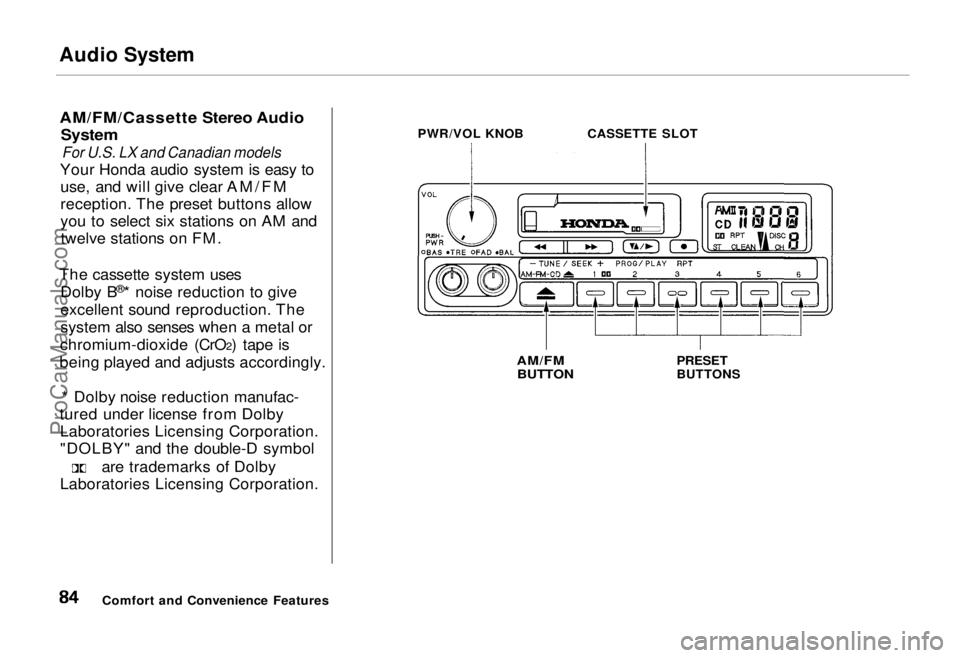
AM/FM/Cassette Stereo Audio
System
For U.S. LX and Canadian models
Your Honda audio system is easy to use, and will give clear AM/FM
reception. The preset buttons allow
you to select six stations on AM andtwelve stations on FM.
The cassette system uses Dolby B ®
* noise reduction to give
excellent sound reproduction. The
system also senses when a metal or
chromium-dioxide (CrO2) tape is
being played and adjusts accordingly.
* Dolby noise reduction manufac-
tured under license from Dolby Laboratories Licensing Corporation.
"DOLBY" and the double-D symbol are trademarks of Dolby
Laboratories Licensing Corporation. PWR/VOL KNOB
CASSETTE SLOT
AM/FM
BUTTON
PRESET
BUTTONS
Comfort and Convenience FeaturesProCarManuals.comMain Menu Table of Contents s t
Page 90 of 240
Audio System
Cassette Search Functions
Once a cassette is playing, you can
use the FF, REW, RPT, or SKIP
function to look for desired songs or
passages.
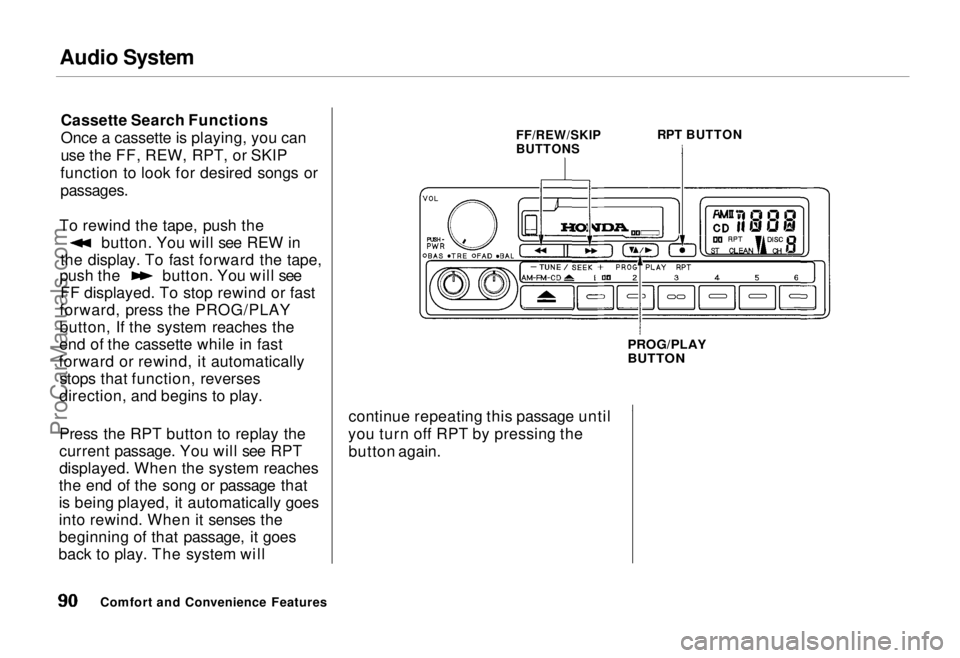
To rewind the tape, push the button. You will see REW in
the display. To fast forward the tape, push the button. You will see
FF displayed. To stop rewind or fast
forward, press the PROG/PLAY
button, If the system reaches the
end of the cassette while in fast
forward or rewind, it automatically stops that function, reverses
direction, and begins to play.
Press the RPT button to replay the
current passage. You will see RPT
displayed. When the system reaches
the end of the song or passage that
is being played, it automatically goes
into rewind. When it senses the
beginning of that passage, it goes
back to play. The system will FF/REW/SKIP
BUTTONS
RPT BUTTON
PROG/PLAY
BUTTON
continue repeating this passage until
you turn off RPT by pressing the button again.
Comfort and Convenience FeaturesProCarManuals.comMain Menu Table of Contents s t
Page 91 of 240
Audio System
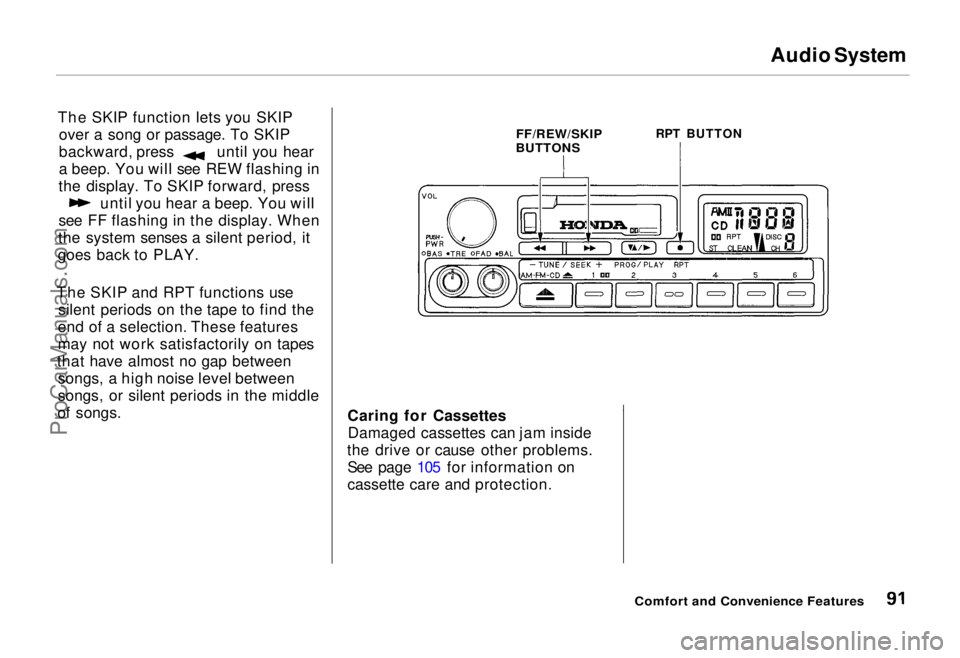
The SKIP function lets you SKIP over a song or passage. To SKIP backward, press until you hear
a beep. You will see REW flashing in
the display. To SKIP forward, press until you hear a beep. You will
see FF flashing in the display. When
the system senses a silent period, it
goes back to PLAY.
The SKIP and RPT functions use silent periods on the tape to find the
end of a selection. These features
may not work satisfactorily on tapes
that have almost no gap between songs, a high noise level between
songs, or silent periods in the middle
of songs.
FF/REW/SKIP
BUTTONS
RPT BUTTON
Caring for Cassettes Damaged cassettes can jam inside
the drive or cause other problems. See page 105 for information on
cassette care and protection.
Comfort and Convenience FeaturesProCarManuals.comMain Menu Table of Contents s t
Page 92 of 240
Audio System
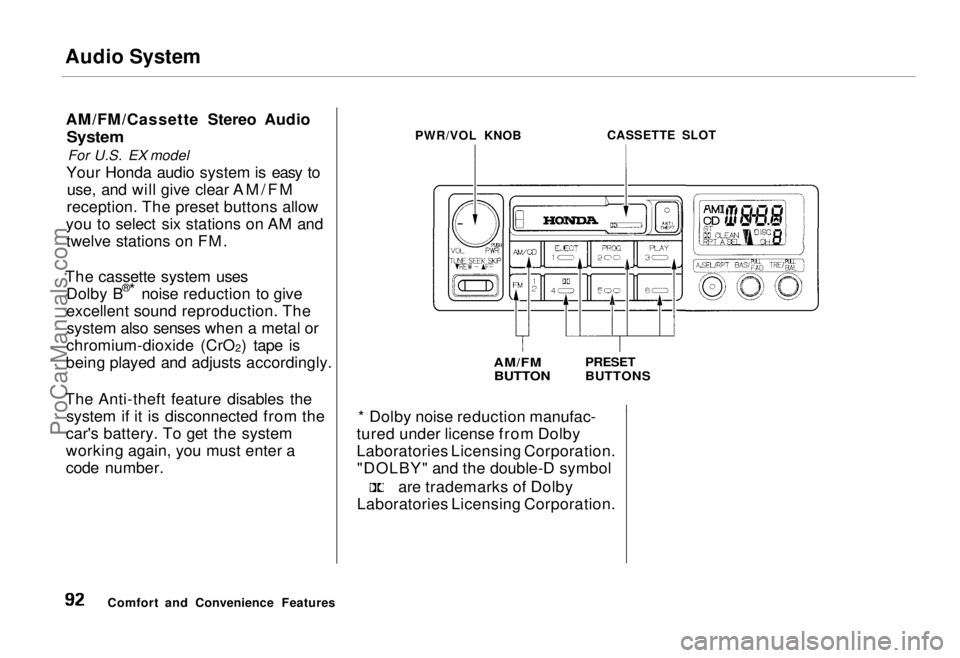
AM/FM/Cassette Stereo Audio
System
For U.S. EX model
Your Honda audio system is easy to use, and will give clear AM/FM
reception. The preset buttons allow
you to select six stations on AM and twelve stations on FM.
The cassette system uses Dolby B ®
*
noise reduction to give
excellent sound reproduction. The system also senses when a metal or
chromium-dioxide (CrO 2) tape is
being played and adjusts accordingly.
The Anti-theft feature disables the system if it is disconnected from the
car's battery. To get the system
working again, you must enter a
code number. PWR/VOL KNOB
CASSETTE SLOT
AM/FM
BUTTON
PRESET
BUTTONS
* Dolby noise reduction manufac-
tured under license from Dolby
Laboratories Licensing Corporation. "DOLBY" and the double-D symbol are trademarks of Dolby
Laboratories Licensing Corporation.
Comfort and Convenience FeaturesProCarManuals.comMain Menu Table of Contents s t
Page 93 of 240
Audio System
Operating the Radio
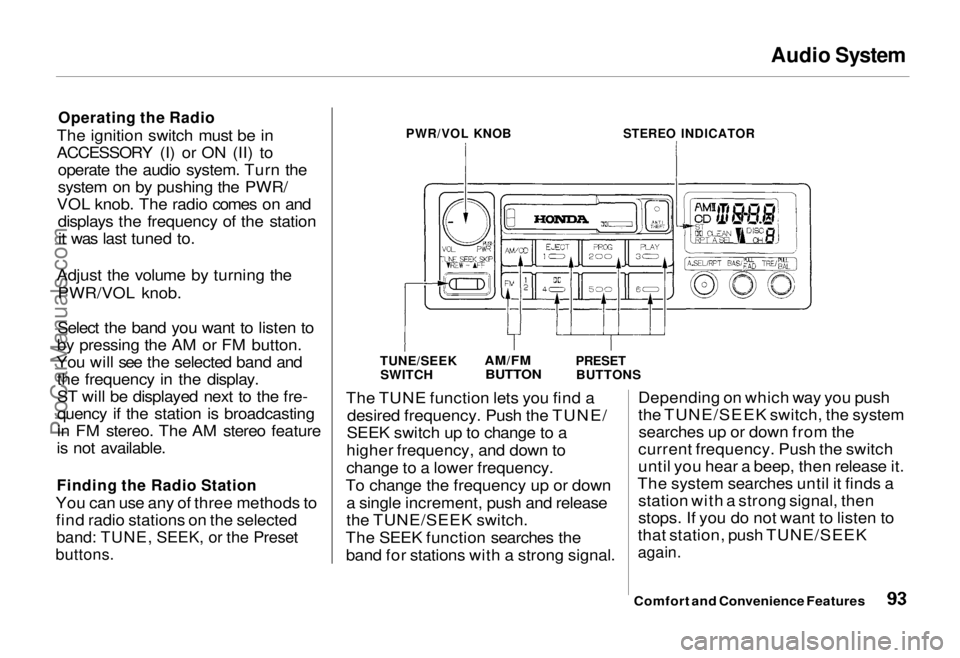
The ignition switch must be in
ACCESSORY (I) or ON (II) to operate the audio system. Turn the
system on by pushing the PWR/
VOL knob. The radio comes on and displays the frequency of the stationit was last tuned to.
Adjust the volume by turning the PWR/VOL knob.
Select the band you want to listen to
by pressing the AM or FM button.
You will see the selected band and the frequency in the display.
ST will be displayed next to the fre-
quency if the station is broadcasting
in FM stereo. The AM stereo feature
is not available.
Finding the Radio Station
You can use any of three methods to find radio stations on the selected
band: TUNE, SEEK, or the Preset
buttons.
PWR/VOL KNOB
STEREO INDICATOR
TUNE/SEEK SWITCH
AM/FM
BUTTON
PRESET
BUTTONS
The TUNE function lets you find a desired frequency. Push the TUNE/
SEEK switch up to change to a
higher frequency, and down to
change to a lower frequency.
To change the frequency up or down a single increment, push and release
the TUNE/SEEK switch.
The SEEK function searches the band for stations with a strong signal. Depending on which way you push
the TUNE/SEEK switch, the system
searches up or down from the
current frequency. Push the switch
until you hear a beep, then release it.
The system searches until it finds a station with a strong signal, then
stops. If you do not want to listen to
that station, push TUNE/SEEK
again.
Comfort and Convenience FeaturesProCarManuals.comMain Menu Table of Contents s t
Page 94 of 240
Audio System
Presetting
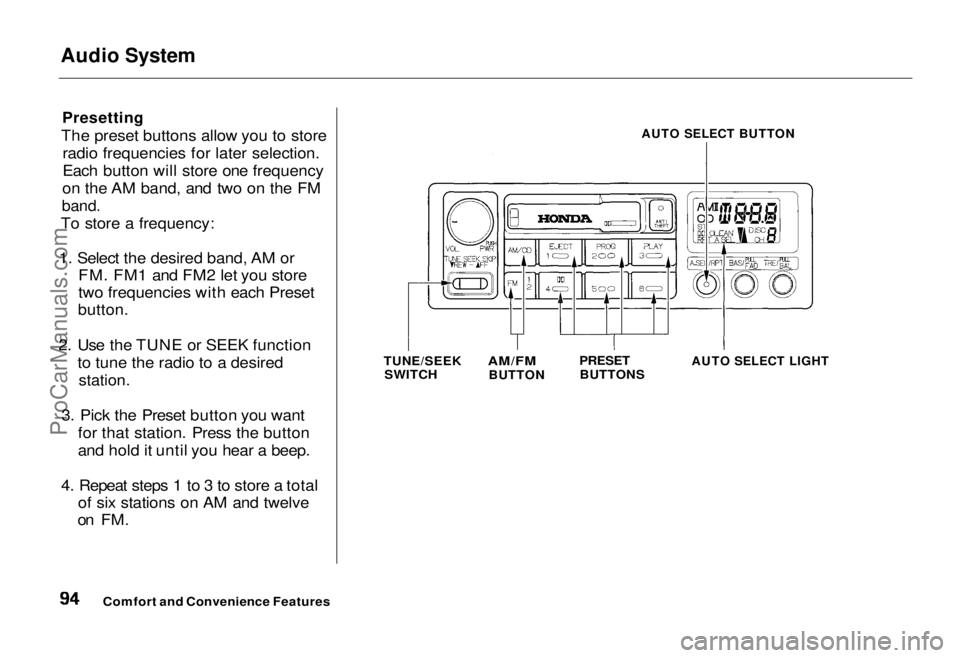
The preset buttons allow you to store radio frequencies for later selection.
Each button will store one frequency
on the AM band, and two on the FM
band.
To store a frequency:
1. Select the desired band, AM or FM. FM1 and FM2 let you store
two frequencies with each Preset
button.
2. Use the TUNE or SEEK function to tune the radio to a desired
station.
3. Pick the Preset button you want for that station. Press the button
and hold it until you hear a beep.
4. Repeat steps 1 to 3 to store a total of six stations on AM and twelve
on FM.
AUTO SELECT BUTTON
TUNE/SEEK SWITCH
AM/FM
BUTTON
PRESET
BUTTONS
AUTO SELECT LIGHT
Comfort and Convenience FeaturesProCarManuals.comMain Menu Table of Contents s t