1995 CHEVROLET S10 lock
[x] Cancel search: lockPage 103 of 354

Downloaded from www.Manualslib.com manuals search engine You will see this light flash for a few seconds when you turn your ignition
to RUN or START. Then the light should go out. This means the system is
ready.
If the air bag readiness light doesn’t come
on when you start your vehicle,
or stays on, or comes
on when you are driving, your air bag system may not
work properly. Have your vehicle serviced right away.
Brake System Warning Light
-1
BRAKE
Your vehicle’s hydraulic brake system is divided into two parts. If one part
isn’t working, the other part can still work and stop you. For good braking,
though, you need both parts working well.
Your vehicle also has rear-wheel or four-wheel anti-lock brakes. See
“Anti-Lock Brakes” in the Index. If the warning light comes on, there could
be a brake problem with either your regular or rear-wheel anti-lock brakes,
or both. Have your brake system inspected right away.
This light should come
on briefly as you start the vehicle. If it doesn’t come
on then, have it fixed
so it will be ready to warn you if there’s a problem.
If the light comes on while you are driving, pull off the road and stop
carefully. You may notice that the pedal is harder
to push. Or, the pedal may
go closer to the floor. It may take longer to stop. If the light
is still on, have
the vehicle towed for service. (See “Towing Your Vehicle” in the Index.)
2-58
Page 104 of 354
Downloaded from www.Manualslib.com manuals search engine The brake system warning light will also come on when you set your
parking brake, and it will stay on if your parking brake doesn’t release fully.
If it stays on after your parking brake is fully released, it means you have a
brake problem.
Anti-Lock Brake System Warning Light (Option)
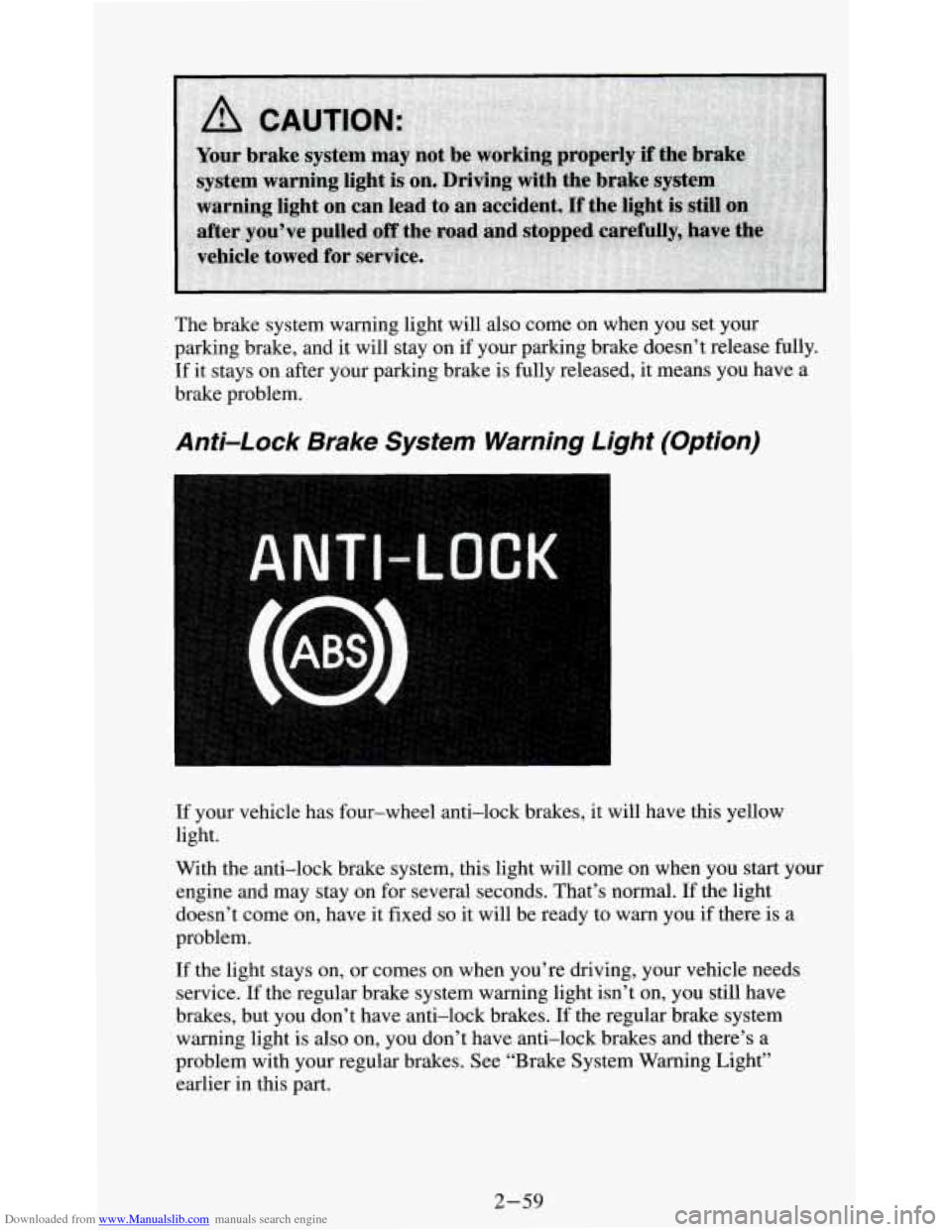
If your vehicle has four-wheel anti-lock brakes, it will have this yellow
light.
With the anti-lock brake system, this light will come on when you
start your
engine and may stay on for several seconds. That’s normal. If the light
doesn’t come
on, have it fixed so it will be ready to warn you if there is a
problem.
If the light stays on, or comes on when you’re driving, your vehicle needs
service. If the regular brake system warning light isn’t on, you still have
brakes, but you don’t have anti-lock brakes. If the regular brake system
warning light is also
on, you don’t have anti-lock brakes and there’s a
problem with your regular brakes. See “Brake System Warning Light”
earlier in this part.
2-59
Page 113 of 354
Downloaded from www.Manualslib.com manuals search engine Trailer Wiring Harness
Your vehicle may have either a 5-wire or 7-wire harness.
The 5-wire harness is stored under your vehicle, along the left rear frame
crossmember. The harness has no connector, and you should have a
qualified service person wire your harness for you. Be sure you leave it
loose enough
so the wiring doesn’t bend or break, but not so loose that it
drags on the ground.
Store the harness in its original place. Wrap the harness together and tie it
neatly
so it won’t be damaged.
The 7-wire is stored under your vehicle along the rear frame crossmember.
This harness has a
30 Amp. in-line fused battery feed wire and no
connector, and should be wired by
a qualified service person. Attach the
harness to the trailer, then tape or strap
it to your vehicle’s frame rail. Be
sure you leave it loose enough
so the wiring doesn’t bend or break, but not
so loose that it drags on the ground.
Store the harness in its original place. Wrap the harness together and tie it
neatly
so it won’t be damaged.
The fuse for trailer wiring is in-line and located in left front side panel
electrical block.
2-68
Page 114 of 354
Downloaded from www.Manualslib.com manuals search engine Comfort Controls & Audio Systems
Section
In this section you'll find out how to operate the comfort control systems
and audio systems offered with your vehicle. Be sure to read about the
particular system supplied with your vehicle.
Comfort Controls
Heater Controls
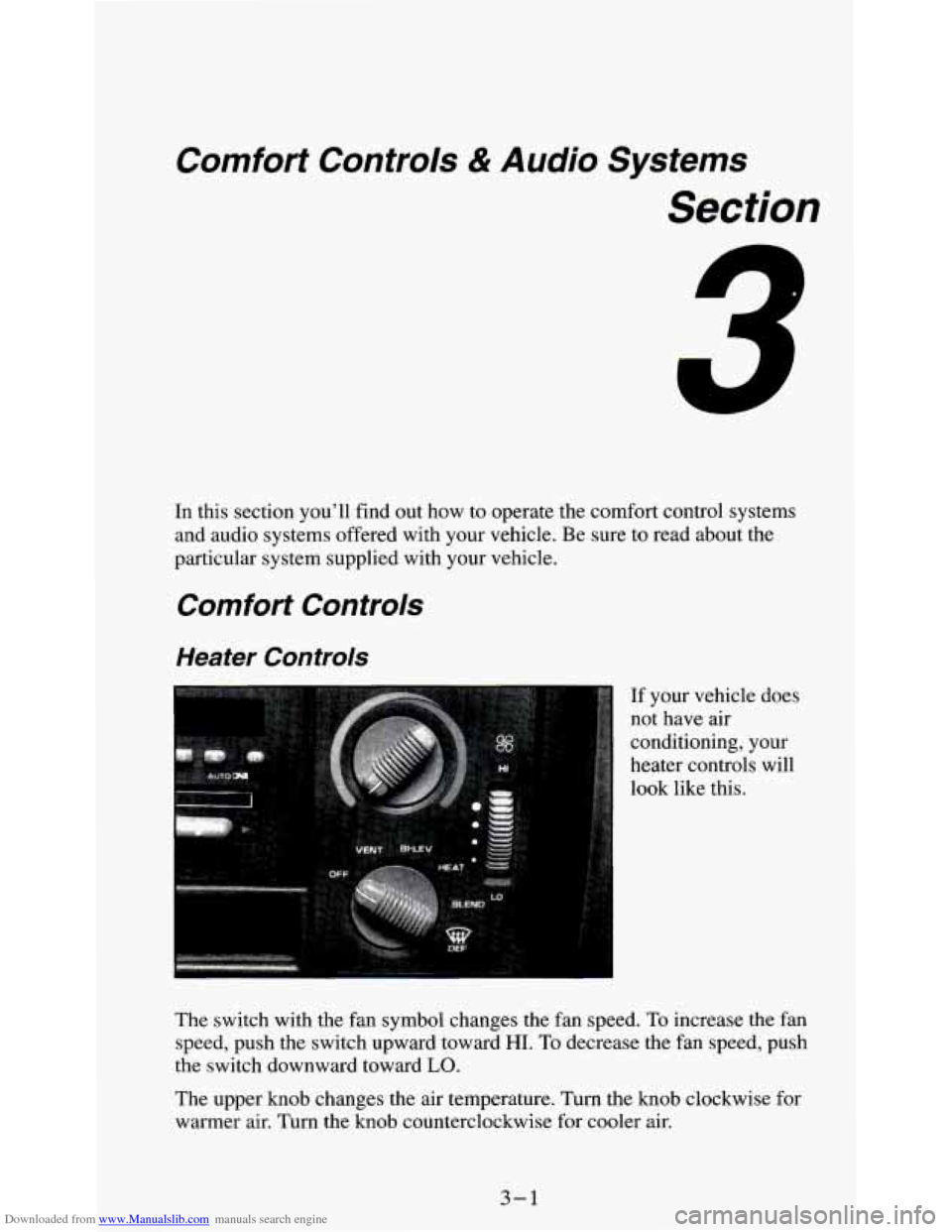
If your vehicle does
not have air
conditioning, your
heater controls will
look like this.
The switch with the fan symbol changes the fan speed.
To increase the fan
speed, push the switch upward toward
HI. To decrease the fan speed, push
the switch downward toward
LO.
The upper knob changes the air temperature. Turn the knob clockwise for
warmer air. Turn the knob counterclockwise for cooler air.
3-1
Page 115 of 354
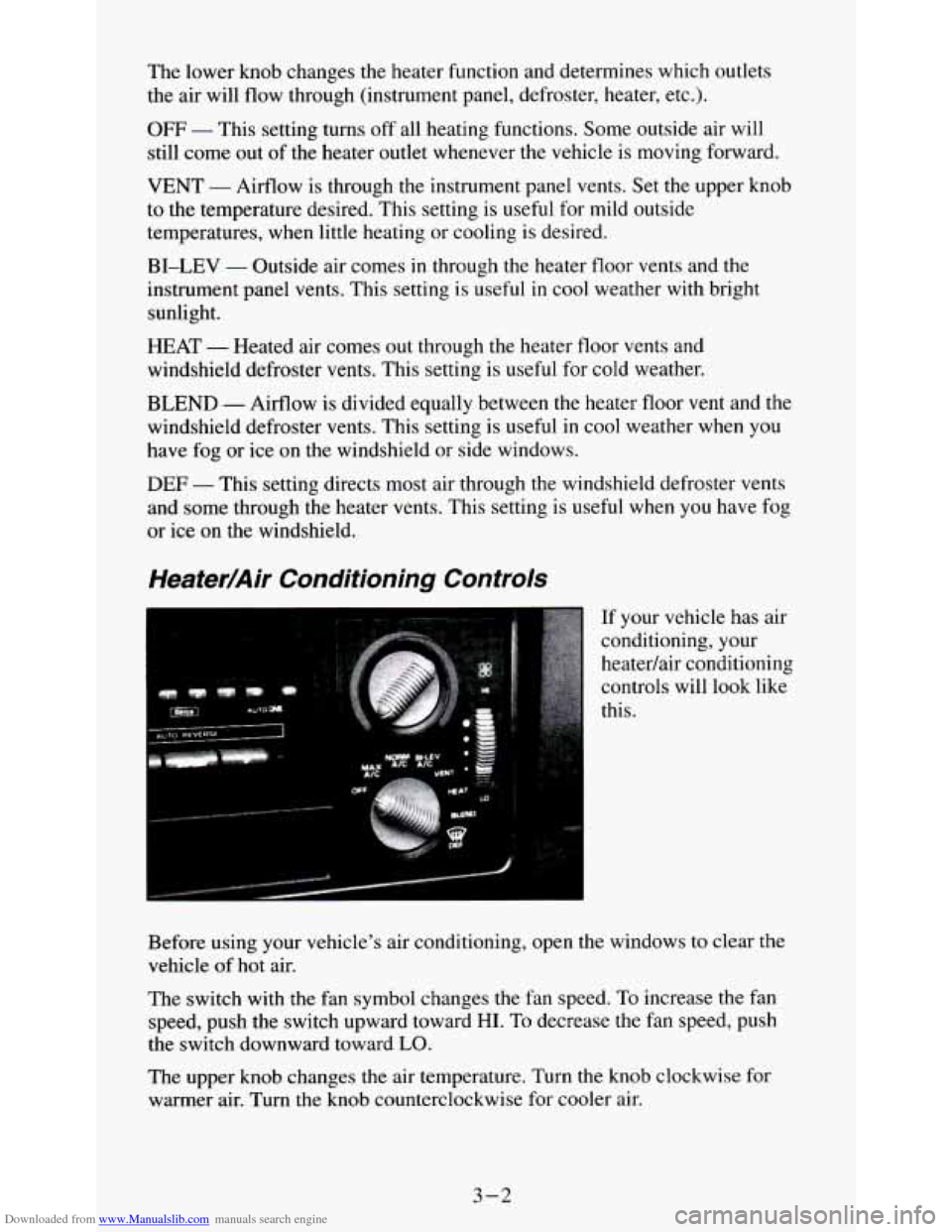
Downloaded from www.Manualslib.com manuals search engine The lower knob changes the heater function and determines which outlets
the air will flow through (instrument panel, defroster, heater, etc.).
OFF - This setting turns off all heating functions. Some outside air will
still come out of the heater outlet whenever the vehicle is moving forward.
VENT - Airflow is through the instrument panel vents. Set the upper knob
to the temperature desired. This setting is useful for mild outside
temperatures, when little heating or cooling is desired.
BI-LEV - Outside air comes in through the heater floor vents and the
instrument panel vents. This setting is useful
in cool weather with bright
sunlight.
HEAT
- Heated air comes out through the heater floor vents and
windshield defroster vents. This setting is useful for cold weather.
BLEND - Airflow is divided equally between the heater floor vent and the
windshield defroster vents. This setting is useful
in cool weather when you
have fog
or ice on the windshield or side windows.
DEF - This setting directs most air through the windshield defroster vents
and some through the heater vents. This setting
is useful when you have fog
or ice on the windshield.
Heater/Air Conditioning Controls
If your vehicle has air
conditioning, your
heatedair conditioning
controls will look like
this.
Before using your vehicle's air conditioning, open the windows to clear the
vehicle of
hot air.
The switch with the fan symbol changes the fan speed. To increase the fan
speed, push the switch upward toward
HI. To decrease the fan speed, push
the switch downward toward
LO.
The upper knob changes the air temperature. Turn the knob clockwise for
warmer air. Turn the knob counterclockwise for cooler air.
3-2
Page 118 of 354
Downloaded from www.Manualslib.com manuals search engine You can move the vents to direct the flow of air, or close the vents
altogether. When you close
a vent, it will increase the flow of air coming out
of any
vents that are open.
Audio Systems
Your Delco@ audio system has been designed to operate easily and give
years of listening pleasure. But you will get the most enjoyment out of it
if
you acquaint yourself with it first. Find out what your Delco@system can do
and how to operate all its controls, to be sure you’re getting the most out of
the advanced engineering that went into it.
Setting the Clock (Audio Systems without a Compact
Disc)
To set the clock:
1. Press the SET button.
2. Within 5 seconds, push and hold SEEK until the correct minute appears
3. Press and hold SCAN until the correct hour appears on the display.
on
the display.
To display the clock with the ignition off, push the upper knob. The time
will be displayed for a few seconds.
Setting the Clock (Audio Systems with a Compact
Disc)
To set the clock:
1. Press the SET button. The radio may be on or off.
2. Within 5 seconds, press and hold either SEEK or 4 SEEK until the
3. Press and hold SCAN until the correct hour appears on the display.
correct
minute appears on the display.
3-5
Page 119 of 354
Downloaded from www.Manualslib.com manuals search engine How to Operate Your ETW AM-FM Stereo Audio
System
:.*:,.: . .. . ..
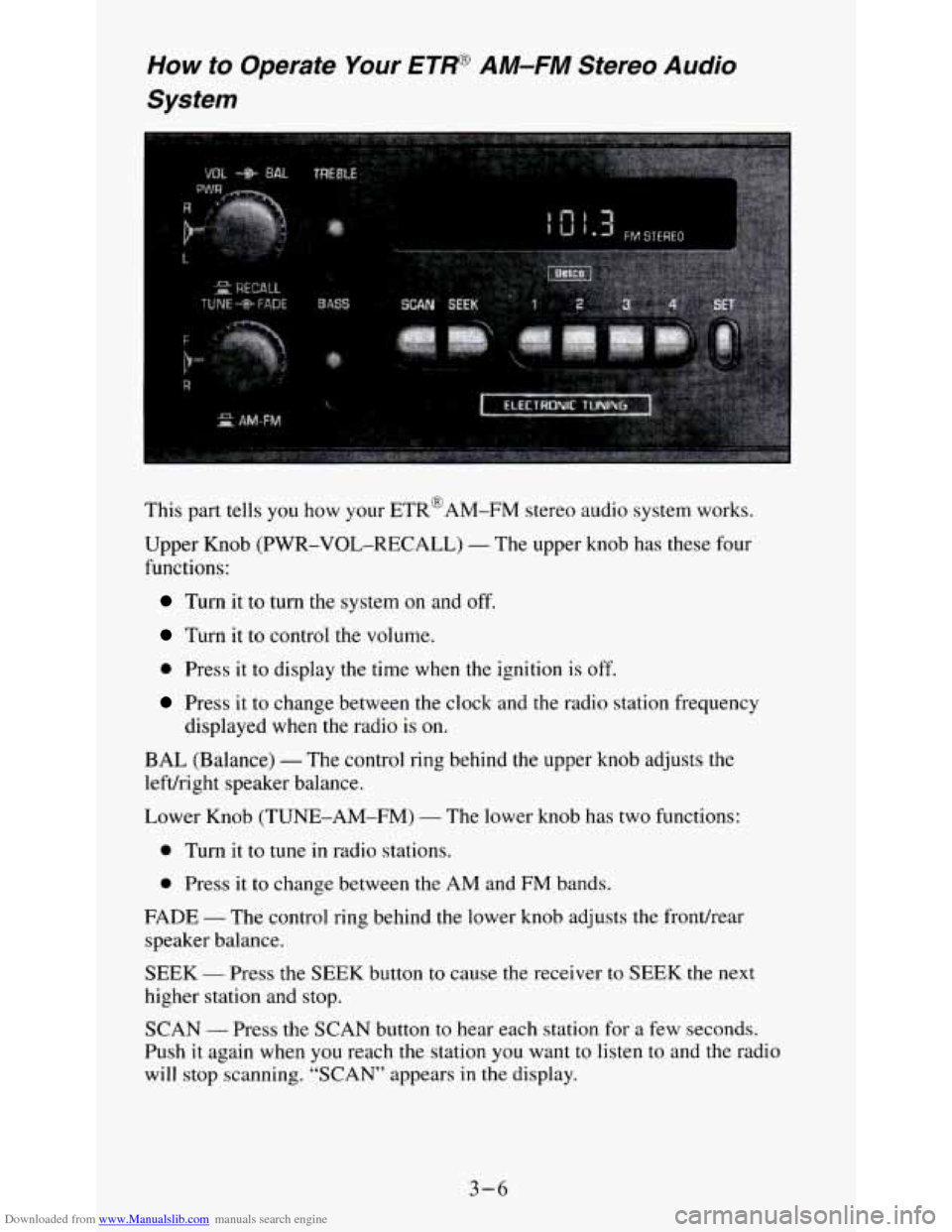
This part tells you how your ETR@AM-FM stereo audio system works.
Upper Knob (PWR-VOL-RECALL)
- The upper knob has these four
functions:
Turn it to turn the system on and off.
Turn it to control the volume.
0 Press it to display the time when the ignition is off.
Press it to change between the clock and the radio station frequency
displayed when the radio is on.
BAL (Balance) - The control ring behind the upper knob adjusts the
lefvright speaker balance.
Lower Knob (TUNE-AM-FM)
- The lower knob has two functions:
0 Turn it to tune in radio stations.
0 Press it to change between the AM and FM bands.
FADE
- The control ring behind the lower knob adjusts the frondrear
speaker balance.
SEEK
- Press the SEEK button to cause the receiver to SEEK the next
higher station and stop.
SCAN
- Press the SCAN button to hear each station for a few seconds.
Push
it again when you reach the station you want to listen to and the radio
will stop scanning. “SCAN” appears
in the display.
3-6
Page 121 of 354

Downloaded from www.Manualslib.com manuals search engine Upper Knob (PWR-VOL-PROG-RCL) - The upper knob has these five
functions:
0 Turn it to turn the system on and off.
0 Turn it to control the volume.
Press it to display the time when the ignition is off.
Press it to change between the clock and the radio station frequency
0 Press it to change sides of a tape when a cassette is playing.
displayed
when the radio
is on.
BAL (Balance) - The control ring behind the upper knob adjusts the
lefdright speaker balance.
Lower Knob (TUNE-AM-FM)
- The lower knob has two functions:
Turn it to tune in radio stations.
Press it to change between the AM and FM bands.
FADE - The control ring behind the lower knob adjusts the frondrear
speaker balance.
SEEK - Press the SEEK button to cause the receiver to SEEK the next
higher station and stop.
SCAN - Press the SCAN button to hear each station for a few seconds.
Push it again when
you reach the station you want to listen to and the radio
will stop scanning.
“SCAN’ appears in the display.
Pushbuttons
- The four pushbuttons let you return to favorite stations. To
set the pushbuttons for up to fourteen favorite stations
(7 AM and 7 FM):
1. Tune in the desired station.
2. Press the SET button. “SET” appears in the display momentarily.
3. Within 5 seconds, press one of the four pushbuttons to store the station.
Whenever you press that button, the preset station will return.
NOTE:
In addition to the four stations set as above, up to three additional stations
may be preset on each band by pressing two adjoining pushbuttons at the
same time. Then do the following:
1. Tune in the desired station.
2. Push the SET button. “SET” appears in the display momentarily.
3. Within 5 seconds, press any two adjoining pushbuttons at the same
time. (The station will return when the same two buttons are pressed
again.)
3-8