1994 PONTIAC BONNEVILLE CD player
[x] Cancel search: CD playerPage 112 of 290
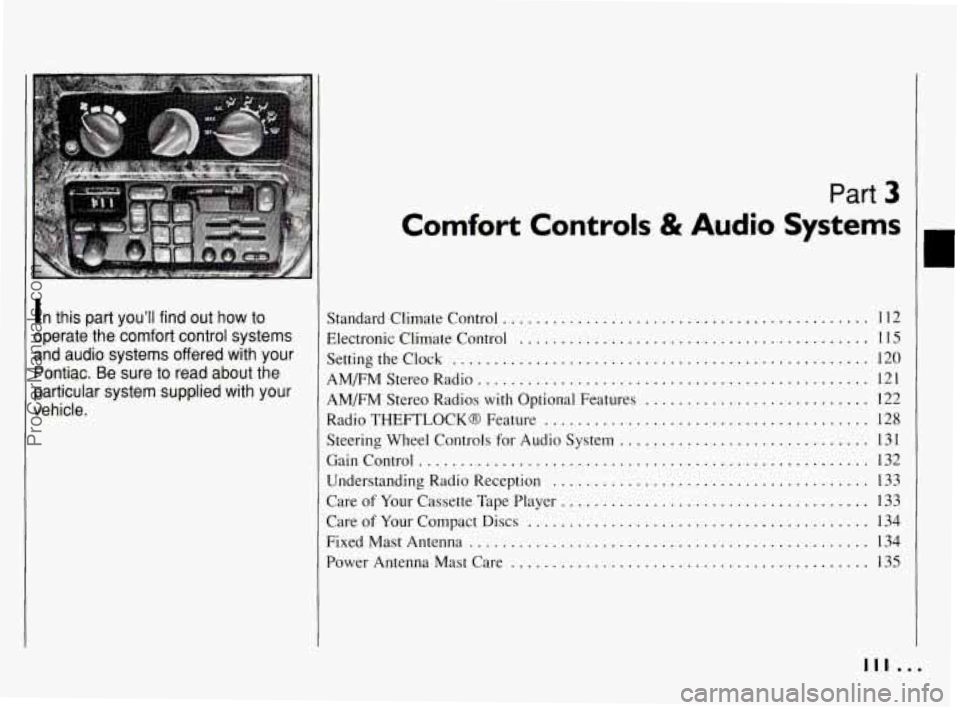
In this part you’ll find out how to
operate the comfort control systems
and audio systems offered with your
Pontiac
. Be sure to read about the
particular system supplied with your
............................................ Standard Climate Control 112
Settingtheclock
.................................................. 120
AM/FM Stereo Radio 121
Electronic
Climate Control
.......................................... 115
AM/FM Stereo Radios
with Optional Features ........................... 122
Radio
THEFTLOCK8 Feature ....................................... 128
Steering Wheel Controls for Audio System
.............................. 131
Gaincontrol
.................................................... 132
Understanding Radio Reception
........ ....................... 133
Care
of Your Cassette Tape Player ....... ....................... 133
Care of Your Compact Discs ......................................... 134
Power Antenna Mast Care
.......... .............................. 135
...............................................
FixedMastAntenna ................................................ 134
111 .I
ProCarManuals.com
Page 121 of 290
Comfort Controls 8i Audio Systems
Audio Systems (CONT.)
NOTICE: c’
Before you add any sound
equipment to your vehicle
-- like a
tape player,
CB radio, mobile
telephone or two-way radio
-- be
sure you can add what you want.
If
you can, it’s very important to do it
properly. Added sound equipment
may interfere with the operation
of
your vehicle’s engine, Delco@ radio
or other systems, and even damage
them. And, your vehicle’s systems
may interfere with the operation
of
sound equipment that has been
added improperly.
So, before adding sound equipment,
check with your dealer and be sure
to check Federal rules covering
mobile radio and telephone units.
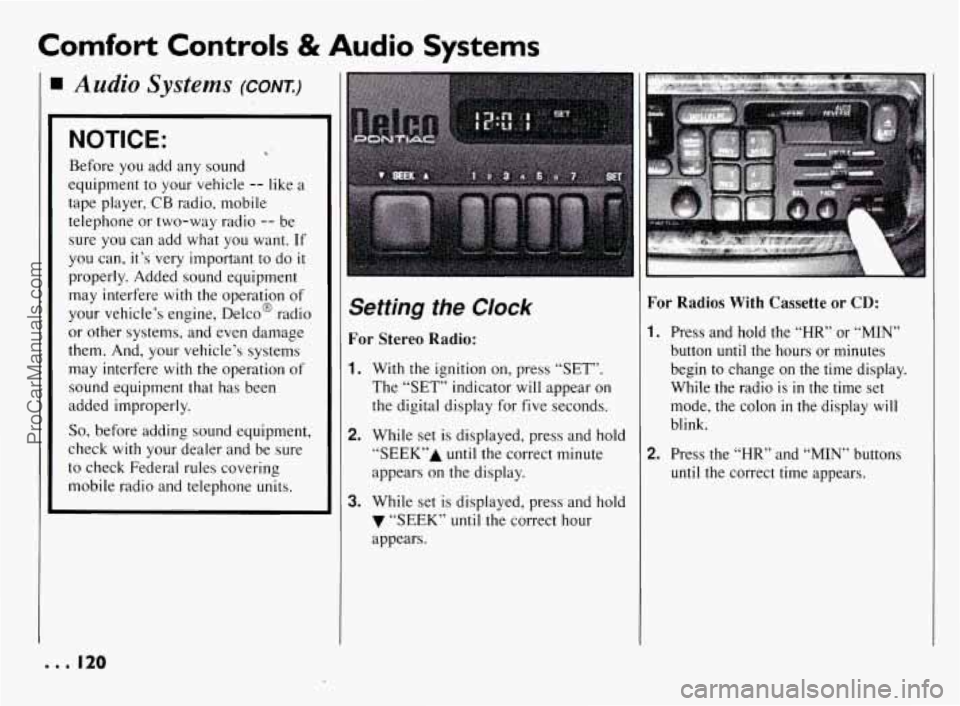
Setting the Clock
For Stereo Radio:
1. With the ignition on, press “SET”.
The “SET” indicator will appear on
the digital display for five seconds.
2. While set is displayed, press and hold
“SEEK7’A until the correct minute
appears on the display.
3. While set is displayed, press and hold
7 “SEEK” until the correct hour
appears.
For Radios With Cassette or CD:
I. Press and hold the “HR” or “MIN”
button until the hours or minutes
begin to change on the time display.
While the radio is
in the time set
mode, the colon
in the display will
blink.
2. Press the “HR” and “MIN” buttons
until the correct time appears.
e.. I20
ProCarManuals.com
Page 123 of 290
Comfort Controls & Audio Systems
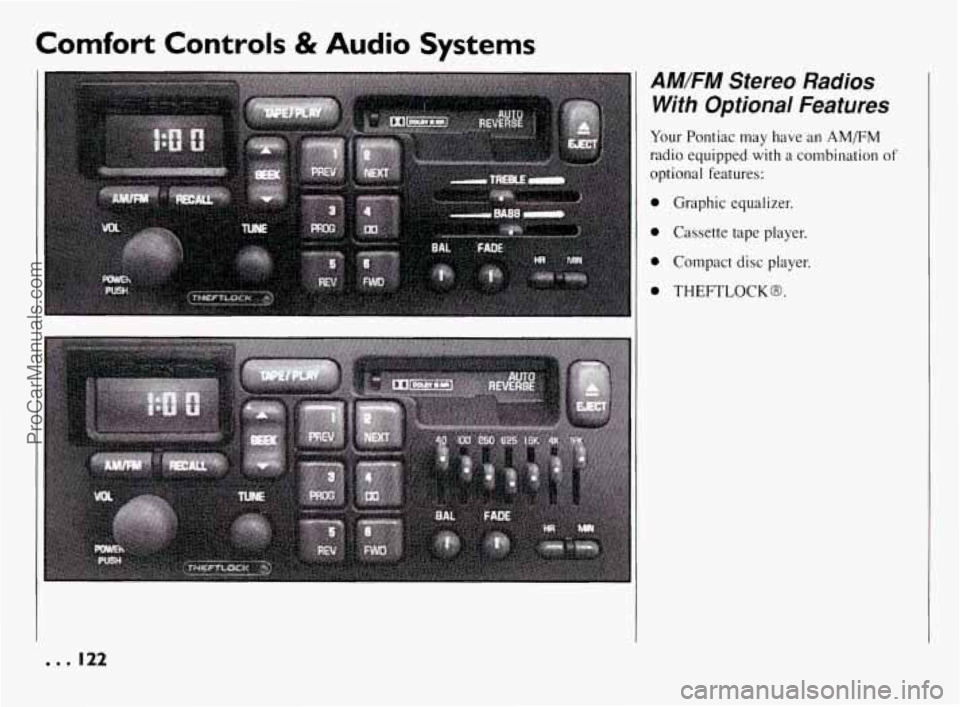
AM/FM Stereo Radios
With Optional Features
Your Pontiac may have an AM/FM
radio equipped with a combination of
optional features:
0 Graphic equalizer.
0 Cassette tape player.
0 Compact disc player.
0 THEFTLOCK@.
--. 122
ProCarManuals.com
Page 126 of 290
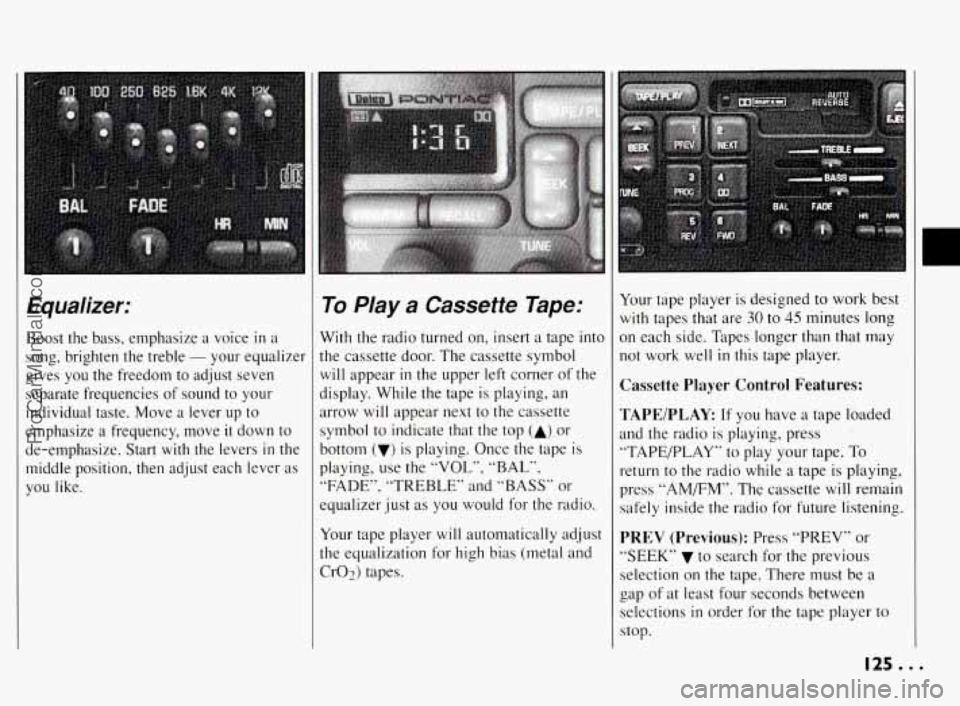
Equalizer:
Boost the bass, emphasize a voice in a
song, brighten the treble
- your equalizer
gives you the freedom to adjust seven
separate frequencies of sound to your
individual taste. Move a lever up to
emphasize a frequency, move
it down to
de-emphasize. Start
with the levers in the
middle position, then adjust each lever as
you like.
To Play a Cassette Tape:
With the radio turned on, insert a tape into
the cassette door. The cassette symbol
will appear in the upper left corner of the
display. While the tape is playing, an
arrow will appear next to the cassette
symbol to indicate that the top
(A) or
bottom
(v) is playing. Once the tape is
playing, use the
“VOL”, “BAL”,
“FADE”, “TREBLE” and “BASS” or
equalizer just as you would for the radio.
Your tape player will automatically adjust
the equalization
for high bias (metal and
Cr02) tapes. Your
tape player is designed to work best
with tapes that are 30 to 45 minutes long
In each side. Tapes longer than that may
lot work well
in this tape player.
Cassette Player Control Features:
TAPEIPLAY
If you have a tape loaded
md the radio is playing, press
‘TAPE/PLAY”
to play your tape. To
-eturn to the radio while a tape is playing,
Jress “AMEM”. The cassette will remain
;afely inside the radio for future listening.
PREV (Previous): Press “PREV” or
‘SEEK”
v to search for the previous
;election on the tape. There must be a
zap of at least four seconds between
;elections
in order for the tape player to
stop.
125.. .
ProCarManuals.com
Page 127 of 290
Comfort Controls & Audio Systems
AM/FM Stereo Radios With Optional Features:
(CONE)
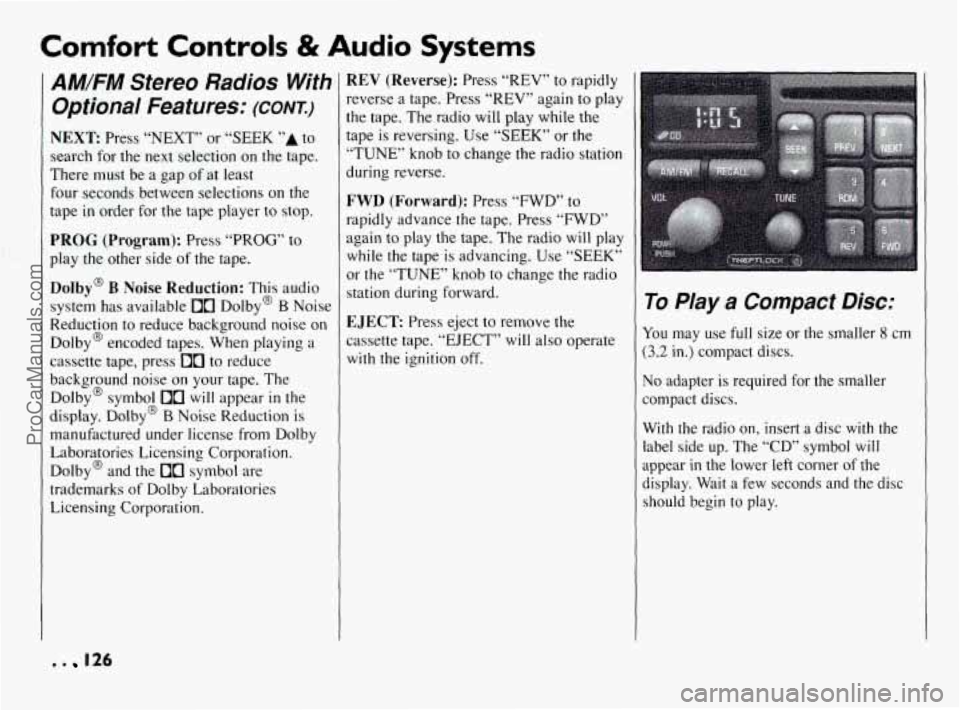
NEXT Press “NEXT” or “SEEK ’’A to
search for the next selection on the tape.
There must be a gap of at least
four seconds between selections
on the
tape
in order for the tape player to stop.
PROG (Program): Press “PROG” to
play the other side of the tape.
Dolby@ B Noise Reduction: This audio
system has available
10 Dolby@ B Noise
Reduction to reduce background noise on
Dolby@ encoded tapes. When playing a
cassette tape, press
[10 to reduce
background noise on your tape. The
Dolby@ symbol
10 will appear in the
display. Dolby@
B Noise Reduction is
manufactured under license from Dolby
Laboratories Licensing Corporation.
Dolby@ and the
00 symbol are
trademarks
of Dolby Laboratories
Licensing Corporation.
REV (Reverse): Press “REV” to rapidly
reverse a tape. Press “REV” again
to play
the tape. The radio will play while the
tape is reversing. Use
“SEEK” or the
“TUNE’ knob to change the radio station
during reverse.
FWD (Forward): Press “FWD” to
rapidly advance the tape. Press “FWD” again to play the tape. The radio
will play
while the tape is advancing. Use “SEEK”
or the “TUNE” knob
to change the radio
station during forward.
EJECT: Press eject to remove the
cassette tape. “EJECT”
will also operate
with the ignition off.
.. .
To PJay a Compact Disc:
You may use full size or the smaller 8 cm
(3.2 in.) compact discs.
No adapter is required for the smaller
compact discs.
With the radio on, insert a disc
with the
label side up. The “CD” symbol
will
appear in the lower left corner of the
display. Wait a few seconds and the disc
should begin to play.
. . 126
ProCarManuals.com
Page 128 of 290
If “ERR” (Error) appears in the display
and the disc ejects, the disc cannot play
temporarily. Check to see
if
0
The disc is upside down.
The disc is dirty, scratched or wet.
There may be too much moisture
in
the air (wait about one hour and try
again).
The road may be too rough for the disc
to play. The disc should play
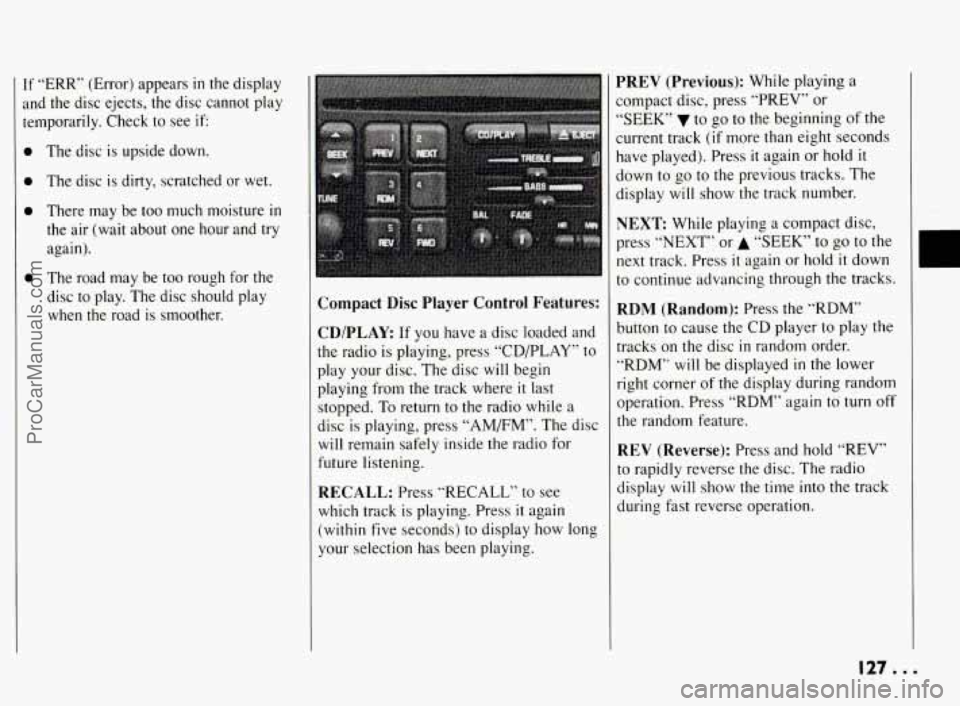
when the road is smoother. Compact Disc Player Control Features:
CD/PLAY
If you have a disc loaded and
the radio
is playing, press “CDPLAY” to
play your disc. The disc will begin
playing from the track where
it last
stopped. To return to the radio while a
disc is playing, press “AM/FM”. The disc
will remain safely inside the radio for
future listening.
RECALL: Press “RECALL” to see
which track is playing. Press
it again
(within five seconds) to display how long
your selection has been playing.
PREV (Previous): While playing a
compact disc, press “PREV” or
*‘SEEK” to go to the beginning
of the
current track
(if more than eight seconds
have played). Press
it again or hold it
down to go to the previous tracks. The
display will show the track number.
NEXT While playing a compact disc,
press
“NEXT” or A “SEEK” to go to the
next track. Press
it again or hold it down
to continue advancing through the tracks.
RDM (Random): Press the “RDM”
button to cause the CD player to play
the
tracks on the disc in random order.
“RDM” will be displayed
in the lower
right corner
of the display during random
operation. Press “RDM” again
to turn off
the random feature.
REV (Reverse): Press and hold “REV”
to rapidly reverse the disc. The radio
display
will show the time into the track
during fast reverse operation.
127...
ProCarManuals.com
Page 134 of 290
Understanding Radio
Reception
FM Stereo
FM Stereo will give you the best sound,
but
FM signals will reach only about
10 to 40 miles (16 to 65 km). Tall
buildings or hills can interfere with
FM signals, causing the sound to come
and go.
AM
The range for most AM stations is greater
than for
FM, especially at night. The
longer range, however, can cause stations
to interfere with each other.
AM can also
pick up noise from things like storms and
power lines. To lower this noise, try
reducing the treble level.
Care of Your Cassette
Tape Player
A tape player that is not cleaned regularly
is subject
to reduced sound quality, ruining
the cassette, or damaging the mechanism.
Tape cassettes that are not properly stored
in their plastic cases away from
contaminants, direct sunlight, and extreme
heat may not operate properly and could
cause premature failure
of the tape player. Your
tape player should be cleaned after
every
50 hours of use, as regular
maintenance.
If you notice a reduction in
sound quality, try a good cassette to see if
the tape or the tape player is at fault.
If the
second cassette results in no improvement
in sound quality, try cleaning the tape
player.
Cleaning may be done with a scrubbing
action, non-abrasive cleaning cassette.
This system uses a cleaning cassette with
pads which scrub the tape head as
the
hubs of the cleaner cassette turn. It is
normal for the cartridge
to eject while
cleaning. Insert the cassette at least
3
times to ensure thorough cleaning. A
scrubbing action cleaning cassette is
available through your Pontiac dealership.
You may also choose a non-scrubbing
action, wet-type cleaner which uses a
cassette with a fabric belt to clean the tape
head. This type of cleaning cassette will
not eject. It may not clean as thoroughly
as the scrubbing type cleaner.
133...
ProCarManuals.com
Page 135 of 290
Comfort Controls & Audio Systems
Cassettes are subject to wear and the
sound quality may degrade over time.
Always verify that the cassette tape is
in
good condition before obtaining service
on your tape player.
Please note that cassette tape adapter kits
for portable
CD players will not work in
your cassette player. These adapter
cassettes will be ejected by
the radio.
Care of Your Compact
Discs
Handle discs carefully. Store them in their
original cases or other protective cases
and away from direct sunlight and dust. If
the surface of a disc is soiled, dampen a
clean, soft cloth
in a mild, neutral
detergent solution and clean
it, wiping
from
the center to the edge.
Be sure never to touch the signal surface
when handling discs. Pick up discs by
grasping
the outer edges or the edge of
the hole and the outer edge.
Fixed Mast Antenna
The fixed mast antenna can withstand
most car washes without being damaged.
If the mast should ever become slightly
bent, you can straighten
it out by hand. If
the mast is badly bent, as
it might be by
vandals, you should replace it.
Check every once
in a while to be sure
the mast
is still tightened to the fender.
ProCarManuals.com