1994 PONTIAC BONNEVILLE parking brake
[x] Cancel search: parking brakePage 62 of 290
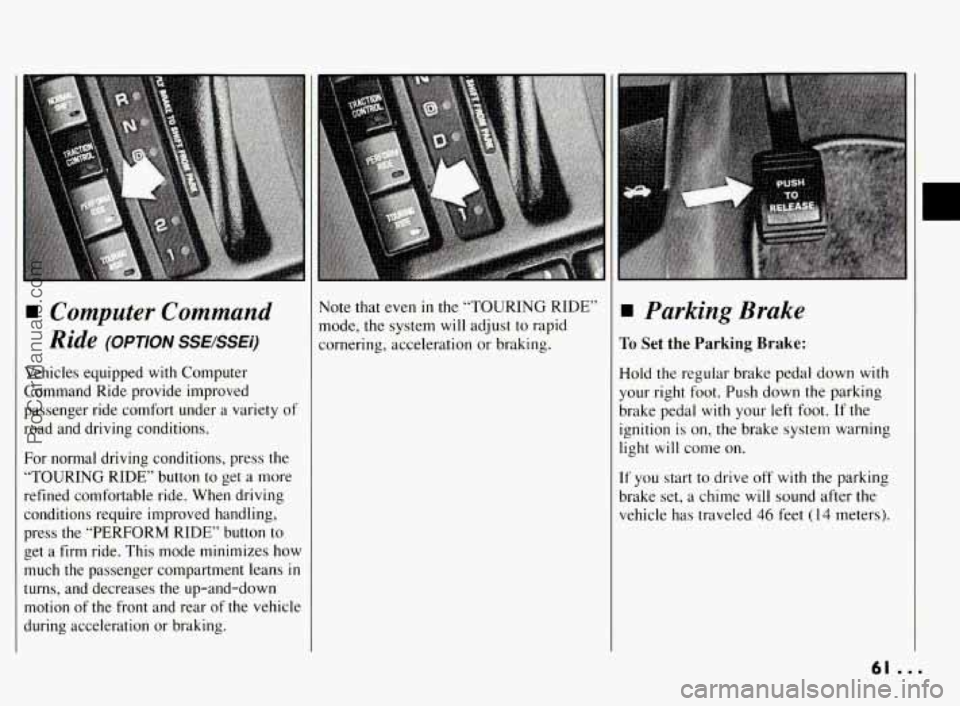
Computer Command
Ride
(OPTION SSEBSEi)
Vehicles equipped with Computer
Command Ride provide improved
passenger ride comfort under
a variety of
road and driving conditions.
For normal driving conditions, press the
“TOURING RIDE” button
to get a more
refined comfortable ride. When driving
conditions require improved handling,
press the “PERFORM RIDE” button to
get a
firm ride. This mode minimizes how
much the passenger compartment leans
in
turns, and decreases the up-and-down
motion of the front and rear of the vehicle
during acceleration or braking. Note that even
in the
“TOURING RIDE”
mode, the system
will adjust to rapid
cornering, acceleration or braking. Parking Brake
To Set the Parking Brake:
Hold the regular brake pedal down with
your right foot. Push down the parking
brake pedal with
your left foot. If the
ignition is on, the brake system warning
light
will come on.
If you start to drive off with the parking
brake set, a chime will sound after the
vehicle has traveled
46 feet (14 meters).
r
61 ...
ProCarManuals.com
Page 63 of 290
Features & Controls
Parking Brake (CONT.)
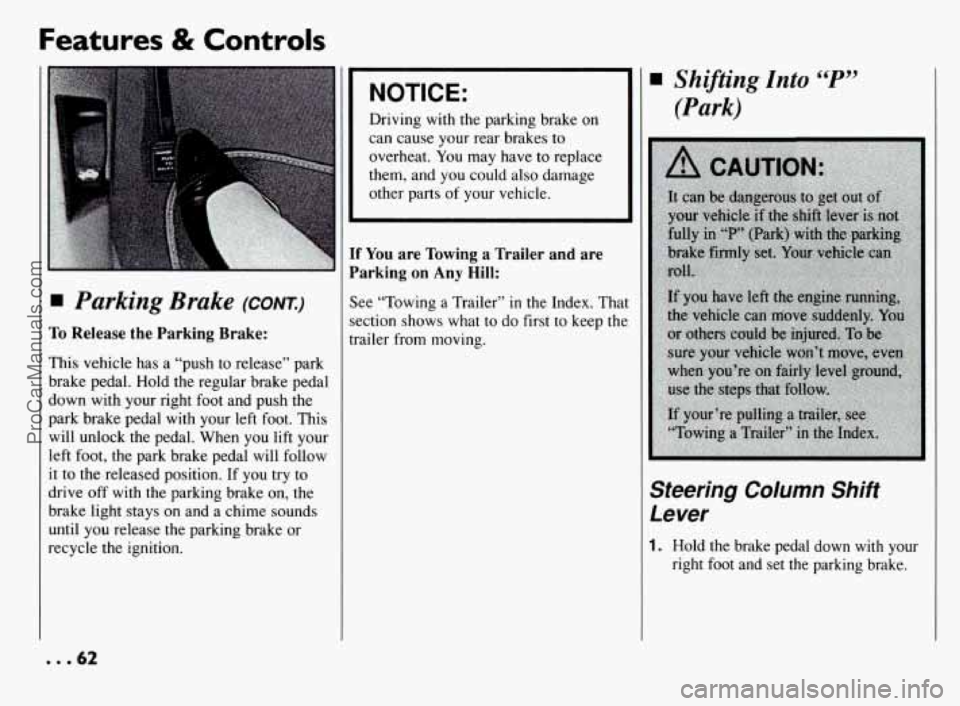
To Release the Parking Brake:
This vehicle has a “push to release” park
brake pedal. Hold the regular brake pedal
down with your right foot and push the
park brake pedal with your left foot. This
will unlock the pedal. When you lift your
left foot, the park brake pedal will follow
it to the released position. If you try to
drive
off with the parking brake on, the
brake light stays on and a chime sounds
until you release the parking brake or
recycle the ignition.
NOTICE:
Driving with the parking brake on
can cause your rear brakes to
overheat. You may have
to replace
them, and you could also damage
other parts
of your vehicle.
F You are Towing a Trailer and are
larking
on Any Hill:
ee “Towing a Trailer” in the Index. Tha
xtion shows what
to do first to keep the
+ailer from moving.
Shijiting Into “P”
(Park)
Steering Column Shift
Lever
1. Hold the brake pedal down with your
right foot and set the parking brake.
... 62
ProCarManuals.com
Page 64 of 290
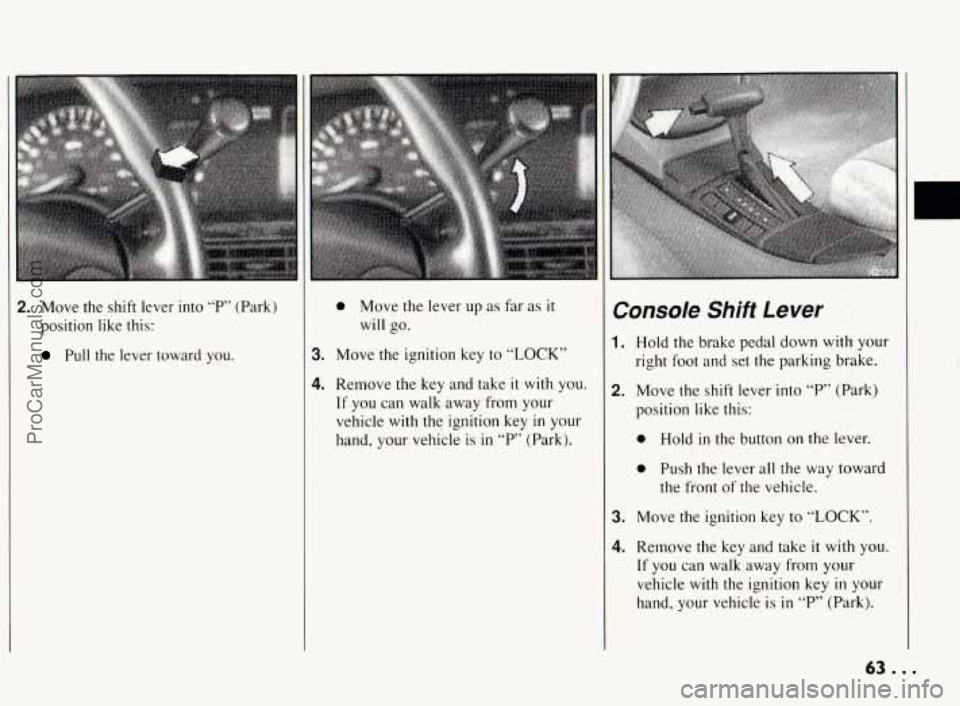
2. Move the shift lever into “P,’ (Park)
position like this:
Pull the lever toward you.
0 Move the lever up as far as it
will go.
3. Move the ignition key to “LOCK”
4. Remove the key and take it with you.
If you can walk away from your
vehicle with the ignition key
in your
hand, your vehicle is
in “P” (Park).
Console Shift Lever
1. Hold the brake pedal down with your
right foot and set the parking brake.
2. Move the shift lever into “P” (Park)
position like this:
0 Hold in the button on the lever.
0 Push the lever all the way toward
the front of the vehicle.
3. Move the ignition key to “LOCK”.
4. Remove the key and take it with you.
If you can walk away from your
vehicle with the ignition key
in your
hand, your vehicle is
in “P” (Park).
c
63 ...
ProCarManuals.com
Page 65 of 290
Features & Controls
Leaving Your Vehicle With
the Engine Running
If you have to leave your vehicle with the
engine running, be sure your vehicle is
in
“P” (Park) and your parking brake is
firmly set before you leave it. After
you’ve moved the shift lever into the
“P”
(Park) position, hold the regular brake
pedal down. Then, see
if you can move
the shift lever away from
“P” (Park)
without first pulling it toward you (or,
if
you have the console shift lever, without
... 64
first pushing the button). If you can, it
means that the shift lever wasn’t fully
locked into
“P” (Park).
T~rque Lock
If you are parking on a hill and you don’t
shift your transaxle into
“P” (Park)
properly, the weight of the vehicle may
put too much force on
the parking pawl in
the transaxle. You may find it difficult to
pull
the shift lever out of “F’ (Park). This
is called “torque lock.” To prevent torque
lock, set the parking brake and then shift
into
“P” (Park) properly before you leave
the driver’s seat.
To find out how, see
“Shifting Into ‘P’ (Park)”
in the Index.
When you are ready to drive, move the
shift lever out of
“P’ (Park) BEFORE you
release the parking brake.
If “torque lock” does occur, you may
need to have another vehicle push yours a
little uphill to take some of the pressure
from the transaxle,
so you can pull the
shift lever out of
“P’ (Park).
Shifting Out of “P”
(Park)
Your Pontiac has a brake-transaxle shift
interlock. You have to fully a& your
regular brakes before you can shift from
“P” (Park) when the ignition is in the
“On” position. See “Shifting the
Automatic Transaxle” in the Index.
If you cannot shift out of “P” (Park), ease
pressure
on the shift lever - push the
shift lever ail the way into “P’ (Park) and
also release the shift lever button
on floor
shift models as you maintain brake
application. Then move the shift lever
into the gear you want. (Press the shift
lever button before moving the shift
lever.) If you ever hold the brake pedal
down but still can’t shift out of
“P’
(Park), try this:
ProCarManuals.com
Page 66 of 290
1. Turn the key to “Off”. Open and close
the driver’s door to turn off the
Retained Accessory Power Feature.
2. Apply and hold the brake until the end
of Step 4.
3. Shift to “N” (Neutral).
4. Start the vehicle and then shift to the
drive gear you want.
5. Have the vehicle fixed as soon as you
can.
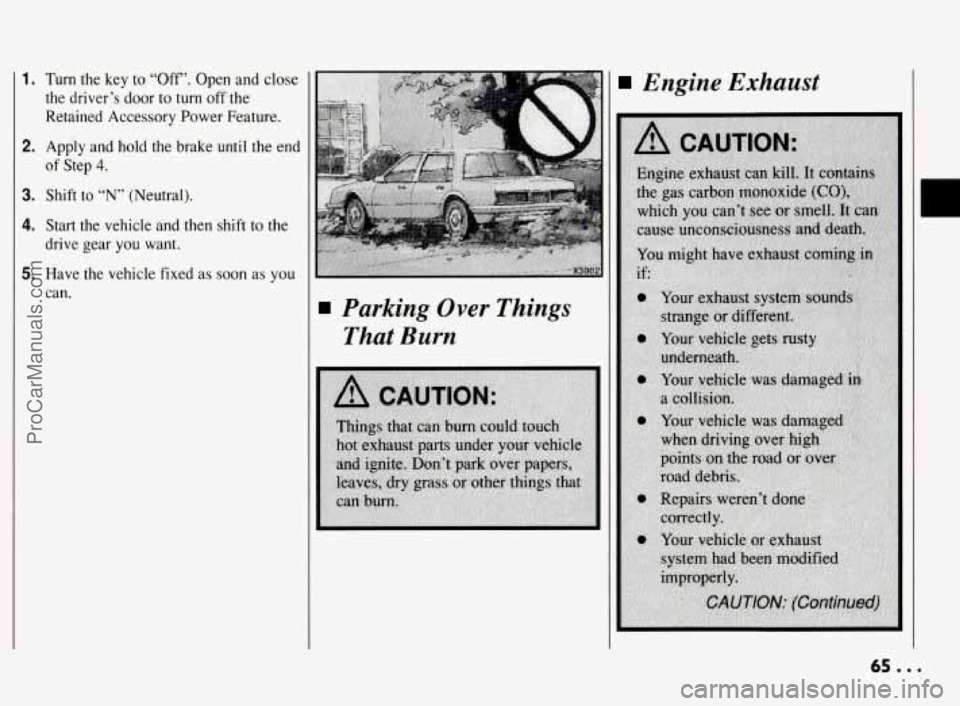
Parking Over Things
That Burn
Engine Exhaust
65 ...
ProCarManuals.com
Page 75 of 290
Features & Controls
Passing Another Vehicle While Using Cruise
Control
Use the accelerator pedal to increase your
speed. When you take your foot off the
pedal, your vehicle will
slow down to the
cruise control speed
you set earlier.
Using Cruise Control on
Hills
How well your Cruise Control will work
on hills depends upon your speed, load,
and the steepness of the hills. When going
up steep hills, you may have to step on
the accelerator pedal to maintain your
speed. When going downhill, you may
have to brake or shift to a lower gear to
keep
your speed down. Of course,
applying the brake takes you out
of
Cruise Control. Many drivers find this to
be too much trouble and don't use Cruise
Control on steep hills.
To Get Out of Cruise
Control
There are two ways to turn off the Cruise
Control:
0 Step lightly on the brake pedal; OR
0 Move the Cruise switch to "OFF".
Cruise Control with
Traction Control Activated
When the Traction Control System is
turned on and becomes activated by
sensors,
it will automatically turn off the
cruise control. See "Traction Control
System"
in the Index.
To Erase Speed Memory
When you turn off the Cruise Control or
the ignition, or shift into "P7 (Park), your
cruise control set speed memory is erased.
Light Controls
Parking Lights:
Pull the switch to the first stop to turn on:
Parking Lights
0 Side Marker Lights
0 Taillights
Instrument Panel Lights
Headlights:
Pull the switch out all the way to turn on
the headlights, together with:
Parking Lights
Side Marker Lights
ProCarManuals.com
Page 145 of 290
Your Driving and the Road
Traction Control System
(OPTION) (CONI)
snow. See “Rocking Your Vehicle” in the
Index.)
To turn the system off, press the
“TRACTION CONTROL” button.
The “TRACTION
OFF” warning light
will come on and stay on. If the system is
limiting wheel spin when
you press the
button, the system won’t turn off right
away. It will wait until there’s no longer a
current need to limit wheel spin.
You can turn the system back on at any
time by pressing the button again. The
“TRACTION
OFF” warning light
should go off.
Braking in Emergencies
Use your anti-lock braking system when
you need to. With anti-lock, you can steer
and brake at the same time. In many
emergencies, steering can help
you more
than even the very best braking.
Steering
Power Steering
If you lose power steering assist because
the engine stops or the system is not
functioning,
you can steer but it will take
much more effort.
Variable Effort Steering
If your vehicle is equipped with this
option,
you have a variable effort steering
system that eases steering effort at speeds
less than
20 mph (32 km/h). This is
particularly useful when parking your
vehicle.
Steering Tips
Driving on Curves
It’s important to take curves at a
reasonable speed.
A lot of the “driver lost control” accidents
mentioned on the news happen on curves.
Here’s why: Experienced driver or beginner, each
of
us is
subject to the same laws of physics
when driving on curves. The traction
of
the tires against the road surface makes it
possible for the vehicle to change its path when
you turn the front wheels. If there’s
no traction, inertia will keep the vehicle
going in the same direction. If you’ve
ever tried to steer a vehicle on wet
ice,
you’ll understand this.
The traction you can get in a curve
depends on the condition of your tires and
the road surface;
the angle at which the
curve is banked, and your speed. While
you’re in a curve, speed is the one factor
you can control.
Suppose you’re steering through a sharp
curve. Then
you suddenly accelerate.
Both control systems
-- steering and
acceleration
-- have to do their work
where the tires meet the road. Unless
you
have traction control and the system is on,
adding the sudden acceleration can
demand too much
of those places. You
can lose control.
... 144
ProCarManuals.com
Page 151 of 290
Your Driving and the Road
I
Driving in the Rain
(CONX)
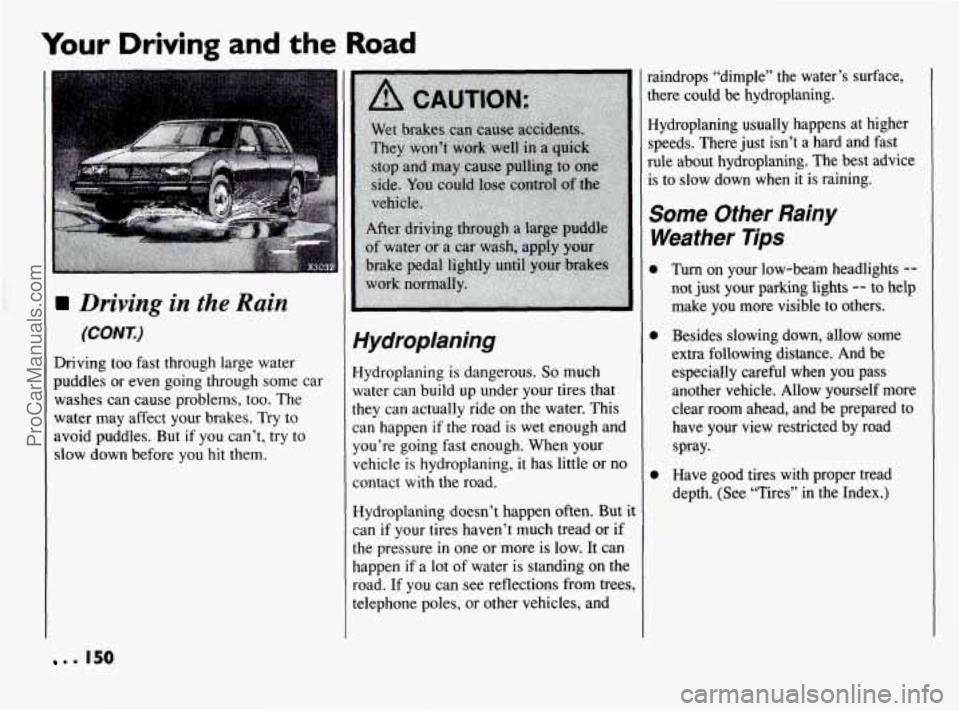
Driving too fast through large water
puddles or even going through some car
washes can cause problems, too. The
water may affect your brakes.
Try to
avoid puddles. But
if you can’t, try to
slow down before you hit them.
Hydroplaning
Hydroplaning is dangerous. So much
water can build up under your tires that
they can actually ride on the water. This
can happen
if the road is wet enough and
you’re going fast enough. When your
vehicle is hydroplaning, it has little or no
contact with the road.
Hydroplaning doesn’t happen often.
But it
can if your tires haven’t much tread or if
the pressure in one or more is low.
It can
happen if a lot of water is standing on the
road. If you can see reflections from trees,
telephone poles, or other vehicles, and *aindrops “dimple” the water’s surface,
;here
could be hydroplaning.
Hydroplaning usually happens at higher
;peeds. There just isn’t a hard and fast
ule about hydroplaning. The best advice
is to slow down when it is raining.
Some Other Rainy
Weather Tips
Turn on your low-beam headlights --
not just your parking lights -- to help
make you more visible to others.
Besides slowing down, allow some
extra following distance. And be
especially careful
when you pass
another vehicle. Allow yourself more
clear room ahead, and be prepared to
have your view restricted by road
spray.
Have good tires with proper tread
depth. (See “Tires” in the Index.)
. . 150
ProCarManuals.com