1994 CHEVROLET BLAZER lock
[x] Cancel search: lockPage 135 of 348
Downloaded from www.Manualslib.com manuals search engine Comrort Controls & Audio Systems
Section
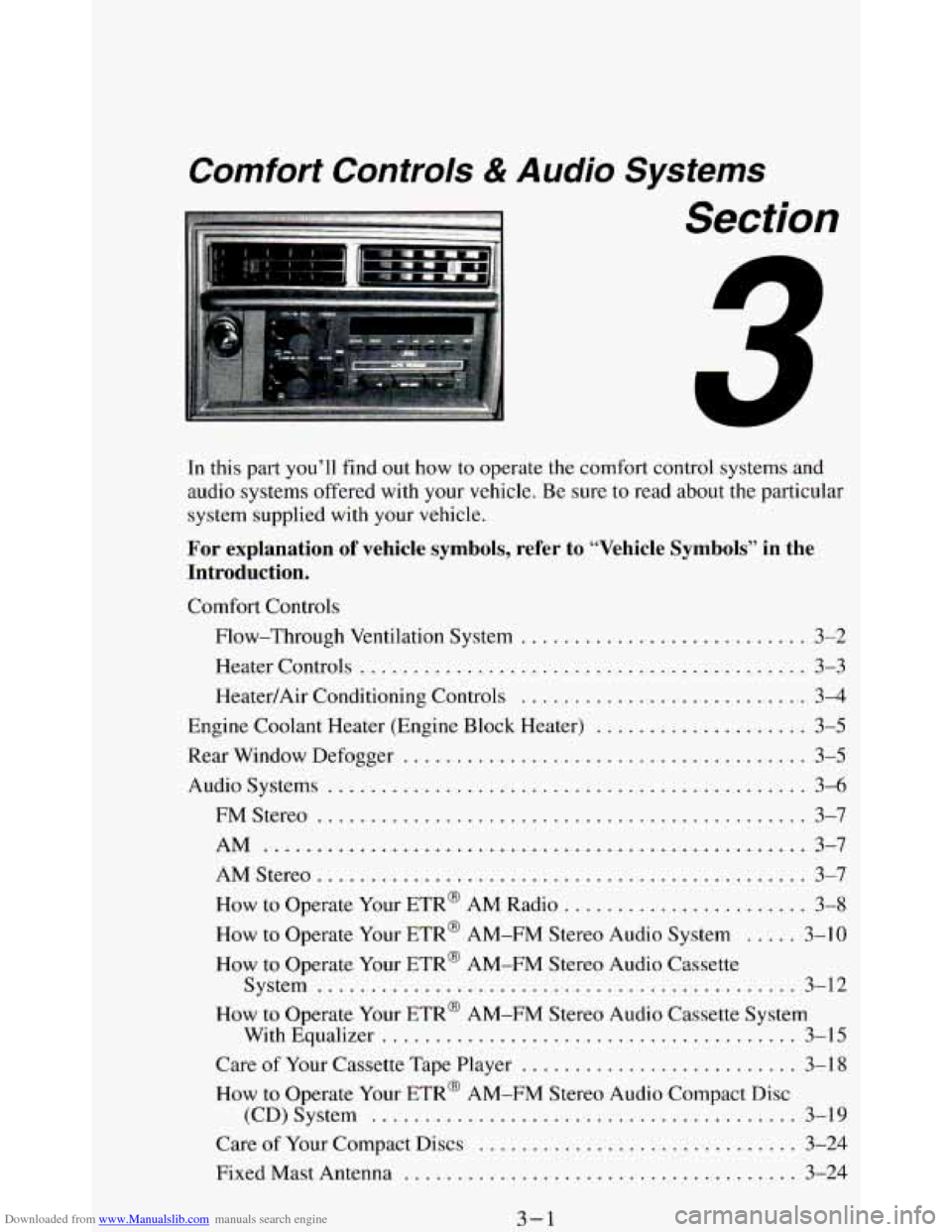
In this part you’ll find out how to operate the comfort control systems and
audio systems offered with your vehicle
. Be sure to read about the particular
system supplied with your vehicle
.
For explanation of vehicle symbols, refer to “Vehicle Symbols” in the
Introduction
.
Comfort Controls
Flow-Through Ventilation System
........................... 3-2
Heater Controls
.......................................... 3-3
Heater/Air Conditioning Controls ........................... 3-4
Engine Coolant Heater (Engine Block Heater) .................... 3-5
Rear Window Defogger
...................................... 3-5
Audiosystems ............................................. 3-6
FMStereo
.............................................. 3-7
AM
................................................... 3-7
AMStereo
.............................................. 3-7
How to Operate Your ETR@ AM Radio
....................... 3-8
How to Operate Your ETR@ AM-FM Stereo Audio System ..... 3-10
How to Operate Your ETR@ AM-FM Stereo Audio Cassette
System
............................................. 3-12
How to Operate Your ETR’ AM-FM Stereo Audio Cassette System
With Equalizer
....................................... 3-15
Care
of Your Cassette Tape Player .......................... 3-18
How to Operate Your ETR’ AM-FM Stereo Audio Compact Disc
(CD)System
........................................ 3-19
Care of Your Compact Discs ...................... **t!%*BB 3-24
Fixed Mast Antenna ..................................... 3-24
3-1
Page 139 of 348
Downloaded from www.Manualslib.com manuals search engine DEFROST This setting operates the defroster. Most of the air comes out
near
the windshield, with some going to the floor vents and side window
defrost vents.
Use this when you get fog or ice on the windshield.
HTR (Heater): Most of the air comes out near the floor. The rest comes out
from the defroster vents under the windshield and at
your front side
windows. This is best for cold weather.
VENT The air comes out at the vents on your instrument panel and at your
front side windows.
BI-LEV A/C: With this, outside air comes in through the heater floor vent
and the instrument panel vents. This setting is useful
in cool weather with
bright sunlight.
NORM A/C: This setting cools the outside air. If you first use MAX, use
NORM as soon as the vehicle has cooled down, so outside air will be going
through your vehicle.
MAX A/C: This cools the air the fastest. Move the other lever all the way to
Cold.
MAX lets in only a little air from the outside. You can use MAX at
first when it’s really hot outside and you need to cool off quickly.
NOTICE:
If vehicle is parked with function lever in MAX A/C position
and on an incline with the right side lower than the left, t\
hen water may leak into the passenger compartment in an unusually
heavy rain.
J
OFF: The blower is off, but air still will come from outlets at the front of
your vehicle. The system
will try to keep the air at the chosen temperature.
Engine Coolant Heater (Engine Block Heater)
If you use the optional engine coolant heater before starting your engine,
your heating system
will produce warmer air faster, to heat the passenger
compartment
in cold weather. See “Engine Coolant Heater” in the Index.
Rear Window Defogger
If your vehicle has this option the rear window will have lines running
across the glass. These lines heat your window.
For best results, clear the window
of as much snow or ice as possible first.
3-5
Page 143 of 348
Downloaded from www.Manualslib.com manuals search engine PWR (Power)
The PWR button turns your system on and off.
Pushbuttons
The four pushbuttons let you return to favorite stations. To set the
pushbuttons, just:
0 Tune in the station.
Push SET. (SET appears in the VF display for a few seconds.)
0 Within 5 seconds, push one of the four pushbuttons. Whenever you
push that button, the preset station
will return.
NOTE: Up to three additional stations may be preset by pressing two adjoining
buttons at the same time.
Tune in the station.
0 Push SET. (SET appears in the VF display for a few seconds.)
Within 5 seconds, push any two adjoining buttons at the same time.
(The station will return when the same two buttons are pressed again.)
Clock
To set the clock, just:
Push SET.
0 Within 5 seconds, push and hold HRS (time will be displayed) until the
0 Push and hold MINS until the correct minute appears.
correct
hour appears.
To display the clock with the ignition off, push the upper knob. The time
will be displayed for a few seconds.
3-9
Page 145 of 348
Downloaded from www.Manualslib.com manuals search engine Pushbuttons
The four pushbuttons let you return to favorite stations.
You
can set the pushbuttons for up to eight favorite stations (4 AM and 4
FM). Just:
Tune in the station.
0 Push SET. (SET appears in the VF display for a few seconds.)
Within 5 seconds, push one of the four pushbuttons to store the station.
Whenever you push
that button, the preset station will return.
Repeat these steps for each pushbutton.
NOTE:
You can preset 3 more stations on each band by pushing a pair of buttons
next to each other at the same time. Just:
Tune in the station.
0 Push SET. (SET appears in the VF display for a few seconds.)
0 Within 5 seconds, push two buttons next to each other at the same time.
Whenever you push that pair of buttons, the preset station
will return.
Repeat these steps for each pair of buttons.
Scan Button
When you push this, the radio will go to the next station and stay there a
few seconds. Then it
will go to the next station and pause, and keep doing
that. Press
SCAN again to stop scanning.
Seek Button
This chooses station also, but it doesn’t keep moving as SCAN does. When
you push
SEEK the radio goes to the next station and stays there.
Clock
To set the clock, just:
Push SET.
Within 5 seconds, push and hold SCAN until the correct hour appears.
Press and hold SEEK until the correct minute appears.
To display the clock
with the ignition off, push the upper knob. The time
will be displayed for a few seconds.
3-1 1
Page 148 of 348
Downloaded from www.Manualslib.com manuals search engine Clock
To set the clock, just:
Push SET.
Within 5 seconds, push and hold SCAN until the correct hour appears.
Press and hold SEEK until the correct minute appears.
To display the clock with the ignition off, push the upper knob. The time
will be displayed for
a few seconds.
To Way A Cassette
Your tape player is built to work best with tapes that are 30 to 45 minutes
long
on each side. Tapes longer than that are so thin they may not work well
in this player.
To play a cassette tape:
Have the radio on.
Insert the tape squarely through the tape door.
The longer side with the tape visible goes in first. If you hear nothing or
hear just garbled sound, it may not be in squarely. Push STOP-EJECT to
remove the tape and start over.
Once the tape is playing, use the upper and lower knobs for volume and
balance, just as you
do for radio. The arrows show which side of the tape is
playing.
0 To go forward to another part of the tape, push the button with an
arrow pointing toward the lighted arrow. To stop the tape, push the
STOP-E JECT button lightly.
To go backward, push the button with an arrow pointing away from
the lighted arrow. To stop the tape, push the STOP-EJECT button
lightly.
To go from one side of the tape to the other, push in the upper knob on
To remove or stop the tape, push STOP-EJECT.
your radio.
3-14
Page 151 of 348
Downloaded from www.Manualslib.com manuals search engine Clock
To set the clock, just:
Press SET. (SET appears in the VF display for a few seconds.)
Within 5 seconds, push and hold SCAN until the correct hour appears.
Press and hold SEEK until the correct minute appears.
To display the clock with the ignition off, push the upper knob. The time
will be displayed for a few seconds.
To Play A Cassette
Your tape player is built to work best with tapes that are 30 to 45 minutes
long on each side. Tapes longer
than that are so thin they may not work well
in this player.
To play a cassette tape:
Have the radio on.
Insert the tape squarely through the tape door.
The longer side
with the tape visible goes in first. If you hear nothing or
hear just garbled sound,
it may not be in squarely.
Push
STOP-EJECT to remove the tape and start over.
Once the tape is playing, use the upper and lower knobs for volume and
balance, just as
you do for radio. The arrows show which side of the tape is
playing.
0 To go forward to another part of the tape, push b.
0 To go backward, push 4. To stop the tape, push the other button
lightly.
your radio.
To remove or stop the tape, push STOP-EJECT.
0 To go from one side of the tape to the other, push in the upper knob on
APS (Automatic Program Search)
Press this button to activate the automatic program search. When the b
button is pressed, the tape will rapidly advance to the beginning of the next
selection. When
the 4 button is pressed, the tape will rapidly reverse to the
beginning of the current selection.
Press
STOP-E JECT to remove the cassette and start the radio.
3-17
Page 154 of 348
Downloaded from www.Manualslib.com manuals search engine SEEK
Pressing the SEEK button will cause the receiver to seek the next higher
station and stop.
Pressing the
4 SEEK button will cause the receiver to seek the next lower
station and stop.
SCAN
When you press SCAN, the radio will go to the next station and pause, and
will keep scanning until you press SCAN again. SC will be displayed when
using this control.
Pushbuttons
The five pushbuttons let you return to favorite stations. They are also used
when
you play a disc. (See “To Play A Compact Disc”.)
To set the pushbuttons for
up to ten favorite stations (5 AM and 5 FM):
Tune in the desired station.
Push the SET button. (SET is displayed briefly.)
Within 5 seconds, push one of the five pushbuttons to store the station.
Whenever you press that button, the preset station
will return.
Clock
To set the clock, just:
Press the SET button. The radio may be on or off.
Within 5 seconds, press and hold either SEEK to increase the
minutes or
4 SEEK to decrease the minutes until the correct minute
appears on the display.
Press and hold SCAN until the correct hour appears on the display.
RCL
Press the RCL button to alternate between time and radio station on the
display.
RCL may be pressed when the ignition is off to see the time.
BASS
Press the BASS A to increase the bass tones and BASS to decrease bass
tones. Press the center of the control for a preset
BASS position. The bass
level will be displayed briefly when using this control.
TREBLE
Press the TREB A to increase the treble tones and TREB to decrease
the treble tones. Press the center of the control for a preset
TREB position.
The treble level
will be displayed briefly when using this control.
3-20
Page 156 of 348
Downloaded from www.Manualslib.com manuals search engine SCAN
Press SCAN to sample each track for approximately 10 seconds. Scanning
will continue until the
RDM, SCAN or any other motion button is pressed
again.
PREV
If you hold the PREV (4 .SEEK ) button, or press it more than once, the
disc will return
to previous tracks.
NEXT
Press NEXT (SEEK ) to hear the next track now instead of waiting until
the present track is finished. If you hold this button or press it more than
once, the disc will advance further.
ST-PL
Press ST-PL (Stop-Play) to make the disc stop and the radio play. Press
ST-PL again to restart the disc at the point where it stopped.
Press
PWR or turn the ignition key off to stop the disc player. The disc
stays
in the player and will resume playing at the point where it stopped.
Press
EJCT to eject the disc and make the radio play. The disc will start at
track
1 when you reinsert it.
Anti-Theft Feature
Delco LOC II@ is an Anti-Theft feature for the compact disc player. It can
be used or ignored. If ignored, the system plays normally. If
it is used, your
player won’t be usable
if it is ever stolen, because it won’t turn on.
The instructions below tell you how to enter a secret code into the system. If
your car loses battery power for any reason,
you must unlock the system
with the secret code before the radio will turn
on.
To Lock The System:
1.
2.
3.
4.
5.
6.
7.
Write down any 6 digit number and keep it in a safe place.
Turn the ignition
to the ACC (Accessory) or RUN position.
Press
the PWR button to turn the radio off.
Press the
1 and 4 buttons together. Hold them down until “- - -” shows
on the display.
You are now ready
to enter your secret code. Don’t wait more than
15 seconds between steps.
Press SET and 000 will appear on the display.
Press the
SEEK or 4 button to make the first number appear.
Press
SCAN to make the last two numbers agree with your code.
3-22