Page 110 of 348
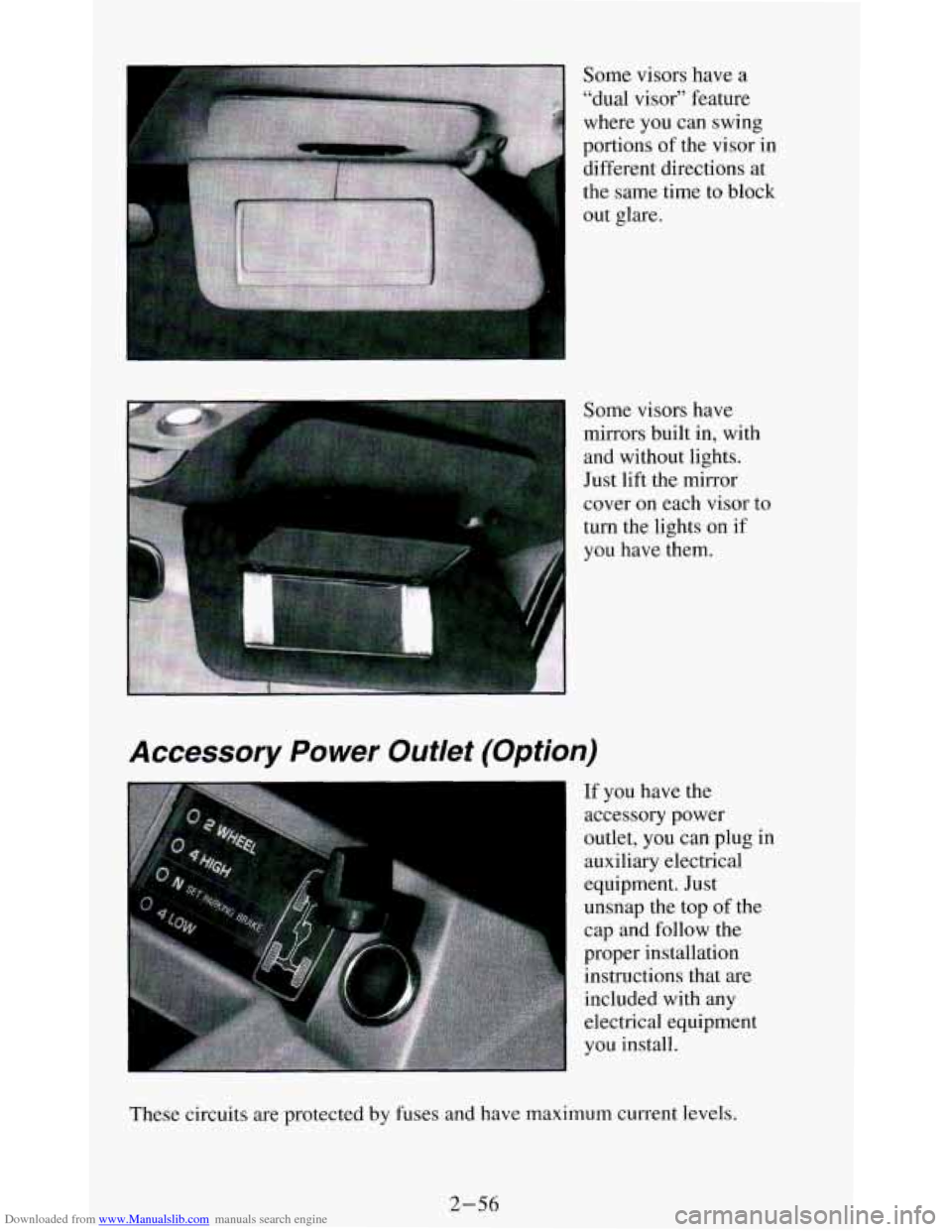
Downloaded from www.Manualslib.com manuals search engine Some visors have a
"dual visor" feature
where you can swing
portions of the visor in
different directions at
the same time to block
out glare.
Some visors have
mirrors built in, with and without lights.
Just lift the mirror
cover on each visor to
turn the lights on if
you have them.
Accessory Power Outlet (Option)
I If you have the
accessory power
outlet, you can plug in
auxiliary electrical
equipment. Just
unsnap the top of the
cap and follow the
proper installation instructions that are
included with any electrical equipment
you install.
These circuits are protected by fuses and have maximum current levels.
2-56
Page 111 of 348
Downloaded from www.Manualslib.com manuals search engine NOTICE:
When using the accessory power outlet, maximum electrical load
should not exceed
8 amps. Always turn off any electrical
equipment when not in use. Leaving electrical equipment on for \
extended periods can drain your battery.
Cigarette Lighter/Ashtrays
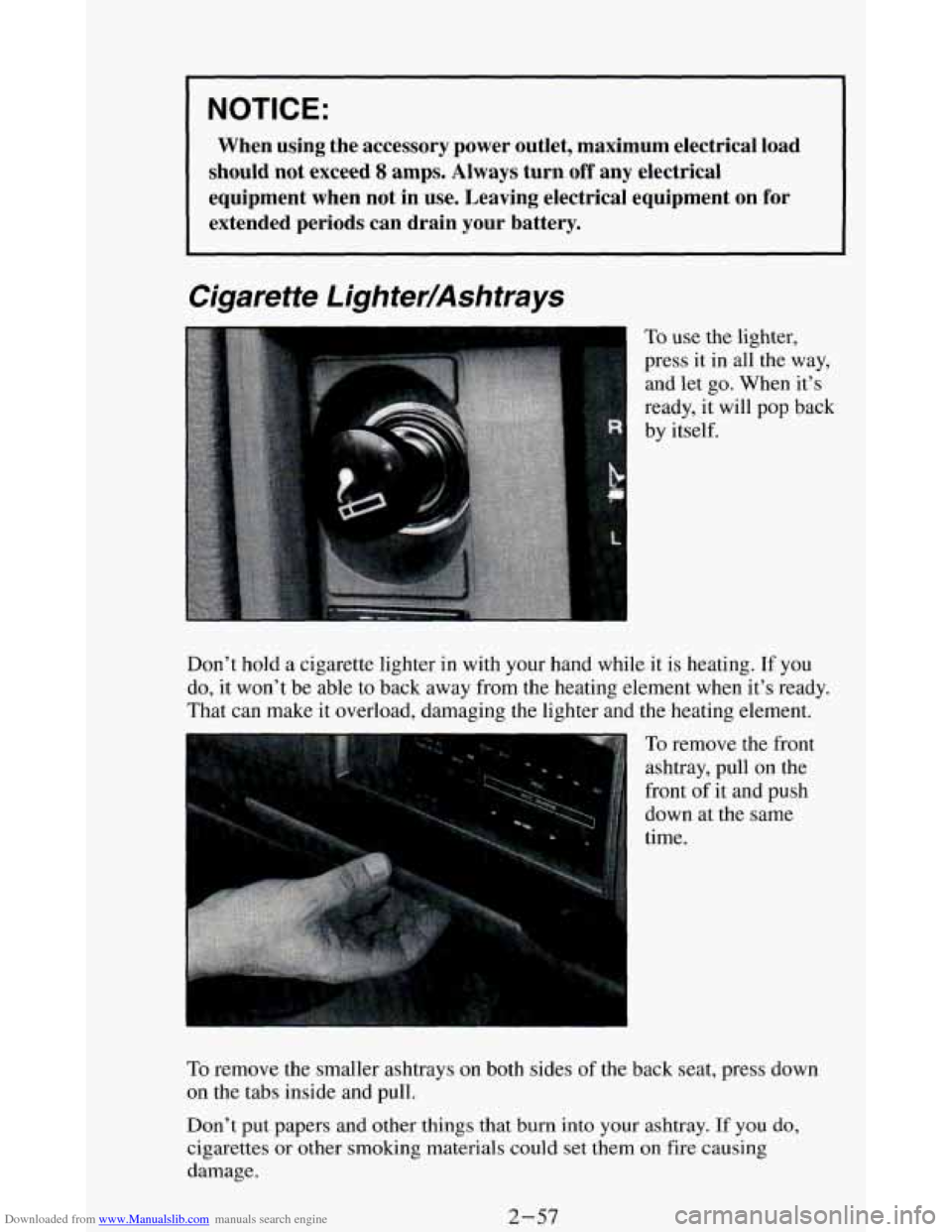
To use the lighter,
press it in all the way,
and let go. When it’s
ready, it will
pop back
by itself.
Don’t hold
a cigarette lighter in with your hand while it is heating. If you
do, it won’t be able to back away from the heating element when it’s ready.
That can make it overload, damaging the lighter and the heating element.
r
To remove the front
ashtray, pull on the
front of it and push
down at the same
time.
To remove the smaller ashtrays on both sides of the back seat, press down
on the tabs inside and pull.
Don’t put papers and other things that
burn into your ashtray. If you do,
cigarettes or other smoking materials could set them on fire causing
damage.
2-57
Page 116 of 348
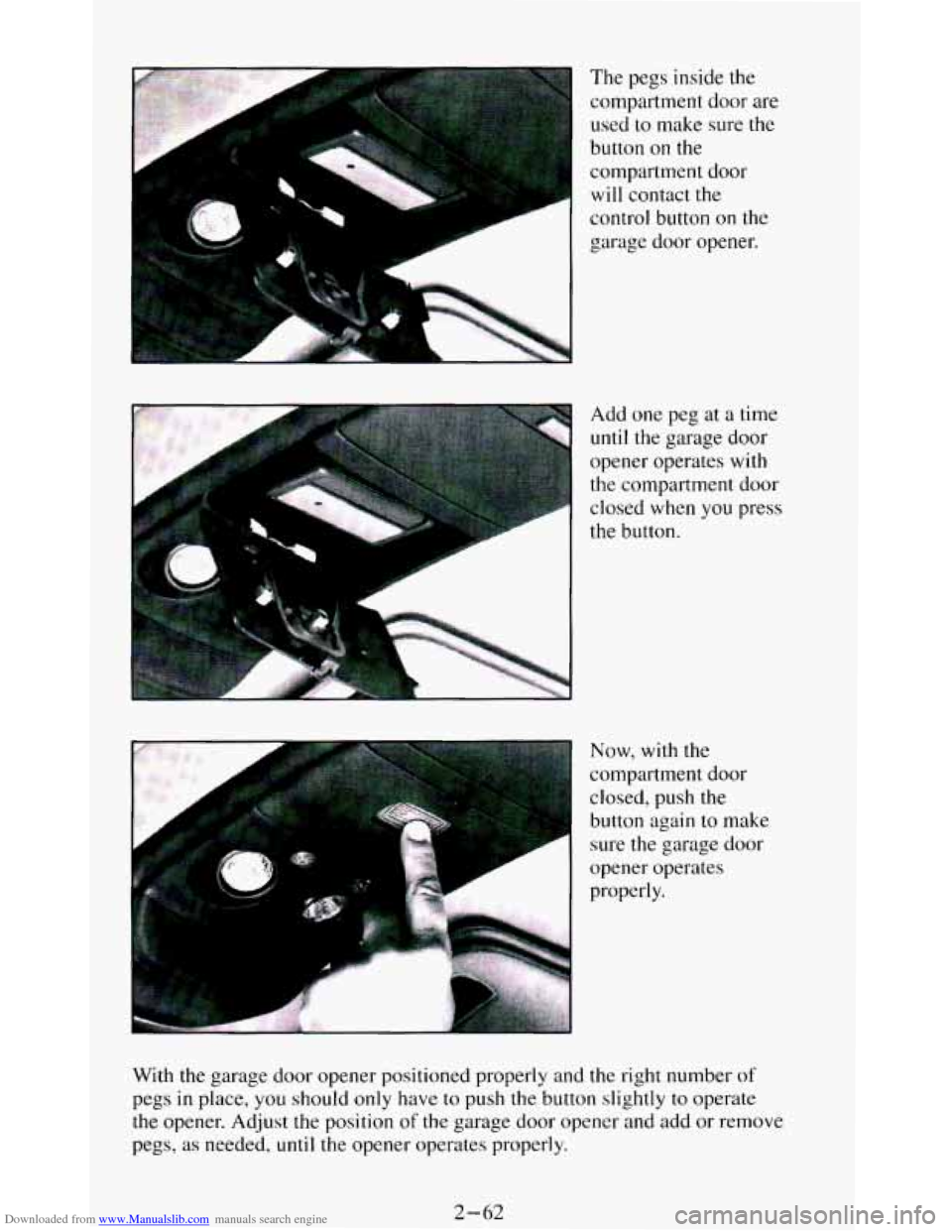
Downloaded from www.Manualslib.com manuals search engine The pegs inside the
compartment door are
used to make sure the
button on the
compartment door
will contact the
control button on the
garage door opener.
Add one peg at
a time
until the garage door
opener operates with
the compartment door
closed when you press
the button.
P
Now, with the
compartment door
closed, push the
button again to make
sure the garage
door
opener operates
properly.
F;
With the garage door opener positioned properly and the right number of
pegs in place, you should only have to push the button slightly to operate
the opener. Adjust the position of the garage door opener and add or remove
pegs,
as needed, until the opener operates properly.
2-62
Page 117 of 348
Downloaded from www.Manualslib.com manuals search engine Convenience Net
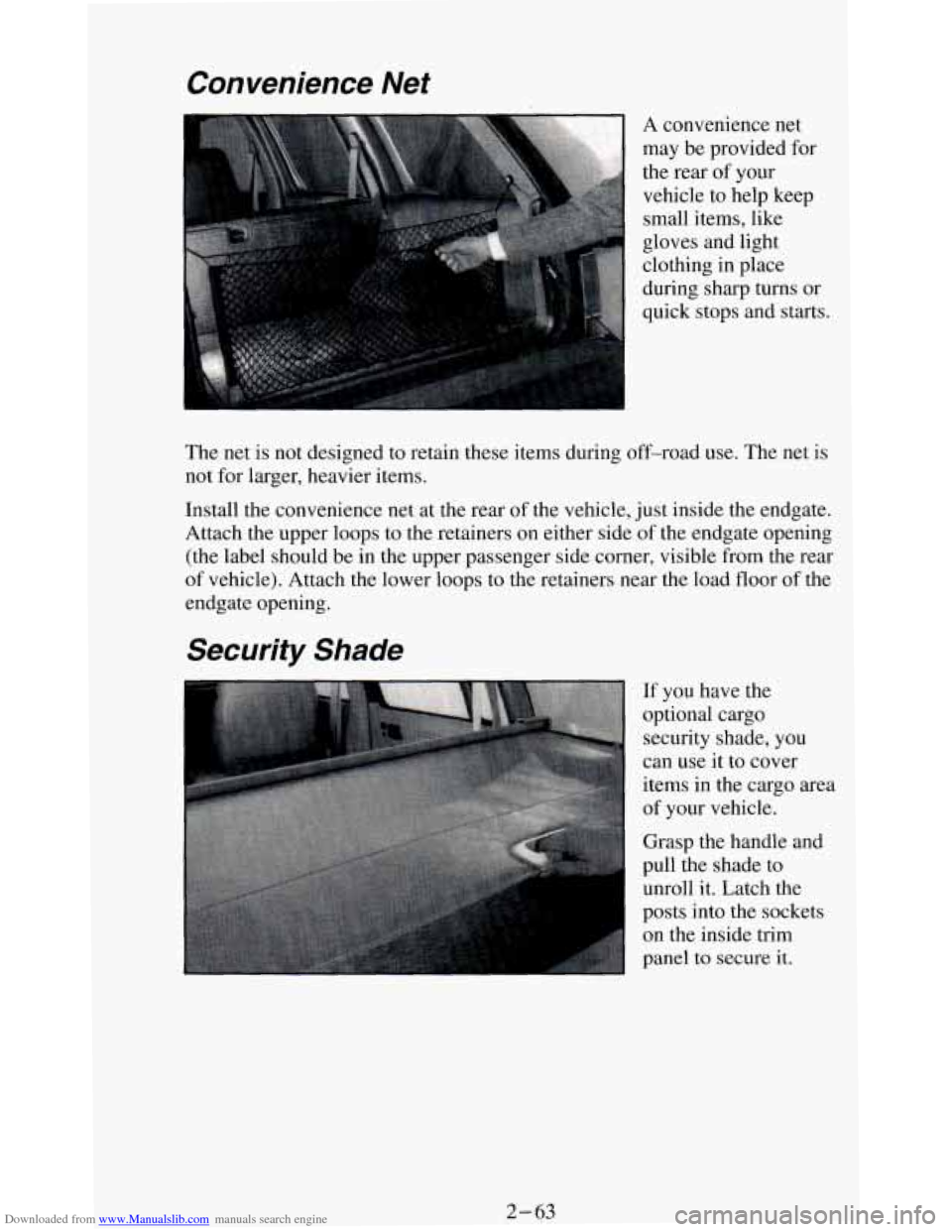
A convenience net
may be provided for
the rear of your
vehicle to help keep
small items, like
gloves and light
clothing in place
during sharp turns or
quick stops and starts.
The net is not designed to retain these items during off-road use. The net
is
not for larger, heavier items.
Install the convenience net at
the rear of the vehicle, just inside the endgate.
Attach the upper loops to the retainers
on either side of the endgate opening
(the label should be in the upper passenger side corner, visible from the rear
of vehicle). Attach the lower loops to the retainers near the load floor of the
endgate opening.
Security Shade
If you have the
optional cargo security shade, you
can use it to cover
items in the cargo area
of your vehicle.
Grasp the handle and
pull the shade to
unroll it. Latch the
posts into the sockets
on the inside trim
panel to secure it.
2-63
Page 118 of 348
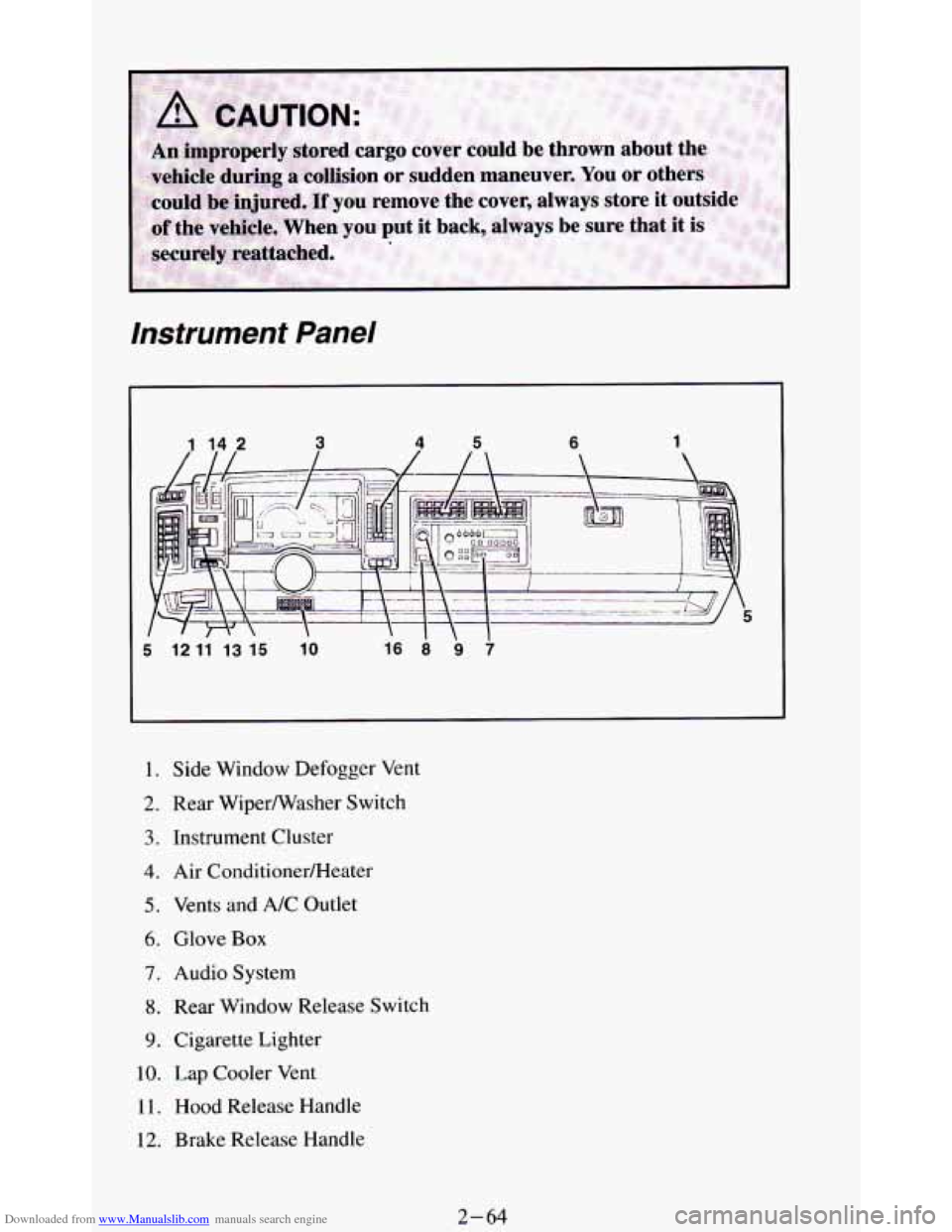
Downloaded from www.Manualslib.com manuals search engine instrument Panel
I l2 l1 l3 l5 lo
I. Side Window Defogger Vent
2. Rear Wiperwasher Switch
3. Instrument Cluster
4. Air ConditionerRIeater
5. Vents and A/C Outlet
6. Glove Box
7. Audio System
8. Rear Window Release Switch
9. Cigarette Lighter
10. Lap Cooler Vent
11. Hood Release Handle
12. Brake Release Handle
2-64
Page 119 of 348
Downloaded from www.Manualslib.com manuals search engine 13. Light Switches
14. Rear Window Defogger Switch*
15. Fog Light Switch** or Rear Window Defogger Switch with Electronic
16. Remote Outside Mirror Switch
*Without Electronic Transfer Case
“*Without Four-wheel Drive
Transfer
Case
Instrument Cluster
Your instrument cluster is designed to let you know at a glance how your
vehicle is running. You’ll know how
fast you’re going, about how much
fuel you’ve used, and many other things
you’ll need to know to drive safely
and economically.
If you have the digital cluster it looks different but will tell you everything
the standard cluster does. The digital cluster
also includes a tachometer and
will give readings
in either English or Metric. To switch from English to
Metric, just press down on the E/M button.
Speedometer and Odometer
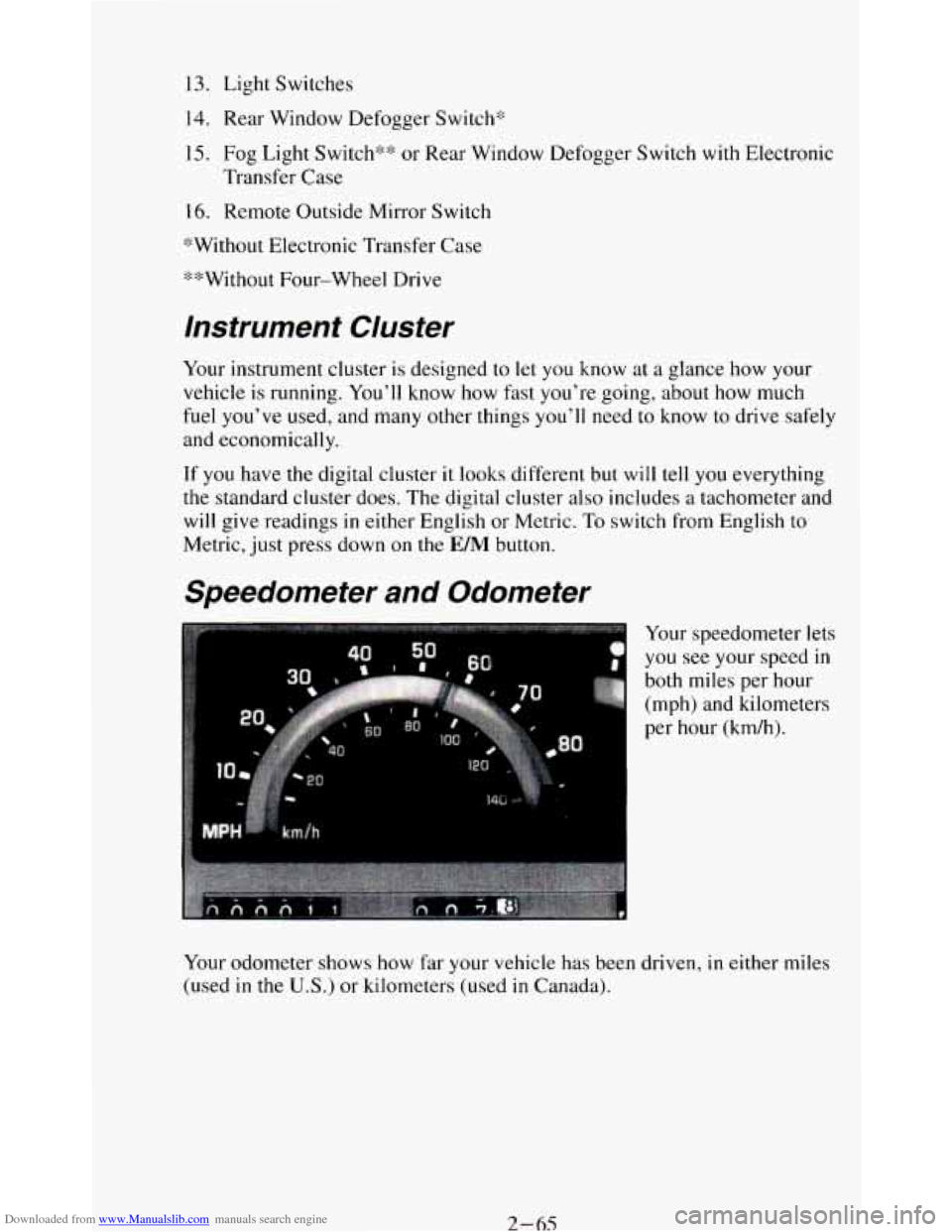
#3
Your speedometer lets
you see your speed
in
both miles per hour
(mph) and kilometers
per hour (kdh).
Y
Your odometer shows how far your vehicle has been driven, in either miles
(used in the
U.S.) or kilometers (used in Canada).
2-65
Page 121 of 348
Downloaded from www.Manualslib.com manuals search engine The trip odometer can tell you how far your vehicle has been driven since
you last set the trip odometer to zero.
Make sure the button is completely
depressed
to reset the trip odometer.
To set the trip odometer on the standard cluster to zero, fully depress the
button near the readout.
The trip odometer on
the digital cluster will appear in place of your regular
odometer when
you press down on the Trip button. To reset the trip
odometer
on the digital cluster, press down on the Reset button. To change
back
to the regular odometer, press down on the Trip button again.
Tachometer
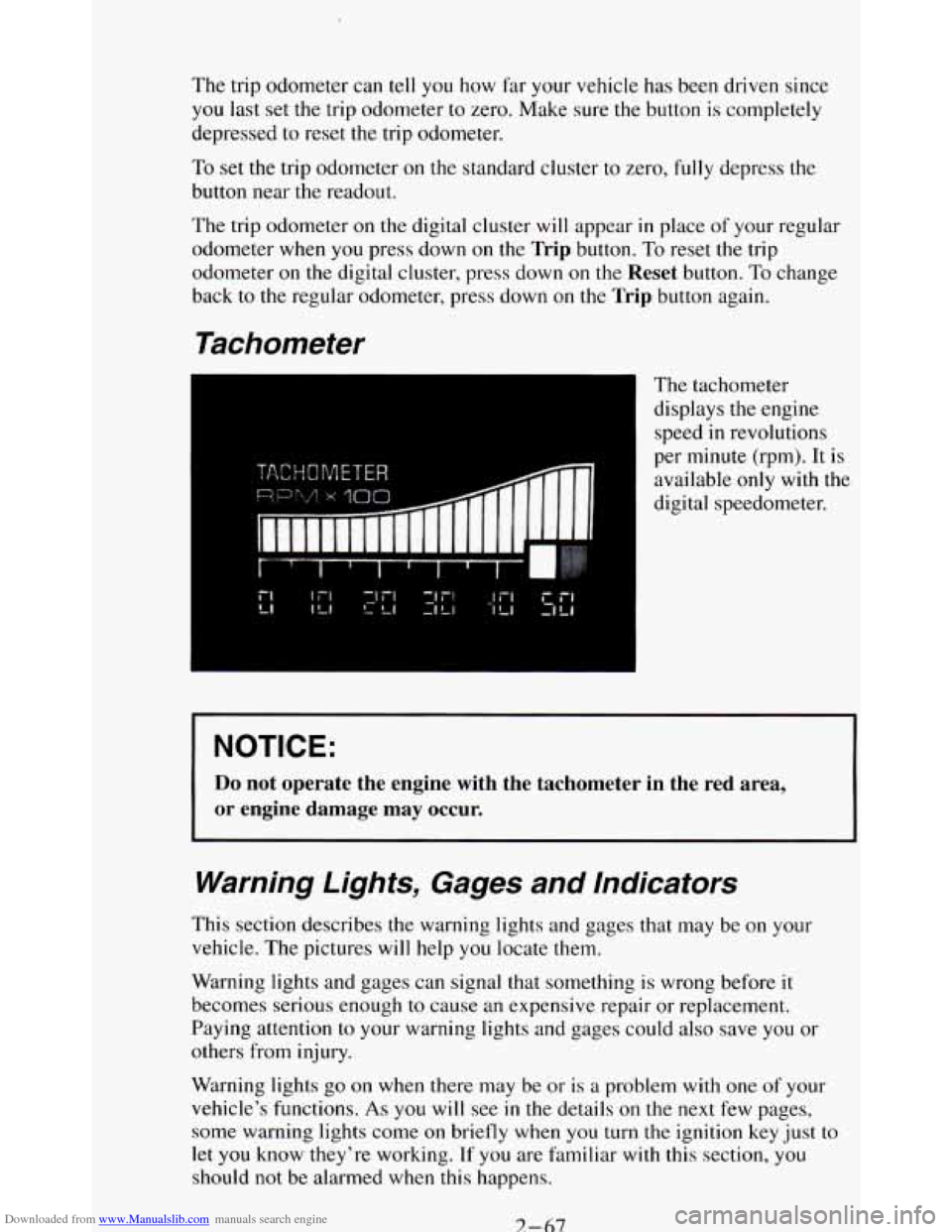
The tachometer
displays the engine
speed
in revolutions
per minute (rpm). It is
available
only with the
digital speedometer.
NOTICE:
Do not operate the engine with the tachometer in the red area,
or engine damage may occur.
Warning Lights, Gages and Indicators
This section describes the warning lights and gages that may be on your
vehicle. The pictures
will help you locate them.
Warning lights and gages can signal that something is wrong before it
becomes serious enough
to cause an expensive repair or replacement.
Paying attention
to your warning lights and gages could also save you or
others from injury.
Warning lights
go on when there may be or is a problem with one of your
vehicle’s functions.
As you will see in the details on the next few pages,
some warning lights come
on briefly when you turn the ignition key just to
let
you know they’re working. If you are familiar with this section, you
should not be alarmed when this happens.
7-67
Page 122 of 348
Downloaded from www.Manualslib.com manuals search engine Gages can indicate when there may be or is a problem with one of your
vehicle’s functions. Often gages and warning lights work together to let you
know when there’s
a problem with your vehicle.
When
one of the warning lights comes on and stays on when you are
driving, or when
one of the gages shows there may be a problem, check the
section that tells you what to do about it. Please follow the manual’s advice.
Waiting
to do repairs can be costly - and even dangerous. So please get to
know your warning lights and gages. They’re a big help.
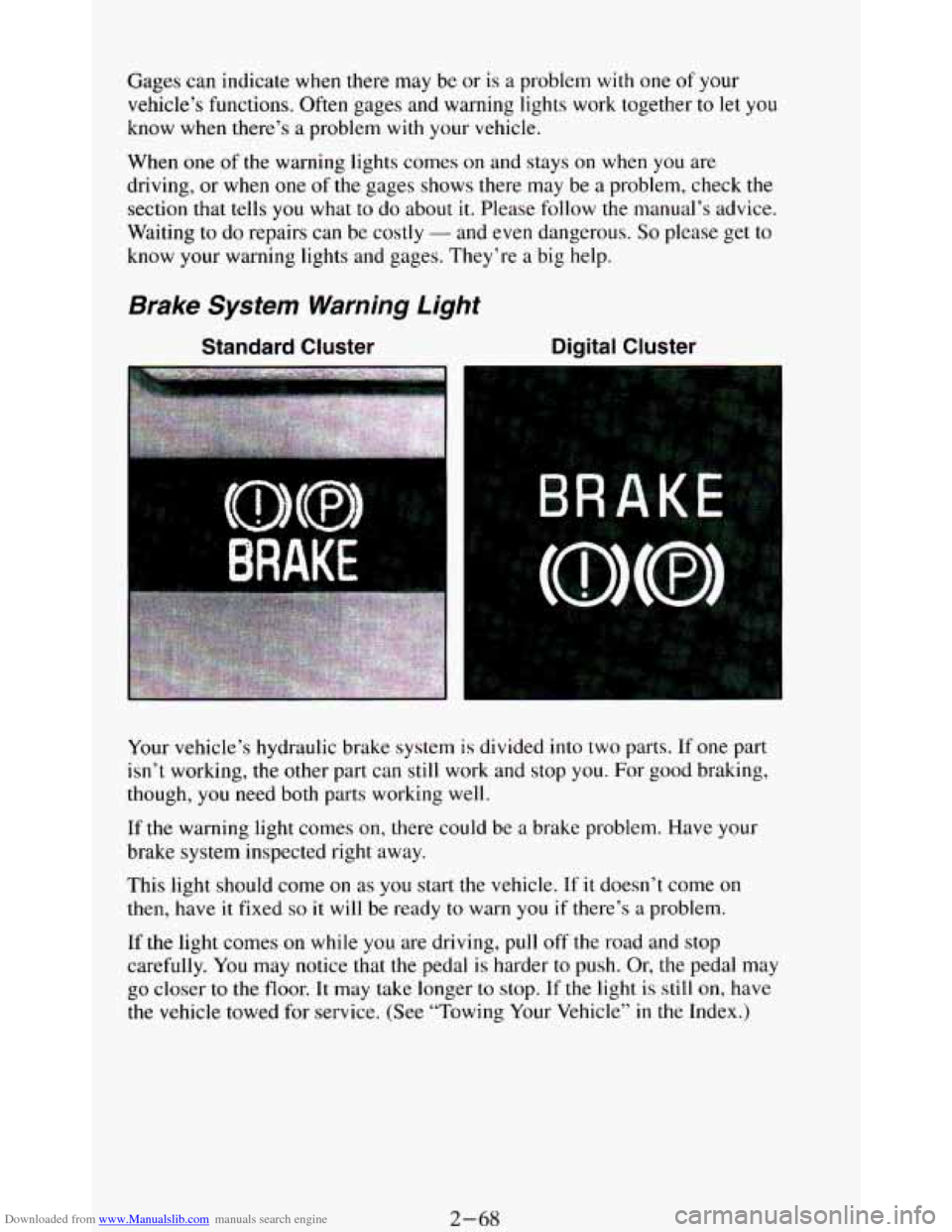
Brake System Warning Light
Standard Cluster Digital Cluster
Your vehicle’s hydraulic brake system is divided into two parts. If one part
isn’t working,
the other part can still work and stop you. For good braking,
though,
you need both parts working well.
If the warning light comes on, there could be a brake problem. Have your
brake system inspected right away.
This light should come
on as you start the vehicle. If it doesn’t come on
then, have it fixed so it will be ready to warn you if there’s a problem.
If
the light comes on while you are driving, pull off the road and stop
carefully.
You may notice that the pedal is harder to push. Or, the pedal may
go closer to the floor. It may take longer to stop. If the light is still on, have
the vehicle towed for service. (See “Towing Your Vehicle’’
in the Index.)
2-68