1994 CHEVROLET BLAZER brake
[x] Cancel search: brakePage 11 of 348
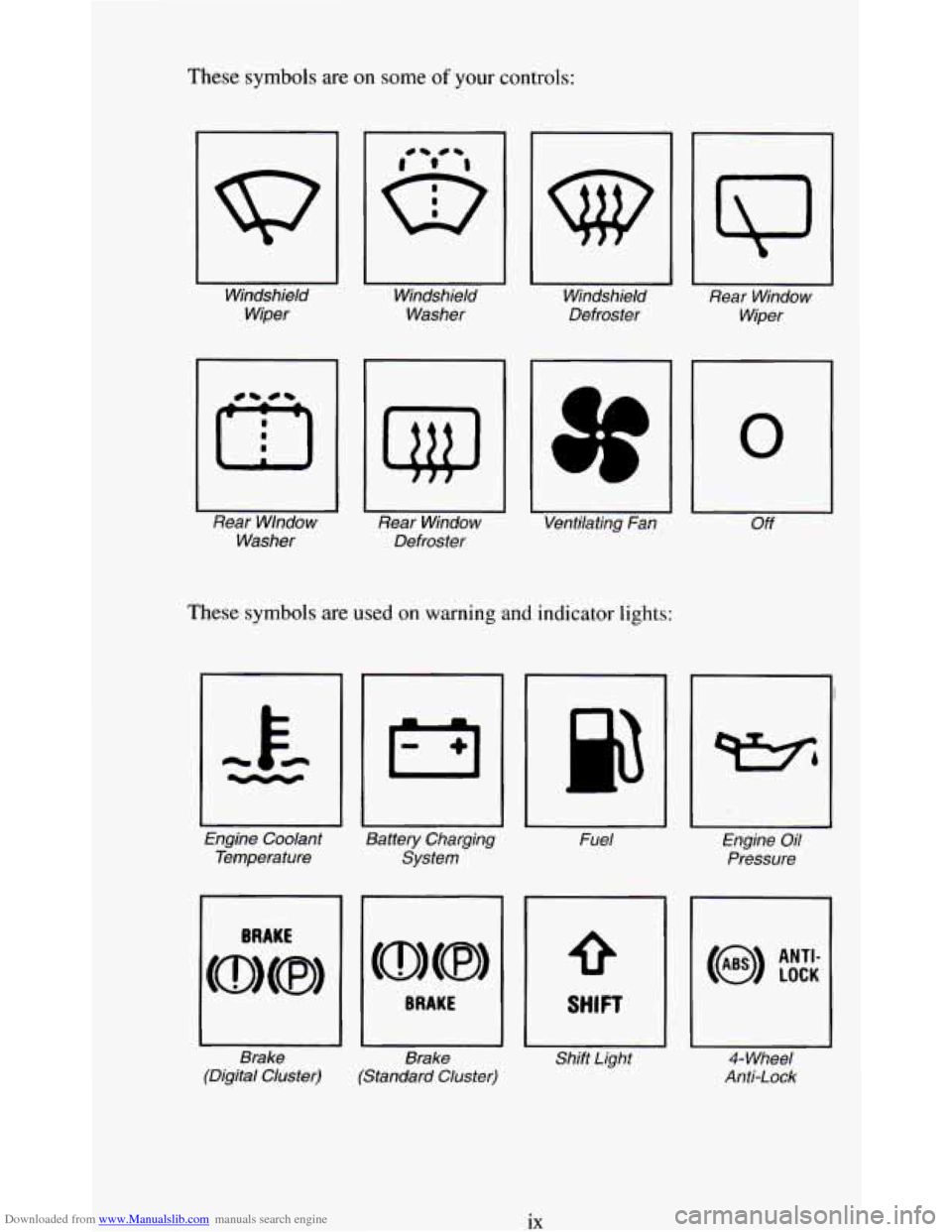
Downloaded from www.Manualslib.com manuals search engine These symbols are on some of your controls:
Windshield Windshield Windshield
Rear Window
Wiper Washer
Defroster
Wiper
Rear Wlndow Rear Window Ventilating Fan
Off
Washer Defroster
These symbols are usea on warning and indicator lights:
0
Engine Coolant
Battery Charging Fuel Engine Oil
Temperature System Pressure
Brake Brake Shift Light
4- Wheel
(Digital Cluster) (Standard Cluster) Anti-Lock
ix
Page 55 of 348
Downloaded from www.Manualslib.com manuals search engine Features & Controls
Section
Here you can learn about the many standard and optional features on your
vehicle, and information on starting, shifting, and braking. Also explained
are the instrument panel and the warning systems
that tell you if everything
is working properly- and what to do if you have a problem.
For explanation of vehicle symbols, refer to "Vehicle Symbols" in the
Introduction.
Keys ..................................................... 2-3
Your Doors and
How They Work . . . . . . . . . . . . . . . . . . . . . . . . . . . . . . 2-5
SideDoors
............................................. 2-5
DoorLocks ...................... ..................... 2-6
Endgate
................................................ 2-8
Keyless
Entry System . . . . . . . . . . . . . . . . . . . . . . . . . . . . . . . . . . . . . . 2-1 1
Theft .................................................... 2-14
New Vehicle Break-In . . . . . . . . . . . . . . . . . . . . . . . . . . . . . . . . . . . . . . 2-15
Ignitionswitch
............................................ 2-15
Starting Your Engine . . . . . . . . . . . . . . . . . . . . . . . . . . . . . . . . . . . . . . . 2-17
Driving Through Deep Standing Water
. . . . . . . . . . . . . . . . . . . . . . 2-19
Automatic Transmission
. . . . . . . . . . . . . . . . . . . . . . . . . . . . . . . . . . . . 2-20
Five-Speed Manual Transmission
. . . . . . . . . . . . . . , , . . . . . . . . . . . . . 2-23
Locking Rear Axle
. . . . . . . . . . . . . . . . . . . . . . . . . . . . . . . . . . . , . . . . . 2-25
ParkingBrake
............................................ 2-25
Parking Over Things That Burn . . . . . . . . . . . . . . . . . . . . . . . . . . . . . . . 2-28
3-1
Page 63 of 348
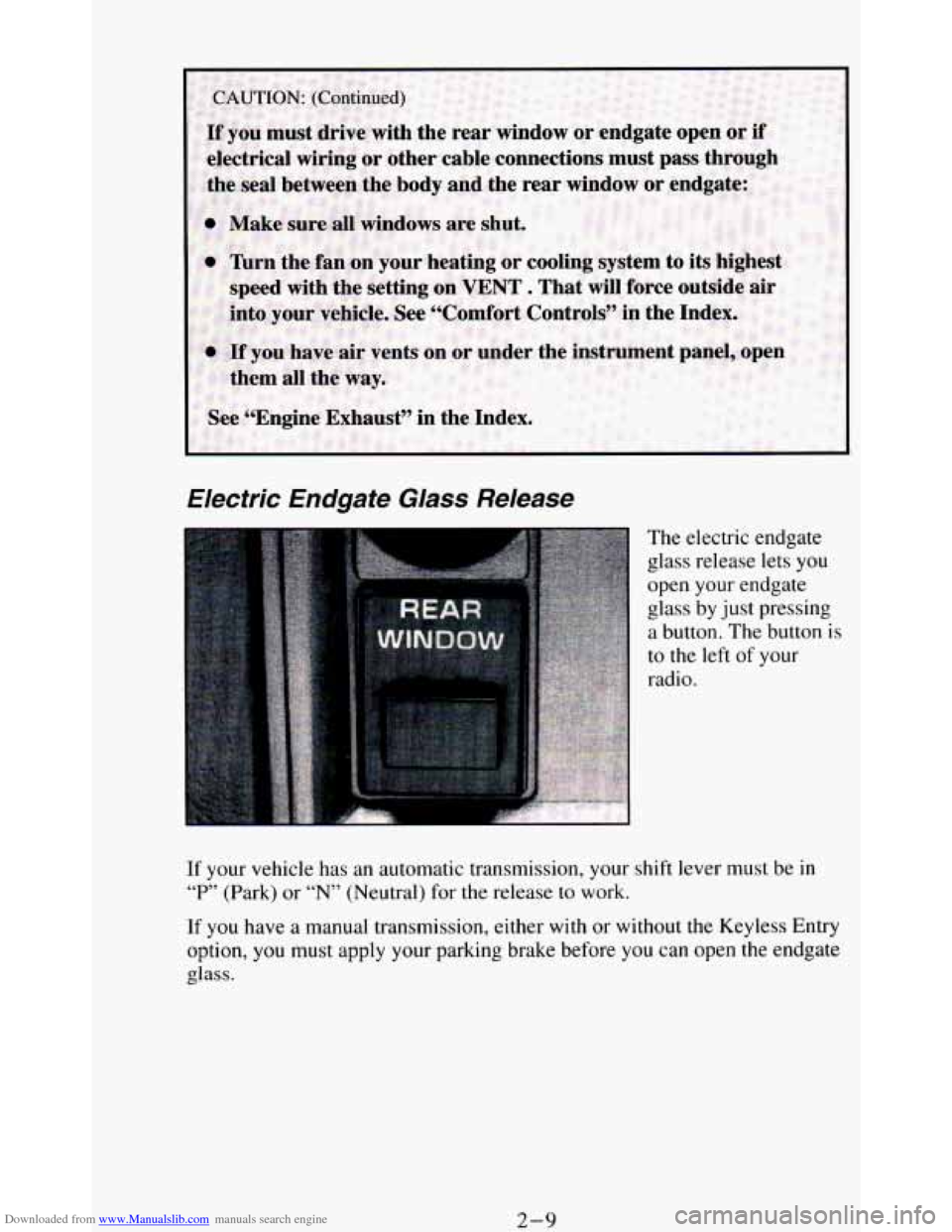
Downloaded from www.Manualslib.com manuals search engine Electric Endgafe Glass Release
The electric endgate
glass release lets you
open your endgate
glass by just pressing
a button. The button is
to the left
of your
radio.
If your vehicle has an automatic transmission, your shift lever must be in
“P” (Park) or “N” (Neutral) for the release to work.
If you have a manual transmission, either
with or without the Keyless Entry
option, you must apply your parking brake before you can open the endgate
glass.
2-9
Page 66 of 348
Downloaded from www.Manualslib.com manuals search engine Operation
When you press UNLOCK, the driver’s door will unlock automatically. If
you press UNLOCK again within five seconds, all doors will unlock. All
doors will lock when
DOOR is pressed.
The endgate glass will unlock when the truck symbol button
is pressed.
Vehicles with automatic transmissions must have the transmission
in “P”
(Park). Vehicles with manual transmission must have the parking brake
engaged.
Matching Transmitter(s) To Your Vehicle
Each key chain transmitter is coded to prevent another transmitter from
unlocking your vehicle.
If a transmitter is lost or stolen, a replacement can
be purchased through your dealer. Remember
to bring any remaining
transmitters with you when
you go to your dealer. When the dealer matches
the replacement transmitter to your vehicle, the remaining transmitters must
also be matched. Once the new transmitter is coded, the
lost transmitter will
not unlock your vehicle.
You can match a transmitter to as many different vehicles as you own,
provided they are equipped
with exactly the same model system. (General
Motors offers several different models
of these systems on their vehicles.)
Each vehicle can have only two transmitters matched to it.
See your dealer
to match transmitters to another vehicle.
Battery Replacement
Under normal use, the batteries in your key chain transmitter should last
about two years.
You can tell the batteries are weak
if the transmitter won’t work at the
normal range in any location. If
you have to get close to your vehicle before
the transmitter works, it’s probably time
to change the batteries.
2- 12
Page 69 of 348
Downloaded from www.Manualslib.com manuals search engine New Vehicle “Break-In ’’
L
NOTICE:
Your modern vehicle doesn’t need an elaborate “break-in.” But
it will perform better in the long run if you follow these
guidelines:
0 Keep your speed at 55 mph (88 km/h) or less for the first 500
miles (SO4 km).
0 Don’t drive at any one speed - fast or slow - for the first
500 miles (804 km). Don’t make full-throttle starts.
Avoid making hard stops for the first 200 miles (322 km) or
so. During this time your new brake linings aren’t yet broken
in. Hard stops with new linings can mean premature wear and
earlier replacement. Follow this “breaking-in” guideline
every time you get new brake linings.
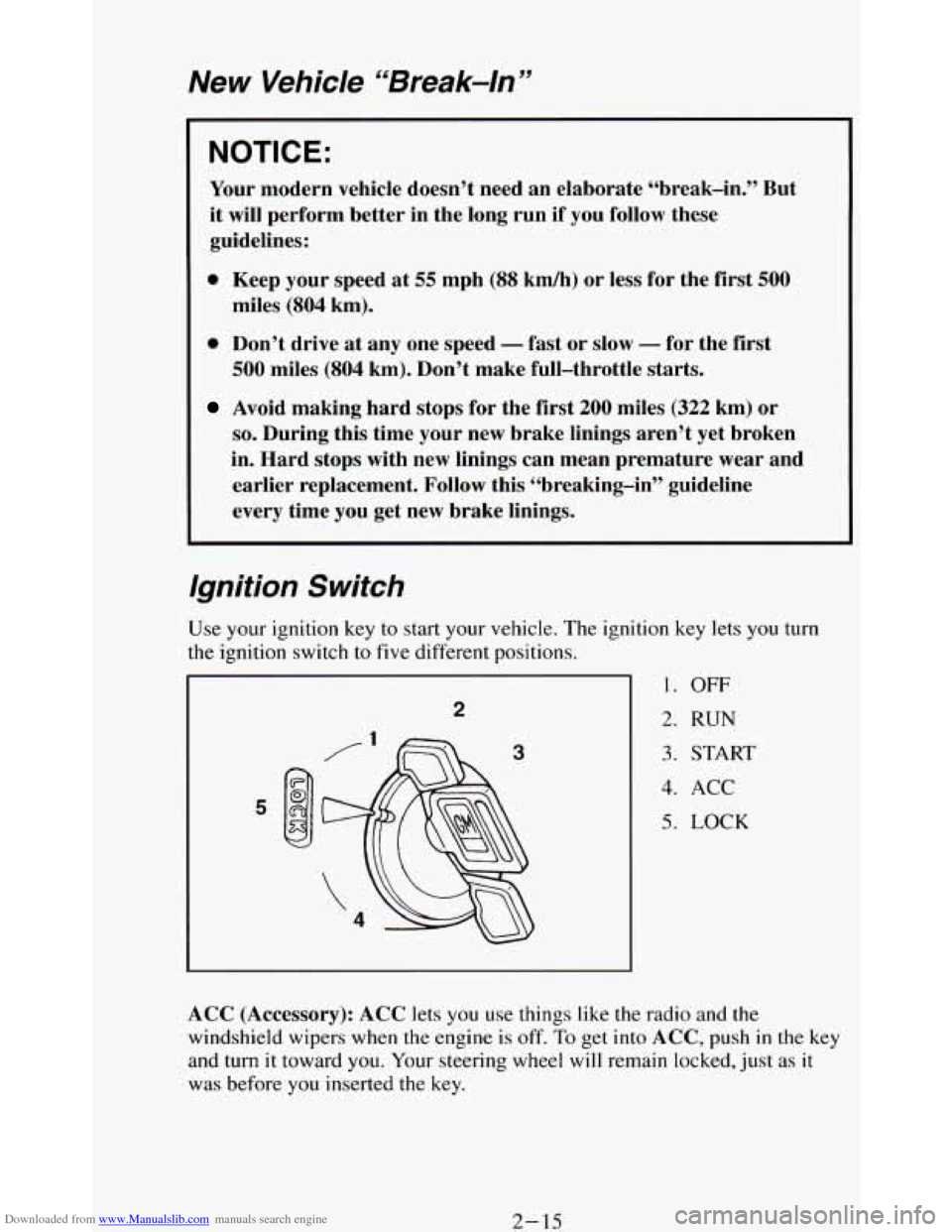
Ignition Switch
tion key lets you turn
1. OFF
2. RUN
3. START
4. ACC
5. LOCK
ACC (Accessory): ACC lets you use things like the radio and the
windshield wipers when the engine is off.
To get into ACC, push in the key
and turn
it toward you. Your steering wheel will remain locked, just as it
was before you inserted the key.
2- 15
Page 76 of 348
Downloaded from www.Manualslib.com manuals search engine NOTICE:
Damage to your transmission caused by shifting out of “P”
(Park) or “N” (Neutral) with the engine racing isn’t covered by
your warranty.
@ (Overdrive)
This position is for normal driving. If you need more power for
passing, and you’re:
- Going less than about 35 mph (56 km/h), push your accelerator
- Going about 35 mph (56 km/h) or more, push the accelerator all
pedal about halfway down.
the way down.
You’ll shift down to the next gear and have more power.
@ should not be used when towing a trailer, carrying a heavy
load, driving
on steep hills, or for off-road driving. Select “D”
(Third Gear) when operating the vehicle under any of these
conditions.
D (Third Gear) - This is like @, but you never go into Overdrive.
You should use
“D’ (Third Gear) when towing a trailer, carrying a
heavy load, driving on steep hills,
or for off-road driving.
2 (Second Gear) - This position gives you more power but lower fuel
economy. You can use “2” (Second Gear) on hills. It can help control
your speed as you go down steep mountain roads, but
then you would
also want to use your brakes
off and on.
If you manually select
“2” (Second Gear), the transmission will drive
in second gear. You may use this feature for reducing torque to the rear
wheels when
you are trying to start your vehicle from a stop on
slippery road surfaces.
1 (First Gear) - This position gives you even more power (but lower
fuel economy) than “2” (Second Gear). You can use it on very steep
hills, or in deep snow or mud. If the selector lever is put
in “1” (First
Gear),
the transmission won’t shift into “1” (First Gear) until the
vehicle
is going slowly enough.
2-22
Page 77 of 348
Downloaded from www.Manualslib.com manuals search engine If your rear wheels can’t rotate, don’t try to drive. This might
happen if you were stuck in very deep sand or mud or were up
against a solid object. You could damage your transmission.
Also, if you stop when going uphill, don’t hold your vehicle there
with only the accelerator pedal. This could overheat and damage
the transmission. Use your brakes
or shift into “P” Park to hold
your vehicle in position on a hill.
Five-Speed Manual Transmission
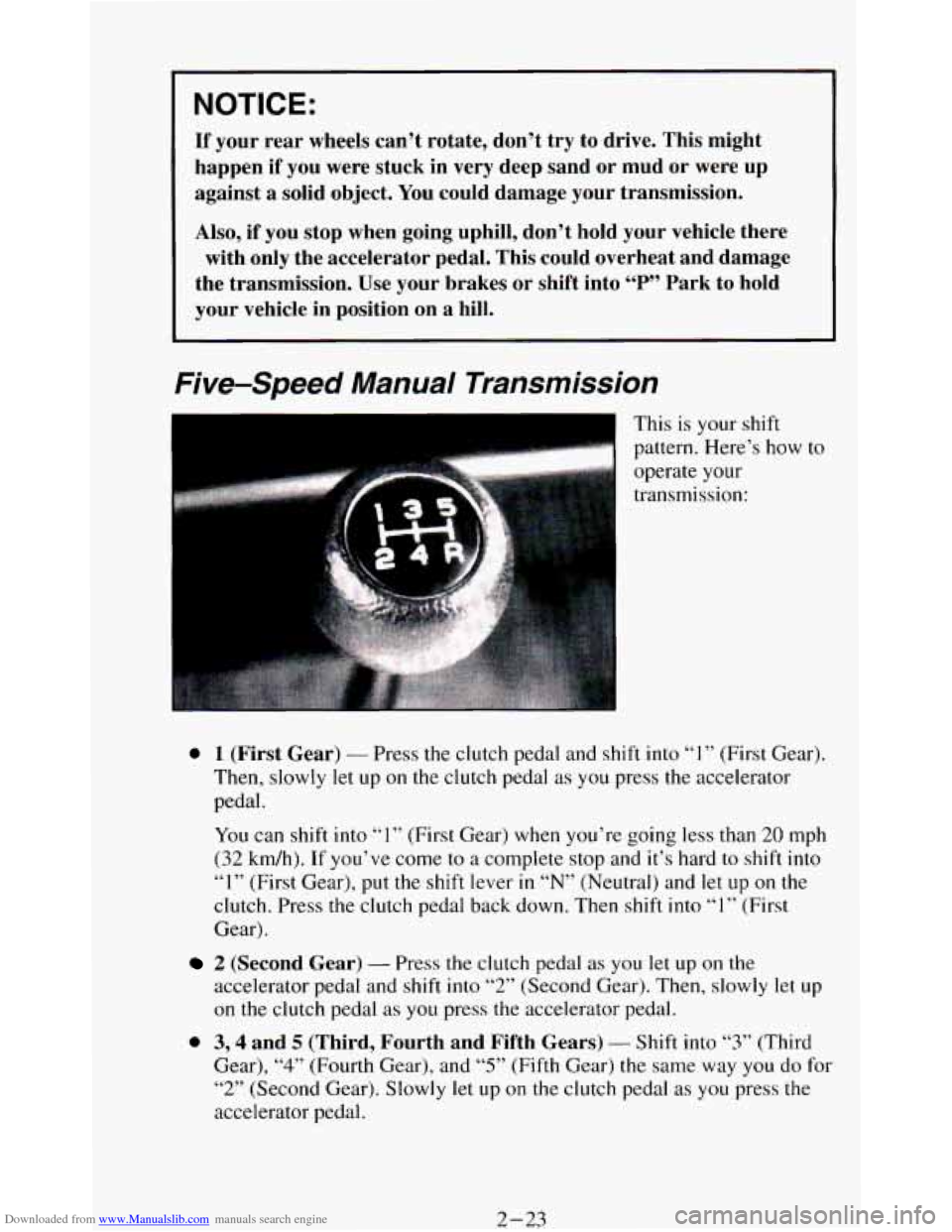
This is your shift
pattern. Here’s how
to 1..
operate your
transmission:
0 1 (First Gear) - Press the clutch pedal and shift into “1” (First Gear).
Then, slowly let up on the clutch pedal as you press the accelerator
pedal.
You can shift into
“1” (First Gear) when you’re going less than 20 mph
(32 km/h).
If you’ve come to a complete stop and it’s hard to shift into
“I” (First Gear), put the shift lever in “N” (Neutral) and let up on the
clutch. Press the clutch pedal back down. Then shift into “1” (First
Gear).
2 (Second Gear) - Press the clutch pedal as you let up on the
accelerator pedal and shift
into “2” (Second Gear). Then, slowly let up
on the clutch pedal
as you press the accelerator pedal.
0 3,4 and 5 (Third, Fourth and Fifth Gears) - Shift into “3” (Third
Gear),
“4” (Fourth Gear), and “5” (Fifth Gear) the same way you do for
“2” (Second Gear). Slowly let up
on the clutch pedal as you press the
accelerator pedal.
2-23
Page 78 of 348
Downloaded from www.Manualslib.com manuals search engine a
0
a
To Stop - Let up on the accelerator pedal and press the brake pedal.
Just before the vehicle stops, press
the clutch pedal and the brake pedal,
and shift to
“N” (Neutral).
N (Neutral) - Use this position when you start or idle your engine.
R (Reverse) - To back up, press down the clutch pedal, wait about 6
seconds, then shift into “R” (Reverse). Then let up on the clutch pedal
slowly while pressing the accelerator pedal.
NOTICE:
Shift to “R” (Reverse) only after your vehicle is stopped.
Shifting to
“R” (Reverse) while your vehicle is moving could
damage your transmission.
Also, use “R’ (Reverse), along with the parking brake, for parking your
vehicle.
Shift Light
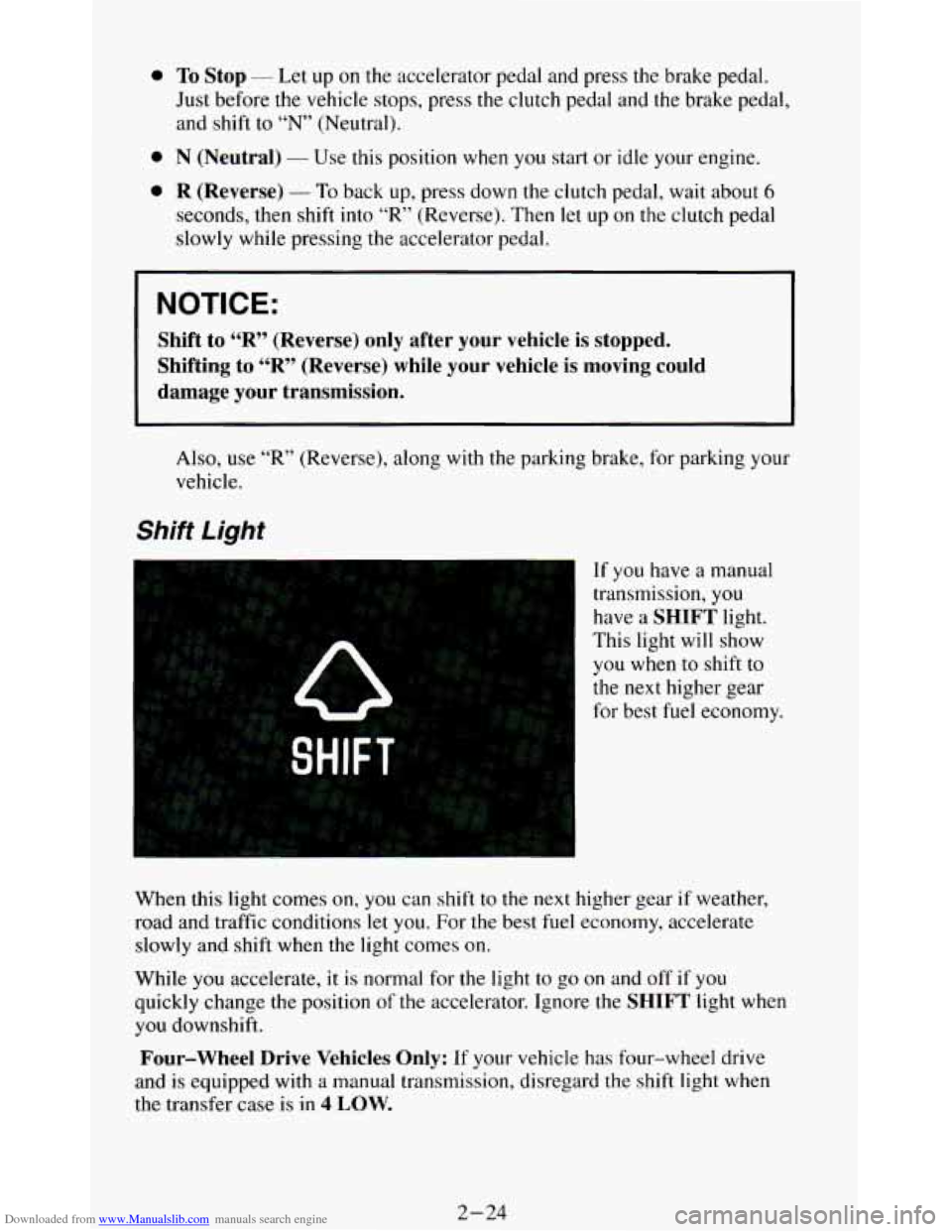
If you have a manual
transmission,
you
have a SHIFT light.
This light will show
you when to shift to
the next higher gear
for best fuel economy.
When this light comes
on, you can shift to the next higher gear if weather,
road and traffic conditions
let you. For the best fuel economy, accelerate
slowly and shift when the light comes on.
While
you accelerate, it is normal for the light to go on and off if you
quickly change the position
of the accelerator. Ignore the SHIFT light when
you downshift.
Four-wheel Drive Vehicles Only: If your vehicle has four-wheel drive
and
is equipped with a manual transmission, disregard the shift light when
the transfer case is in
4 LOW.
2-24