Page 82 of 308

E
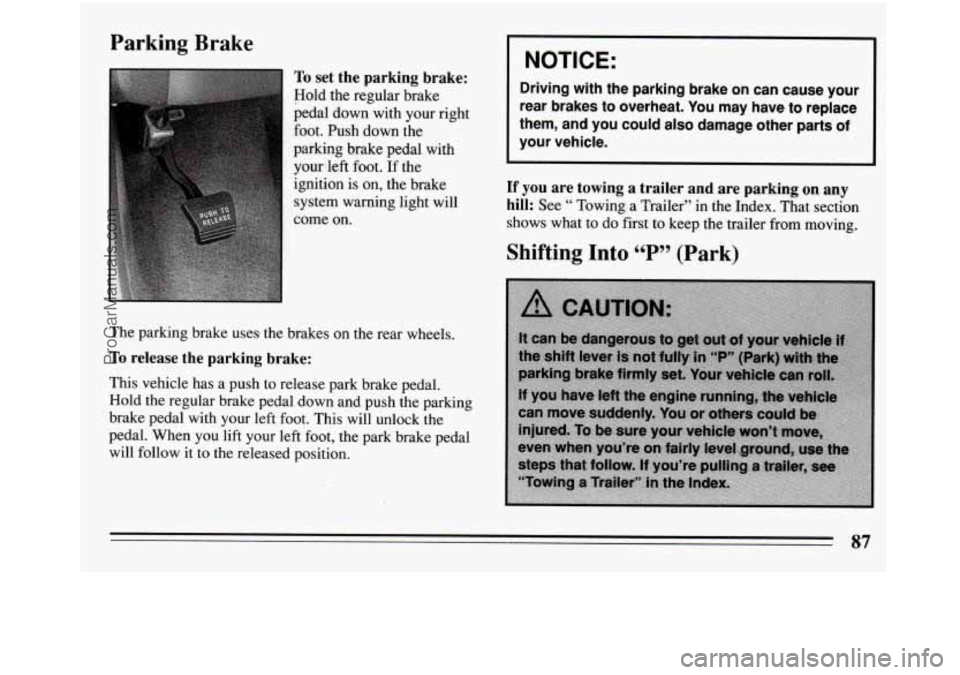
With the ignition key in the ignition switch, you can turn
the switch to five different positions.
(A) Accessory: This position lets you use things like the
radio and the windshield wipers when the engine is off.
To
use, push in the key and turn it toward you. Your
steering wheel
will remain locked, just as it was before
you inserted the key.
(B) Lock: Before you put the key in, your ignition will
be in the Lock position. This position locks your
ignition, steering wheel and transaxle. It’s an theft
deterrent feature.
(C) Off: This position lets you turn off the engine but
stili
turn the steering wheel. It doesn’t lock the steering
wheel like “Lock.” Use “Off’
if you must have your car
in motion while the engine is off (example, if your car is
being pushed).
(D) Run: This is the position for driving.
(E) Start: This position starts your engine.
I NOTICE:
If your key seems stuck in “Lock” and you can’t
turn’it, be sure
it is all the way in. If it is, then turn
the steering wheel left and right while you turn
the key hard. But turn the key only with your
hand. Using
a tool to force it could break the key
or the ignition switch. If none of this works, then
your vehicle needs service.
Starting Your Engine
Engines start differently. The 8th digit of your Vehicle
Identification Number (VIN) shows the code letter or
number for your engine. You will find the VIN at the top
left of your instrument panel. (See “Vehicle
Identification Number’’
in the Index.) Follow the proper
steps to start the engine.
80
ProCarManuals.com
Page 83 of 308
Move your shift lever to “P” (Park) or “N” (Neutral).
Your engine won’t start
in any other position -- that’s a
safety feature. To restart when you’re already moving,
use
“N” (Neutral) only.
NOTICE:
--
Don’t try to shift to “P” (Park) if your Buick is
moving. If you do, you could damage the
transaxle. Shift to “P” (Park) only when your
vehicle
is stopped.
To start your 3.1 Liter engine:
1. Without pushing the accelerator pedal, turn your
ignition key
to “Start.” When the engine starts, let go
of the key. The idle speed will go down as your
engine gets warm.
NOTICE:
Holding your key in “Start” for longer than 15
seconds at a time will cause your battery to be
drained much sooner. And the excessive heat
can damage your starter motor.
2. If your engine won’t start (or starts but then stops), it
could be flooded with too much gasoline. Try
pushing your accelerator pedal all the way to the
floor and holding
it there as you hold the key in
“Start” for about three seconds. If the car starts
briefly but then stops again, do the same thing, but
this time keep the pedal down for five or six seconds.
This clears the extra gasoline from the engine.
NOTICE:
Your engine is designed to work with the
electronics
in your vehicle. If you add electrical
parts
or accessories, you could change the way
the fuel injection system operates. Before adding
electrical equipment, check with your dealer. If
you don’t, your engine might not perform
properly.
If you ever have to have your vehicle towed, see
the part of this manual that tells how to do it
without damaging your vehicle. See “Towing
Your Car” in the Index.
81
ProCarManuals.com
Page 89 of 308
Parking Brake
To set the parking brake:
Hold the regular brake
pedal
down with your right
foot. Push down
the
paiking brake pedal with yourleft foot.
If the
ignition is on, the brake
system warning light will
come on.
The parking brake uses the brakes on the rear wheels.
To release the parking brake:
This vehicle has a push to release park brake pedal.
Hold
the regular brake pedal down and push the parking
brake pedal with your left foot. This will unlock the
pedal. When you lift your left foot, the park brake pedal
will follow it to the released position.
I NOTICE: 1
Driving with the parking brake on can cause your
rear brakes to overheat. You may have to replace
them, and you could also damage other parts of
your vehicle.
If you are towing a trailer and are parking on any
hill:
See “ Towing a Trailer” in the Index. That section
shows what to do first to keep the trailer from moving.
87
ProCarManuals.com
Page 90 of 308
Steering Column Shift Lever
1. Hold the brake pedal down with your right foot and
set the parking brake.
2. Move the shift lever into “P” (Park) position like
this:
0 Pull the lever toward you.
0 Move the lever up as far as it will go.
3. Move the ignition key to “Lock.”
4. Remove the key and take it with you. If you can
walk away from your vehicle with the ignition key
in
your hand, your vehicle is in “P” (Park).
88
ProCarManuals.com
Page 91 of 308
Console Shift Lever
set the parking brake.
1. Hold the brake pedal down with your right foot and
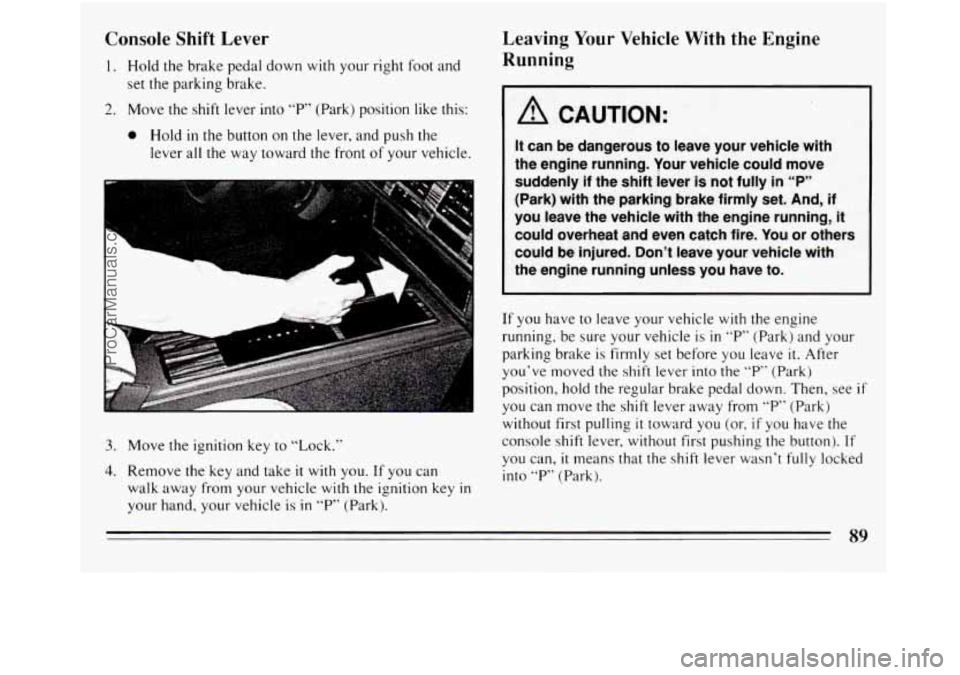
2. Move the shift lever into “P” (Park) position like this:
0 Hold in the button on the lever, and push the
lever all the way toward the front of your vehicle.
U
3. Move the ignition key to “Lock.”
4. Remove the key and take it with you. If you can
walk away from your vehicle
with the ignition key in
your hand, your vehicle is in “P” (Park).
Leaving Your Vehicle With the Engine
Running
1 A CAUTION:
If you have to leave your vehicle with the engine
running, be sure your vehicle
is in “P” (Park) and your
parking brake is firmly set before you leave
it. After
you’ve moved the shift lever into the
“P” (Park)
position, hold the regular brake pedal down. Then, see
if
you can move the shift lever away from “P” (Park)
without first pulling
it toward you (or, if you have the
console shift lever, without first pushing the button).
If
you can, it means that the shift lever wasn’t fully locked
into
“P” (Park).
89
ProCarManuals.com
Page 105 of 308
To Erase Speed Memory
When you turn off the Cruise Control or the ignition, or
shift into
“P” (Park) or “N” (Neutral) your Cruise
Control set speed memory is erased.
Lights
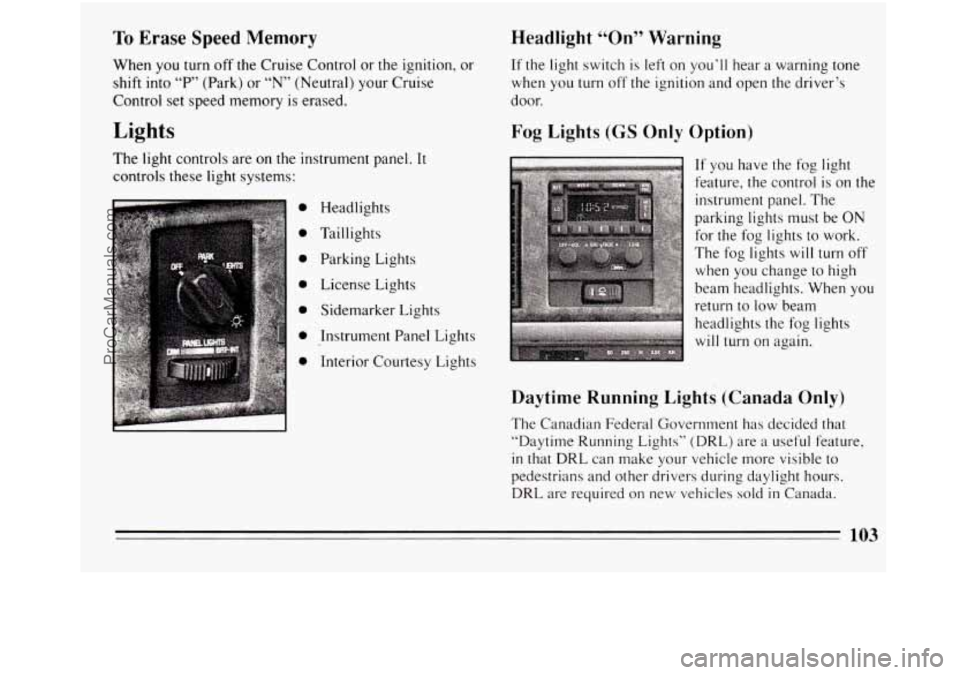
The light controls are on the instrument panel. It
controls these light systems:
0
0
0
0
0
0
0
Headlights
Taillights Parking Lights
License Lights
Sidemarker Lights
Instrument Panel Lights
Interior Courtesy Lights
Headlight “On” Warning
If the light switch is left on you’ll hear a warning tone
when you turn off the ignition and open the driver’s
door.
Fog Lights (GS Only Option)
c
If you have the fog light
feature, the control is on the
instrument panel. The
parking lights must be ON
for the fog lights to work.
The fog lights
will turn off
when you change to high
beam headlights. When you
return to low beam
headlights the fog lights
will turn on again.
Daytime Running Lights (Canada Only)
The Canadian Federal Government has decided that
“Daytime Running Lights” (DRL) are
a useful feature,
in that DRL can make your vehicle more visible to
pedestrians and other drivers during daylight hours.
DRL are required on new vehicles sold in Canada.
103
ProCarManuals.com
Page 106 of 308
Your DRL work with a light sensor on top of the
instrument panel. Don’t cover it up.
The low beam headlights will come on at reduced
brightness in daylight
when:
0 The ignition is on,
0 The headlight switch is off, and
0 The parking brake is released.
At dusk, the exterior lights will come on automatically
and the low beams will change
to full brightness. At
dawn, the exterior lights will
go out and the low beams
will change to
the reduced brightness of DRL (if the
headlight switch is off).
Of course, you may still turp on the headlights any time
you need to.
To idle your vehicle with
the DRL off, set the parking
brake while the ignition
is in the “Off” or “Lock”
position. Then start the vehicle. The DRL will stay off
until
you release the parking brake.
Front Seat Reading Lights (Option)
The front seat reading lights are turned on by pressing
the switches.
104
ProCarManuals.com
Page 107 of 308
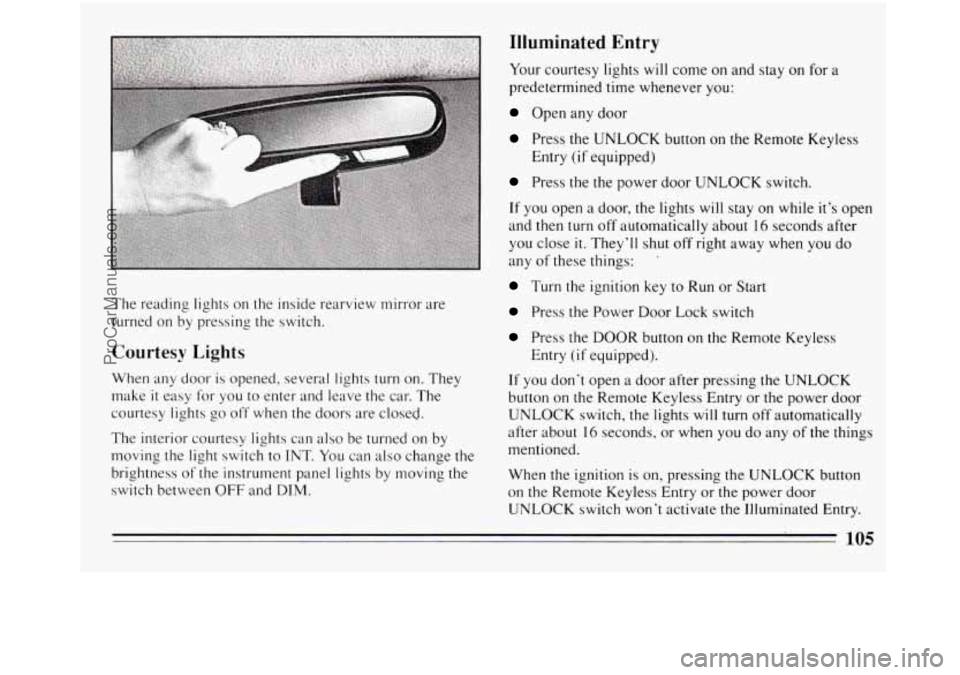
The reading lights on the inside rearview mirror are
turned on by pressing the switch.
Courtesy Lights
When any door is opened, several lights turn on. They
make
it easy for you to enter and leave the car. The
courtesy lights
go off when the doors are closed.
The interior courtesy lights can also be turned on by
moving the light switch to
INT. You can also change the
brightness of the instrument panel lights by moving the
switch between
OFF and DIM.
Illuminated Entry
Your courtesy lights will come on and stay on for a
predetermined time whenever you:
Open any door
Press the UNLOCK button on the Remote Keyless
Press the the power door UNLOCK switch.
If you open a door, the lights will stay on while it’s open
and then turn
off automatically about 16 seconds after
you close
it. They’ll shut off right away when you do
any of these things: ’
Turn the ignition key to Run or Start
Press the Power Door Lock switch
Press the DOOR button on the Remote Keyless
If you don’t open a door after pressing the UNLOCK
button on the Remote Keyless Entry or the power door
UNLOCK switch, the lights will turn off automatically
after about
16 seconds, or when you do any of the things
mentioned.
When the ignition is
on, pressing the UNLOCK button
on the Remote Keyless Entry or the power door
UNLOCK switch won’t activate
the Illuminated Entry.
Entry
(if equipped)
Entry
(if equipped).
105
ProCarManuals.com