1993 CHEVROLET BLAZER heating
[x] Cancel search: heatingPage 6 of 386

Section
0
This section tells you how to use your manual and includes
safety and vehicle damage warnings and symbols.
L
A
This section tells you how to use your seats and safety belts
properly.
1 This section explains how to start and operate your vehicle.
3
This section tells you how to adjust the ventilation and comfort
controls and how to operate your audio system.
Here
YOU II find helpful information and tips about the road and
how to drive under different conditions.
5
This section tells you what to do if you have a problem while
driving, such as
a flat tire or engine overheating.
Here the manual tells you how to keep your vehicle running
properly and looking
good.
This section tells you when to perform vehicle maintenance and
what fluids and lubricants to use.
This section tells you how
to contact your GM division for
assistance and how to get service publications.
It also gives
you information on “Reporting Safety Defects”.
an alphabetical listing of almost every subject in this
1. You can use it to quickly find something you want to
TO21 0
V
Page 70 of 386
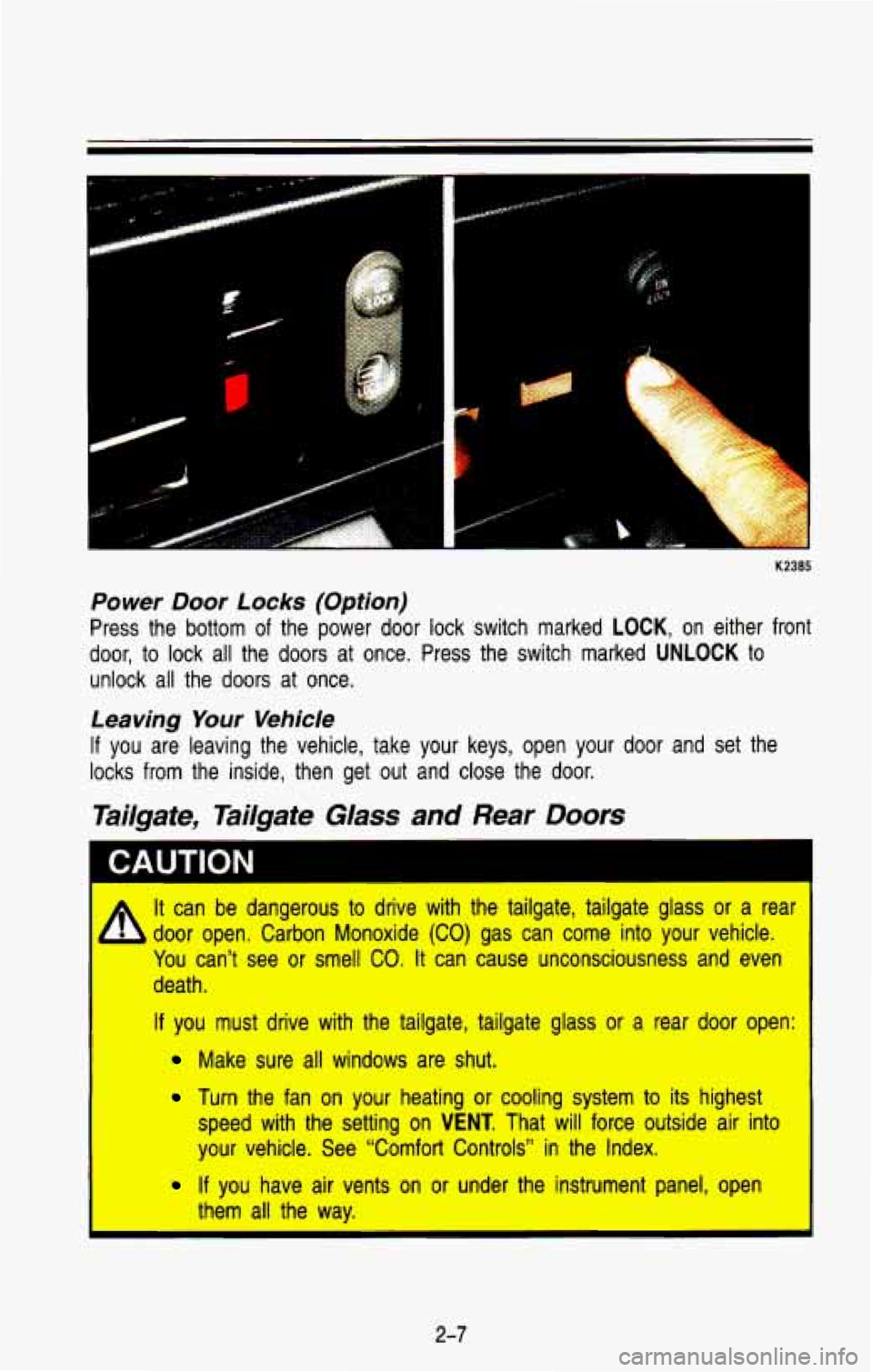
Power Door Locks (Option)
Press the bottom of the power door lock switch marked LOCK, on either front
door, to lock all the
doors at once. Press the switch marked UNLOCK to
unlock all the doors at once.
Leaving Your Vehicle
If you are leaving the vehicle, take your keys, open your door and set the
locks from the inside, then get out and close the door.
Tailgate, Tailgate Glass and Rear Doors
I CAUTION I
It can be dangerous to drive with the tailgate, tailgate glass\
or a rear
b door open. Carbon Monoxide (CO) gas can come into your vehicle.
You can’t see
or smell CO. It can cause unconsciousness and even
death.
If you must drive with the tailgate, tailgate glass or a rear door open:
Make sure all windows are shut.
Turn the fan on your heating or cooling system to its highest\
speed with the setting on
VENT. That will force outside air into
your vehicle. See “Comfort Controls” in the Index.
If you have air vents on or under the instrument panel, open
I them all the way.
2-7
Page 140 of 386

Listed are four situations you may experience with your fuel gage:
At the gas station, the fuel pump shuts off before the gage reads full.
It takes a little more or less fuel to fill up than the fuel gage indicated.
For example, the gage may have indicated the tank
was half full, but it
actually took a little more or less than half the tank’s capacity to
fill the
tank.
The gage moves a little when you turn a corner or speed up. \
The gage doesn’t go back to empty when you turn off the ignition.
None
of these indicate a ,problem with the fuel gage.
For information on how to
fill your fuel tank see “Fuel-Filling Your Tank” in
the Index.
For your fuel tank capacity, see “Fuel-Tank Capacity”
in the Index.
Engine Coolant Temperature Gage
260
This gage shows the engine coolant temperature. If the gage pointer moves
into the red area, about 260°F
(145°C) or more, your engine is too hot! It
means that your engine coolant has overheated.
If you have been operating
your vehicle under normal operating conditions, you should pull \
off the road,
stop your vehicle and turn
off the engine as soon as possible.
Hot Coolant Can Burn You Badly!
In “Problems on the Road”, this manual shows what to do. See “Engine
Overheating” in the Index.
2-77
Page 146 of 386
Comforf Controls & Audio Systems
Section
.
.
In this section you’ll find out how to operate the comfort control and audio
systems offered with your vehicle
. Be sure to read about the particular system
supplied with your vehicle
.
For explanation of vehicle symbols in this section. refer to “Vehicle
Symbols” in Section 0 .
Comfort Controls ........................................................................\
........................... 3-2
Flow-Through Ventilation System
..................................................................... 3-2
Heating System
........................................................................\
.......................... 3-4
Electronic HeatinglAir Conditioning System
..................................................... 3-5
Rear Air Conditioning and Heating Systems
(Wagon Models)
........................................................................\
..................... 3-8
Rear Window Defogger
........................................................................\
........... 3-11
Audio Systems
........................................................................\
............................. 3-12
FM Stereo ........................................................................\
................................ 3-12
AM
........................................................................\
............................................. 3-12
AM Stereo ........................................................................\
................................ 3-13
How
to Operate Your AM ETR@Radio ......................................................... 3-13
How to Operate Your AM-FM Stereo Audio System and
Cassette Player
........................................................................\
.................... 3.14
How to Operate Your AM-FM Stereo Audio System and
Cassette Player with Graphic Equalizer
..................................................... 3-17
Care
of Your Cassette Tape Player ............................................................... 3-21
Fixed Mast Antenna
........................................................................\
................ 3-21
3-1
Page 149 of 386
Comfort Controls & Audio Systems
Heating System (Without Air Conditioning)
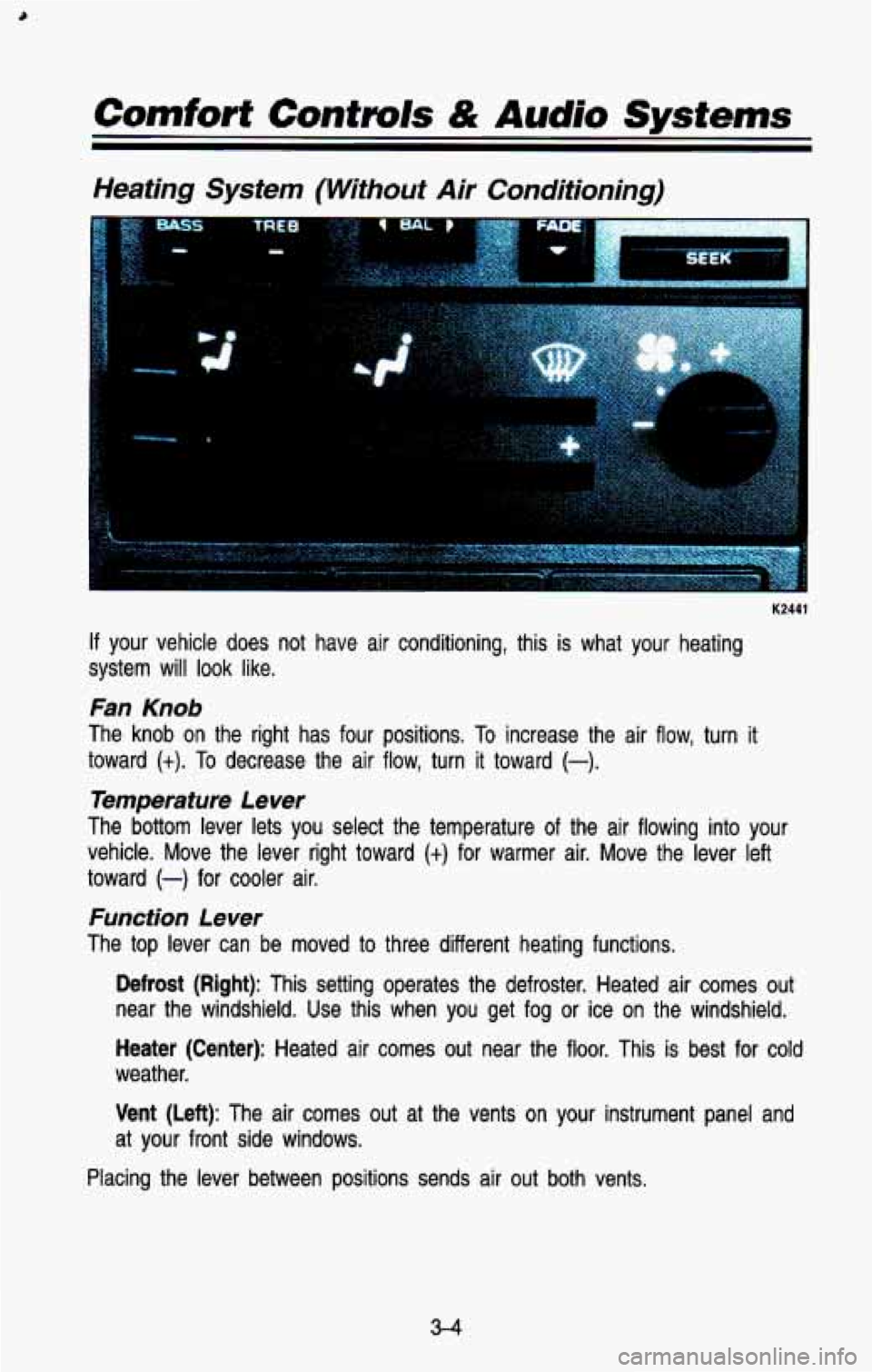
K2441
If your vehicle does not have air conditioning, this is what your heating
system will look like.
Fan Knob
The knob on the right has four positions. To increase the air flow, turn it
toward
(t). To decrease the air flow, turn it toward (-).
Temperature Lever
The bottom lever lets you select the temperature of the air f\
lowing into your
vehicle. Move the lever right toward
(+) for warmer air. Move the lever left
toward
(-) for cooler air.
Function Lever
The top lever can be moved to three different heating functions.
Defrost (Right): This setting operates the defroster. Heated air comes\
out
near the windshield. Use this when you get fog
or ice on the windshield.
Heater (Center): Heated air comes out near the floor. This is best for cold
weather.
Vent (Left): The air comes out at the vents on your instrument panel and
at your front side windows.
Placing the lever between positions sends air
out both vents.
3-4
Page 150 of 386

Heater Output
Optional Engine Block Heater
If your engine is equipped with an optional engine block heater, you can use
it during initial start-up in cold weather (20"F,
-8OC, or lower) to help heat the
passenger compartment faster. Because an engine block heater war\
ms the
engine coolant, your vehicle's heating system can provide some \
heat as soon
as you start the engine.
The use of an engine block heater also reduces the time it takes for the
engine to reach normal operating temperature, and shortens the time it takes
the heater to reach full output. For more information, See "Engine Block
Heater" in the Index.
Electronic Heating/Air Conditioning System
Function Display
I ................... ...........I
K2:
If your vehicle has air conditioning, your heating/air conditioning \
system will
look like this.
When you first turn on your vehicle's air conditioning, open the windows
to
clear the vehicle of hot air.
3-5
Page 151 of 386

K2313
Your system has a lighted display showing each system when it is operating.
During normal operation, all the lights won’t come on at th\
e same time. Only
the ones displaying the current settings will light.
System Controls
NC Button: Press the button marked NC to turn your air conditioner on and
off. The AIC symbol will light on your display and air will come out of your
dashboard vents. The fan
will automatically be set on LOW.
When you press the NC button to turn the air conditioner off, the system will
operate in the vent mode. When you turn the air conditioner back on, the\
system will operate in the mode that you last selected unless the
OFF button
was pressed.
OFF Button: Press this button to turn the air conditioning/ heating system off.
Pressing OFF will erase the present mode of operation from the system’s
memory. Outside air will still come out of the heater outlet \
whenever the
vehicle is moving forward.
If the OFF button was pressed, you must press NC, MAX, or one of the
BLEND buttons for the system to come back on.
Air Controls (BLEND)
The two buttons to the right of the system display control the air flow. You
can blend the air flow to suit your needs, The amount of blending is shown
on the display by an arrow moving between the figure’s feet (floor air flow)
and head (vent air flow).
3-6
Page 153 of 386

If- your vehicle has either or both of these systems, you can inc\
rease and
decrease the air
flow at the rear vents.")
Rear Air Conditioning and Heating Systems (Wagon
Models)
If- your vehicle has either or both of these systems, you can inc\
rease and
decrease the air
flow at the rear vents. Depending on the system you have
and the setting selected,
you can send cooled or heated air to the rear of
the vehicle.
Rear Air Conditioning (Without Rear Heater)
Front Control Rear Control
K 2478
If your vehicle has rear air conditioning (without rear heater), \
the controls are
located above the front and second seats. The front and rear \
overhead
controls let you increase and decrease the air flow at the rear vents.
To operate the rear air conditioning system, the front air conditioning system \
must be on. With the front
air conditioning system off, the rear system
controls can be used
to circulate air in the rear of the vehicle.
To operate the rear system using the front control, just turn the knob to
blower position you want.
To use the rear control, first turn the front control knob
to REAR CNTL.
Then, the rear control can be used to increase and decrease the air flow.
3-8