1993 CADILLAC ELDORADO light
[x] Cancel search: lightPage 148 of 398
Downloaded from www.Manualslib.com manuals search engine A/C OVERHEATED - A/C COMPRESSOR OFF
If the refrigerant system ever reaches an over-pressure condition, this
message
will appear to tell you that the air conditioning compressor has
been turned
off. Air conditioned air will not be delivered to cool your
vehicle. If the pressure returns
to a normal operating range, you must
select “AUTO”, “DEFOG”
, or Defrost to start the compressor. If this
message continues to appear, have the system repaired as soon as
possible to avoid compressor damage.
BATTERY NO CHARGE
This message will appear if your battery is not being charged. Have your
electrical system checked by
your Cadillac dealership at your earliest
convenience.
BATTERY VOLTS HIGH
This message shows that the electrical charging system is overcharging,
(more than
16 volts). To avoid being stranded have the electrical system
checked by your Cadillac dealership at your earliest convenience.
You can
reduce the charging overload
by using the accessories. Turn on the lights,
radio, set the Climate Control on
“AUTO” and the fan speed on “HI”
and turn the rear window defogger on. You can monitor battery voltage
on the Driver Information Center by toggling the “INFORMATION’’
button. When the engine is running, the normal range is
11.5 to 15.5
volts.
BATTERY VOLTS LOW
This message will appear when the electrical system is charging less than
10 volts, or if the battery has been drained. If this message appears
immediately after starting it is possible
that the generator can still
recharge the battery. The battery should recharge after driving a few
miles and the message should go out. If this message appears while
driving or after starting
your vehicle and stays on, have it checked
immediately to determine the cause
of this problem. To help the
generator recharge the battery quickly, you can reduce the load on the
electrical system by turning
off your accessories. You can monitor battery
voltage
on the Driver Information Center by toggling the
“INFORMATION” button. The normal range is 11.5 to 15.5 volts.
134
Page 149 of 398

Downloaded from www.Manualslib.com manuals search engine CHANGE TRANS FLUID (Northstar Only)
This message will appear when it is time to replace the transaxle fluid.
See your maintenance booklet for the proper fluid and change i\
ntervals.
CHECK BRAKE FLUID
This message is displayed to inform the driver that the brake reservoir
fluid level
is low. Check the brake reservoir level and add as needed.
Have the brake system serviced by
a Cadillac technician as soon as
possible.
If the brake warning light is on, follow the directions in that
section.
CHECK COOLANT LEVEL (Northstar Only)
This message will appear when there is a low level of engine coolant.
Have the cooling system serviced by a Cadillac technician as soon as
possible.
CHECK FUEL GAGE
This message will appear when your fuel supply is less than 4 gallons and
your display is turned
off.
CHECK OIL LEVEL (Northstar Only)
This message will appear when your engine oil is approximately a quart
low. If this message is displayed, check the oil and add as needed.
CHANGE OIL SOON
This message will appear when your engine oil is less than 10 percent or
the mileage since the last oil change is more than 6750 miles.
CHANGE ENGINE OIL
135
This means that the life of your engine oil has expired and it should be
changed immediately. See engine
oil and filter recommendations in the
Maintenance Schedule. After an
oil change, the Oil Life Index must be
reset. See “Oil Life Indicator”
in the index on how to reset it.
Page 151 of 398

Downloaded from www.Manualslib.com manuals search engine SERVICE A/C SYSTEM A/C COMPRESSdR OFF
This message appears when the electronic sensors that control the A/C
and heating system are no longer working.
You mav notice a drop in
heating and A/C efficiency when this message appkars. Have your
Climate Control system serviced
if this message appears.
STARTING DISABLED DUE TO THEFT SYSTEM REMOVE
IGNITION
KEY
This message will appear when the Personalized Automotive Security
System (PASS Key
I1 rM ) senses that an improper ignition key is being
used to try to start the vehicle. Check the ignition key
for damage. If it is
damaged, it may need to be replaced. If you see no damage, clean the
pellet contacts
with a soft cloth or napkin. Remove the ignition key and
wait for the Driver Information Center to display “WAIT
3 MINUTES”.
The Instrument Panel Cluster
will then run a timer and change the
messages to “WAIT 2 MINUTES”, “WAIT 1 MINUTE”, and then
“START CAR”. When the “START CAR” message
is displayed, try again
to start the engine.
SERVICE NOW - REFER TO OWNERS MANUAL
This message appears if you have a problem with the Electronic Control
Module (ECM).
To correct this problem have your vehicle serviced at
your Cadillac dealership.
SERVICE RIDE CONTROL
This message is displayed to indicate that the Suspension System is not
operating properly. To correct this problem have
your vehicle serviced at
your Cadillac dealership at your earliest convenience.
STOP ENGINE ENGINE OVERHEATING
This message will appear when your engine has overheated. Stop and
turn your engine
off immediately to avoid severe engine damage. See
“Engine Overheating” in the Index.
SERVICE VEHICLE SOON
This message will appear if there is a problem with your Emission
Control System.
If the “SERVICE ENGINE SOON” light on the
instrument panel and this message appear and then turns off, it
is an
indication that
a temporary problem has cleared itself. Have your vehicle
checked
at your earliest convenience.
137
Page 156 of 398
Downloaded from www.Manualslib.com manuals search engine corrected. If this message should appear, have your vehicle serviced at
your Cadillac dealer at your earliest convenience.
Electronic Level Control
This keeps your car level.
The ignition has to be
“ON” for the level control to work. When you turn
the ignition off, you may hear the level control exhausting. The system
consists of an electronic height sensor,
a small electric air compressor,
and air adjustable shock absorbers mounted
on the rear of the vehicle.
If the system has a slight leak, the air compressor will run frequently for a
few seconds each time.
For a massive air leak, the air compressor
will stay on for approximately 7
minutes. You should see your dealer for service, but you can keep driving
your Cadillac, though.
142
Page 159 of 398

Downloaded from www.Manualslib.com manuals search engine Temperature
To select the
temperature
you want,
push
the blue button
for a cooler setting and
the red button for a
warmer setting.
The
temperature setting
will be displayed
on
the digital screen.
I
You can select temperatures from 65 F ( 18 " C) to 85 F (69 " C). And, at
each end,
you may choose 60°F (16" C), for maximum cooling, and 903F
(33"C), for maximum heating.We recommend when first getting familiar
with your vehicle, select
75°F (24°C). You may find that your own
personal comfort requires a slightly higher or lower setting. Once you set
the temperature, the system will automatically maintain the set
temperature.
ECON
With this setting it's all automatic, but the air conditioningcorupressor
does not operate and
it won't remove humidity from the alr. However,
the system will try
to keep the air at the selected temperature. Use this
setting
in cold or cool weather to save fuel.
If it's warm outside and you need to cool the air, use the next choice.
AUTO
With this setting, the air conditioning compressor runs and it's all
automatic. In cold weather when the system senses the need for heat, the
air
flow will be directed out the floor ducts. As the interior temperature
approaches
the desired setting, the blower speed will decrease and the air
flow could be directed through the defroster and floor ducts. To maintain
interior comfort, the air
flow may move to the air outlets and floor ducts
145
Page 164 of 398
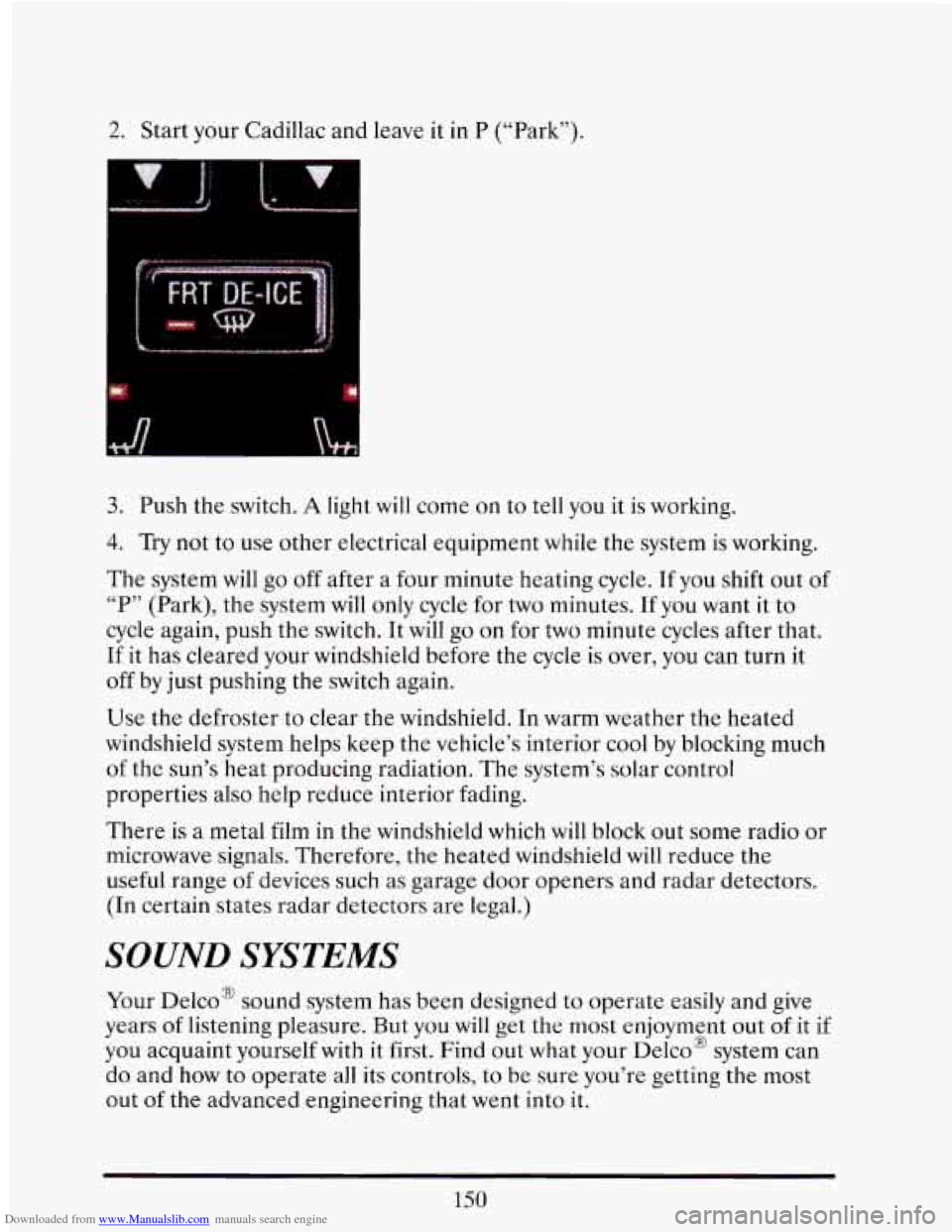
Downloaded from www.Manualslib.com manuals search engine !. Start your Cadillac and leave it in P (“Park”).
fl
3. Push the switch. A light will come on to tell you it is working.
4. Try not to use other electrical equipment while the system is working.
The system will
go off after a four minute heating cycle. If you shift out of
“P” (Park), the system will only cycle for two minutes. If you want it to
cycle again, push the switch. It will go on for two minute cycles after that.
If it has cleared your windshield before the cycle is over, you can turn it
off by just pushing the switch again.
Use the defroster to clear the windshield. In warm weather the heated
windshield system helps keep the vehicle’s interior
cool by blocking much
of the sun’s heat producing radiation. The system’s solar control
properties also help reduce interior fading.
There is
a metal film in the windshield which will block out some radio or
microwave signals. Therefore, the heated windshield
will reduce the
useful range
of devices such as garage door openers and radar detectors.
(In certain states radar detectors are legal.)
SOUND SYSTEMS
Your Delco’ sound system has been designed to operate easily and give
years
of listening pleasure. But you will get the most enjoyment out of it if
you acquaint yourself with it first. Find out what your
Delco’ system can
do and
how to operate all its controls, to be sure you’re getting the most
out
of the advanced engineering that went into it.
150
Page 165 of 398
Downloaded from www.Manualslib.com manuals search engine FM Stereo
FM stereo will give you the best sound. But FM signals will reach only
about 10 to 40 miles (16 to 65 km). And, tall buildings or hills can
interfere with
FM signals, causing the sound to come and go.
AM
The range for most AM stations is greater than for FM, especially at
night. The longer range, however, can cause stations to interfere with
each other. AM can pick up noise from things like storms and power
lines.
Try reducing the treble to reduce this noise if you ever get it.
This means your radio can produce quality AM sound comparable
to FM
stereo. AMAX’ reduces noise without reducing the high frequencies you
need for the best sound. In addition to improved sound quality, AMAX‘
includes more station on the AM band. You don’t have to
do anything in
your radio because AMAX‘ is automatic.
AM Stereo
This means the Delco’ system can receive C-QUAM’ stereo broadcasts.
Many AM stations around the country use C-QUAM’ to produce stereo,
though some do not. (C-QUAM@ is a registered trademark
of Motorola,
Inc.) If your Delco’ system can get C-QUAM@, your
“ST” stereo light
will come on when you’re receiving it.
151
Page 169 of 398
Downloaded from www.Manualslib.com manuals search engine If you have the Delco Bose Gold Series Music System, it lets you switch
from
CD (Compact Disc) to TP (Tape player).
The control behind the lower knob moves the sound between your front
and rear speakers.
When you push this button either up or down,
the SCAN indicator in the
display will light and the radio will find the next station and stay there
about
5 seconds. Then it will go to the next station and pause, and keep
doing that until you push either the SCAN or upper knob.
SEEK
This button selects stations, but it doesn’t keep moving as SCAN does.
When you push SEEK
up or down, the radio will automatically go to the
next strongest station and stay there.
Export Radio Only
The SCAN and SEEK function selects station only in one direction.
Push Buttons
You can set the push buttons to get up to ten favorite. stations (Five on
AM and five more on FM). Just:
Choose either AM or FM
Tune in the station.
Push the SET button.
Within 5 seconds, push one of the five push buttons.
Repeat these steps for each of the five push buttons.
BASS
The slide control increases or decreases the bass response tone. Moving
the control to the right increases bass while moving it to the
left decreases
it.
155