1967 CHEVROLET CAMARO turn
[x] Cancel search: turnPage 515 of 659

ELECTRICAL-BODY AND CHASSIS 12-3
Fig.
2 - T-3 Safety Aimer
wearing away the insulation due to vibration.
By referring to the wiring diagrams, circuits may be
tested for continuous circuit or shorts with a conventional
test lamp or low reading volt meter.
HEADLAMP ADJUSTMENT-
T-3 HEADLAMPS
CAUTION: Check and tighten radiator support
grille retaining bolts prior to attempting head-
lamp aiming. Distorted grille or supports in
this area will hinder proper aiming of head-
lamps. On Corvette models make sure head-
lamp panel is adjusted properly - refer to
"Headlamp Panel Travel Adjustment".
When aiming headlamps, vehicle should be filled to ca-
pacity with gas, oil, and water but no load. Tires should
be uniformly inflated to recommended pressure.
the T-3 Safety Aimer-Type B (fig. 2), is used for the
headlamp aiming description that follows. An adapter is
required with the Type B T-3 Aimer when adjusting the 7
inch headlamp used on the Chevy n vehicle.
1.
Drive vehicle onto selected aiming area. Bounce
vehicle several times and allow to settle.
2.
Remove headlamp bezels.
3.
Mount the T-3 Aimers on either the No. 1 or No. 2
pair of headlamps so that "the points of the headlamps
engage the smooth inner ring of the aimers.
HORIZONTAL
AIMING
SCREW
STRING OVER
"2R" ON AIMER ARM
Fig.
4—-Headlamp Horizontal Adjustment
NOTE:
In the dual headlamp installation, the
inboard unit is designated No. 1 and the outboard
unit is designated No. 2.
4.
Secure the aimers to the headlamp units by firmly
pressing knob at center of each aimer (fig. 3). Ro-
tate crossarms inboard to approximate horizontal
position.
NOTE:
Moisten suction cups slightly to obtain
maximum holding force.
5. With both aimers in place, knot both ends of elastic
string and, using slots provided, fasten string across
horizontal crossarms of each aimer.
6. Rotate both aimers so that the string just clears the
points on the crossarms.
HORIZONTAL ADJUSTMENT
7. a. Turn horizontal aiming screw, Figure 4, on left-
VERTICAL ADJUSTMENT SCREW
Fig.
3 - Installing Aimer on Headlamp Unit
Fig.
5 - Headlamp Vertical Adjustment
CHEVROLET CHASSIS SERVICE MANUAL
Page 516 of 659

ELECTRICAL-BODY AND CHASSIS 12-4
b.
hand lamp until the string is positioned over the
crossarm centerline. Turn the screw clockwise
in making the final adjustment to take up play in
the headlamp mechanism.
Repeat the above procedure on the right-hand
lamp to complete the horizontal adjustment of the
headlamps.
VERTICAL ADJUSTMENT
8. a. Numeral "2" (fig. 5) should appear in the "down"
window of each aimer. If not, loosen knob at
underside of aimer arm and slide back and forth
until the numeral does appear.
NOTE:
This setting will give a 2" drop of the
headlamp high beam spot centerline on a screen
placed 25 feet forward of the vehicle. Check
state laws for proper vertical setting.
b.
Turn headlamp vertical aim screw (fig. 5) on left-
hand unit counter-clockwise until the bubble is at
the inner end of the glass tube. Then turn screw
clockwise until bubble is centered in tube.
c. Repeat this procedure on right-hand headlamp
unit to complete vertical adjustment of lamps.
9. Recheck the string at the ends of each crossarm for
correct setting and the bubble on each aimer for
centered position.
10.
Remove the aimers by pulling on the suction cup tabs
through the openings in the aimers (fig. 6).
11.
With headlamps properly aimed, replace headlamp
bezels.
HOW TO SELECT A LEVEL AIMING AREA
1.
Select area you believe to be level.
2.
Remove headlamp bezels and install Aimers on each
headlamp (fig. 3) making sure aiming lugs engage
smoooth inner ring of the Aimer.
"
To install Aimer,
press firmly on the knob extending out from the cen-
ter of the Aimer base. This forces the suction cup
into place on the Sealed Beam unit.:
3.
Loosen the slider knob beneath the aimer arm and
set the numeral "2" in the DOWN view window (fig.
7).
Back vertical lamp adjustment out on each lamp
until bubble is outside of black line of vial, then cen-
ter bubble in between black line of vial by turning
clockwise.
VERTICAL AIMING SCREW
VIEW WINDOWS
BUBBLE
Fig.
6 - Removing Aimer from Headlamp
Fog.
7- Selecting Level Aiming Area
4.
After botli bubbles are centered, turn the car around
end for end, making sure the tires are in the spots
made on the floor before the car was moved.
.5.
If the bubbles are still within the two outside black
marks on the vials, the floor is level enough to use
the Aimer as it comes from the factory.
NOTE:
A quick level check can be made by
using the T-3 Safety-Aimer as a level. Use
with a true eight to ten foot two by four as an
extension. Make sure pads on base of Aimer
are used. Place the board where you expect the
wheels to be and take readings as outlined above.
6. If either bubble moves outside the black lines of the
vial there is too much slant to the floor. Try driving
the car in at different angles onto the aiming area.
If bubbles can
not
be centered follow procedure under
"How to Compensate for Unlevel Floor."
NOTE:
When level portion of floor is obtained,
mark tire spots on floor so spots can be used
next time without calibrating Aimer.
TO COMPENSATE FOR UNLEVEL FLOORS
If your floor is not level within the limits specified, the
T-3 Aimer can be calibrated to compensate for the error
in the floor. Follow this procedure with both aimers.
1.
Drive the car onto the area for which you wish to
compensate the aimers, and install the aimers in
place on the headlamps.
2.
Loosen knob beneath the aimer arm and move the
slider until the bubble is centered.
3.
Record the numeral in the view window. (This nu-
meral is to be used only for recalibration.)
4.
Move the slider to a position halfway between this
recorded numeral and the numeral "2" in the
DOWN
window. (This numeral is used only in recalibration
and not for headlamp aiming.)
5.
Recalibrate aimers by turning screw shown in Figure
8 until the bubble is centered.
6. The T-3 Aimers are now calibrated for the selected
area. All future aiming must be done in the same
area and with the car pointed in the same direction.
Mark the tire spots on the floor so that other vehi-
cles can be located in the same position.
CHEVROLET CHASSIS SERVICE MANUAL
Page 517 of 659

ELECTRICAL-BODY AND CHASSIS 12-5
Fig.
8—Turning Level Adjusting Screw to Calibrate Aimer
HEADLAMP PANEL TRAVEL ADJUSTMENT
Corvette (Fig. 9)
The headlamp panel travel is limited by two adjusting
screws which are located on the arms of the shaft
mounted stop.
Fig.
9—Headlamp Panel Travel Adjusting Screw
1.
Raise hood and as a safety precaution install a bolt
through the hole in the hood support - secure bolt
with a nut.
2.
Adjusting screw (A) limits headlamp panel travel in
open position - adjust this screw so that mounting
face of panel is within 2 degrees of vertical in the
fully open position.
NOTE: Each headlamp operates independently
of the other, therefore individual adjustment is
required for each panel.
3.
Adjusting screw (B) limits headlamp panel travel in
closed position - adjust this screw so that panel is
flush to upper body panel in the fully closed position.
4.
Lock both screws by tightening lock nut against stop.
5.
Remove safety bolt as installed in Step 1 and close
the hood.
SERVICE OPERATIONS
FRONT LIGHTING
HEADLAMP REPLACEMENT (Figs. 10 and 13)
1.
On Corvette and Camaro Rally Sport models, rotate
the headlamp panel to the open position.
2.
Remove headlamp bezel retaining screws and remove
bezel. On Chevrolet, Chevelle and Camaro models
lift bezel to disengage retaining tabs from slots in
filler panel.
3.
On Chevy n models remove three retaining ring at-
taching screws. On other models disengage spring
from the retaining ring and remove two attaching
screws.
4.
Remove retaining ring, disconnect sealed beam unit
at wiring connector and remove the unit.
5.
Attach connector to replacement unit and position
unit in place making sure the number molded into the
lens face is at the top.
NOTE: In the dual headlamp installation the
inboard unit (NO. 1) takes a double connector, the
outboard unit (No. 2) takes a triple connector
plug.
6. Position retaining ring into place and install the re-
taining ring attaching screws and spring (as
applicable).
7.
Check operation of unit and install the headlamp
bezel.
PARKING LAMP REPLACEMENT
Bulb
1.
Remove two lens retaining screws and disengage lens
from housing.
2.
Replace bulb, check operation of lamp, reinstall lens
and retaining screws.
Lamp Housing
Chevrolet, Chevelle and Chevy II (Figs. 10 and 11)
1.
Disconnect lamp wire assembly in-line connector
from wiring harness.
CHEVROLET CHASSIS SERVICE MANUAL
Page 520 of 659
ELECTRICAL-BODY AND CHASSIS 12-8
is inserted through radiator support opening.
Remove two screws retaining lamp assembly to
lower sheet metal.
Remove three screws retaining lamp assembly to
lender.
To replace lamp assembly, reverse removal proce-
dure and check operation of the unit.
is aligned with flat on pivot shaft. Install stop lock
bolt and torque bolt to 45-60 in, lbs. Make sure that
side-to-side panel alignment is not changed when in-
stalling and tightening the stop.
CAUTION: Do not exceed specified torque
when tightening stop lock bolt.
HEADLAMP PANEL REPLACEMENT-CORVETTE
Refer to Figure 13 for Panel Mounting details.
1.
Remove engine compartment hood as outlined in
Section 1.
2.
Actuate headlamp panel to the open position.
NOTE:
In the event headlamp motor is inop-
erative, manual positioning of the panel can be
accomplished by turning the knurled knob at in-
board end of motor. As an assist in manual
operation of panel, apply light hand pressure to
panel in desired direction of rotation.
3.
Remove positive lead from battery terminal.
4.
Remove headlamp bezel retaining screws and bezel.
5. Remove the sealed beam housing unit as an assem-
bly - disconnect sealed beam leads at harness con-
nector and remove connector from sealed beam
leads;
remove the housing-to-panel retaining screws
and remove housing unit and wiring from panel.
6. Remove motor from panel pivot shaft - see motor
removal procedure. Then remove the panel stop
from panel inboard pivot shaft, and disconnect switch
lead wires from panel, support-mounted motor
switch.
7. Remove the panel retaining bolt access hole plugs
from inside the panel then rotate panel as required
and remove the retaining bolts and slide supports
from ends of panel pivot shaft. Remove bearing, felt
seal, retainer and washer from inboard pivot shaft.
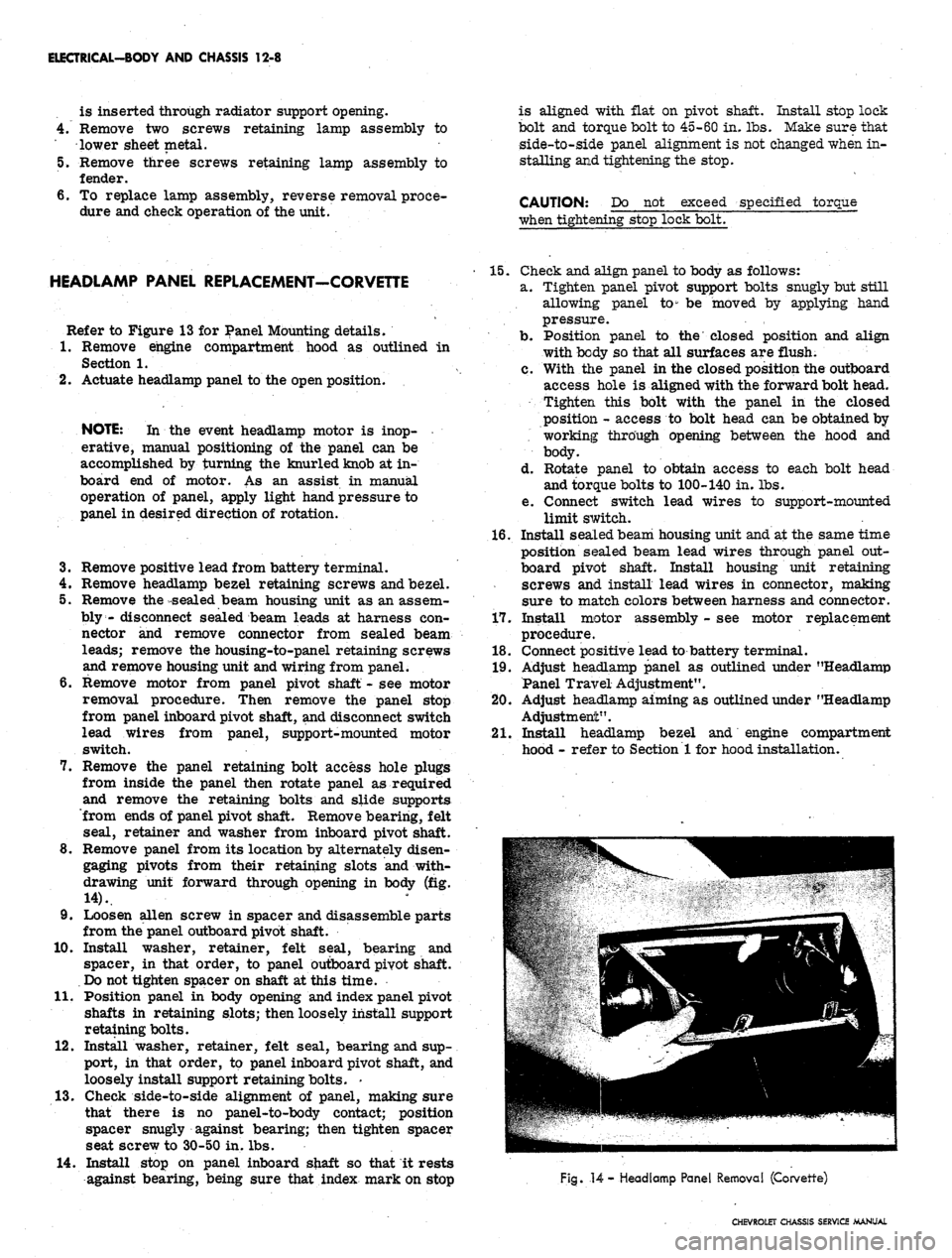
8. Remove panel from its location by alternately disen-
gaging pivots from their retaining slots and with-
drawing unit forward through opening in body (fig.
14).
9. Loosen alien screw in spacer and disassemble parts
from the panel outboard pivot shaft.
10.
Install washer, retainer, felt seal, bearing and
spacer, in that order, to panel outboard pivot shaft.
Do not tighten spacer on shaft at this time.
11.
Position panel in body opening and index panel pivot
shafts in retaining slots; then loosely install support
retaining bolts.
12.
Install washer, retainer, felt seal, bearing and sup-
port, in that order, to panel inboard pivot shaft, and
loosely install support retaining bolts. -
13.
Check side-to-side alignment of panel, making sure
that there is no panel-to-body contact; position
spacer snugly against bearing; then tighten spacer
seat screw to 30-50 in. lbs.
14.
Install stop on panel inboard shaft so that it rests
against bearing, being sure that index mark on stop
15.
Check and align panel to body as follows:
a. Tighten panel pivot support bolts snugly but still
allowing panel to" be moved by applying hand
pressure.
b.
Position panel to the closed position and align
with body so that all surfaces are flush.
c. With the panel in the closed position the outboard
access hole is aligned with the forward bolt head.
Tighten this bolt with the panel in the closed
position - access to bolt head can be obtained by
working through opening between the hood and
body.
d. Rotate panel to obtain access to each bolt head
and torque bolts to 100-140 in. lbs.
e. Connect switch lead wires to support-mounted
limit switch.
16.
Install seaLed beam housing unit and at the same time
position sealed beam lead wires through panel out-
board pivot shaft. Install housing unit retaining
screws and install lead wires in connector, making
sure to match colors between harness and connector.
17.
Install motor assembly - see motor replacement
procedure.
18.
Connect positive lead to battery terminal.
19.
Adjust headlamp panel as outlined under "Headlamp
Panel Travel Adjustment".
20.
Adjust headlamp aiming as outlined under "Headlamp
Adjustment".
21.
Install headlamp bezel and engine compartment
hood - refer to Section 1 for hood installation.
Fig.
14
- Headlamp Panel Removal (Corvette)
CHEVROLET CHASSIS SERVICE MANUAL
Page 521 of 659

ELECTRICAL-BODY AND CHASSIS 12-9
Fig.
15 - Headlamp Panel Actuating Motor Mounting (Corvette)'
HEADLAMP PANEL MOTOR-CORVETTE (Fig. 15)
Removal
1.
Raise hood and as a safety precaution install a bolt
through the hole in the hood support - secure bolt
with a nut.
2.
Remove positive lead from battery terminal.
3.
Disconnect motor lead wire and position it out of the
way.
4.
Turn the knurled knob at inboard end of motor until
the gear seems to turrj freely - turn the knob in one
direction until a definite drag is experienced, then
rotate knob approximately six complete turns in the
opposite direction.
NOTE:
The above step is necessary to produce
a no-load condition on the drive gear and to per-
mit separation of motor from the panel pivot
shaft.
5. Remove the retainer from groove in motor locating
stud then remove the motor-to-support retaining
screw and remove motor assembly from the vehicle.
Installation
1.
Rotate motor and headlamp panel as required to align
slot in motor with headlamp panel pivot shaft, and
install motor on shaft so that the bracket is aligned
with the locating stud.
NOTE:
It may be necessary to turn knurled
knob on end of motor to permit alignment of
motor with shaft.
Slide motor onto shaft until it seats against shaft
shoulder; then install retainer in groove on locating
stud.
Install motor-to-support retaining screw making
sure ground wire is installed between screw head and
bracket.
Connect motor lead wires, making sure that contacts
are clean and that connection is secure.
Connect positive lead battery terminal, remove bolt
from hood support, close hood and check operation of
headlamp panel.
HEADLAMP MOTOR REPLACEMENT-
CAMARO (Fig. 16)
1.
Disconnect battery ground cable and when working on
right headlamp unit, remove battery from vehicle to
gain access to housing retaining bolts.
2.
Remove bezel retaining screws and bezel.
3.
Remove headlamp cover retaining screws and cover
from door assembly.
4.
Manually open door assembly (push door toward cen-
ter of vehicle) and disconnect limit switch
connections.
5. Remove four screws retaining assembly to radiator
support (note location and number of shims, if any).
6. Rotate assembly toward center of vehicle until rear
of unit is exposed, then disconnect wiring connectors
at headlamp and motor assemblies.
7. Rotate assembly until headlamp is facing downward
and carefully remove the assembly from the vehicle
opening.
8. Remove nut attaching motor assembly to pivot arm.
9. Remove two nuts and bolts retaining motor assembly
to base plate and remove motor assembly.
CHEVROLET CHASSIS SERVICE MANUAL
Page 531 of 659

ELECTRICAL-BODY AND CHASSIS 12-19
VIEW A
•CONTACT SUPPORT
DRIVE SLOT IN LINE
WITH HOLE IN SWITCH
PAWL
CONTACT POINT B
CONTACT SUPPORT
DRIVE SLOT IN LINE
WITH HOLE IN SWITCH
FLOOR SHIFT
(EXCEPT CAMARO)
COLUMN SH
Fig.
31 - Neutral Safety Switches
PARKING BRAKE ALARM SWITCH REPLACEMENT
Corvette (Fig. 33)
1.
Remove seat belt retainer and parking brake cover
assembly from center console.
2.
Disconnect wire from brake alarm switch.
3.
Remove retaining screw and switch from
reinforcement.
4.
Position new switch to reinforcement and install re-
taining screw.
5. Connect switch wire and check operation of switch.
6. Install cover and seat belt retainer assembly.
Chevrolet, Chevelle, Chevy II and Camaro (Fig. 34)
1.
Disconnect wiring connector at switch terminal.
2.
Remove nut and lock washer or retaining bolt and
disengage switch from brace.
3.
To install, reverse removal procedure.
INSTRUMENT PANEL COMPARTMENT
LAMP/SWITCH REPLACEMENT
1.
Disconnect battery ground cable.
2.
Reach into glove box, depress bulb in end of switch
and turn counterclockwise to remove bulb.
3..
Remove switch from socket. Carefully detach wire
and terminal from switch.
NOTE:
On some model switches, the wire and
terminal cannot be detached from the switch
making it necessary to cut and splice the switch
wire.
4.
Insert wire and terminal into new switch.
5. Push switch into place and install bulb by setting it in
place, depressing and turning it clockwise.
CIGARETTE LIGHTER REPLACEMENT
Chevrolet, Chevy II, Camaro and Corvette (Fig. 23)
1.
Disconnect battery ground cable.
2.
Disconnect wire connector at rear of lighter unit
under dash.
3.
Remove retainer from rear of housing assembly and
disengage lighter unit from panel.
4.
To install, reverse removal procedure.
Chevelle (Fig. 35)
1.
Disconnect battery ground cable.
CHEVROLET CHASSIS SERVICE MANUAL
Page 536 of 659

ELECTRICAL-BODY AND CHASSIS 12-24
1.
Temperature Gauge
2.
Instrument Cluster Lamp
3.
R.H. Directional Indicator
4.
Ammeter Gauge
Fig. 39- Optional Gauge Cluster
5. Fuel Gauge
6. L.H. Directional Indicator
7. Tachometer
8. "Brake" Indicator
9. "Bright" Indicator
10.
Oil Pressure Fitting
11.
Chassis Harness Connector
12.
Clock Assembly
13.
Printed Circuit
NOTE:
Observe carefully the stack up of the
internal parts of the fuel gauge assembly.
5. To install, reverse removal procedure.
CLOCK OR TACHOMETER REPLACEMENT
NOTE:
The tachometer is a self-contained, all
transistor unit requiring very little service
other than keeping the terminal nuts clean and
tight. The unit is not serviceable and must be
replaced, if defective.
1.
Remove instrument cluster as previously described
in this section.
2.
For clock replacement, remove clock set shaft knob
at front of console.
3.
Remove cluster lamps from cover, circuit attaching
screws, and terminal nuts at circuit to gauge attach-
ing points.
4.
Move printed circuit away from gauge and remove
screws retaining
•_
gauge or clock to the cluster
housing.
•5.
Remove unit, from housing and cover plate from
gauge unit.
6/To install, reverse removal procedure.
AMMETER TEMPERATURE AND OIL PRESSURE
GAUGES REPLACEMENT
1.
Remove instrument cluster as previously described
iii this section.
2.
Remove instrument lamps, attaching screws or nuts
and wiring connections as required.
3.
Remove gauge assembly backing plate retaining
screws and remove gauge assembly from cluster
housing.
4.
Remove terminal nuts and/or screws retaining gauge
to the backing plate and separate plate from the
gauge.
•
5. To install, reverse removal procedure.
OIL PRESSURE INDICATOR
If the light does not come on when the ignition switch is
turned on, or if the light comes on and remains on after
the engine is started, one or more of the following condi-
tions is indicated:
CHEVROLET CHASSIS SERVICE MANUAL
Page 541 of 659

ELECTRICAL-BODY AND CHASSIS 12-29
Fig.
43b - Speed Warning Device
TEMPERATURE AND/OR OIL PRESSURE
GAUGE
1.
Disconnect battery ground cable.
2.
Remove ash tray and ash tray retainer.
3.
Disconnect A/C hose from the distributor duct.
4.
Disconnect wiring connectors and lamp bulbs from
rear of gauge.
5. Disconnect oil pressure pipe fitting from rear of oil
pressure gauge.
6. Remove (3) screws retaining gauge assembly to
cluster cover and disengage unit from cover.
7. Remove (4) retaining nuts and remove gauge from
template.
8. To install, reverse removal procedure.
INDICATOR LIGHT REPLACEMENT
To replace any indicator or cluster bulb, unsnap the
proper socket from rear of instrument cluster, remove
and replace bulb, and reinsert unit into rear of cluster
housing.
OIL PRESSURE INDICATOR
If the light does not come on when the ignition switch is
turned on, or if the light comes on and remains on after
the engine is started, one or more the following condi-
tions is indicated:
• Low oil pressure
• Defective wiring or switch
• High engine temperature
Switch Replacement
1.
Disconnect wiring harness connector from sender
unit terminal (located in block above starter on L-6
engines and at left front of distributor on V-8
engines).
2.
Remove sender unit using Tool J-21757, replace with
new unit, and check operation.
GENERATOR INDICATOR
Ignition on, Engine not Running and
Telltale Light Off
1.
Indicator bulb burned out, replace bulb.
2.
Open circuit or loose connection in the telltale light
circuit.
Telltale Light Stays on after Engine is Started
If indicator light does not go out at engine idle speed,
refer to' Charging Systems under Engine Electrical,
Section 6Y.
TEMPERATURE
(COOLING
SYSTEM)
INDICATOR
The temperature indicator circuit, consists of two re-
motely located units, indicator gauge and engine sender
unit. The indicator gauge on all models uses a single
red light to indicate an overheated engine condition.
Engine Sender Unit Replacement
1.
Drain engine cooling system to a level below unit.
2.
Remove sender unit (located in the inlet manifold
near water pump housing on V-8 engines and in the
cylinder head near an exhaust port on L-6 engines)
and replace with new unit.
3.
Refill cooling system and check operation of unit.
CHEVROLET CHASSIS SERVICE MANUAL