2023 TOYOTA HIGHLANDER engine
[x] Cancel search: enginePage 299 of 552
2994-5. Using the driving support systems
4
Driving
*: If equipped
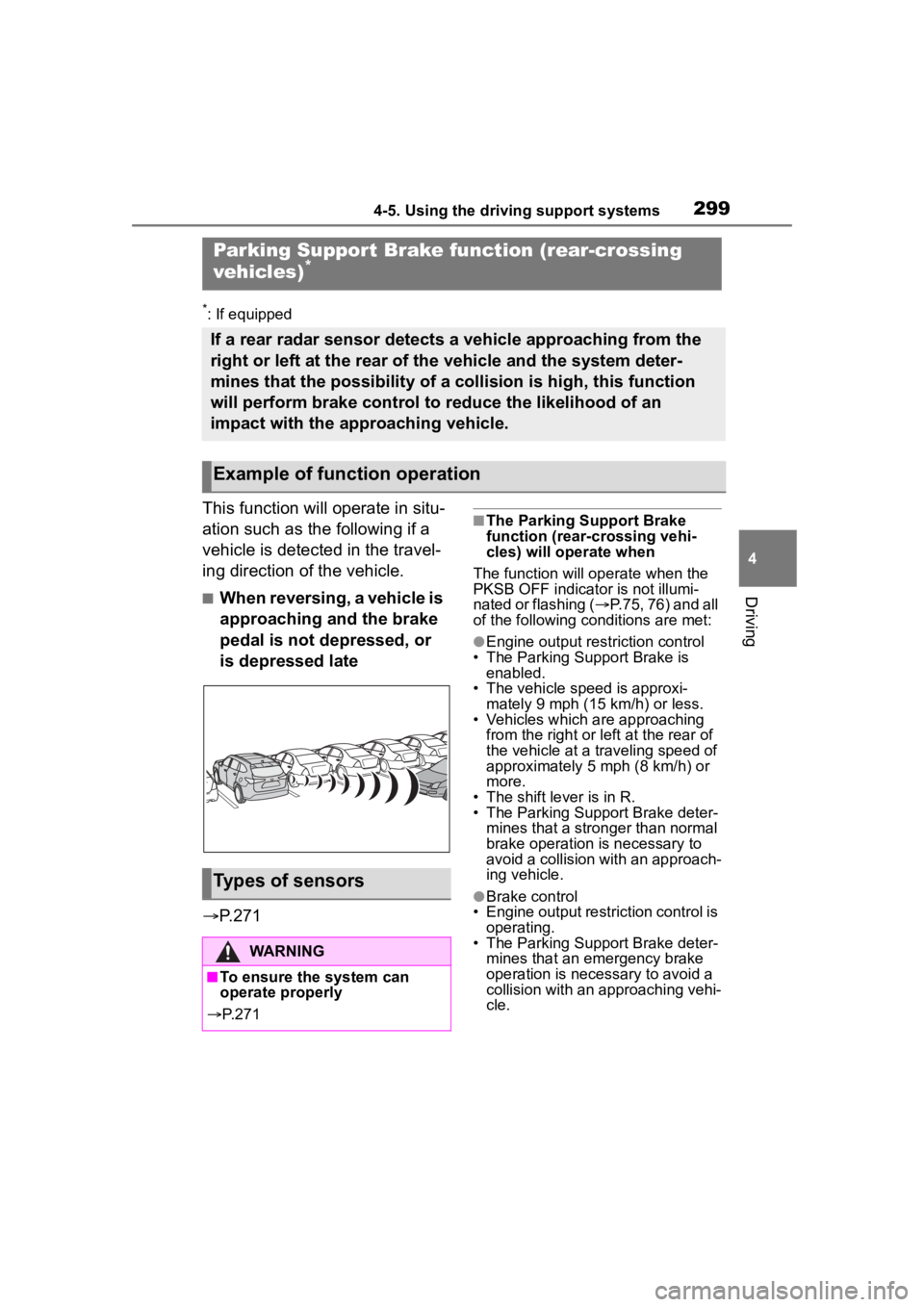
This function will operate in situ-
ation such as the following if a
vehicle is detected in the travel-
ing direction of the vehicle.
■When reversing, a vehicle is
approaching and the brake
pedal is not depressed, or
is depressed late
P.271
■The Parking Support Brake
function (rear-crossing vehi-
cles) will operate when
The function will op erate when the
PKSB OFF indicator is not illumi-
nated or flashing ( P.75, 76) and all
of the following conditions are met:
●Engine output restriction control
• The Parking Support Brake is enabled.
• The vehicle speed is approxi-
mately 9 mph (15 km/h) or less.
• Vehicles which are approaching from the right or left at the rear of
the vehicle at a traveling speed of
approximately 5 mph (8 km/h) or
more.
• The shift lever is in R.
• The Parking Support Brake deter- mines that a stronger than normal
brake operation is necessary to
avoid a collision with an approach-
ing vehicle.
●Brake control
• Engine output restriction control is operating.
• The Parking Support Brake deter- mines that an emergency brake
operation is necessary to avoid a
collision with an approaching vehi-
cle.
Parking Suppor t Brake function (rear-crossing
vehicles)*
If a rear radar sensor detects a vehicle approaching from the
right or left at the rear of the vehicle and the system deter-
mines that the possibility of a collision is high, this function
will perform brake control to reduce the likelihood of an
impact with the approaching vehicle.
Example of function operation
Types of sensors
WARNING
■To ensure the system can
operate properly
P. 2 7 1
Page 300 of 552
3004-5. Using the driving support systems
■The Parking Support Brake
function (rear-crossing vehi-
cles) will stop operating when
The function will st op operating if
any of the following conditions are
met:
●Engine output restriction control
• The Parking Support Brake is dis- abled.
• The collision becomes avoidable
with normal brake operation.
• A vehicle is no longer approaching from the right or left at the rear of
the vehicle.
●Brake control
• The Parking Support Brake is dis- abled.
• Approximately 2 seconds have
elapsed since the vehicle was
stopped by brake control.
• The brake pedal is depressed
after the vehicle is stopped by
brake control.
• A vehicle is no longer approaching
from the right or left at the rear of
the vehicle.
■Detection area of the Parking
Support Brake function
(rear-crossing vehicles)
The detection area of the Parking
Support Brake function (rear-cross-
ing vehicles) differs from the detec-
tion area of the RCTA function
( P.285). Therefore, even if the
RCTA function detects a vehicle and
provides an alert, the Parking Sup-
port Brake function (rear-crossing
vehicles) may not start operating.
■Situations in which the system
may not operate properly
P. 2 8 7
■Situations in which the system
may operate even if there is no
possibility of a collision
P. 2 8 8
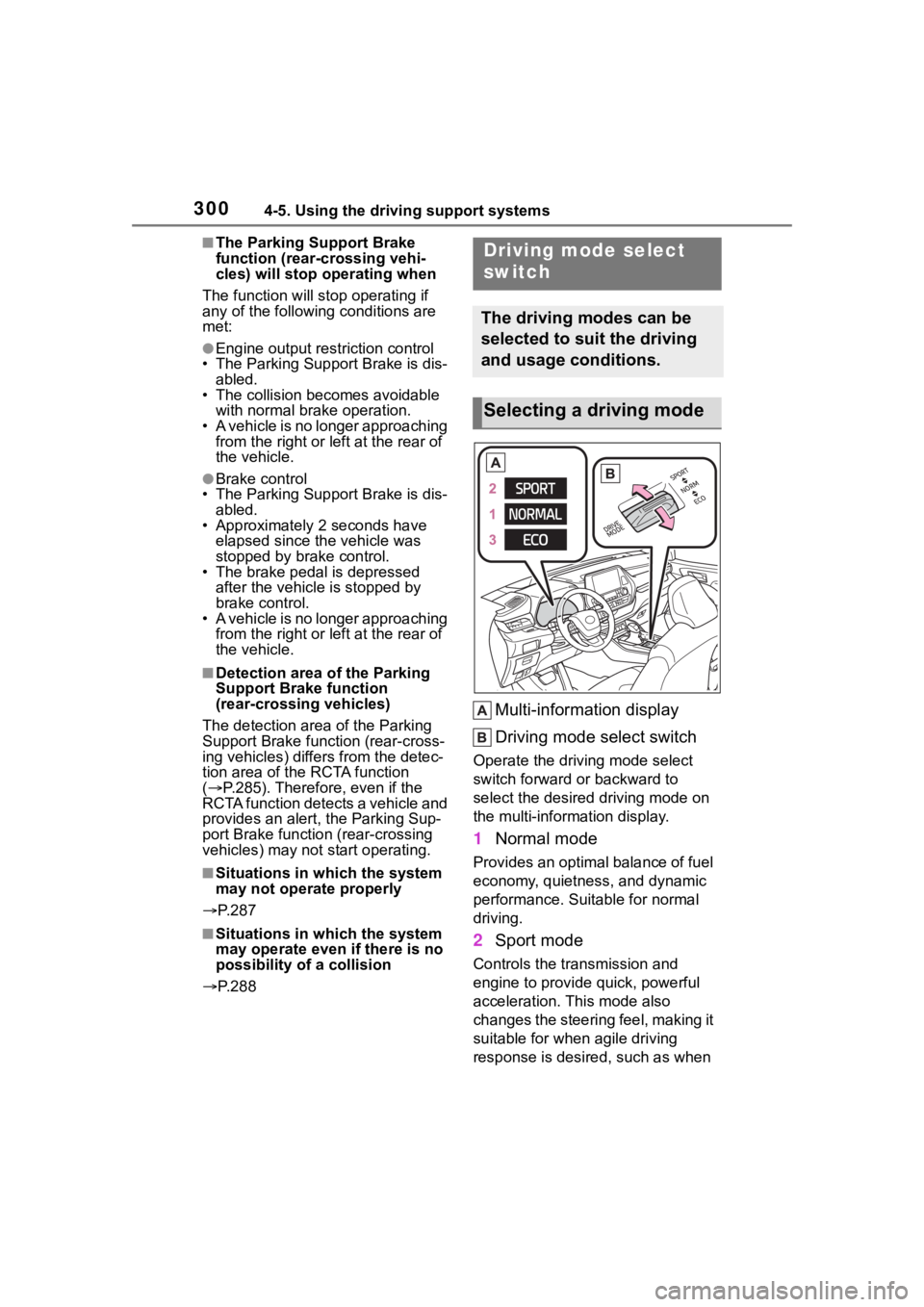
Multi-information display
Driving mode select switch
Operate the driv ing mode select
switch forward or backward to
select the desired driving mode on
the multi-information display.
1 Normal mode
Provides an optimal balance of fuel
economy, quietness, and dynamic
performance. Suitable for normal
driving.
2Sport mode
Controls the transmission and
engine to provide quick, powerful
acceleration. This mode also
changes the steering feel, making it
suitable for when agile driving
response is desire d, such as when
Driving mode select
switch
The driving modes can be
selected to suit the driving
and usage conditions.
Selecting a driving mode
Page 301 of 552

3014-5. Using the driving support systems
4
Driving
driving on roads with many curves.
When Sport mode is selected,
Sport mode indicator comes on.
3Eco drive mode
Helps the driver a ccelerate in an
eco-friendly manner and improve
fuel economy through moderate
throttle characteri stics and by con-
trolling the operation of the air con-
ditioning system (heating/cooling).
When Eco drive mode is selected,
Eco drive mode indicator comes
on.
■When changing to a driving
mode other than normal mode
Switches to AWD control suitable for
the selected mode. (for Dynamic
Torque Vectoring AWD vehicles
only)
■Air conditioning system opera-
tion in Eco drive mode
In Eco drive mode, heating/cooling
operations and the fan speed is con-
trolled to improve fuel efficiency.
Perform the following procedures to
increase the air conditioning perfor-
mance.
●Vehicle with 12.3-inch audio sys-
tem screen: Turn eco air condi-
tioning mode off ( P.328)
●Adjust the fan speed ( P.323)
●Cancel Eco drive mode
■Canceling a driving mode
●Sport mode is automatically can-
celed and the driving mode
returns to normal mode when the
engine switch is turned off.
●Normal mode and Eco drive mode
are not canceled until another
driving mode is sel ected. (Even if
the engine switch is turned off,
normal mode and Eco drive mode
will not be automatically can-
celed.)
Multi-terrain Select
(AWD models)
Multi-terrain Select is a sys-
tem that improves drivabil-
ity in off-road situations.
When driving over muddy,
sandy or rough road sur-
faces, the system selects a
suitable driving mode to
switch AWD, brake and
drive force control to per-
form control suitable for the
road condition.
WARNING
■Before using Multi-terrain
Select
Make sure to observe the follow-
ing precautions. Failure to
observe these precautions may
result in an unexp ected accident.
●Check that the Mud & Sand and
Rock & Dirt indicators are illumi-
nated before driving. Multi-ter-
rain Select will not operate
when the indicators are off.
●Do not rely solely upon the
Multi-terrain Select. This func-
tion is not inten ded to expand
the limits of the vehicle. If the
system is continuously used for
a long period of time, the load
on related parts increases and
the system may be unable to
operate normally, which may
lead to an accident. Thoroughly
check the road conditions and
driving route before driving, and
drive with caution.
Page 304 of 552
3044-5. Using the driving support systems
mal. Note that normal driving is
still possible even when Multi-ter-
rain Select brake control is not
operating.
*: After stopping the vehicle, do not stop the engine until the display
message has turned off.
■When Mud & Sand or Rock &
Dirt mode is canceled
In the following situations, Mud &
Sand mode or Rock & Dirt mode are
automatically canceled even if they
are selected.
●When the driving mode is
changed ( P.300)
●When the engine switch is turned
off
■Driving in Mud & Sand or Rock
& Dirt mode
The following types of situations
may occur, but they are not malfunc-
tions.
●Vibrations may be felt throughout
the vehicle or steering wheel
●Operating noise may be heard
from the engine compartment
■When an inspection at your
Toyota dealer is necessary
In the following si tuations, the sys-
tem may be malfunctioning. Have
the vehicle inspected by your Toyota
dealer immediately.
●When the slip indic ator light illumi-
nates while Mud & Sand or Rock
& Dirt mode is selected
●When the indicator for each mode
does not illuminate even though
Mud & Sand or Rock & Dirt mode
is selected
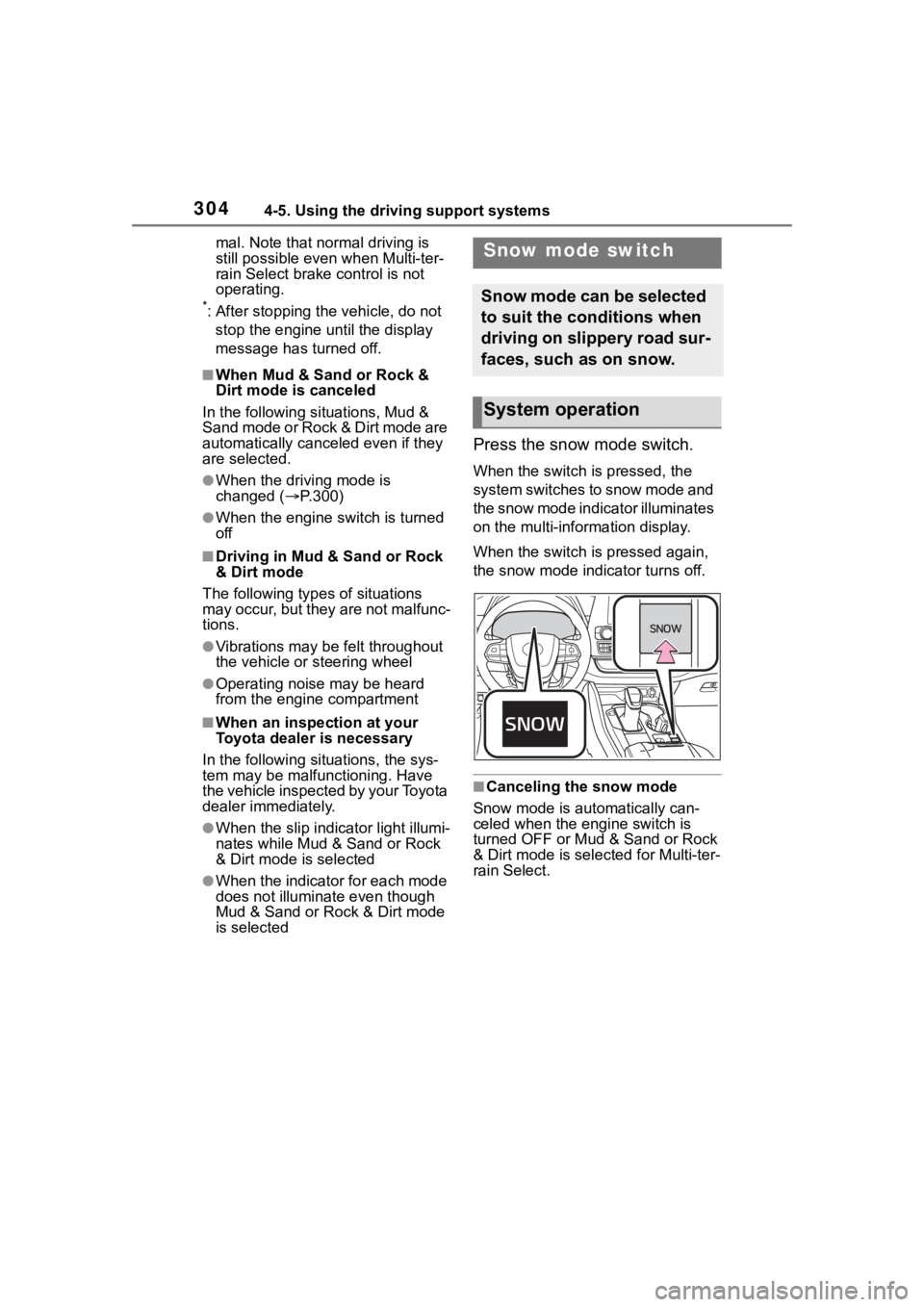
Press the snow mode switch.
When the switch is pressed, the
system switches to snow mode and
the snow mode indi cator illuminates
on the multi-information display.
When the switch is pressed again,
the snow mode indicator turns off.
■Canceling the snow mode
Snow mode is automatically can-
celed when the engine switch is
turned OFF or Mud & Sand or Rock
& Dirt mode is selec ted for Multi-ter-
rain Select.
Snow mode switch
Snow mode can be selected
to suit the conditions when
driving on slippery road sur-
faces, such as on snow.
System operation
Page 306 of 552

3064-5. Using the driving support systems
operation. The indicator will flash
during operation, and then go off
when the system is fully off.
■When the downhill assist con-
trol system is operated continu-
ously
This may cause the brake actuator
to overheat. In this case, the down-
hill assist control system will stop
operating, a buzzer will sound and
the downhill assist control system
indicator will start flashing, and
“Traction Control Turned OFF” will
be shown on the multi-information
display. Refrain from using the sys-
tem until the downhill assist control
system indicator stays on and the
message goes off. (The vehicle can
be driven normally during this time.)
■Sounds and vibrations caused
by the downhill assist control
system
●A sound may be heard from the
engine compartment when the
engine is started or just after the
vehicle begins to move. This
sound does not indicate that a
malfunction has occurred in down-
hill assist control system.
●Either of the following conditions
may occur when the downhill
assist control system is operating.
None of these are indicators that a
malfunction has occurred.
• Vibrations may be felt through the
vehicle body and steering.
• A motor sound may be heard after the vehicle comes to a stop.
■System malfunction
In the following ca ses, have your
vehicle checked by your Toyota
dealer.
●The downhill assist control system
indicator does not come on when
the engine switch is turned to ON.
●The downhill assist control system
indicator does not come on when
the downhill assist control switch
is pressed.
●The slip indicator comes on.
WARNING
■The system may not operate
on the following surfaces,
which may lead to an acci-
dent causing death or serious
injury
●Slippery surfaces such as wet
or muddy roads
●Icy surface
●Unpaved roads
Page 308 of 552

3084-5. Using the driving support systems
wheel
■Dynamic Torque Control
AWD system (AWD models)
Automatically controls the drive
system such as to front-wheel
drive or AWD (all wheel drive)
according to various running
conditions including normal driv-
ing, during cornering, on a
uphill, when starting off, during
acceleration, on a slippery roads
due to snow or rain, thus con-
tributing to stable operability and
driving stability.
■Dynamic Torque Vectoring
AWD system (AWD models)
Automatically controls the drive
system such as to front-wheel
drive or AWD (all wheel drive)
according to various running
conditions including normal driv-
ing, during cornering, on a
uphill, when starting off, during
acceleration, on a slippery roads
due to snow or rain, thus con-
tributing to stable operability and
driving stability.
Also, drive torque distribution is
precisely controlled during cor-
nering, contributing to improve-
ments in operability and stability.
■The Secondary Collision
Brake
When the SRS airbag sensor
detects a collision and the sys-
tem operates, the brakes and
brake lights are automatically
controlled to reduce the vehicle speed and help reduce the pos-
sibility of further damage due to
a secondary collision.
■When the TRAC/VSC/Trailer
Sway Control systems are oper-
ating
The slip indicator light will flash
while the TRAC/VSC/Trailer Sway
Control systems are operating.
■Disabling the TRAC system
If the vehicle gets stuck in mud, dirt
or snow, the TRAC system may
reduce power from the engine to the
wheels. Pressing the switch to
turn the system off may make it eas-
ier for you to rock the vehicle in
order to free it.
To turn the TRAC system off, quickly
press and release the switch.
The “Traction Cont rol Turned OFF”
will be shown on the multi-informa-
tion display.
Press the switch again to turn
the system back on.
Page 309 of 552

3094-5. Using the driving support systems
4
Driving
■Turning off both TRAC, VSC
and Trailer Sway Control sys-
tems
To turn the TRAC, VSC and Trailer
Sway Control systems off, press
and hold the switch for more
than 3 seconds while the vehicle is
stopped.
The VSC OFF indicator light will
come on and the “Traction Control
Turned OFF” will be shown on the
multi-information display.
*
Press the switch again to turn
the system back on.
*: On vehicles with PCS (Pre-Colli- sion System), PCS will also be
disabled (only Pre-Collision warn-
ing is available). The PCS warning
light will come on and a message
will be display ed on the
multi-informat ion display.
( P.228)
■When the message is dis-
played on the multi-information
display showing that TRAC has
been disabled even if the
switch has not been pressed
TRAC is temporary deactivated. If
the information continues to show,
contact your Toyota dealer.
■Operating conditions of
hill-start assist control
When the following four conditions
are met, the hill-start assist control
will operate:
●The shift lever is in a position
other than P or N (when starting
off forward/backward on an
upward incline)
●The vehicle is stopped
●The accelerator pedal is not
depressed
●The parking brake is not engaged
●The engine switch is in ON
■Automatic system cancelation
of hill-start assist control
The hill-start assist control will turn
off in any of the fo llowing situations:
●The shift lever is shifted to P or N
●The accelerator pedal is
depressed
●The brake pedal is depressed and
the parking brake is engaged
●2 seconds at maximum elapsed
after the brake pedal is released
●The engine switch is turned OFF
■Sounds and vibrations caused
by the ABS, brake assist, VSC,
Trailer Sway Control, TRAC and
hill-start assist control systems
●A sound may be heard from the
engine compartment when the
brake pedal is depressed repeat-
edly, when the engine is started or
just after the vehicle begins to
move. This sound does not indi-
cate that a malfunction has
occurred in any of these systems.
●Any of the following conditions
may occur when the above sys-
tems are operating. None of these
indicates that a malfunction has
occurred.
• Vibrations may be felt through the
vehicle body and steering.
• A motor sound may be heard also
after the vehicle comes to a stop.
• The brake pedal may pulsate
slightly after the ABS is activated.
• The brake pedal may move down slightly after the ABS is activated.
■Active Cornering Assist opera-
tion sounds and vibrations
When the Active Cornering Assist is
operated, operation sounds and
vibrations may be generated from
the brake system, but this is not a
malfunction.
Page 310 of 552

3104-5. Using the driving support systems
■AWD system operation sounds
and vibrations when switching
between AWD and front wheel
drive (if equipped)
When the vehicle switches from
AWD to front wheel drive and vice
versa, operation sounds and vibra-
tions may be generated, but this is
not a malfunction.
■Reduced effectiveness of the
EPS system
The effectiveness of the EPS sys-
tem is reduced to prevent the sys-
tem from overheating when there is
frequent steering input over an
extended period of time. The steer-
ing wheel may feel heavy as a
result. Should this occur, refrain
from excessive steering input or
stop the vehicle and turn the engine
off. The EPS syst em should return
to normal within 10 minutes.
■Automatic reactivation of
TRAC, Trailer Sway Control and
VSC systems
After turning the TRAC, Trailer
Sway Control and VSC systems off,
the systems will be automatically
re-enabled in the following situa-
tions:
●When the engine switch is turned
OFF
●If only the TRAC system is turned
off, the TRAC will turn on when
vehicle speed increases
If both the TRAC and VSC sys-
tems are turned off, automatic
re-enabling will not occur when
vehicle speed increases.
■Operating conditions of Active
Cornering Assist
The system operates when the fol-
lowing occurs.
●TRAC/VSC can operate
●The driver is at tempting to accel-
erate while turning
●The system detects that the vehi-
cle is drifting to the outer side
●The brake pedal is released
■If a message about AWD is
shown on the multi-information
display (AWD models)
Perform the following actions.
●“AWD System Over-heated
Switching to 2WD Mode.” AWD
system is overheated. Stop the
vehicle in a safe place with the
engine running.
*
If the message disappears after a
while, there is no problem. If the
message remains, have the vehi-
cle inspected by your Toyota
dealer immediately.
●“AWD System Over-heated 2WD
Mode Engaged.” AWD system
has been temporarily released
and switched to front-wheel drive
due to overheating. Stop the vehi-
cle in a safe place with the engine
running.
*
If the message disappears after a
while, AWD system will automati-
cally recover. If the message
remains, have the vehicle
inspected by your Toyota dealer
immediately.
●“AWD system Malfunction 2WD
Mode Engaged Visit Your Dealer.”
A malfunction occurs in the AWD
system. Have the vehicle
inspected by your Toyota dealer
immediately.
*: When stopping the vehicle, do not stop the engine until the display
message has turned off.
■Secondary Collision Brake
operating conditions
The system operates when the SRS
airbag sensor de tects a collision
while the vehicle is in motion.
However, the system does not oper-
ate when the components are dam-
aged.