2023 TOYOTA 4RUNNER steering
[x] Cancel search: steeringPage 250 of 608

2504-5. Using the driving support systems
4RUNNER (U)
◆Lane departure alert function
When the system determines
that the vehicle might depart
from its lane, a warning is dis-
played on the multi-information
display and the warning buzzer
sounds to alert the driver.
When the warning buzzer
sounds, check the surrounding
road situation and carefully
operate the steering wheel to
move the vehicle back to the
center of the lane.
◆Vehicle sway warning function
When the vehicle is swaying or
appears as if it may depart from
its lane multiple times, the
warning buzzer sounds and a
message is displayed on the
multi-information display to alert
the driver.
Functions included in LDA system
Page 251 of 608
2514-5. Using the driving support systems
4
Driving
4RUNNER (U)
WARNING
■Before using LDA system
Do not rely solely upon the LDA system. The LDA system does not auto-
matically drive the vehicle or reduce the amount of attention that must be
paid to the area in front of the vehicle. The driver must always assume full
responsibility for driving safely by paying careful attention to the surround-
ing conditions and operating the steering wheel to correct the path of the
vehicle. Also, the driver must take adequate breaks when fatigu ed, such as
from driving for a long period of time.
Failure to perform appropriate driving operations and pay careful attention
may lead to an accident, resulting in death or serious injury.
■ To avoid operating LDA system by mistake
When not using the LDA system, use the LDA switch to turn the system off.
■ Situations unsuitable for LDA system
Do not use the LDA system in the following situations.
The system may not operate properly and lead to an accident, re sulting in
death or serious injury.
● A spare tire, tire chains, etc. are equipped.
● Objects or patterns that could be mistaken for white (yellow) l ines are
present on the side of the road (guardrails, curbs, reflective poles, etc.).
● Vehicle is driven on a snow-covered road.
● White (yellow) lines are difficult to see due to rain, snow, fog, dust, etc.
● Asphalt repair marks, white (yellow) line marks, etc. are prese nt due to
road repair.
● Vehicle is driven in a temporary lane or restricted lane due to construction
work.
● Vehicle is driven in a construction zone.
■ Preventing LDA system malfunctions and operations performed by
mistake
● Do not modify the headlights or place stickers, etc. on the sur face of the
lights.
● Do not modify the suspension etc. If the suspension etc. needs to be
replaced, contact your Toyota dealer.
● Do not install or place anything on the hood or grille. Also, d o not install a
grille guard (bull bars, kangaroo bar, etc.).
● If your windshield needs repairs, contact your Toyota dealer.
Page 269 of 608

2694-5. Using the driving support systems
4
Driving
4RUNNER (U)●
When water or snow thrown up by the surrounding vehicles hinders the
detecting of the sensor
■ Conditions under which the vehic le-to-vehicle distance control mode
may not function correctly
In the case of the following conditions, operate the brake peda l (or accelera-
tor pedal, depending on the situation) as necessary.
As the sensor may not be able to correctly detect vehicles ahead, the system
may not operate properly.
● When the vehicle ahead of you decelerates suddenly
● When driving on a road surrounded by a structure, such as in a tunnel or on
a bridge
● While the vehicle speed is decreasing to the set speed after th e vehicle
accelerates by depressing the accelerator pedal
●
When your vehicle is pointing upwards
(caused by a heavy load in the luggage
compartment, etc.)
● Preceding vehicle has an extremely
high ground clearance
●When the road curves or when the
lanes are narrow
● When steering wheel operation or your
position in the lane is unstable
Page 303 of 608
3034-5. Using the driving support systems
4
Driving
4RUNNER (U)
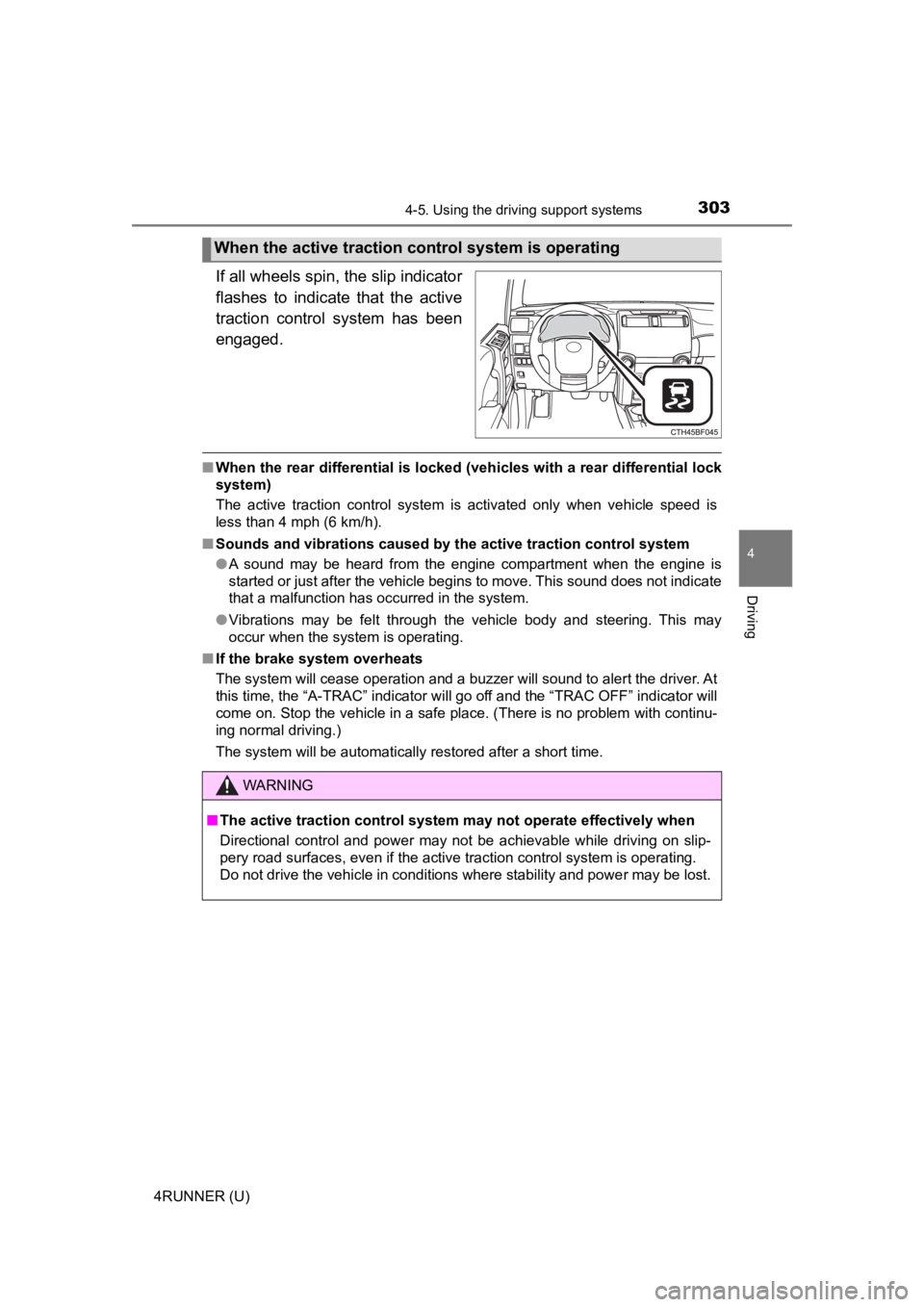
If all wheels spin, the slip indicator
flashes to indicate that the active
traction control system has been
engaged.
■When the rear differential is locked (vehicles with a rear differential lock
system)
The active traction control system is activated only when vehicle speed is
less than 4 mph (6 km/h).
■ Sounds and vibrations caused by the active traction control sys tem
● A sound may be heard from the engine compartment when the engine is
started or just after the vehicle begins to move. This sound do es not indicate
that a malfunction has occurred in the system.
● Vibrations may be felt through the vehicle body and steering. T his may
occur when the system is operating.
■ If the brake system overheats
The system will cease operation and a buzzer will sound to alert the driver. At
this time, the “A-TRAC” indicator will go off and the “TRAC OFF ” indicator will
come on. Stop the vehicle in a safe place. (There is no problem with continu-
ing normal driving.)
The system will be automatically restored after a short time.
When the active traction co ntrol system is operating
WARNING
■The active traction control system may not operate effectively when
Directional control and power may not be achievable while driving on slip-
pery road surfaces, even if the active traction control system is operating.
Do not drive the vehicle in conditions where stability and powe r may be lost.
Page 305 of 608
3054-5. Using the driving support systems
4
Driving
4RUNNER (U)
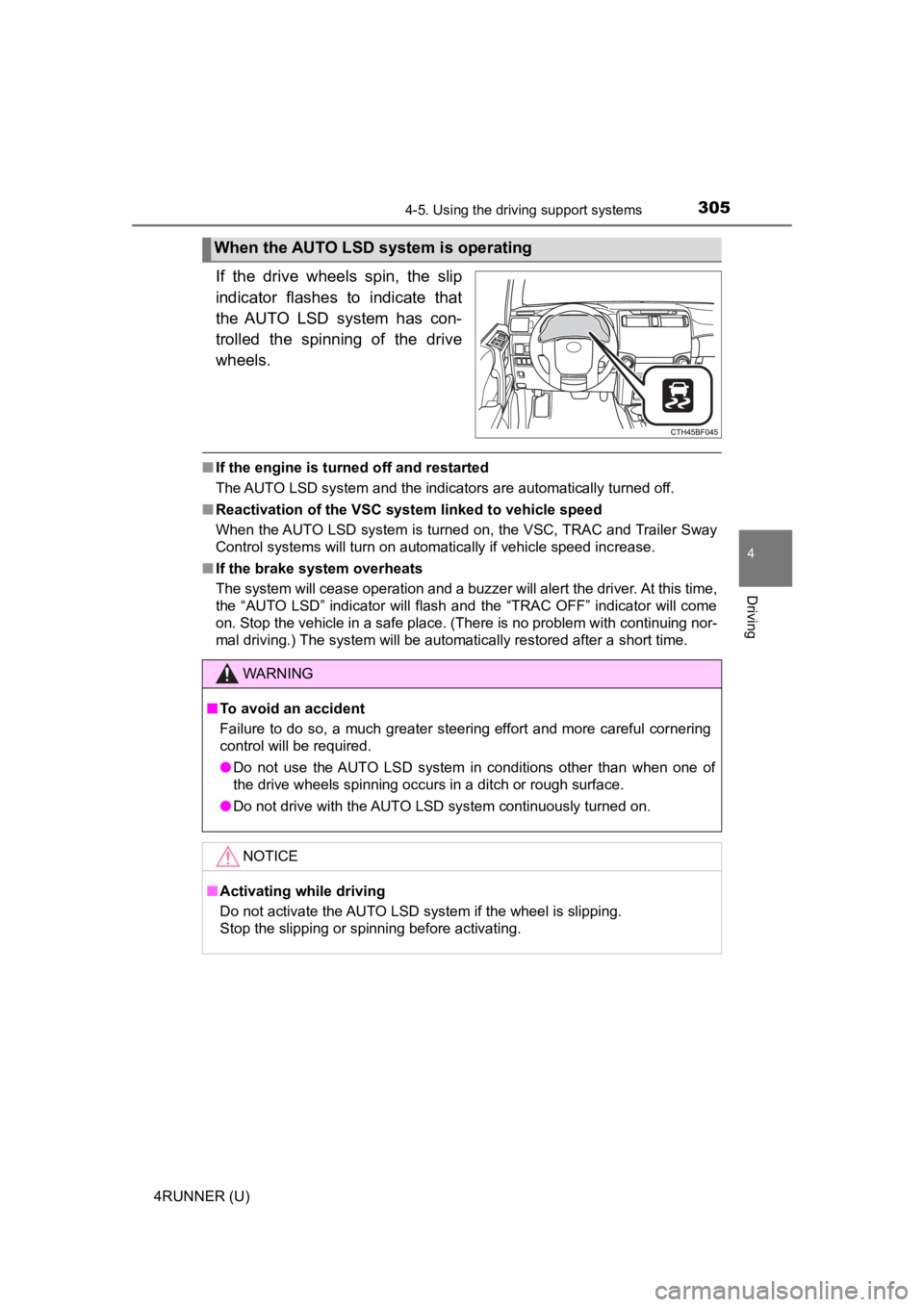
If the drive wheels spin, the slip
indicator flashes to indicate that
the AUTO LSD system has con-
trolled the spinning of the drive
wheels.
■If the engine is turned off and restarted
The AUTO LSD system and the indicators are automatically turned off.
■ Reactivation of the VSC system linked to vehicle speed
When the AUTO LSD system is turned on, the VSC, TRAC and Traile r Sway
Control systems will turn on automatically if vehicle speed inc rease.
■ If the brake system overheats
The system will cease operation and a buzzer will alert the driver. At this time,
the “AUTO LSD” indicator will flash and the “TRAC OFF” indicator will come
on. Stop the vehicle in a safe place. (There is no problem with continuing nor-
mal driving.) The system will be automatically restored after a short time.
When the AUTO LSD system is operating
WARNING
■To avoid an accident
Failure to do so, a much greater steering effort and more careful cornering
control will be required.
● Do not use the AUTO LSD system in conditions other than when on e of
the drive wheels spinning occurs in a ditch or rough surface.
● Do not drive with the AUTO LSD system continuously turned on.
NOTICE
■Activating while driving
Do not activate the AUTO LSD system if the wheel is slipping.
Stop the slipping or spinning before activating.
Page 311 of 608

3114-5. Using the driving support systems
4
Driving
4RUNNER (U)■
Sounds and vibrations caused b y the downhill assist control system
● A sound may be heard from the engine compartment when the engine is
started or just after the vehicle begins to move. This sound do es not indicate
that a malfunction has occurred in downhill assist control syst em.
● Either of the following conditions may occur when the downhill assist control
system is operating. None of these are indicators that a malfunction has
occurred.
• Vibrations may be felt through the vehicle body and steering.
• A motor sound may be heard after the vehicle comes to a stop.
■ System malfunction
In the following cases, have your vehicle checked by your Toyota dealer.
●The downhill assist control system indicator does not come on w hen the
engine switch is turned to IGNITION ON mode.
● The downhill assist control system indicator does not come on w hen the
“DAC” switch is pressed.
● The slip indicator comes on.
WARNING
■When using downhill assist control system
Do not rely overmuch on the downhill assist control system. Thi s function
does not extend the vehicle’s performance limitations. Always t horoughly
check the road conditions, and drive safely.
■ The system may not operate on the following surfaces, which may lead
to an accident causing death or serious injury
● Slippery surfaces such as wet or muddy roads
● Icy surface
● Unpaved roads
Page 314 of 608

3144-5. Using the driving support systems
4RUNNER (U)■
Automatic system cancelation
In the following situations, the system will cease operation an d a buzzer will
sound to alert the driver. The Cr awl Control indicator will flash until the system
is turned off completely.
● When the shift lever is shifted to P or N
● When the front-wheel drive control lever or switch is shifted to H4
● When the driver’s door is opened
● When the system is malfunctioning
● When the brake system overheats
Stop the vehicle in a safe place. (There is no problem with continuing normal
driving.)
● When the automatic transmission system overheats
Stop the vehicle in a safe place until the automatic transmission fluid tem-
perature warning light goes off.
■ Sounds and vibrations caused by the Crawl Control system
● A sound may be heard from the engine compartment when the engine is
started or just after the vehicle begins to move. This sound do es not indicate
that a malfunction has occurred in Crawl Control system.
● Either of the following conditions may occur when the Crawl Control system
is operating. None of these indicates that a malfunction has occurred.
• Vibrations may be felt through the vehicle body and steering.
• A motor sound may be heard after the vehicle comes to a stop.
■ When there is a malfunction in the system
Warning lights and/or warning messages will turn on. ( P. 477, 488)
WARNING
■When using Crawl Control
● Do not overly rely on Crawl Control. This function does not ext end the
vehicle’s performance limitations. Always check the terrain tho roughly and
drive safely.
● The recommended speed modes for the listed terrains ( P. 313) are only
a reference. The selected mode may not be suitable to actual off-road con-
ditions due to factors such as the type or unevenness of the te rrain or the
degree of incline. Check the actual terrain thoroughly and drive safely.
● After activating Crawl Control, make sure that the Crawl Control indicator
comes on. If the indicator flashes, the vehicle is not under system control.
■ Conditions under which the syst em may not operate correctly
When driving on the following surfaces, the system may not be able to
maintain a fixed low speed, which may result in an accident:
● Extremely steep inclines
● Extremely uneven surfaces
● Snow-covered roads, or other slippery surfaces
Page 328 of 608

3284-5. Using the driving support systems
4RUNNER (U)■
Sounds and vibrations caused by the ABS, Multi Terrain ABS (if
equipped), brake assist, VSC, Trailer Sway Control, TRAC and hi ll-start
assist control systems
● A sound may be heard from the engine compartment when the brake pedal
is depressed repeatedly, when the engine is started or just aft er the vehicle
begins to move. This sound does not indicate that a malfunction has
occurred in any of these systems.
● Any of the following conditions may occur when the above system s are
operating. None of these indicates that a malfunction has occur red.
• Vibrations may be felt through the vehicle body and steering.
• A motor sound may be heard also after the vehicle comes to a s top.
• The brake pedal may pulsate slightly after the ABS or Multi Te rrain ABS is
activated.
• The brake pedal may move down slightly after the ABS or Multi Te r r a i n
ABS is activated.
■ Automatic reactivation of TRAC, Trailer Sway Control and VSC sy stems
After turning the TRAC, Trailer Sway Control and VSC systems of f, the sys-
tems will be automatically re-enabled in the following situatio ns:
● When the engine switch is turned off
● 2WD models: If the AUTO LSD system is turned on, the VSC, TRAC and
Trailer Sway Control systems will turn on when vehicle speed in creases
● 4WD models: If only the TRAC system is turned off, the TRAC wil l turn on
when vehicle speed increases
If both the TRAC and VSC systems are turned off, automatic re-enabling will
not occur when vehicle speed increases.