Page 43 of 608

431-1. For safe use
1
For safety and security
4RUNNER (U)
■If the SRS airbags deploy (inflate)
●Slight abrasions, burns, bruising etc., may be sustained from S RS airbags,
due to the extremely high speed deployment (inflation) by hot gases.
● A loud noise and white powder will be emitted.
● Parts of the airbag module (steering wheel hub, airbag cover and inflator) as
well as the front seats, parts of the front and rear pillars, and roof side rails
may be hot for several minutes. The airbag itself may also be h ot.
● The windshield may crack.
● Fuel supply to the engine will be stopped. ( P. 476)
● For Safety Connect subscribers, if any of the following situati ons occur, the
system is designed to send an emergency call to the response center, noti-
fying them of the vehicle's location (without needing to push t he “SOS” but-
ton) and an agent will attempt to speak with the occupants to ascertain the
level of emergency and assistance required. If the occupants are unable to
communicate, the agent automatically treats the call as an emergency and
helps to dispatch the necessary emergency services. ( P. 72)
• An SRS airbag is deployed.
• A seat belt pretensioner is activated.
• The vehicle is involved in a severe rear-end collision.
• The vehicle is involved in a rollover accident.
WARNING
■ Modification and disposal of SRS airbag system components
Do not dispose of your vehicle or perform any of the following modifications
without consulting your Toyota dealer. The SRS airbags may malfunction or
deploy (inflate) accidentally, causing death or serious injury.
● Installation, removal, disassembly and repair of the SRS airbags
● Repairs, modifications, removal or replacement of the steering wheel,
instrument panel, dashboard, seats or seat upholstery, front, side and rear
pillars or roof side rails
● Repairs or modifications of the front fender, front bumper, or side of the
occupant compartment
● Installation of a grill guard (bull bars, kangaroo bar etc.), s now plows,
winches or roof luggage carrier.
● Modifications to the vehicle’s suspension system
● Installation of electronic devices such as mobile two-way radio s and CD
players
● Modifications to your vehicle for a person with a physical disability
Page 47 of 608
471-1. For safe use
1
For safety and security
4RUNNER (U)■
When to contact your Toyota dealer
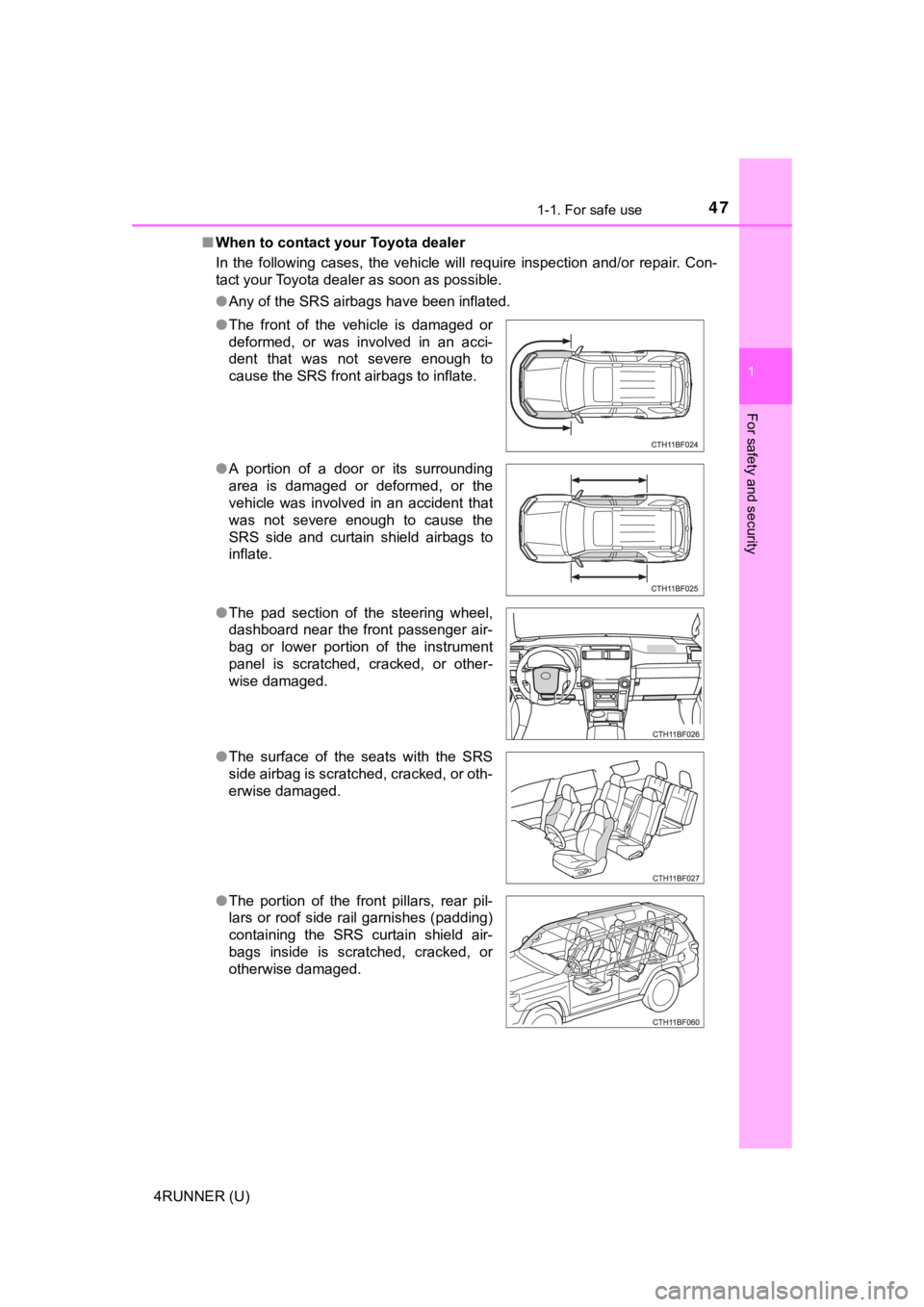
In the following cases, the vehicle will require inspection and/or repair. Con-
tact your Toyota dealer as soon as possible.
●Any of the SRS airbags have been inflated.
● The front of the vehicle is damaged or
deformed, or was involved in an acci-
dent that was not severe enough to
cause the SRS front airbags to inflate.
● A portion of a door or its surrounding
area is damaged or deformed, or the
vehicle was involved in an accident that
was not severe enough to cause the
SRS side and curtain shield airbags to
inflate.
● The pad section of the steering wheel,
dashboard near the front passenger air-
bag or lower portion of the instrument
panel is scratched, cracked, or other-
wise damaged.
● The surface of the seats with the SRS
side airbag is scratched, cracked, or oth-
erwise damaged.
● The portion of the front pillars, rear pil-
lars or roof side rail garnishes (padding)
containing the SRS curtain shield air-
bags inside is scratched, cracked, or
otherwise damaged.
Page 84 of 608

842. Instrument cluster
4RUNNER (U)
*1: These lights turn on when the engine switch is turned to IGNITION ON
mode to indicate that a system check is being performed. They w ill turn off
after the engine is started, or after a few seconds. There may be a mal-
function in a system if a light does not come on, or turn off. Have the vehi-
cle inspected by your Toyota dealer.
*2: This light flashes to indicate a malfunction.
*3: This light flashes rapidly to indicate a malfunction.
*4: This light flashes continuously to indicate a malfunction.
*5: This light illuminates on the multi-information display.
*6: This light flashes or illuminates to indicate a malfunction.
*1BSM OFF (Blind Spot
Monitor) indicator
( P. 482)*5Low engine oil pressure
warning light ( P. 477)
*1
(Flashes)
RCTA OFF (Rear Cross
Traffic Alert) indicator
(P. 482)*1
Power steering warning
light ( P. 479)
*1, 6PCS warning light
(P. 481)*1Master warning light
(P. 488)
*5
(Amber)
LDA indicator ( P. 481)
*1Tire pressure warning
light (P. 481)
Open door warning light
(P. 479)
(if equipped)
Unengaged “Park” warn-
ing light ( P. 479)
Low fuel level warning
light (P. 480)*1
(if equipped)
KDSS warning light
(P. 479)
Seat belt reminder light
(P. 480)*1, 2
(if equipped)
Automatic running
boards indicator light
(P. 479)
Page 95 of 608
952. Instrument cluster
2
Instrument cluster
4RUNNER (U)
Items displayed can be switched by pressing or up and down.
■Steering angle
Displays the direction of the front tires.
The tire direction is displayed in 3 stages for both left and right, in accor-
dance with the angle of the tire.
If a battery terminal is disconnected and reconnected, the disp lay may
be disabled temporarily. After driving the vehicle for a while, the display
will be enabled.
■
Tire inflation pressure
Displays inflation pressure of each tire.
The inflation pressure of the spare tire will be displayed. (if equipped)
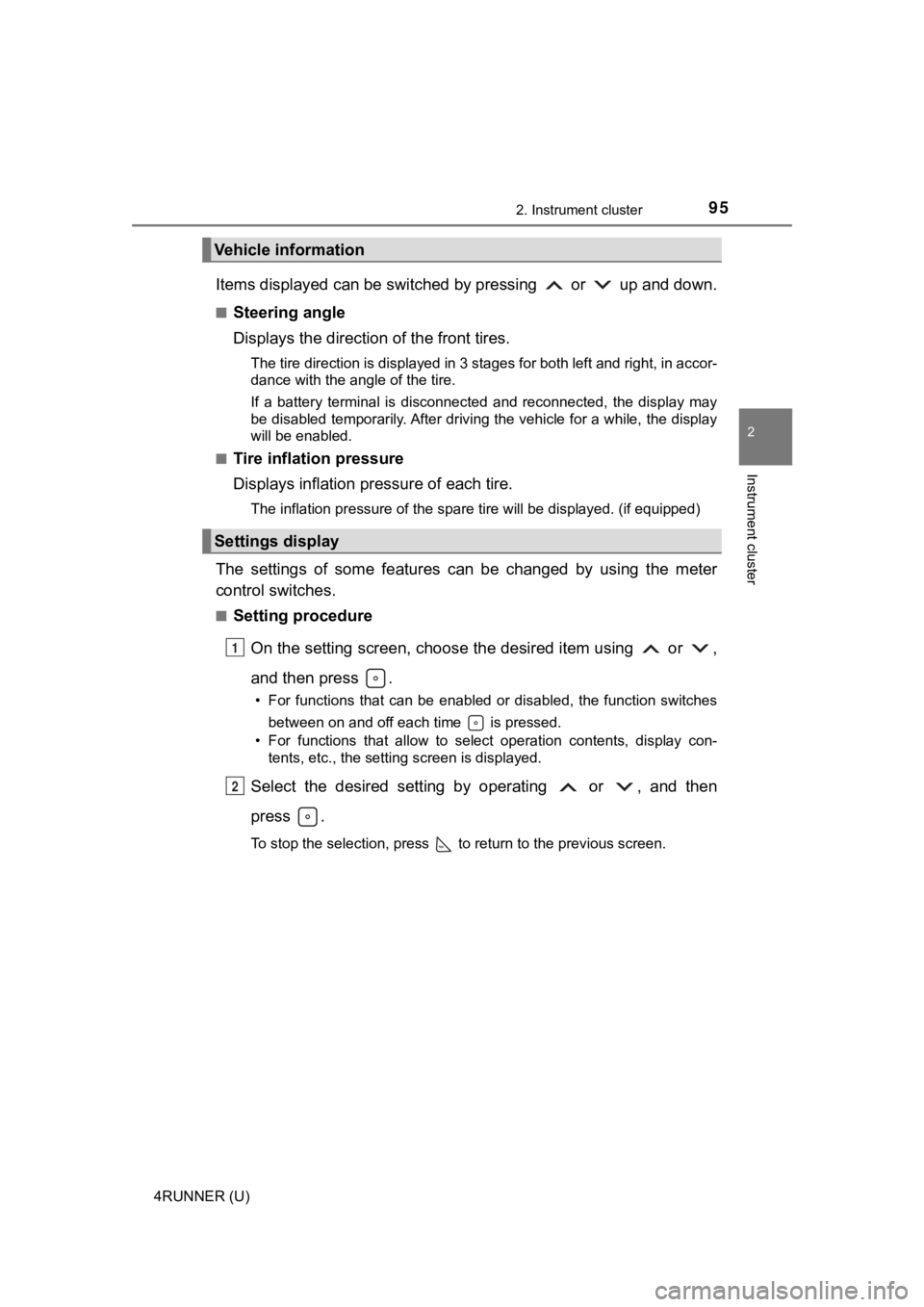
The settings of some features can be changed by using the meter
control switches.
■Setting procedure
On the setting screen, choose the desired item using or ,
and then press .
• For functions that can be enabled or disabled, the function switches between on and off each time is pressed.
• For functions that allow to select operation contents, display con- tents, etc., the setting screen is displayed.
Select the desired setting by operating or , and then
press .
To stop the selection, press to return to the previous screen.
Vehicle information
Settings display
1
2
Page 100 of 608
1002. Instrument cluster
4RUNNER (U)
WARNING
■Caution for use while driving
For safety, avoid operating the meter control switches while dr iving as much
as possible, and do not look continuously at the multi-informat ion display
while driving. Stop the vehicle and operate the meter control switches. Fail-
ure to do so may cause a steering wheel operation error, resulting in an
unexpected accident.
■ Cautions while setting up the display
As the engine needs to be running during setting up the display , ensure that
the vehicle is parked in a place with adequate ventilation. In a closed area
such as a garage, exhaust gases including harmful carbon monoxi de (CO)
may collect and enter the vehicle. This may lead to death or a serious
health hazard.
■ The multi-information display at low temperatures
Allow the interior of the vehicle to warm up before using the multi-informa-
tion display. At extremely low temperatures, the multi-information display
monitor may respond slowly, and display changes may be delayed.
For example, there is a lag between the driver’s shifting and the new gear
number appearing on the display. This lag could cause the drive r to down-
shift again, causing rapid and excessive engine braking and pos sibly an
accident resulting in death or serious injury.
NOTICE
■ While setting up the display
To prevent battery discharge, ensure that the engine is running while setting
up the display features.
Page 101 of 608
101
Operation of
each component
3
4RUNNER (U) 3-1. Key information
Keys .................................. 102
Side doors ......................... 106
3-2. Opening, closing and locking the doors
Smart key system ............. 113
Automatic running boards ............................. 121
Back door .......................... 124
3-3. Adjusting the seats Front seats ........................ 129
Rear seats......................... 132
Driving position memory ... 142
Head restraints.................. 146
3-4. Adjusting the steering wheel and mirrors
Steering wheel .................. 149
Inside rear view mirror ...... 151
Outside rear view mirrors ............................. 153
3-5. Opening, closing the windows and moon roof
Power windows ................. 155
Power back window .......... 158
Moon roof .......................... 161
Page 145 of 608
1453-3. Adjusting the seats
3
Operation of each component
4RUNNER (U)
WARNING
■Seat adjustment caution
Take care during seat adjustment so that the seat does not stri ke the rear
passenger or squeeze your body against the steering wheel.
Page 149 of 608
149
3
Operation of each component
4RUNNER (U)
3-4. Adjusting the steering wheel and mirrors
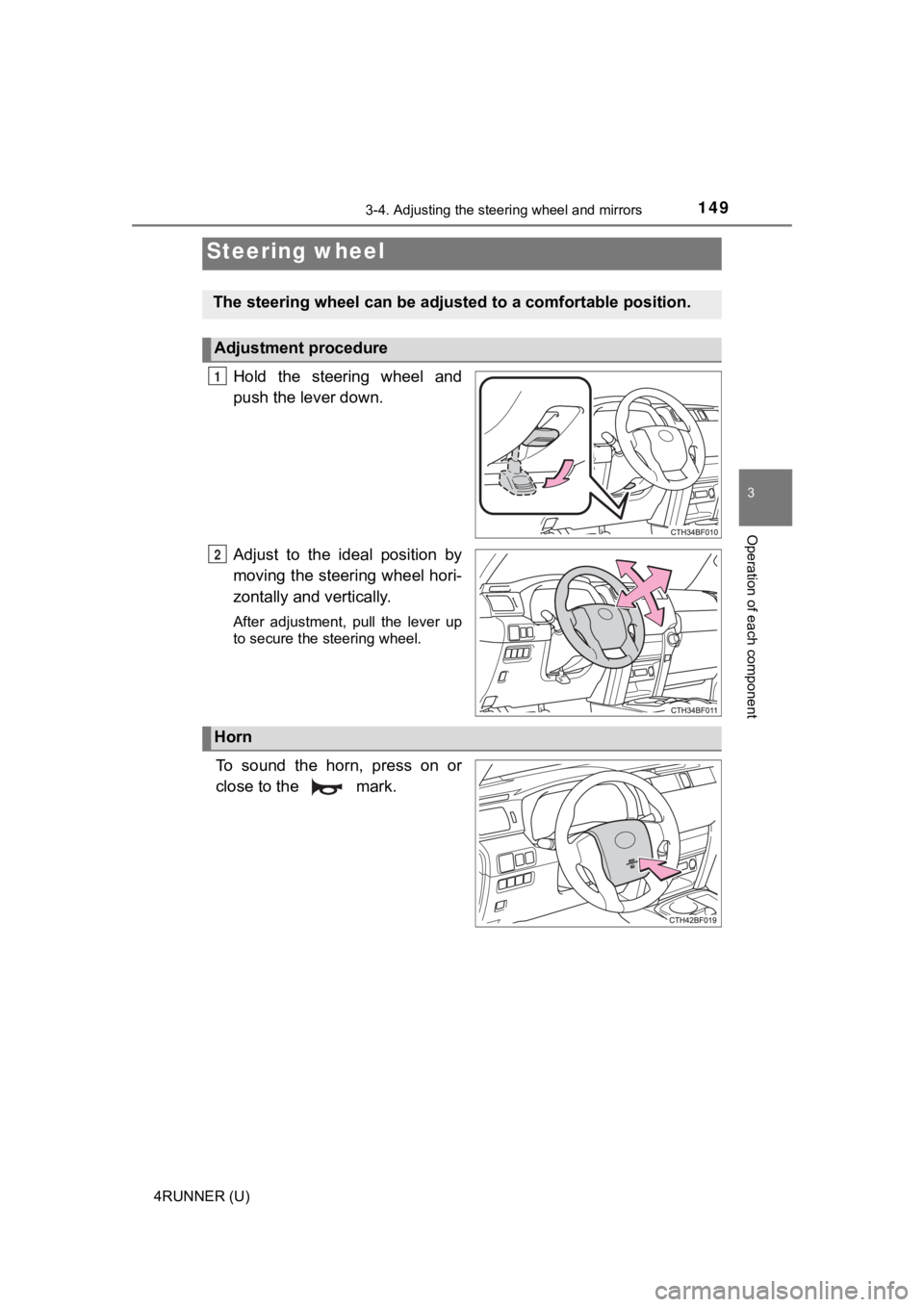
Hold the steering wheel and
push the lever down.
Adjust to the ideal position by
moving the steering wheel hori-
zontally and vertically.
After adjustment, pull the lever up
to secure the steering wheel.
To sound the horn, press on or
close to the mark.
Steering wheel
The steering wheel ca n be adjusted to a comfortable position.
Adjustment procedure
1
2
Horn