2023 PEUGEOT LANDTREK alarm
[x] Cancel search: alarmPage 30 of 164
28
Access
remote control or unlock the vehicle using the
"Keyless Entry and Start" system.
Deactivating the alarm
► Press the remote control unlocking
button for about 4 seconds. An audible
signal is triggered and the direction indicators
flash 4 times to indicate that the alarm is
deactivated (the indicator lamp on the instrument
panel is deactivated).
►
Reactivate the alarm by pressing the
unlocking button.
Electric windows
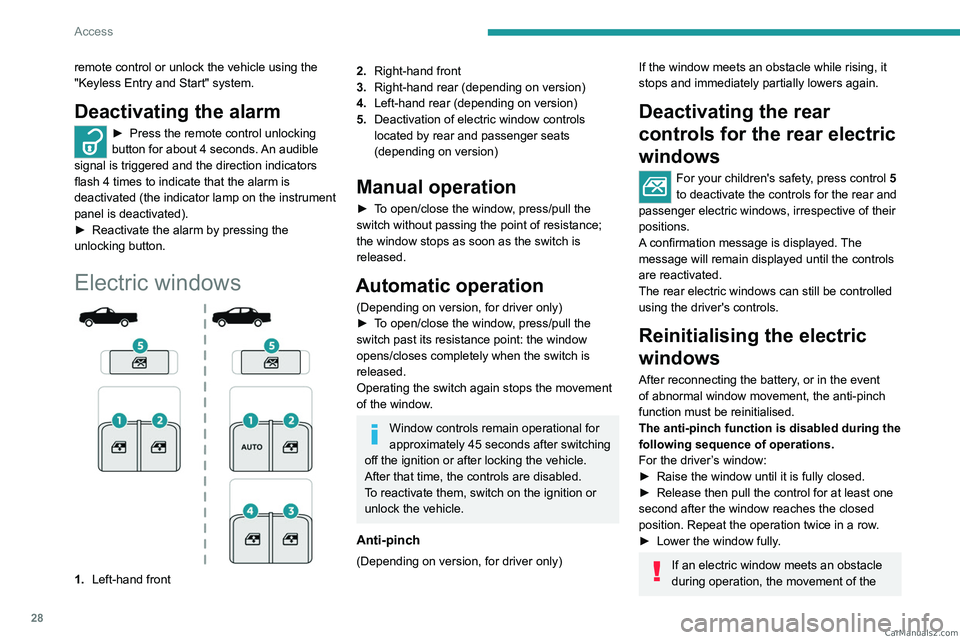
1. Left-hand front
2.Right-hand front
3. Right-hand rear (depending on version)
4. Left-hand rear (depending on version)
5. Deactivation of electric window controls
located by rear and passenger seats
(depending on version)
Manual operation
► To open/close the window, press/pull the
switch without passing the point of resistance;
the window stops as soon as the switch is
released.
Automatic operation
(Depending on version, for driver only)
►
T o open/close the window, press/pull the
switch past its resistance point: the window
opens/closes completely when the switch is
released.
Operating the switch again stops the movement
of the window.
Window controls remain operational for
approximately 45 seconds after switching
off the ignition or after locking the vehicle.
After that time, the controls are disabled.
To reactivate them, switch on the ignition or
unlock the vehicle.
Anti-pinch
(Depending on version, for driver only)
If the window meets an obstacle while rising, it
stops and immediately partially lowers again.
Deactivating the rear
controls for the rear electric
windows
For your children's safety, press control 5
to deactivate the controls for the rear and
passenger electric windows, irrespective of their
positions.
A confirmation message is displayed. The
message will remain displayed until the controls
are reactivated.
The rear electric windows can still be controlled
using the driver's controls.
Reinitialising the electric
windows
After reconnecting the battery, or in the event
of abnormal window movement, the anti-pinch
function must be reinitialised.
The anti-pinch function is disabled during the
following sequence of operations.
For the driver’s window:
►
Raise the window until it is fully closed.
►
Release then pull the control for at least one
second after the window reaches the closed
position. Repeat the operation twice in a row
.
►
Lower the window fully
.
If an electric window meets an obstacle
during operation, the movement of the CarM an uals 2 .c o m
Page 71 of 164
69
Driving
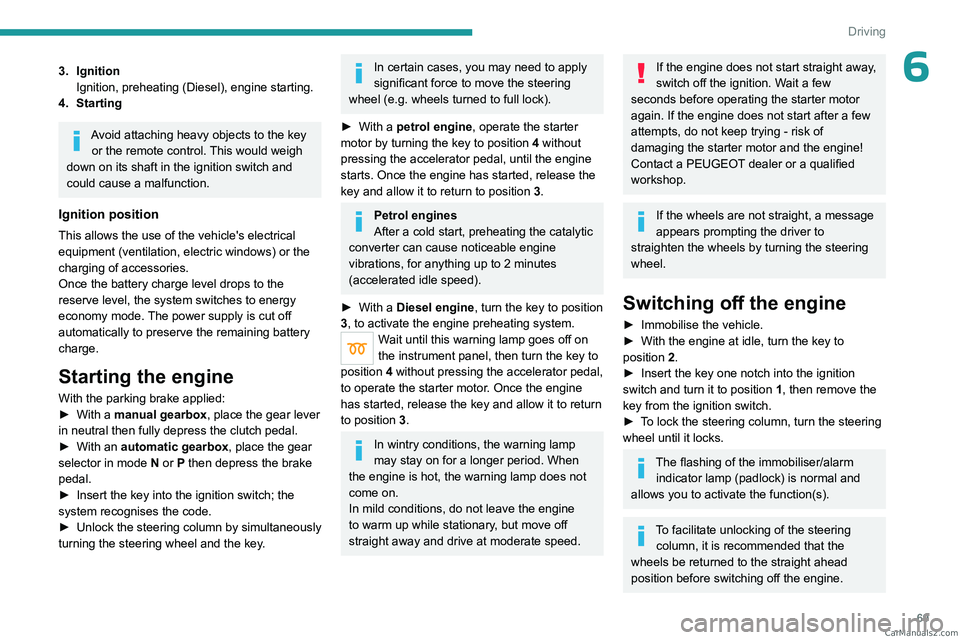
63. IgnitionIgnition, preheating (Diesel), engine starting.
4. Starting
Avoid attaching heavy objects to the key or the remote control. This would weigh
down on its shaft in the ignition switch and
could cause a malfunction.
Ignition position
This allows the use of the vehicle's electrical
equipment (ventilation, electric windows) or the
charging of accessories.
Once the battery charge level drops to the
reserve level, the system switches to energy
economy mode. The power supply is cut off
automatically to preserve the remaining battery
charge.
Starting the engine
With the parking brake applied:
► With a manual gearbox, place the gear lever
in neutral then fully depress the clutch pedal.
►
With an
automatic gearbox, place the gear
selector in mode N or P then depress the brake
pedal.
►
Insert the key into the ignition switch; the
system recognises the code.
►
Unlock
the steering column by simultaneously
turning the steering wheel and the key.
In certain cases, you may need to apply
significant force to move the steering
wheel (e.g.
wheels turned to full lock).
►
With a
petrol engine , operate the starter
motor by turning the key to position 4 without
pressing the accelerator pedal, until the engine
starts. Once the engine has started, release the
key and allow it to return to position 3.
Petrol engines
After a cold start, preheating the catalytic
converter can cause noticeable engine
vibrations, for anything up to 2 minutes
(accelerated idle speed).
►
With a
Diesel engine, turn the key to position
3, to
activate the engine preheating system.
Wait until this warning lamp goes off on
the instrument panel, then turn the key to
position 4 without pressing the accelerator pedal,
to operate the starter motor. Once the engine
has started, release the key and allow it to return
to position 3.
In wintry conditions, the warning lamp
may stay on for a longer period. When
the engine is hot, the warning lamp does not
come on.
In mild conditions, do not leave the engine
to warm up while stationary, but move off
straight away and drive at moderate speed.
If the engine does not start straight away,
switch off the ignition. Wait a few
seconds before operating the starter motor
again. If the engine does not start after a few
attempts, do not keep trying - risk of
damaging the starter motor and the engine!
Contact a PEUGEOT dealer or a qualified
workshop.
If the wheels are not straight, a message
appears prompting the driver to
straighten the wheels by turning the steering
wheel.
Switching off the engine
► Immobilise the vehicle.
► With the engine at idle, turn the key to
position 2
.
►
Insert the key one notch into the ignition
switch and turn it to position 1
, then remove the
key from the ignition switch.
►
T
o lock the steering column, turn the steering
wheel until it locks.
The flashing of the immobiliser/alarm indicator lamp (padlock) is normal and
allows you to activate the function(s).
To facilitate unlocking of the steering column, it is recommended that the
wheels be returned to the straight ahead
position before switching off the engine. CarM an uals 2 .c o m
Page 73 of 164
71
Driving
6► With an automatic gearbox, ideally select
mode P or N.
►
Press the "
START/STOP" button.
In some circumstances, it is necessary to turn
the steering wheel to lock the steering column.
The flashing of the immobiliser/alarm indicator lamp (padlock) is normal and
allows you to activate the function(s).
If the vehicle is not immobilised, the
engine will not stop.
With the engine off, the braking and
steering assistance systems are also cut
off - risk of loss of control of the vehicle!
Never leave your vehicle with the
electronic key still inside.
Switching on the ignition
without starting the engine
With the electronic key in the passenger
compartment, the first two presses on the
"START/STOP" button, without depressing
any of the pedals , allow the accessories to be switched on, then the ignition, without starting
the engine (accessories such as the audio
system and the lighting will come on, followed by
the instrument panel).
►
Press this button again to switch off the
ignition and allow the vehicle to be locked.
Key not detected
Back-up starting
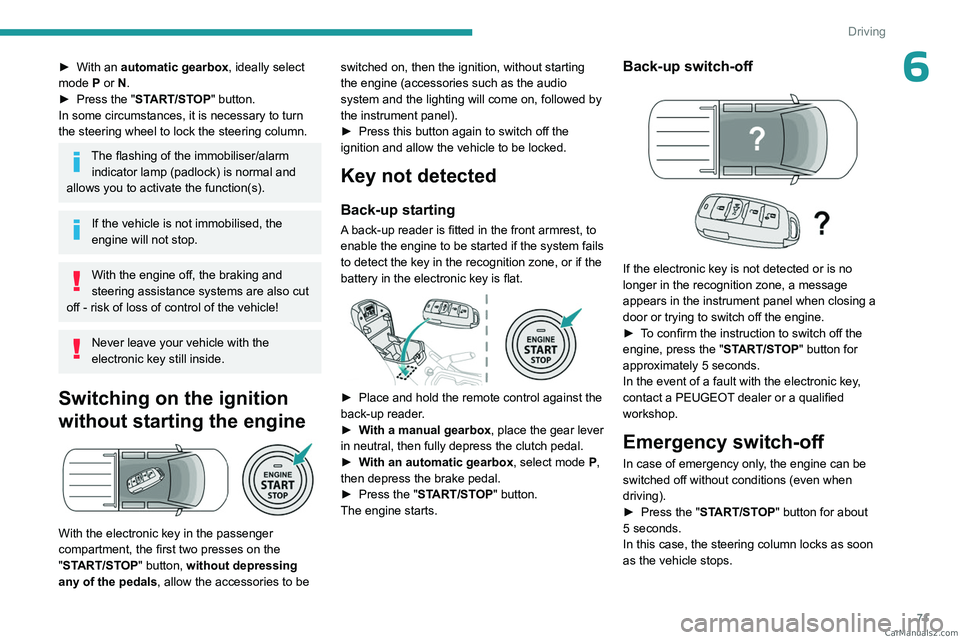
A back-up reader is fitted in the front armrest, to
enable the engine to be started if the system fails
to detect the key in the recognition zone, or if the
battery in the electronic key is flat.
► Place and hold the remote control against the
back-up reader .
►
W
ith a manual gearbox, place the gear lever
in neutral, then fully depress the clutch pedal.
►
W
ith an automatic gearbox, select mode P,
then depress the brake pedal.
►
Press the "
START/STOP" button.
The engine starts.
Back-up switch-off
If the electronic key is not detected or is no
longer in the recognition zone, a message
appears in the instrument panel when closing a
door or trying to switch off the engine.
►
T
o confirm the instruction to switch off the
engine, press the " START/STOP" button for
approximately 5
seconds.
In the event of a fault with the electronic key,
contact a PEUGEOT dealer or a qualified
workshop.
Emergency switch-off
In case of emergency only, the engine can be
switched off without conditions (even when
driving).
►
Press the "
START/STOP" button for about
5
seconds.
In this case, the steering column locks as soon
as the vehicle stops. CarM an uals 2 .c o m
Page 127 of 164
125
In the event of a breakdown
8Electronic control units/LED
technology headlamps
Never connect the negative jump lead to the
metal part of the electronic control units
or at
the back of the headlamps.
Risk of destroying the electronic control
units
and/or headlamps!
Connect to the remote earth point provided
for this purpose.
Automatic gearbox
Never try to start the engine by pushing
the vehicle.
Natural battery discharge
In certain severe climatic conditions
(temperature, humidity), the battery can
discharge after 2 months, even with terminals
disconnected.
To store the vehicle or the battery, use a
location protected from heat and humidity.
Battery power loss
A battery can be discharged due to
power losses:
–
Continuous electrical consumption of a
component (e.g. alarm, anti-theft device).
–
Device powered up when the engine is off
(e.g. audio system, USB charger).
–
Electrical leakage due to poor insulation of
electrical components.
If the power loss cannot be located, contact a
PEUGEOT dealer or a qualified workshop to
have the vehicle's electrical system checked.
Battery charge check
For batteries with a charge status
indicator, read the value indicated on the
battery directly.
For other types of batteries, the check can be
carried out with a voltmeter:
►
Connect the voltmeter to the battery
terminals (respect the polarities).
►
Read the voltage value.
►
T
urn the main beam headlamps on.
If the battery voltage remains at or above 10
V without rapidly decreasing, the charge is
correct.
If the battery voltage drops quickly or is less
than 10 V, the battery must be recharged or
replaced.
Symbols
No sparks or naked flames, no smoking.
Always protect your eyes. Explosive gases can cause blindness and injury.
Keep the vehicle's battery out of the reach
of children.
The vehicle's battery contains sulphuric acid which can make you go blind or
cause severe burns.
For more information, refer to the
handbook.
Explosive gases can be present close to
the battery.
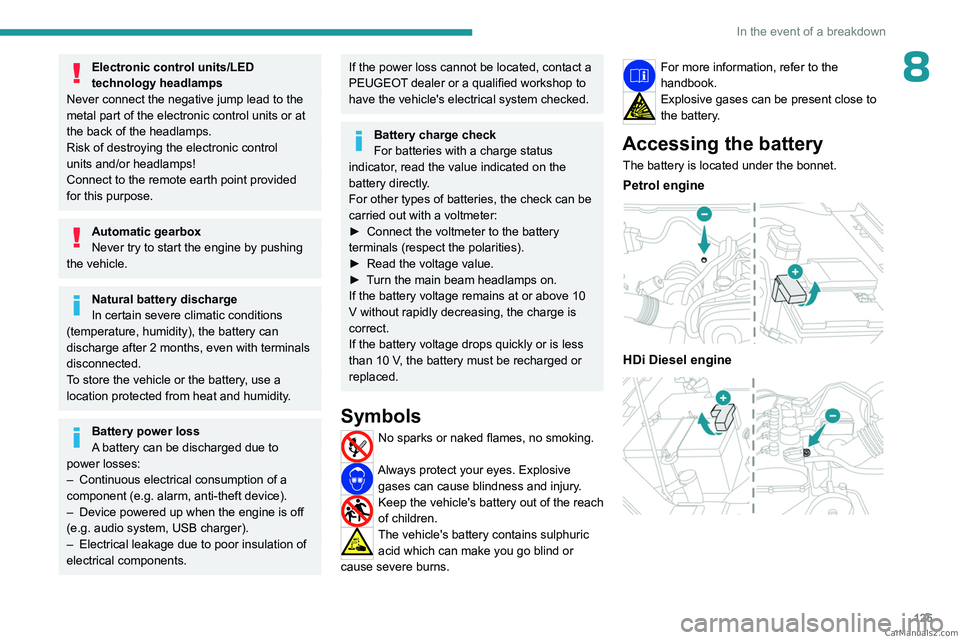
Accessing the battery
The battery is located under the bonnet.
Petrol engine
HDi Diesel engine
CarM an uals 2 .c o m
Page 153 of 164
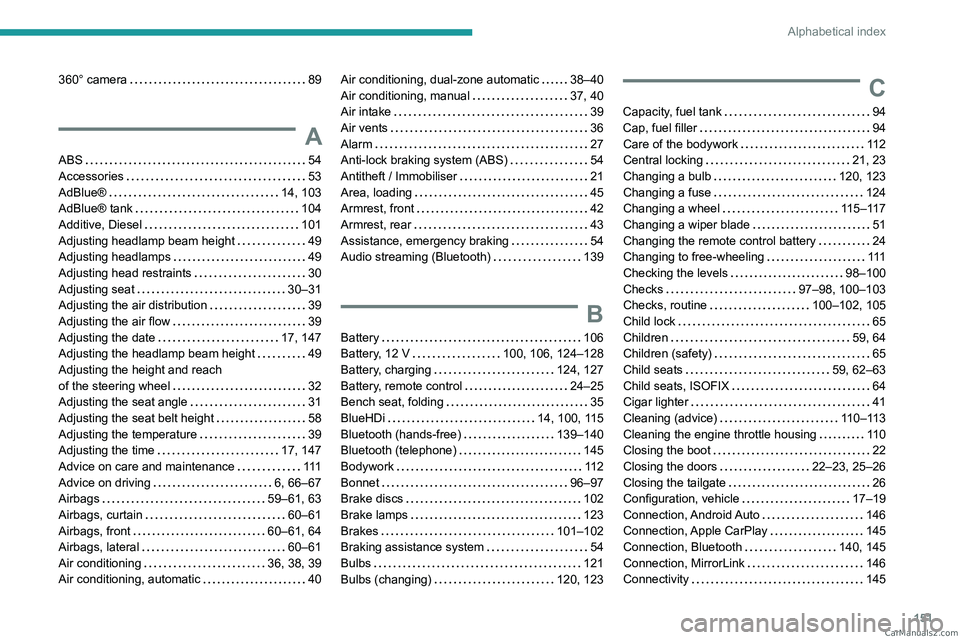
151
Alphabetical index
360° camera 89
A
ABS 54
Accessories
53
AdBlue®
14, 103
AdBlue® tank
104
Additive, Diesel
101
Adjusting headlamp beam height
49
Adjusting headlamps
49
Adjusting head restraints
30
Adjusting seat
30–31
Adjusting the air distribution
39
Adjusting the air flow
39
Adjusting the date
17, 147
Adjusting the headlamp beam height
49
Adjusting the height and reach
of the steering wheel
32
Adjusting the seat angle
31
Adjusting the seat belt height
58
Adjusting the temperature
39
Adjusting the time
17, 147
Advice on care and maintenance
111
Advice on driving
6, 66–67
Airbags
59–61, 63
Airbags, curtain
60–61
Airbags, front
60–61, 64
Airbags, lateral
60–61
Air conditioning
36, 38, 39
Air conditioning, automatic
40
Air conditioning, dual-zone automatic 38–40
Air conditioning, manual
37, 40
Air intake
39
Air vents
36
Alarm
27
Anti-lock braking system (ABS)
54
Antitheft / Immobiliser
21
Area, loading
45
Armrest, front
42
Armrest, rear
43
Assistance, emergency braking
54
Audio streaming (Bluetooth)
139
B
Battery 106
Battery, 12 V
100, 106, 124–128
Battery, charging
124, 127
Battery, remote control
24–25
Bench seat, folding
35
BlueHDi
14, 100, 115
Bluetooth (hands-free)
139–140
Bluetooth (telephone)
145
Bodywork
11 2
Bonnet
96–97
Brake discs
102
Brake lamps
123
Brakes
101–102
Braking assistance system
54
Bulbs
121
Bulbs (changing)
120, 123
C
Capacity, fuel tank 94
Cap, fuel filler
94
Care of the bodywork
11 2
Central locking
21, 23
Changing a bulb
120, 123
Changing a fuse
124
Changing a wheel
115–117
Changing a wiper blade
51
Changing the remote control battery
24
Changing to free-wheeling
111
Checking the levels
98–100
Checks
97–98, 100–103
Checks, routine
100–102, 105
Child lock
65
Children
59, 64
Children (safety)
65
Child seats
59, 62–63
Child seats, ISOFIX
64
Cigar lighter
41
Cleaning (advice)
110–113
Cleaning the engine throttle housing
11 0
Closing the boot
22
Closing the doors
22–23, 25–26
Closing the tailgate
26
Configuration, vehicle
17–19
Connection, Android Auto
146
Connection, Apple CarPlay
145
Connection, Bluetooth
140, 145
Connection, MirrorLink
146
Connectivity
145 CarM an uals 2 .c o m