2023 LINCOLN CORSAIR remote control
[x] Cancel search: remote controlPage 471 of 690

WARNING: Only usereplacement tires and wheels that arethe same size, load index, speedrating, and type as those originallyprovided for your vehicle. Therecommended tire and wheel sizescan be found on the Tire Label on thedriver side door frame or the edge ofthe driver door. If this information isnot found in those locations, or foradditional options, contact yourauthorized dealer. Use of any tire orwheel not recommended, could affectthe safety and performance of yourvehicle, which could result in anincreased risk of loss of vehiclecontrol, vehicle rollover, personalinjury and death.
WARNING: To reduce the risk ofserious injury, when mountingreplacement tires and wheels, youshould not exceed the maximumpressure indicated on the sidewall ofthe tire to set the beads withoutadditional precautions listed below. Ifthe beads do not seat at the maximumpressure indicated, re-lubricate andtry again.
WARNING: For a mountingpressure more than 20 psi (1.38 bar)greater than the maximum pressure,a Ford dealer or other tire serviceprofessional should do the mounting.
WARNING: Always inflate steelcarcass tires with a remote air fill withthe person inflating standing at aminimum of 12 ft (3.66 m) away fromthe wheel and tire assembly.
WARNING: Only use thespecified jacking points. If you use anyother locations you could damagevehicle components, such as brakelines.
WARNING: When inflating thetire for mounting pressures up to20 psi (1.38 bar) greater than themaximum pressure on the tire sidewall,the following precautions must betaken to protect the person mountingthe tire:
•Make sure that you have the correcttire and wheel size.
•Lubricate the tire bead and wheelbead seat area again.
•Stand at a minimum of 12 ft (3.66 m)away from the wheel and tireassembly.
•Use both eye and ear protection.
Important: Remember to replace thewheel valve stems when the road tiresare replaced on your vehicle.
467
2023 Corsair (CTF) Canada/United States of America, enUSA, Edition date: 202208, DOMWheel and Tire Information
Page 518 of 690
WHAT IS A CONNECTED VEHICLE
A connected vehicle has technology thatallows your vehicle to connect to a mobilenetwork and for you to access a range offeatures. When used in conjunction with theLincoln Way app, it could allow you tomonitor and control your vehicle further, forexample checking the tire pressures, andthe vehicle location. For additionalinformation, refer to the local Lincoln website.
CONNECTED VEHICLE
REQUIREMENTS
Connected service and related featurefunctionality requires a compatible vehiclenetwork.
Some remote features require a subscription.For additional information, see the LincolnWay app. Some restrictions, third party termsand message or data rates may apply.
CONNECTED VEHICLE
LIMITATIONS
Evolving technology, cellular networks, orregulations could affect functionality andavailability, or continued provision of somefeatures. These changes could even stopsome features from functioning.
CONNECTING THE VEHICLE TO A
MOBILE NETWORK
WHAT IS THE MODEM
The modem allows access to arange of features built into yourvehicle.
ENABLING AND DISABLING THEMODEM
1.Press Settings.
2.Press Connectivity.
3.Press Connected Vehicle Features.
4.Switch vehicle connectivity on or off.
CONNECTING LINCOLN WAY TO THEMODEM
1.Make sure that the modem is enabledusing the vehicle settings menu.
2.Open the Lincoln Way app on yourdevice and log in.
3.Add your vehicle or select your vehicleif already added.
4.Select the option for vehicle details.
5.Select the option to activate your vehicle.
6.Make sure that the name on the screenmatches the name shown in your LincolnWay account.
7.Confirm that your Lincoln Way accountis connected to the modem.
CONNECTING THE VEHICLE TO A
WI-FI NETWORK
Select the settings option on thefeature bar.
514
2023 Corsair (CTF) Canada/United States of America, enUSA, Edition date: 202208, DOMConnected Vehicle E280315
Page 552 of 690
HOW DO PERSONAL PROFILES
WORK
This feature allows you to create multiplepersonal profiles enabling users topersonalize vehicle’s settings such as seatsand mirrors, as well as non-positional settingslike radio, navigation, driver assist systemsettings. Positional settings are saved byholding a memory seat button.Non-positional settings are saved youchange a setting while a profile is active. Youcan create one profile for each presetmemory seat button along with a guestprofile.
Recalling and Changing a Profile
You can recall a profile using thetouchscreen or the preset button youselected when you created your profile. Youcan also link a remote control and a mobiledevice to your profile, which are used torecall it.
ENABLING OR DISABLING
PERSONAL PROFILES
1.Switch the vehicle on and leave thevehicle in park (P).
2.Press Settings on the touchscreen.
3.Press Personal Profiles.
4.Switch Personal Profiles on or off.
When enabled:
•Unlocking a door with a remote controlor mobile device that is not linked to adriver profile does not change the activeprofile, but remains in the last knownprofile. It does not change the positionalsettings.
•Pressing a memory seat button that isnot linked to a driver profile or saved toa preset setting does not change theactive profile, but remains in the lastknown profile. It does not change thepositional settings.
•Pressing a memory seat button that isnot linked to a driver profile but is savedto a preset setting does not change theactive profile, but remains in the lastknown profile. It recalls the positionalsettings that you saved to that memoryseat button.
548
2023 Corsair (CTF) Canada/United States of America, enUSA, Edition date: 202208, DOMPersonal Profiles
Page 553 of 690
When disabled:
•Unlocking a door with a remote controlor mobile device does not recall anynon-positional settings but still recallspositional settings from the driver profilewhich the remote control or mobiledevice is linked to.
•Pressing a memory seat button that isnot linked to a driver profile or saved toa preset setting does not change thepositional or non-positional settings.
•Pressing a memory seat button that islinked to a driver profile or has saved toa preset setting recalls the positionalsettings that you saved to that memoryseat button.
CREATING A PERSONAL PROFILE
Use the touchscreen to create a personalprofile.
1.Switch the vehicle on and leave thevehicle in park (P).
2.Select the Personal Profiles button underSettings.
3.Follow the instructions on the display.
LINKING OR UNLINKING A
PERSONAL PROFILE TO A REMOTE
CONTROL
You can save preset memory positions forup to three remote controls by assigning aremote control to a personal profile usingthe touchscreen.
Use the touchscreen to link a remote controlto a personal profile.
1.Switch the vehicle on and leave thevehicle in park (P).
2.Select the Personal Profiles button underSettings.
3.Touch the arrow for the profile you wishto link to a remote control.
4.Select remote control.
5.Follow the instructions on the display.
Note:If more than one linked remote controlis in range, the memory function moves tothe settings of the first key to initiate amemory recall.
Note:The guest profile consists of existingsettings when there is no driver profilecreated. After you create a driver profile, theguest profile serves as an additional driverprofile.
Note:You cannot link a remote control to aguest profile.
LINKING OR UNLINKING A
PERSONAL PROFILE TO A DEVICE
Use the touchscreen to link a mobile deviceto a personal profile.
1.Switch the vehicle on and leave thevehicle in park (P).
2.Select the Personal Profiles button underSettings.
3.Touch the arrow for the profile you wishto link to a mobile device.
4.Select mobile device.
5.Follow the instructions on the display.
549
2023 Corsair (CTF) Canada/United States of America, enUSA, Edition date: 202208, DOMPersonal Profiles
Page 554 of 690
Note:To successfully link a mobile device,the mobile device must be in your vehicle,and must have previously been setup as aremote control for your vehicle.
Note:The guest profile consists of existingsettings when there is no driver profilecreated. After you create a driver profile, theguest profile serves as an additional driverprofile.
Note:You cannot link a personalized nameto a guest profile.
550
2023 Corsair (CTF) Canada/United States of America, enUSA, Edition date: 202208, DOMPersonal Profiles
Page 558 of 690
This introduces new features and providesupdates to the vehicle's software systems.Make sure to switch Automatic Updates on,set a recurring update schedule and connectyour vehicle to Wi-Fi. Updates could takelonger when not connected to Wi-Fi or couldnot download at all. See Connecting theVehicle to a Wi-Fi Network (page 514). SeeConnecting the Vehicle to a Wi-Fi Network(page 514).
Your vehicle may be able to receive drivablesoftware updates, non-drivable softwareupdates or both. Drivable software updateshappen during normal vehicle usage andrequire limited input from you. You arenotified on your touchscreen and connecteddevice prior to a non-drivable update.
Most updates complete in less than 30minutes, although some updates could takeup to a few hours. Check your touchscreenor connected device for the most accurateestimated update time.
You are notified of the status of the vehiclesoftware update in the touchscreen and onyour connected device. See SoftwareUpdate Indicators (page 555).
Vehicle Software Update Requirements
Non-drivable software updates do not installif any of the following occur:
•Your vehicle is running.
•Your vehicle is switched on.
•Your vehicle is not parked.
•The 12 V battery charge is too low.
•The hazard indicators are switched on.
•The alarm is sounding.
•The doors are open.
•The parking lamps are switched on.
•You are pressing the brake pedal.
•An emergency call is in process.
•Your vehicle is in limp home mode.
Vehicle Software Update Limitations
Once you begin a non-drivable softwareupdate, you cannot:
•Cancel the update.
•Lock, unlock or enter your vehicle unlessyou have a key blade.
•You can open the doors using themechanical latch if child locks are noton.
•Drive your vehicle.
•Start your vehicle.
•Use the remote control to lock, unlock orstart your vehicle.
•Use the alarm, central locks or doortones.
•Use the electronic door locks.
•Charge your vehicle.
•Charging resumes once the updatecompletes.
SOFTWARE UPDATE SETTINGS
To access the Software Updates menu:
554
2023 Corsair (CTF) Canada/United States of America, enUSA, Edition date: 202208, DOMVehicle Software Updates
Page 588 of 690

This device complies with Part 15 of the FCCRules and with Innovation, Science andEconomic Development Canada’slicence-exempt RSS(s). Operation is subjectto the following two conditions:
1.This device may not cause harmfulinterference, and
2.This device must accept any interferencereceived, including interference that maycause undesired operation.
Vietnam
REMOTE FUNCTION ACTUATOR
China
CMIIT ID: 2018DJ4563
United States and Canada
WARNING: Changes or modificationsnot expressively approved by the partyresponsible for compliance could void theuser's authority to operate the equipment.The term "IC:" before the radio certificationnumber only signifies that Industry Canadatechnical specifications were met.
FCC ID: HYQS2NA0
IC: 1551A-S2NA0
This device complies with Part 15 of the FCCRules and with Innovation, Science andEconomic Development Canada’slicence-exempt RSS(s). Operation is subjectto the following two conditions:
1.This device may not cause harmfulinterference, and
2.This device must accept any interferencereceived, including interference that maycause undesired operation.
BODY CONTROL MODULE
South Korea
584
2023 Corsair (CTF) Canada/United States of America, enUSA, Edition date: 202208, DOMCustomer InformationE278262 E339675
Page 594 of 690
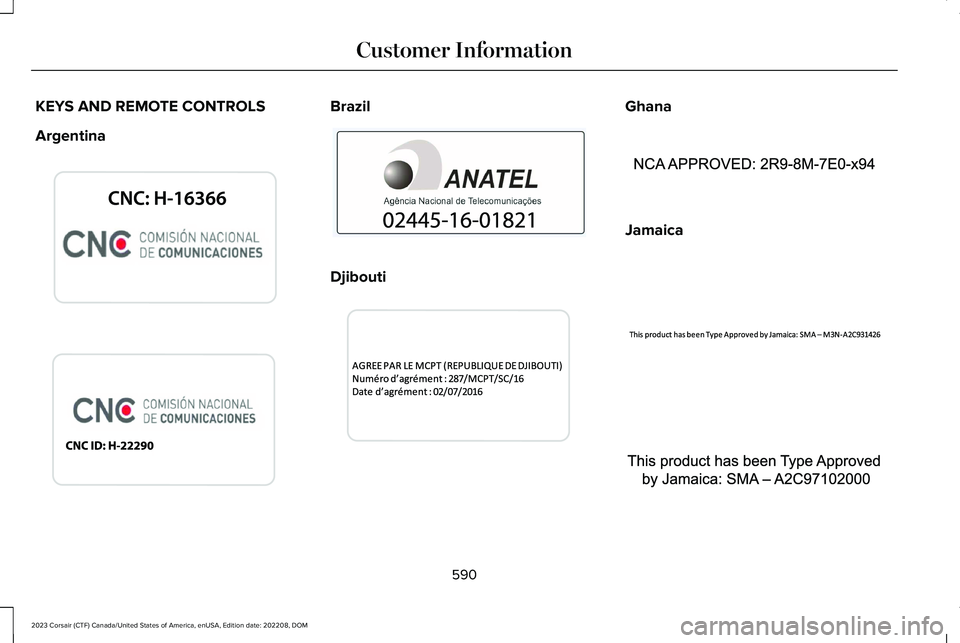
KEYS AND REMOTE CONTROLS
Argentina
Brazil
Djibouti
Ghana
Jamaica
590
2023 Corsair (CTF) Canada/United States of America, enUSA, Edition date: 202208, DOMCustomer InformationE339844 E340316 E340121 E343017 E340317 E340219 E340318