2023 LINCOLN CORSAIR remote control
[x] Cancel search: remote controlPage 88 of 690
8.Confirm you are aware you arede-authorizing all authorized users andLincoln Way Connect settings.
9.Press Continue.
USING THE VALET MODE
Classic Valet Mode
Enabling Valet Mode
Make sure the remote control is in yourvehicle.
1.Press Settings on the touchscreen.
2.Press Valet Mode.
3.Enter a four digit code to lock thetouchscreen.
4.Re-enter the same four digit code tocomplete enabling valet mode.
Disabling Valet Mode
1.Press Exit Valet Mode.
2.Enter your four digit code to disable valetmode and unlock your touchscreen.
Enhanced Valet Mode
Enabling Valet Mode
Have your backup start passcode completelyset up before using valet mode. SeeProgramming Your Phone (page 83).
Note:If your vehicle detects a remotecontrol, the system defaults to classic valetmode.
1.Press Settings on the touchscreen.
2.Press Valet Mode.
Note:If the system detects a valid phone asa key, a valet passcode displays in both thetouchscreen and mobile app.
Note:If the system does not detect a validphone as a key, it prompts you to enter yourbackup start passcode on the touchscreen.Once validated, a valet passcode displayson the touchscreen.
3.Provide the valet the first five digits of thevalet passcode to enter on the keylessentry keypad to unlock your vehicle.
4.Provide the valet the eight-digit valetpasscode to enter on the touchscreen tostart and drive your vehicle.
Disabling Valet Mode
1.Press Exit Valet Mode.
Note:If the system detects an authorizedphone as a key, valet mode disables.
Note:If the system does not detect a validphone as a key, it prompts you to enter yourbackup start passcode. Once validated, valetmode disables.
USING THE BACKUP START
PASSCODE
Make sure you have phone as a key activeon at least one phone to use the previouslycreated backup start passcode. SeeProgramming Your Phone (page 83).
84
2023 Corsair (CTF) Canada/United States of America, enUSA, Edition date: 202208, DOMPhone as a Key (If Equipped)
Page 89 of 690
1.Press the brake pedal and the pushbutton ignition switch. If the system doesnot detect a valid phone as a key orremote control, a message appears onthe touchscreen and the system promptsyou for your backup start passcode.
Note:The touchscreen times out after 30seconds with no interaction.
Note:If the backup start passcode screendoes not appear, press the brake pedal andpush button ignition switch again.
2.Use the touchscreen to enter yourbackup start passcode.
3.After entering your backup startpasscode, press Enter within 30 seconds.
4.Once the system validates the backupstart passcode, a message alerts you tostart your vehicle.
5.Press the brake pedal and the pushbutton ignition switch within 20 secondsto start the vehicle.
6.If your vehicle does not start, repeatsteps 1-5.
System Lockout
The system locks after five combinedincorrect attempts of the following:
•Entering a backup start passcode.
•Resetting a current passcode.
•Entering a valet mode passcode.
Note:The system remains locked for fiveminutes. After five minutes the system allowscodes to be entered again.
PHONE AS A KEY –
TROUBLESHOOTING
PHONE AS A KEY – FREQUENTLYASKED QUESTIONS
How can I tell if my vehicle has phoneas a key?
•The touchscreen shows the phone as akey reset option.
•A control button appears on the homescreen of the Lincoln Way app if you haveregistered your vehicle through theLincoln Way app.
What happens if I cannot unlock thevehicle with phone as a key?
•Attempt to move your phone closer tothe vehicle.
•Check that the Lincoln Way app is stillrunning and that the phone as a keycontrol screen shows connected. If thephone is connected, attempt to press theremote unlock button in the Lincoln Wayapp. If the phone is not connected or theremote unlock button does not work inthe Lincoln Way app, attempt to forceclose and restart the app.
85
2023 Corsair (CTF) Canada/United States of America, enUSA, Edition date: 202208, DOMPhone as a Key (If Equipped)
Page 91 of 690
OPERATING THE DOORS FROM
OUTSIDE YOUR VEHICLE
UNLOCKING AND LOCKING THEDOORS USING THE REMOTECONTROL
You can only use the remote control whenyour vehicle is stationary.
Unlocking the Doors
Press the button to unlock alldoors. One long flash of the turnsignal lamps confirms that yourvehicle has unlocked.
One-Stage Unlocking
Press the button to unlock alldoors.
Two-Stage Unlocking (If Equipped)
Press the button to unlock thedriver's door. Press the buttonagain within three seconds tounlock all doors.
Locking the Doors
Press the button to lock all doors. One short flash of the turn signallamps confirms your vehicle islocked.
Note:For more information on operating thedoors from outside your vehicle See KeylessEntry (page 92).
UNLOCKING AND LOCKING THEDOORS USING THE KEY BLADE
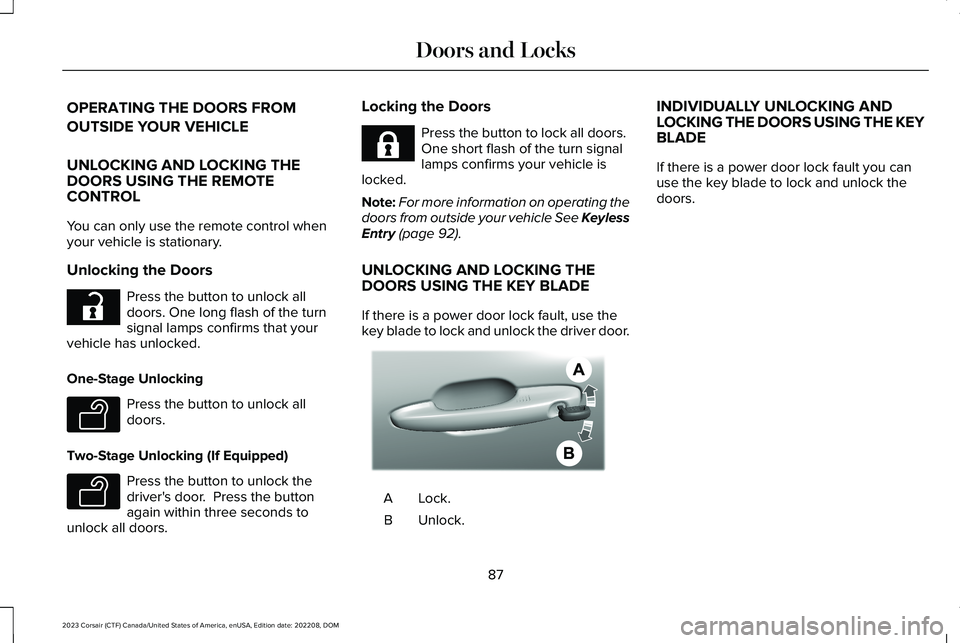
If there is a power door lock fault, use thekey blade to lock and unlock the driver door.
Lock.A
Unlock.B
INDIVIDUALLY UNLOCKING ANDLOCKING THE DOORS USING THE KEYBLADE
If there is a power door lock fault you canuse the key blade to lock and unlock thedoors.
87
2023 Corsair (CTF) Canada/United States of America, enUSA, Edition date: 202208, DOMDoors and LocksE267112 E138629 E138629 E267111 AE328009
Page 92 of 690
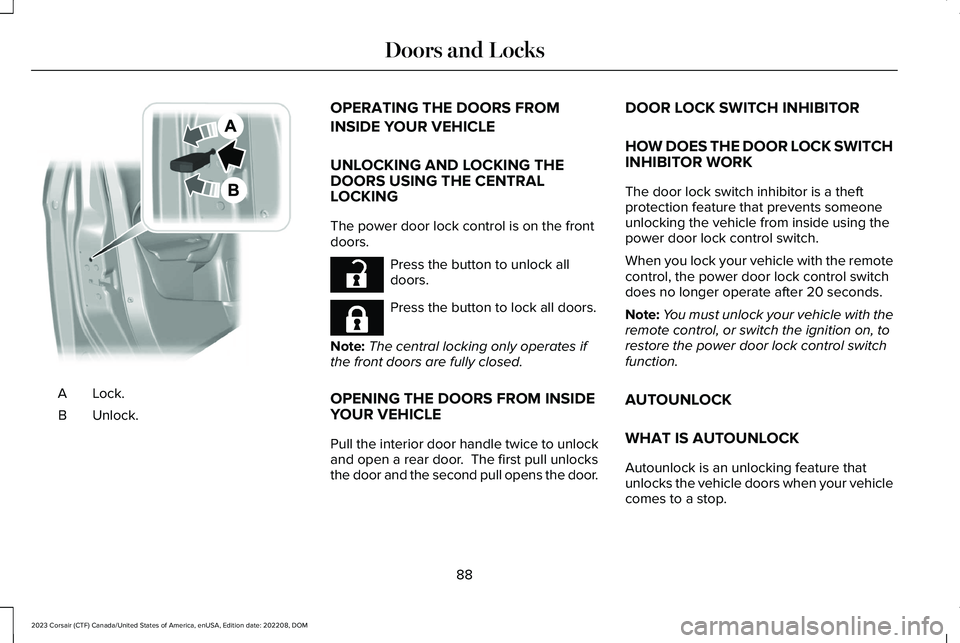
Lock.A
Unlock.B
OPERATING THE DOORS FROM
INSIDE YOUR VEHICLE
UNLOCKING AND LOCKING THEDOORS USING THE CENTRALLOCKING
The power door lock control is on the frontdoors.
Press the button to unlock alldoors.
Press the button to lock all doors.
Note:The central locking only operates ifthe front doors are fully closed.
OPENING THE DOORS FROM INSIDEYOUR VEHICLE
Pull the interior door handle twice to unlockand open a rear door. The first pull unlocksthe door and the second pull opens the door.
DOOR LOCK SWITCH INHIBITOR
HOW DOES THE DOOR LOCK SWITCHINHIBITOR WORK
The door lock switch inhibitor is a theftprotection feature that prevents someoneunlocking the vehicle from inside using thepower door lock control switch.
When you lock your vehicle with the remotecontrol, the power door lock control switchdoes no longer operate after 20 seconds.
Note:You must unlock your vehicle with theremote control, or switch the ignition on, torestore the power door lock control switchfunction.
AUTOUNLOCK
WHAT IS AUTOUNLOCK
Autounlock is an unlocking feature thatunlocks the vehicle doors when your vehiclecomes to a stop.
88
2023 Corsair (CTF) Canada/United States of America, enUSA, Edition date: 202208, DOMDoors and LocksE112203 E267112 E267111
Page 93 of 690

AUTOUNLOCK REQUIREMENTS
Autounlock unlocks all the doors when all ofthe following occur:
•Your vehicle has come to a completestop and all of the doors are closed.
•You open the driver door within 10minutes of stopping the vehicle.
SWITCHING AUTOUNLOCK ON ANDOFF
1.Press Settings on the touchscreen.
2.Press Vehicle Settings.
3.Switch Autounlock on or off.
AUTOLOCK
WHAT IS AUTOLOCK
Autolock is a locking feature that locks yourvehicle doors when you start driving.
AUTOLOCK REQUIREMENTS
Autolock locks all the doors when all of thefollowing occur:
•All doors are closed.
•The ignition is on.
•Your vehicle reaches a speed greaterthan 12 mph (20 km/h).
MISLOCK
WHAT IS MISLOCK
Mislock is a locking feature that warns youif your vehicle has not locked.
MISLOCK LIMITATIONS
When you press the lock button once, thedirection indicators do not flash if:
•Any door or the liftgate is open.
•The hood is open.
When you press the lock button twice withinthree seconds, the horn sounds if:
•Any door or the liftgate is open.
•The hood is open.
If you switch mislock off, the horn does notsound if you press the lock button on theremote control when a door is open.
SWITCHING MISLOCK ON AND OFF
1.Press Settings on the touchscreen.
2.Press Vehicle Settings.
3.Switch Mislock Chirp on or off.
DOOR LOCK INDICATORS (IF EQUIPPED)
An LED on the power door lock controlilluminates when all doors are locked. Itremains on for up to five minutes after youswitch the ignition off.
89
2023 Corsair (CTF) Canada/United States of America, enUSA, Edition date: 202208, DOMDoors and Locks
Page 96 of 690

KEYLESS ENTRY LIMITATIONS
Make sure your remote control is within 3 ft(1 m) from the front door handles and thetailgate.
The system could not function if:
•The remote control remains stationaryfor about a minute.
•The vehicle battery has no charge.
•The remote control battery has nocharge.
•There is interference causing issues withthe remote control frequencies.
•The remote control is too close to metalobjects or electronic devices, for examplekeys or a cell phone.
KEYLESS ENTRY SETTINGS
Switching Keyless Entry On and Off
1.Switch the ignition on.
2.Press Settings on the touchscreen.
3.Press Vehicle Settings.
4.Press Locks.
Reprogramming the UnlockingFunction
You can enable two-stage unlocking functionallowing you to unlock only the driver doorwhen you touch the unlock sensor.
Press and hold both the lock and unlockbuttons on the remote control for fourseconds to disable or enable two-stageunlocking.
If you program the unlocking function so thatonly the driver door unlocks, you can unlockall of the other doors from inside your vehicleusing the power door lock control. You canunlock individual doors by pulling the interiordoor handles on those doors.
USING KEYLESS ENTRY
Unlocking the Doors
With the remote control within 3 ft (1 m) ofyour vehicle, touch the unlock sensor on theback of the door handle for a brief periodand then pull on the door handle to unlock,being careful not to touch the lock sensor atthe same time or pull on the door handle tooquickly. The system requires a brief delay toauthenticate the remote control.
Locking the Doors
92
2023 Corsair (CTF) Canada/United States of America, enUSA, Edition date: 202208, DOMKeyless EntryE248553 E248554
Page 97 of 690

With your passive key within 3 ft (1 m) of yourvehicle, touch the outer door handle locksensor for approximately one second to lock,being careful not to touch the unlock sensoron the back of the door handle at the sametime. After locking, you can immediately pullon the door handle to confirm lockingoccurred without inadvertently unlocking.
Opening the Liftgate with the RemoteControl
Press the exterior liftgate release buttoninside of the liftgate handle. The liftgateunlocks and opens. See Opening theLiftgate From Outside Your Vehicle (page99).
KEYLESS ENTRY –
TROUBLESHOOTING
KEYLESS ENTRY – FREQUENTLYASKED QUESTIONS
Why does the keyless entry system notfunction?
If the system does not function it maybe limited. See Keyless EntryLimitations (page 92). If the system stilldoes not function use the remotecontrol or the key blade to lock andunlock your vehicle.
Why can I not lock my vehicle?
If you electronically lock your vehiclewith a rear door or the liftgate open, thesystem searches for a passive key insideyour vehicle after you close the lastdoor. If the system detects a key, alldoors unlock indicating that a key isinside. Your vehicle locks if anotherpassive key is within the detection rangeafter you close the last door.
93
2023 Corsair (CTF) Canada/United States of America, enUSA, Edition date: 202208, DOMKeyless Entry E291416
Page 100 of 690
The anti-scan feature turns off after:
•One minute of keypad inactivity.
•You press the unlock button on theremote control.
•You switch the ignition on.
•You unlock your vehicle using keylessentry.
USING THE KEYLESS ENTRY
KEYPAD
Unlocking the Doors
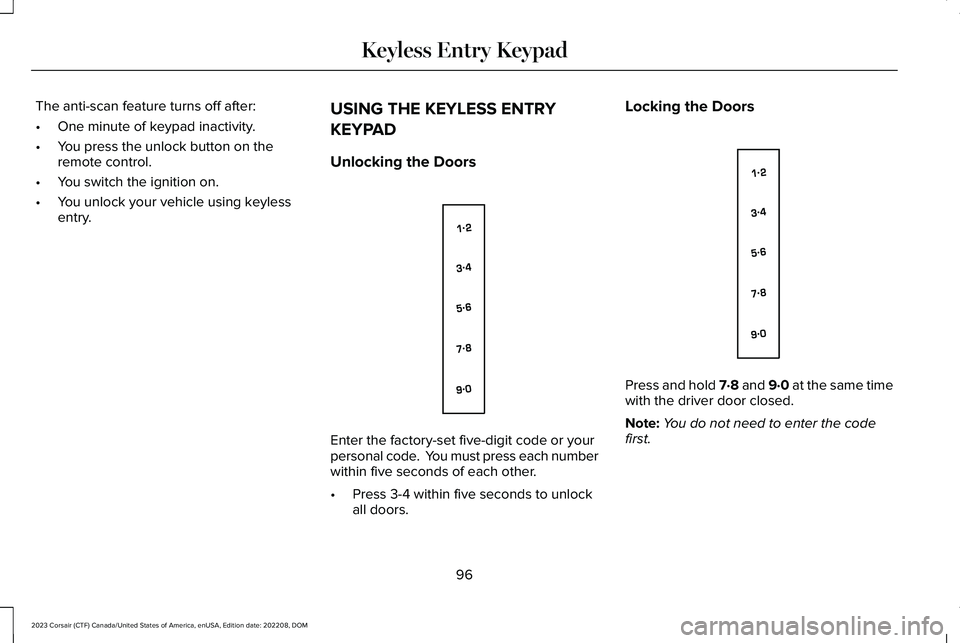
Enter the factory-set five-digit code or yourpersonal code. You must press each numberwithin five seconds of each other.
•Press 3-4 within five seconds to unlockall doors.
Locking the Doors
Press and hold 7·8 and 9·0 at the same timewith the driver door closed.
Note:You do not need to enter the codefirst.
96
2023 Corsair (CTF) Canada/United States of America, enUSA, Edition date: 202208, DOMKeyless Entry KeypadE138637 E138637