2023 HYUNDAI SONATA audio
[x] Cancel search: audioPage 18 of 555

2-7
02
The actual shape may differ from the illustration.ODN8019005
1. Instrument cluster ..................................4-2
2. Driver’s front air bag .............................3-39
3. Key ignition switch/ ................................6-6
Engine Start/Stop button .......................6-9
4. Audio / Video / Navigation system * ...5-141
5. Hazard warning flasher switch ..............7-2
6. Manual climate control system/ .........5-105
Automatic climate control system ......5-114
7. Passenger’s front air bag .....................3-39
8. Glove box .............................................. 5-131
9. Transmission shift button .....................6-1310. Reverse Parking Distance Warning/
....5-82
Forward/Reverse Parking Distance
Warning system button * .....................5-86
11. Surround View Monitor system button * .................................................. 5-75
12. Drive mode integrated control system *.................................... 6-45
13. AUTO HOLD .......................................... 6-34
14. Remote Smart Parking Assist (RSPA) system button * .................................... 5-95
* : if equipped
instrumEnt PanEl ovErviEw
Page 149 of 555
5
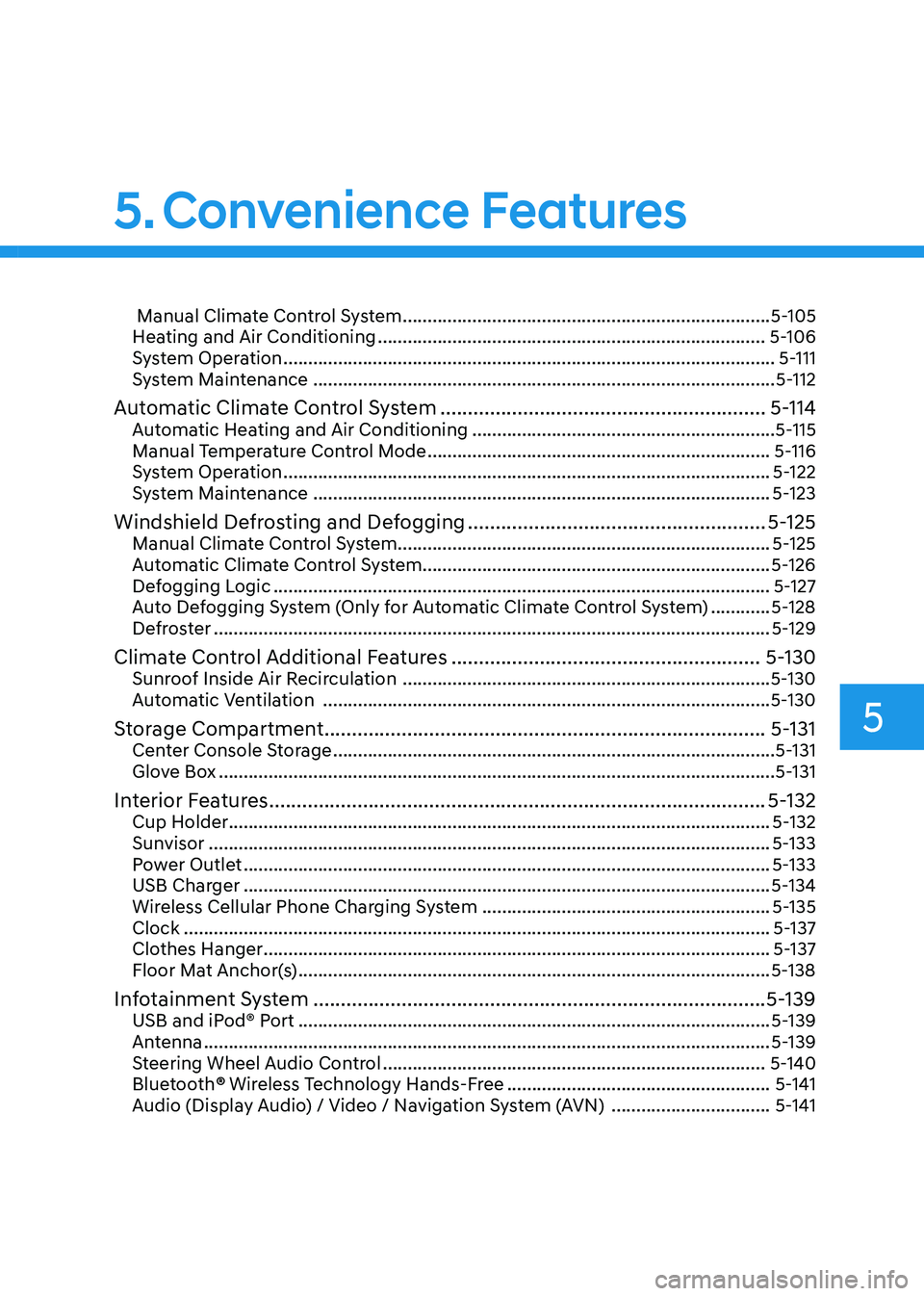
Manual Climate Control System .......................................................................... 5-105
Heating and Air Conditioning .............................................................................. 5-106
System Operation ................................................................................................... 5-111
System Maintenance ............................................................................................. 5-112
Automatic Climate Control System ........................................................... 5-114
Automatic Heating and Air Conditioning .............................................................5-115
Manual Temperature Control Mode ..................................................................... 5-116
System Operation .................................................................................................. 5-122
System Maintenance ............................................................................................ 5-123
Windshield Defrosting and Defogging ......................................................5-125
Manual Climate Control System........................................................................... 5-125
Automatic Climate Control System...................................................................... 5-126
Defogging Logic .................................................................................................... 5-127
Auto Defogging System (Only for Automatic Climate Control System) ............5-128
Defroster ................................................................................................................ 5-129
Climate Control Additional Features ........................................................5-130
Sunroof Inside Air Recirculation .......................................................................... 5-130
Automatic Ventilation .......................................................................................... 5-130
Storage Compartment ................................................................................ 5-131
Center Console Storage ......................................................................................... 5-131
Glove Box ................................................................................................................ 5-131
Interior Features .......................................................................................... 5-132
Cup Holder ............................................................................................................. 5-132
Sunvisor ................................................................................................................. 5-133
Power Outlet .......................................................................................................... 5-133
USB Charger .......................................................................................................... 5-134
Wireless Cellular Phone Charging System ..........................................................5-135
Clock ...................................................................................................................... 5-137
Clothes Hanger ...................................................................................................... 5-137
Floor Mat Anchor(s) ............................................................................................... 5-138
Infotainment System .................................................................................. 5-139
USB and iPod® Port ............................................................................................... 5-139
Antenna .................................................................................................................. 5-139
Steering Wheel Audio Control ............................................................................. 5-140
Bluetooth ® Wireless Technology Hands-Free .....................................................5-141
Audio (Display Audio) / Video / Navigation System (AVN) ................................5-141
5. Convenience Features
Page 224 of 555
Convenience Features
5-78
The brake assist will turn off when:
- The driver shifts the gear to P (Park) or
D (Drive)
- The driver depresses the brake pedal with sufficient power
- The braking has been assisted for approximately 2 seconds
The warning will turn off when:
- The driver shifts the gear to P (Park), N (Neutral), or D (Drive)
The brake control may not operate
properly depending on the status of the
ESC (Electronic Stability Control). There
will only be a warning when:
- The ESC (Electronic Stability Control) warning light is on
- The ESC (Electronic Stability Control) is engaged in a different function
Warning only
• If the system detects a risk of collision with a pedestrian or an object, the
system will warn the driver with
audible warning and warnings on the
cluster LCD display or infotainment
system display.
• If ‘Warning Only’ is selected, braking will not be assisted.
The warning will turn off when:
- The driver shifts the gear to P (Park), N (Neutral), or D (Drive)
WARNING
• Reverse Parking Collision- Avoidance Assist system may
not operate properly or may
operate unnecessarily in some
circumstances.
• Always pay extreme caution while driving. The driver is responsible for
controlling the brake appropriately.
CAUTION
• Always pay attention to road and traffic conditions while driving, whether or not there is a warning.
• Playing the vehicle audio system at high volume may prevent occupants from hearing Reverse Parking Collision-Avoidance Assist system warning sounds.
• If any other warning sound, such as seat belt warning chime, is already generated, Reverse Parking Collision-Avoidance Assist system warning may not sound.
Information
The system can detect a pedestrian or an object when:
- A pedestrian is standing behind the vehicle.
- A large obstacle, such as a vehicle, is parked in the rear center of the vehicle.
Page 280 of 555
Convenience Features
5-134
NOTICE
To prevent damage to the Power
Outlets: • Use the power outlet only when the
engine is running and remove the
accessory plug after use. Using the
accessory plug for prolonged periods
of time with the engine off could
cause the battery to discharge.
• Only use 12V electric accessories
which are less than 180 W in electric
capacity.
• Adjust the air-conditioner or heater
to the lowest operating level when
using the power outlet.
• Close the cover when not in use.
• Some electronic devices can
cause electronic interference
when plugged into a vehicle’s
power outlet. These devices may
cause excessive audio static and
malfunctions in other electronic
systems or devices used in your
vehicle.
• Push the plug in as far as it will go. If
good contact is not made, the plug
may overheat and the fuse may open.
• Plug in battery equipped electrical/
electronic devices with reverse
current protection. The current
from the battery may flow into the
vehicle’s electrical/electronic system
and cause system malfunction.
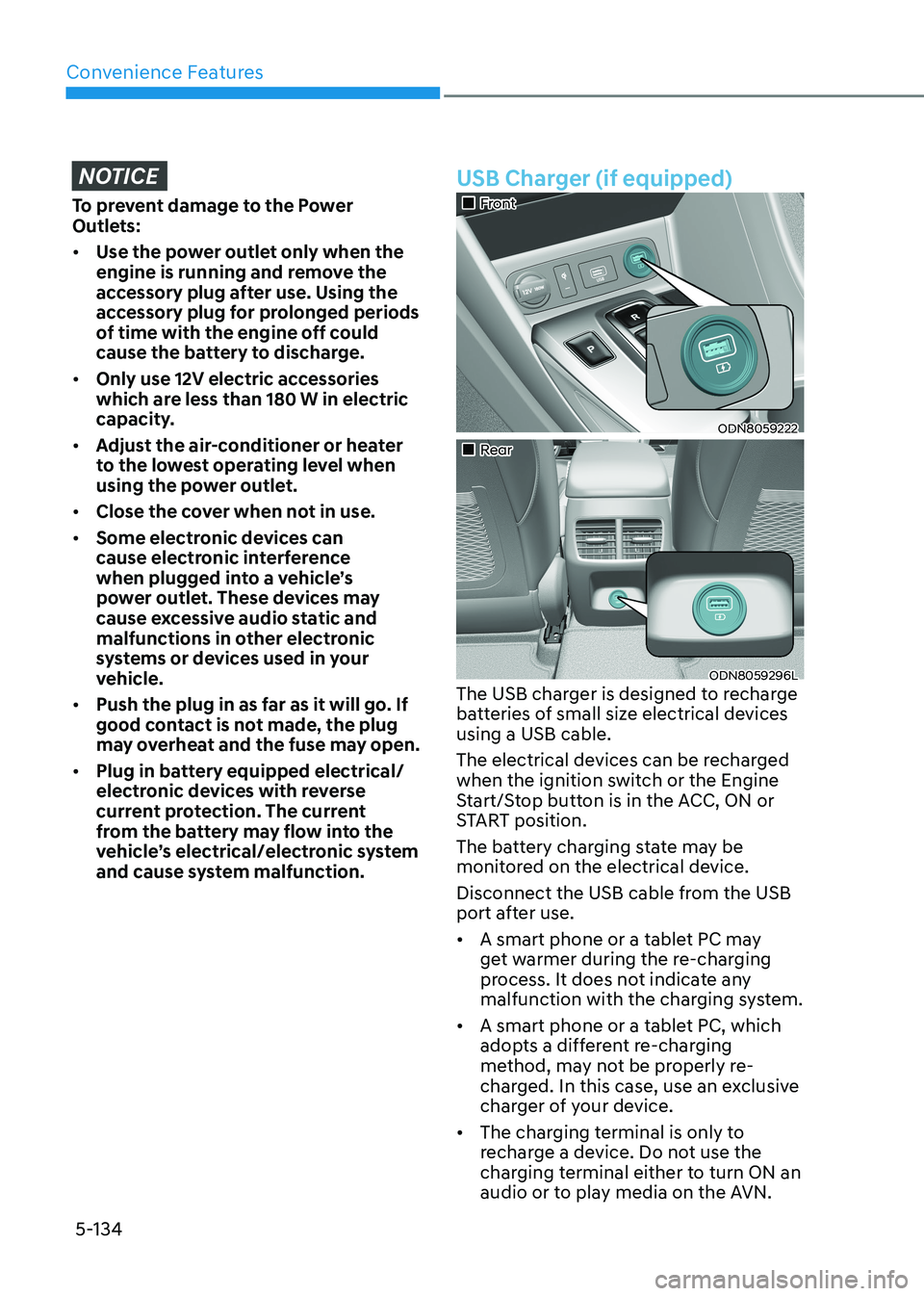
USB Charger (if equipped)
„„Front
ODN8059222
„„Rear
ODN8059296L
The USB charger is designed to recharge
batteries of small size electrical devices using a USB cable.
The electrical devices can be recharged
when the ignition switch or the Engine
Start/Stop button is in the ACC, ON or
START position.
The battery charging state may be
monitored on the electrical device.
Disconnect the USB cable from the USB
port after use. • A smart phone or a tablet PC may
get warmer during the re-charging
process. It does not indicate any
malfunction with the charging system.
• A smart phone or a tablet PC, which
adopts a different re-charging
method, may not be properly re-
charged. In this case, use an exclusive
charger of your device.
• The charging terminal is only to
recharge a device. Do not use the
charging terminal either to turn ON an
audio or to play media on the AVN.
Page 285 of 555
05
5-139
infoTAinmenT SySTem
NOTICE
• If you install an aftermarket HID
head lamp, your vehicle’s audio and
electronic devices may not function
properly.
• Prevent chemicals such as perfume,
cosmetic oil, sunscreen, hand
cleaner, and air freshener from
contacting the interior parts
because they may cause damage or
discoloration.
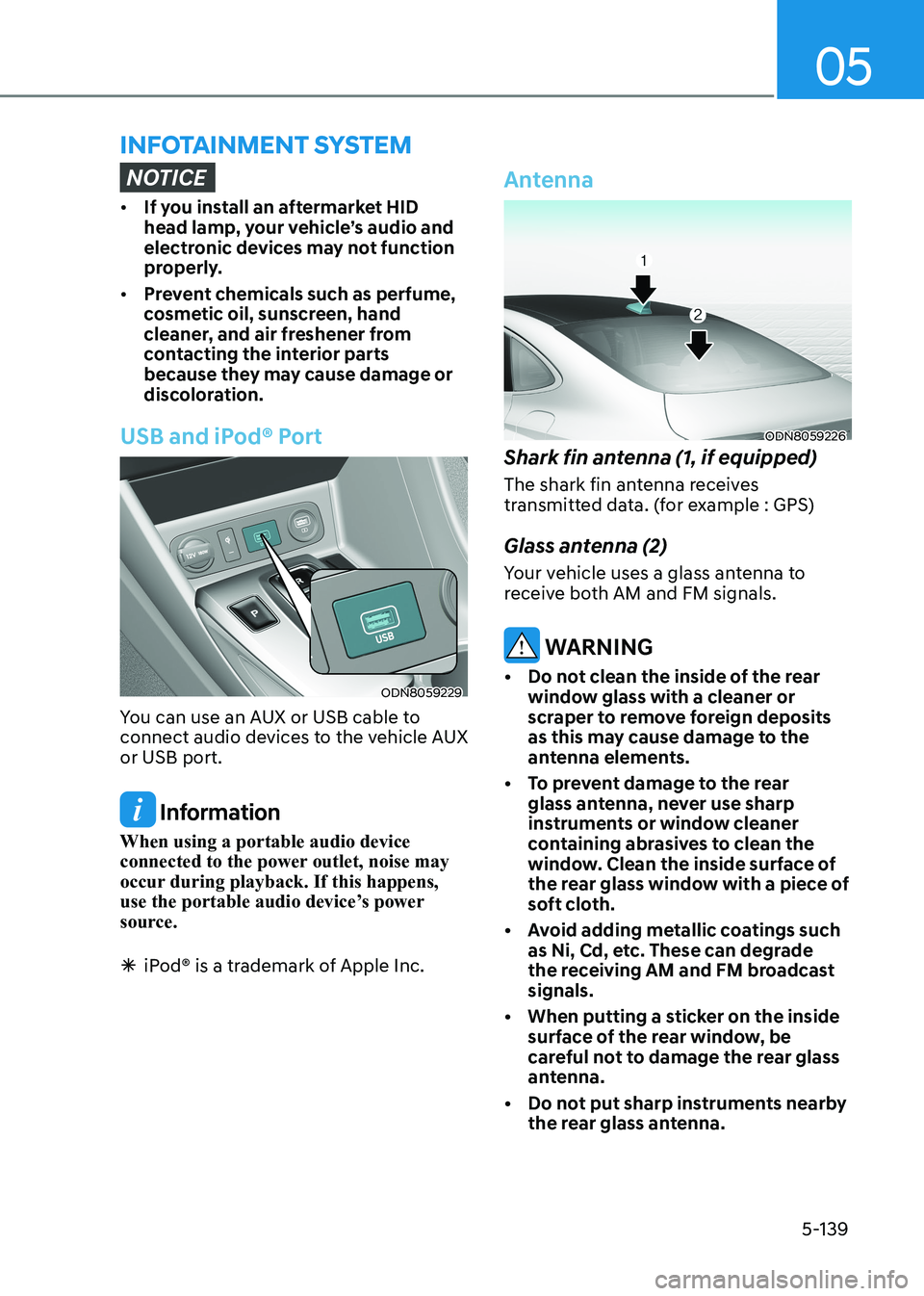
USB and iPod® Port
ODN8059229
You can use an AUX or USB cable to
connect audio devices to the vehicle AUX or USB port.
Information
When using a portable audio device
connected to the power outlet, noise may
occur during playback. If this happens,
use the portable audio device’s power
source.
à iPod® is a trademark of Apple Inc.
Antenna
ODN8059226
Shark fin antenna (1, if equipped)
The shark fin antenna receives
transmitted data. (for example : GPS)
Glass antenna (2)
Your vehicle uses a glass antenna to
receive both AM and FM signals.
WARNING
• Do not clean the inside of the rear window glass with a cleaner or
scraper to remove foreign deposits
as this may cause damage to the
antenna elements.
• To prevent damage to the rear glass antenna, never use sharp
instruments or window cleaner
containing abrasives to clean the
window. Clean the inside surface of
the rear glass window with a piece of
soft cloth.
• Avoid adding metallic coatings such as Ni, Cd, etc. These can degrade
the receiving AM and FM broadcast signals.
• When putting a sticker on the inside surface of the rear window, be
careful not to damage the rear glass
antenna.
• Do not put sharp instruments nearby the rear glass antenna.
Page 286 of 555
Convenience Features
5-140
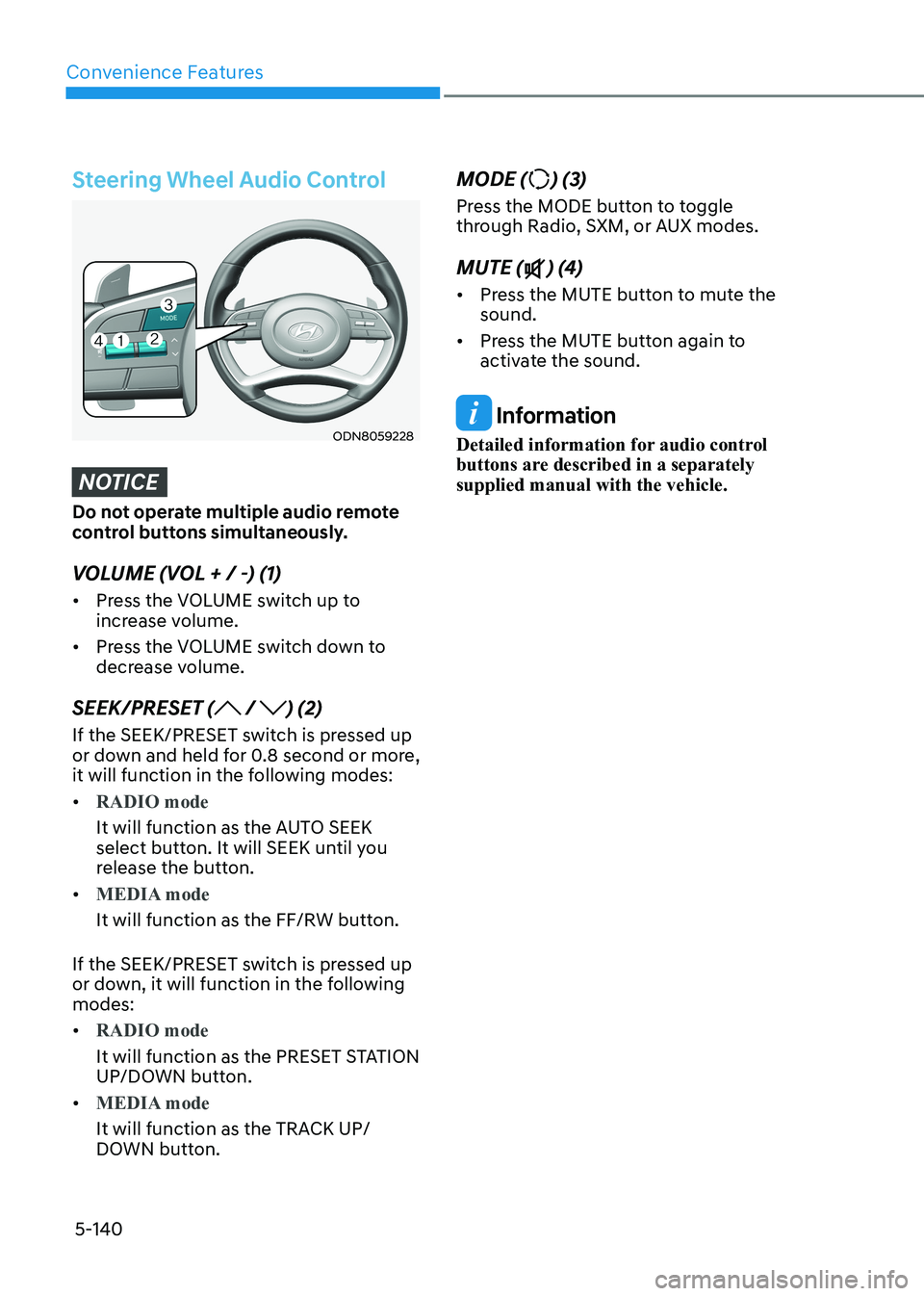
Steering Wheel Audio Control
ODN8059228
NOTICE
Do not operate multiple audio remote
control buttons simultaneously.
VOLUME (VOL + / -) (1) • Press the VOLUME switch up to
increase volume.
• Press the VOLUME switch down to
decrease volume.
SEEK/PRESET (
/ ) (2)
If the SEEK/PRESET switch is pressed up
or down and held for 0.8 second or more,
it will function in the following modes: •
RADIO mode
It will function as the AUTO SEEK
select button. It will SEEK until you
release the button.
•
MEDIA mode
It will function as the FF/RW button.
If the SEEK/PRESET switch is pressed up
or down, it will function in the following modes: •
RADIO mode
It will function as the PRESET STATION
UP/DOWN button.
•
MEDIA mode
It will function as the TRACK UP/
DOWN button. MODE (
) (3)
Press the MODE button to toggle
through Radio, SXM, or AUX modes. MUTE (
) (4)
• Press the MUTE button to mute the sound.
• Press the MUTE button again to
activate the sound.
Information
Detailed information for audio control
buttons are described in a separately supplied manual with the vehicle.
Page 287 of 555
05
5-141
Bluetooth® Wireless Technology
Hands-Free
ODN8059230
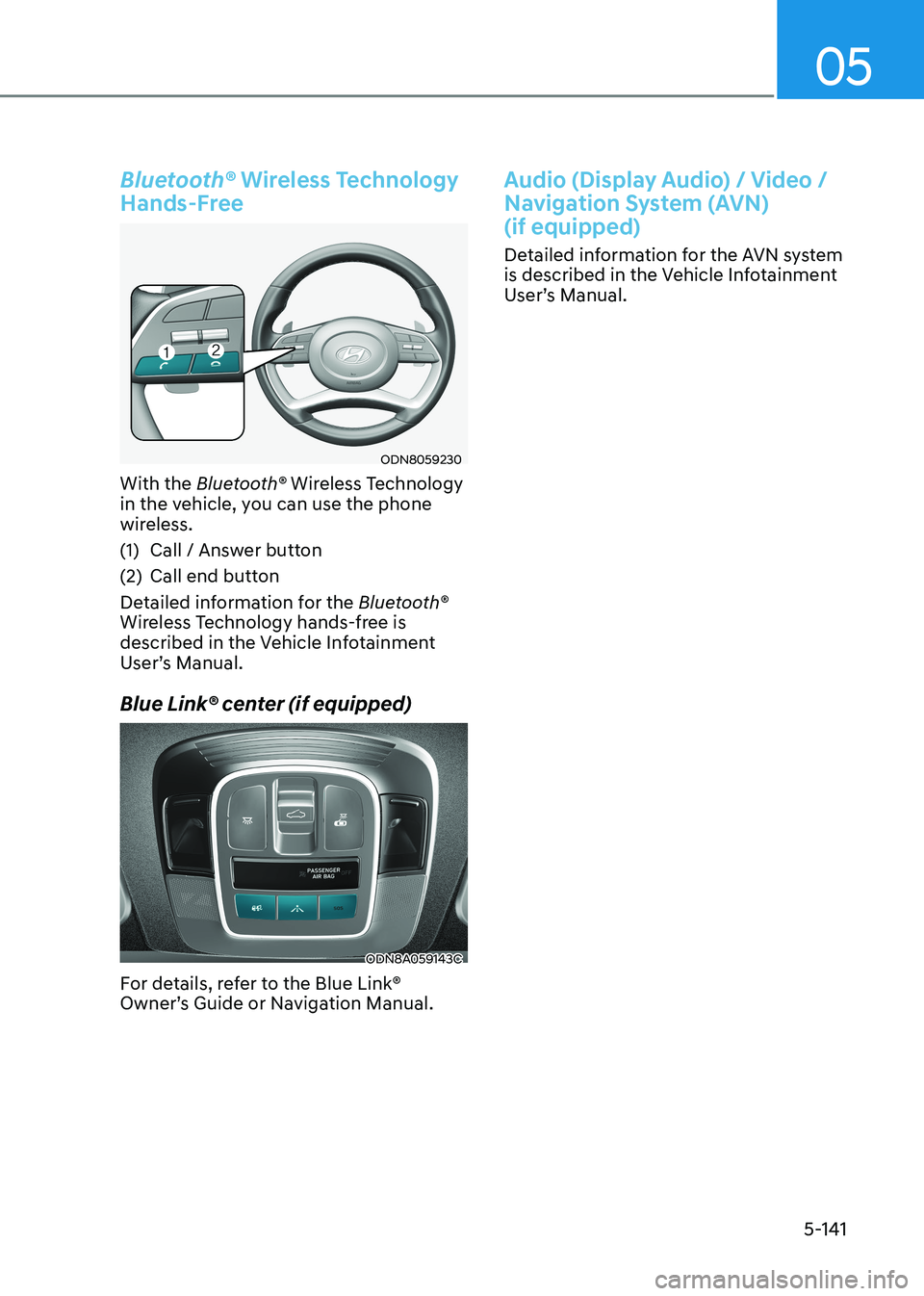
With the Bluetooth® Wireless Technology
in the vehicle, you can use the phone
wireless.
(1) Call / Answer button
(2) Call end button
Detailed information for the Bluetooth®
Wireless Technology hands-free is
described in the Vehicle Infotainment
User’s Manual.
Blue Link® center (if equipped)
ODN8A059143C
For details, refer to the Blue Link®
Owner’s Guide or Navigation Manual.
Audio (Display Audio) / Video /
Navigation System (AVN) (if equipped)
Detailed information for the AVN system
is described in the Vehicle Infotainment
User’s Manual.
Page 341 of 555
While Driving
6-54
Brake operation •
In an urgent situation, the braking
system enters into the ready status for
prompt reaction against the driver’s
depressing the brake pedal.
• FCA provides additional braking
power for optimum braking
performance, when the driver
depresses the brake pedal.
• The braking control is automatically
deactivated, when the driver sharply
depresses the accelerator pedal, or
when the driver abruptly operates the
steering wheel.
• FCA brake control is automatically
canceled, when risk factors disappear.
CAUTION
• The driver should always use
extreme caution while operating
the vehicle, whether or not there is a
warning message or alarm from FCA
system.
• After the brake control is activated,
the driver must immediately depress
the brake pedal and check the
surroundings. The brake activation
by the system lasts for about 2
seconds.
• If any other warning sound such as
seat belt warning chime is already
generated, Forward Collision-
Avoidance Assist system warning
may not sound.
• Playing the vehicle audio system at
high volume may prevent occupants
from hearing the system warning sounds.
WARNING
The braking control cannot completely
stop the vehicle nor avoid all
collisions. The driver should hold the
responsibility to safely drive and control
the vehicle.
WARNING
The FCA system logic operates within
certain parameters, such as the
distance from the vehicle, pedestrian or
cyclist (if equipped) ahead, the speed
of the vehicle ahead, and the driver’s
vehicle speed. Certain conditions
such as inclement weather and road
conditions may affect the operation of
FCA system.
WARNING
Never deliberately drive dangerously to
activate the system.
Information
Exceptional operation of the braking assist system • The vehicle drives on a slope or curve.
• The vehicle drives by a pedestrian or
cyclist at the crossroads, traffic signals
or structure.
• The vehicle drives through a tunnel or
near a railroad.
• The vehicle drives where steam, smoke
or shadow is on the road.
• The vehicle drives the road tree planted
or streetlamps installed.
• There is interference by
electromagnetic waves or electric noise.