2023 HYUNDAI IONIQ 5 Inspect
[x] Cancel search: InspectPage 502 of 680
Driver Assistance System
7-100
Information
• For more details on setting the functions in the infotainment system,
refer to “Vehicle Settings” section in
chapter 4.
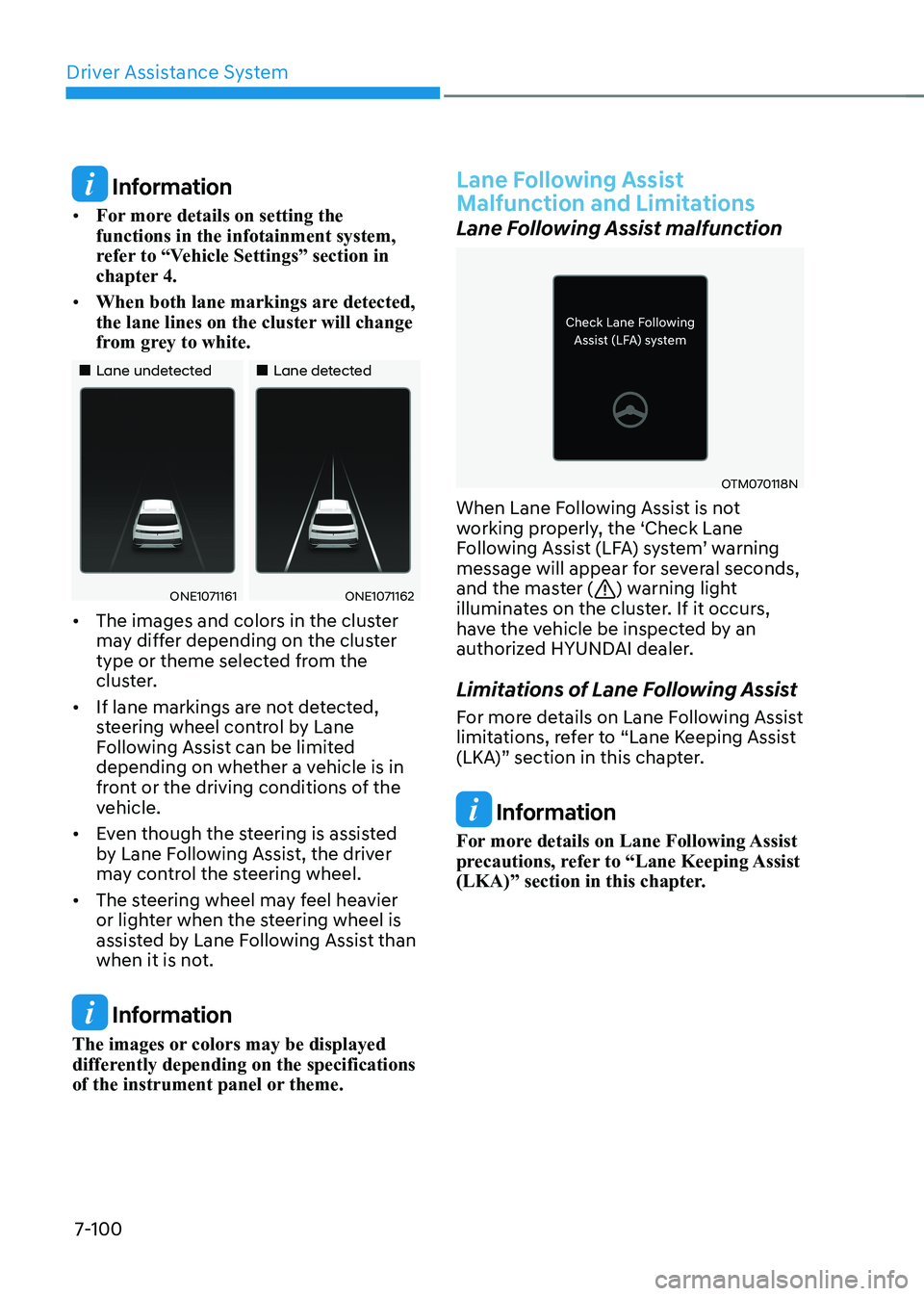
• When both lane markings are detected,
the lane lines on the cluster will change
from grey to white.
„„Lane undetected „„Lane detected
ONE1071161ONE1071162
• The images and colors in the cluster
may differ depending on the cluster
type or theme selected from the
cluster.
• If lane markings are not detected,
steering wheel control by Lane
Following Assist can be limited
depending on whether a vehicle is in
front or the driving conditions of the
vehicle.
• Even though the steering is assisted
by Lane Following Assist, the driver
may control the steering wheel.
• The steering wheel may feel heavier
or lighter when the steering wheel is
assisted by Lane Following Assist than
when it is not.
Information
The images or colors may be displayed
differently depending on the specifications
of the instrument panel or theme.
Lane Following Assist
Malfunction and Limitations
Lane Following Assist malfunction
OTM070118N
When Lane Following Assist is not
working properly, the ‘Check Lane
Following Assist (LFA) system’ warning
message will appear for several seconds,
and the master (
) warning light
illuminates on the cluster. If it occurs,
have the vehicle be inspected by an
authorized HYUNDAI dealer.
Limitations of Lane Following Assist
For more details on Lane Following Assist
limitations, refer to “Lane Keeping Assist
(LKA)” section in this chapter.
Information
For more details on Lane Following Assist
precautions, refer to “Lane Keeping Assist
(LKA)” section in this chapter.
Page 505 of 680
07
7-103
Information
• When ‘Highway Driving Assist’ is
deselected, the setting for ‘Highway
Lane Change Assist’ cannot be changed.
• If there is a problem with the functions, the settings cannot be changed. Have the vehicle be inspected by an
authorized HYUNDAI dealer.
• If the vehicle is restarted, the functions will maintain the last setting.
WARNING
For your safety, change the Settings
after parking the vehicle at a safe
location.
ONE1071202N
Warning Volume
With the vehicle on, select ‘Driver
Assistance → Warning Volume’ from the
Settings menu to change the Warning
Volume to ‘High’, ‘Medium’ or ‘Low’ for
Highway Driving Assist.
If you change the warning volume,
the Warning Volume of other Driver
Assistance systems may change.
Highway Driving Assist
Operation
Basic function
Display and control
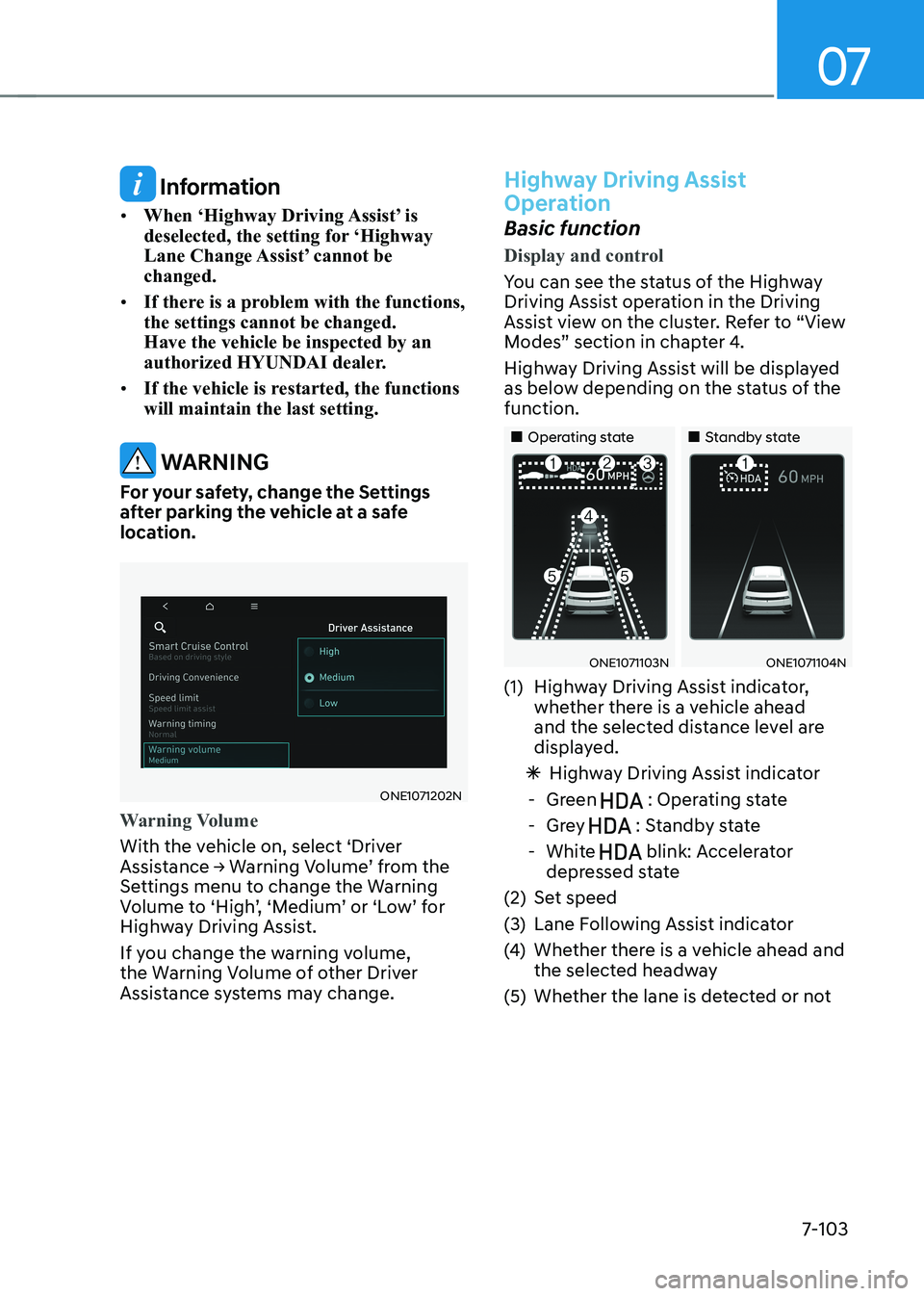
You can see the status of the Highway
Driving Assist operation in the Driving
Assist view on the cluster. Refer to “View
Modes” section in chapter 4.
Highway Driving Assist will be displayed
as below depending on the status of the function.
„„Operating state „„Standby state
ONE1071103NONE1071104N
(1) Highway Driving Assist indicator, whether there is a vehicle ahead
and the selected distance level are
displayed.
à Highway Driving Assist indicator
- Green
: Operating state
- Grey
: Standby state
- White
blink: Accelerator
depressed state
(2) Set speed
(3) Lane Following Assist indicator
(4) Whether there is a vehicle ahead and
the selected headway
(5) Whether the lane is detected or not
Page 513 of 680
07
7-111
Highway Driving Assist
Malfunction and Limitation
Highway Driving Assist malfunction
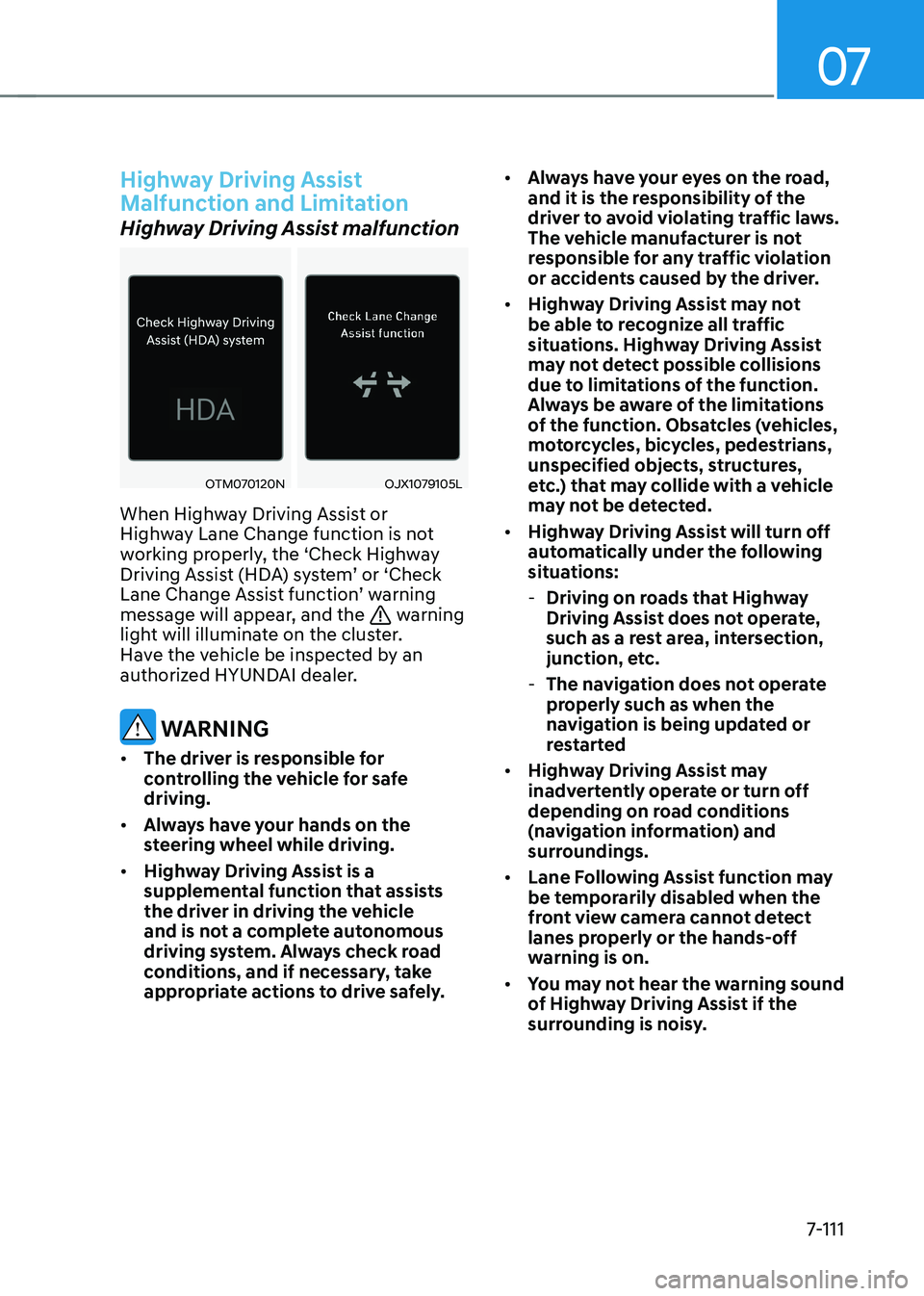
OTM070120NOJX1079105L
When Highway Driving Assist or
Highway Lane Change function is not
working properly, the ‘Check Highway
Driving Assist (HDA) system’ or ‘Check
Lane Change Assist function’ warning
message will appear, and the
warning
light will illuminate on the cluster.
Have the vehicle be inspected by an
authorized HYUNDAI dealer.
WARNING
• The driver is responsible for
controlling the vehicle for safe driving.
• Always have your hands on the
steering wheel while driving.
• Highway Driving Assist is a
supplemental function that assists
the driver in driving the vehicle
and is not a complete autonomous
driving system. Always check road
conditions, and if necessary, take
appropriate actions to drive safely. •
Always have your eyes on the road,
and it is the responsibility of the
driver to avoid violating traffic laws.
The vehicle manufacturer is not
responsible for any traffic violation
or accidents caused by the driver.
• Highway Driving Assist may not
be able to recognize all traffic
situations. Highway Driving Assist
may not detect possible collisions
due to limitations of the function.
Always be aware of the limitations
of the function. Obsatcles (vehicles,
motorcycles, bicycles, pedestrians,
unspecified objects, structures,
etc.) that may collide with a vehicle
may not be detected.
• Highway Driving Assist will turn off
automatically under the following
situations:
- Driving on roads that Highway
Driving Assist does not operate,
such as a rest area, intersection,
junction, etc.
- The navigation does not operate
properly such as when the
navigation is being updated or
restarted
• Highway Driving Assist may
inadvertently operate or turn off
depending on road conditions
(navigation information) and
surroundings.
• Lane Following Assist function may
be temporarily disabled when the
front view camera cannot detect
lanes properly or the hands-off
warning is on.
• You may not hear the warning sound
of Highway Driving Assist if the
surrounding is noisy.
Page 517 of 680
07
7-115
Operating conditions
Press the Parking/View button (1) while
the gear is in D (Drive) or N (Neutral),
the driving rear view will appear on the
screen.
Off conditions
• Press the Parking/View button (1)
again, the driving rear view will turn
off.
• Press one of the infotainment system
button (2), the driving rear view will
turn off.
• Shift the gear to P (Park), the driving
rear view will turn off.
When operating
If the gear is shifted to R (Reverse), while
Driving rear view is displayed on the
screen, the screen will change to rear
view with parking guidance.
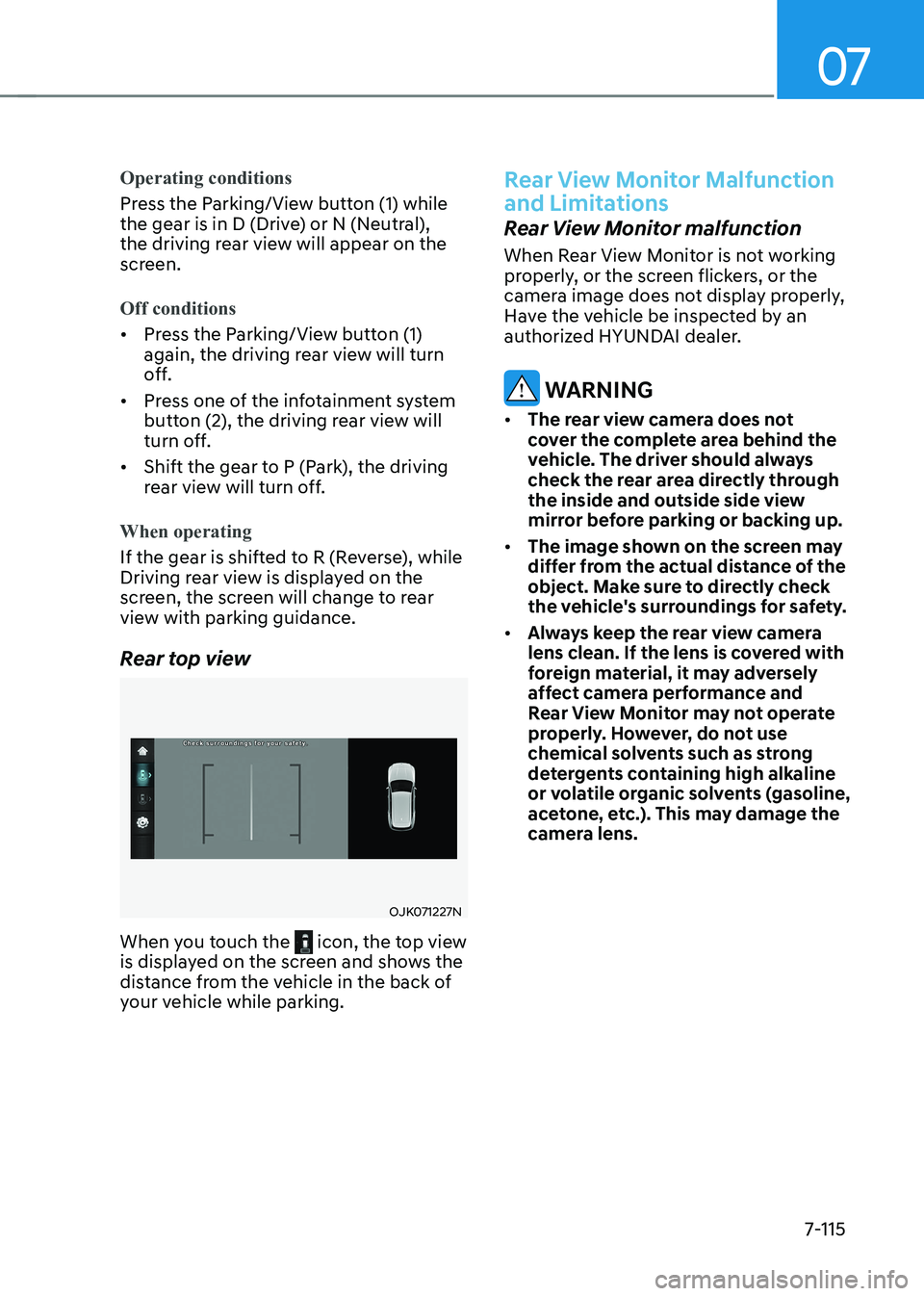
Rear top view
OJK071227N
When you touch the
icon, the top view
is displayed on the screen and shows the
distance from the vehicle in the back of
your vehicle while parking.
Rear View Monitor Malfunction
and Limitations
Rear View Monitor malfunction
When Rear View Monitor is not working
properly, or the screen flickers, or the
camera image does not display properly,
Have the vehicle be inspected by an
authorized HYUNDAI dealer.
WARNING
• The rear view camera does not
cover the complete area behind the
vehicle. The driver should always
check the rear area directly through
the inside and outside side view
mirror before parking or backing up.
• The image shown on the screen may
differ from the actual distance of the
object. Make sure to directly check
the vehicle's surroundings for safety.
• Always keep the rear view camera
lens clean. If the lens is covered with
foreign material, it may adversely
affect camera performance and
Rear View Monitor may not operate
properly. However, do not use
chemical solvents such as strong
detergents containing high alkaline
or volatile organic solvents (gasoline,
acetone, etc.). This may damage the
camera lens.
Page 523 of 680
07
7-121
Surround View Monitor
Malfunction and Limitations
Surround View Monitor malfunction
When Surround View Monitor is not
working properly, or the screen flickers,
or the camera image does not display
properly, have the vehicle be inspected
by an authorized HYUNDAI dealer.
Limitations of Surround View
Monitor • The screen may be displayed
abnormally, and an icon will appear at
the top left side of the screen under
the following circumstances:
- The liftgate is opened
- The driver or front passenger door is opened
- The side view mirror is folded
WARNING
• ALWAYS look around your vehicle
to make sure there are no objects
or obstacles before moving the
vehicle. What you see on the screen
may differ from the actual vehicle’s
location.
• The image shown on the screen may
differ from the actual distance of the
object. Make sure to directly check
the vehicle's surroundings for safety.
• Surround View Monitor is designed
to be used on a flat surface.
Therefore, if used on roads with
different heights such as curbs and speed bumps, the image in the
screen my not look correct.
• Always keep the camera lens clean.
If the lens is covered with foreign
material, it may adversely affect
camera performance and Surround
View Monitor may not operate
properly. However, do not use
chemical solvents such as strong
detergents containing high alkaline
or volatile organic solvents (gasoline,
acetone, etc.). This may damage the
camera lens.
Information
• When Rear View while Driving is on,
it stays on while driving regardless of vehicle speed.
• When Rear View while Driving is on
while backing up, the screen changes to
the rear view.
Page 530 of 680
Driver Assistance System
7-128
Rear Cross-Traffic Collision-
Avoidance Assist Malfunction
and Limitations
Rear Cross-Traffic Collision-
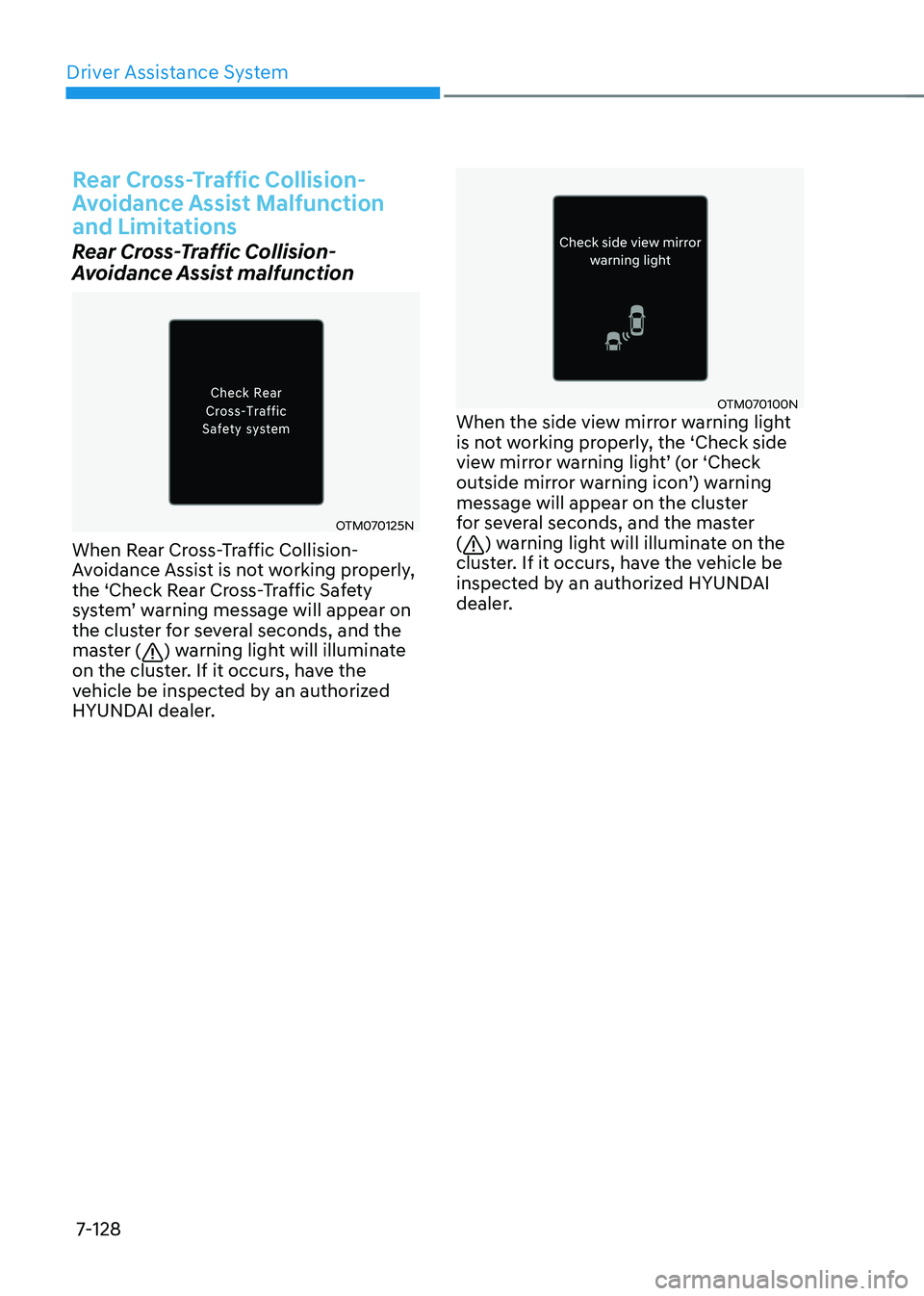
Avoidance Assist malfunction
OTM070125N
When Rear Cross-Traffic Collision-
Avoidance Assist is not working properly,
the ‘Check Rear Cross-Traffic Safety
system’ warning message will appear on
the cluster for several seconds, and the
master (
) warning light will illuminate
on the cluster. If it occurs, have the
vehicle be inspected by an authorized
HYUNDAI dealer.
OTM070100N
When the side view mirror warning light
is not working properly, the ‘Check side
view mirror warning light’ (or ‘Check
outside mirror warning icon’) warning
message will appear on the cluster
for several seconds, and the master (
) warning light will illuminate on the
cluster. If it occurs, have the vehicle be
inspected by an authorized HYUNDAI
dealer.
Page 531 of 680

07
7-129
Rear Cross-Traffic Collision-
Avoidance Assist disabled
OTM070124N
When the rear bumper around the rear-
side radar or sensor is covered with
foreign material, such as snow or rain,
or installing a trailer or carrier, it can
reduce the detecting performance and
temporarily limit or disable Rear Cross-
Traffic Collision-Avoidance Assist.
If this occurs, the ‘Rear Cross-Traffic
Safety system disabled. Radar blocked’
warning message will appear on the
cluster.
Rear Cross-Traffic Collision-Avoidance
Assist will operate properly when
such foreign material or trailer, etc., is
removed.
If Rear Cross-Traffic Collision-Avoidance
Assist does not operate properly after it is
removed, have the vehicle be inspected
by an authorized HYUNDAI dealer.
WARNING
• Even though the warning message
does not appear on the cluster, Rear
Cross-Traffic Safety system may not
operate properly.
• Rear Cross-Traffic Safety system may
not operate properly in an area (for
example, open terrain), where any
substance are not detected after
turning ON the vehicle.
CAUTION
Turn off Rear Cross-Traffic Collision-
Avoidance Assist to install or remove a
trailer, carrier, or another attachment.
Turn on Rear Cross-Traffic Collision-
Avoidance Assist when finished.
Limitations of Rear Cross-Traffic
Collision-Avoidance Assist
Rear Cross-Traffic Collision-Avoidance
Assist may not operate properly, or it
may operate unexpectedly under the
following circumstances: • Departing from where trees or grass
are overgrown
• Departing from where roads are wet
• Speed of the approaching vehicle is
fast or slow
Braking control may not work, driver’s
attention is required in the following
circumstances: • The vehicle severely vibrates while
driving over a bumpy road, uneven
road or concrete patch
• Driving on a slippery surface due to
snow, water puddle, ice, etc.
• The tire pressure is low or a tire is damaged
• The braking system has been modified
• Remote Smart Parking Assist is
operating (if equipped)
Information
For more details on the limitations of the
rear corner radar, refer to “Blind-Spot
Collision-Avoidance Assist (BCA)” section
in this chapter.
Page 537 of 680

07
7-135
Reverse Parking Distance Warning •
Reverse Parking Distance Warning
will operate when the gear is in R
(Reverse).
• Reverse Parking Distance Warning
helps detect a person, animal or
object in the rear when the vehicle’s
rearward speed is below 6 mph (10
km/h).
Distance
from object Warning
indicator when
driving
backward Warning
sound
24 - 48 in.
(60 - 120 cm)Buzzer beeps
intermittently
12 - 24 in. (30 - 60 cm)
Beeps more frequently
12 in.
(within 30 cm)
Beeps
continuously
• The corresponding indicator will
illuminate whenever each ultrasonic
sensor detects a person, animal or
object in its sensing range. Also an
audible warning will sound.
• When more than two objects are
detected at the same time, the closest
one will be warned with an audible
warning.
• The shape of the indicator in the
illustration may differ from the actual
vehicle.
Reverse Parking Distance
Warning Malfunction and
Precautions
Reverse Parking Distance Warning
malfunction
After starting the vehicle, a beep will
sound when the gear is shifted to R
(Reverse) to indicate Reverse Parking
Distance Warning is operating properly.
However, if one or more of the following
occurs, first check whether the ultrasonic
sensor is damaged or blocked with
foreign material. If it still does not work
properly, have the vehicle be inspected
by an authorized HYUNDAI dealer. • The audible warning does not sound.
• The buzzer sounds intermittently.
• The ‘Ultrasonic sensor error or
blockage’ warning message appears
on the cluster.
ONE1071106L