2023 HYUNDAI IONIQ 5 hood open
[x] Cancel search: hood openPage 263 of 680

05
5-71
Front trunk
Opening the Front Trunk
ONE1051213
• Open the hood
• Lift up the front trunk cover while
depressing the front trunk lever (1).
Closing the Front Trunk
Push down the front trunk cover to the
right position.
Information
Available front trunk weight • 2WD : 55 lbs. (25 kg)
• AWD : 25 lbs. (10 kg)
Available front trunk weight depends on the specifications.
WARNING
• NEVER make an attempt to get inside
the front trunk. It will cause a fatal
injury.
• Before closing the hood, ensure
all obstructions are removed from
around the hood opening. The
hood will rise up or move down
automatically if the height is not
firmly adjusted. Be aware of the
damage caused by the unintended
hood movements.
• Never store cigarette lighters,
propane cylinders, or other
flammable/explosive materials in
the vehicle. These items may catch
fire and/or explode if the vehicle
is exposed to hot temperatures for
extended periods.
CAUTION
• Do not exceed the luggage volume
capacity of the front trunk. The
overweighted front trunk can be
severely damaged.
• Do not store the fragile objects in the
front trunk.
• ALWAYS keep the front trunk cover
closed securely while driving. Items
inside your vehicle are moving as fast
as the vehicle. If you have to stop or
turn quickly, or if there is a crash, the
items can be damaged.
• Do not spray water in the front
trunk. Vehicle driving system may
get damaged since the front trunk
is located at the center of motor
compartment.
• Be careful when you store any liquid
in the front trunk. If liquid leak
outside the front trunk, it will cause a
damage to the electric devices in the
motor compartment.
• Do not press the front trunk cover
or place the objects on the front
trunk cover. It may be deformed or damaged.
• When closing the front trunk cover,
be careful not to touch objects
inside the trunk. Loaded objects or
the front trunk may be deformed or
damaged and the front trunk cover
may be opened during driving due to
poor closing, resulting in joints and damage.
NOTICE
To avoid possible theft, do not leave
valuables in the storage compartments.
Page 334 of 680
Driving Your Vehicle
6-8
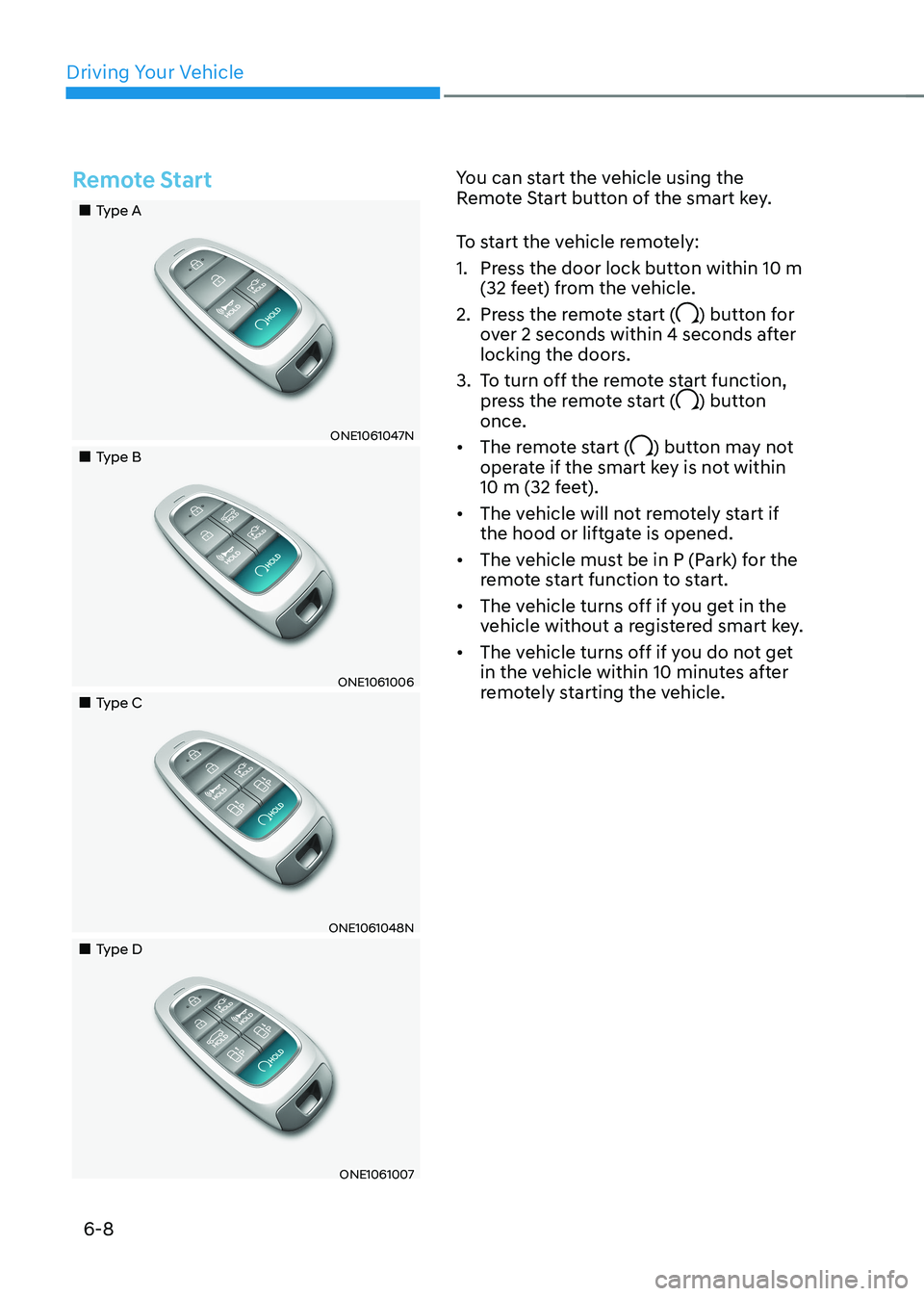
Remote Start
„„Type A
ONE1061047N
„„Type B
ONE1061006
„„Type C
ONE1061048N
„„Type D
ONE1061007You can start the vehicle using the
Remote Start button of the smart key.
To start the vehicle remotely:
1. Press the door lock button within 10 m
(32 feet) from the vehicle.
2. Press the remote start (
) button for
over 2 seconds within 4 seconds after
locking the doors.
3. To turn off the remote start function, press the remote start (
) button
once.
• The remote start (
) button may not
operate if the smart key is not within
10 m (32 feet).
• The vehicle will not remotely start if
the hood or liftgate is opened.
• The vehicle must be in P (Park) for the
remote start function to start.
• The vehicle turns off if you get in the
vehicle without a registered smart key.
• The vehicle turns off if you do not get
in the vehicle within 10 minutes after
remotely starting the vehicle.
Page 344 of 680
Driving Your Vehicle
6-18
Automatic engagement of EPB
After the vehicle is stopped by the
One Pedal Driving function, EPB is
automatically engaged when any of these conditions occur: •
The driver’s seatbelt is unfastened and
the driver’s door is open.
• The hood is open.
• The liftgate is open.
• 5 minutes have passed after the
vehicle has stopped.
• The system operation is limited due to
other reasons.
WARNING
• Stopping the vehicle may not be
possible according to the vehicle and
road conditions. Pay attention to the
road condition ahead and apply the
brake if necessary.
• Please refrain to use the one pedal
driving function with the road
conditions are bad such as being
wet, iced or covered with snow.
CAUTION
When the vehicle is stopped or parked by
One Pedal Driving on the steep hills, be
sure to depress the brake pedal.
i-Pedal
i-Pedal is controlled by acceleration
pedal. i-Pedal provides vehicle speed
control (acceleration/deceleration,
stopping) without manually controlling
the paddle shifter.
To operate:• Pull the left side paddle shifter to level
3 regenerative braking system.
• Pull the left side paddle shifter once
again when the regenerative braking
level is 3.
• Check i-Pedal indicator symbol on the
instrument cluster.
CAUTION
When the vehicle is stopped or parked
by i-Pedal on the steep hills, be sure to
depress the brake pedal.
Page 355 of 680
06
6-29
• Satisfy the following conditions
1. Ensure seat belts are fastened and the doors, hood and liftgate are closed.
2. With the vehicle running, depress the brake pedal and shift out of P (Park) to
R (Reverse), D (Drive) or Manual shift mode.
3. Depress the accelerator pedal. Make sure the Parking Brake warning
light goes off.
Information
• For the Middle East, EPB is released
regardless of seat belt fastening.
• For your safety, you can engage EPB
even though the Vehicle Stop/Start
button is in the OFF position (only if
battery power is available), but you
cannot release it.
• For your safety, depress the brake
pedal and release the parking brake manually with the EPB switch when
you drive downhill or when backing up the vehicle.
NOTICE
• If the Parking Brake warning light is
still on even though the EPB has been
released, have the system checked
by an authorized HYUNDAI dealer.
• Do not drive your vehicle with EPB
applied. It may cause excessive brake
pad and brake rotor wear. Warning messages
OJK060066L
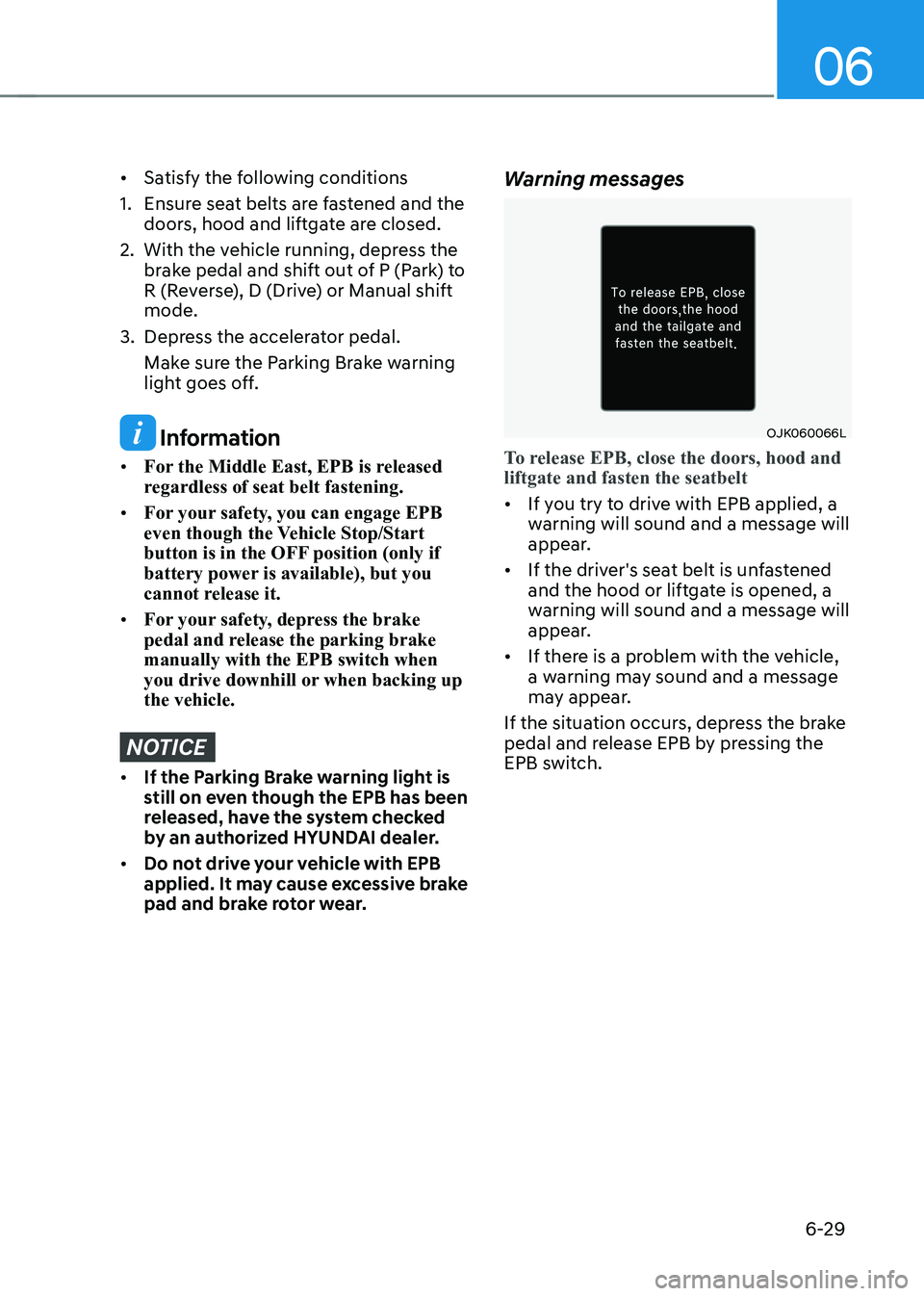
To release EPB, close the doors, hood and liftgate and fasten the seatbelt
•
If you try to drive with EPB applied, a
warning will sound and a message will
appear.
• If the driver's seat belt is unfastened
and the hood or liftgate is opened, a
warning will sound and a message will
appear.
• If there is a problem with the vehicle,
a warning may sound and a message
may appear.
If the situation occurs, depress the brake
pedal and release EPB by pressing the
EPB switch.
Page 360 of 680
Driving Your Vehicle
6-34
Information
• The Auto Hold does not operate when:
- The gear is in P (Park)
- EPB is applied
• For your safety, the Auto Hold automatically switches to EPB when:
- The driver's door is opened
- The tail gate is opened
- The hood is opened
- The vehicle is in a standstill for more than 10 minutes
- The vehicle is standing on a steep slope
- The vehicle moved several times
In these cases, the Parking Brake
warning light comes on, the AUTO
HOLD indicator changes from green to white, and a warning sound and a
message will appear to inform you that EPB has been automatically engaged.
Before driving off again, depress the
brake pedal, check the surrounding
area near your vehicle and release the parking brake manually with the EPB switch.
• While operating Auto Hold, you may
hear mechanical noise. However, it is normal operating noise.
• If the vehicle is restarted with the Auto Hold system is in the standby position
or operating, the Auto hold system will continue to operate in the standby position.
NOTICE
If the AUTO HOLD indicator changes
to yellow, Auto Hold is not working
properly. Contact an authorized
HYUNDAI dealer.
WARNING
• Depress the accelerator pedal slowly
when you start the vehicle.
• For your safety, cancel Auto Hold
when you drive downhill, back up the
vehicle or park the vehicle.
NOTICE
If there is a malfunction with the
driver's door or hood open detection
system, Auto Hold may not work
properly.
Contact an authorized HYUNDAI dealer.
Warning messages
OIK060069L
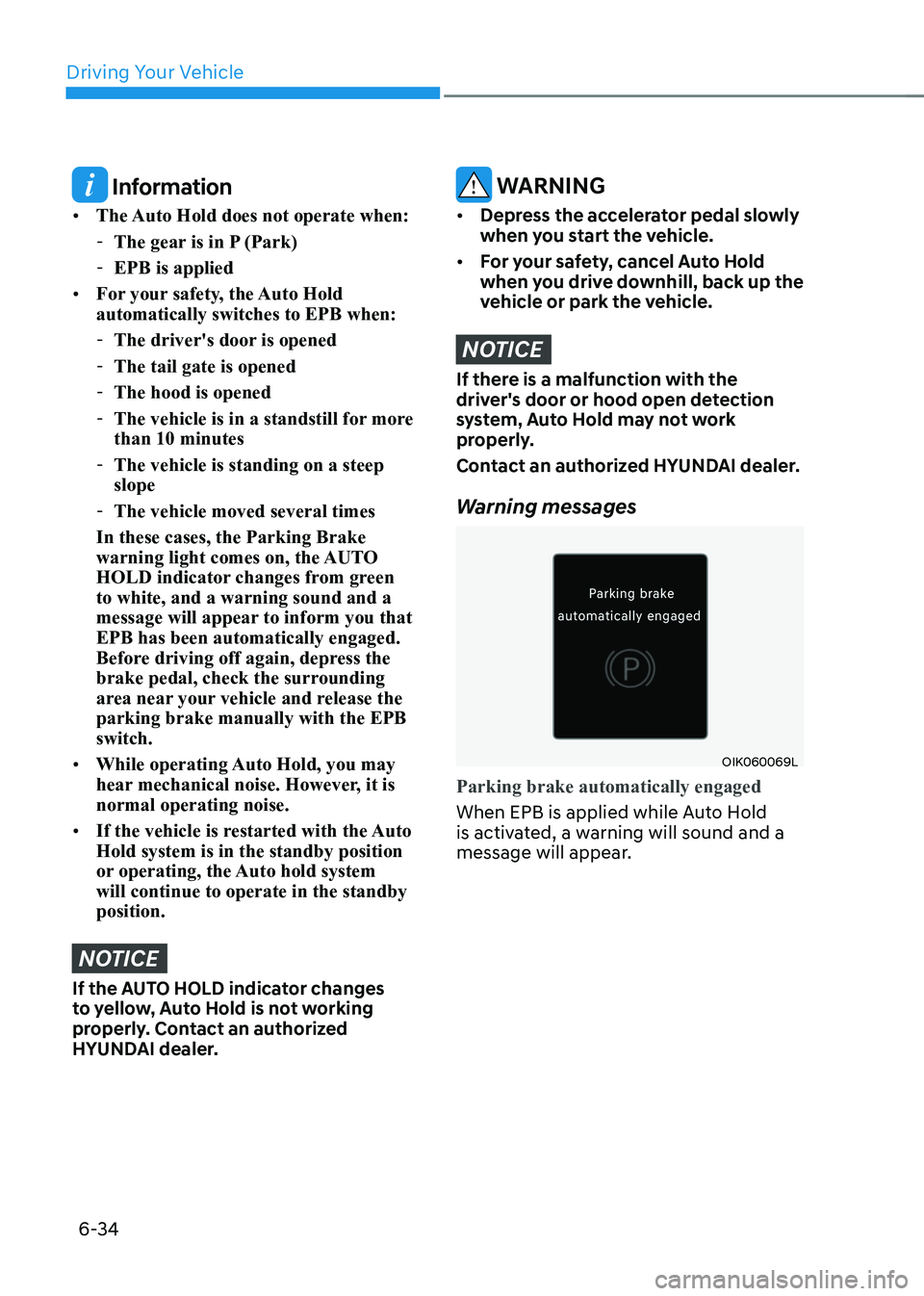
Parking brake automatically engaged
When EPB is applied while Auto Hold
is activated, a warning will sound and a
message will appear.
Page 559 of 680
07
7-157
•
The vehicle moves 22 ft. (7 m) while
the smart key is pressed with Remote
Operation function (maximum travel
distance per button press)
When Remote Operation function is
paused, the vehicle will stop. If the
condition that made the function to
pause disappears, the function may
operate again.
The function will cancel in the
following conditions when: • The steering wheel is steered
• The gear is shifted while the vehicle is
moving
• Operating EPB while the vehicle is
moving
• The vehicle hood is open
• The brake pedal or accelerator pedal
is depressed when all the doors are closed
• The smart key is outside the vehicle
when the brake pedal is depressed
while the driver's door is open
• Rapid acceleration occurs
• Vehicle skid occurs
• The wheel is stuck by an obstacle and
cannot move •
Approximately 3 minutes and 50
seconds has passed after Remote
Operation function has started to
operate
• The slope of the road exceeds the
operational range
• The function is paused for more than
1 minute
• The total travel distance of the vehicle
has exceeded 45 ft. (14 m) after
Remote Operation function operation
• The steering wheel, gearshift, braking,
and drive controls are not working
properly
• There is a problem with the smart key
or the smart key battery is low
• ABS, TCS or ESC system operates due
to slippery road conditions
• The alarm of the Theft Alarm System sounds
• The Charging door opens
• The EV mode is utility mode
When Remote Operation function is
canceled, the vehicle will automatically
stop, shift the gear to P (Park) and
engage EPB (Electronic Parking Brake).
Page 567 of 680
07
7-165
The function will pause in the
following conditions when: •
Smart Parking
- There is a pedestrian, animal or object in the direction the vehicle is
moving
- The door or liftgate is open
- The driver’s seat belt is not fastened
- Blind-Spot Collision-Avoidance Assist or Rear-Cross Traffic Collision
Assist operates while the vehicle
is being controlled in the reverse
direction
- The Parking/View (
) button is not
continuously pressed
- The vehicle is stopped by depressing the brake pedal
• Remote Smart Parking
- There is a pedestrian, animal or object in the direction the vehicle is
moving
- The door or liftgate is open
- The Forward (
) or Backward ()
button is not continuously pressed
- Simultaneously pressing multiple buttons on a smart key
- The smart key is not operated within 13 ft. (4 m) from the vehicle
- Button of another smart key is pressed in addition to the operating
smart key
- Blind-Spot Collision-Avoidance Assist or Rear-Cross Traffic Collision
Assist operates while the vehicle
is being controlled in the reverse
direction
When Parking function is paused, the
vehicle will automatically stop. If the
condition that made the function to
pause disappears, the function may
operate again. The function will cancel in the
following conditions when: •
Smart Parking
- The steering wheel is steered
- The gear is shifted while the vehicle is moving
- Operating EPB while the vehicle is moving
- The hood is open
- The driver opens the door with the seatbelt unfastened
- Rapid acceleration occurs
- Vehicle skid occurs
- The wheel is stuck by an obstacle and cannot move
- There are pedestrians, animals or objects at the front and rear of the
vehicle at the same time
- Approximately 3 minutes and 50 seconds have past after Smart
Parking function has started to
operate
- The slope of the road exceeds the operational range
- The function is paused for more than 1 minute
- The steering wheel, gearshift, braking, and drive controls are not
working properly
- ABS, TCS or ESC system operates due to slippery road conditions
- The Charging door opens
- The EV mode is utility mode
When Smart Parking function is
canceled, the vehicle will automatically
stop, shift the gear to P (Park) and
engage EPB (Electronic Parking Brake).
Page 568 of 680
Driver Assistance System
7-166
•
Remote Smart Parking
- The steering wheel is steered
- The gear is shifted
- Operating EPB while the vehicle is moving
- The hood is open
- The brake pedal or accelerator pedal is depressed when all the
doors are closed
- The smart key is outside the vehicle when the brake pedal is depressed
while the driver's door is open.
- Rapid acceleration occurs
- Vehicle skid occurs
- The wheel is stuck by an obstacle and cannot move
- There are pedestrians, animals or objects at the front and rear of the
vehicle at the same time
- Approximately 3 minutes and 50 seconds have past after Remote
Smart Parking function has started
to operate
- The slope of the road exceeds the operational range
- The function is paused for more than 1 minute
- The steering wheel, gearshift, braking, and drive controls are not
working properly
- There is a problem with the smart key or the smart key battery is low
- ABS, TCS or ESC system operates due to slippery road conditions
- The alarm of the Theft Alarm System sounds
- The Charging door opens
- The EV mode is utility mode
When Remote Smart Parking function is
canceled, the vehicle will automatically
stop, shift the gear to P (Park) and
engage EPB (Electronic Parking Brake). Smart Exit
Operating order
Smart Exit function operates in the
following order:
1. Getting ready for exit
2. Checking space
3. Select exit direction
4.
Smart Exit
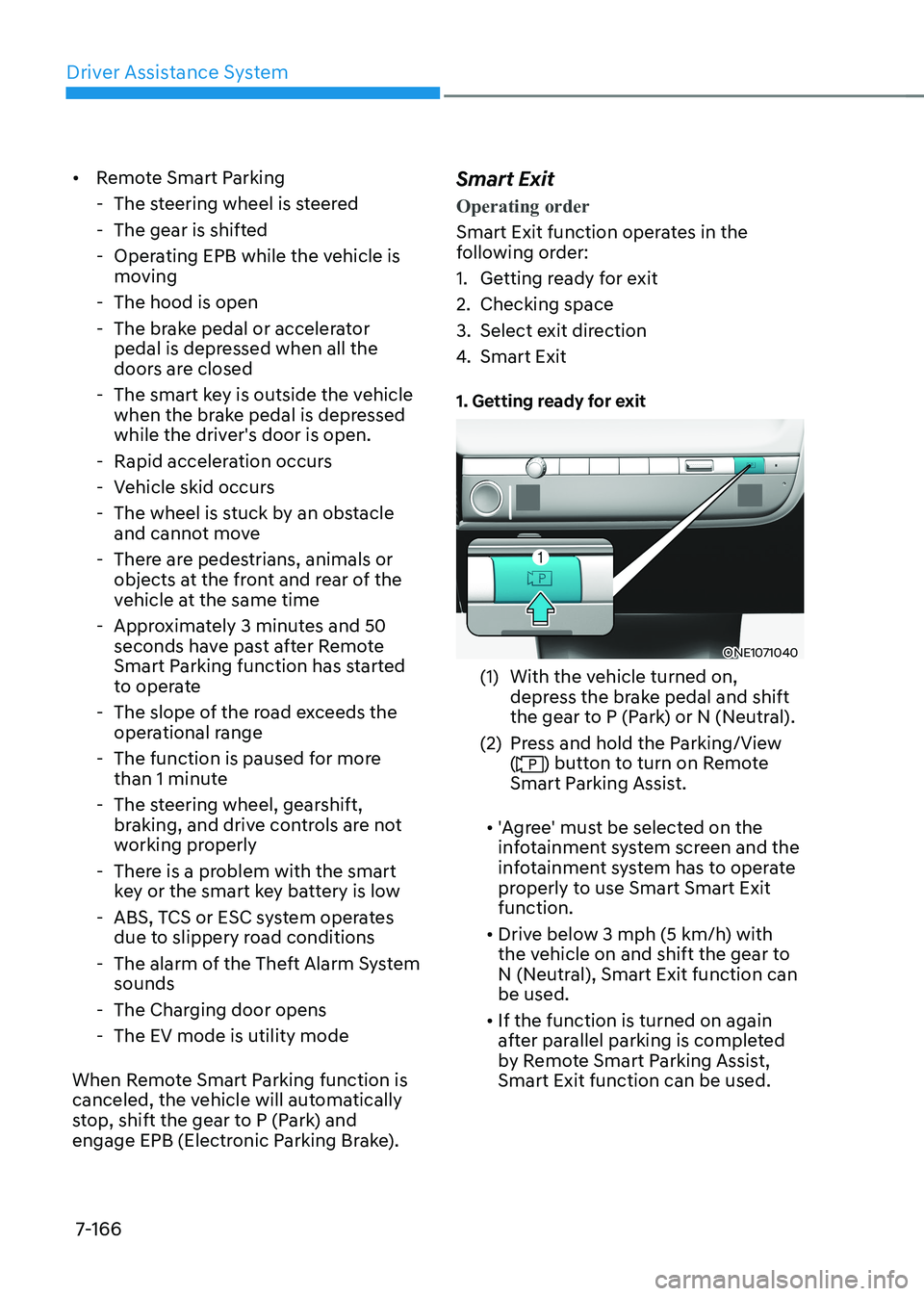
1. Getting ready for exit
ONE1071040
(1) With the vehicle turned on, depress the brake pedal and shift
the gear to P (Park) or N (Neutral).
(2) Press and hold the Parking/View (
) button to turn on Remote
Smart Parking Assist.
• 'Agree' must be selected on the
infotainment system screen and the
infotainment system has to operate
properly to use Smart Smart Exit function.
• Drive below 3 mph (5 km/h) with
the vehicle on and shift the gear to
N (Neutral), Smart Exit function can be used.
• If the function is turned on again
after parallel parking is completed
by Remote Smart Parking Assist, Smart Exit function can be used.