Page 136 of 664
134
Controls
Clock
Adjusting the Clock
You can adjust the time in the clock display with the power mode in ON.
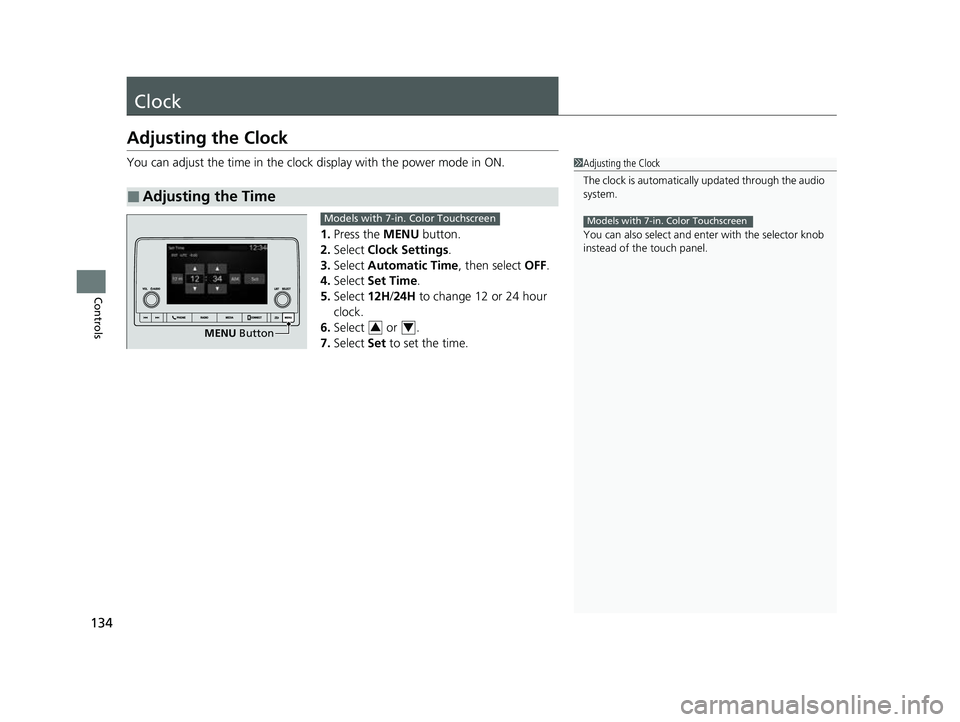
1. Press the MENU button.
2. Select Clock Settings .
3. Select Automatic Time , then select OFF.
4. Select Set Time.
5. Select 12H/24H to change 12 or 24 hour
clock.
6. Select or .
7. Select Set to set the time.
■Adjusting the Time
1Adjusting the Clock
The clock is automatically updated through the audio
system.
You can also select and en ter with the selector knob
instead of the touch panel.
Models with 7-in. Color Touchscreen
MENU Button
Models with 7-in. Color Touchscreen
34
23 HR-V-313V06000_01.book 134 ページ 2022年4月4日 月曜日 午前10時49分
Page 141 of 664
139
uuLocking and Unlocking the Doors uLocking/Unlocking the Doors from the Outside
Continued
Controls
Locking/Unlocking the Doors from the Outside
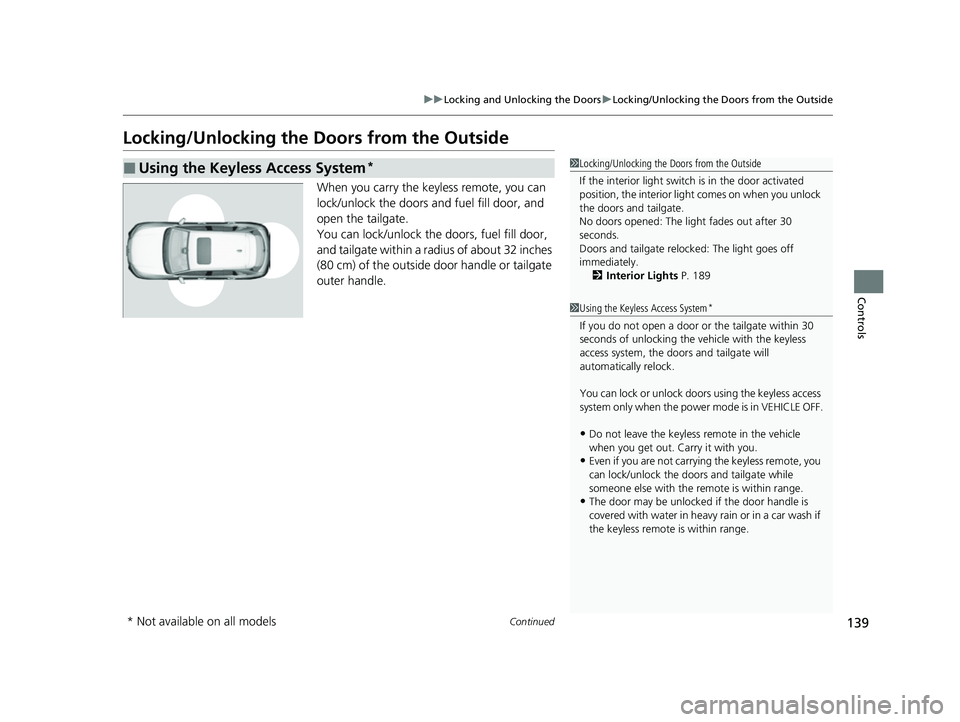
When you carry the keyless remote, you can
lock/unlock the doors and fuel fill door, and
open the tailgate.
You can lock/unlock the doors, fuel fill door,
and tailgate within a radius of about 32 inches
(80 cm) of the outside door handle or tailgate
outer handle.
■Using the Keyless Access System*1Locking/Unlocking the Doors from the Outside
If the interior light switch is in the door activated
position, the interior light comes on when you unlock
the doors and tailgate.
No doors opened: The li ght fades out after 30
seconds.
Doors and tailgate relo cked: The light goes off
immediately. 2 Interior Lights P. 189
1Using the Keyless Access System*
If you do not open a door or the tailgate within 30
seconds of unlocking the vehicle with the keyless
access system, the doors and tailgate will
automatically relock.
You can lock or unlock doors using the keyless access
system only when the power mode is in VEHICLE OFF.
•Do not leave the keyless remote in the vehicle
when you get out. Carry it with you.
•Even if you are not carrying the keyless remote, you
can lock/unlock the doors and tailgate while
someone else with the remote is within range.
•The door may be unlocked if the door handle is
covered with water in heavy rain or in a car wash if
the keyless remote is within range.
* Not available on all models
23 HR-V-313V06000_01.book 139 ページ 2022年4月4日 月曜日 午前10時49分
Page 147 of 664
Continued145
uuLocking and Unlocking the Doors uLocking/Unlocking the Doors from the Outside
Controls
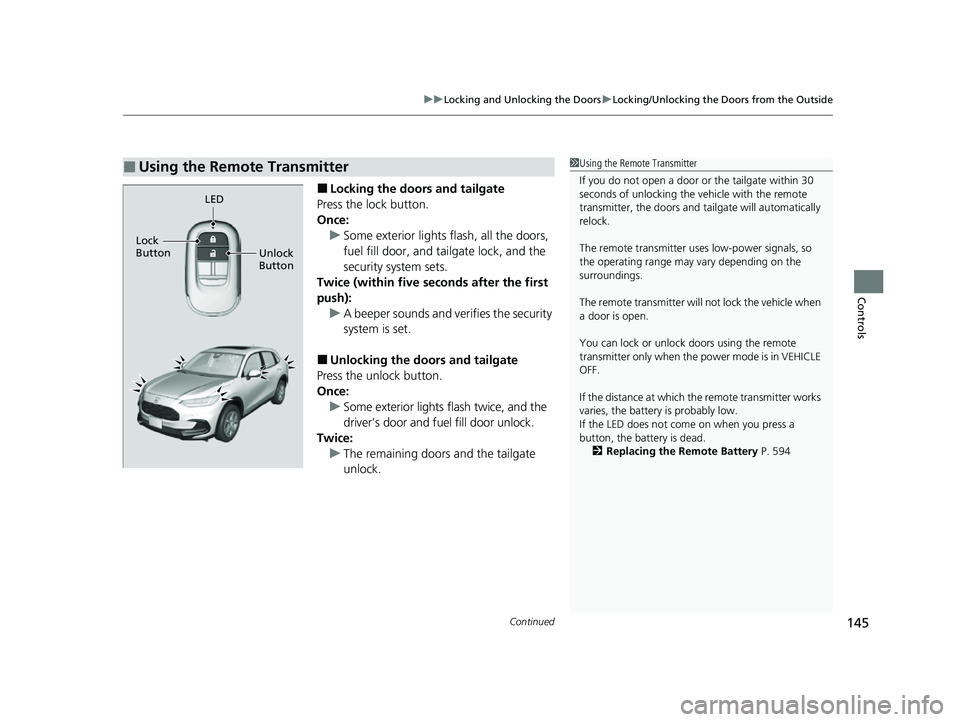
■Locking the doors and tailgate
Press the lock button.
Once: u Some exterior lights flash, all the doors,
fuel fill door, and tailgate lock, and the
security system sets.
Twice (within five se conds after the first
push): u A beeper sounds and verifies the security
system is set.
■Unlocking the doors and tailgate
Press the unlock button.
Once:
u Some exterior lights flash twice, and the
driver’s door and fuel fill door unlock.
Twice: u The remaining doors and the tailgate
unlock.
■Using the Remote Transmitter1Using the Remote Transmitter
If you do not open a door or the tailgate within 30
seconds of unlocking the vehicle with the remote
transmitter, the doors and ta ilgate will automatically
relock.
The remote transmitter us es low-power signals, so
the operating range may vary depending on the
surroundings.
The remote transmitter will not lock the vehicle when
a door is open.
You can lock or unlock doors using the remote
transmitter only when the power mode is in VEHICLE
OFF.
If the distance at which the remote transmitter works
varies, the batter y is probably low.
If the LED does not come on when you press a
button, the battery is dead. 2 Replacing the Remote Battery P. 594
LED
Unlock
Button
Lock
Button
23 HR-V-313V06000_01.book 145 ページ 2022年4月4日 月曜日 午前10時49分
Page 159 of 664

Continued157
uuSecurity System uSecurity System Alarm
Controls
■To deactivate the security system alarm
Unlock the vehicle using the key, the remo te transmitter or keyless access system*,
or set the power mode to ON. The system, along with the horn and flashing lights,
is deactivated.
■Setting the security system alarm
The security system alarm automatically sets when the following conditions have
been met:
• The power mode is set to VEHICLE OFF.
• The hood is closed.
• All doors and the tailgate are locked from outside with the remote transmitter or
keyless access system
*.
■When the security system alarm sets
The security system alarm in dicator in the instrument panel blinks and the blinking
interval changes after about 15 seconds.
■To cancel the security system alarm
The security system alarm is canceled when the vehicle is unlocked using the remote
transmitter or keyle ss access system
*, or when the power mode is set to ON. The
security system alarm indicato r goes off at the same time.
1Security System Alarm
Do not set the security system alarm when someone
is in the vehicle or a window is open. The system can
accidentally activate when:
•Unlocking the door with the lock tab.•Opening the hood with the hood release handle.
•Taking the transmission out of ( P.
If the battery goes dead after you have set the
security system alarm, the security alarm may activate
once the battery is re charged or replaced.
If this occurs, deactivate the security system alarm by
unlocking a door using the ke y, remote transmitter,
or keyless access system
*.
* Not available on all models
23 HR-V-313V06000_01.book 157 ページ 2022年4月4日 月曜日 午前10時49分
Page 161 of 664
159Continued
Controls
Windows
Opening/Closing the Power Windows
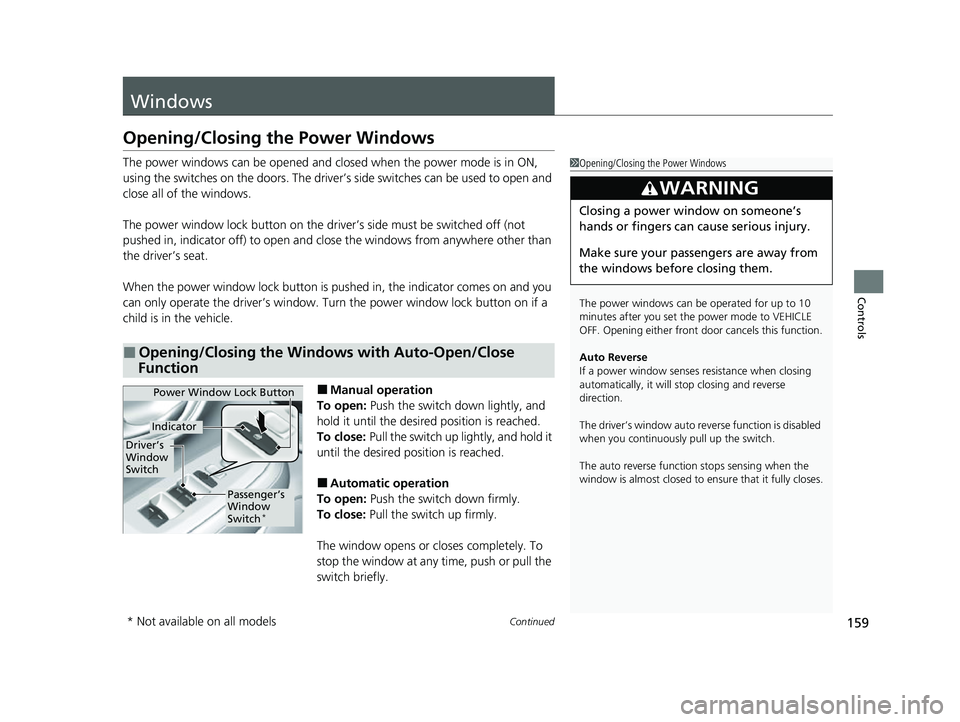
The power windows can be opened and closed when the power mode is in ON,
using the switches on the doors. The driver’s side switches can be used to open and
close all of the windows.
The power window lock button on the driver’s side must be switched off (not
pushed in, indicator off) to open and cl ose the windows from anywhere other than
the driver’s seat.
When the power window lock button is pushed in, the indicator comes on and you
can only operate the driver’s window. Turn the power window lock button on if a
child is in the vehicle.
■Manual operation
To open: Push the switch down lightly, and
hold it until the desired position is reached.
To close: Pull the switch up lightly, and hold it
until the desired position is reached.
■Automatic operation
To open: Push the switch down firmly.
To close: Pull the switch up firmly.
The window opens or closes completely. To
stop the window at any time, push or pull the
switch briefly.
■Opening/Closing the Windows with Auto-Open/Close
Function
1 Opening/Closing the Power Windows
The power windows can be operated for up to 10
minutes after you set the power mode to VEHICLE
OFF. Opening either front door cancels this function.
Auto Reverse
If a power window senses resistance when closing
automatically, it will stop closing and reverse
direction.
The driver’s window auto re verse function is disabled
when you continuously pull up the switch.
The auto reverse function stops sensing when the
window is almost closed to en sure that it fully closes.
3WARNING
Closing a power window on someone’s
hands or fingers can cause serious injury.
Make sure your passengers are away from
the windows before closing them.
Power Window Lock Button
Driver’s
Window
Switch
Indicator
Passenger’s
Window
Switch
*
* Not available on all models
23 HR-V-313V06000_01.book 159 ページ 2022年4月4日 月曜日 午前10時49分
Page 163 of 664
161
uuWindows uOpening/Closing the Power Windows
Controls
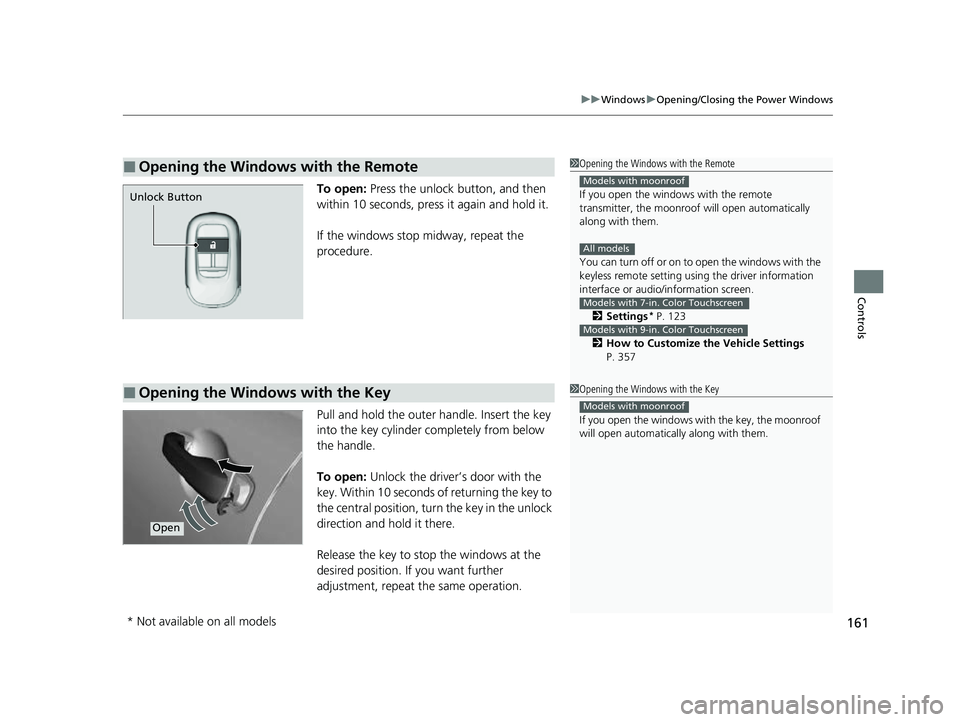
To open: Press the unlock button, and then
within 10 seconds, press it again and hold it.
If the windows stop midway, repeat the
procedure.
Pull and hold the outer handle. Insert the key
into the key cylinder completely from below
the handle.
To open: Unlock the driver’s door with the
key. Within 10 seconds of returning the key to
the central position, turn the key in the unlock
direction and hold it there.
Release the key to stop the windows at the
desired position. If you want further
adjustment, repeat the same operation.
■Opening the Windows with the Remote1 Opening the Windows with the Remote
If you open the window s with the remote
transmitter, the moonroo f will open automatically
along with them.
You can turn off or on to open the windows with the
keyless remote setting usi ng the driver information
interface or audio/ information screen.
2 Settings
* P. 123
2 How to Customize the Vehicle Settings
P. 357
Models with moonroof
All models
Models with 7-in. Color Touchscreen
Models with 9-in. Color Touchscreen
Unlock Button
■Opening the Windows with the Key1 Opening the Windows with the Key
If you open the windows wi th the key, the moonroof
will open automatica lly along with them.
Models with moonroof
Open
* Not available on all models
23 HR-V-313V06000_01.book 161 ページ 2022年4月4日 月曜日 午前10時49分
Page 164 of 664
162
Controls
Moonroof*
Opening/Closing the Moonroof
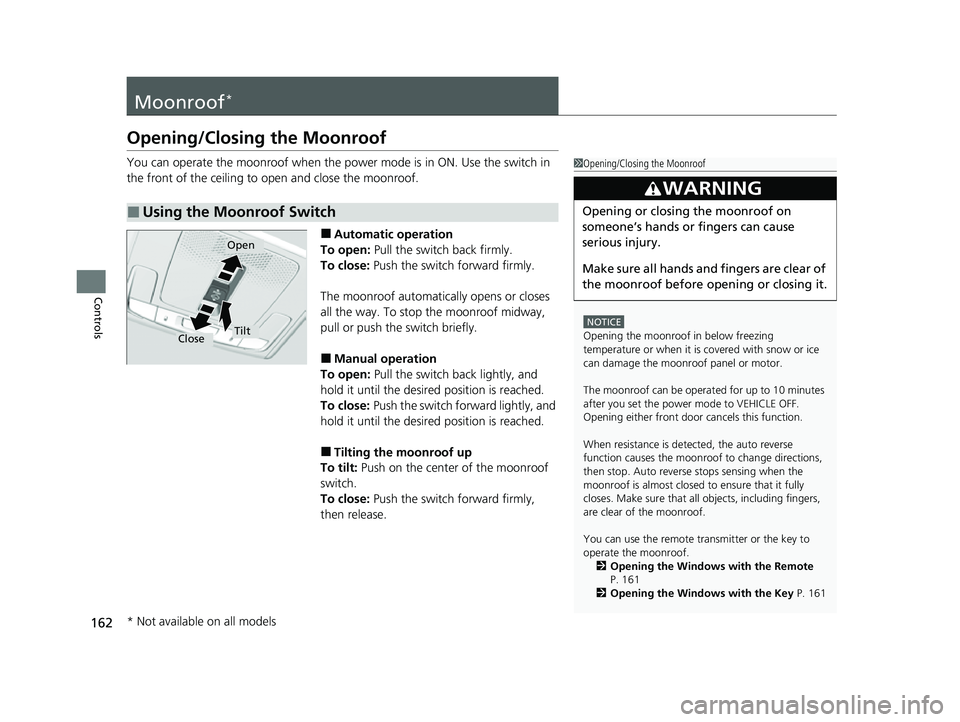
You can operate the moonroof when the power mode is in ON. Use the switch in
the front of the ceiling to open and close the moonroof.
■Automatic operation
To open: Pull the switch back firmly.
To close: Push the switch forward firmly.
The moonroof automatica lly opens or closes
all the way. To stop the moonroof midway,
pull or push the switch briefly.
■Manual operation
To open: Pull the switch back lightly, and
hold it until the desired position is reached.
To close: Push the switch forward lightly, and
hold it until the desired position is reached.
■Tilting the moonroof up
To tilt: Push on the center of the moonroof
switch.
To close: Push the switch forward firmly,
then release.
■Using the Moonroof Switch
1 Opening/Closing the Moonroof
NOTICE
Opening the moonroof in below freezing
temperature or when it is covered with snow or ice
can damage the moonr oof panel or motor.
The moonroof can be opera ted for up to 10 minutes
after you set the power mode to VEHICLE OFF.
Opening either front door cancels this function.
When resistance is detected, the auto reverse
function causes the moonroof to change directions,
then stop. Auto reverse stops sensing when the
moonroof is almost closed to ensure that it fully
closes. Make sure that al l objects, including fingers,
are clear of the moonroof.
You can use the remote transmitter or the key to
operate the moonroof.
2 Opening the Windows with the Remote
P. 161
2 Opening the Windows with the Key P. 161
3WARNING
Opening or closing the moonroof on
someone’s hands or fingers can cause
serious injury.
Make sure all hands and fingers are clear of
the moonroof before opening or closing it.
Open
CloseTilt
* Not available on all models
23 HR-V-313V06000_01.book 162 ページ 2022年4月4日 月曜日 午前10時49分
Page 166 of 664
164
uuOperating the Switches Around the Steering Wheel uENGINE START/STOP Button
Controls
If you leave the vehicle for 30 to 60 minutes with the transmission in (P and the
power mode in ACCESSORY, the vehicle auto matically goes into the mode similar to
VEHICLE OFF (LOCK) to avoid draining the battery.
If you open the driver’s door when the power mode is set to ACCESSORY, a warning
beep sound.
■Automatic Power Off
■Power Mode Reminder
23 HR-V-313V06000_01.book 164 ページ 2022年4月4日 月曜日 午前10時49分