2023 FORD SUPER DUTY light
[x] Cancel search: lightPage 301 of 738

Note:An audible alarm sounds and thesystem shuts down if it applies brakes foran extended period of time. This allows thebrakes to cool. The system functionsnormally again after the brakes cool.
Note:When towing with adaptive cruisecontrol, switch on Tow/Haul Mode andDiesel Engine Brake.
Note:Tow/Haul mode increases the timegaps and allows more distance for braking.
ADAPTIVE CRUISE CONTROL
LIMITATIONS
Sensor Limitations
WARNING: On rare occasions,detection issues can occur due to theroad infrastructures, for example bridges,tunnels and safety barriers. In thesecases, the system may brake late orunexpectedly. At all times, you areresponsible for controlling your vehicle,supervising the system and intervening,if required.
WARNING: If the systemmalfunctions, have your vehicle checkedas soon as possible.
WARNING: Large contrasts inoutside lighting can limit sensorperformance.
WARNING: The system only warnsof vehicles detected by the radar sensor.In some cases there may be no warningor a delayed warning. Apply the brakeswhen necessary. Failure to follow thisinstruction could result in personal injuryor death.
WARNING: The system may notdetect stationary or slow movingvehicles below 6 mph (10 km/h).
WARNING: The system does notdetect pedestrians or objects in the road.
WARNING: The system does notdetect oncoming vehicles in the samelane.
WARNING: The system may notoperate properly if the sensor is blocked.Keep the windshield free fromobstruction.
WARNING: The sensor mayincorrectly track lane markings as otherstructures or objects. This can result ina false or missed warning.
Camera.1.
Radar sensor.2.
The camera is on the windshield behindthe interior mirror.
The radar sensor is in the lower grille.
297
2023 Super Duty (TFH) Canada/United States of America, enUSA, Edition date: 202211, DOMAdaptive Cruise Control (If Equipped)E371980
Page 302 of 738

Note:You cannot see the sensor. It isbehind a fascia panel.
Note:Keep the front of your vehicle free ofdirt, metal badges or objects. Vehicle frontprotectors, aftermarket lights, additionalpaint or plastic coatings could also degradesensor performance.
A message displays if something obstructsthe camera or the sensor. When somethingblocks the sensor, the system cannotdetect a vehicle ahead and does notfunction. See Adaptive Cruise Control– Information Messages (page 309).
The radar sensor has a limited field of view.It may not detect vehicles at all or detecta vehicle later than expected in somesituations. The lead vehicle image doesnot illuminate if the system does notdetect a vehicle in front of you.
Detection Issues Can Occur:
When driving on a different linethan the vehicle in front.A
With vehicles that edge into yourlane. The system can only detectthese vehicles once they movefully into your lane.
B
There may be issues with thedetection of vehicles in frontwhen driving into and coming outof a bend or curve in the road.
C
In these cases, the system may brake lateor unexpectedly.
If something hits the front end of yourvehicle or damage occurs, theradar-sensing zone may change. This couldcause missed or false vehicle detection.
298
2023 Super Duty (TFH) Canada/United States of America, enUSA, Edition date: 202211, DOMAdaptive Cruise Control (If Equipped)E71621
Page 303 of 738

Optimal system performance requires aclear view of the road by the windshieldcamera.
Optimal performance may not occur if:
•The camera is blocked.
•There is poor visibility or lightingconditions.
•There are bad weather conditions.
SWITCHING ADAPTIVE
CRUISE CONTROL ON AND OFF
The cruise controls are on the steeringwheel.
Switching Adaptive Cruise ControlOn
Press the button to activate thesystem. When the systemactivates, the set speed is equalto whichever is greater, the current vehiclespeed, or 15 mph when in imperial units or20 km/h when in metric units. If the speedis too low, or other conditions are notcorrect for adaptive cruise controlactivation, the system enters standbymode. When you are below 15 mph whenin imperial units or 20 km/h when in metricunits, adaptive cruise control does notactivate unless you are following anothervehicle.
The indicator, current gap setting and setspeed appear in the instrument clusterdisplay.
Switching Adaptive Cruise ControlOff
Press the button when thesystem is in standby mode orswitch the ignition off.
Note:When you switch the system off, theset speed clears.
ADAPTIVE CRUISE CONTROL
AUTOMATIC CANCELLATION
The system may cancel if:
•The tires lose traction.
•You apply the parking brake.
The system may cancel and set the parkingbrake if:
•You unbuckle the seatbelt and openthe driver door after adaptive cruisecontrol stops your vehicle.
•Adaptive cruise control holds yourvehicle at a stop continuously for morethan three minutes.
The system may deactivate or preventactivating when requested if:
•The vehicle has a blocked sensor.
•The brake temperature is too high.
•There is a failure in the system or arelated system.
SETTING THE ADAPTIVE
CRUISE CONTROL SPEED
Drive to the speed you prefer.
Press the SET+ or SET- buttonsto set the current speed.
Take your foot off the accelerator pedal.
The indicator, current gap setting and setspeed appear in the instrument clusterdisplay.
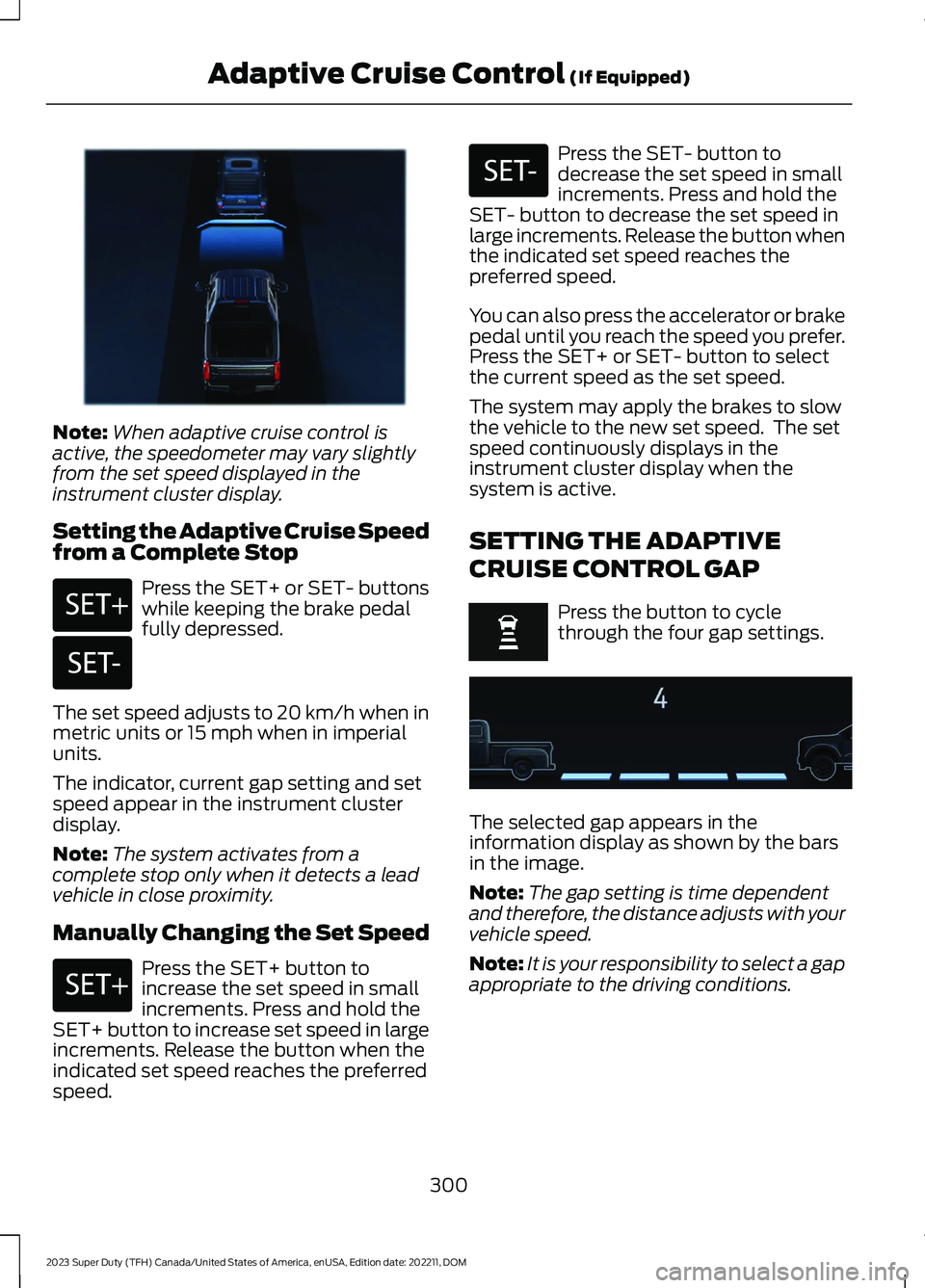
A vehicle image illuminates if there is avehicle detected in front of you.
299
2023 Super Duty (TFH) Canada/United States of America, enUSA, Edition date: 202211, DOMAdaptive Cruise Control (If Equipped)E144529 E144529 E246884 E246885
Page 304 of 738
Note:When adaptive cruise control isactive, the speedometer may vary slightlyfrom the set speed displayed in theinstrument cluster display.
Setting the Adaptive Cruise Speedfrom a Complete Stop
Press the SET+ or SET- buttonswhile keeping the brake pedalfully depressed.
The set speed adjusts to 20 km/h when inmetric units or 15 mph when in imperialunits.
The indicator, current gap setting and setspeed appear in the instrument clusterdisplay.
Note:The system activates from acomplete stop only when it detects a leadvehicle in close proximity.
Manually Changing the Set Speed
Press the SET+ button toincrease the set speed in smallincrements. Press and hold theSET+ button to increase set speed in largeincrements. Release the button when theindicated set speed reaches the preferredspeed.
Press the SET- button todecrease the set speed in smallincrements. Press and hold theSET- button to decrease the set speed inlarge increments. Release the button whenthe indicated set speed reaches thepreferred speed.
You can also press the accelerator or brakepedal until you reach the speed you prefer.Press the SET+ or SET- button to selectthe current speed as the set speed.
The system may apply the brakes to slowthe vehicle to the new set speed. The setspeed continuously displays in theinstrument cluster display when thesystem is active.
SETTING THE ADAPTIVE
CRUISE CONTROL GAP
Press the button to cyclethrough the four gap settings.
The selected gap appears in theinformation display as shown by the barsin the image.
Note:The gap setting is time dependentand therefore, the distance adjusts with yourvehicle speed.
Note:It is your responsibility to select a gapappropriate to the driving conditions.
300
2023 Super Duty (TFH) Canada/United States of America, enUSA, Edition date: 202211, DOMAdaptive Cruise Control (If Equipped)E380799 E246884 E246885 E246884 E246885 E375589
Page 308 of 738

LANE CENTERINGREQUIREMENTS
You must keep your hands on the steeringwheel at all times.
Lane centering only activates when all ofthe following occur:
•Adaptive cruise control with lanecentering is enabled in your informationand entertainment screen. SeeSwitching Lane Centering On andOff (page 304).
•You have adaptive cruise control withstop and go enabled and set.
•The steering sensor detects your handson the steering wheel.
•The system detects both lane markingswhen driving on a straight road.
•Your vehicle is initially centered in thelane between two visible line markings.
Note:If the system does not detect validlane line markings, the system will remainin standby until valid line markings areavailable.
Note:If the system does not detect yourhands on the steering wheel, apply a slightforce to the steering wheel.
LANE CENTERING LIMITATIONS
Adaptive cruise control limitations applyto lane centering unless stated otherwiseor contradicted by a lane centeringlimitation. See Adaptive Cruise ControlLimitations (page 297).
Lane centering may not correctly operatein any of the following conditions:
•The lane width is too narrow or wide.
•The curve in the road is too small.
•The system does not detect theminimum required lane markings orwhen lanes merge or split.
•When the required steering effort tomaintain lane center exceeds the lanecentering system limit.
•When driving in areas that are underconstruction or when road work is inprogress.
•If the front windshield camera and/orthe front radar are blocked.
•When using a spare tire.
•Inclement weather conditionsincluding, but not limited to, high wind,heavy rain, and fog.
•Driving into direct sunlight.
•When modification to the steeringsystem has been made, includingalterations to the steering wheel.
•When towing a trailer.
•When the vehicle is loaded to near ormaximum payload. See LoadCarrying (page 351).
See Lane Centering Precautions (page303).
Note:System operation may also be limitedunder snow, heavy rain, or road sprayconditions.
Note:The system steering assistance islimited and may not have sufficient effortfor all driving situations and/or conditions,such as driving through tight curves ordriving through curves at high speeds.
SWITCHING LANE CENTERING ONAND OFF
Keep your hands on the steering wheel atall times.
The controls are on the steering wheel.
Press the button.
304
2023 Super Duty (TFH) Canada/United States of America, enUSA, Edition date: 202211, DOMAdaptive Cruise Control (If Equipped)E308131
Page 309 of 738
The indicator appears in the instrumentcluster display. When the system is on, thecolor of the indicator changes to indicatethe system status.
You can override the system at any timeby steering your vehicle.
Note:The correct requirements must bemet before you can switch the system on.See Lane Centering Requirements (page304).
Enabling and Disabling LaneCentering
1.Press Features on the touchscreen.
2.Press Driver Assistance.
3.Press Cruise Control.
4.Press Lane Centering Assist.
LANE CENTERING ALERTS
You must keep your hands on the steeringwheel at all times.
When the system is active and detects nosteering activity for a period of time, thesystem alerts you to put your hands on thesteering wheel. If you do not reactappropriately to the warnings the adaptivecruise control with lane centering systemcancels and slows your vehicle down toidle speeds while maintaining steeringcontrol. See Lane Centering AutomaticCancellation (page 305).
The system also alerts you if your vehiclecrosses lane line markings withoutdetected steering activity.
Note:The system could detect a light gripor light touch on the steering wheel ashands-off driving.
LANE CENTERING AUTOMATICCANCELLATION
When an external condition cancels thesystem, and your hands are on the steeringwheel, a tone sounds and a messageappears in the instrument cluster display.
When an external condition cancels thesystem, and your hands are not on thesteering wheel, the system immediatelyalerts you to take control of the vehicle. Ifthis alert is ignored, the system slows thevehicle while maintaining steeringassistance when lane markings areavailable. When no lane markings areavailable, the vehicle comes to a stop.
If your vehicle starts to slowdown after system cancellation,you must take full control of thevehicle. To re-enable adaptive cruisecontrol with lane centering aftercancellation, press and release the resumebutton.
Automatic cancellation can also occur if:
•The lane becomes too wide or narrow.
•The system cannot detect valid lanemarkings.
•Lane markings cross over one another.
•The curve of the road is too sharp.
Note:If your vehicle slows down due to yourinactivity twice within a key cycle, thesystem disables. To reset the system, whenthe vehicle is stationary, return the gearselector to park (P) and turn the vehicle off.Then, restart the vehicle with your foot onthe brake pedal.
LANE CENTERING MANUALCANCELLATION
When you perform the following actions,adaptive cruise control with lane centeringwill cancel:
305
2023 Super Duty (TFH) Canada/United States of America, enUSA, Edition date: 202211, DOMAdaptive Cruise Control (If Equipped)E308130
Page 311 of 738
The system only applies limited braking.You can override the system with theaccelerator pedal or cancel the system byapplying the brakes.
The system may adapt to various factorssuch as time of day, lane width. This couldinfluence speed adjustments andaccelerations.
The system may adapt to various drivemodes. See Drive Mode Control (page311).This could influence speedadjustments and accelerations.
Note:The system does not activate theturn signal automatically.
PREDICTIVE SPEED ASSISTLIMITATIONS
WARNING: The system may notalways adjust vehicle speed in certainroad or weather conditions such ascrossing traffic, yield or stop signs, rightof way, traffic lights, speed bumps, rain,snow, fog. You must always apply thebrake or accelerator pedal whennecessary.
The road geometry and speed limitinformation provided by the navigationmap data could be inaccurate or out ofdate.
The system may not detect and readspeed limit signs with conditionalinformation, for example, when a sign isflashing, during specific time ranges, orwhen children are present.
Note:The system does not set the vehiclespeed to speed limits shown with asupplementary traffic sign.
Under certain conditions, the system maynot adjust the vehicle speed until after yourvehicle passes the speed limit.
Detection of road geometry operates onlywhere related information is available.Road geometry information may not beavailable in some areas.
SWITCHING PREDICTIVE SPEEDASSIST MODE ON AND OFF
1.Press Features on the touchscreen.
2.Press Driver Assistance.
3.Press Cruise Control.
4.Press Adaptive Cruise Control.
5.Switch Predictive Speed Assist on oroff.
ADJUSTING THE SET SPEEDTOLERANCE
1.Press Features on the touchscreen.
2.Press Driver Assistance.
3.Press Cruise Control.
4.Press Adaptive Cruise Control.
5.Switch Predictive Speed Assist on.
6.Press Tolerance.
7.Adjust the slider to set the tolerance.
Note:You can set tolerance for vehiclespeed adjustment based on speed signrecognition only.
PREDICTIVE SPEED ASSISTALERTS
If the speed sign recognition systemdetects a speed limit below the minimumadaptive cruise control set speed, a tonesounds and the system returns to standbymode.
307
2023 Super Duty (TFH) Canada/United States of America, enUSA, Edition date: 202211, DOMAdaptive Cruise Control (If Equipped)
Page 321 of 738

WHAT IS THE LANE KEEPING
SYSTEM
The lane keeping system alerts you byproviding temporary steering assistanceor steering wheel vibration when it detectsan unintended lane departure.
HOW DOES THE LANE
KEEPING SYSTEM WORK
The lane keeping system uses a forwardlooking camera mounted on the windshieldto monitor vehicle movement within thetravel lane.
When the camera detects a drift out of thetravel lane, the lane keeping system alertsthe driver by vibrating the steering wheel,or aids the driver by providing a smallsteering input to move the vehicle backinto the travel lane.
The driver can select one of three modes:
•Alert (If Equipped)
•Aid
•Alert + Aid
LANE KEEPING SYSTEM
PRECAUTIONS
WARNING: You are responsible forcontrolling your vehicle at all times. Thesystem is designed to be an aid and doesnot relieve you of your responsibility todrive with due care and attention. Failureto follow this instruction could result inthe loss of control of your vehicle,personal injury or death.
WARNING: The system will notoperate if the sensor cannot track theroad lane markings.
WARNING: The sensor mayincorrectly track lane markings as otherstructures or objects. This can result ina false or missed warning.
WARNING: In cold and severeweather conditions the system may notfunction. Rain, snow and spray can alllimit sensor performance.
WARNING: The system may notoperate properly if the sensor is blocked.Keep the windshield free fromobstruction.
WARNING: If damage occurs in theimmediate area surrounding the sensor,have your vehicle checked as soon aspossible.
WARNING: The system may notcorrectly operate if your vehicle is fittedwith a suspension kit not approved byus.
WARNING: Large contrasts inoutside lighting can limit sensorperformance.
LANE KEEPING SYSTEM
LIMITATIONS
The lane keeping system only operateswhen the vehicle speed is greater than40 mph (64 km/h).
The system works when the camera candetect at least one lane marking.
Note:When you select Aid or Alert and Aidmode and the system detects no steeringactivity for a short period of time, the systemalerts you to put your hands on the steeringwheel. The system may detect a light gripor touch on the steering wheel as hands-offdriving.
317
2023 Super Duty (TFH) Canada/United States of America, enUSA, Edition date: 202211, DOMLane Keeping System (If Equipped)