2023 FORD SUPER DUTY brakes
[x] Cancel search: brakesPage 281 of 738
WHAT IS HILL DESCENT
CONTROL
Hill descent control allows the driver to setand maintain vehicle speed whiledescending steep slopes in various surfaceconditions.
HOW DOES HILL DESCENT
CONTROL WORK
Hill descent control can maintain vehiclespeeds on downhill slopes between2–20 mph (3–32 km/h). Above 20 mph(32 km/h), the system remains on but thedescent speed cannot be set ormaintained.
Note:The system does not function below2 mph (3 km/h).
The system requires a cool down intervalafter a period of sustained use. Hill descentcontrol provides a warning in the messagecenter when the system is about todisengage for cooling. At this time,manually apply the brakes as needed tomaintain descent speed.
Note:The amount of time that the systemcan remain active before cooling varies withconditions.
HILL DESCENT CONTROL
PRECAUTIONS
WARNING: The system does notcontrol speed in low traction conditionsor extremely steep slopes. The systemis designed to be an aid and does notrelieve you of your responsibility to drivewith due care and attention. Failure tofollow this instruction could result inpersonal injury.
WARNING: The system does notreplace the parking brake. When youleave your vehicle, always apply theparking brake.
SWITCHING HILL DESCENT
CONTROL ON AND OFF
Press the button on theinstrument panel. A lightilluminates and a tone soundswhen the system is active.
SETTING THE HILL DESCENT
SPEED
To increase or decrease the descent speed,press the accelerator or brake pedal, or usethe SET + and SET - buttons on thesteering wheel. Once you reach thepreferred speed remove your feet from thepedals.
HILL DESCENT CONTROL
INDICATOR
Illuminates when you switch hilldescent control on.
277
2023 Super Duty (TFH) Canada/United States of America, enUSA, Edition date: 202211, DOMHill Descent Control (If Equipped)E163171 E163171
Page 286 of 738

PARKING AID PRECAUTIONS
WARNING: To help avoid personalinjury, always use caution when inreverse (R) and when using the sensingsystem.
WARNING: The system may notdetect objects with surfaces that absorbreflection. Always drive with due careand attention. Failure to take care mayresult in a crash.
WARNING: Traffic control systems,fluorescent lamps, inclement weather,air brakes, external motors and fans mayaffect the correct operation of thesensing system. This may cause reducedperformance or false alerts.
WARNING: The system may notdetect small or moving objects,particularly those close to the ground.
WARNING: The parking aid systemcan only assist you to detect objectswhen your vehicle is moving at parkingspeeds. To help avoid personal injury youmust take care when using the parkingaid system.
WARNING: The system may notfunction if the sensor is blocked.
WARNING: In cold and severeweather conditions the system may notfunction. Rain, snow and spray can alllimit sensor performance.
WARNING: If damage occurs in theimmediate area surrounding the sensor,have your vehicle checked as soon aspossible.
Note:If your vehicle sustains damageleaving the sensors misaligned, this willcause inaccurate measurements or falsealerts.
When you connect a trailer to your vehicle,the rear parking aid detects the trailer andprovides an alert. Disable the parking aidwhen you connect a trailer to prevent thealert.
Note:Connected trailers might be detectedby the vehicle and parking aid turns offautomatically in those instances.
Note:Certain add-on devices installedaround the bumper or fascia may createfalse alerts, for example, large trailerhitches, bike or surfboard racks, license platebrackets, bumper covers or any other devicethat could block the normal detection zoneof the parking aid system. Aftermarket sparetires or spare tire covers mounted to the reartailgate could cause false alerts from thepark aid system. Remove the add-on deviceto prevent false alerts.
Note: Keep the sensors free from snow, iceand large accumulations of dirt. If thesensors are covered, the system's accuracycan be affected.
Do not clean the sensors with sharpobjects.
SWITCHING PARKING AID ON
AND OFF - VEHICLES WITH:
FRONT PARKING AID
Muting the Audible Tone
Press the parking aid button toswitch the system's audible toneon and off.
Switching Parking Aid On and OffLong-Term
The system can be set to stay disabled inbetween ignition cycles.
282
2023 Super Duty (TFH) Canada/United States of America, enUSA, Edition date: 202211, DOMParking Aids (If Equipped)E383616
Page 298 of 738
WHAT IS CRUISE CONTROL
Cruise control lets you maintain a setspeed without keeping your foot on theaccelerator pedal.
Requirements
Use cruise control when the vehicle speedis greater than 20 km/h in metric units or15 mph in imperial units.
SWITCHING CRUISE CONTROL
ON AND OFF
WARNING: Do not use cruisecontrol on winding roads, in heavy trafficor when the road surface is slippery. Thiscould result in loss of vehicle control,serious injury or death.
The cruise controls are on the steeringwheel.
Switching Cruise Control On
Press the button to activate thesystem. When the systemactivates, the set speed is equalto the current vehicle speed or 20 km/h (15mph), whichever is greater. If the speed istoo low, or other conditions are not correctfor cruise control activation, the systementers standby mode.
Switching Cruise Control Off
Press the button when thesystem is active or switch theignition off.
Note:When you switch cruise control off,the set speed clears.
SETTING THE CRUISE
CONTROL SPEED
WARNING: When you are goingdownhill, your vehicle speed couldincrease above the set speed. Thesystem does not apply the brakes.
Drive to the speed you prefer.
Press either the SET+ or SET-buttons to set the current speed.
Take your foot off the accelerator pedal.
Note:The indicator changes color in theinformation display.
Changing the Set Speed
Press the SET+ button toincrease the set speed in smallincrements. Press and hold theSET+ button to accelerate. Release thebutton when you have reached yourpreferred speed.
Press the SET- button todecrease the set speed in smallincrements. Press and hold theSET- button to decelerate. Release thebutton when you have reached yourpreferred speed.
Note: If you accelerate by pressing theaccelerator pedal, the set speed does notchange. When you release the acceleratorpedal, your vehicle returns to the speed thatyou previously set.
294
2023 Super Duty (TFH) Canada/United States of America, enUSA, Edition date: 202211, DOMCruise ControlE332905 E332905 E246884 E246885 E246884 E246885
Page 300 of 738

HOW DOES ADAPTIVE CRUISE
CONTROL WITH STOP AND GO
WORK
Adaptive cruise control with stop and gouses radar and camera sensors to maintaina set gap between your vehicle and thevehicle in front of you while following it toa complete stop. Stop and go can also beset to follow a vehicle directly in front ofyou and adjust the set speed, while you areat a complete stop.
ADAPTIVE CRUISE CONTROL
PRECAUTIONS
WARNING: You are responsible forcontrolling your vehicle at all times. Thesystem is designed to be an aid and doesnot relieve you of your responsibility todrive with due care and attention. Failureto follow this instruction could result inthe loss of control of your vehicle,personal injury or death.
WARNING: Do not use adaptivecruise control on winding roads, in heavytraffic or when the road surface isslippery. This could result in loss ofvehicle control, serious injury or death.
WARNING: Pay close attention tochanging road conditions such asentering or leaving a highway, on roadswith intersections or roundabouts, roadswithout visible lanes of travel, roads thatare winding, slippery, unpaved, or steepslopes.
WARNING: The system is not acrash warning or avoidance system.
WARNING: Do not use the systemwhen towing a trailer that hasaftermarket electronic trailer brakecontrols. Failure to follow this instructioncould result in the loss of control of yourvehicle, personal injury or death.
WARNING: Do not use tire sizesother than those recommended becausethis can affect the normal operation ofthe system. Failure to do so may resultin a loss of vehicle control, which couldresult in serious injury.
WARNING: Do not use the systemwith a snow plow blade installed.
WARNING: Do not use the systemin poor visibility, for example fog, heavyrain, spray or snow.
When Following a Vehicle
WARNING: When following avehicle that is braking, your vehicle doesnot always decelerate quickly enough toavoid a crash without driver intervention.Apply the brakes when necessary. Failureto follow this instruction could result inpersonal injury or death.
Hilly Condition and Trailer TowUsage
You should select a lower gear when thesystem is active in situations such asprolonged downhill driving on steep slopes,for example in mountainous areas. Thesystem needs additional engine braking inthese situations to reduce the load on thevehicle’s regular brake system to preventit from overheating.
296
2023 Super Duty (TFH) Canada/United States of America, enUSA, Edition date: 202211, DOMAdaptive Cruise Control (If Equipped)
Page 301 of 738

Note:An audible alarm sounds and thesystem shuts down if it applies brakes foran extended period of time. This allows thebrakes to cool. The system functionsnormally again after the brakes cool.
Note:When towing with adaptive cruisecontrol, switch on Tow/Haul Mode andDiesel Engine Brake.
Note:Tow/Haul mode increases the timegaps and allows more distance for braking.
ADAPTIVE CRUISE CONTROL
LIMITATIONS
Sensor Limitations
WARNING: On rare occasions,detection issues can occur due to theroad infrastructures, for example bridges,tunnels and safety barriers. In thesecases, the system may brake late orunexpectedly. At all times, you areresponsible for controlling your vehicle,supervising the system and intervening,if required.
WARNING: If the systemmalfunctions, have your vehicle checkedas soon as possible.
WARNING: Large contrasts inoutside lighting can limit sensorperformance.
WARNING: The system only warnsof vehicles detected by the radar sensor.In some cases there may be no warningor a delayed warning. Apply the brakeswhen necessary. Failure to follow thisinstruction could result in personal injuryor death.
WARNING: The system may notdetect stationary or slow movingvehicles below 6 mph (10 km/h).
WARNING: The system does notdetect pedestrians or objects in the road.
WARNING: The system does notdetect oncoming vehicles in the samelane.
WARNING: The system may notoperate properly if the sensor is blocked.Keep the windshield free fromobstruction.
WARNING: The sensor mayincorrectly track lane markings as otherstructures or objects. This can result ina false or missed warning.
Camera.1.
Radar sensor.2.
The camera is on the windshield behindthe interior mirror.
The radar sensor is in the lower grille.
297
2023 Super Duty (TFH) Canada/United States of America, enUSA, Edition date: 202211, DOMAdaptive Cruise Control (If Equipped)E371980
Page 304 of 738
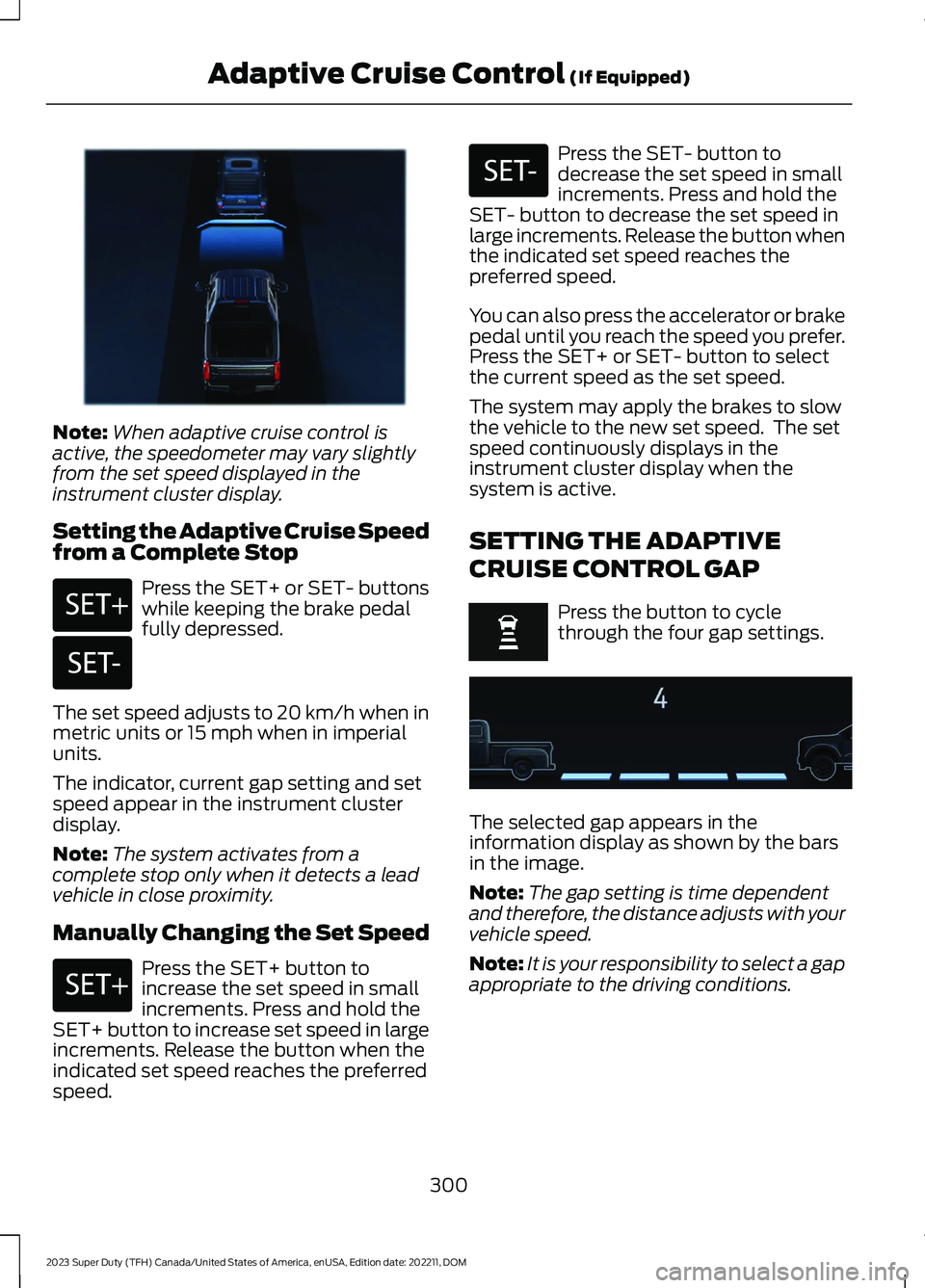
Note:When adaptive cruise control isactive, the speedometer may vary slightlyfrom the set speed displayed in theinstrument cluster display.
Setting the Adaptive Cruise Speedfrom a Complete Stop
Press the SET+ or SET- buttonswhile keeping the brake pedalfully depressed.
The set speed adjusts to 20 km/h when inmetric units or 15 mph when in imperialunits.
The indicator, current gap setting and setspeed appear in the instrument clusterdisplay.
Note:The system activates from acomplete stop only when it detects a leadvehicle in close proximity.
Manually Changing the Set Speed
Press the SET+ button toincrease the set speed in smallincrements. Press and hold theSET+ button to increase set speed in largeincrements. Release the button when theindicated set speed reaches the preferredspeed.
Press the SET- button todecrease the set speed in smallincrements. Press and hold theSET- button to decrease the set speed inlarge increments. Release the button whenthe indicated set speed reaches thepreferred speed.
You can also press the accelerator or brakepedal until you reach the speed you prefer.Press the SET+ or SET- button to selectthe current speed as the set speed.
The system may apply the brakes to slowthe vehicle to the new set speed. The setspeed continuously displays in theinstrument cluster display when thesystem is active.
SETTING THE ADAPTIVE
CRUISE CONTROL GAP
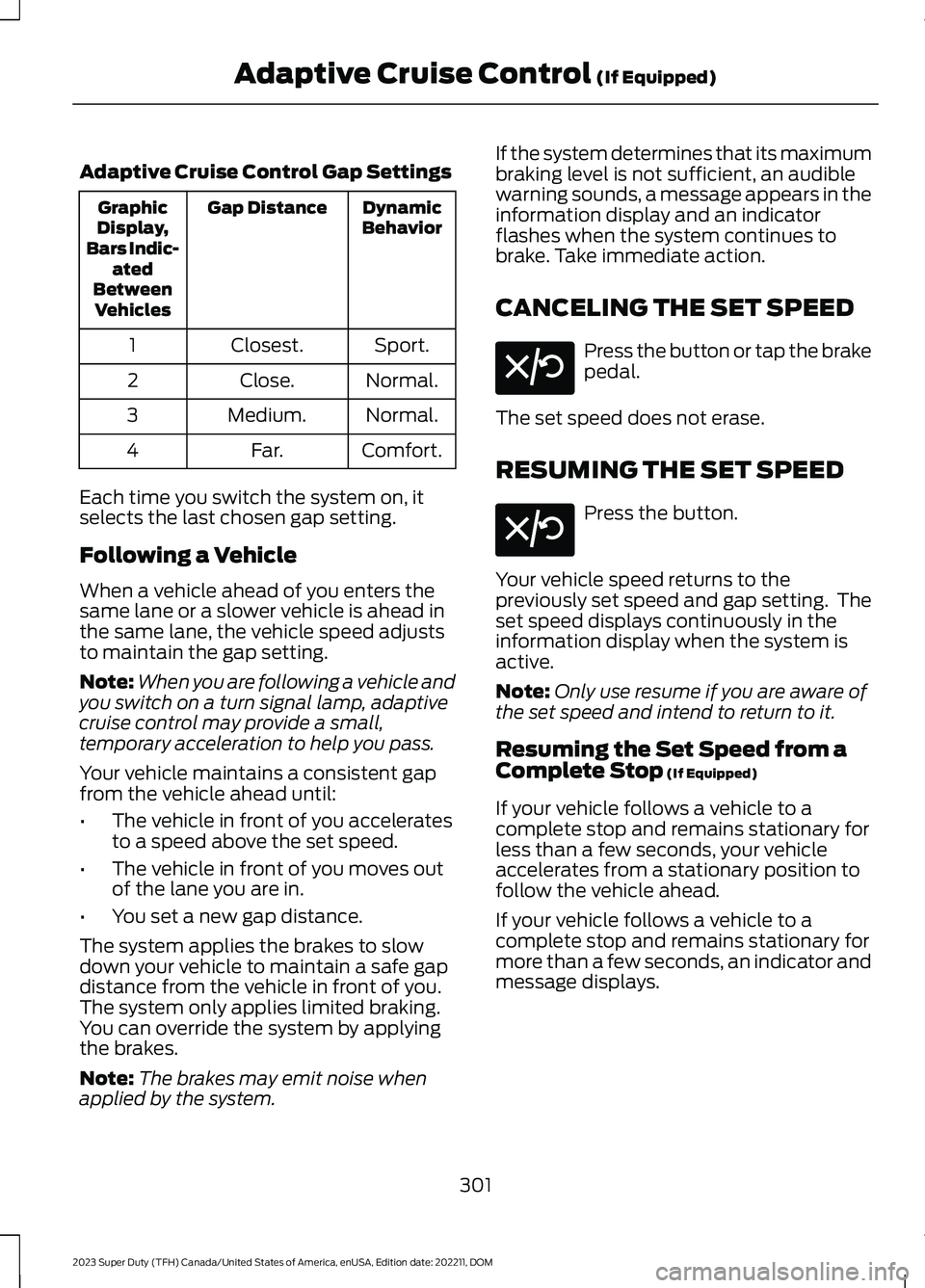
Press the button to cyclethrough the four gap settings.
The selected gap appears in theinformation display as shown by the barsin the image.
Note:The gap setting is time dependentand therefore, the distance adjusts with yourvehicle speed.
Note:It is your responsibility to select a gapappropriate to the driving conditions.
300
2023 Super Duty (TFH) Canada/United States of America, enUSA, Edition date: 202211, DOMAdaptive Cruise Control (If Equipped)E380799 E246884 E246885 E246884 E246885 E375589
Page 305 of 738
Adaptive Cruise Control Gap Settings
DynamicBehaviorGap DistanceGraphicDisplay,Bars Indic-atedBetweenVehicles
Sport.Closest.1
Normal.Close.2
Normal.Medium.3
Comfort.Far.4
Each time you switch the system on, itselects the last chosen gap setting.
Following a Vehicle
When a vehicle ahead of you enters thesame lane or a slower vehicle is ahead inthe same lane, the vehicle speed adjuststo maintain the gap setting.
Note:When you are following a vehicle andyou switch on a turn signal lamp, adaptivecruise control may provide a small,temporary acceleration to help you pass.
Your vehicle maintains a consistent gapfrom the vehicle ahead until:
•The vehicle in front of you acceleratesto a speed above the set speed.
•The vehicle in front of you moves outof the lane you are in.
•You set a new gap distance.
The system applies the brakes to slowdown your vehicle to maintain a safe gapdistance from the vehicle in front of you.The system only applies limited braking.You can override the system by applyingthe brakes.
Note:The brakes may emit noise whenapplied by the system.
If the system determines that its maximumbraking level is not sufficient, an audiblewarning sounds, a message appears in theinformation display and an indicatorflashes when the system continues tobrake. Take immediate action.
CANCELING THE SET SPEED
Press the button or tap the brakepedal.
The set speed does not erase.
RESUMING THE SET SPEED
Press the button.
Your vehicle speed returns to thepreviously set speed and gap setting. Theset speed displays continuously in theinformation display when the system isactive.
Note:Only use resume if you are aware ofthe set speed and intend to return to it.
Resuming the Set Speed from aComplete Stop (If Equipped)
If your vehicle follows a vehicle to acomplete stop and remains stationary forless than a few seconds, your vehicleaccelerates from a stationary position tofollow the vehicle ahead.
If your vehicle follows a vehicle to acomplete stop and remains stationary formore than a few seconds, an indicator andmessage displays.
301
2023 Super Duty (TFH) Canada/United States of America, enUSA, Edition date: 202211, DOMAdaptive Cruise Control (If Equipped)E308130 E308130
Page 306 of 738
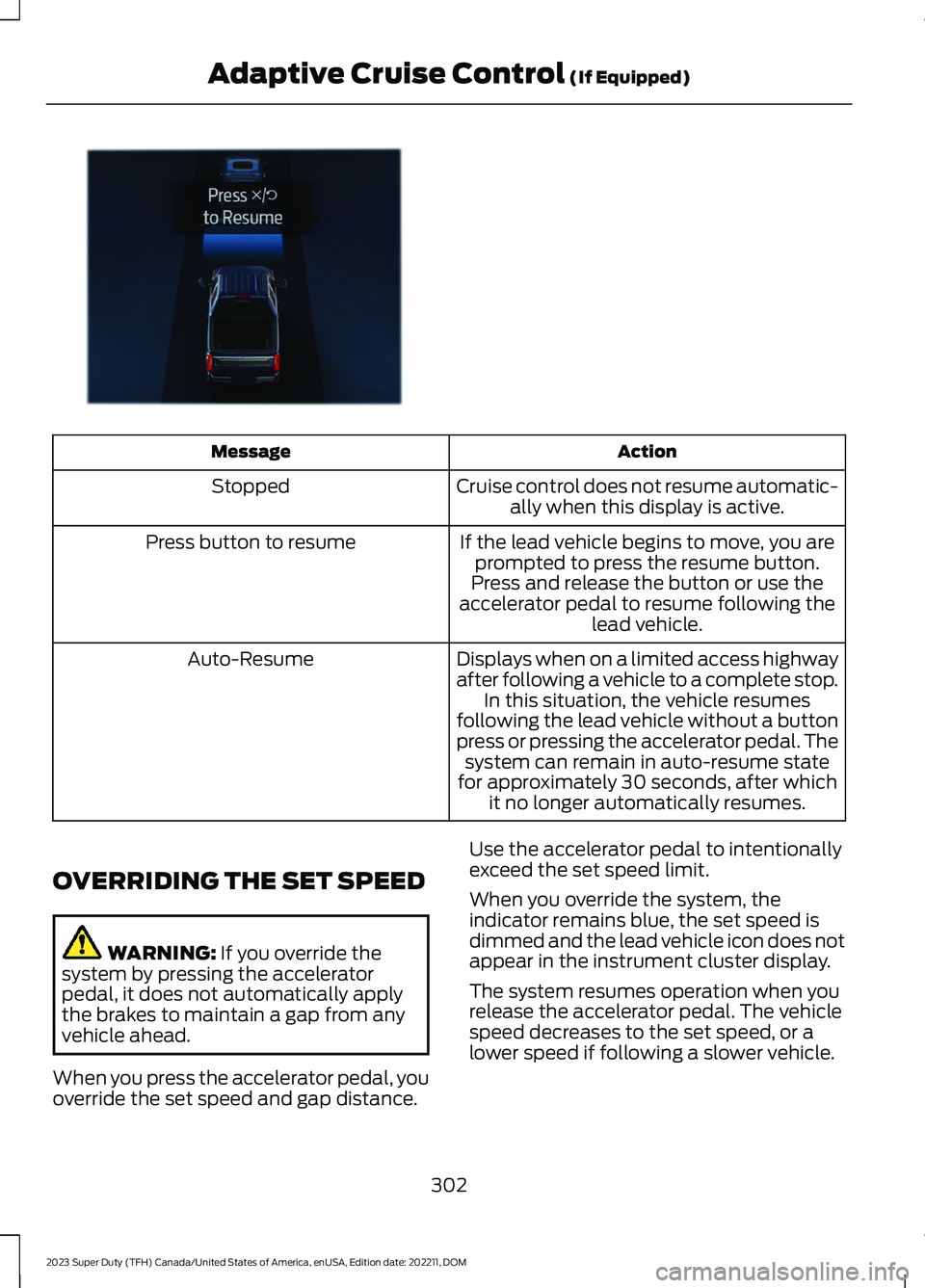
ActionMessage
Cruise control does not resume automatic-ally when this display is active.Stopped
If the lead vehicle begins to move, you areprompted to press the resume button.Press button to resume
Press and release the button or use theaccelerator pedal to resume following thelead vehicle.
Displays when on a limited access highwayafter following a vehicle to a complete stop.In this situation, the vehicle resumesfollowing the lead vehicle without a buttonpress or pressing the accelerator pedal. Thesystem can remain in auto-resume statefor approximately 30 seconds, after whichit no longer automatically resumes.
Auto-Resume
OVERRIDING THE SET SPEED
WARNING: If you override thesystem by pressing the acceleratorpedal, it does not automatically applythe brakes to maintain a gap from anyvehicle ahead.
When you press the accelerator pedal, youoverride the set speed and gap distance.
Use the accelerator pedal to intentionallyexceed the set speed limit.
When you override the system, theindicator remains blue, the set speed isdimmed and the lead vehicle icon does notappear in the instrument cluster display.
The system resumes operation when yourelease the accelerator pedal. The vehiclespeed decreases to the set speed, or alower speed if following a slower vehicle.
302
2023 Super Duty (TFH) Canada/United States of America, enUSA, Edition date: 202211, DOMAdaptive Cruise Control (If Equipped)E380823