2023 FORD SUPER DUTY ECU
[x] Cancel search: ECUPage 107 of 738

PASSIVE ANTI-THEFT
SYSTEM
WHAT IS THE PASSIVE ANTI-THEFT SYSTEM
The passive anti-theft system preventssomeone from starting your vehicle withan incorrectly coded key.
Note:Do not leave a duplicate coded keyin your vehicle. Always take the keys andlock all the doors when leaving your vehicle.
HOW DOES THE PASSIVE ANTI-THEFT SYSTEM WORK
The passive anti-theft system arms whenyou switch the ignition off.
It disarms when you switch the ignition onwith a correctly coded key.
Note:The system is not compatible withnon-Ford aftermarket remote start systems.
Note:Do not leave a duplicate coded keyin your vehicle. Always take the keys andlock all doors when leaving your vehicle.
ANTI-THEFT ALARM SYSTEM
WHAT IS THE ANTI-THEFT ALARMSYSTEM
The anti-theft alarm system warns you ofan unauthorized entry to your vehicle.
HOW DOES THE ANTI-THEFTALARM SYSTEM WORK
When armed, the anti-theft alarm istriggered in any of the following ways:
•If someone opens a door, the tailgateor the hood without a correctly codedkey or remote control.
•If you turn the power on without acorrectly coded key.
•If the interior sensors detect movementinside your vehicle.
•If the inclination sensors detect anattempt to raise your vehicle.
•If someone disconnects the vehiclebattery or the battery backup alarm.
•If someone disconnects the trailer. SeeConnecting a Trailer (page 359).
Any further attempts to carry out one ofthe above, sounds the alarm again.
If the anti-theft alarm is triggered, thealarm horn sounds for 30 seconds and theturn signals flash for five minutes.
WHAT IS THE PERIMETER ALARM
The perimeter alarm is designed to detectunauthorized access to your vehicle.
WHAT ARE THE INTERIORSENSORS (If Equipped)
The interior sensors are designed to detectany movement inside your vehicle.
The interior sensors are in the overheadconsole.
Note:Do not cover the interior sensors.
103
2023 Super Duty (TFH) Canada/United States of America, enUSA, Edition date: 202211, DOMSecurity
Page 108 of 738

WHAT ARE THE INCLINATIONSENSORS (If Equipped)
The inclination sensor is designed to detectan attempt to raise your vehicle, forexample to remove a wheel or to tow itaway.
WHAT IS THE BATTERY BACKUPALARM (If Equipped)
The battery backup alarm is an additionalalarm sounder that has its own battery. Itcan detect if your vehicle's 12V battery isdisconnected to overcome the alarmsystem.
ARMING THE ANTI-THEFT ALARMSYSTEM
The alarm is ready to arm when you switchyour vehicle off.
Lock your vehicle with your remote controlto arm the alarm.
DISARMING THE ANTI-THEFTALARM SYSTEM
Disarm the alarm by performing any of thefollowing actions:
•Unlock the doors or luggagecompartment with the remote control.
•Switch your vehicle on or start yourvehicle.
ANTI-THEFT ALARM SYSTEM
SETTINGS
WHAT ARE THE ALARM SECURITYLEVELS
You can select two levels of alarm security,motion sensors on and motion sensors off.
Motion Sensors On
Motion sensors on is the standard setting.
In motion sensors on, all equipped sensorsare on when you arm the alarm.
Note:Do not arm the alarm with motionsensors on if passengers, animals or othermoving objects are inside your vehicle.
Motion Sensors Off
In motion sensors off, the interior sensorand the inclination sensor are off when youarm the alarm.
All the other equipped sensors activatewhen you arm the alarm in this mode.
SETTING THE ALARM SECURITYLEVEL
1.Press Settings on the touchscreen.
2.Press Vehicle.
3.Press Alarm System.
4.Press Motion Sensors.
5.Press a setting.
WHAT IS ASK ON EXIT
You can choose which level of security yourequire after you switch the ignition off.
Note:If you do not choose a setting, thesystem defaults to all sensors.
SWITCHING ASK ON EXIT ON ANDOFF
1.Press Settings on the touchscreen.
2.Press Vehicle.
3.Press Alarm System.
4.Switch Ask on Exit on or off.
104
2023 Super Duty (TFH) Canada/United States of America, enUSA, Edition date: 202211, DOMSecurity
Page 109 of 738
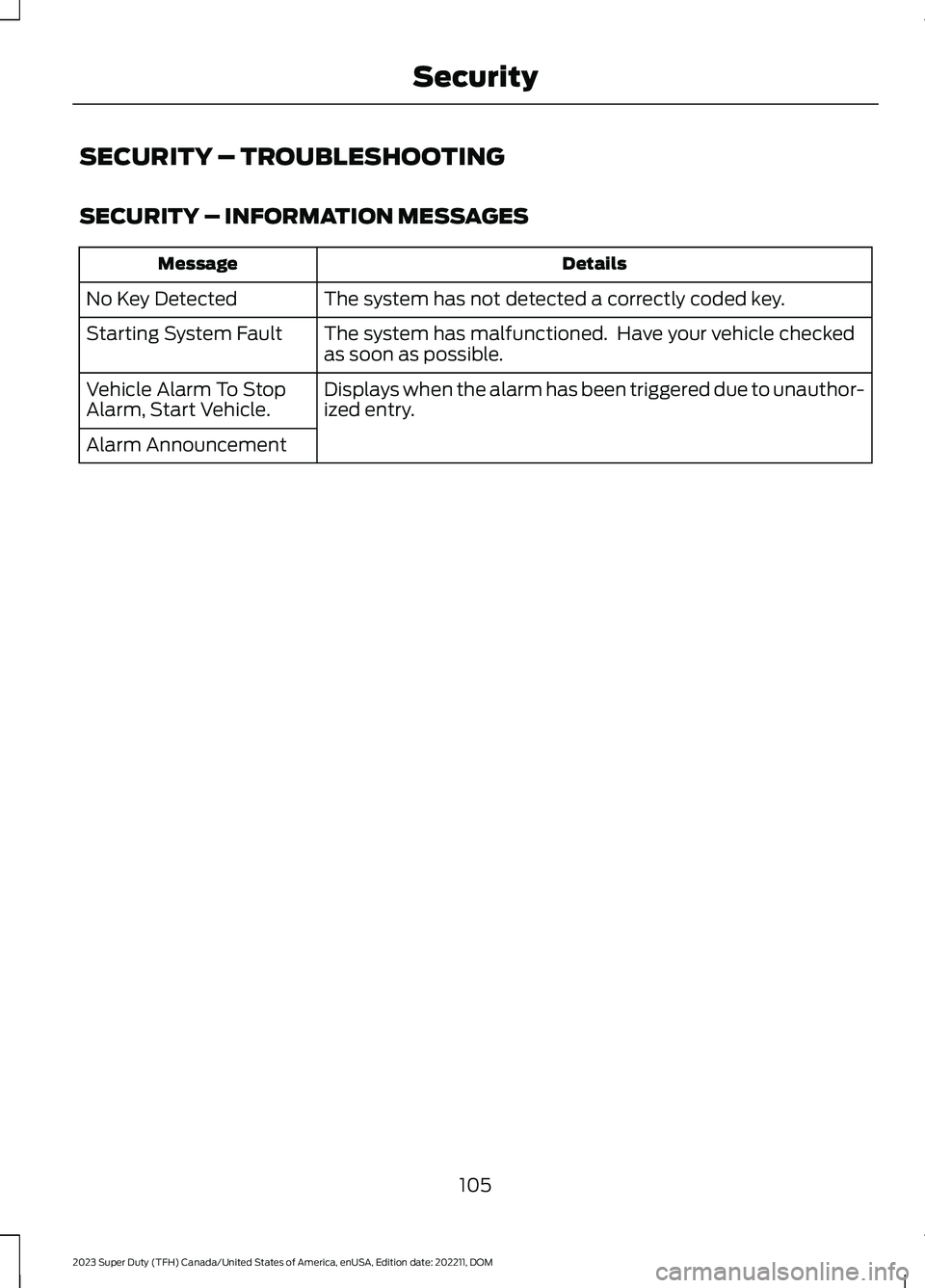
SECURITY – TROUBLESHOOTING
SECURITY – INFORMATION MESSAGES
DetailsMessage
The system has not detected a correctly coded key.No Key Detected
The system has malfunctioned. Have your vehicle checkedas soon as possible.Starting System Fault
Displays when the alarm has been triggered due to unauthor-ized entry.Vehicle Alarm To StopAlarm, Start Vehicle.
Alarm Announcement
105
2023 Super Duty (TFH) Canada/United States of America, enUSA, Edition date: 202211, DOMSecurity
Page 110 of 738
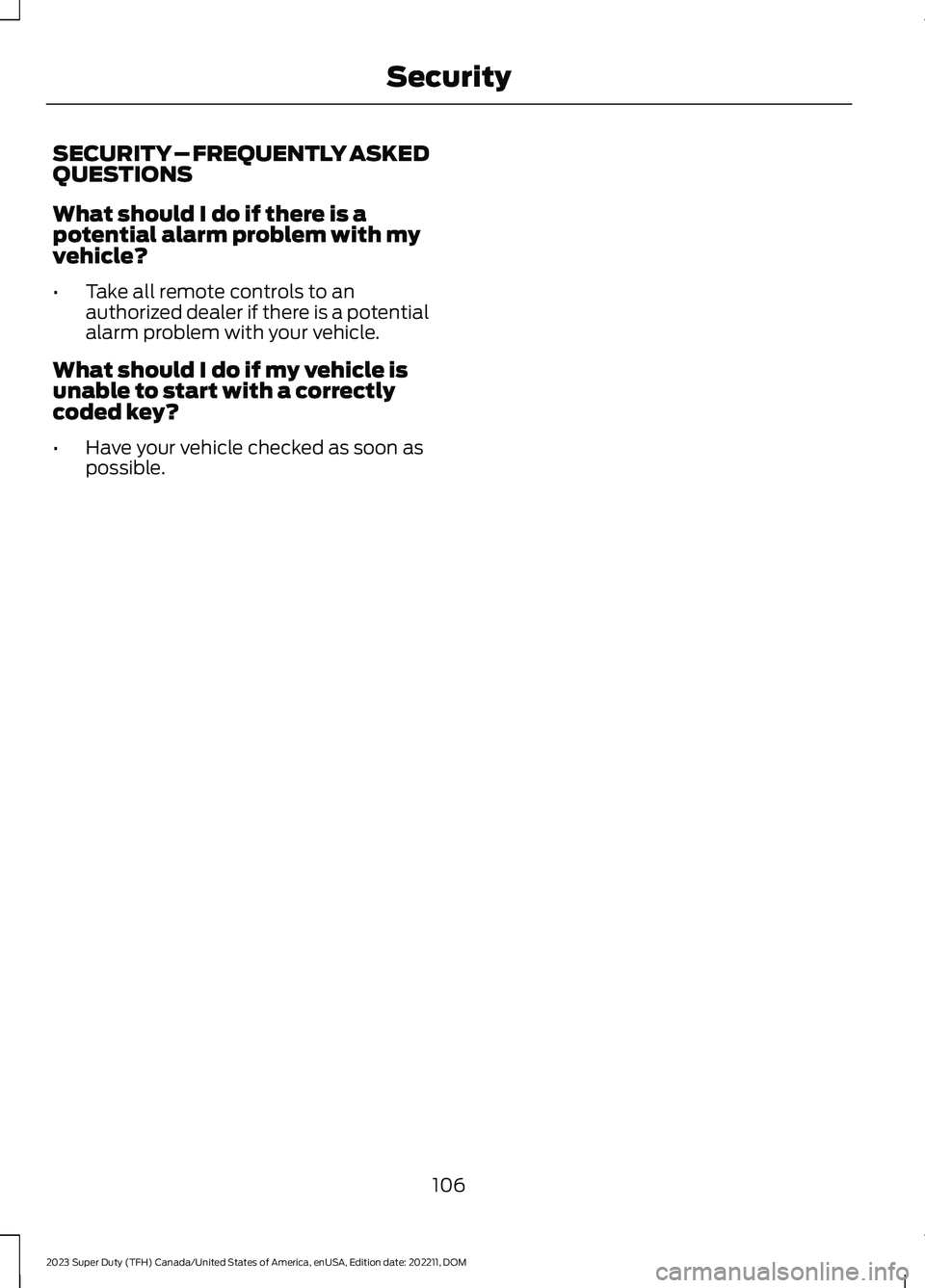
SECURITY – FREQUENTLY ASKEDQUESTIONS
What should I do if there is apotential alarm problem with myvehicle?
•Take all remote controls to anauthorized dealer if there is a potentialalarm problem with your vehicle.
What should I do if my vehicle isunable to start with a correctlycoded key?
•Have your vehicle checked as soon aspossible.
106
2023 Super Duty (TFH) Canada/United States of America, enUSA, Edition date: 202211, DOMSecurity
Page 150 of 738
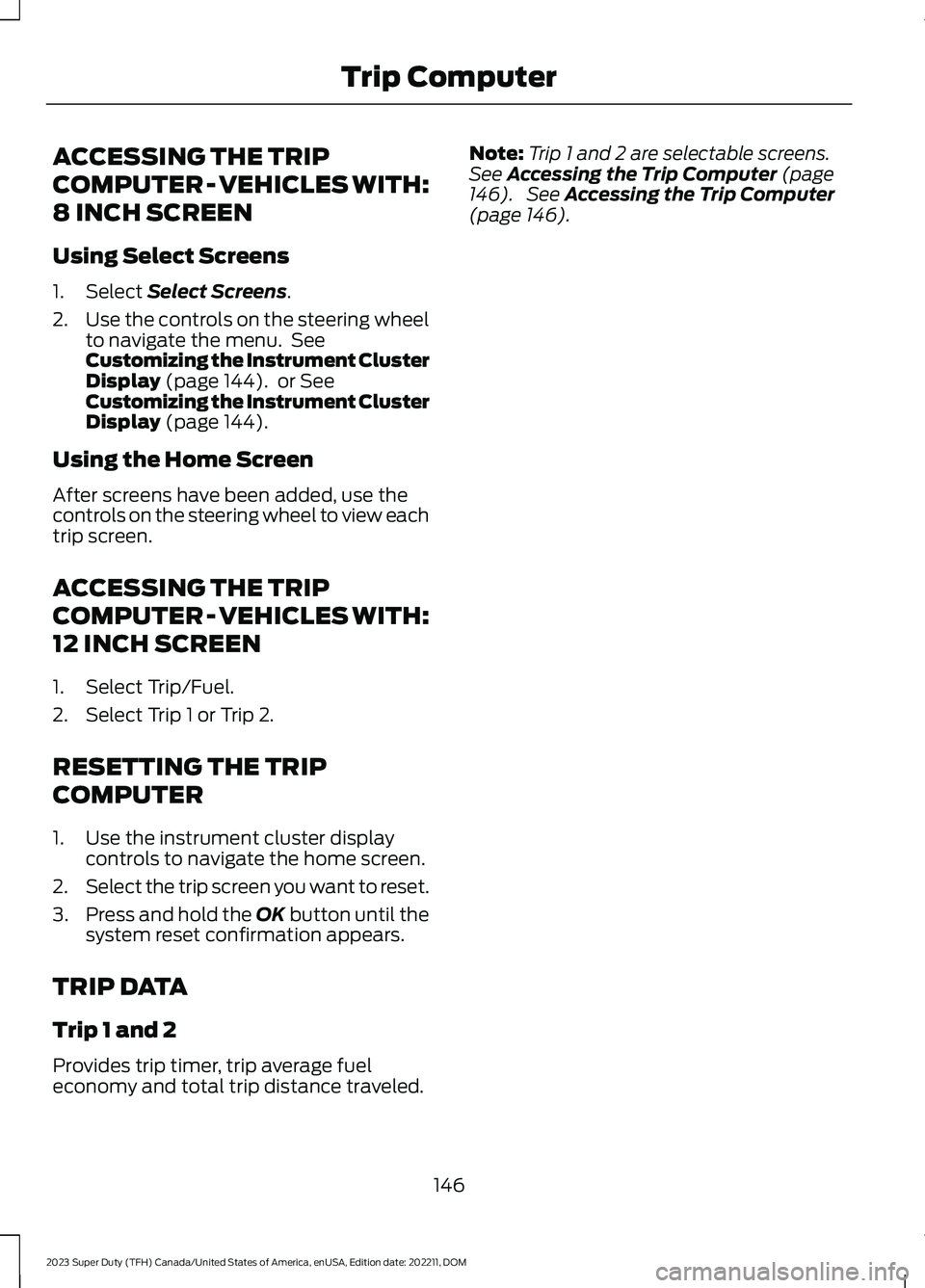
ACCESSING THE TRIP
COMPUTER - VEHICLES WITH:
8 INCH SCREEN
Using Select Screens
1.Select Select Screens.
2.Use the controls on the steering wheelto navigate the menu. SeeCustomizing the Instrument ClusterDisplay (page 144). or SeeCustomizing the Instrument ClusterDisplay (page 144).
Using the Home Screen
After screens have been added, use thecontrols on the steering wheel to view eachtrip screen.
ACCESSING THE TRIP
COMPUTER - VEHICLES WITH:
12 INCH SCREEN
1.Select Trip/Fuel.
2.Select Trip 1 or Trip 2.
RESETTING THE TRIP
COMPUTER
1.Use the instrument cluster displaycontrols to navigate the home screen.
2.Select the trip screen you want to reset.
3.Press and hold the OK button until thesystem reset confirmation appears.
TRIP DATA
Trip 1 and 2
Provides trip timer, trip average fueleconomy and total trip distance traveled.
Note:Trip 1 and 2 are selectable screens.See Accessing the Trip Computer (page146). See Accessing the Trip Computer(page 146).
146
2023 Super Duty (TFH) Canada/United States of America, enUSA, Edition date: 202211, DOMTrip Computer
Page 153 of 738
WHAT IS REMOTE START
The system allows you to remotely startyour vehicle and to adjust the interiortemperature according to the settings thatyou chose.
REMOTE START
PRECAUTIONS
WARNING: Do not start the enginein a closed garage or in other enclosedareas. Exhaust fumes are toxic. Alwaysopen the garage door before you startthe engine. Failure to follow thisinstruction could result in personal injuryor death.
REMOTE START LIMITATIONS
Remote start does not work under thefollowing conditions:
•The alarm horn is sounding.
•The hood is open.
•The transmission is not in park (P).
•The ignition is on.
•The battery voltage is below theminimum operating voltage.
•Remote start is not enabled.
Note:Do not use remote start if the fuellevel is low.
ENABLING REMOTE START
1.Press Settings on the touchscreen.
2.Press Vehicle.
3.Press Remote Start Setup.
4.Switch Remote Start on or off.
Note:To remote start with FordPass, makesure that the modem is enabled. SeeConnecting FordPass to the Modem(page 548).
REMOTELY STARTING AND
STOPPING THE VEHICLE
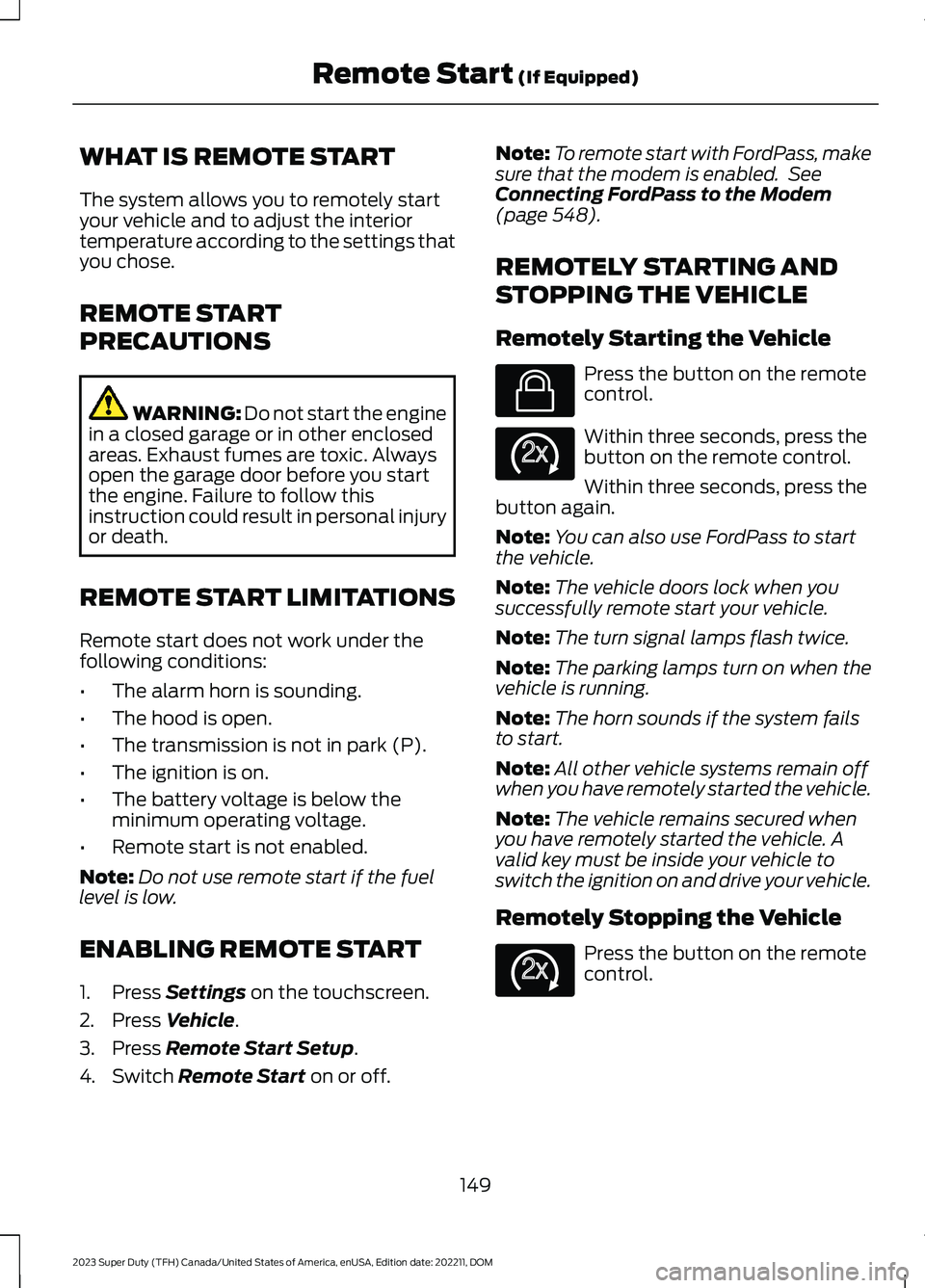
Remotely Starting the Vehicle
Press the button on the remotecontrol.
Within three seconds, press thebutton on the remote control.
Within three seconds, press thebutton again.
Note:You can also use FordPass to startthe vehicle.
Note:The vehicle doors lock when yousuccessfully remote start your vehicle.
Note:The turn signal lamps flash twice.
Note:The parking lamps turn on when thevehicle is running.
Note:The horn sounds if the system failsto start.
Note:All other vehicle systems remain offwhen you have remotely started the vehicle.
Note:The vehicle remains secured whenyou have remotely started the vehicle. Avalid key must be inside your vehicle toswitch the ignition on and drive your vehicle.
Remotely Stopping the Vehicle
Press the button on the remotecontrol.
149
2023 Super Duty (TFH) Canada/United States of America, enUSA, Edition date: 202211, DOMRemote Start (If Equipped)E138623 E138625 E138625
Page 167 of 738
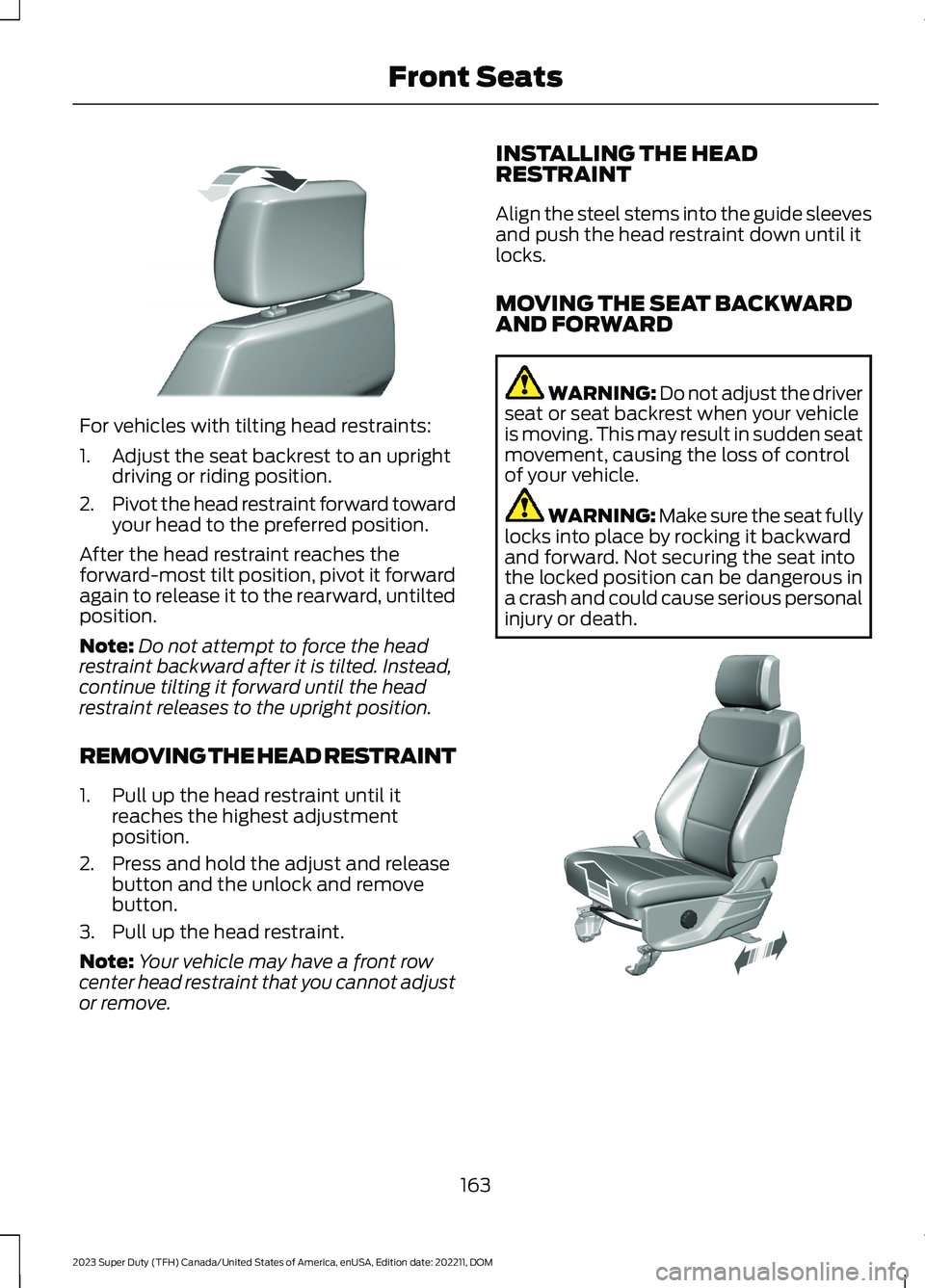
For vehicles with tilting head restraints:
1.Adjust the seat backrest to an uprightdriving or riding position.
2.Pivot the head restraint forward towardyour head to the preferred position.
After the head restraint reaches theforward-most tilt position, pivot it forwardagain to release it to the rearward, untiltedposition.
Note:Do not attempt to force the headrestraint backward after it is tilted. Instead,continue tilting it forward until the headrestraint releases to the upright position.
REMOVING THE HEAD RESTRAINT
1.Pull up the head restraint until itreaches the highest adjustmentposition.
2.Press and hold the adjust and releasebutton and the unlock and removebutton.
3.Pull up the head restraint.
Note:Your vehicle may have a front rowcenter head restraint that you cannot adjustor remove.
INSTALLING THE HEADRESTRAINT
Align the steel stems into the guide sleevesand push the head restraint down until itlocks.
MOVING THE SEAT BACKWARDAND FORWARD
WARNING: Do not adjust the driverseat or seat backrest when your vehicleis moving. This may result in sudden seatmovement, causing the loss of controlof your vehicle.
WARNING: Make sure the seat fullylocks into place by rocking it backwardand forward. Not securing the seat intothe locked position can be dangerous ina crash and could cause serious personalinjury or death.
163
2023 Super Duty (TFH) Canada/United States of America, enUSA, Edition date: 202211, DOMFront SeatsE327919 E308316
Page 183 of 738
GARAGE DOOR OPENER
INTRODUCTION
HomeLink Wireless ControlSystem
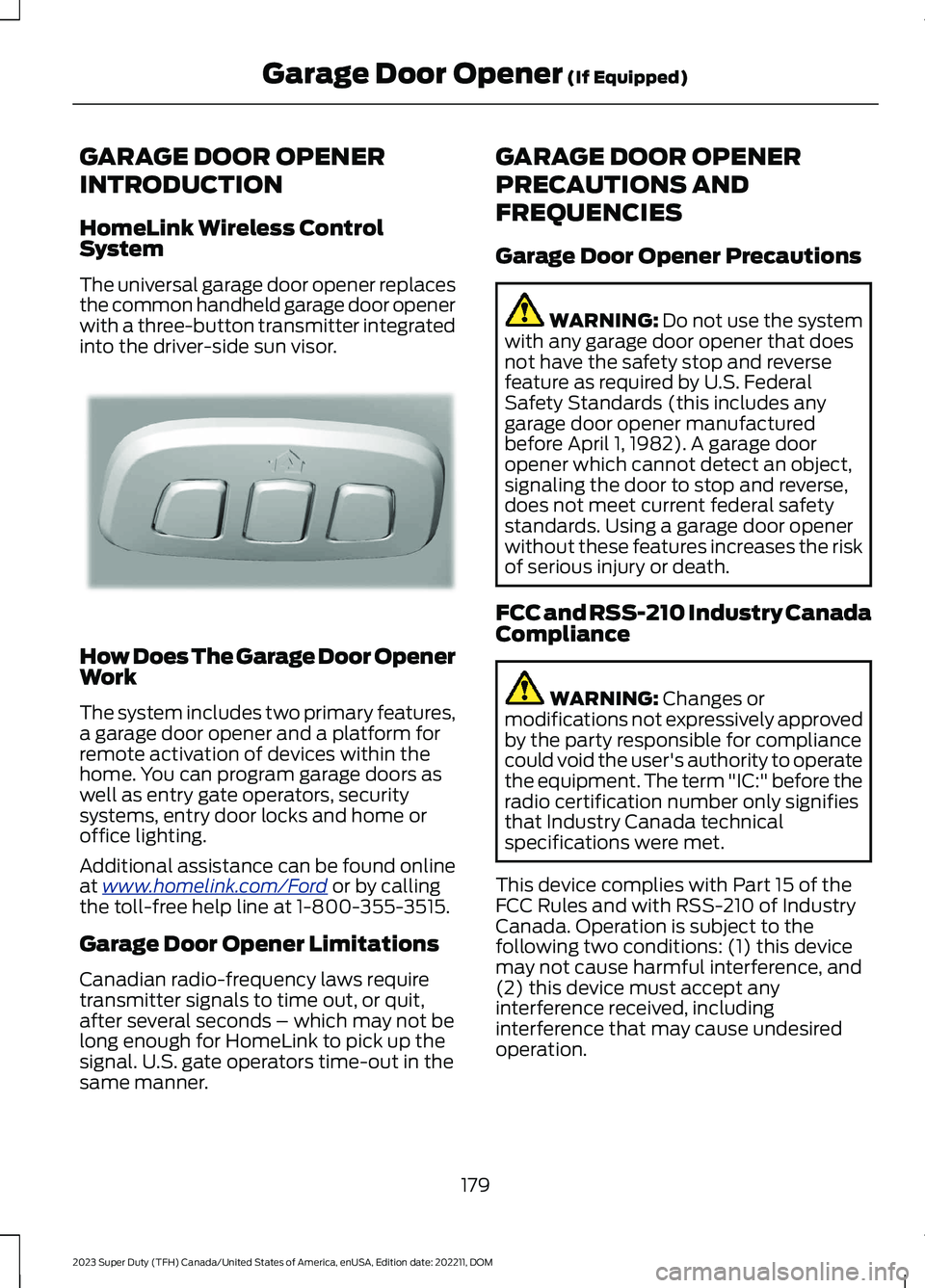
The universal garage door opener replacesthe common handheld garage door openerwith a three-button transmitter integratedinto the driver-side sun visor.
How Does The Garage Door OpenerWork
The system includes two primary features,a garage door opener and a platform forremote activation of devices within thehome. You can program garage doors aswell as entry gate operators, securitysystems, entry door locks and home oroffice lighting.
Additional assistance can be found onlineat www.homelink.com/Ford or by callingthe toll-free help line at 1-800-355-3515.
Garage Door Opener Limitations
Canadian radio-frequency laws requiretransmitter signals to time out, or quit,after several seconds – which may not belong enough for HomeLink to pick up thesignal. U.S. gate operators time-out in thesame manner.
GARAGE DOOR OPENER
PRECAUTIONS AND
FREQUENCIES
Garage Door Opener Precautions
WARNING: Do not use the systemwith any garage door opener that doesnot have the safety stop and reversefeature as required by U.S. FederalSafety Standards (this includes anygarage door opener manufacturedbefore April 1, 1982). A garage dooropener which cannot detect an object,signaling the door to stop and reverse,does not meet current federal safetystandards. Using a garage door openerwithout these features increases the riskof serious injury or death.
FCC and RSS-210 Industry CanadaCompliance
WARNING: Changes ormodifications not expressively approvedby the party responsible for compliancecould void the user's authority to operatethe equipment. The term "IC:" before theradio certification number only signifiesthat Industry Canada technicalspecifications were met.
This device complies with Part 15 of theFCC Rules and with RSS-210 of IndustryCanada. Operation is subject to thefollowing two conditions: (1) this devicemay not cause harmful interference, and(2) this device must accept anyinterference received, includinginterference that may cause undesiredoperation.
179
2023 Super Duty (TFH) Canada/United States of America, enUSA, Edition date: 202211, DOMGarage Door Opener (If Equipped)E188211