2023 FORD SUPER DUTY ESP
[x] Cancel search: ESPPage 506 of 738

When the malfunction indicator isilluminated, the system may not be ableto detect or signal low tire pressure asintended. TPMS malfunctions may occurfor a variety of reasons, including theinstallation of replacement or alternatetires or wheels on the vehicle that preventthe TPMS from functioning properly.Always check the TPMS malfunctiontelltale after replacing one or more tires orwheels on your vehicle to ensure that thereplacement or alternate tires and wheelsallow the TPMS to continue to functionproperly.
WARNING: Changes ormodifications not expressively approvedby the party responsible for compliancecould void the user's authority to operatethe equipment. The term "IC:" before theradio certification number only signifiesthat Industry Canada technicalspecifications were met.
This device complies with Part 15 of theFCC Rules and with License exempt RSSStandards of Industry Canada. Operationis subject to the following two conditions:
1.This device may not cause harmfulinterference, and
2.This device must accept anyinterference received, includinginterference that may cause undesiredoperation.
TIRE PRESSURE MONITORING
SYSTEM PRECAUTIONS
WARNING: The tire pressuremonitoring system is not a substitute formanually checking tire pressures. Youshould periodically check tire pressuresusing a pressure gauge. Failure tocorrectly maintain tire pressures couldincrease the risk of tire failure, loss ofcontrol, vehicle rollover and personalinjury.
WARNING: Do not use the tirepressure displayed in the informationdisplay as a tire pressure gauge. Failureto follow this instruction could result inpersonal injury or death.
Note:The use of tire sealants can damagethe tire pressure monitoring system.
Note:If the tire pressure monitor sensorbecomes damaged it may not function.
TIRE PRESSURE MONITORING
SYSTEM LIMITATIONS
When the outside temperature dropssignificantly, the tire pressure coulddecrease and activate the low tire pressurewarning lamp.
The warning lamp could also illuminatewhen you use a spare wheel, or tire sealantfrom the inflator kit.
Note:Regularly checking the vehicle tirepressures can reduce the possibility for thewarning lamp to illuminate due to outsideair temperature changes.
Note:After you inflate the tires to therecommended pressure it could take up totwo minutes of driving over 20 mph(32 km/h) for the warning indicator to turnoff.
502
2023 Super Duty (TFH) Canada/United States of America, enUSA, Edition date: 202211, DOMTire Pressure Monitoring System (If Equipped)
Page 509 of 738
12.Turn the ignition off. If two short hornbeeps are heard, the reset procedurewas unsuccessful and you mustrepeat it. If after repeating theprocedure and two short beeps areheard when the ignition is turned tooff, contact your authorized dealer assoon as possible.
13.Set all six tires to the recommendedair pressure as indicated on theSafety Compliance CertificationLabel, affixed to either the door hingepillar, door-latch post, or the dooredge that meets the door-latch post,next to the driver seating position ortire label located on the B-pillar orthe edge of the driver door.
Trailer Tire Pressure MonitoringSystem (If Equipped)
Note:Additional equipment may berequired for your vehicle to support trailertire pressure and temperature monitoring.See your authorized dealer for moreinformation.
Note:The trailer tire pressure monitoringsystem is not a substitute for proper tiremaintenance. It is your responsibility tomaintain correct tire pressures at all times.
Note:Replace the screw and valve on thetrailer tire pressure sensor anytime the trailertire is repaired, replaced or in for service. Seeyour authorized dealer for details.
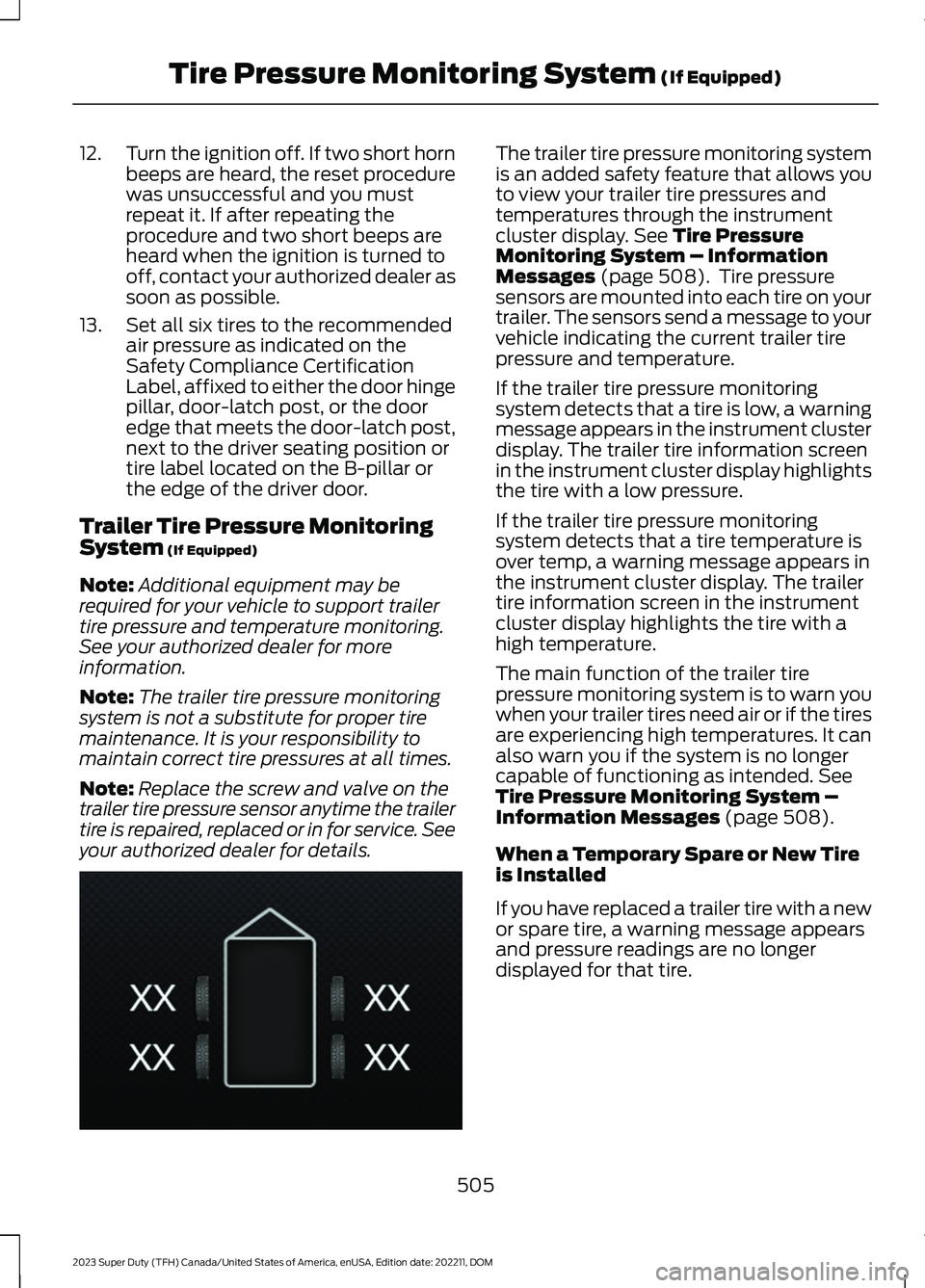
The trailer tire pressure monitoring systemis an added safety feature that allows youto view your trailer tire pressures andtemperatures through the instrumentcluster display. See Tire PressureMonitoring System – InformationMessages (page 508). Tire pressuresensors are mounted into each tire on yourtrailer. The sensors send a message to yourvehicle indicating the current trailer tirepressure and temperature.
If the trailer tire pressure monitoringsystem detects that a tire is low, a warningmessage appears in the instrument clusterdisplay. The trailer tire information screenin the instrument cluster display highlightsthe tire with a low pressure.
If the trailer tire pressure monitoringsystem detects that a tire temperature isover temp, a warning message appears inthe instrument cluster display. The trailertire information screen in the instrumentcluster display highlights the tire with ahigh temperature.
The main function of the trailer tirepressure monitoring system is to warn youwhen your trailer tires need air or if the tiresare experiencing high temperatures. It canalso warn you if the system is no longercapable of functioning as intended. SeeTire Pressure Monitoring System –Information Messages (page 508).
When a Temporary Spare or New Tireis Installed
If you have replaced a trailer tire with a newor spare tire, a warning message appearsand pressure readings are no longerdisplayed for that tire.
505
2023 Super Duty (TFH) Canada/United States of America, enUSA, Edition date: 202211, DOMTire Pressure Monitoring System (If Equipped)E235807
Page 515 of 738
WARNING: Never place anythingbetween the vehicle jack and the ground.
WARNING: Do not attempt tochange a tire on the side of the vehicleclose to moving traffic. Pull far enoughoff the road to not obstruct the flow oftraffic and avoid the danger of being hitwhen operating the jack or changing thewheel.
WARNING: The jack supplied withthis vehicle is only intended for changinga flat tire in an emergency. Do notattempt to do any other work on yourvehicle when it is supported by the jack,as your vehicle could slip off the jack.Failure to follow this instruction couldresult in personal injury or death.
WARNING: Only use the sparewheel carrier to stow wheels providedwith your vehicle.
Note:Do not use impact tools or powertools operating at over 200 RPM on thespare wheel carrier winch, which may causeit to malfunction and result in the wheel andtire not being securely stowed.
Note:Passengers should not remain in thevehicle when the vehicle is being jacked.
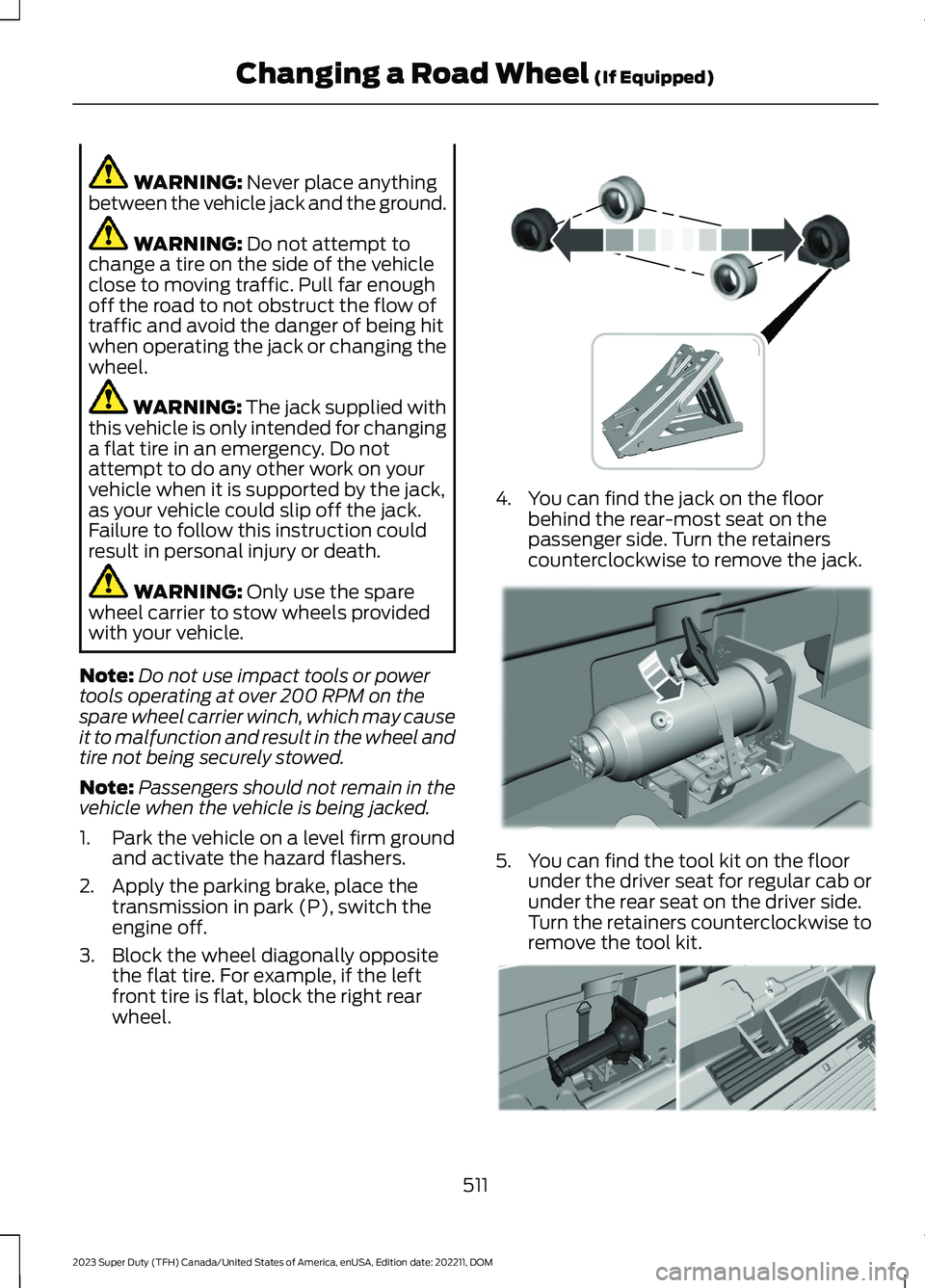
1.Park the vehicle on a level firm groundand activate the hazard flashers.
2.Apply the parking brake, place thetransmission in park (P), switch theengine off.
3.Block the wheel diagonally oppositethe flat tire. For example, if the leftfront tire is flat, block the right rearwheel.
4.You can find the jack on the floorbehind the rear-most seat on thepassenger side. Turn the retainerscounterclockwise to remove the jack.
5.You can find the tool kit on the floorunder the driver seat for regular cab orunder the rear seat on the driver side.Turn the retainers counterclockwise toremove the tool kit.
511
2023 Super Duty (TFH) Canada/United States of America, enUSA, Edition date: 202211, DOMChanging a Road Wheel (If Equipped) E388040 E309424 E309795
Page 516 of 738
6.Use the ignition key to open the lock atthe rear bumper.
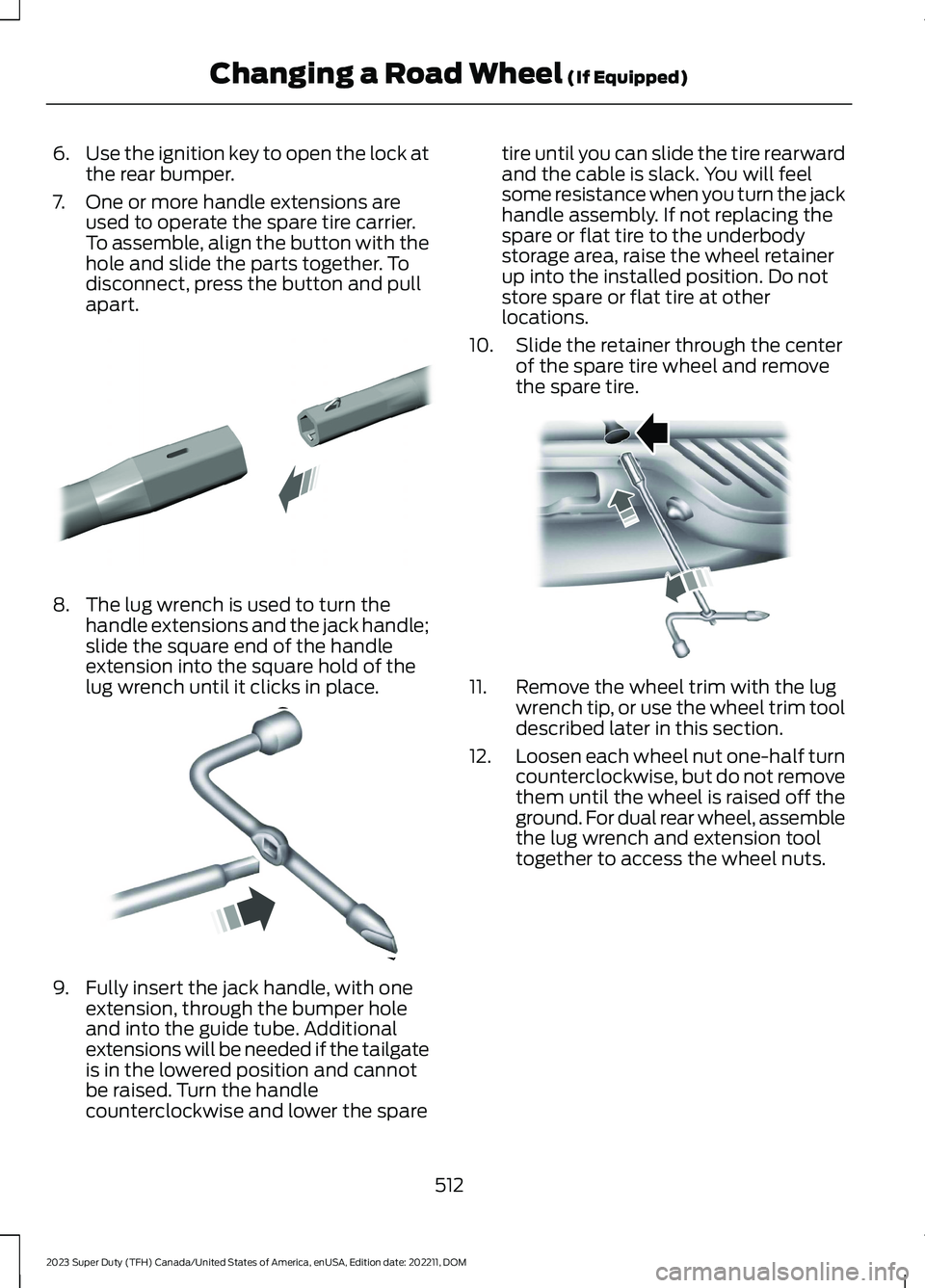
7.One or more handle extensions areused to operate the spare tire carrier.To assemble, align the button with thehole and slide the parts together. Todisconnect, press the button and pullapart.
8.The lug wrench is used to turn thehandle extensions and the jack handle;slide the square end of the handleextension into the square hold of thelug wrench until it clicks in place.
9.Fully insert the jack handle, with oneextension, through the bumper holeand into the guide tube. Additionalextensions will be needed if the tailgateis in the lowered position and cannotbe raised. Turn the handlecounterclockwise and lower the spare
tire until you can slide the tire rearwardand the cable is slack. You will feelsome resistance when you turn the jackhandle assembly. If not replacing thespare or flat tire to the underbodystorage area, raise the wheel retainerup into the installed position. Do notstore spare or flat tire at otherlocations.
10.Slide the retainer through the centerof the spare tire wheel and removethe spare tire.
11.Remove the wheel trim with the lugwrench tip, or use the wheel trim tooldescribed later in this section.
12.Loosen each wheel nut one-half turncounterclockwise, but do not removethem until the wheel is raised off theground. For dual rear wheel, assemblethe lug wrench and extension tooltogether to access the wheel nuts.
512
2023 Super Duty (TFH) Canada/United States of America, enUSA, Edition date: 202211, DOMChanging a Road Wheel (If Equipped)E308882 E162796 E310417
Page 523 of 738
3.Reinsert the lug wrench extension(s)through the rear bumper and guidetube and turn the lug wrench clockwiseuntil the tire is raised to its stowedposition underneath the vehicle. Thewrench will become harder to turn andthe spare tire winch will ratchet or slipwhen the tire is raised to maximumtightness. You will hear a clicking soundfrom the winch indicating that the tireis properly stowed, tighten until aminimum of three clicks are heard.Check that the tire lies flat against theframe and is secure.
4.Carefully place all tools back in the toolkit bag.
5.Reinstall the tool kit bag and tightenthe wing nut.
6.Properly reinstall the jack into thebracket and tighten the wing nut.
WHEEL NUTS
WARNING: When you install awheel, always remove any corrosion, dirtor foreign materials present on themounting surfaces of the wheel or thesurface of the wheel hub, brake drum orbrake disc that contacts the wheel. Makesure to secure any fasteners that attachthe rotor to the hub so they do notinterfere with the mounting surfaces ofthe wheel. Installing wheels withoutcorrect metal-to-metal contact at thewheel mounting surfaces can cause thewheel nuts to loosen and the wheel tocome off while your vehicle is in motion,resulting in loss of vehicle control,personal injury or death.
lb.ft (Nm)1Bolt Size
150 lb.ft (204 Nm)M14 x 1.5
1 Torque specifications are for nut and boltthreads free of dirt and rust. Use only ourrecommended replacement wheel nutsand or wheel bolts.
Retighten the wheel nuts to the specifiedtorque within 100 mi (160 km) after anywheel disturbance, such as tire rotation,changing a flat tire or wheel removal.
On vehicles equipped with dual rearwheels, retighten the wheel lug nuts to thespecified torque at 100 mi (160 km), andagain at 500 mi (800 km) of new vehicleoperation and after any wheel disturbance,such as tire rotation, changing a flat tire,or wheel removal.
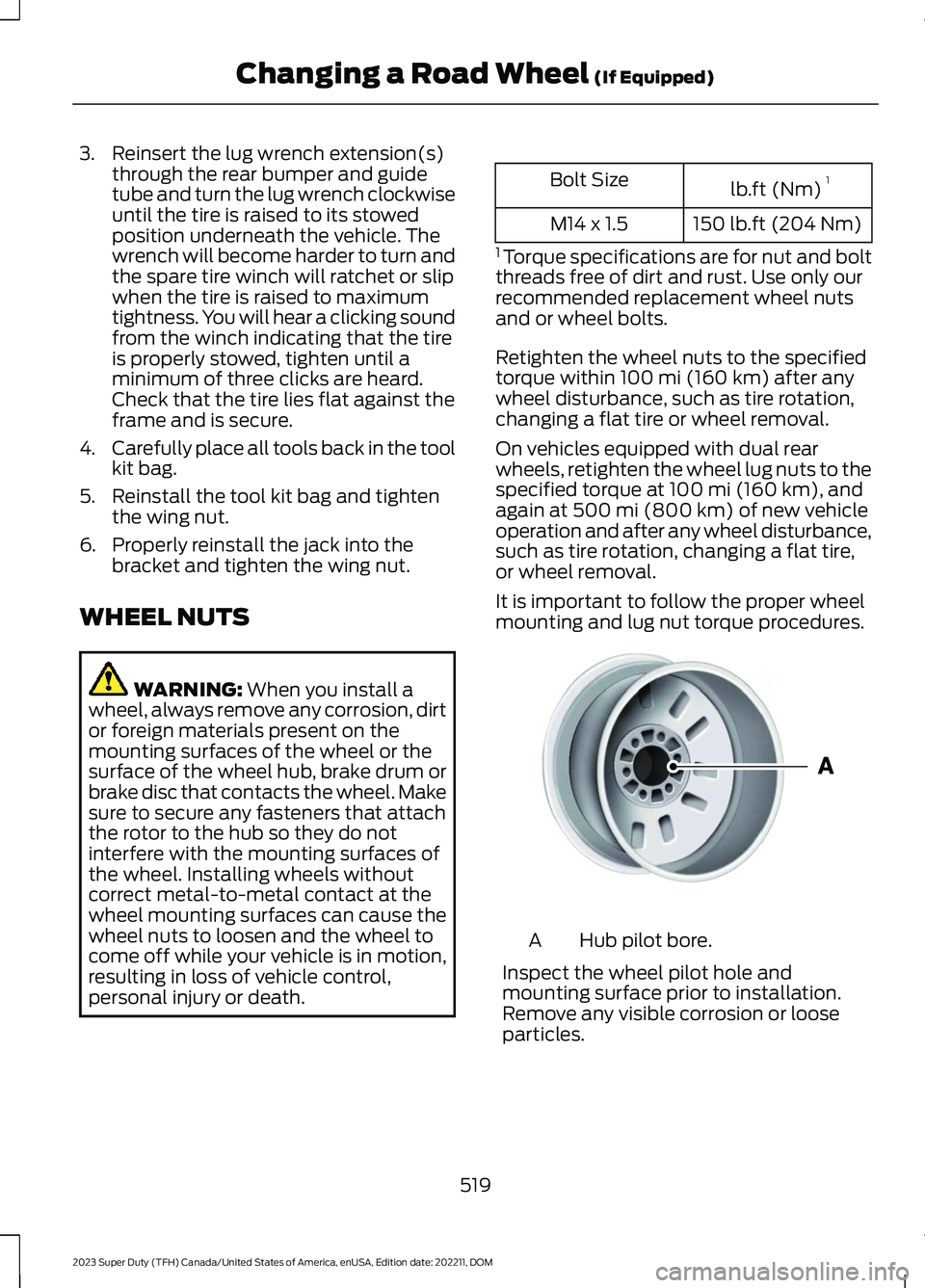
It is important to follow the proper wheelmounting and lug nut torque procedures.
Hub pilot bore.A
Inspect the wheel pilot hole andmounting surface prior to installation.Remove any visible corrosion or looseparticles.
519
2023 Super Duty (TFH) Canada/United States of America, enUSA, Edition date: 202211, DOMChanging a Road Wheel (If Equipped)E145950
Page 557 of 738
AUDIO SYSTEM
PRECAUTIONS
WARNING: Driving while distractedcan result in loss of vehicle control, crashand injury. We strongly recommend thatyou use extreme caution when using anydevice that may take your focus off theroad. Your primary responsibility is thesafe operation of your vehicle. Werecommend against the use of anyhand-held device while driving andencourage the use of voice-operatedsystems when possible. Make sure youare aware of all applicable local lawsthat may affect the use of electronicdevices while driving.
Listening to loud audio for long periods oftime could damage your hearing.
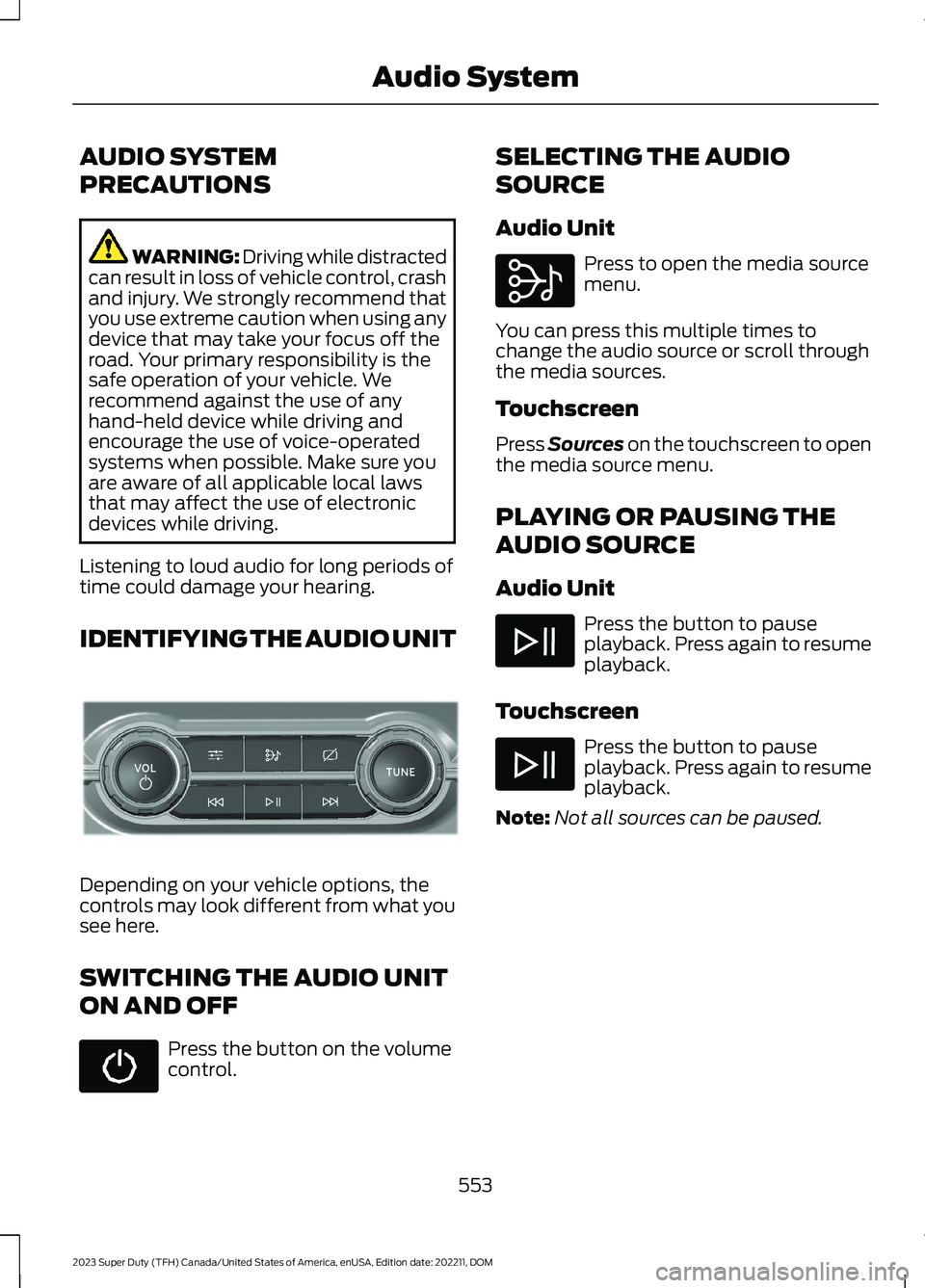
IDENTIFYING THE AUDIO UNIT
Depending on your vehicle options, thecontrols may look different from what yousee here.
SWITCHING THE AUDIO UNIT
ON AND OFF
Press the button on the volumecontrol.
SELECTING THE AUDIO
SOURCE
Audio Unit
Press to open the media sourcemenu.
You can press this multiple times tochange the audio source or scroll throughthe media sources.
Touchscreen
Press Sources on the touchscreen to openthe media source menu.
PLAYING OR PAUSING THE
AUDIO SOURCE
Audio Unit
Press the button to pauseplayback. Press again to resumeplayback.
Touchscreen
Press the button to pauseplayback. Press again to resumeplayback.
Note:Not all sources can be paused.
553
2023 Super Duty (TFH) Canada/United States of America, enUSA, Edition date: 202211, DOMAudio SystemE308144 E308143
Page 560 of 738
Using the Station List
1.Press Browse.
Note:Available on FM radio only.
2.Press a station.
SWITCHING THE DISPLAY ON
AND OFF
Audio Unit
Press the button.
Touchscreen
To switch the display off:
1.Press Settings on the touchscreen.
2.Press Display Settings.
3.Press Display Off.
Note:The display defaults to on each timeyou switch your vehicle on.
To switch the display on, press anywhereon the touchscreen.
DIGITAL RADIO
WHAT IS DIGITAL RADIO
HD Radio™ technology is the digitalevolution of analog AM/FM radio.
For additional information, visitwww.HDRadio.com.
HD Radio Technology is manufacturedunder license from iBiquity DigitalCorporation and foreign patents. HD Radioand the HD and HD Radio logos areproprietary trademarks of XPERI. Thevehicle manufacturer and XPERI are notresponsible for the content sent using HDRadio technology. Content may bechanged, added or deleted at any time atthe station owner's discretion.
HOW DOES DIGITAL RADIO WORK
Your system has a special receiver thatallows it to receive digital broadcasts inaddition to analog broadcasts.
HD1 signifies the main programming statusand is available in both analog and digitalbroadcasts. Other multicast stations areonly available digitally and could containnew or different content.
Note:When the system first receives anHD1 station, it plays the station in the analogversion until it verifies the station is an HDRadio station. Then it shifts to the digitalversion.
Note:There is an audio mute delay whenswitching to an HD2 or HD3 station becausethe system has to reacquire and decode thedigital signal.
DIGITAL RADIO LIMITATIONS
If you are outside the reception area, thesystem could not work.
If you are on the fringe of the receptionarea, the station could mute due to weaksignal strength.
Note:If you are listening to HD1, the systemchanges back to the analog broadcast untilthe digital broadcast is available again. Ifyou are listening to any other multicastchannels, the station mutes and staysmuted unless it is able to connect to thedigital signal again.
556
2023 Super Duty (TFH) Canada/United States of America, enUSA, Edition date: 202211, DOMAudio SystemE272035
Page 567 of 738
CENTER DISPLAY
PRECAUTIONS
WARNING: Driving while distractedcan result in loss of vehicle control, crashand injury. We strongly recommend thatyou use extreme caution when using anydevice that may take your focus off theroad. Your primary responsibility is thesafe operation of your vehicle. Werecommend against the use of anyhand-held device while driving andencourage the use of voice-operatedsystems when possible. Make sure youare aware of all applicable local lawsthat may affect the use of electronicdevices while driving.
CENTER DISPLAY
LIMITATIONS
Speed-restricted Features
For your safety, features that are notcritical while driving are not available whenthe vehicle is moving at or above 5 mph(8 km/h).
STATUS BAR
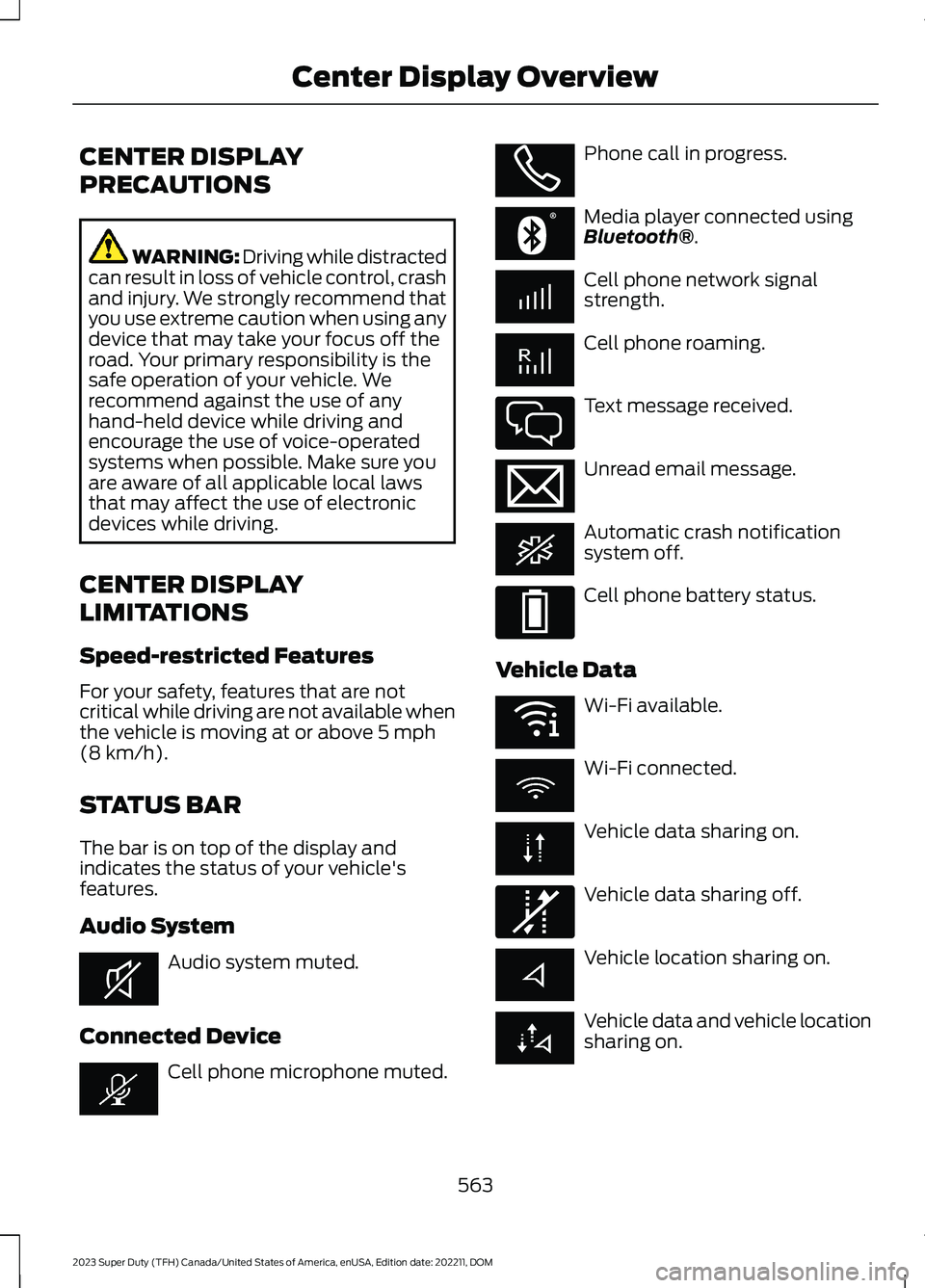
The bar is on top of the display andindicates the status of your vehicle'sfeatures.
Audio System
Audio system muted.
Connected Device
Cell phone microphone muted.
Phone call in progress.
Media player connected usingBluetooth®.
Cell phone network signalstrength.
Cell phone roaming.
Text message received.
Unread email message.
Automatic crash notificationsystem off.
Cell phone battery status.
Vehicle Data
Wi-Fi available.
Wi-Fi connected.
Vehicle data sharing on.
Vehicle data sharing off.
Vehicle location sharing on.
Vehicle data and vehicle locationsharing on.
563
2023 Super Duty (TFH) Canada/United States of America, enUSA, Edition date: 202211, DOMCenter Display OverviewE353221 E353213 E353208 E335295 E353216 E335293 E353219 E335292