2023 FORD F150 warning light
[x] Cancel search: warning lightPage 197 of 786
FRONT SEAT PRECAUTIONS
WARNING: Sitting improperly, outof position or with the seatback reclinedtoo far can take weight off the seatcushion and affect the decision of thepassenger sensing system, resulting inserious injury or death in the event of acrash. Always sit upright against yourseat back, with your feet on the floor.
WARNING: Do not recline the seatbackrest too far as this can cause theoccupant to slide under the seatbelt,resulting in personal injury in the eventof a crash.
WARNING: Do not place objectshigher than the top of the seat backrest.Failure to follow this instruction couldresult in personal injury or death in theevent of a sudden stop or crash.
WARNING: Do not adjust the driverseat or seat backrest when your vehicleis moving. This may result in sudden seatmovement, causing the loss of controlof your vehicle.
SITTING IN THE CORRECT
POSITION
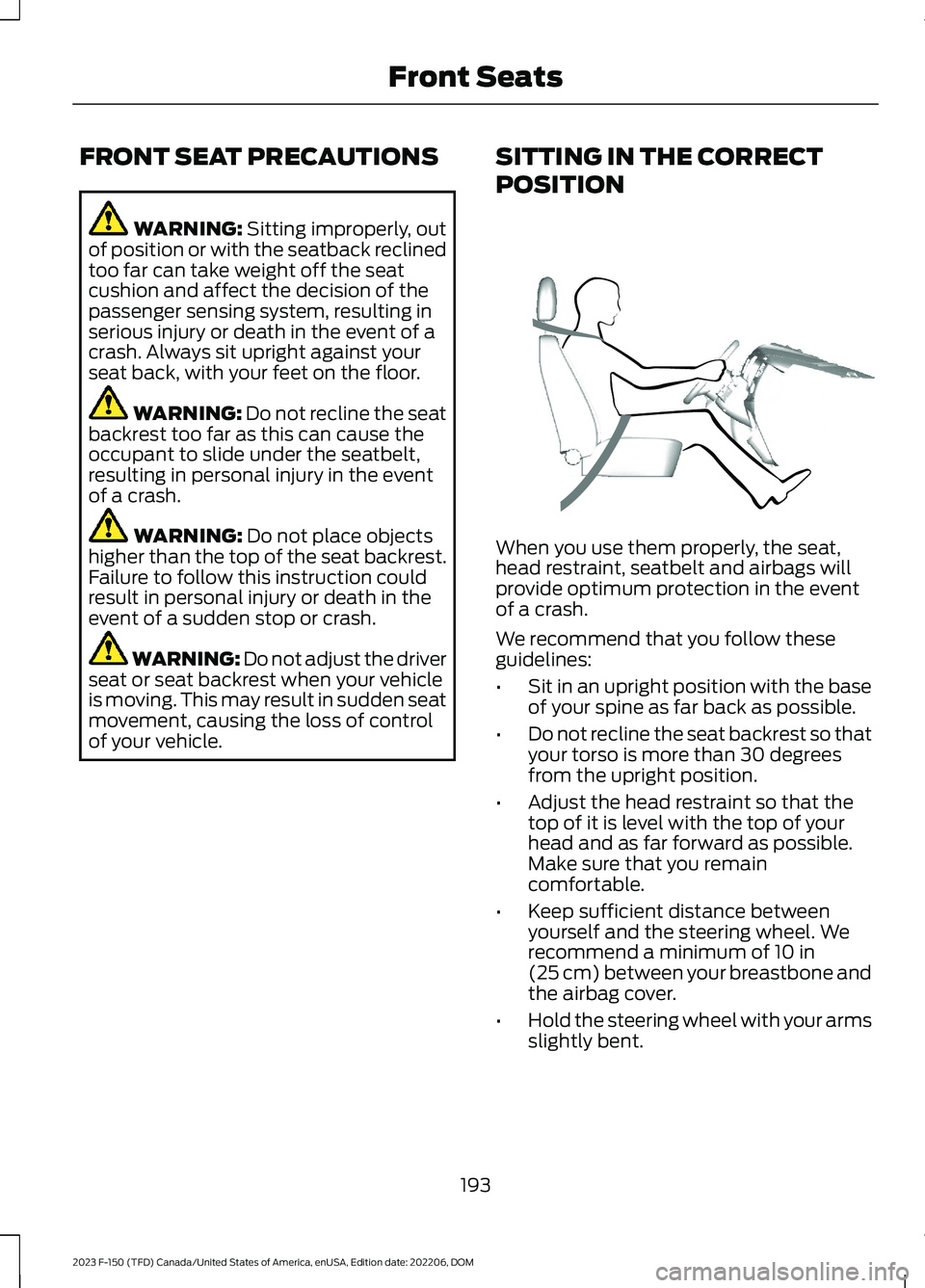
When you use them properly, the seat,head restraint, seatbelt and airbags willprovide optimum protection in the eventof a crash.
We recommend that you follow theseguidelines:
•Sit in an upright position with the baseof your spine as far back as possible.
•Do not recline the seat backrest so thatyour torso is more than 30 degreesfrom the upright position.
•Adjust the head restraint so that thetop of it is level with the top of yourhead and as far forward as possible.Make sure that you remaincomfortable.
•Keep sufficient distance betweenyourself and the steering wheel. Werecommend a minimum of 10 in(25 cm) between your breastbone andthe airbag cover.
•Hold the steering wheel with your armsslightly bent.
193
2023 F-150 (TFD) Canada/United States of America, enUSA, Edition date: 202206, DOMFront SeatsE68595
Page 198 of 786
•Bend your legs slightly so that you canpress the pedals fully.
•Position the shoulder strap of theseatbelt over the center of yourshoulder and position the lap straptightly across your hips.
Make sure that your driving position iscomfortable and that you can maintain fullcontrol of your vehicle.
MANUAL SEATS
HEAD RESTRAINT COMPONENTS
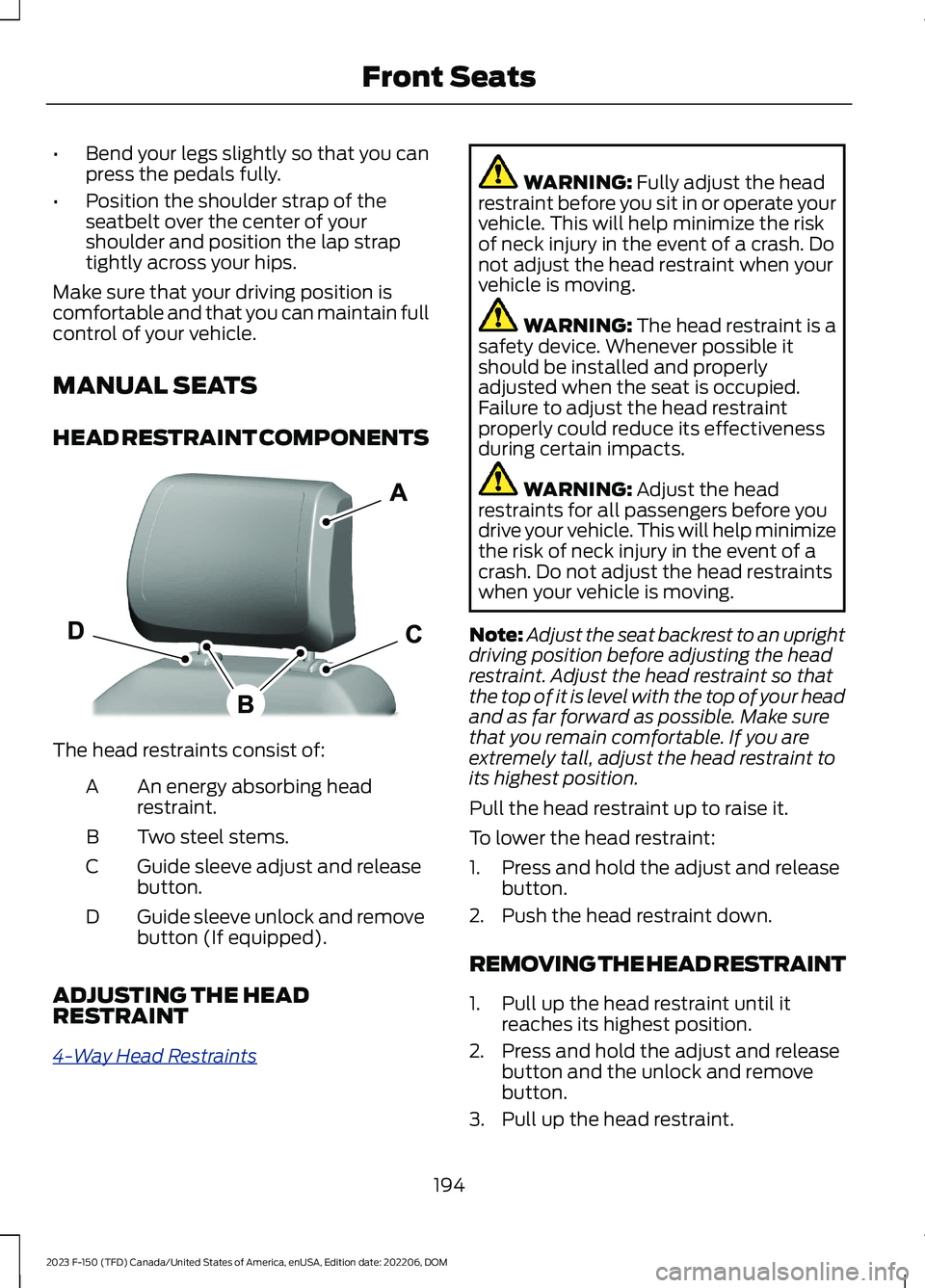
The head restraints consist of:
An energy absorbing headrestraint.A
Two steel stems.B
Guide sleeve adjust and releasebutton.C
Guide sleeve unlock and removebutton (If equipped).D
ADJUSTING THE HEADRESTRAINT
4-Way Head Restraints
WARNING: Fully adjust the headrestraint before you sit in or operate yourvehicle. This will help minimize the riskof neck injury in the event of a crash. Donot adjust the head restraint when yourvehicle is moving.
WARNING: The head restraint is asafety device. Whenever possible itshould be installed and properlyadjusted when the seat is occupied.Failure to adjust the head restraintproperly could reduce its effectivenessduring certain impacts.
WARNING: Adjust the headrestraints for all passengers before youdrive your vehicle. This will help minimizethe risk of neck injury in the event of acrash. Do not adjust the head restraintswhen your vehicle is moving.
Note:Adjust the seat backrest to an uprightdriving position before adjusting the headrestraint. Adjust the head restraint so thatthe top of it is level with the top of your headand as far forward as possible. Make surethat you remain comfortable. If you areextremely tall, adjust the head restraint toits highest position.
Pull the head restraint up to raise it.
To lower the head restraint:
1.Press and hold the adjust and releasebutton.
2.Push the head restraint down.
REMOVING THE HEAD RESTRAINT
1.Pull up the head restraint until itreaches its highest position.
2.Press and hold the adjust and releasebutton and the unlock and removebutton.
3.Pull up the head restraint.
194
2023 F-150 (TFD) Canada/United States of America, enUSA, Edition date: 202206, DOMFront SeatsE327921
Page 208 of 786
WARNING: Do not poke sharpobjects into the seat cushion or seatbackrest. This could damage the heatedseat element and cause it to overheat.Failure to follow this instruction couldresult in personal injury.
WARNING: Do not place anythingon the seat that blocks the heat, forexample a seat cover or a cushion. Thiscould cause the seat to overheat. Failureto follow this instruction could result inpersonal injury.
Do not:
•Place heavy objects on the seat.
•Operate the heated seat if water or anyother liquid spills on the seat. Allow theseat to dry.
SWITCHING THE HEATED SEATSON AND OFF
The vehicle must be running to use thisfeature.
The rear seat heat controls are on the rearof the center console.
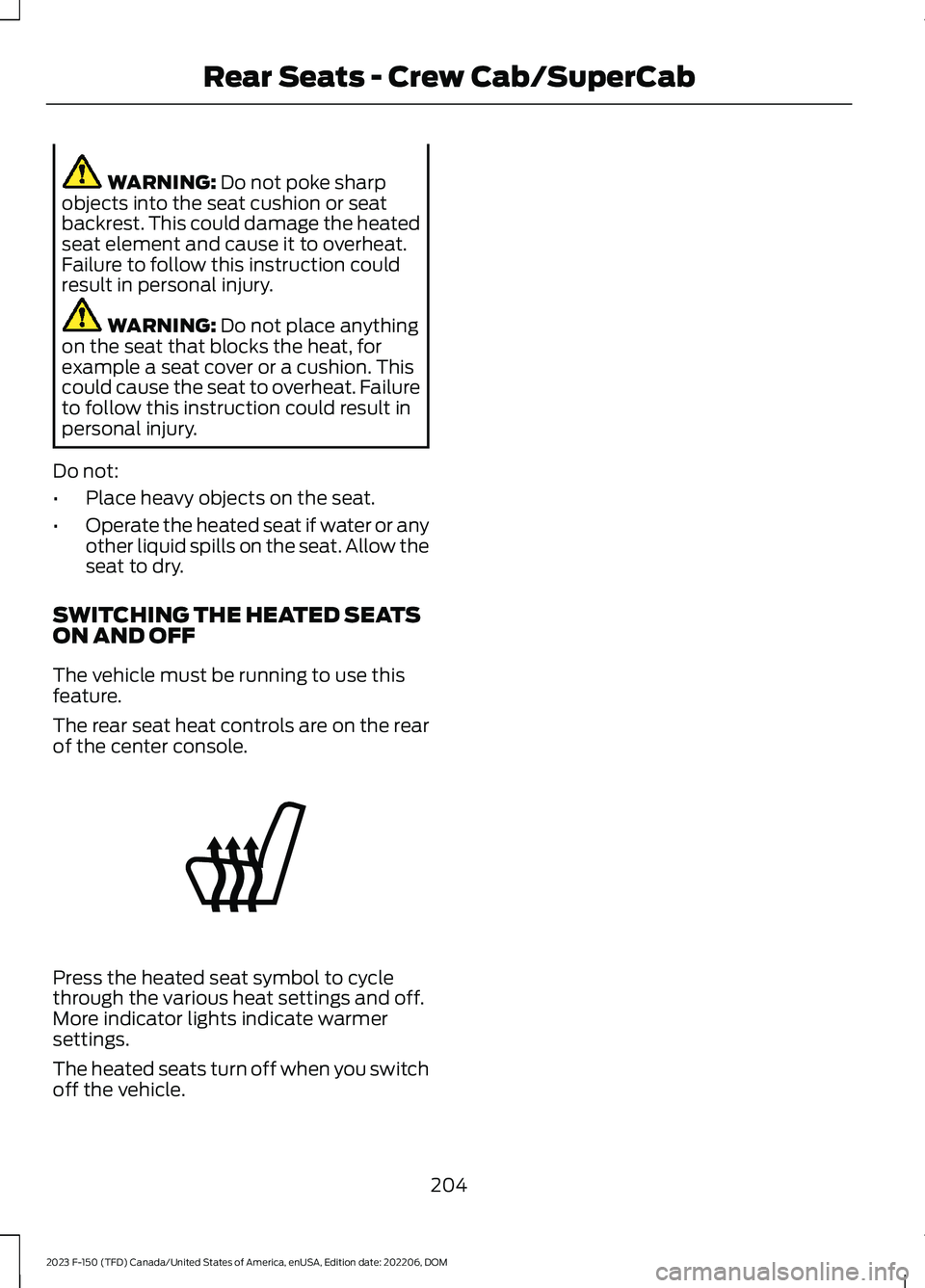
Press the heated seat symbol to cyclethrough the various heat settings and off.More indicator lights indicate warmersettings.
The heated seats turn off when you switchoff the vehicle.
204
2023 F-150 (TFD) Canada/United States of America, enUSA, Edition date: 202206, DOMRear Seats - Crew Cab/SuperCabE146322
Page 212 of 786

GARAGE DOOR OPENER
INTRODUCTION
HomeLink Wireless ControlSystem
The universal garage door opener replacesthe common handheld garage door openerwith a three-button transmitter integratedinto the driver-side sun visor.
How Does The Garage Door OpenerWork
The system includes two primary features,a garage door opener and a platform forremote activation of devices within thehome. You can program garage doors aswell as entry gate operators, securitysystems, entry door locks and home oroffice lighting.
Additional assistance can be found onlineat www.homelink.com/Ford or by callingthe toll-free help line at 1-800-355-3515.
Garage Door Opener Limitations
Canadian radio-frequency laws requiretransmitter signals to time out, or quit,after several seconds – which may not belong enough for HomeLink to pick up thesignal. U.S. gate operators time-out in thesame manner.
GARAGE DOOR OPENER
PRECAUTIONS AND
FREQUENCIES
Garage Door Opener Precautions
WARNING: Do not use the systemwith any garage door opener that doesnot have the safety stop and reversefeature as required by U.S. FederalSafety Standards (this includes anygarage door opener manufacturedbefore April 1, 1982). A garage dooropener which cannot detect an object,signaling the door to stop and reverse,does not meet current federal safetystandards. Using a garage door openerwithout these features increases the riskof serious injury or death.
FCC and RSS-210 Industry CanadaCompliance
WARNING: Changes ormodifications not expressively approvedby the party responsible for compliancecould void the user's authority to operatethe equipment. The term "IC:" before theradio certification number only signifiesthat Industry Canada technicalspecifications were met.
This device complies with Part 15 of theFCC Rules and with RSS-210 of IndustryCanada. Operation is subject to thefollowing two conditions: (1) this devicemay not cause harmful interference, and(2) this device must accept anyinterference received, includinginterference that may cause undesiredoperation.
208
2023 F-150 (TFD) Canada/United States of America, enUSA, Edition date: 202206, DOMGarage Door Opener (If Equipped)E188211
Page 220 of 786

WHAT IS THE POWER OUTLET
The power outlet can power devices usinga 12 V outlet adapter.
POWER OUTLET
PRECAUTIONS
WARNING: Do not plug optionalelectrical accessories into the cigarlighter socket. Incorrect use of the cigarlighter can cause damage not coveredby the vehicle warranty, and can resultin fire or serious injury.
When you switch the vehicle on, you canuse the socket to power 12 V applianceswith a maximum current rating of 20 A. Donot use the power point over the vehiclecapacity of 12 V DC 240 W or a fuse couldblow. Do not plug in any device thatsupplies power to the vehicle through thepower points. This could result in damageto vehicle systems. Do not hang anyaccessory from the accessory plug. Alwayskeep the power point caps closed whennot in use. Do not insert objects other thanan accessory plug into the power point.
To prevent the battery from running out ofcharge:
•Do not use the power point longer thannecessary when the vehicle is off.
•Do not leave devices plugged inovernight or when you park your vehiclefor extended periods.
LOCATING THE POWER
OUTLETS
Power outlets are in the followinglocations:
•On the instrument panel.
•Inside the center console.
•On the rear of the center console.
216
2023 F-150 (TFD) Canada/United States of America, enUSA, Edition date: 202206, DOMPower Outlet - Vehicles With: 12V Power Outlet
Page 252 of 786

WHAT IS AUTO-START-STOP
Auto Start-Stop
The system is designed to help reduce fuelconsumption and CO2 emissions bystopping the engine when it is idling, forexample at traffic lights.
AUTO-START-STOP
PRECAUTIONS
WARNING: Apply the parkingbrake, shift into park (P), switch theignition off and remove the key beforeyou leave your vehicle. Failure to followthis instruction could result in personalinjury or death.
WARNING: Apply the parkingbrake, shift into park (P), switch theignition off and remove the key beforeyou open the hood or have any serviceor repair work completed. If you do notswitch the ignition off, the engine couldrestart at any time. Failure to follow thisinstruction could result in personal injuryor death.
SWITCHING AUTO-START-
STOP ON AND OFF
The system turns on when you switch theignition on.
Press the button to switch thesystem off.
Note:OFF illuminates in the switch.
Note:Deactivating the system using thebutton lasts only one key cycle.
Press the button again to switch thesystem back on.
Note: The system turns off if it detects amalfunction. If the system malfunctions,have your vehicle checked as soon aspossible.
STOPPING THE ENGINE
Stop your vehicle, keep your foot on thebrake pedal and the transmission in drive(D).
RESTARTING THE ENGINE
Release the brake pedal or press theaccelerator pedal.
A message appears in the instrumentcluster display if the system requires youto take action.
AUTO-START-STOP
INDICATORS
WARNING: The system mayrequire the engine to automaticallyrestart when the auto-start-stopindicator illuminates green or flashesamber. Failure to follow this instructioncould result in personal injury.
The Auto-Start-Stop indicatorilluminates green when theengine stops. It flashes amberand a message appears when you need totake action.
The Auto-Start-Stop indicatorilluminates gray with astrikethrough when the systemis not available.
Note:You can display the reason why thesystem is not available in the informationdisplay.
248
2023 F-150 (TFD) Canada/United States of America, enUSA, Edition date: 202206, DOMAuto-Start-Stop (If Equipped)E121377 E121377 E146361
Page 265 of 786

FUEL AND REFUELING – INFORMATION MESSAGES - HYBRID ELECTRICVEHICLE (HEV)
ActionMessage
An early reminder of a low fuel condition.Fuel Level Low
The fuel fill inlet may not be properly closed.Check Fuel Fill Inlet
The information message appears while the fuel system isdepressurizing with the fuel filler door closed. Wait for the fuelsystem to depressurize and for the fuel filler door to unlatch.
Please wait for fuel doorto open
The information message appears when the fuel system hasdepressurized and opened the fuel filler door. Fully open thefuel filler door to refuel and fully close the fuel filler door whenrefueling is complete.
Fuel Door Open
Your vehicle is equipped with a sealed fuel system thatrequires the fuel filler door to be fully closed after refueling.This warning message appears when the fuel filler door is ajar.Please fully close the fuel filler door to avoid a "Check Engine"Light.
Fuel door ajar Close fullyto avoid Check enginelight
If you see this message and a "Check Engine" lamp illumin-ates, please fully close the fuel filler door. The "Check Engine"Light should clear within five seconds. If the "Check Engine"light persists, please see your dealer.
The information message appears when the fuel system failsto depressurize, or the fuel filler door fails to open. You couldhave to use the fuel filler door manual override lever whenopening the fuel door.
Refuel Error See Manual
261
2023 F-150 (TFD) Canada/United States of America, enUSA, Edition date: 202206, DOMFuel and Refueling
Page 281 of 786
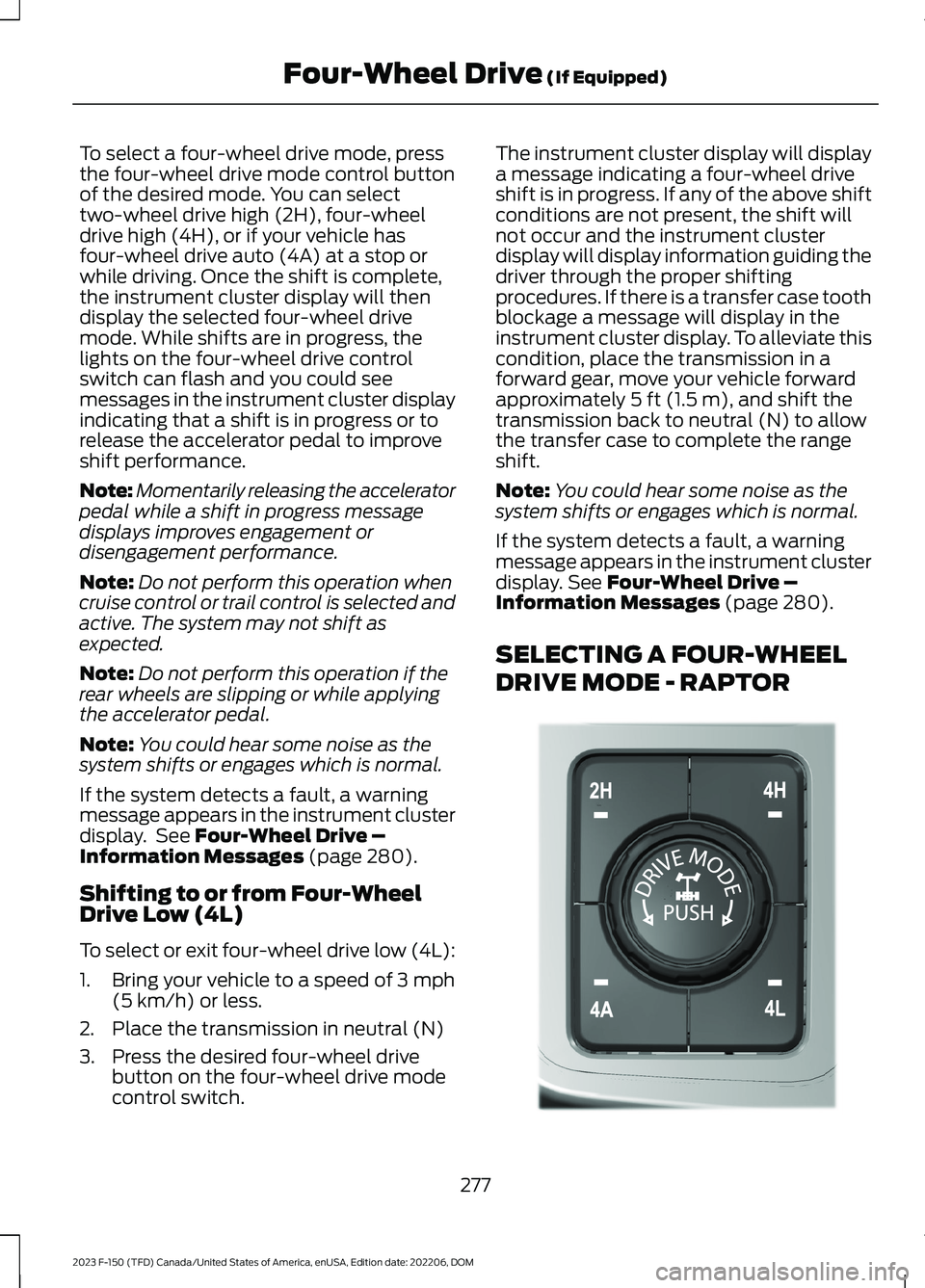
To select a four-wheel drive mode, pressthe four-wheel drive mode control buttonof the desired mode. You can selecttwo-wheel drive high (2H), four-wheeldrive high (4H), or if your vehicle hasfour-wheel drive auto (4A) at a stop orwhile driving. Once the shift is complete,the instrument cluster display will thendisplay the selected four-wheel drivemode. While shifts are in progress, thelights on the four-wheel drive controlswitch can flash and you could seemessages in the instrument cluster displayindicating that a shift is in progress or torelease the accelerator pedal to improveshift performance.
Note:Momentarily releasing the acceleratorpedal while a shift in progress messagedisplays improves engagement ordisengagement performance.
Note:Do not perform this operation whencruise control or trail control is selected andactive. The system may not shift asexpected.
Note:Do not perform this operation if therear wheels are slipping or while applyingthe accelerator pedal.
Note:You could hear some noise as thesystem shifts or engages which is normal.
If the system detects a fault, a warningmessage appears in the instrument clusterdisplay. See Four-Wheel Drive –Information Messages (page 280).
Shifting to or from Four-WheelDrive Low (4L)
To select or exit four-wheel drive low (4L):
1.Bring your vehicle to a speed of 3 mph(5 km/h) or less.
2.Place the transmission in neutral (N)
3.Press the desired four-wheel drivebutton on the four-wheel drive modecontrol switch.
The instrument cluster display will displaya message indicating a four-wheel driveshift is in progress. If any of the above shiftconditions are not present, the shift willnot occur and the instrument clusterdisplay will display information guiding thedriver through the proper shiftingprocedures. If there is a transfer case toothblockage a message will display in theinstrument cluster display. To alleviate thiscondition, place the transmission in aforward gear, move your vehicle forwardapproximately 5 ft (1.5 m), and shift thetransmission back to neutral (N) to allowthe transfer case to complete the rangeshift.
Note:You could hear some noise as thesystem shifts or engages which is normal.
If the system detects a fault, a warningmessage appears in the instrument clusterdisplay. See Four-Wheel Drive –Information Messages (page 280).
SELECTING A FOUR-WHEEL
DRIVE MODE - RAPTOR
277
2023 F-150 (TFD) Canada/United States of America, enUSA, Edition date: 202206, DOMFour-Wheel Drive (If Equipped)E308146