2023 FORD F150 display
[x] Cancel search: displayPage 359 of 786

ADAPTIVE CRUISE CONTROL –INFORMATION MESSAGES -VEHICLES WITH: STOP AND GO
Note:Depending on your vehicle optionsand instrument cluster type, not allmessages display or are available.
Note:The system could abbreviate orshorten certain messages depending uponwhich cluster type you have.
ActionMessage
A malfunction is preventing the adaptive cruise from engaging.Adaptive CruiseMalfunction
Front Sensor Not AlignedContact an authorized dealer to have the radar checked forproper coverage and operation.
Conditions exist preventing the system from being available.Adaptive Cruise NotAvailable
You have a blocked radar because of poor radar visibility dueto inclement weather or ice, mud, or water in front of the radar.You can typically clean the sensor to resolve this.
Adaptive Cruise NotAvailable SensorBlocked See ManualDue to the nature of radar technology, it is possible to get ablockage warning with no actual block. This happens, forexample, when driving in sparse rural or desert environments.A false blocked condition either self clears, or clears after yourestart your vehicle.
You have selected normal cruise control. The system doesnot brake or react to traffic.Normal Cruise ActiveAdaptive Braking Off
Displays when the adaptive cruise control is going to canceland you must take control.Adaptive Cruise - DriverResume Control
Displays when the vehicle speed is too slow to activate theadaptive cruise control and there is no lead vehicle in range.Adaptive Cruise SpeedToo Low to Activate
355
2023 F-150 (TFD) Canada/United States of America, enUSA, Edition date: 202206, DOMAdaptive Cruise Control (If Equipped)
Page 363 of 786
BLUECRUISE ALERTS
When BlueCruise is providing hands-ondriving or transitioning to hands-on drivingfrom hands-free driving and detects nosteering activity for a certain period of time,the system alerts you with a message inthe instrument cluster to put your handson the steering wheel. After the first alert,the system alerts you with a message inthe instrument cluster and an audiblewarning.
When BlueCruise is providing hands-on orhands-free driving and detects you are notlooking at the road for a certain period oftime, the system alerts you to return youreyes to the road. Depending on where youare looking, the alert can be a message inthe instrument cluster and an audiblewarning.
If you do not react to the warnings,BlueCruise cancels, quickly activates andreleases the brakes, and slows your vehicledown to low speeds while maintainingsteering control.
If your vehicle slows down and you resumecontrol, a message appears to prompt youto press the accelerator pedal to allow thesystem to resume.
Note:If the system detects repeatedinactivity, it disables until the next key cycle.
BLUECRUISE AUTOMATIC
CANCELLATION
When an external condition cancelsBlueCruise, for example, no lane markingsavailable, a tone sounds and a messageappears in the instrument cluster.
If your vehicle starts to slowdown, you must take control ofsteering and press and releasethe button to reactivate BlueCruise.
System cancellation can also occur if:
•The lane becomes too narrow.
•The system cannot detect valid lanemarkings.
•Lane markings cross.
•Your eyes are not on the road or yourhands are not on the steering wheel.
If you have your hands on the steeringwheel and your eyes are on the road whenthe feature is active and a cancellationoccurs, the system sounds a tone anddisplays a cancelled graphic in theinstrument cluster.
If you are not paying attention to the roador your hands are not on the steering wheeland a cancellation occurs, the systemdisplays a message and a tone sounds untilyou resume control. If you do not resumecontrol in time, BlueCruise quickly activatesand releases the brakes, and slows yourvehicle to low speeds while maintainingsteering control. If your vehicle slows downand you resume control, a messageappears to prompt you to press theaccelerator pedal to allow the system toresume.
Note:The system disables until the vehicleis turned off and back on if it detectsrepeated inactivity.
BLUECRUISE INDICATORS
When on, the color of theindicator changes to indicate thestatus.
Gray indicates BlueCruise is on but inactive.
Green indicates BlueCruise is active andapplying continuous steering support.
Blue indicates BlueCruise is active andhands-free driving mode is available.
359
2023 F-150 (TFD) Canada/United States of America, enUSA, Edition date: 202206, DOMBlueCruise (If Equipped)E308130 E297977
Page 364 of 786
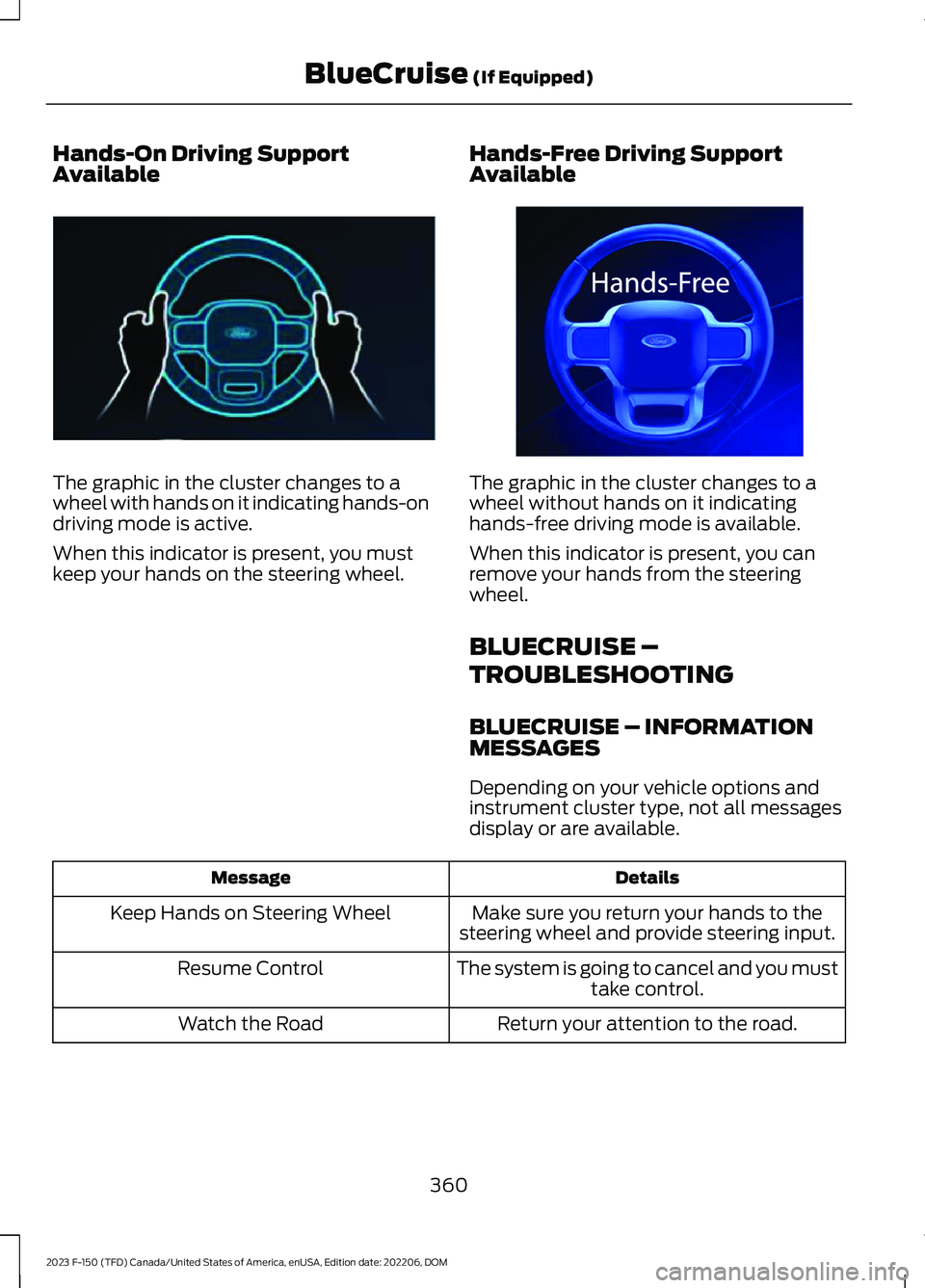
Hands-On Driving SupportAvailable
The graphic in the cluster changes to awheel with hands on it indicating hands-ondriving mode is active.
When this indicator is present, you mustkeep your hands on the steering wheel.
Hands-Free Driving SupportAvailable
The graphic in the cluster changes to awheel without hands on it indicatinghands-free driving mode is available.
When this indicator is present, you canremove your hands from the steeringwheel.
BLUECRUISE –
TROUBLESHOOTING
BLUECRUISE – INFORMATIONMESSAGES
Depending on your vehicle options andinstrument cluster type, not all messagesdisplay or are available.
DetailsMessage
Make sure you return your hands to thesteering wheel and provide steering input.Keep Hands on Steering Wheel
The system is going to cancel and you musttake control.Resume Control
Return your attention to the road.Watch the Road
360
2023 F-150 (TFD) Canada/United States of America, enUSA, Edition date: 202206, DOMBlueCruise (If Equipped)E310620 E332864
Page 365 of 786
DetailsMessage
Conditions exist preventing the system frombeing available. If the message continuesto display, have the system checked assoon as possible.
BlueCruise not available
Press the accelerator pedal and follow theprompts.Press Accelerator Pedal to Resume
Make sure your facial features are visibleand in the field of view of the driver facingcamera.
Driver monitor camera cannot detect faceSee manual
Make sure your hands, arms or other objectsare not obscuring the camera.Driver monitor camera is blocked Seemanual
Conditions exist preventing the system frombeing available. If the message continuesto display, have the system checked assoon as possible.
Driver monitor camera fault See manual
BlueCruise is active, keep your attention onthe road.BlueCruise On Watch the road Be preparedto resume control
The system is in standby mode, press thebutton on the steering wheel to activate.BlueCruise available Press {ICON} toactivate
Note:The instrument cluster display mayabbreviate or shorten certain messages.
361
2023 F-150 (TFD) Canada/United States of America, enUSA, Edition date: 202206, DOMBlueCruise (If Equipped)
Page 366 of 786
WHAT IS DRIVE MODE
CONTROL
Your vehicle has various drive modes thatyou can select for different drivingconditions. Depending on the drive modethat you select, the system adjusts variousvehicle settings.
HOW DOES DRIVE MODE
CONTROL WORK
Selectable drive modes change variouselectronic and mechanical settings withinyour vehicle to tailor its performance anddriving characteristics to on-road oroff-road driving conditions. Steering feeland effort, traction control, stabilitycontrol, chassis controls, powertrainresponse, transmissions shift points,four-wheel driveline setting, exhaust noiselevel and suspension dampening areautomatically altered to a pre-determinedsetting depending upon the drive modethat is selected.
Note:Your vehicle has diagnostic checksthat continuously monitor all systems forproper operation. If a drive mode isunavailable due to a system fault, yourvehicle defaults to normal mode and thedriveline remains in the four-wheel drivesetting that was last selected prior to thesystem fault.
Note:Your vehicle reverts to normal modeeach time it is started. If you shut yourvehicle off in a drive mode other thannormal mode, at startup the instrumentcluster screen displays a pop-up asking ifyou would like to return to your last useddrive mode. If you select yes to the pop-up,your vehicle returns to the last selected drivemode and the default four-wheel drivelinesetting associated with that drive mode. Ifyou select no, your vehicle remains in normalmode and the default four-wheel drivelinesetting associated with that drive mode. Ifyou do not select yes or no the pop upmessage times out, your vehicle remains innormal mode, and the four-wheel drivelinesetting remains in its last used setting.
HOW DOES DRIVE MODE
CONTROL WORK - RAPTOR
Selectable drive modes change variouselectronic and mechanical settings withinyour vehicle to tailor its performance anddriving characteristics to on-road oroff-road driving conditions. Steering feeland effort, traction control, stabilitycontrol, chassis controls, powertrainresponse, transmission shift points,four-wheel driveline settings, exhaust noiselevel and suspension dampening areautomatically altered to a pre-determinedsetting depending upon the drive modethat you select.
Note:Your vehicle has diagnostic checksthat continuously monitor all systems forproper operation. If a drive mode isunavailable due to a system fault, yourvehicle defaults to normal mode and thedriveline remains in the four-wheel drivesetting that you last selected prior to thesystem fault.
362
2023 F-150 (TFD) Canada/United States of America, enUSA, Edition date: 202206, DOMDrive Mode Control
Page 367 of 786
Note:Your vehicle reverts to normal modeeach time you start it. If you shut yourvehicle off in a drive mode other thannormal mode, at startup the instrumentcluster screen displays a pop-up asking ifyou would like to return to your last useddrive mode. If you select yes to the pop-up,your vehicle returns to the last selected drivemode and the default four-wheel drivelinesetting associated with that drive mode. Ifyou select no, your vehicle remains in normalmode and the default four-wheel drivelinesetting associated with that drive mode. Ifyou do not select yes or no, the pop-upmessage times out, your vehicle remains innormal mode, and the four-wheel drivelinesetting remains in its last used setting.
Note:Do not use the electronic lockingdifferential on dry, hard surfaces. Doing soproduces excessive noise, vibration andincreases tire wear. See Electronic LockingDifferential (page 284).
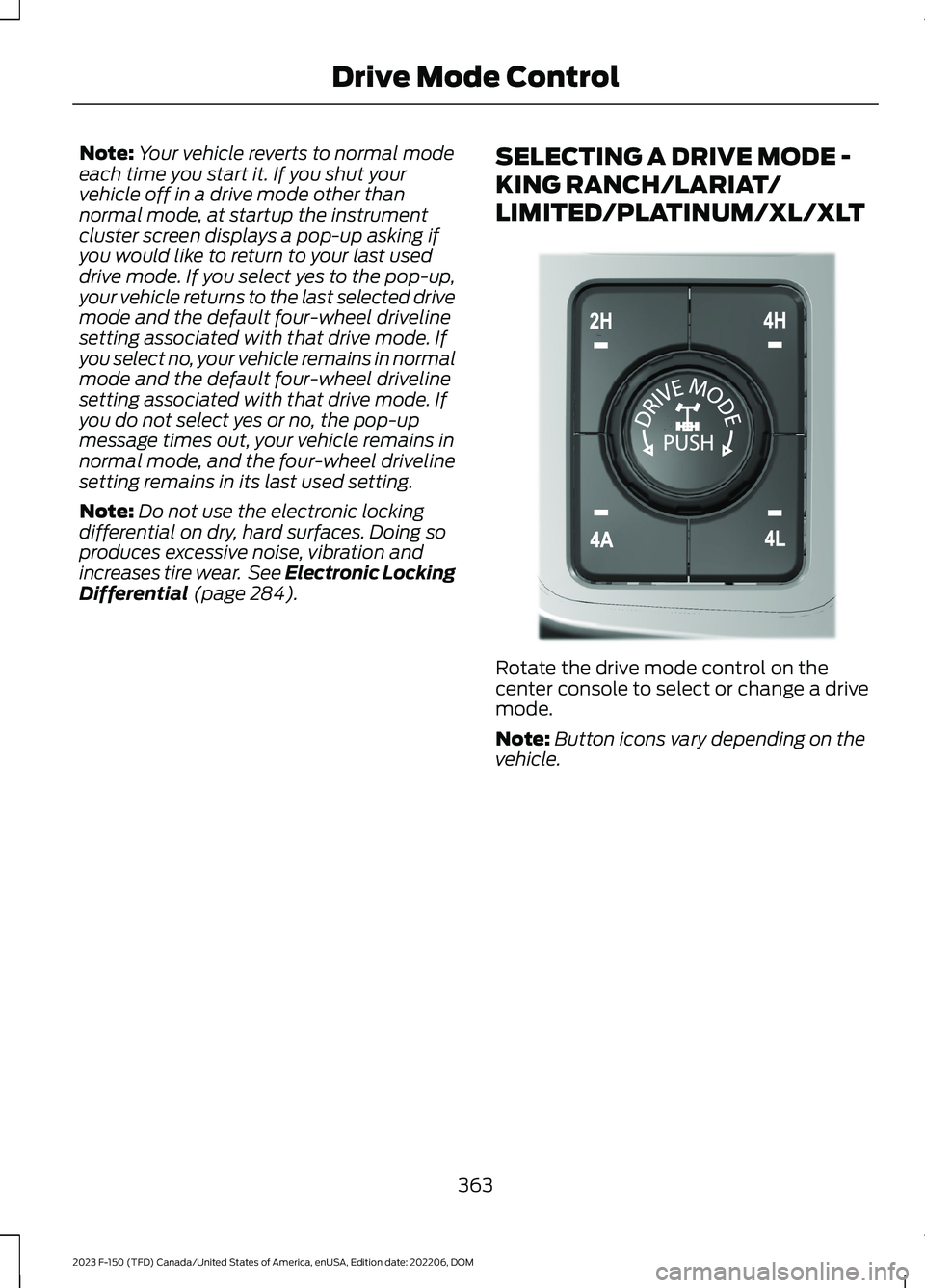
SELECTING A DRIVE MODE -
KING RANCH/LARIAT/
LIMITED/PLATINUM/XL/XLT
Rotate the drive mode control on thecenter console to select or change a drivemode.
Note:Button icons vary depending on thevehicle.
363
2023 F-150 (TFD) Canada/United States of America, enUSA, Edition date: 202206, DOMDrive Mode ControlE308146
Page 368 of 786
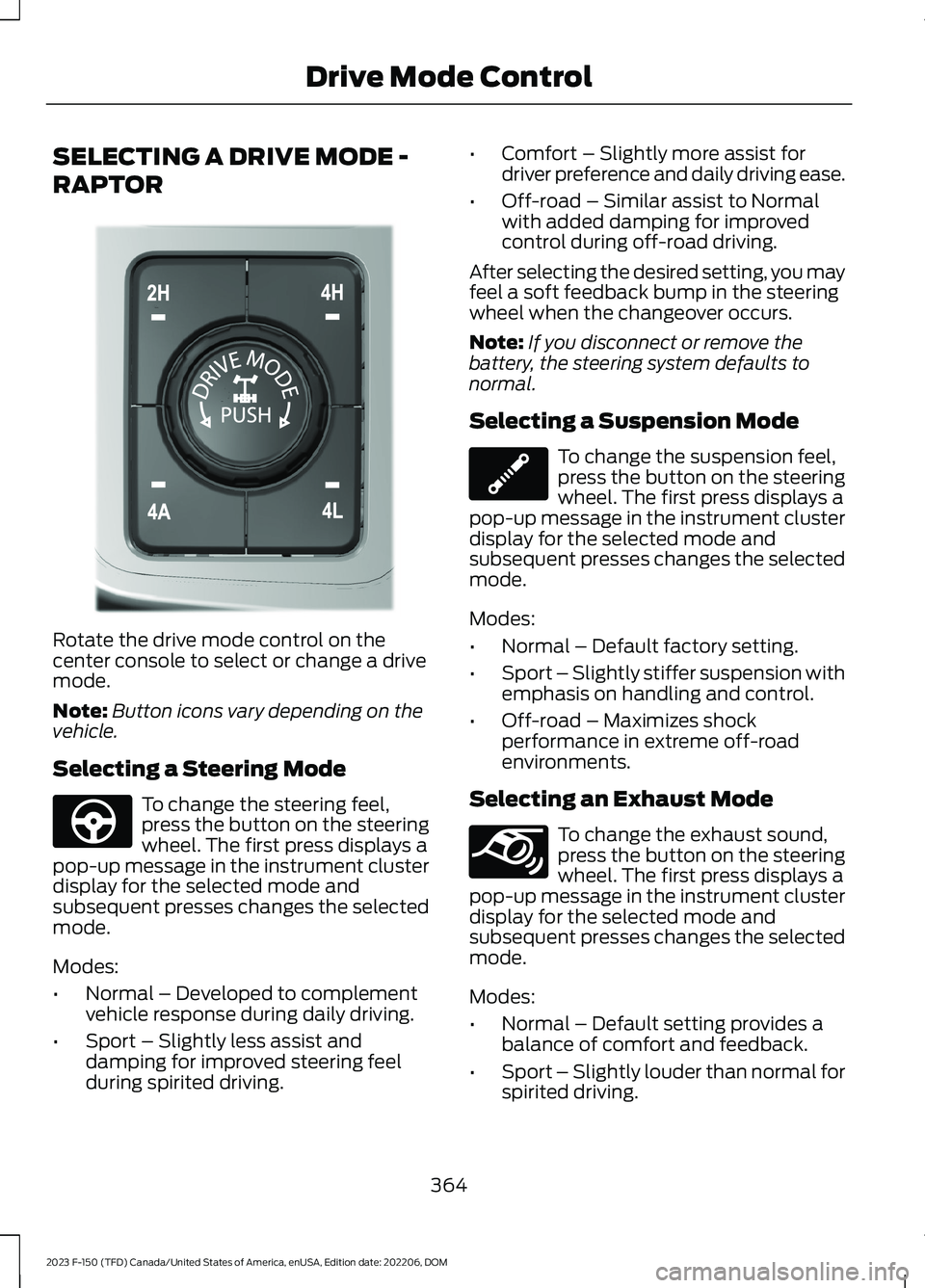
SELECTING A DRIVE MODE -
RAPTOR
Rotate the drive mode control on thecenter console to select or change a drivemode.
Note:Button icons vary depending on thevehicle.
Selecting a Steering Mode
To change the steering feel,press the button on the steeringwheel. The first press displays apop-up message in the instrument clusterdisplay for the selected mode andsubsequent presses changes the selectedmode.
Modes:
•Normal – Developed to complementvehicle response during daily driving.
•Sport – Slightly less assist anddamping for improved steering feelduring spirited driving.
•Comfort – Slightly more assist fordriver preference and daily driving ease.
•Off-road – Similar assist to Normalwith added damping for improvedcontrol during off-road driving.
After selecting the desired setting, you mayfeel a soft feedback bump in the steeringwheel when the changeover occurs.
Note:If you disconnect or remove thebattery, the steering system defaults tonormal.
Selecting a Suspension Mode
To change the suspension feel,press the button on the steeringwheel. The first press displays apop-up message in the instrument clusterdisplay for the selected mode andsubsequent presses changes the selectedmode.
Modes:
•Normal – Default factory setting.
•Sport – Slightly stiffer suspension withemphasis on handling and control.
•Off-road – Maximizes shockperformance in extreme off-roadenvironments.
Selecting an Exhaust Mode
To change the exhaust sound,press the button on the steeringwheel. The first press displays apop-up message in the instrument clusterdisplay for the selected mode andsubsequent presses changes the selectedmode.
Modes:
•Normal – Default setting provides abalance of comfort and feedback.
•Sport – Slightly louder than normal forspirited driving.
364
2023 F-150 (TFD) Canada/United States of America, enUSA, Edition date: 202206, DOMDrive Mode ControlE308146 E347142 E347107 E347131
Page 380 of 786
The lane keeping system may not correctlyoperate in any of the following conditions:
•The lane keeping system does notdetect at least one lane marking.
•You switch the turn signal on.
•You apply direct steering, acceleratefast or brake hard.
•The vehicle speed is less than 40 mph(64 km/h).
•The anti-lock brake, stability control ortraction control system activates.
•The lane is too narrow.
•Something is obscuring the camera orit is unable to detect the lane markingsdue to environment, traffic or vehicleconditions.
•Entering or exiting a tight curve whendriving at high speeds.
The lane keeping system may not correctlane positioning in any of the followingconditions:
•High winds.
•Uneven road surfaces.
•Heavy or uneven loads.
•Incorrect tire pressure.
SWITCHING THE LANE
KEEPING SYSTEM ON AND
OFF
To activate the lane keepingsystem, press the button on thesteering wheel.
To deactivate the lane keeping system,press the button again.
Note:When switching the system on or offa message appears in the information andentertainment display to show the status.
Note:The system stores the on or offsetting until manually changed, unless itdetects a MyKey™. If the system detects aMyKey™, it defaults to the last setting forthat MyKey™.
Note: If the system detects a MyKey™,pressing the button does not affect the onor off status of the system. You can onlychange the mode and intensity settings.
SWITCHING THE LANE
KEEPING SYSTEM MODE
The lane keeping system has differentsettings that you can view or adjust usingthe information display.
The system stores the last known selectionfor each of these settings. You do not needto readjust your settings each time youswitch on the system.
To change the lane keeping system mode,use the touchscreen:
1.Press Features on the touchscreen.
2.Press Driver Assistance.
3.Press Lane-Keeping System.
4.Press Lane-Keeping Mode.
5.Select a mode.
Note:The system remembers the lastsetting when you start your vehicle. If thesystem detects a MyKey™, it defaults to thelast setting for that MyKey™.
ALERT MODE
WHAT IS ALERT MODE
Alert mode vibrates the steering wheelwhen it detects an unintended lanedeparture.
376
2023 F-150 (TFD) Canada/United States of America, enUSA, Edition date: 202206, DOMLane Keeping System (If Equipped)E334922