2023 FORD BRONCO SPORT ignition
[x] Cancel search: ignitionPage 72 of 516
3.Press Vehicle Settings.
4.Press MyKey.
5.Press Clear All MyKeys.
6.Press Yes.
CHECKING MYKEY SYSTEM
STATUS
You can find information about thedistance traveled using a MyKey, and thenumber of admin keys and MyKeys createdfor your vehicle.
1.Switch the vehicle on.
2.Press Settings on the touchscreen.
3.Press Vehicle Settings.
4.Press MyKey.
5.Press MyKey Information.
USING MYKEY WITH REMOTE
START SYSTEMS (IF EQUIPPED)
MyKey is not compatible with unapproved,aftermarket remote start systems. If youchoose to install a remote start system,see an authorized dealer for an approvedremote start system.
MYKEY – TROUBLESHOOTING
MYKEY – INFORMATION MESSAGES
DescriptionMessage
Displays when trying to create a MyKey and the admin key isnot placed in the backup position. See Creating a MyKey(page 67).
Place Key in BackupLocation
Displays when trying to create a MyKey with a key alreadydesignated as a MyKey.Key is Already a MyKey
Displays to confirm that the key is restricted after you switchthe ignition off.This Key restricted atNext Key Cycle. LabelKey as MyKey
68
2023 Bronco Sport (CHD) Canada/United States of America, enUSA, Edition date: 202208, First-PrintingMyKey™
Page 73 of 516
MYKEY – FREQUENTLY ASKEDQUESTIONS
What is an admin key?
An admin key is a key that you havenot created as a MyKey. See Creatinga MyKey (page 67).
Why am I not able to create a MyKey?
You have not placed the admin key inthe backup position. See Creating aMyKey (page 67). The key used toswitch the ignition on is not an adminkey. The key used to switch the ignitionon is the only admin key. There has tobe at least one admin key. You did notswitch the ignition off after creatingthe last MyKey.
Why am I not able to program a MyKey?
The admin key is not inside yourvehicle. The key used to switch theignition on is not an admin key. Youhave not created any MyKeys. SeeCreating a MyKey (page 67).
Why am I not able to clear the MyKeys?
The admin key is not inside yourvehicle. The key used to switch theignition on is not an admin key. Youhave not created any MyKeys. SeeCreating a MyKey (page 67).
Why is the MyKey distance notaccumulating?
The key used to start the engine is anadmin key. An admin key and a MyKeyare inside your vehicle. You have notcreated any MyKeys. See Creating aMyKey (page 67). You have clearedthe MyKeys. See Clearing AllMyKeys (page 67).
Why am I not able to start the enginewith a MyKey?
An admin key and a MyKey are insideyour vehicle. The system recognizesonly the admin key when both arepresent.
69
2023 Bronco Sport (CHD) Canada/United States of America, enUSA, Edition date: 202208, First-PrintingMyKey™
Page 74 of 516
LOCKING AND UNLOCKING
You can use the power door lock controlor the remote control to lock and unlockyour vehicle.
Note:Do not use the door latch assemblyto attach any accessory, such as handles orsteps, as this can cause damage to yourvehicle.
Note:Always take your keys and lock alldoors when leaving your vehicle.
Power Door Locks
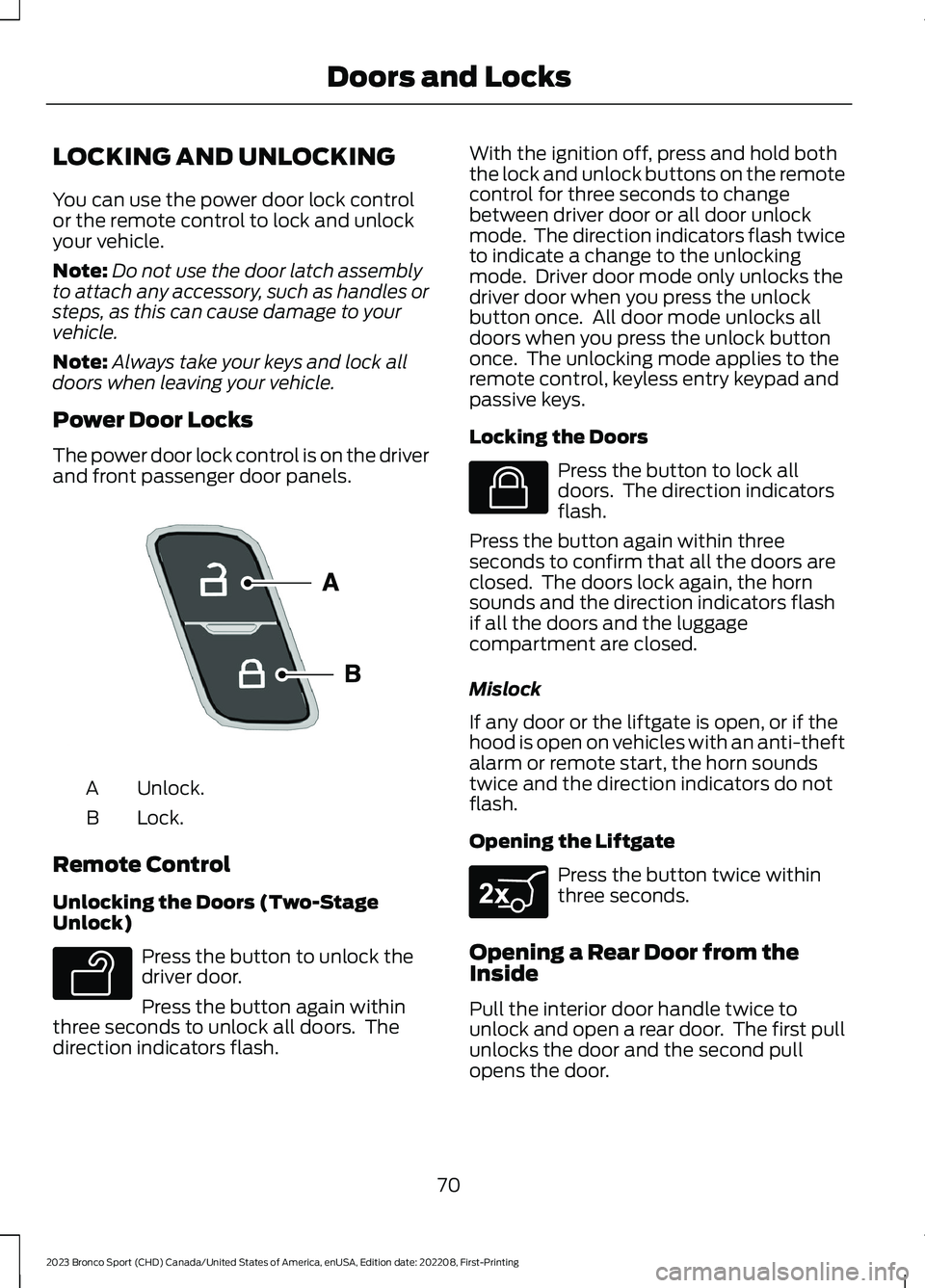
The power door lock control is on the driverand front passenger door panels.
Unlock.A
Lock.B
Remote Control
Unlocking the Doors (Two-StageUnlock)
Press the button to unlock thedriver door.
Press the button again withinthree seconds to unlock all doors. Thedirection indicators flash.
With the ignition off, press and hold boththe lock and unlock buttons on the remotecontrol for three seconds to changebetween driver door or all door unlockmode. The direction indicators flash twiceto indicate a change to the unlockingmode. Driver door mode only unlocks thedriver door when you press the unlockbutton once. All door mode unlocks alldoors when you press the unlock buttononce. The unlocking mode applies to theremote control, keyless entry keypad andpassive keys.
Locking the Doors
Press the button to lock alldoors. The direction indicatorsflash.
Press the button again within threeseconds to confirm that all the doors areclosed. The doors lock again, the hornsounds and the direction indicators flashif all the doors and the luggagecompartment are closed.
Mislock
If any door or the liftgate is open, or if thehood is open on vehicles with an anti-theftalarm or remote start, the horn soundstwice and the direction indicators do notflash.
Opening the Liftgate
Press the button twice withinthree seconds.
Opening a Rear Door from theInside
Pull the interior door handle twice tounlock and open a rear door. The first pullunlocks the door and the second pullopens the door.
70
2023 Bronco Sport (CHD) Canada/United States of America, enUSA, Edition date: 202208, First-PrintingDoors and LocksE196954 E138629 E138623 E267940
Page 75 of 516
Activating Passive Key
General Information
You can unlock and lock your vehiclewithout taking the keys out of your pocketor purse when the passive key is within 3 ft(1 m) of your vehicle. Passive key uses asensor on the back of the door handle forunlocking and a separate sensor on theface of each door handle for locking.
The system does not function if:
•The vehicle battery has no charge.
•The passive key battery has no charge.
•The passive key frequencies arejammed.
Note:The system may not operate if thepassive key is close to metal objects orelectronic devices, for example keys or a cellphone.
Note:If the system does not operate, usethe key blade to lock and unlock yourvehicle. See Remote Control (page 60).
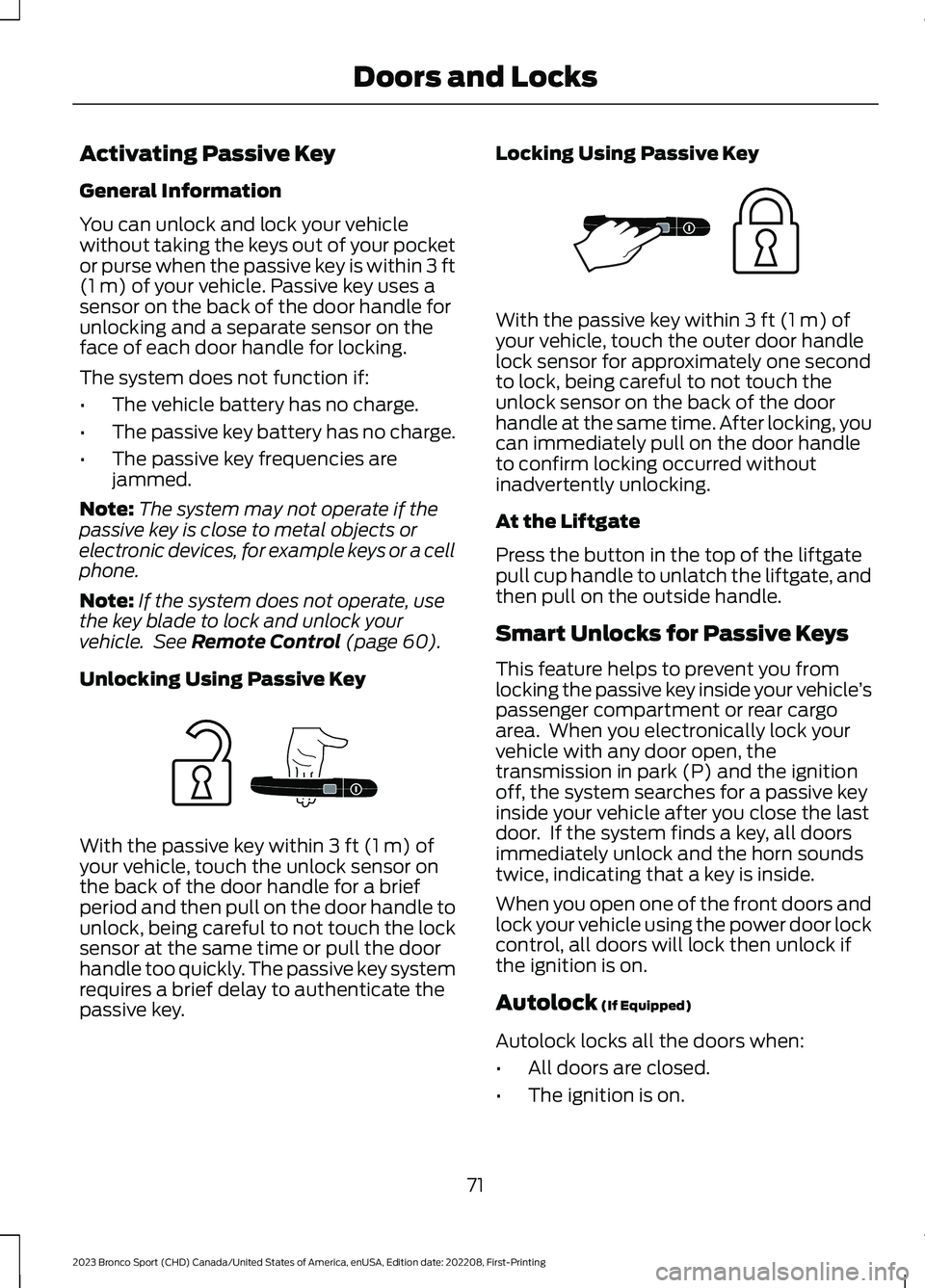
Unlocking Using Passive Key
With the passive key within 3 ft (1 m) ofyour vehicle, touch the unlock sensor onthe back of the door handle for a briefperiod and then pull on the door handle tounlock, being careful to not touch the locksensor at the same time or pull the doorhandle too quickly. The passive key systemrequires a brief delay to authenticate thepassive key.
Locking Using Passive Key
With the passive key within 3 ft (1 m) ofyour vehicle, touch the outer door handlelock sensor for approximately one secondto lock, being careful to not touch theunlock sensor on the back of the doorhandle at the same time. After locking, youcan immediately pull on the door handleto confirm locking occurred withoutinadvertently unlocking.
At the Liftgate
Press the button in the top of the liftgatepull cup handle to unlatch the liftgate, andthen pull on the outside handle.
Smart Unlocks for Passive Keys
This feature helps to prevent you fromlocking the passive key inside your vehicle’spassenger compartment or rear cargoarea. When you electronically lock yourvehicle with any door open, thetransmission in park (P) and the ignitionoff, the system searches for a passive keyinside your vehicle after you close the lastdoor. If the system finds a key, all doorsimmediately unlock and the horn soundstwice, indicating that a key is inside.
When you open one of the front doors andlock your vehicle using the power door lockcontrol, all doors will lock then unlock ifthe ignition is on.
Autolock (If Equipped)
Autolock locks all the doors when:
•All doors are closed.
•The ignition is on.
71
2023 Bronco Sport (CHD) Canada/United States of America, enUSA, Edition date: 202208, First-PrintingDoors and LocksE248555 E248556
Page 76 of 516
•You shift into any gear putting yourvehicle in motion.
•Your vehicle reaches a speed greaterthan 4 mph (7 km/h).
Autolock repeats when:
•You open, then close any door whilethe ignition is on and your vehicle speedis 4 mph (7 km/h) or lower.
•Your vehicle reaches a speed greaterthan 4 mph (7 km/h).
Autounlock
Autounlock unlocks all the doors when:
•The ignition is on, all the doors areclosed, and your vehicle has beenmoving at a speed greater than 7 mph(12 km/h).
•Your vehicle comes to a stop and youswitch the ignition off or to theaccessory position.
•You open the driver door within 10minutes of switching the ignition off orto accessory.
Note:The doors do not autounlock if youelectronically lock your vehicle after youswitch the ignition off and before you openthe driver door.
Enabling or Disabling Autounlock
To enable or disable autounlock, see anauthorized dealer.
Auto Relock
If you press the unlock button on theremote control and do not open a doorwithin 45 seconds, your vehicle locks andthe alarm arms.
Illuminated Entry
The interior lamps and some exteriorlamps illuminate when you unlock thedoors with the remote control.
The illuminated entry system turns off thelights if:
•The ignition is on.
•You press the remote control lockbutton.
•After 25 seconds of illumination.
The lights do not turn off if:
•You turn them on with the lampcontrol.
•Any door is open.
Illuminated Exit
The interior lamps and some exteriorlamps illuminate when all doors are closedand you switch the ignition off.
The lamps turn off if all the doors remainclosed and:
•More than 25 seconds have elapsed.
•You lock your vehicle from the outside.
Battery Saver
If you leave the courtesy lamps, interiorlamps or headlamps on, the battery savershuts them off 10 minutes after you switchthe ignition off.
Accessory Mode Battery Saver forPassive Keys
If you leave the ignition on after leavingyour vehicle, it turns off 15 minutes afteryou close all of the doors.
KEYLESS ENTRY (IF EQUIPPED)
SECURICODE™ KEYLESS ENTRYKEYPAD
The keypad is located near the driverwindow. It is invisible until touched andthen it lights up so you can see and touchthe appropriate buttons.
72
2023 Bronco Sport (CHD) Canada/United States of America, enUSA, Edition date: 202208, First-PrintingDoors and Locks
Page 77 of 516
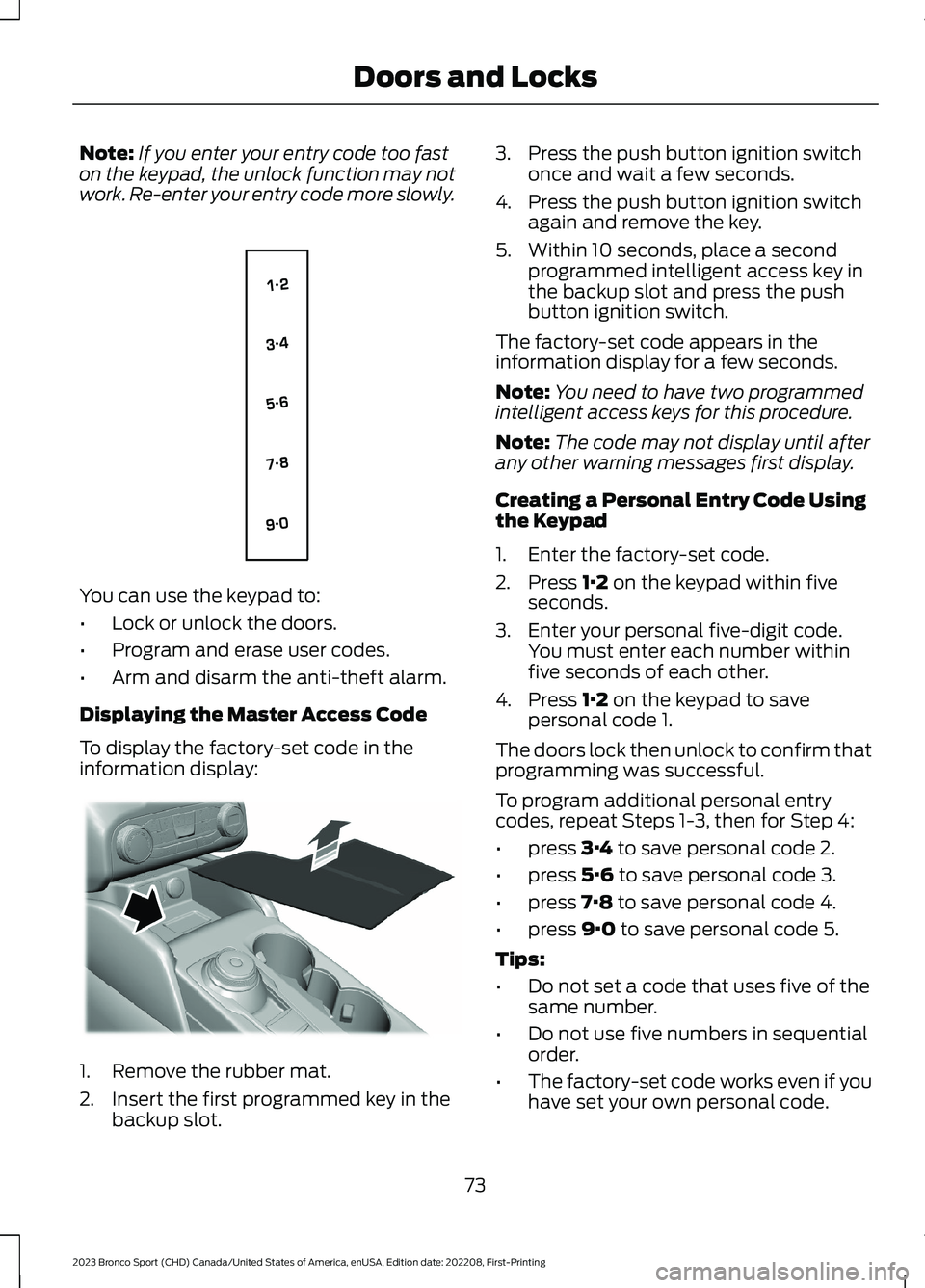
Note:If you enter your entry code too faston the keypad, the unlock function may notwork. Re-enter your entry code more slowly.
You can use the keypad to:
•Lock or unlock the doors.
•Program and erase user codes.
•Arm and disarm the anti-theft alarm.
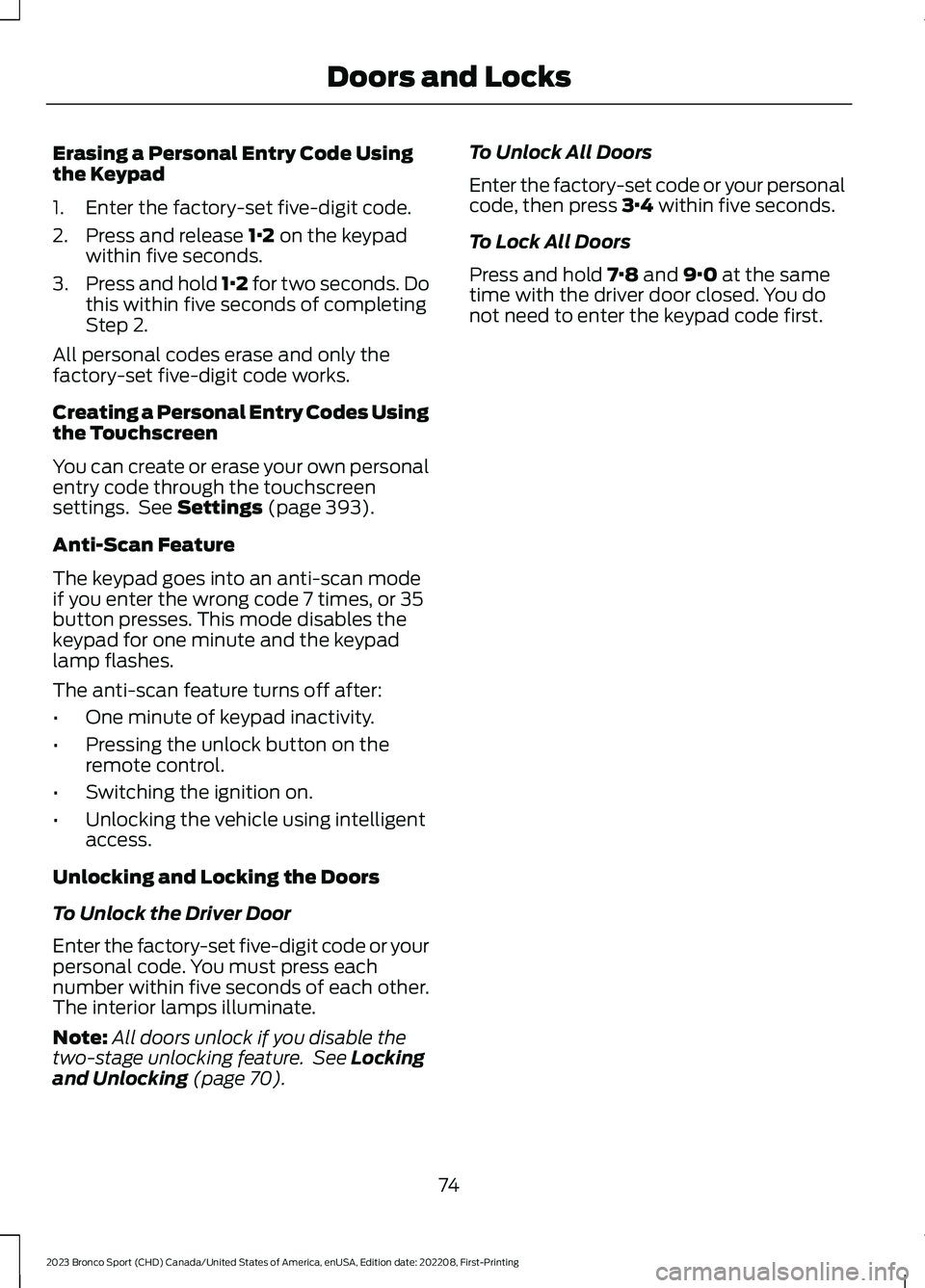
Displaying the Master Access Code
To display the factory-set code in theinformation display:
1.Remove the rubber mat.
2.Insert the first programmed key in thebackup slot.
3.Press the push button ignition switchonce and wait a few seconds.
4.Press the push button ignition switchagain and remove the key.
5.Within 10 seconds, place a secondprogrammed intelligent access key inthe backup slot and press the pushbutton ignition switch.
The factory-set code appears in theinformation display for a few seconds.
Note:You need to have two programmedintelligent access keys for this procedure.
Note:The code may not display until afterany other warning messages first display.
Creating a Personal Entry Code Usingthe Keypad
1.Enter the factory-set code.
2.Press 1·2 on the keypad within fiveseconds.
3.Enter your personal five-digit code.You must enter each number withinfive seconds of each other.
4.Press 1·2 on the keypad to savepersonal code 1.
The doors lock then unlock to confirm thatprogramming was successful.
To program additional personal entrycodes, repeat Steps 1-3, then for Step 4:
•press 3·4 to save personal code 2.
•press 5·6 to save personal code 3.
•press 7·8 to save personal code 4.
•press 9·0 to save personal code 5.
Tips:
•Do not set a code that uses five of thesame number.
•Do not use five numbers in sequentialorder.
•The factory-set code works even if youhave set your own personal code.
73
2023 Bronco Sport (CHD) Canada/United States of America, enUSA, Edition date: 202208, First-PrintingDoors and LocksE138637 E306769
Page 78 of 516
Erasing a Personal Entry Code Usingthe Keypad
1.Enter the factory-set five-digit code.
2.Press and release 1·2 on the keypadwithin five seconds.
3.Press and hold 1·2 for two seconds. Dothis within five seconds of completingStep 2.
All personal codes erase and only thefactory-set five-digit code works.
Creating a Personal Entry Codes Usingthe Touchscreen
You can create or erase your own personalentry code through the touchscreensettings. See Settings (page 393).
Anti-Scan Feature
The keypad goes into an anti-scan modeif you enter the wrong code 7 times, or 35button presses. This mode disables thekeypad for one minute and the keypadlamp flashes.
The anti-scan feature turns off after:
•One minute of keypad inactivity.
•Pressing the unlock button on theremote control.
•Switching the ignition on.
•Unlocking the vehicle using intelligentaccess.
Unlocking and Locking the Doors
To Unlock the Driver Door
Enter the factory-set five-digit code or yourpersonal code. You must press eachnumber within five seconds of each other.The interior lamps illuminate.
Note:All doors unlock if you disable thetwo-stage unlocking feature. See Lockingand Unlocking (page 70).
To Unlock All Doors
Enter the factory-set code or your personalcode, then press 3·4 within five seconds.
To Lock All Doors
Press and hold 7·8 and 9·0 at the sametime with the driver door closed. You donot need to enter the keypad code first.
74
2023 Bronco Sport (CHD) Canada/United States of America, enUSA, Edition date: 202208, First-PrintingDoors and Locks
Page 81 of 516
PASSIVE ANTI-THEFT
SYSTEM
Note: The system is not compatible withnon-Ford aftermarket remote start systems.Use of these systems could result in vehiclestarting problems and a loss of securityprotection.
Note:Metallic objects, electronic devicesor a second coded key on the same keychain could cause vehicle starting problemsif they are too close to the key when startingthe engine. Prevent these objects fromtouching the coded key while starting theengine. Switch the ignition off, move allobjects on the key chain away from thecoded key and restart the engine if aproblem occurs.
Note:Do not leave a duplicate coded keyin the vehicle. Always take your keys andlock all doors when leaving the vehicle.
SecuriLock®
The system is an engine immobilizationsystem. It helps to prevent anyone fromstarting the engine without using a codedkey programmed to your vehicle. Using thewrong key could prevent the engine fromstarting. A message may appear in theinformation display.
If you are unable to start the engine with acorrectly coded key, there is a problem withthe system and a message could appearin the information display.
Automatic Arming
The vehicle arms immediately after youswitch the ignition off.
Automatic Disarming
Switching the ignition on with a coded keydisarms the vehicle.
Replacement Keys
Note:Your vehicle comes with twointegrated keyhead transmitters or twointelligent access keys.
The integrated keyhead transmitterfunctions as a programmed ignition keythat operates all the locks and starts thevehicle, as well as a remote control.
The intelligent access key functions as aprogrammed key that operates the driverdoor lock and activates the intelligentaccess with push button start system, aswell as a remote control.
If your programmed transmitters orstandard SecuriLock coded keys(integrated keyhead transmitters only) arelost or stolen and you do not have an extracoded key, you will need to have yourvehicle towed to an authorized dealer. Youneed to erase the key codes from yourvehicle and program new coded keys.
Store an extra programmed key away fromthe vehicle in a safe place to help preventany inconveniences. See your authorizeddealer to purchase additional spare orreplacement keys.
Programming a Spare IntelligentAccess Key (If Equipped)
See your authorized dealer to haveadditional keys programmed to yourvehicle.
ANTI-THEFT ALARM
The system will warn you of anunauthorized entry to your vehicle. It willbe triggered if any door, the luggagecompartment or the hood is openedwithout using the key, remote control orkeyless entry keypad.
The direction indicators will flash and thehorn will sound if unauthorized entry isattempted while the alarm is armed.
77
2023 Bronco Sport (CHD) Canada/United States of America, enUSA, Edition date: 202208, First-PrintingSecurity