2023 FORD BRONCO SPORT ignition
[x] Cancel search: ignitionPage 107 of 516
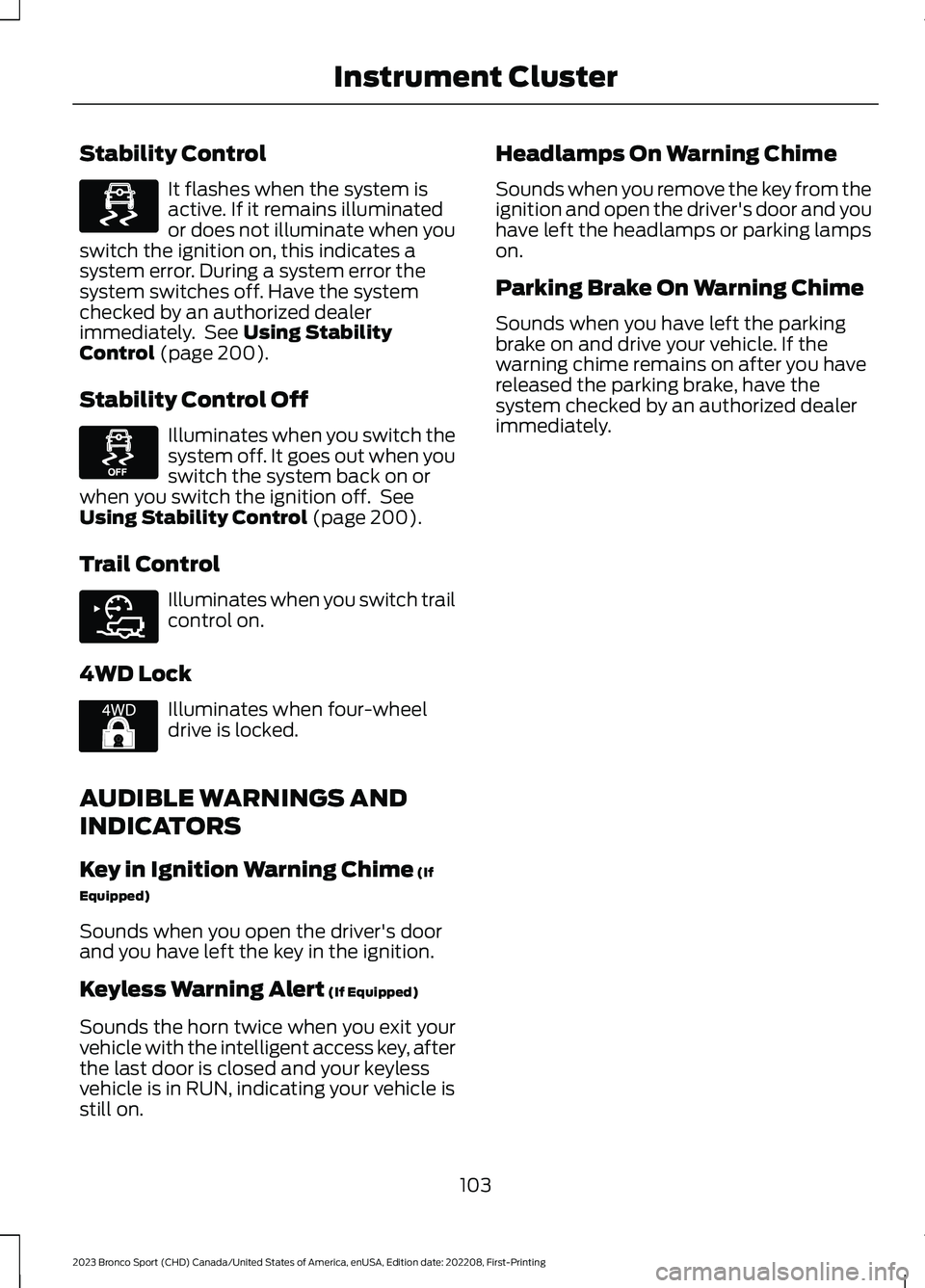
Stability Control
It flashes when the system isactive. If it remains illuminatedor does not illuminate when youswitch the ignition on, this indicates asystem error. During a system error thesystem switches off. Have the systemchecked by an authorized dealerimmediately. See Using StabilityControl (page 200).
Stability Control Off
Illuminates when you switch thesystem off. It goes out when youswitch the system back on orwhen you switch the ignition off. SeeUsing Stability Control (page 200).
Trail Control
Illuminates when you switch trailcontrol on.
4WD Lock
Illuminates when four-wheeldrive is locked.
AUDIBLE WARNINGS AND
INDICATORS
Key in Ignition Warning Chime (If
Equipped)
Sounds when you open the driver's doorand you have left the key in the ignition.
Keyless Warning Alert (If Equipped)
Sounds the horn twice when you exit yourvehicle with the intelligent access key, afterthe last door is closed and your keylessvehicle is in RUN, indicating your vehicle isstill on.
Headlamps On Warning Chime
Sounds when you remove the key from theignition and open the driver's door and youhave left the headlamps or parking lampson.
Parking Brake On Warning Chime
Sounds when you have left the parkingbrake on and drive your vehicle. If thewarning chime remains on after you havereleased the parking brake, have thesystem checked by an authorized dealerimmediately.
103
2023 Bronco Sport (CHD) Canada/United States of America, enUSA, Edition date: 202208, First-PrintingInstrument ClusterE323869 E323870 E318506 E325580
Page 115 of 516
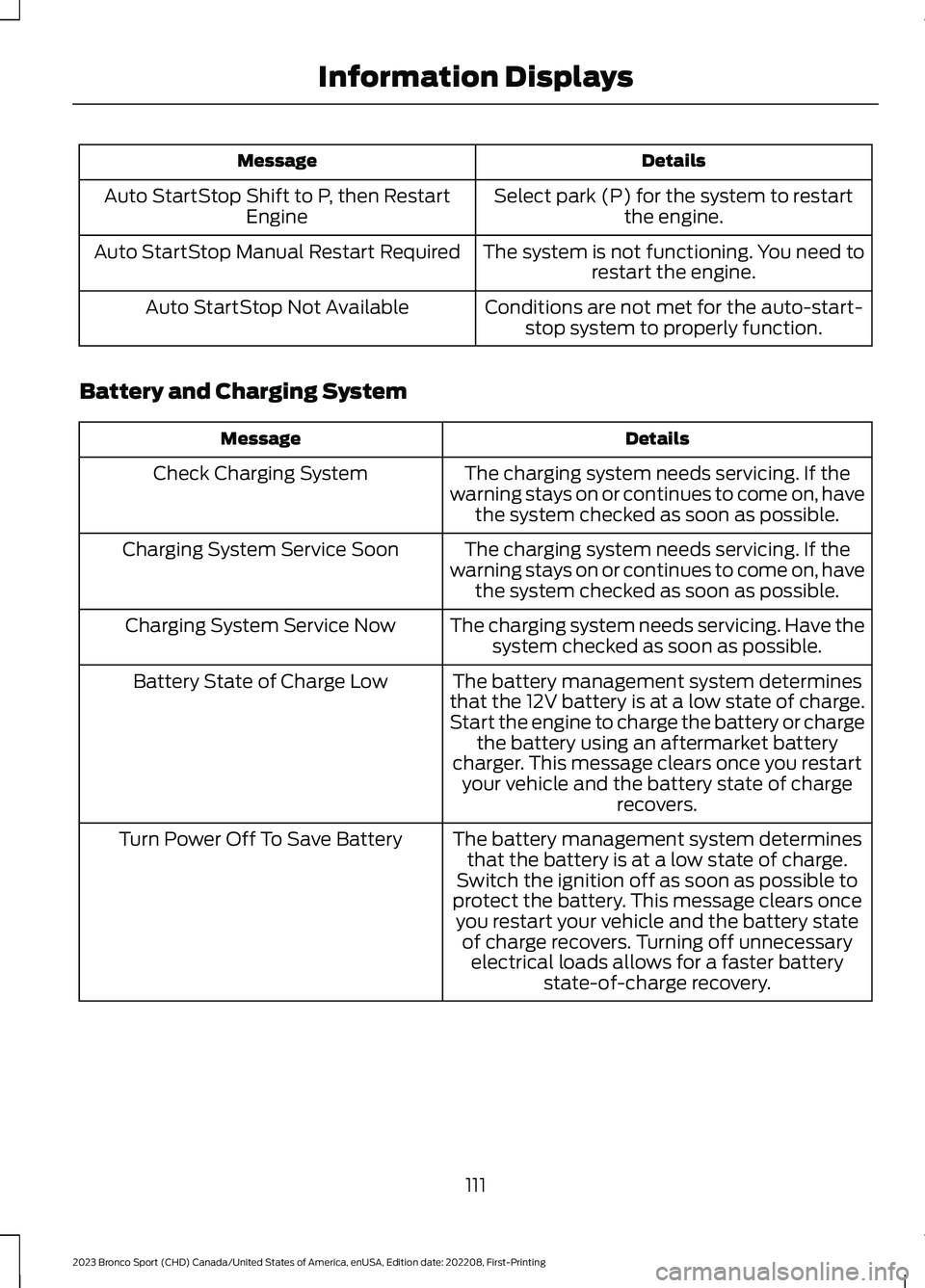
DetailsMessage
Select park (P) for the system to restartthe engine.Auto StartStop Shift to P, then RestartEngine
The system is not functioning. You need torestart the engine.Auto StartStop Manual Restart Required
Conditions are not met for the auto-start-stop system to properly function.Auto StartStop Not Available
Battery and Charging System
DetailsMessage
The charging system needs servicing. If thewarning stays on or continues to come on, havethe system checked as soon as possible.
Check Charging System
The charging system needs servicing. If thewarning stays on or continues to come on, havethe system checked as soon as possible.
Charging System Service Soon
The charging system needs servicing. Have thesystem checked as soon as possible.Charging System Service Now
The battery management system determinesthat the 12V battery is at a low state of charge.Start the engine to charge the battery or chargethe battery using an aftermarket batterycharger. This message clears once you restartyour vehicle and the battery state of chargerecovers.
Battery State of Charge Low
The battery management system determinesthat the battery is at a low state of charge.Switch the ignition off as soon as possible toprotect the battery. This message clears onceyou restart your vehicle and the battery stateof charge recovers. Turning off unnecessaryelectrical loads allows for a faster batterystate-of-charge recovery.
Turn Power Off To Save Battery
111
2023 Bronco Sport (CHD) Canada/United States of America, enUSA, Edition date: 202208, First-PrintingInformation Displays
Page 119 of 516
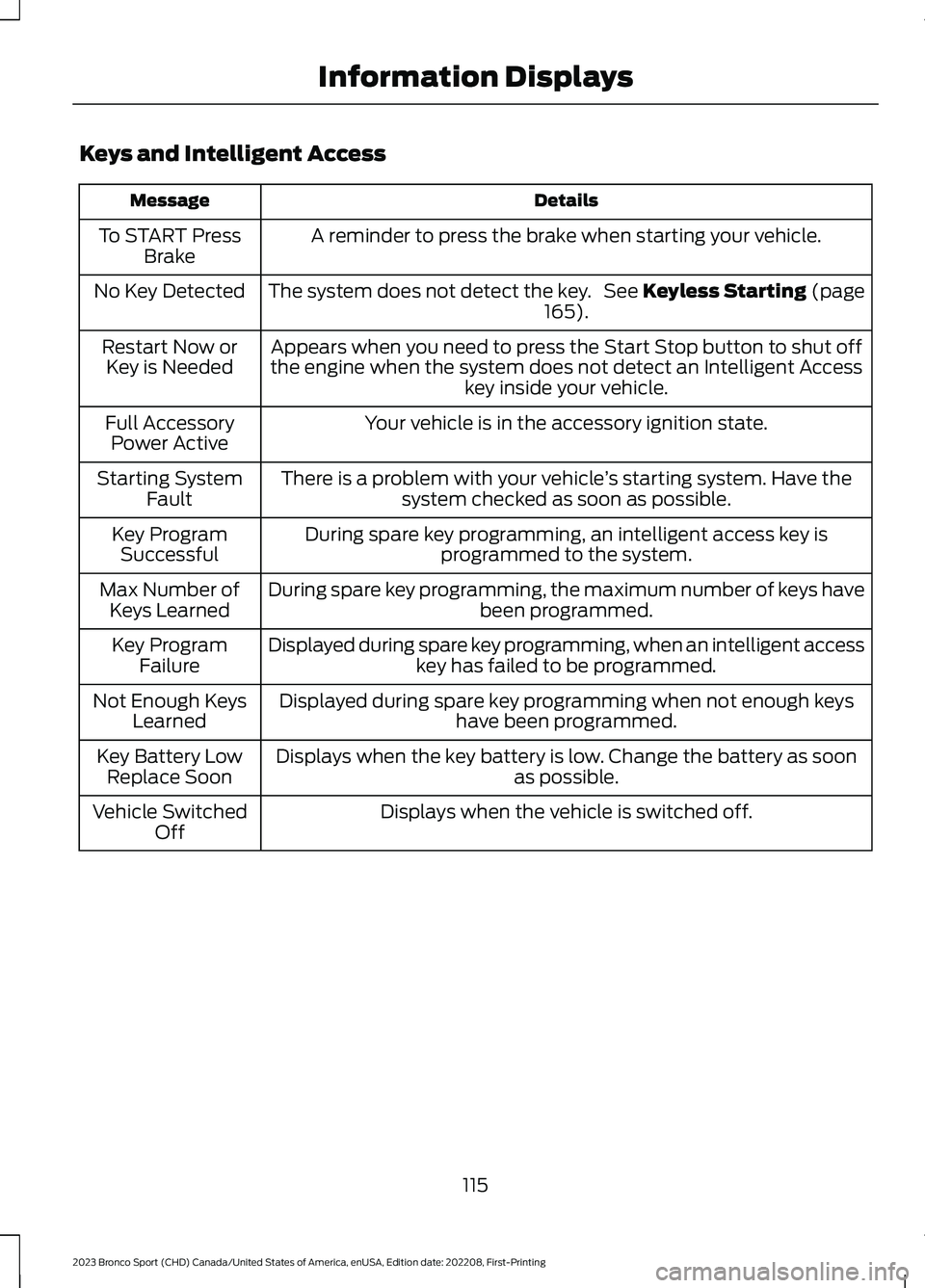
Keys and Intelligent Access
DetailsMessage
A reminder to press the brake when starting your vehicle.To START PressBrake
The system does not detect the key. See Keyless Starting (page165).No Key Detected
Appears when you need to press the Start Stop button to shut offthe engine when the system does not detect an Intelligent Accesskey inside your vehicle.
Restart Now orKey is Needed
Your vehicle is in the accessory ignition state.Full AccessoryPower Active
There is a problem with your vehicle’s starting system. Have thesystem checked as soon as possible.Starting SystemFault
During spare key programming, an intelligent access key isprogrammed to the system.Key ProgramSuccessful
During spare key programming, the maximum number of keys havebeen programmed.Max Number ofKeys Learned
Displayed during spare key programming, when an intelligent accesskey has failed to be programmed.Key ProgramFailure
Displayed during spare key programming when not enough keyshave been programmed.Not Enough KeysLearned
Displays when the key battery is low. Change the battery as soonas possible.Key Battery LowReplace Soon
Displays when the vehicle is switched off.Vehicle SwitchedOff
115
2023 Bronco Sport (CHD) Canada/United States of America, enUSA, Edition date: 202208, First-PrintingInformation Displays
Page 126 of 516
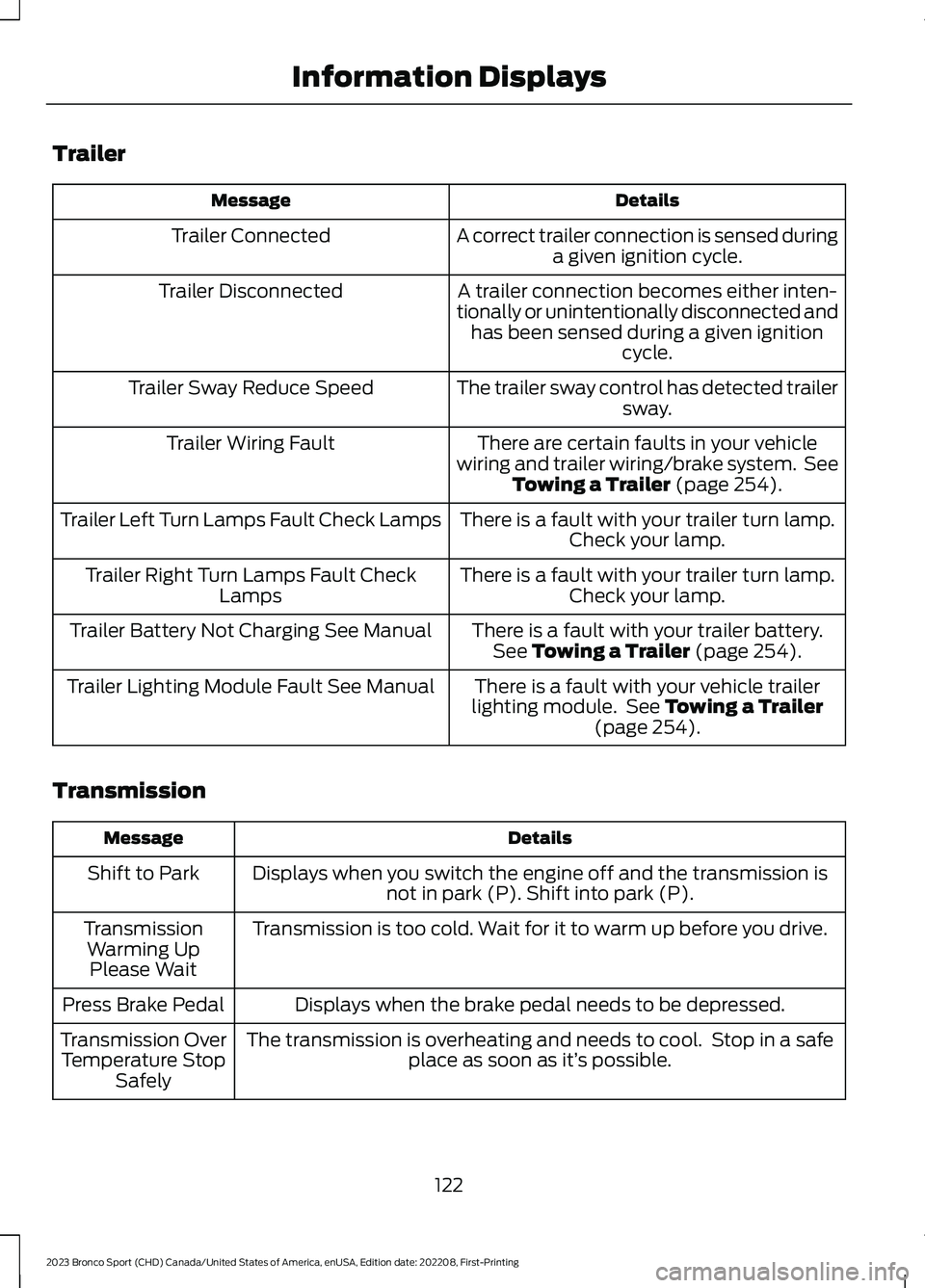
Trailer
DetailsMessage
A correct trailer connection is sensed duringa given ignition cycle.Trailer Connected
A trailer connection becomes either inten-tionally or unintentionally disconnected andhas been sensed during a given ignitioncycle.
Trailer Disconnected
The trailer sway control has detected trailersway.Trailer Sway Reduce Speed
There are certain faults in your vehiclewiring and trailer wiring/brake system. SeeTowing a Trailer (page 254).
Trailer Wiring Fault
There is a fault with your trailer turn lamp.Check your lamp.Trailer Left Turn Lamps Fault Check Lamps
There is a fault with your trailer turn lamp.Check your lamp.Trailer Right Turn Lamps Fault CheckLamps
There is a fault with your trailer battery.See Towing a Trailer (page 254).Trailer Battery Not Charging See Manual
There is a fault with your vehicle trailerlighting module. See Towing a Trailer(page 254).
Trailer Lighting Module Fault See Manual
Transmission
DetailsMessage
Displays when you switch the engine off and the transmission isnot in park (P). Shift into park (P).Shift to Park
Transmission is too cold. Wait for it to warm up before you drive.TransmissionWarming UpPlease Wait
Displays when the brake pedal needs to be depressed.Press Brake Pedal
The transmission is overheating and needs to cool. Stop in a safeplace as soon as it’s possible.Transmission OverTemperature StopSafely
122
2023 Bronco Sport (CHD) Canada/United States of America, enUSA, Edition date: 202208, First-PrintingInformation Displays
Page 127 of 516
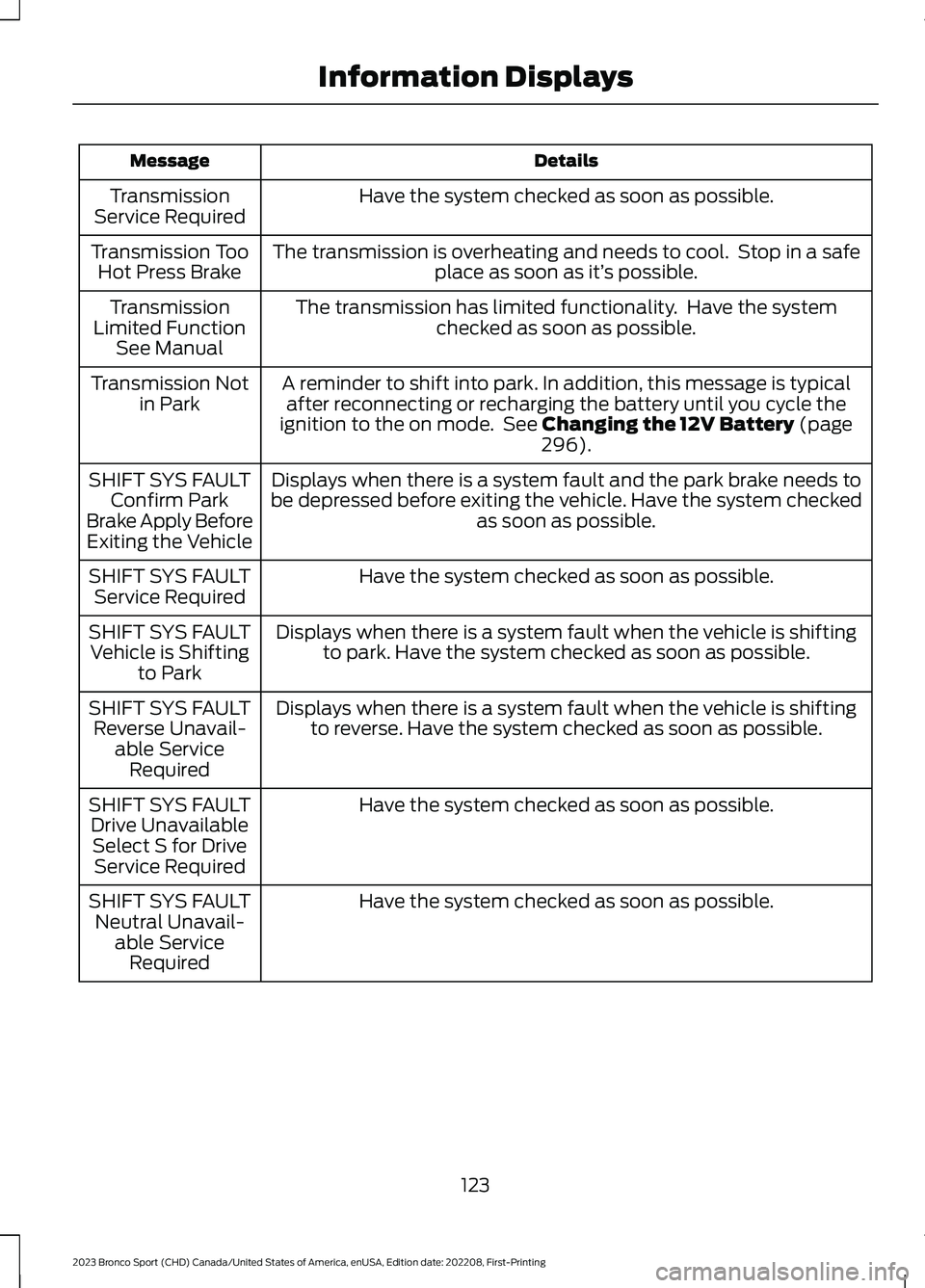
DetailsMessage
Have the system checked as soon as possible.TransmissionService Required
The transmission is overheating and needs to cool. Stop in a safeplace as soon as it’s possible.Transmission TooHot Press Brake
The transmission has limited functionality. Have the systemchecked as soon as possible.TransmissionLimited FunctionSee Manual
A reminder to shift into park. In addition, this message is typicalafter reconnecting or recharging the battery until you cycle theignition to the on mode. See Changing the 12V Battery (page296).
Transmission Notin Park
Displays when there is a system fault and the park brake needs tobe depressed before exiting the vehicle. Have the system checkedas soon as possible.
SHIFT SYS FAULTConfirm ParkBrake Apply BeforeExiting the Vehicle
Have the system checked as soon as possible.SHIFT SYS FAULTService Required
Displays when there is a system fault when the vehicle is shiftingto park. Have the system checked as soon as possible.SHIFT SYS FAULTVehicle is Shiftingto Park
Displays when there is a system fault when the vehicle is shiftingto reverse. Have the system checked as soon as possible.SHIFT SYS FAULTReverse Unavail-able ServiceRequired
Have the system checked as soon as possible.SHIFT SYS FAULTDrive UnavailableSelect S for DriveService Required
Have the system checked as soon as possible.SHIFT SYS FAULTNeutral Unavail-able ServiceRequired
123
2023 Bronco Sport (CHD) Canada/United States of America, enUSA, Edition date: 202208, First-PrintingInformation Displays
Page 129 of 516
WHAT IS REMOTE START
The system allows you to remotely startyour vehicle and to adjust the interiortemperature according to the settings thatyou chose.
REMOTE START
PRECAUTIONS
WARNING: Do not start the enginein a closed garage or in other enclosedareas. Exhaust fumes are toxic. Alwaysopen the garage door before you startthe engine. Failure to follow thisinstruction could result in personal injuryor death.
REMOTE START LIMITATIONS
Remote start does not work under thefollowing conditions:
•The alarm horn is sounding.
•The hood is open.
•The transmission is not in park (P).
•The ignition is on.
•The battery voltage is below theminimum operating voltage.
•Remote start is not enabled.
Note:Do not use remote start if the fuellevel is low.
ENABLING REMOTE START
1.Press Settings on the touchscreen.
2.Press Vehicle.
3.Press Remote Start Setup.
4.Switch System on.
Note:To use remote start, make sure thatthe modem is enabled. See Connecting theVehicle to a Mobile Network (page 352).
REMOTELY STARTING AND
STOPPING THE VEHICLE
Remotely Starting the Vehicle
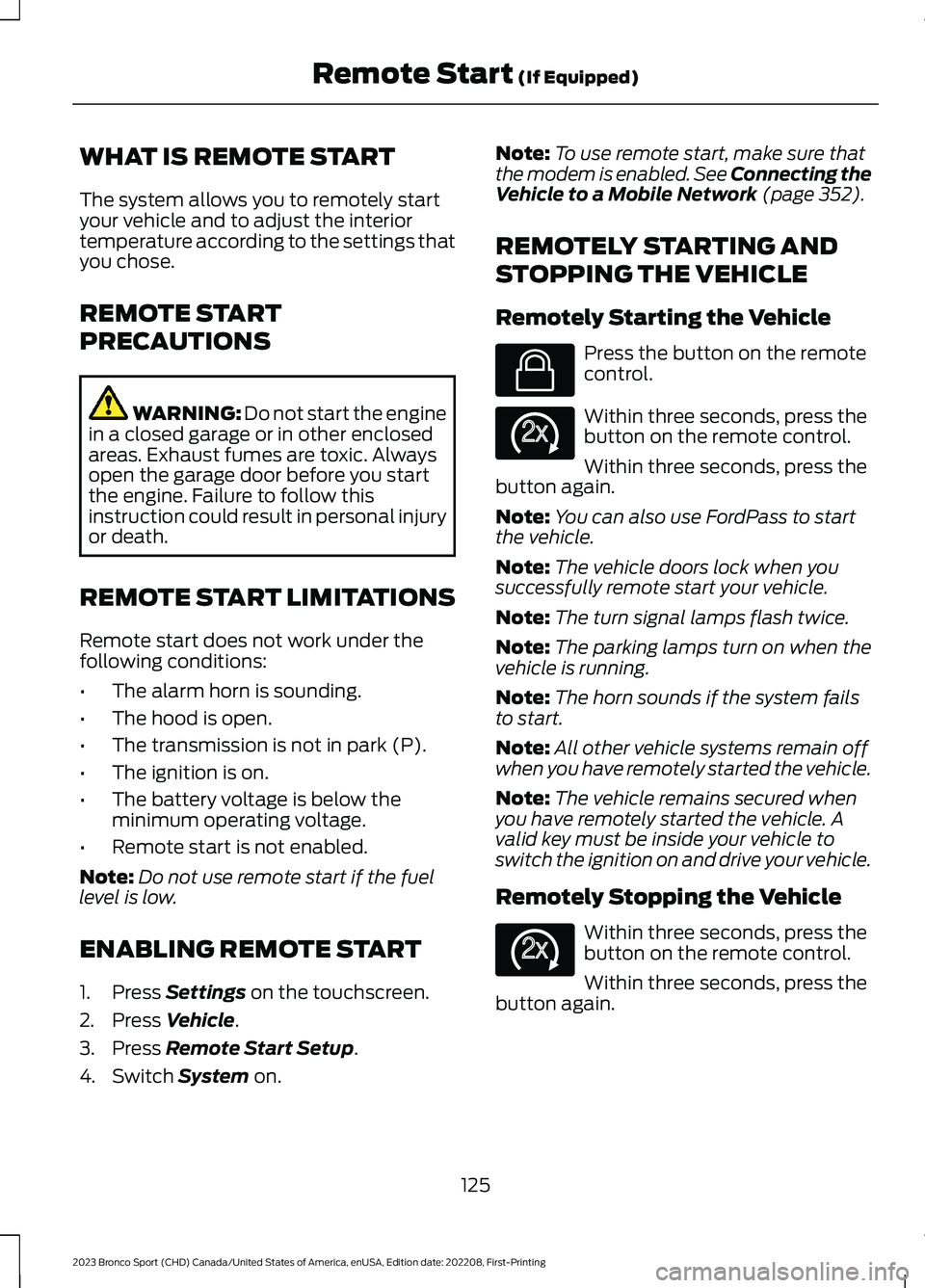
Press the button on the remotecontrol.
Within three seconds, press thebutton on the remote control.
Within three seconds, press thebutton again.
Note:You can also use FordPass to startthe vehicle.
Note:The vehicle doors lock when yousuccessfully remote start your vehicle.
Note:The turn signal lamps flash twice.
Note:The parking lamps turn on when thevehicle is running.
Note:The horn sounds if the system failsto start.
Note:All other vehicle systems remain offwhen you have remotely started the vehicle.
Note:The vehicle remains secured whenyou have remotely started the vehicle. Avalid key must be inside your vehicle toswitch the ignition on and drive your vehicle.
Remotely Stopping the Vehicle
Within three seconds, press thebutton on the remote control.
Within three seconds, press thebutton again.
125
2023 Bronco Sport (CHD) Canada/United States of America, enUSA, Edition date: 202208, First-PrintingRemote Start (If Equipped)E138623 E138625 E138625
Page 153 of 516
WHAT IS THE REAR
OCCUPANT ALERT SYSTEM
The rear occupant alert system monitorsvehicle conditions and notifies you to checkfor rear seat occupants when you switchthe ignition off.
HOW DOES THE REAR
OCCUPANT ALERT SYSTEM
WORK
The system monitors when rear doors havebeen opened and closed to indicate thepotential presence of an occupant in therear seat.
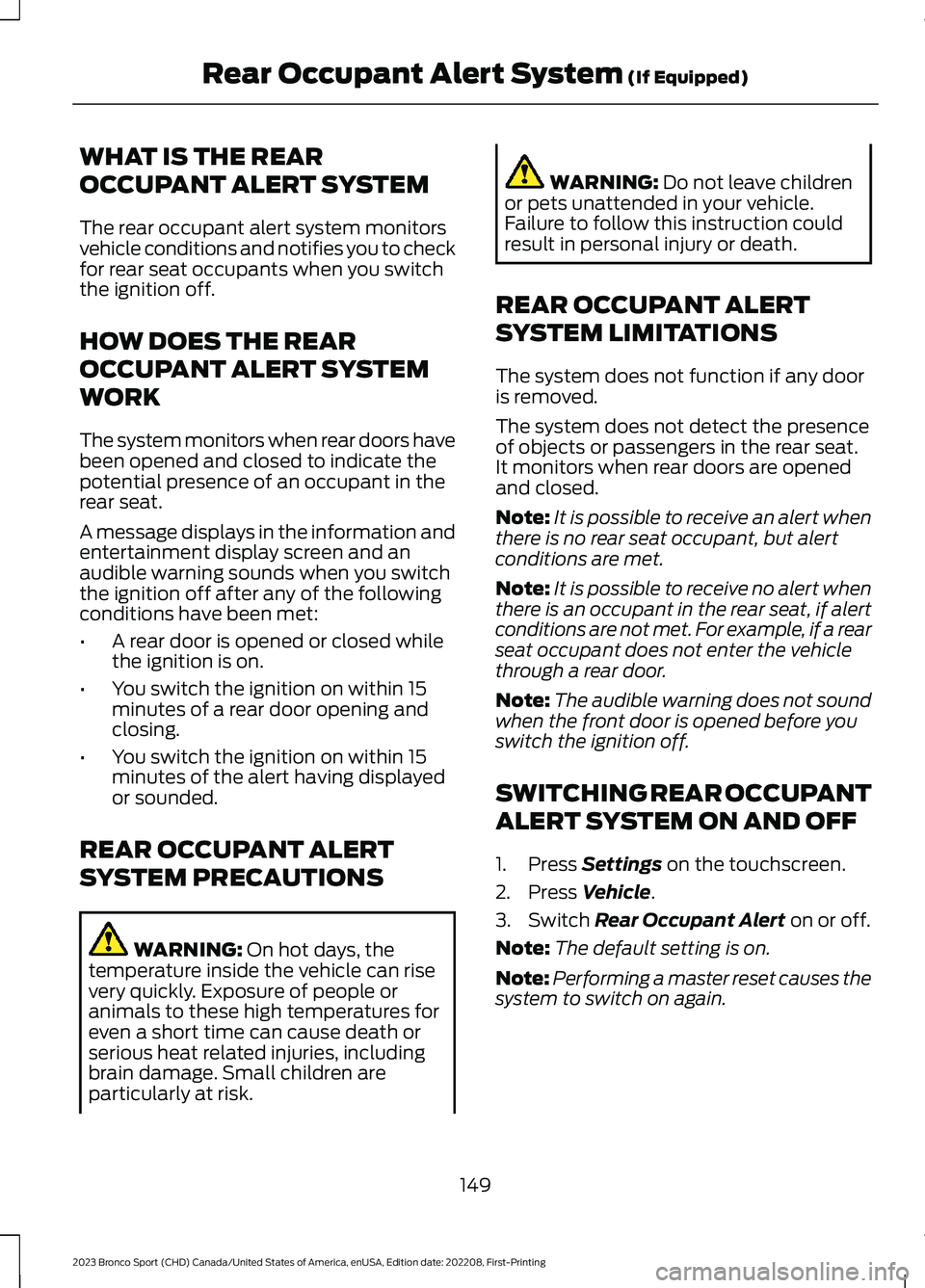
A message displays in the information andentertainment display screen and anaudible warning sounds when you switchthe ignition off after any of the followingconditions have been met:
•A rear door is opened or closed whilethe ignition is on.
•You switch the ignition on within 15minutes of a rear door opening andclosing.
•You switch the ignition on within 15minutes of the alert having displayedor sounded.
REAR OCCUPANT ALERT
SYSTEM PRECAUTIONS
WARNING: On hot days, thetemperature inside the vehicle can risevery quickly. Exposure of people oranimals to these high temperatures foreven a short time can cause death orserious heat related injuries, includingbrain damage. Small children areparticularly at risk.
WARNING: Do not leave childrenor pets unattended in your vehicle.Failure to follow this instruction couldresult in personal injury or death.
REAR OCCUPANT ALERT
SYSTEM LIMITATIONS
The system does not function if any dooris removed.
The system does not detect the presenceof objects or passengers in the rear seat.It monitors when rear doors are openedand closed.
Note:It is possible to receive an alert whenthere is no rear seat occupant, but alertconditions are met.
Note:It is possible to receive no alert whenthere is an occupant in the rear seat, if alertconditions are not met. For example, if a rearseat occupant does not enter the vehiclethrough a rear door.
Note:The audible warning does not soundwhen the front door is opened before youswitch the ignition off.
SWITCHING REAR OCCUPANT
ALERT SYSTEM ON AND OFF
1.Press Settings on the touchscreen.
2.Press Vehicle.
3.Switch Rear Occupant Alert on or off.
Note:The default setting is on.
Note:Performing a master reset causes thesystem to switch on again.
149
2023 Bronco Sport (CHD) Canada/United States of America, enUSA, Edition date: 202208, First-PrintingRear Occupant Alert System (If Equipped)
Page 155 of 516
HOW DOES THE MEMORY
FUNCTION WORK
The memory function recalls the positionof these features:
•Driver seat.
•Power mirrors.
MEMORY FUNCTION
PRECAUTIONS
WARNING: Before activating thememory seat, make sure that the areaimmediately surrounding the seat is clearof obstructions and that all occupantsare clear of moving parts.
WARNING: Do not use the memoryfunction when your vehicle is moving.
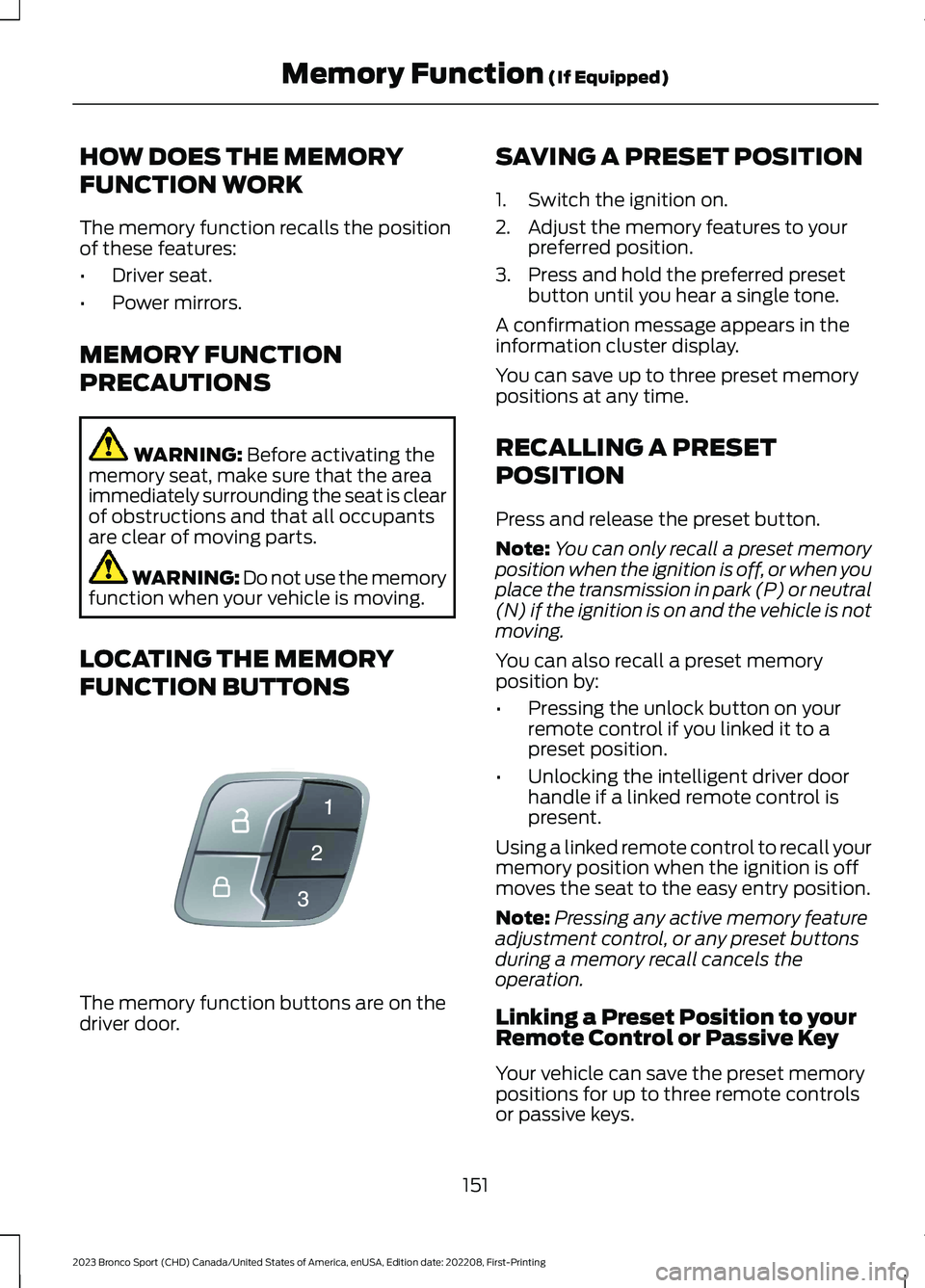
LOCATING THE MEMORY
FUNCTION BUTTONS
The memory function buttons are on thedriver door.
SAVING A PRESET POSITION
1.Switch the ignition on.
2.Adjust the memory features to yourpreferred position.
3.Press and hold the preferred presetbutton until you hear a single tone.
A confirmation message appears in theinformation cluster display.
You can save up to three preset memorypositions at any time.
RECALLING A PRESET
POSITION
Press and release the preset button.
Note:You can only recall a preset memoryposition when the ignition is off, or when youplace the transmission in park (P) or neutral(N) if the ignition is on and the vehicle is notmoving.
You can also recall a preset memoryposition by:
•Pressing the unlock button on yourremote control if you linked it to apreset position.
•Unlocking the intelligent driver doorhandle if a linked remote control ispresent.
Using a linked remote control to recall yourmemory position when the ignition is offmoves the seat to the easy entry position.
Note:Pressing any active memory featureadjustment control, or any preset buttonsduring a memory recall cancels theoperation.
Linking a Preset Position to yourRemote Control or Passive Key
Your vehicle can save the preset memorypositions for up to three remote controlsor passive keys.
151
2023 Bronco Sport (CHD) Canada/United States of America, enUSA, Edition date: 202208, First-PrintingMemory Function (If Equipped)E142554