Page 407 of 740
405
uuBluetooth ® HandsFreeLink ®u Using HFL
Features
The audio/information scr een notifies you when there is an incoming call.
Certain manual functions are disabled or inoperable while the vehicle is in motion.
You cannot select a grayed-out option until the vehicle is stopped.
■HFL Status Display1 HFL Status Display
The information that appears on the audio/
information screen vari es between phone models.
■Limitations for Manual Operation
Bluetooth Indicator
Appears when your
phone is connected to
HFL.
Signal Strength
HFL Mode
Battery Level Status
Caller’s Name (If
registered)/Caller’s
Number (If not
registered)
23 ACURA INTEGRA-313S56000_03.book 405 ページ 2022年3月18日 金曜日 午前11時47分
Page 410 of 740

uuBluetooth ® HandsFreeLink ®u HFL Menus
408
Features
■Bluetooth ® setup
You can turn Bluetooth® function on and off.
1. Press the button.
2. Select General Settings .
3. Select Connections .
4. Select Bluetooth .
5. Select Options.
6. Select Bluetooth , then select ON.
■To pair a cell phone (when there is no
phone paired to the system)
1. Select Phone .
2. Select Connect New Device .
3. Make sure your phone is in search or
discoverable mode.
4. Select Acura Integra from your phone.
u If you want to pair a phone from this
audio system, select Search for
Devices , and then select your phone
when it appears on the list.
5. The system gives you a pairing code on the
audio/information screen.
u Confirm if the pairing code on the
screen and your phone match.
This may vary by phone.
6. Select desired functions and then select
Connect .
■Phone Setup1Phone Setup
Your Bluetooth -compatible phone must be paired to
the system before you ca n make and receive hands-
free calls.
Phone Pairing Tips:
•You cannot pair your phone while the vehicle is
moving.
•Up to six phones can be paired.
•Your phone's battery may dr ain faster when it is
paired to the system.
Once you have paired a phone, you can see it
displayed on the screen with one or more icons on
the right side.
These icons indicate the following: : The phone is compatible with Bluetooth ® Audio.
: The phone can be used with HFL.
: The phone is compatib le with Apple CarPlay.
: The phone is compatible with Android Auto.
If there is an active connection to Appl e CarPlay or
Android Auto, pairing of additional Bluetooth-
compatible devices is unavailable.
23 ACURA INTEGRA-313S56000_03.book 408 ページ 2022年3月18日 金曜日 午前11時47分
Page 418 of 740
uuBluetooth ® HandsFreeLink ®u HFL Menus
416
Features
You can make calls by inputting any phone
number, or by using the imported Recent
Calls, Favorite Contacts, and Contacts
entries.
■To make a call using the imported
phonebook
1. Select Phone .
2. Select Contacts .
3. Select a name.
u You can sort by First Name or Last
Name . Select the icon on the upper right
of the screen.
4. Select a number.
u Dialing starts automatically.
■Making a Call1Making a Call
Once a call is connected, you can hear the voice of
the person you are call ing through the audio
speakers.
While there is an active connection with Apple
CarPlay, phone calls ca nnot be made with
HandsFreeLink ® and are only made from Apple
CarPlay.
23 ACURA INTEGRA-313S56000_03.book 416 ページ 2022年3月18日 金曜日 午前11時47分
Page 420 of 740
uuBluetooth ® HandsFreeLink ®u HFL Menus
418
Features
When there is an incoming call, an audible
notification sounds (i f activated) and the
Incoming Call... screen appears.
You can answer the call using the left selector
wheel.
To pick the call, roll up or down to select
(answer) on the driver information interface
and then press the left selector wheel. u If you want to decline or end the call,
select (ignore) on the driver
information interface using the left
selector wheel.
■Receiving a Call1Receiving a Call
Call Waiting
Select (answer) to put the current call on hold to
answer the incoming call.
Select using the left selector wheel to return to
the current call.
Select (ignore) to ignor e the incoming call if you
do not want to answer it.
Select if you want to hang up the current call.
You can select the icons on the audio/information
screen instead of the and on the driver
information interface.
23 ACURA INTEGRA-313S56000_03.book 418 ページ 2022年3月18日 金曜日 午前11時47分
Page 421 of 740
419
uuBluetooth ® HandsFreeLink ®u HFL Menus
Features
The following options are available during a call.
Mute: Mute your voice.
Use Handheld : Transfer a call from the system to your phone.
Keypad : Send numbers during a call. This is useful when you call a menu-driven
phone system. The available options are shown on the lower
half of the screen.
Select the option. u The mute icon appears when Mute is
selected when the other source screen
other than the phone screen is displayed.
Select Mute again to turn it off.
■Options During a Call1Options During a Call
Keypad : Available on some phones.
You can select the icons on the audio/information
screen.
23 ACURA INTEGRA-313S56000_03.book 419 ページ 2022年3月18日 金曜日 午前11時47分
Page 447 of 740
Continued445
uuWhen Driving uShifting
Driving
Adjusts the engine’s RPM to match the optimal speed of the gear that is about to be
engaged.
2 Acura Integrated Dynamics System P. 449
■Limitations
The rev match system will not activate under the following conditions:
• You are shifting into a lower gear, but th e system has determined that the engine
will over rev.
• You are shifting into 1st gear from a higher gear.
• Engine RPM is low and you are shifting in to a lower gear in sequential order.
• The system has determined that the engine will be at idling speed after you have
shifted into a higher gear.
• The clutch pedal is not fully depressed.
The rev match system may deac tivate if the clutch pedal is fully depressed for a
extended period of time.
■Rev Match System1 Rev Match System
You can turn off the rev match system using the
audio/information screen.
2 Customized Features P. 359
If you depress the accele rator pedal while changing
gears, the system may give priority to inputs from the
accelerator pedal depending on the amount of
depression of the accelerator pedal.
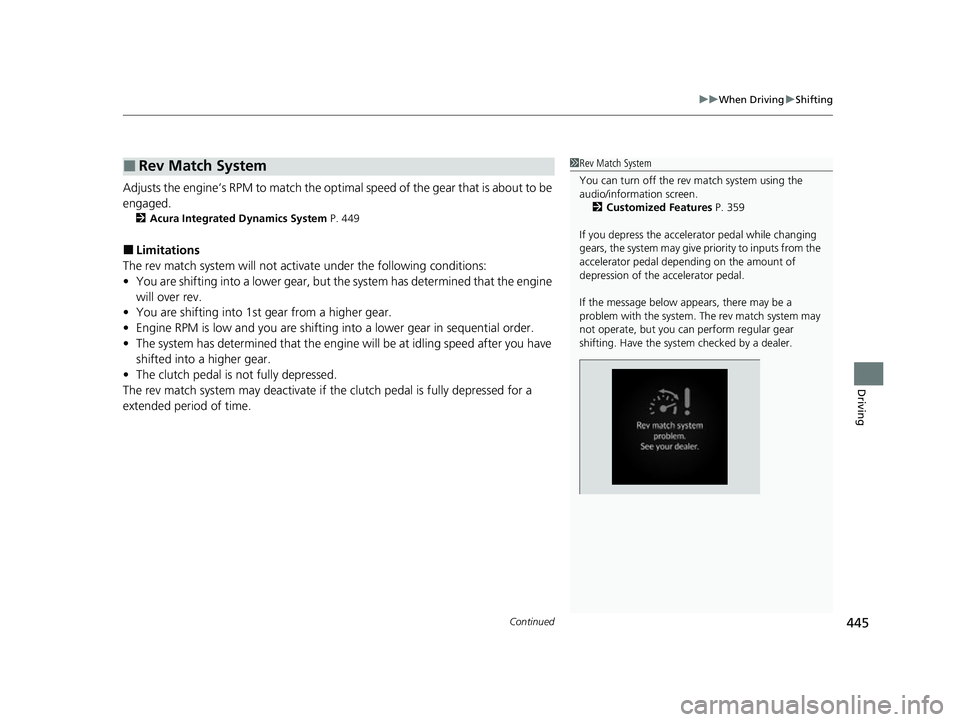
If the message below appears, there may be a
problem with the system. The rev match system may
not operate, but you ca n perform regular gear
shifting. Have the system checked by a dealer.
23 ACURA INTEGRA-313S56000_03.book 445 ページ 2022年3月18日 金曜日 午前11時47分
Page 451 of 740
449
uuWhen Driving uAcura Integrated Dynamics System
Continued
Driving
Acura Integrated Dynamics System
Modifies the dynamic character of the vehicl e. There are four modes to select from:
COMFORT , NORMAL , SPORT, and INDIVIDUAL .
Using the Dynamic Mode switch to select COMFORT, NORMAL or SPORT . Press
the INDIVIDUAL button to select INDIVIDUAL. The mode you have selected
appears on the audio/information screen.
Models with 9-in. Color Touchscreen
1 Acura Integrated Dynamics System
The mode may not be able to be changed when:
•The vehicle is turning
•The VSA ® system is activating
•There is a problem with the engine, transmission,
the brake system, the VSA ®, the EPS, or the Active
Damper System
23 ACURA INTEGRA-313S56000_03.book 449 ページ 2022年3月18日 金曜日 午前11時47分
Page 452 of 740
450
uuWhen Driving uAcura Integrated Dynamics System
Driving
■Selecting the Dynamic Mode
INDIVIDUAL Setting screen
2 P. 453 SPORT
Mode
NORMAL Mode
COMFORT Mode
Changing modes by
Dynamic Mode
switch
or INDIVIDUAL button
alters the screen on
the driver information
interface. Audio/Information Screen
INDIVIDUAL Mode
Press and hold the INDIVIDUAL
button or select Customize
2 Customized Features P. 359
Press the or button on the
audio/information screen.
2
Audio System Basic Operation
P. 259
Dynamic Mode
Switch
Press the INDIVIDUAL button
Press the Dynamic Mode switch
up or down
INDIVIDUAL
Button
*1: The display returns to audio/information
screen a few seconds after pressing the
Dynamic Mode switch or INDIVIDUAL button.
*1
*1
* Not available on all models
23 ACURA INTEGRA-313S56000_03.book 450 ページ 2022年3月18日 金曜日 午前11時47分


