2022 TOYOTA BZ4X high beam
[x] Cancel search: high beamPage 266 of 674

264
Owners Manual_Europe_M42D76_en
5-3. Operating the lights and wipers
• When a vehicle ahead is a two-
wheeled vehicle • The condition of the road (gradient, curve, condition of the road surface,
etc.) • The number of passengers and amount of luggage
●The light distribution control of the headlights may not match the driver’s
expectations
●Bicycles and other small vehicles may
not be detected.
●In the following situations, the system
may not be able to correctly detect the brightness of the surroundings. This may cause the low beams to remain
on or the high beams to flash or daz- zle pedestrians or vehicles ahead. In such a case, it is necessary to manu-
ally change between the high beams and low beams.• When there are lights similar to head-
lights or tail lights in the surrounding area• When headlights or tail lights of vehi-
cles ahead are turned off, dirty, chang- ing color, or not aimed properly• When the headlights are repeatedly
changing between the high beams and low beams.• When use of the high beams is inap-
propriate or when the high beams may be flashing or dazzling pedestri-ans or other drivers.
• When the vehicle is used in an area in which vehicles travel on the opposite side of the road of the country for
which the vehicle was designed, for example using a vehicle designed for right-hand traffic in a left-hand traffic
area, or vice versa • When it is necessary to disable the system: P. 2 7 5
• Situations in which the sensors may not operate properly: P. 2 7 9
■Customization
The settings of some functions can be
changed. ( P.567)
■Changing to the high beams
Push the lever forward.
The AHS indicator will turn off and the
high beam indicator will turn on.
Pull the lever to its original position to
enable the Adaptive High-beam Sys-
tem again.
■Changing to the low beams
Press the Adaptive High-beam Sys-
tem switch.
The AHS indicator will turn off.
Press the switch to enable the Adaptive
High-beam System again.
It is recommended to switch to the
Turning the high beams
on/off manually
Temporarily changing to the
low beams
Page 267 of 674

265
5
Owners Manual_Europe_M42D76_en
5-3. Operating the lights and wipers
Driving
low beams when use of the high
beams is inappropriate or when the
high beams may cause problems or
distress to other drivers or pedestri-
ans nearby.
Pull the lever rearward and then
return it to its original position.
The high beams will illuminate while the
lever is pulled, however, after the lever
is returned to its original position, the
low beams will remain on for a certain
amount of time. After this, the Adaptive
High-beam System will operate.
*: If equipped
1 Press the Automatic High Beam
switch.
AHB (Automatic High
Beam)*
The Automatic High Beam
uses a front camera located on
the upper portion of the wind-
shield to detect the brightness
of the lights of vehicles ahead,
streetlights, etc., and automati-
cally changes the head lights
between the high beams and
low beams.
WARNING
■For safe use
Do not overly rely on the Automatic High Beam. Always drive safely, tak-ing care to observe your surroundings
and turning the high beams on or off manually if necessary.
■To prevent unintentional opera-tion of the Automatic High Beam
When it is necessary to disable the system: P.275
Using the Automatic High
Beam system
Page 268 of 674
266
Owners Manual_Europe_M42D76_en
5-3. Operating the lights and wipers
2Turn the headlight switch to the
or position.
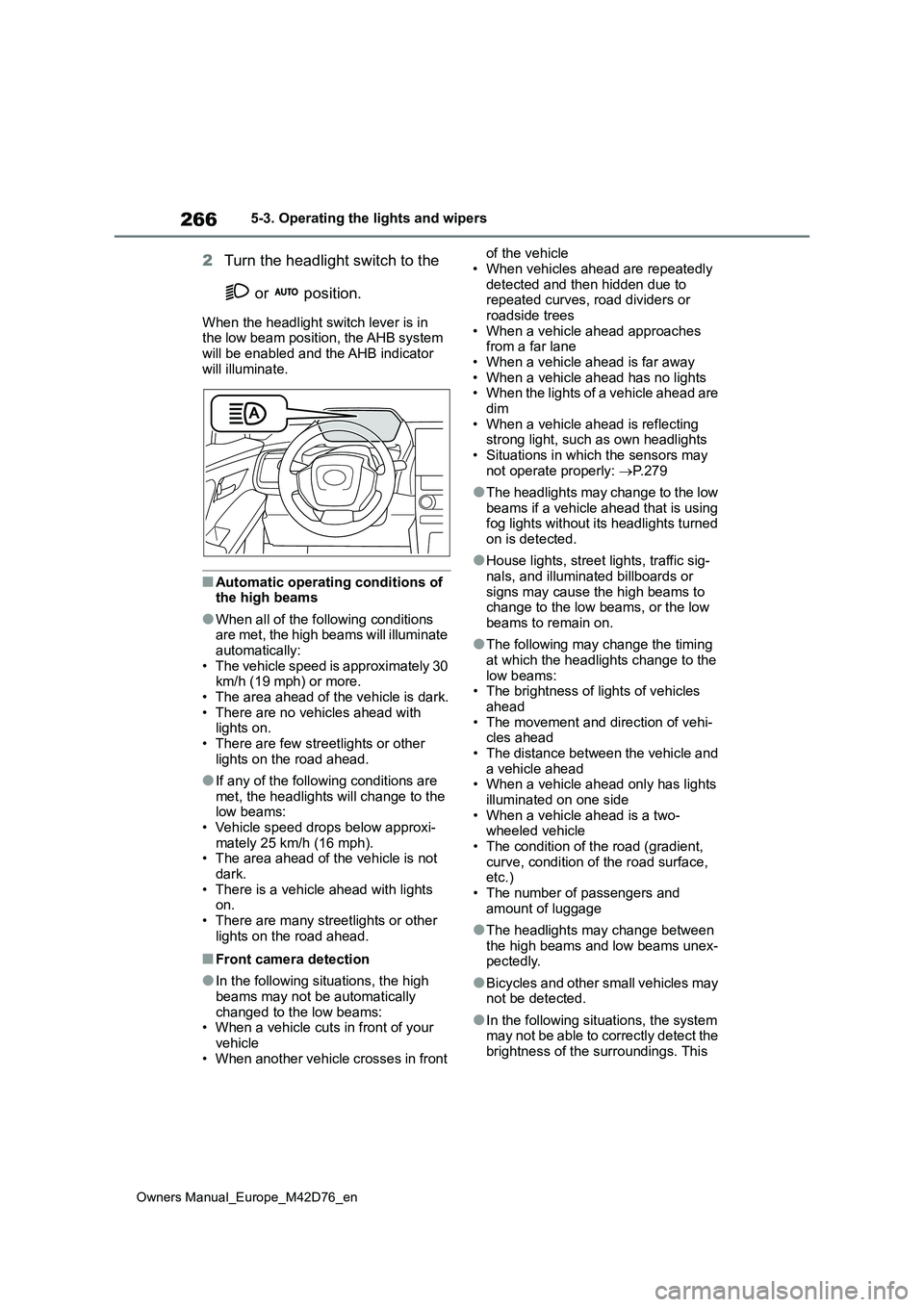
When the headlight switch lever is in the low beam position, the AHB system
will be enabled and the AHB indicator will illuminate.
■Automatic operating conditions of the high beams
●When all of the following conditions are met, the high beams will illuminate automatically:
• The vehicle speed is approximately 30 km/h (19 mph) or more.• The area ahead of the vehicle is dark.
• There are no vehicles ahead with lights on.• There are few streetlights or other
lights on the road ahead.
●If any of the following conditions are
met, the headlights will change to the low beams:• Vehicle speed drops below approxi-
mately 25 km/h (16 mph). • The area ahead of the vehicle is not dark.
• There is a vehicle ahead with lights on.• There are many streetlights or other
lights on the road ahead.
■Front camera detection
●In the following situations, the high
beams may not be automatically changed to the low beams:• When a vehicle cuts in front of your
vehicle • When another vehicle crosses in front
of the vehicle
• When vehicles ahead are repeatedly detected and then hidden due to repeated curves, road dividers or
roadside trees • When a vehicle ahead approaches from a far lane
• When a vehicle ahead is far away • When a vehicle ahead has no lights• When the lights of a vehicle ahead are
dim • When a vehicle ahead is reflecting strong light, such as own headlights
• Situations in which the sensors may not operate properly: P. 2 7 9
●The headlights may change to the low beams if a vehicle ahead that is using fog lights without its headlights turned
on is detected.
●House lights, street lights, traffic sig-
nals, and illuminated billboards or signs may cause the high beams to change to the low beams, or the low
beams to remain on.
●The following may change the timing
at which the headlights change to the low beams:• The brightness of lights of vehicles
ahead • The movement and direction of vehi-cles ahead
• The distance between the vehicle and a vehicle ahead• When a vehicle ahead only has lights
illuminated on one side • When a vehicle ahead is a two-wheeled vehicle
• The condition of the road (gradient, curve, condition of the road surface, etc.)
• The number of passengers and amount of luggage
●The headlights may change between the high beams and low beams unex-pectedly.
●Bicycles and other small vehicles may not be detected.
●In the following situations, the system may not be able to correctly detect the
brightness of the surroundings. This
Page 269 of 674

267
5
Owners Manual_Europe_M42D76_en
5-3. Operating the lights and wipers
Driving
may cause the low beams to remain
on or the high beams to flash or daz- zle pedestrians or vehicles ahead. In such a case, it is necessary to manu-
ally change between the high beams and low beams.• When there are lights similar to head-
lights or tail lights in the surrounding area• When headlights or tail lights of vehi-
cles ahead are turned off, dirty, chang- ing color, or not aimed properly• When the headlights are repeatedly
changing between the high beams and low beams.• When use of the high beams is inap-
propriate or when the high beams may be flashing or dazzling pedestri-ans or other drivers.
• When the vehicle is used in an area in which vehicles travel on the opposite side of the road of the country for
which the vehicle was designed, for example using a vehicle designed for right-hand traffic in a left-hand traffic
area, or vice versa • When it is necessary to disable the system: P. 2 7 5
• Situations in which the sensors may not operate properly: P. 2 7 9
■Changing to the high beams
Push the lever forward.
The Automatic High Beam indicator will
turn off and the high beam indicator will
turn on.
Pull the lever to its original position to
enable the Automatic High Beam sys-
tem again.
■Changing to the low beams
Press the Automatic High Beam
switch.
The Automatic High Beam indicator will
turn off.
Press the switch to enable the Auto-
matic High Beam system again.
It is recommended to switch to the
low beams when use of the high
beams is inappropriate or when the
high beams may cause problems or
distress to other drivers or pedestri-
ans nearby.
Pull the lever rearward and then
return it to its original position.
The high beams will illuminate while the
lever is pulled, however, after the lever
is returned to its original position, the
Turning the high beams
on/off manually
Temporarily changing to the
low beams
Page 270 of 674

268
Owners Manual_Europe_M42D76_en
5-3. Operating the lights and wipers
low beams will remain on for a certain
amount of time. After this, the Auto-
matic High Beam system will operate.
1 Turns the rear fog light off
2 Turns the rear fog light on
Releasing the switch ring returns it to
.
Operating the switch ring again turns
the rear fog light off.
■Fog light can be used when
The headlights are turned on.
Fog light switch
When in difficult driving condi-
tions, such as in rain and fog,
turn on the rear fog light to
notify following vehicles the
existence of your vehicle.
Turning on the fog lights
Page 278 of 674

276
Owners Manual_Europe_M42D76_en
5-4. Using the driving support systems
■AHS (Adaptive High-beam
System) (if equipped)
P. 2 6 2
■AHB (Automatic High Beam)
(if equipped)
P. 2 6 5
■PCS (Pre-Collision System)
P. 2 8 3
■LTA (Lane Tracing Assist)
P. 2 9 4
■LDA (Lane Departure Alert)
P. 2 9 9
■RSA (Road Sign Assist)
P. 3 0 4
■Dynamic radar cruise control
P. 3 0 7
■Speed limiter (if equipped)
P. 3 1 8
■Emergency Driving Stop Sys-
tem
P. 3 2 1
Various sensors are used to obtain
the necessary information for sys-
tem operation.
■Sensors which detect the sur-
rounding conditions
Front
Front radar sensor
Front camera
Rear (rear side radar sensors)
WARNING
●When a compact spare tire or tire chains are installed to the vehicle or
an emergency tire puncture repair kit has been used
●When the tires are excessively worn or the inflation pressure of the tires is low
●When tires other than the manufac-turer specified size are installed
●When the vehicle cannot be driven stably, due to a collision, malfunc-
tion, etc.
Driving assist systems
Sensors used by Toyota
Safety Sense
Page 526 of 674

524
Owners Manual_Europe_M42D76_en
8-2. Steps to take in an emergency
depress the brake pedal to decelerate
the vehicle.
●When electrical energy cannot be
regenerated any more as the traction battery is fully charged
●When the temperature of the traction battery is extremely high or extremely low
●When the temperature of the electric motor or power control unit, etc., is
extremely high
■If “High Power Consumption Power to Climate Temporarily Limited” is displayed
Turn off unnecessary electronic equip- ment to reduce power consumption.
Please wait until the power supply
returns to normal.
■If “Headlight System Malfunction Visit Your Dealer” is displayed
The following systems may be malfunc-
tioning. Have the vehicle inspected by any authorized Toyota retailer or Toyota authorized repairer, or any reliable
repairer immediately.
●The LED headlight system
●AHS (Adaptive High-beam System) (if equipped)
●Automatic High Beam (if equipped)
■If “System Malfunction Visit Your Dealer” is displayed
Indicates one of the following systems is disabled.
●PCS (Pre-Collision System)
●LDA (Lane Departure Alert)
●LTA (Lane Tracing Assist)
●AHB (Automatic High Beam) (if equipped)
●AHS (Adaptive High-beam System) (if equipped)
●Dynamic radar cruise control
●Speed limiter (if equipped)
●RSA (Road Sign Assist)
●BSM (Blind Spot Monitor) (if
equipped)
●RCTA (Rear Crossing Traffic Alert) (if equipped)
●FHL (Automatic Rear Flashing Hazard Lights)
●SEA (Safe Exit Assist) (if equipped)
●Toyota parking assist-sensor (if equipped)
●PKSB (Parking Support Brake) (if equipped)
●RCD (Rear Camera Detection) (if equipped)
Have the vehicle inspected by any
authorized Toyota retailer or Toyota
authorized repairer, or any reliable
repairer immediately.
■If “System Stopped See Owner’s
Manual” is displayed
Indicates one of the following systems is disabled.
●PCS (Pre-Collision System)
●LDA (Lane Departure Alert)
●LTA (Lane Tracing Assist)
●AHB (Automatic High Beam) (if equipped)
●AHS (Adaptive High-beam System) (if equipped)
●Dynamic radar cruise control
●Speed limiter (if equipped)
●RSA (Road Sign Assist)
●BSM (Blind Spot Monitor) (if equipped)
●RCTA (Rear Crossing Traffic Alert) (if equipped)
●FHL (Automatic Rear Flashing Hazard Lights)
●SEA (Safe Exit Assist) (if equipped)
●Toyota parking assist-sensor (if equipped)
●PKSB (Parking Support Brake) (if equipped)
●RCD (Rear Camera Detection) (if
Page 527 of 674
525
8
Owners Manual_Europe_M42D76_en
8-2. Steps to take in an emergency
When trouble arises
equipped)
Follow the following correction methods.
• Check the voltage of the battery
• Remove any dirt or foreign matter from the front/rear side radar sensors
■If “System Stopped Front Camera
Low Visibility See Owner’s Manual” is displayed
Indicates one of the following systems is
disabled.
●PCS (Pre-Collision System)
●LDA (Lane Departure Alert)
●LTA (Lane Tracing Assist)
●AHB (Automatic High Beam) (if
equipped)
●AHS (Adaptive High-beam System) (if
equipped)
●Dynamic radar cruise control
●Speed limiter (if equipped)
●RSA (Road Sign Assist)
Follow the following correction methods.
• Using the windshield wipers, remove the dirt or foreign matter from the windshield.
• Using the air conditioning system, defog the windshield.
• Close the hood, remove any stickers, etc. to clear the obstruction in front of
the front camera.
■If “System Stopped Front Camera Out of Temp. Range Wait until Nor-mal Temperature” is displayed
Indicates one of the following systems is disabled.
●PCS (Pre-Collision System)
●LDA (Lane Departure Alert)
●LTA (Lane Tracing Assist)
●AHB (Automatic High Beam) (if equipped)
●AHS (Adaptive High-beam System) (if equipped)
●Dynamic radar cruise control
●Speed limiter (if equipped)
●RSA (Road Sign Assist)
Follow the following correction methods.
• If the front camera is hot, such as after the vehicle is parked in the sun, use
the air conditioning system to decrease the temperature around the front camera
• If a sunshade was used when the vehicle was parked, depending on its
type, the sunlight reflected from the surface of the sunshade may cause the temperature of the front camera to
become excessively high
• If the front camera is cold, such after
the vehicle is parked in an extremely cold environment, use the air condi-tioning system to increase the tem-
perature around the front camera
■If “System Stopped Front Radar Sensor Blocked Clean Radar Sen-sor” is displayed
Indicates one of the following systems is disabled.
●PCS (Pre-Collision System)
●LDA (Lane Departure Alert)
●LTA (Lane Tracing Assist)
●AHB (Automatic High Beam) (if equipped)
●AHS (Adaptive High-beam System) (if equipped)
●Dynamic radar cruise control
●Speed limiter (if equipped)
●RSA (Road Sign Assist)
Follow the following correction methods.
• Check if there is any foreign matter attached to the radar sensor or radar
sensor cover and clean them if neces- sary ( P.277)
• This message may be displayed when driving in an open area with few nearby vehicles or structures, such as
a desert, grasslands, suburbs, etc.
The message may be cleared by driving
the vehicle in an area with structures,