Page 89 of 616

892. Instrument cluster
2
Instrument cluster
4RUNNER (U)
*1: These lights turn on when the engine switch is turned to the “ON” position(vehicles without a smart key system) or the engine switch is turned to
IGNITION ON mode (vehicles with a smart key system) to indicate that a
system check is being performed. They will turn off after the engine is
started, or after a few seconds. There may be a malfunction in a system if
the lights do not come on, or do not turn off. Have the vehicle inspected by
your Toyota dealer.
*2: This light flashes to indicate that the system is operating.
*3: This light does not turn on when the system is disabled.
*4: This light illuminates on the center panel.
*5: This light illuminates on the multi-information display.
*6: This light turns on when the system is off.
*7: In order to confirm operation, the BSM outside rear view mirror indicators illuminate in the following situations:
• When the engine switch is turned to IGNITION ON mode while the sys-
tem is set to on.
• When the system is set to on while the engine switch is in IGN ITION ON
mode.
*8: This light illuminates on the outside rear view mirrors.
WARNING
■ If a safety system warning light does not come on
Should a safety system light such as the ABS and SRS warning li ght not
come on when you start the engine, this could mean that these s ystems are
not available to help protect you in an accident, which could result in death
or serious injury. Have the vehicle inspected by your Toyota dealer immedi-
ately if this occurs.
Page 98 of 616
982. Instrument cluster
4RUNNER (U)■
Setting items
●
LDA (Lane Departure Alert)
Select to set up LDA. ( P. 568)
• Alert sensitivity
• Sway warning
• Sway sensitivity
● BSM (Blind Spot Mon itor) (if equipped)
Select to activate/deactivate BSM. ( P. 566)
• BSM on/off
• BSM sensitivity
• Outside rear view mirror indicator brightness
● RCTA (Rear Cross Traffic Alert) (if equipped)
Select to activate/deactivate RCTA. ( P. 566)
•RCTA on/off
● PCS (Pre-Collision System)
Select to set the f ollowing items. (P. 253)
• PCS on/off
• PCS sensitivity
● Intuitive parking assist (if equipped)
Select to set the Intuiti ve parking assist on/off
● Vehicle settings
“TPWS” (Tire Pressure Warning System) ( P. 438)
• “Set Pressure” Select to initialize the tire pressure warning system.
• “Change Wheel Set” Select to register the ID codes of the tire pressure sensors to
the tire pressure warning system.3
Page 103 of 616
103
Operation of
each component
3
4RUNNER (U) 3-1. Key information
Keys .................................. 104
Side doors ......................... 110
3-2. Opening, closing and locking the doors
Smart key system ............. 119
Automatic running boards ............................. 127
Back door .......................... 130
3-3. Adjusting the seats Front seats ........................ 135
Rear seats......................... 138
Driving position memory ........................... 148
Head restraints.................. 152
3-4. Adjusting the steering wheel and mirrors
Steering wheel .................. 155
Inside rear view mirror ...... 157
Outside rear view mirrors ............................. 159
3-5. Opening, closing the windows and
moon roof
Power windows ................. 161
Power back window .......... 165
Moon roof .......................... 169
Page 155 of 616
155
3
Operation of each component
4RUNNER (U)
3-4. Adjusting the steering wheel and mirrors
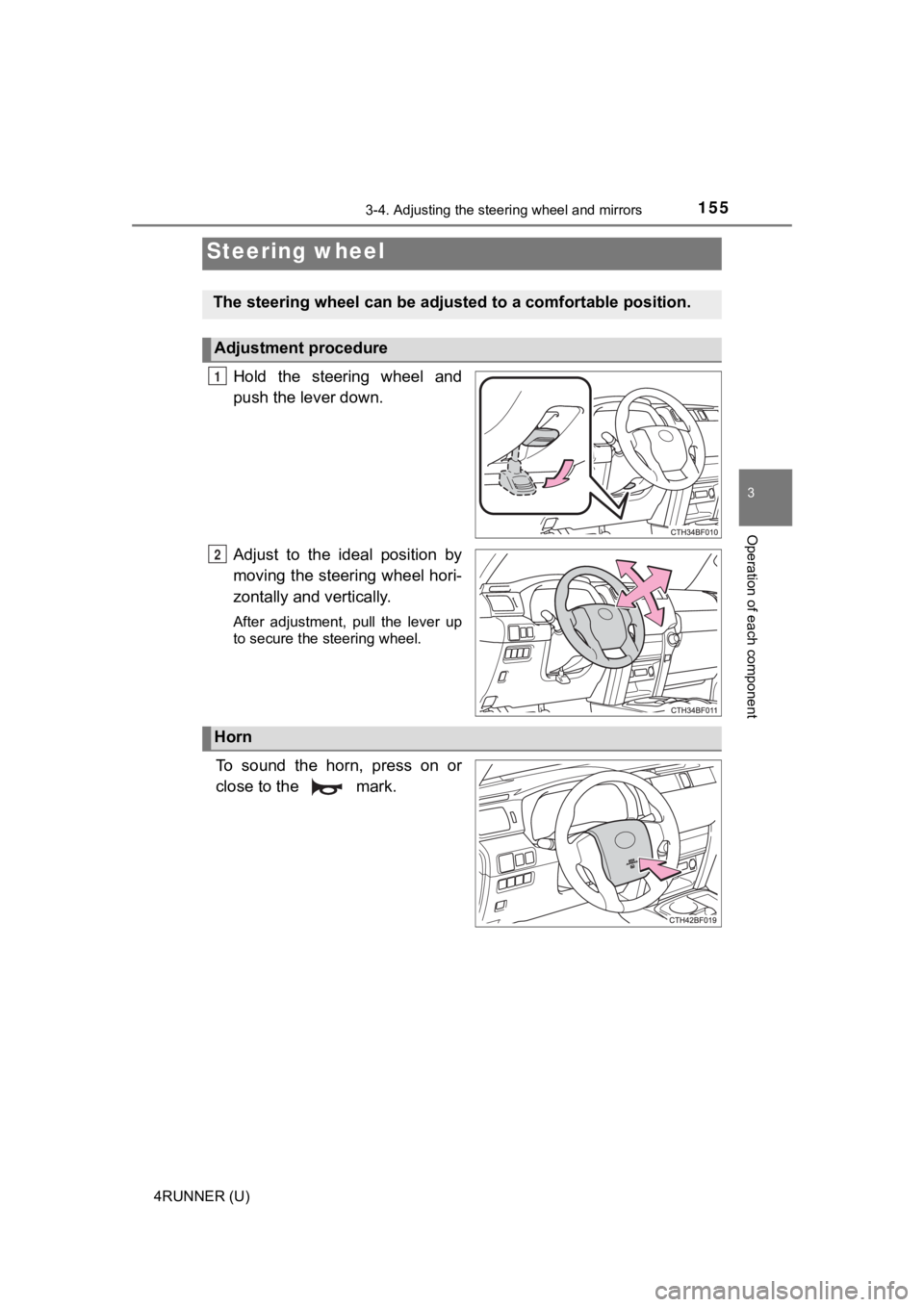
Hold the steering wheel and
push the lever down.
Adjust to the ideal position by
moving the steering wheel hori-
zontally and vertically.
After adjustment, pull the lever up
to secure the steering wheel.
To sound the horn, press on or
close to the mark.
Steering wheel
The steering wheel ca n be adjusted to a comfortable position.
Adjustment procedure
1
2
Horn
Page 156 of 616
1563-4. Adjusting the steering wheel and mirrors
4RUNNER (U)
WARNING
■Caution while driving
Do not adjust the steering wheel while driving.
Doing so may cause the driver to mishandle the vehicle and caus e an acci-
dent, resulting in death or serious injury.
■ After adjusting the steering wheel
Make sure that the steering wheel is securely locked.
Otherwise, the steering wheel may move suddenly, possibly causi ng an
accident, and resulting in death or serious injury. Also, the horn may not
sound if the steering wheel is not securely locked.
Page 157 of 616
1573-4. Adjusting the steering wheel and mirrors
3
Operation of each component
4RUNNER (U)
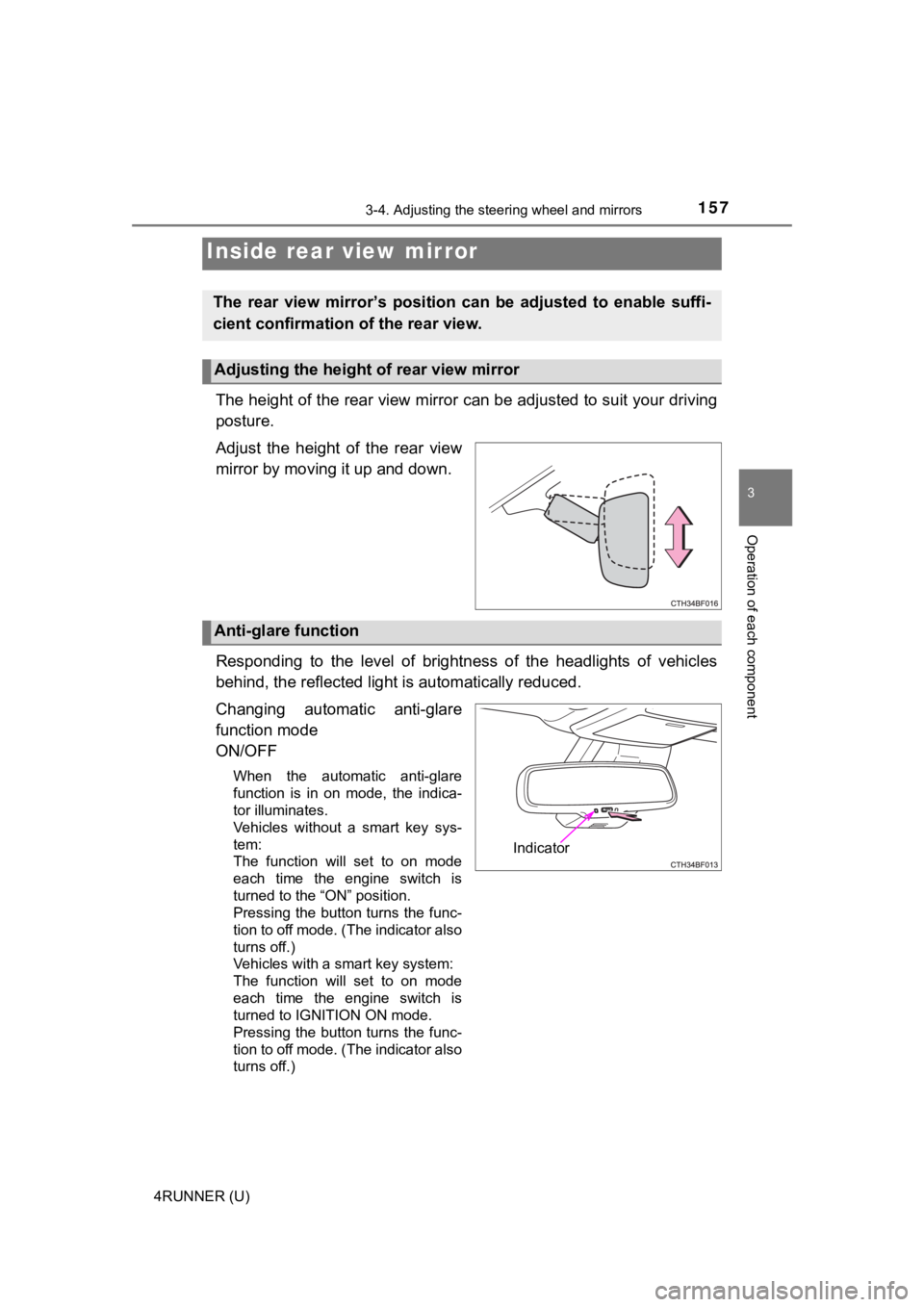
The height of the rear view mirror can be adjusted to suit your driving
posture.
Adjust the height of the rear view
mirror by moving it up and down.
Responding to the level of brightness of the headlights of vehi cles
behind, the reflected light is automatically reduced.
Changing automatic anti-glare
function mode
ON/OFF
When the automatic anti-glare
function is in on mode, the indica-
tor illuminates.
Vehicles without a smart key sys-
tem:
The function will set to on mode
each time the engine switch is
turned to the “ON” position.
Pressing the button turns the func-
tion to off mode. (The indicator also
turns off.)
Vehicles with a smart key system:
The function will set to on mode
each time the engine switch is
turned to IGNITION ON mode.
Pressing the button turns the func-
tion to off mode. (The indicator also
turns off.)
Inside rear view mirror
The rear view mirror’s position ca n be adjusted to enable suffi-
cient confirmation of the rear view.
Adjusting the height of rear view mirror
Anti-glare function
Indicator
Page 158 of 616
1583-4. Adjusting the steering wheel and mirrors
4RUNNER (U)
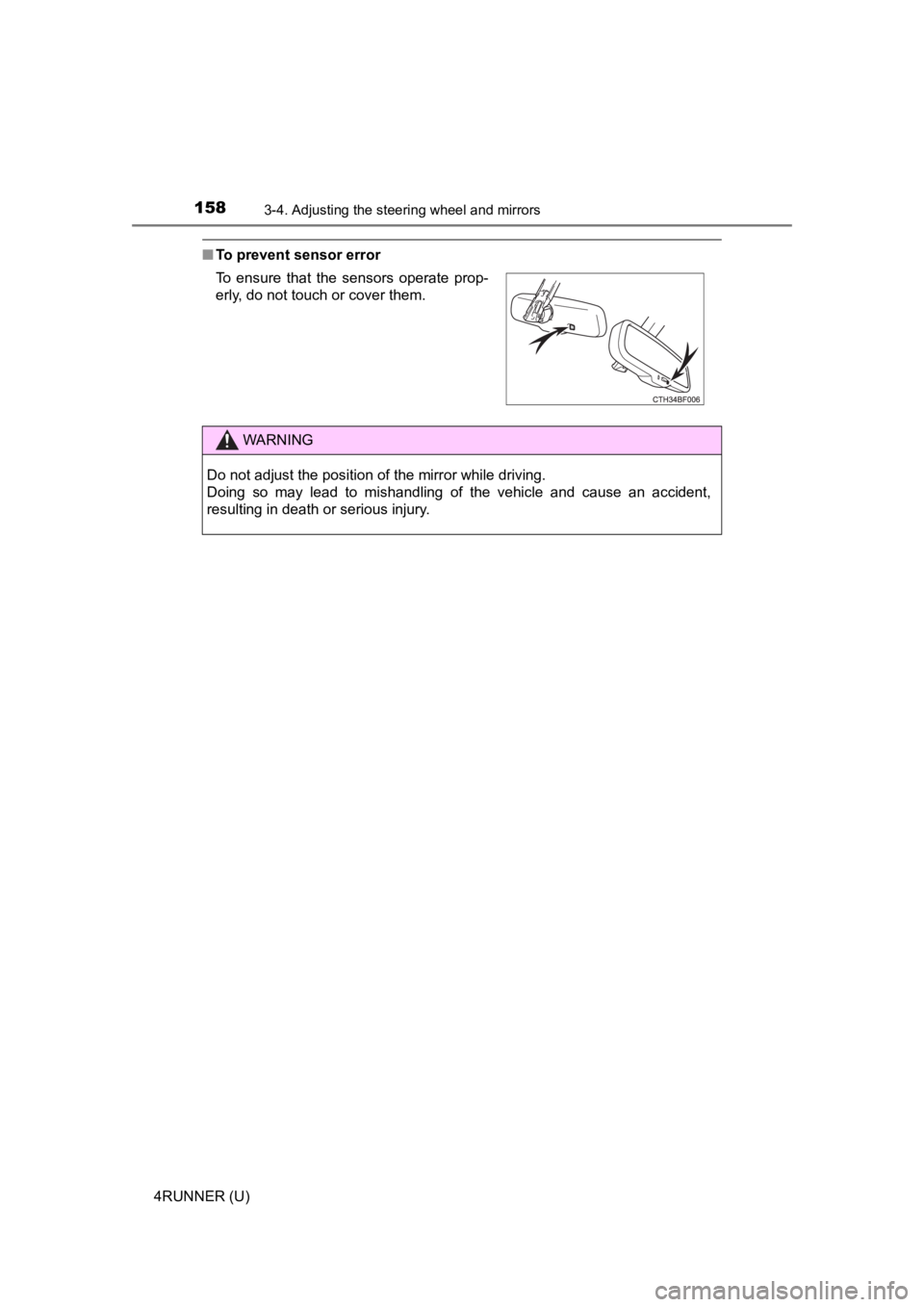
■To prevent sensor error
To ensure that the sensors operate prop-
erly, do not touch or cover them.
WARNING
Do not adjust the position of the mirror while driving.
Doing so may lead to mishandling of the vehicle and cause an accident,
resulting in death or serious injury.
Page 159 of 616
1593-4. Adjusting the steering wheel and mirrors
3
Operation of each component
4RUNNER (U)
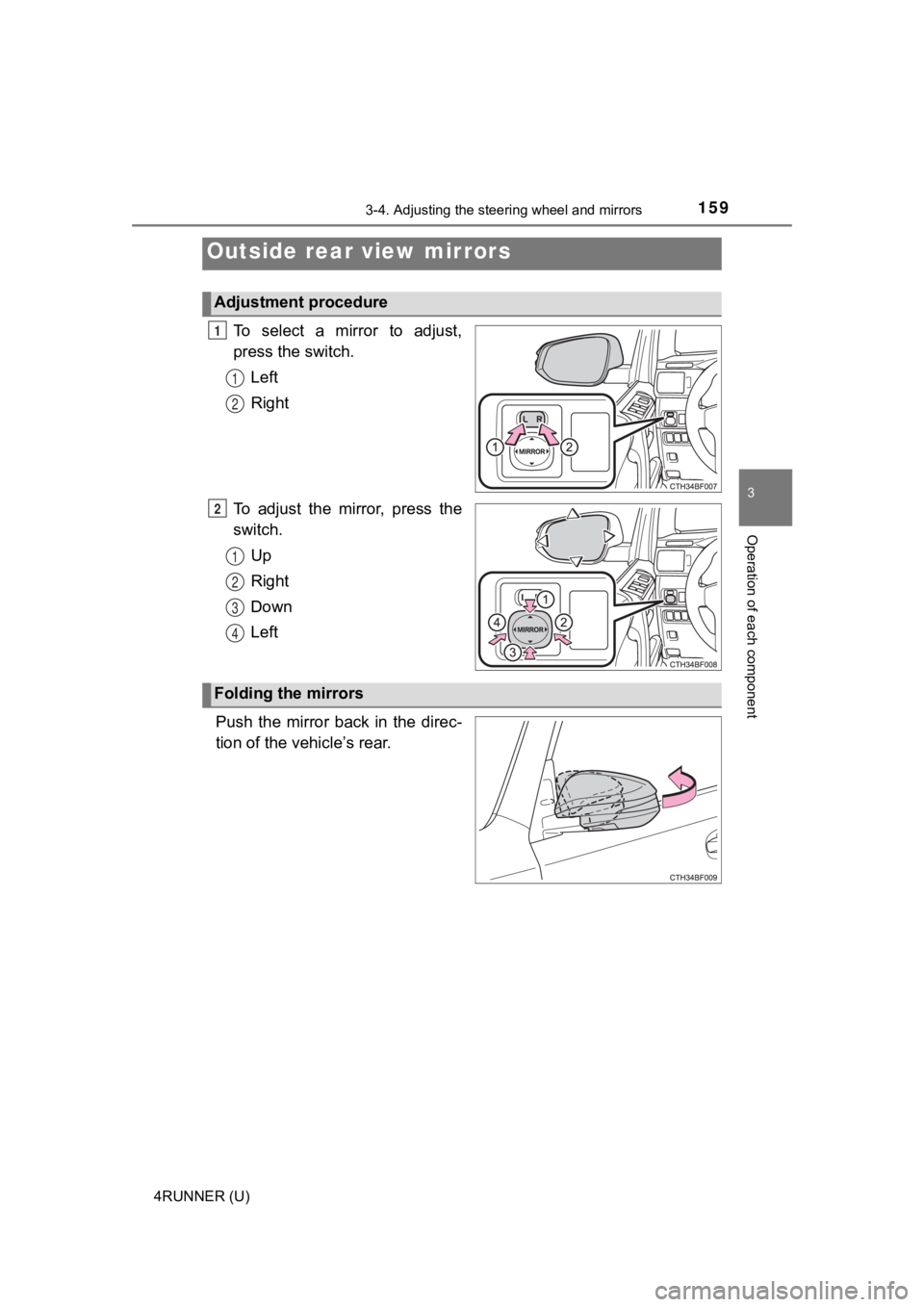
To select a mirror to adjust,
press the switch.
Left
Right
To adjust the mirror, press the
switch. Up
Right
Down
Left
Push the mirror back in the direc-
tion of the vehicle’s rear.
Outside rear view mirrors
Adjustment procedure
1
1
2
2
1
2
3
4
Folding the mirrors