2022 MAZDA MODEL MX-30 EV brake
[x] Cancel search: brakePage 288 of 547

The vehicle is driven on rough
roads such as in areas where there
is grass and foliage or o ff-road.
Refer to Stopping the Smart Brake
Support (SBS) System Operation
on page 4-143.
Always use tires for all wheels that
are of the speci fied size, and the
same manufacture, brand, and tread
pattern. In addition, do not use tires
with signi ficantly di fferent wear
patterns on the same vehicle. If such
improper tires are used, the SBS may
not operate normally.
Rearward detection function
The rearward detection function is
designed to reduce damage in the
event of a collision with a target object
when reversing.
The rearward detection function
detects obstructions using the rear
ultrasonic sensors. In addition, if there
is the possibility of your vehicle
colliding with a target object at the rear
while you are driving in reverse, you
are notified of possible danger by a
warning sound and a warning
indication on the display.
Furthermore, if the possibility of a
collision increases, brake control is
performed to reduce damage in the
event of a collision.
WARNING
Always check the surrounding area
visually when reversing the vehicle:
The operation of the rearward
detection function has certain
limitations. Therefore, the function
might not operate or it might be
delayed even if there is a target object
at the rear of your vehicle. Always
make it your responsibility as a driver
to check the rear.
Operation conditions
The rearward detection function
operates when all of the following
conditions are met.
The EV system is operating.The SBS is on.The selector lever is in the R position.The vehicle speed is about 2 km/h
(2 mph) to 8 km/h (4 mph).
There is no problem with the DSC.The Electric Parking Brake (EPB) is
not operating.
NOTE
When any of the following
conditions is met, the rearward
detection function may not operate.
Directly after the EV system starts.The height of the obstruction is
low such as low walls or trucks
with low loading platforms.
The height of the obstruction is
high such as trucks with high
loading platforms.
The obstruction is not as large as a
vehicle or wall.
The obstruction is thin such as a
signpost.
The surface of the obstruction is
not pointed vertically relative to
your vehicle.
When Driving
i-ACTIVSENSE
4-139
MX -30_8JD4-EA -21G_Edition2_new 2021-5-18 14:38:07
Page 289 of 547

The obstruction is soft such as a
hanging curtain or snow stuck to a
vehicle.
The obstruction is shaped
irregularly.
The obstruction is extremely close.When any of the following
conditions is met, the rearward
detection function may not operate
normally.
Snow, ice, or mud adheres to the
area around a rear ultrasonic
sensor.
The vehicle posture is unstable due
to sudden operation of the steering
wheel, accelerator pedal, or brake
pedal.
There is another obstruction near
one obstruction.
During inclement weather such as
rain, fog , and snow.
High or low humidity.High or low temperatures.Strong winds.The path of travel is not flat.Heavy luggage is loaded in the
luggage compartment or on the
rear seat and the vehicle is tilted.
Objects such as a wireless antenna,
fog light, or illuminated license
plate is installed near a rear
ultrasonic sensor.
The orientation of a rear ultrasonic
sensor has deviated for reasons
such as a collision.
The vehicle is a ffected by other
sound waves such as the horn,
engine noise, or rear ultrasonic
sensor of another vehicle.
When any of the following
conditions is met, the rearward
detection function may operate.
Reversing towards a steep
ascending slope.
There are grating, wheel blocks, a
road curb, or a bump.
There is a hanging curtain or
railroad crossing gate.
Reversing near objects such as
foliage, barriers, vehicles, walls, or
fences.
The vehicle is driven on rough
roads such as in areas where there
is grass and foliage or o ff-road.
When reversing through low gates,
narrow gates, car washing
machines, tunnels, or into a
mechanical parking garage.
A towing bar is installed or a trailer
is connected.
If the system performs brake control
and the vehicle is stopped, the
system will continue to hold the
brakes for a brief time unless there is
an operation performed by the
driver.
Collision warning
If there is the possibility of your vehicle
colliding with a vehicle approaching
from the rear on the left or right, or
from the rear while you are driving in
reverse, a warning sound is activated
continuously and a warning is
displayed on the multi-information
display and the active driving display.
Multi-information display
1. “BRAKE!” message is displayed
Active driving display
When Driving
i-ACTIVSENSE
4-140
MX -30_8JD4-EA -21G_Edition2_new 2021-5-18 14:38:07
Page 290 of 547

1. “BRAKE!” message is displayed
NOTE
During brake control, the collision
warning sound is activated
intermittently.
Rear crossing
The Rear Crossing detection function is
designed to reduce the damage in the
event of a collision with a vehicle
approaching from the rear sides while
driving in reverse.
The Rear Crossing detection function
detects approaching vehicles using the
rear side radar sensors. If there is the
possibility of your vehicle colliding with
a vehicle approaching from the rear
sides while you are driving in reverse,
you are noti fied of possible danger by
a warning sound and a warning
indication on the display.
Furthermore, if the possibility of a
collision increases, brake control is
performed to reduce damage in the
event of a collision.
WARNING
Always check the surrounding area
visually when reversing the vehicle:
The operation of the Rear Crossing
detection function has certain
limitations. Therefore, the function
might not operate or it might be
delayed even if there is a vehicle
passing through the rear of your
vehicle. Always make it your
responsibility as a driver to check the
rear.
Do not rely completely on the Rear
Crossing detection function:
The Rear Crossing detection function
operates on vehicles while you are
driving in reverse. It will not operate on
walls, pedestrians, or animals.
Operation conditions
The Rear Crossing detection function
operates when all of the following
conditions are met.
The EV system is operating.The SBS is on.The selector lever is in the R position.The vehicle speed is about 10 km/h
(6.2 mph) or slower.
The vehicle speed of an approaching
vehicle is about 3 km/h (2 mph) or
faster.
There is no problem with the DSC.
NOTE
When any of the following
conditions is met, the i-ACTIVSENSE
warning indication/warning light is
turned on and the system operation
is stopped. If the i-ACTIVSENSE
warning indication/warning light
remains on, have the vehicle
inspected by an Authorized Mazda
Dealer as soon as possible.
There is a problem with the
system.
A large deviation in the installation
position of a rear side radar sensor
on the vehicle has occurred.
Snow, ice, or mud is adhering
around a rear side radar sensor.
The temperature around a rear side
radar sensor is high.
Driving on snow-covered roads for
long periods.
The lead-acid battery voltage has
decreased.
When Driving
i-ACTIVSENSE
4-141
MX -30_8JD4-EA -21G_Edition2_new 2021-5-18 14:38:07
Page 291 of 547

When any of the following
conditions is met, the Rear Crossing
detection function will not detect
approaching vehicles or they may bedi fficult to detect.
The rear side radar sensor
detection area is obstructed by a
nearby wall or parked vehicle.
(Reverse the vehicle to a position
where the radar sensor detection
area is no longer obstructed.)
1. Your vehicle
A vehicle is approaching directly
from the rear of your vehicle.
1. Your vehicle
The vehicle is parked on a slant.
1. Your vehicle
A vehicle is approaching from the
opposite direction on a steep
gradient.
1. Your vehicle
Directly after the EV system starts.Just after the SBS operation has
been enabled using [Settings] in
Mazda Connect.
Radio wave interference from a
radar sensor equipped on a vehicle
parked nearby.
When any of the following
conditions is met, the Rear Crossing
may operate.
There is a hanging curtain or
railroad crossing gate.
Reversing near objects such as
foliage, barriers, vehicles, walls, or
fences.
The vehicle is driven on rough
roads such as in areas where there
is grass and foliage or o ff-road.
When reversing through low gates,
narrow gates, car washing
machines, or tunnels.
A towing bar is installed or a trailer
is connected.
If the system performs brake control
and the vehicle is stopped, the
system will continue to hold the
brakes for a brief time unless there is
an operation performed by the
driver.
Collision warning
If there is the possibility of your vehicle
colliding with a vehicle approaching
from the rear on the left or right, or
When Driving
i-ACTIVSENSE
4-142
MX -30_8JD4-EA -21G_Edition2_new 2021-5-18 14:38:07
Page 292 of 547
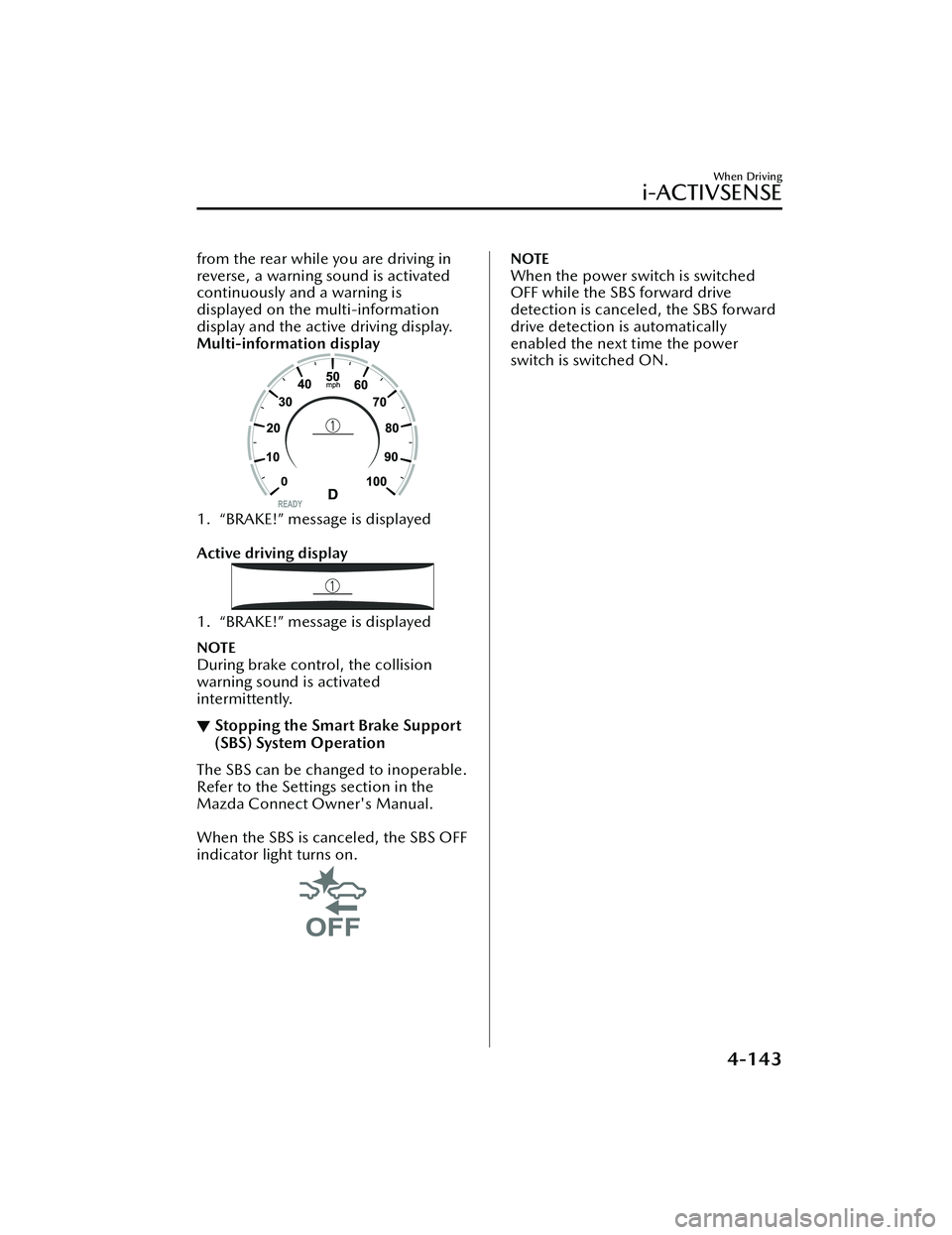
from the rear while you are driving in
reverse, a warning sound is activated
continuously and a warning is
displayed on the multi-information
display and the active driving display.
Multi-information display
1. “BRAKE!” message is displayed
Active driving display
1. “BRAKE!” message is displayed
NOTE
During brake control, the collision
warning sound is activated
intermittently.
▼Stopping the Smart Brake Support
(SBS) System Operation
The SBS can be changed to inoperable.
Refer to the Settings section in the
Mazda Connect Owner's Manual.
When the SBS is canceled, the SBS OFF
indicator light turns on.
NOTE
When the power switch is switched
OFF while the SBS forward drive
detection is canceled, the SBS forward
drive detection is automatically
enabled the next time the power
switch is switched ON.
When Driving
i-ACTIVSENSE
4-143
MX
-30_8JD4-EA -21G_Edition2_new 2021-5-18 14:38:07
Page 325 of 547

Cruise Control
▼Cruise Control
With cruise control, you can set and
automatically maintain any speed of
more than about 30 km/h (19 mph).
WARNING
Do not use the cruise control under
the following conditions:
Using the cruise control under the
following conditions is dangerous and
could result in loss of vehicle control.
Hilly terrain
Steep inclines
Heavy or unsteady tra ffic
Slippery or winding roads
Similar restrictions that require
inconsistent speed
The vehicle speed may exceed the
set speed during sudden acceleration
or on steep down slopes.
In this case, depress the brake pedal
to adjust the vehicle speed.
▼ Cruise Control Switch
1. CANCEL switch
2. RES switch
3. Cruise switch
NOTE
If your Mazda has the following
steering switch, your Mazda is
equipped with the Mazda Radar
Cruise Control with Stop & Go
function (MRCC with Stop & Go
function) system.
Refer to Mazda Rada
r Cruise Control
with Stop & Go function (MRCC with
Stop & Go function) on page 4-111.
If the Mazda Radar Cruise Control with
Stop & Go function (MRCC with Stop
& Go function) is set to inoperable
using the personalization feature, the
system switches to the cruise control
function. In this case, the MRCC
functions as the cruise switch. In
addition, if the power switch is
switched OFF with the headway
control disabled using the
personalization features, the headway
control is enabled when the power
switch is switched ON the next time.
▼ Cruise Standby Indication
(White)/Cruise Set Indication
(Green)
Cruise standby Indication (White)
The indication turns on (white) when
the cruise control system is activated.
When Driving
Cruise Control
4-176
MX
-30_8JD4-EA -21G_Edition2_new 2021-5-18 14:38:07
Page 326 of 547
Cruise Set Indication (Green)
The indication turns on (green) when a
cruising speed has been set.
▼Activation/Deactivation
WARNING
Always turn o
ff the cruise control
system when it is not in use:
Leaving the cruise control system in an
activation-ready state while the cruise
control is not in use is dangerous as the
cruise control could unexpectedly
activate if the activation button is
accidentally pressed, and result in loss
of vehicle control and an accident.
If the headway control function is
disabled using a Mazda Connect
setting , the system switches to cruise
control.
Activation
To activate the system, press the cruise
switch. The cruise standby indication
(white) turns on.
Deactivation
To deactivate the system, press the
cruise switch again.
The cruise standby indication (white)
turns off.
▼ To Set Speed
1. Activate the cruise control system
by pressing the cruise switch. The
cruise standby indication (white)
turns on.
2. Accelerate to the desired speed,
which must be more than 25 km/h
(16 mph).
3. Adjust the system to the desired vehicle speed using the accelerator
pedal. Press the RES switch up (SET
+) or down (SET -) to start cruise
control. The cruise control
indication (green) in the instrument
cluster turns on at the same time.
Quickly release the switch when the
cruise control indication (green)
turns on.
NOTE
If the RES switch is operated up (SET
+) or down (SET -) while the vehicle
speed is between 25 and 30 km/h
(16 to 19 mph), the set speed is set
to 30 km/h (19 mph).
The cruise control speed setting
cannot be performed under the
following conditions:
Any of the doors is opened.The driver's seat belt is unfastened.The brake pedal is depressed.The parking brake is applied.The selector lever is in the P, N, or
R position.
On a steep grade, the vehicle may
momentarily slow down while
ascending or speed up while
descending.
The cruise control will cancel if the
vehicle speed decreases below 20
km/h (12 mph) when the cruise
control is activated, such as when
climbing a steep grade.
The vehicle speed preset using the
cruise control is displayed in the
instrument cluster and the active
driving display (vehicles with active
driving display).
When Driving
Cruise Control
4-177
MX -30_8JD4-EA -21G_Edition2_new 2021-5-18 14:38:07
Page 327 of 547
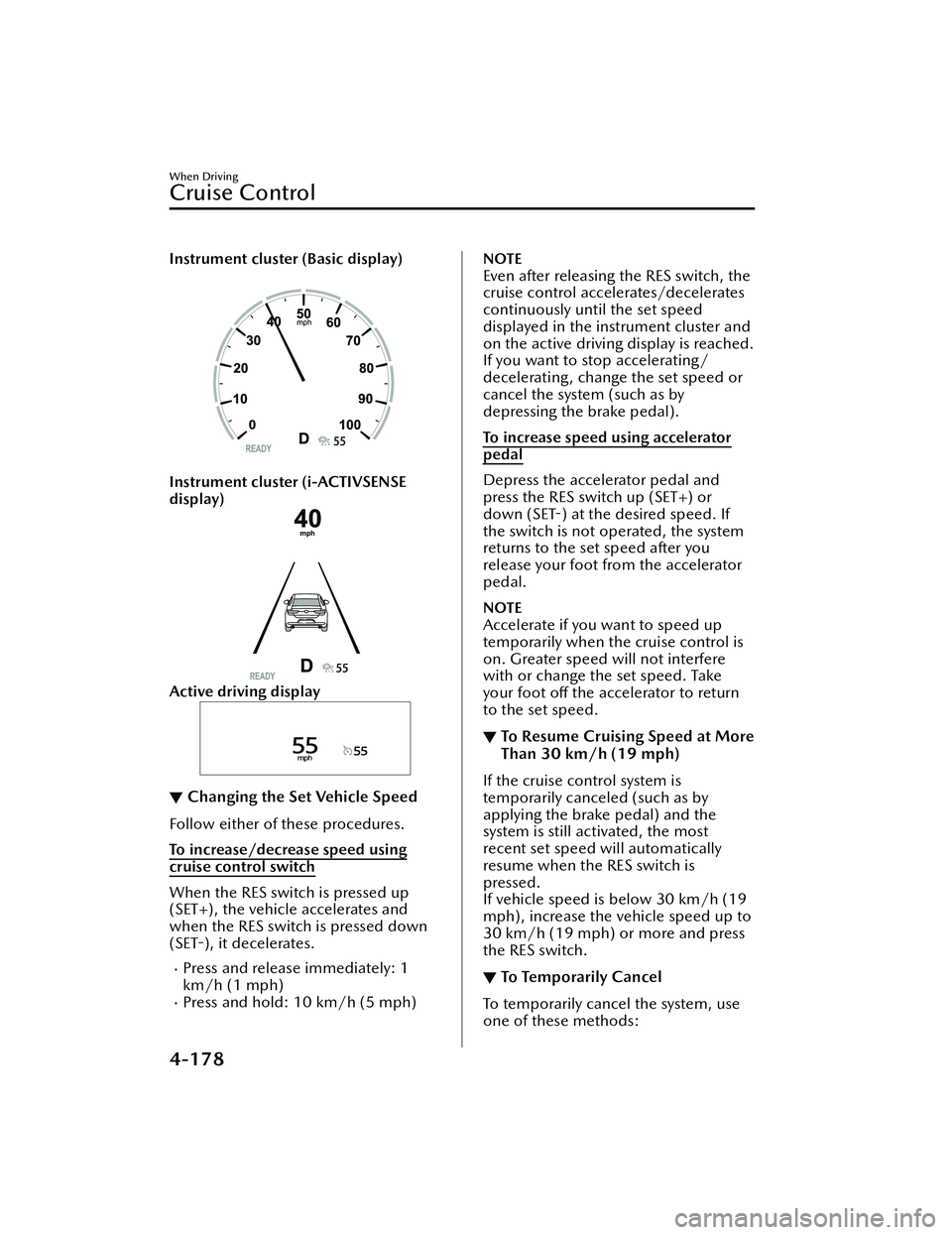
Instrument cluster (Basic display)
Instrument cluster (i-ACTIVSENSE
display)
Active driving display
▼Changing the Set Vehicle Speed
Follow either of these procedures.
To increase/decrease speed using
cruise control switch
When the RES switch is pressed up
(SET+), the vehicle accelerates and
when the RES switch is pressed down
(SET
-), it decelerates.
Press and release immediately: 1
km/h (1 mph)
Press and hold: 10 km/h (5 mph)
NOTE
Even after releasing the RES switch, the
cruise control accelerates/decelerates
continuously until the set speed
displayed in the instrument cluster and
on the active driving display is reached.
If you want to stop accelerating/
decelerating, change the set speed or
cancel the system (such as by
depressing the brake pedal).
To increase speed using accelerator
pedal
Depress the accelerator pedal and
press the RES switch up (SET+) or
down (SET -) at the desired speed. If
the switch is not operated, the system
returns to the set speed after you
release your foot from the accelerator
pedal.
NOTE
Accelerate if you want to speed up
temporarily when the cruise control is
on. Greater speed will not interfere
with or change the set speed. Take
your foot o ff the accelerator to return
to the set speed.
▼ To Resume Cruising Speed at More
Than 30 km/h (19 mph)
If the cruise control system is
temporarily canceled (such as by
applying the brake pedal) and the
system is still activated, the most
recent set speed will automatically
resume when the RES switch is
pressed.
If vehicle speed is below 30 km/h (19
mph), increase the vehicle speed up to
30 km/h (19 mph) or more and press
the RES switch.
▼To Temporarily Cancel
To temporarily cancel the system, use
one of these methods:
When Driving
Cruise Control
4-178
MX
-30_8JD4-EA -21G_Edition2_new 2021-5-18 14:38:07