2022 LINCOLN CORSAIR stop start
[x] Cancel search: stop startPage 155 of 676

Hill Start Assist
Details
Message
Hill start assist is not available. Contact an authorized dealer. See Hill Start Assist (page 273).
Hill Start Assist Not Available
Keys and Intelligent Access Details
Message
A reminder to press the brake while starting your vehicle.
To START Press Brake
The system does not detect the key. You need to have the intelligent access key inside yourvehicle to restart the engine.
No Key Detected
When you press the Start Stop button to shut the engine off, you need to have the intelligentaccess key inside your vehicle to restart the engine.
Restart Now or Key is Needed
Your vehicle is in the accessory ignition state.
Full Accessory Power Active
There is a problem with your vehicle’s starting system. See an authorized dealer for service.
Starting System Fault
This message appears after you program a spare key to the system.
Key Program Successful
This message appears after you program the maximum number of keys to the system.
Max Number of Keys Learned
This message appears when your attempt to program a spare key fails.
Key Program Failure
152
2022 Corsair (CTF) Canada/United States of America, enUSA, Edition date: 202106, First-Printing Information Displays
Page 161 of 676

Details
Message
The electric park brake system detects a condition that requires service. Some functionalitymay still be available. Have the system checked as soon as possible.
Park Brake Limited Function Service Required
The electric parking brake system detects a condition that requires service. Have the systemchecked as soon as possible.
Park Brake Malfunction Service Now
Applying the park brake numerous times has overheated the system. Wait 2 minutes beforeattempting to apply again.
Park Brake System Overheated
Power Steering Details
Message
The power steering system detects a condition that requires service. Have the system checked as soon as possible.
Steering Fault Service Now
The power steering system is not working. Stop your vehicle in a safe place. Have the systemchecked as soon as possible.
Steering Loss Stop Safely
The power steering system detects a condition within the power steering \
system or passiveentry or passive start system that requires service. Have the system checked as soon as possible.
Steering Assist Fault Service Required
The steering lock system detects a condition that requires service. Have the system checkedas soon as possible.
Steering Lock Malfunction Service Now
158
2022 Corsair (CTF) Canada/United States of America, enUSA, Edition date: 202106, First-Printing Information Displays
Page 170 of 676

Note:
You can extend the engine running
duration to a maximum of 30 minutes.
REMOTELY STOPPING THE
ENGINE Press the button on the remote
control to stop the engine.
Note: You can also use the Lincoln Way App
to stop the engine.
REMOTE START REMOTE
CONTROL INDICATORS
Remote Control Feedback
An LED on the remote control provides status
feedback of remote start or stop commands. Status
LED
Remote startsuccessful.
Solid green.
Remote stopsuccessful.
Solid red.
Request failed or
status not received.
Blinking red.
Status incomplete.
Blinking green.
REMOTE START SETTINGS
SWITCHING CLIMATE CONTROL
AUTO MODE ON AND OFF
1. Using the information display controls on
the steering wheel, select Settings.
2. Select
Vehicle.
3. Select
Remote Start.
4. Select
Climate Control.
5. Switch
Auto on and off. Note:
If you switch the auto mode on, the
system attempts to heat or cool the interior
to
72°F (22°C).
Note: When you switch the ignition on, the
climate control system returns to the last
used settings.
Note: The heated windshield, heated rear
window, heated mirrors, heated seats and
heated steering wheel could turn on in cold
weather.
SWITCHING CLIMATE CONTROL LAST
SETTINGS ON AND OFF
1. Using the information display controls on
the steering wheel, select
Settings.
2. Select
Vehicle.
3. Select
Remote Start.
4. Select
Climate Control.
5. Switch
Last settings on or off.
Note: If you switch the last settings on, the
system remembers the last used settings.
167
2022 Corsair (CTF) Canada/United States of America, enUSA, Edition date: 202106, First-Printing Remote StartE138625
Page 171 of 676
SWITCHING THE HEATED SEAT
SETTINGS ON AND OFF
1.
Using the information display controls on
the steering wheel, select Settings.
2. Select
Vehicle.
3. Select
Remote Start.
4. Select
Front Seats.
5. Select
Auto or Off.
Note: If you switch the heated seat settings
on, the heated seats turn on during cold
weather.
Note: You cannot adjust the heated seat
settings when you have remotely started the
engine.
SWITCHING THE HEATED STEERING
WHEEL SETTINGS ON AND OFF
1. Using the information display controls on
the steering wheel, select
Settings.
2. Select
Vehicle.
3. Select
Remote Start.
4. Select
Front Seats & Wheel. 5. Select
Auto or Off.
Note: If you switch the heated steering wheel
settings on, the heated steering wheel turns
on during cold weather.
Note: You cannot adjust the heated steering
wheel settings when you have remotely
started the engine.
SETTING THE REMOTE START
DURATION
You can set a duration for the engine to run.
Note: Wait a few seconds before remotely
starting the engine after the engine stops
running.
1. Using the information display controls on
the steering wheel, select
Settings.
2. Select
Vehicle.
3. Select
Remote Start.
4. Select
Duration.
168
2022 Corsair (CTF) Canada/United States of America, enUSA, Edition date: 202106, First-Printing Remote Start
Page 205 of 676
GENERAL INFORMATION
WARNING: Extended idling at high
engine speeds can produce very high
temperatures in the engine and exhaust
system, creating the risk of fire or other
damage. WARNING:
Do not park, idle or drive
your vehicle on dry grass or other dry
ground cover. The emission system heats
up the engine compartment and exhaust
system, creating the risk of fire. WARNING:
Do not start the engine
in a closed garage or in other enclosed
areas. Exhaust fumes can be toxic. Always
open the garage door before you start the
engine. WARNING: Exhaust leaks may result
in entry of harmful and potentially lethal
fumes into the passenger compartment. If
you smell exhaust fumes inside your
vehicle, have your vehicle inspected
immediately. Do not drive if you smell
exhaust fumes.
If you disconnect the battery, your vehicle
may exhibit some unusual driving
characteristics for approximately 5 mi (8 km)
after you reconnect it. This is because the
engine management system must realign
itself with the engine. You can disregard any
unusual driving characteristics during this
period.
The powertrain control system meets all
Canadian interference-causing equipment
standard requirements regulating the
impulse electrical field or radio noise.
When you start the engine, avoid pressing
the accelerator pedal before and during
operation. Only use the accelerator pedal
when you have difficulty starting the engine. KEYLESS STARTING
Note:
The keyless starting system may not
function if the key is close to metal objects
or electronic devices such as cellular
phones.
Note: A valid key must be located inside
your vehicle to switch the ignition on and
start the engine.
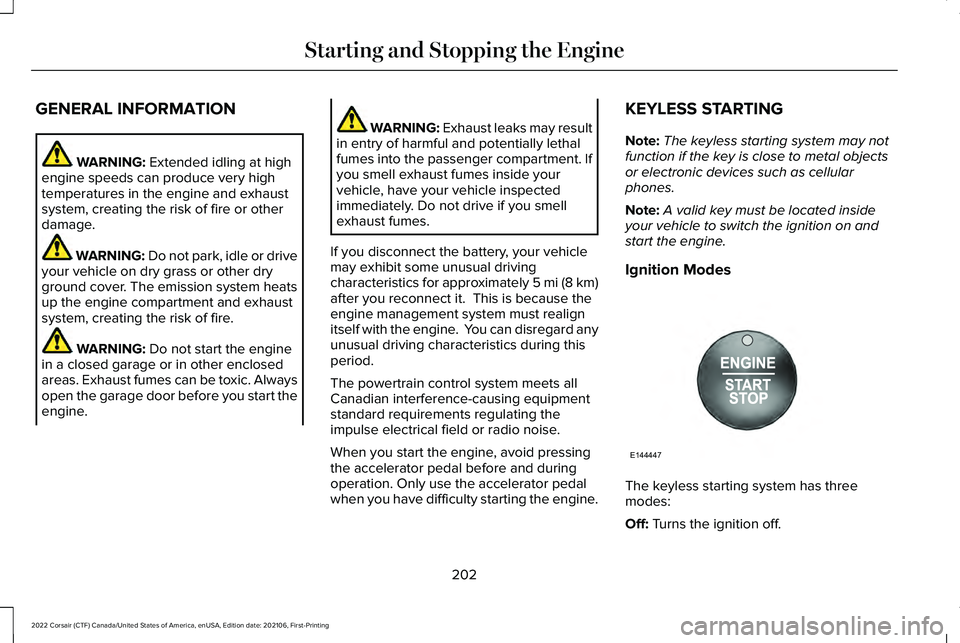
Ignition Modes The keyless starting system has three
modes:
Off:
Turns the ignition off.
202
2022 Corsair (CTF) Canada/United States of America, enUSA, Edition date: 202106, First-Printing Starting and Stopping the EngineE144447
Page 206 of 676

•
Without applying the brake pedal, press
and release the button once when the
ignition is in the on mode, or when the
engine is running but the vehicle is not
moving.
On: All electrical circuits are operational and
the warning lamps and indicators illuminate.
• Without applying the brake pedal, press
and release the button once.
Note: You may have to press the push
button ignition switch twice to switch the
ignition on.
Start:
Starts the engine.
• Press the brake pedal, and then press
the button for any length of time. An
indicator light on the button illuminates
when then ignition is on and when the
engine starts. STARTING A GASOLINE ENGINE
When you start the engine, the idle speed
increases, this helps to warm up the engine.
If the engine idle speed does not slow down,
have your vehicle checked as soon as
possible.
Note:
If your vehicle has remote start, you
can start your vehicle with the remote, and
then drive away by pressing the brake pedal
and pushing a button on the transmission.
This allows you to drive away without
pressing the engine start button.
Before starting the engine, check the
following:
• Make sure all occupants have fastened
their seatbelts.
• Make sure the headlamps and electrical
accessories are off.
• Make sure the parking brake is on.
• Make sure the transmission is in park (P).
Note: Do not touch the accelerator pedal.
1. Fully press the brake pedal.
2. Press the push button ignition switch. The system does not function if:
•
The key frequencies are jammed.
• The key battery has no charge.
If you are unable to start the engine, do the
following: 1. Open the center console lid.
2. Slide the remote into the back-up slot.
3. With the key in this position, press the
brake pedal, then press the push button
ignition switch to switch the ignition on
and start your vehicle.
203
2022 Corsair (CTF) Canada/United States of America, enUSA, Edition date: 202106, First-Printing Starting and Stopping the EngineE306288
Page 207 of 676

Fast Restart
The fast restart feature allows you to restart
the engine within 20 seconds of switching it
off, even if a valid key is not present.
When you switch it off temporarily, it turns
on at the next ignition cycle. After 20
seconds, you can no longer restart the
engine without the key present inside your
vehicle.
Once the engine starts, it remains running
until you press the push button ignition
switch, even if the system does not detect a
valid key. If you open and close a door while
the engine is running, the system searches
for a valid key. You cannot restart the engine
if the system does not detect a valid key
within 20 seconds.
Vehicles using Phone as a Key
Note:
Do not touch the accelerator pedal.
Note: You must have your Phone as a Key
in your vehicle to shift the transmission out
of park (P). 1. Fully depress the brake pedal.
2. Press the push button ignition switch.
The system does not function if:
•
The Bluetooth® enabled phone
frequencies are jammed.
• The Phone as a Key battery is low or fully
discharged.
See Phone as a Key (page
69).
Automatic Engine Shutdown
If your vehicle has a keyless ignition, it has
a feature that shuts down the engine if it has
been idling for an extended period. The
ignition also turns off in order to save battery
power. Before the engine shuts down, a
message appears in the information display
showing a timer counting down from 30
seconds. If you do not intervene within 30
seconds, the engine shuts down. Another
message appears in the information display
to inform you that the engine has shut down
in order to save fuel. Start your vehicle as
you normally do. Automatic Engine Shutdown Override
Note:
You cannot permanently switch off the
automatic engine shutdown feature. When
you switch it off temporarily, it turns on at
the next ignition cycle.
You can stop the engine shutdown, or reset
the timer, at any point before the 30-second
countdown has expired by doing any of the
following:
• You can reset the timer by interacting
with your vehicle, such as pressing the
brake pedal or accelerator pedal.
• Use the vehicle settings on the
touchscreen to switch 30min max idle on
or off.
• During the countdown before engine
shutdown, a message appears prompting
you to press OK or RESET, depending on
your type of information display, to
temporarily switch the feature off.
Stopping the Engine When Your
Vehicle is Stationary
1. Put the transmission in park (P).
204
2022 Corsair (CTF) Canada/United States of America, enUSA, Edition date: 202106, First-Printing Starting and Stopping the Engine
Page 208 of 676
2. Press the push button ignition switch
once.
3. Apply the parking brake.
Note: This switches off the ignition, all
electrical circuits, warning lamps and
indicators.
Note: If the engine is idling for 30 minutes,
the ignition and engine shut down.
Vehicles using Phone as a Key
1. Shift into park (P).
2. Press the push button ignition switch.
3. Apply the parking brake.
Note: The ignition, all electrical circuits and
all warning lamps and indicators turn off.
Note: If the engine is idling for 30 minutes,
the ignition and engine shut down. Stopping the Engine When Your
Vehicle is Moving WARNING: Switching off the engine
when your vehicle is still moving results in
a significant decrease in braking
assistance. Higher effort is required to
apply the brakes and to stop your vehicle.
A significant decrease in steering
assistance could also occur. The steering
does not lock, but higher effort could be
required to steer your vehicle. When you
switch the ignition off, some electrical
circuits, for example airbags, also turn off.
If you unintentionally switch the ignition
off, shift into neutral (N) and restart the
engine.
1. Press and hold the push button ignition switch for one second, or press it three
times within two seconds.
2. Put the transmission into neutral (N) and
use the brakes to bring your vehicle to a
safe stop.
3. When your vehicle has stopped, shift into
park (P). 4. Apply the parking brake.
Vehicles using Phone as a Key
1. Press and hold the push button ignition
switch, or press it three times within two
seconds.
2. Put the transmission into neutral (N) and
use the brakes to bring your vehicle to a
safe stop.
3. When your vehicle has stopped, shift into
park (P).
4. Apply the parking brake.
Guarding Against Exhaust Fumes WARNING: Exhaust leaks may result
in entry of harmful and potentially lethal
fumes into the passenger compartment. If
you smell exhaust fumes inside your
vehicle, have your vehicle inspected
immediately. Do not drive if you smell
exhaust fumes.
205
2022 Corsair (CTF) Canada/United States of America, enUSA, Edition date: 202106, First-Printing Starting and Stopping the Engine